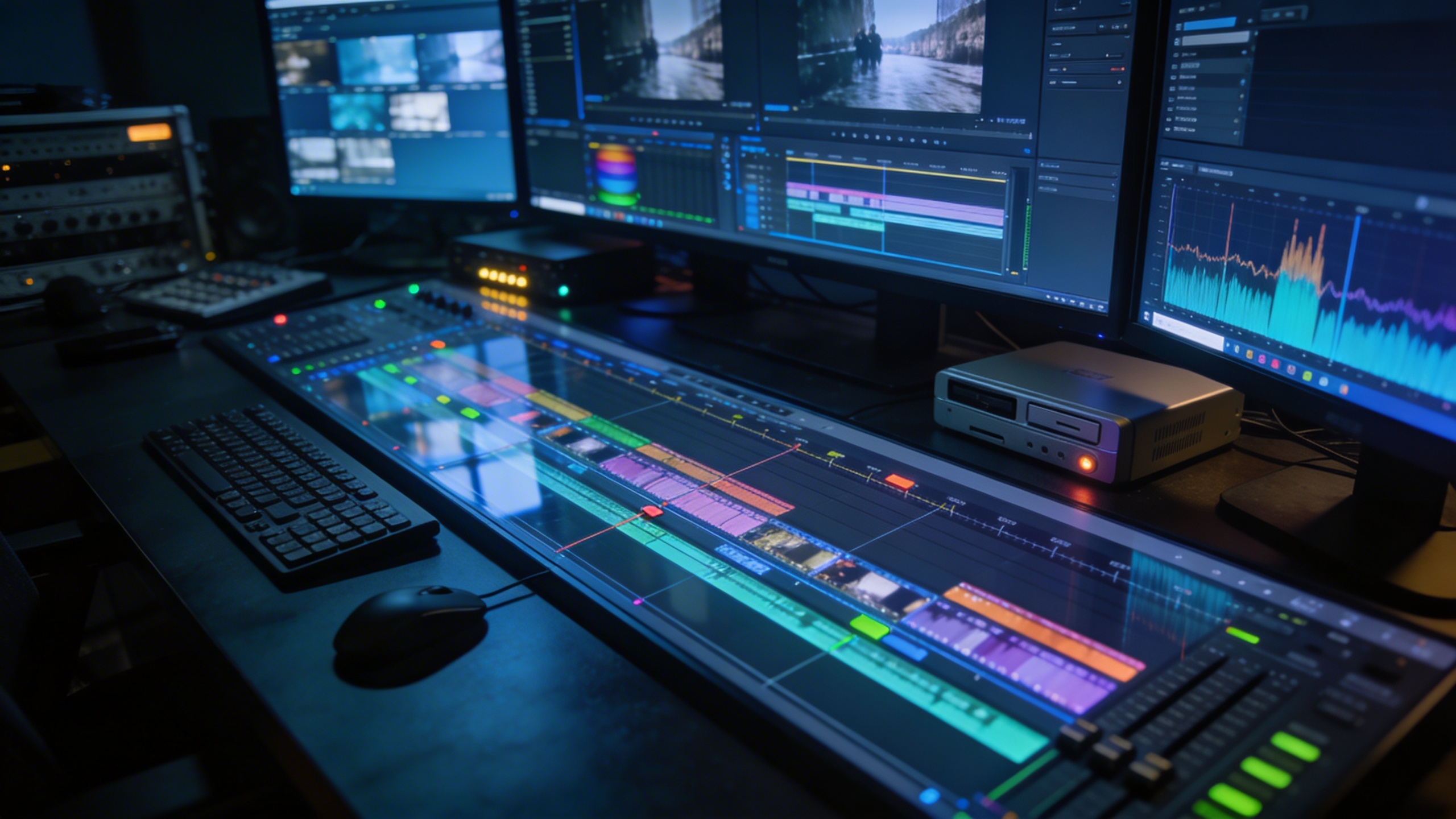
मुख्य उपयोगकर्ता
वे creators और marketers जो लगातार वीडियो publish करते हैं
जब टीम को Shorts, TikTok clips, product teasers, campaign variants, explainer scenes या story promos manual editing से कहीं तेज़ चाहिए हों, तब इसका उपयोग करें।

AI वीडियो जेनरेटर
पूरी editing timeline खोले बिना prompts, images और storyboard notes से creator-ready वीडियो जनरेट करें।
सोशल creators, marketers, educators और story teams के लिए बनाया गया है, जिन्हें अपने मौजूदा ideas और assets से ज़्यादा वीडियो output चाहिए।
AI वीडियो बनाएंPrompts, images, scripts और storyboard notes को social clips, product videos, explainers और story promos में बदलें।
Prompts, images, scripts या storyboard notes से शुरू करें
Motion, pacing और scene direction के साथ clips जनरेट करें
Shorts, Reels, TikTok, ads और launches के लिए drafts बनाएं
सोल्यूशन पेज
किसी idea, image, script या storyboard को social, ads, education और story promotion के लिए publish करने योग्य वीडियो asset में बदलें।
मुख्य उपयोगकर्ता
जब टीम को Shorts, TikTok clips, product teasers, campaign variants, explainer scenes या story promos manual editing से कहीं तेज़ चाहिए हों, तब इसका उपयोग करें।
समस्या
ज़्यादातर टीमों के पास पहले से prompts, product shots, scripts या rough storyboards होते हैं। असली bottleneck इन assets को motion, pacing, framing और export-ready clips में बदलना होता है।
नतीजा
Prompt से शुरू करें या upload करें, scene generate करें, motion refine करें और तेज़ी से उस clip तक पहुंचें जिसे review, share या publish किया जा सके।
पारंपरिक वीडियो production धीमा, महंगा और हर campaign, story या social format के लिए दोहराना मुश्किल होता है।
अच्छा video idea अटक जाता है क्योंकि टीम को editing time, motion design और format changes चाहिए होते हैं।
Product images, scripts और storyboards unused पड़े रहते हैं क्योंकि उन्हें वीडियो में बदलने के लिए एक और specialist चाहिए होता है।
Social calendars को कई variations चाहिए, लेकिन manual production केवल एक या दो polished clips के लिए समय छोड़ता है।
Generic video tools motion तो बना देते हैं, लेकिन real publishing workflow के लिए ज़रूरी pacing और platform framing नहीं देते।
जो source material आपके पास पहले से है, उससे review-ready video drafts बनाएं, फिर full edit पर जाने से पहले iterate करें।
Prompts, uploaded images या storyboard-style scene notes से clips बनाएं।
Blank editor से शुरू किए बिना concept से reviewable video तक तेज़ी से पहुंचें।
Shorts, Reels, TikTok, ads और explainers के लिए platform-friendly drafts जनरेट करें।
Story promos, product demos, education clips और campaign tests के लिए वही workflow इस्तेमाल करें।
उपयोग के मामले
Short social clips से लेकर product demos, course videos और story scenes तक, ठोस production outputs के लिए एक ही workflow इस्तेमाल करें।
TikTok, Reels और YouTube Shorts के लिए vertical clips, intros, hooks और visual transitions बनाएं।
Product screenshots, campaign angles और launch messages को testing के लिए तेज़ video variations में बदलें।
Story beats, lesson ideas या visual outlines को ऐसे scenes में बदलें जिन्हें review और explain करना आसान हो।
Related writing workflow
Use the AI Screenplay Editor when a script, fiction draft, storyboard brief, video idea, or canvas note needs proper scene headings, action, dialogue, parentheticals, cover pages, outlines, beats, and collaboration-ready revisions.
INT. COMMUNITY CENTER - NIGHT
Folded chairs. A storm outside. MAYA stands at the microphone with a page of notes she no longer needs.
MAYA
If the city will not read the record, we will read it out loud.
AI VIDEO CREATION STUDIO
LlamaGen.ai आपको campaign concept, product image, story beat या classroom idea से AI-generated video draft तक ले जाता है, जिसमें motion, pacing और social-ready framing शामिल होती है।
यह क्यों काम करता है
Text-to-video, image-to-video, storyboard thinking और social format planning को साथ मिलाएं, ताकि नतीजा real content calendar में इस्तेमाल करना आसान हो।
Scene, goal, audience और tone को describe करें, ताकि generator एक usable creative brief से शुरू करे।
शुरू से सब बनाने की जगह product visuals, characters, storyboards या reference frames को सीधे video workflow में लाएं।
Scene order, action beats और visual intent का उपयोग करके ऐसे drafts बनाएं जो story और pre-production workflows में फिट हों।
TikTok, Reels, Shorts, ads और launch pages के लिए सही framing और message density के साथ clips plan करें।
एक final edit को polish करने में समय लगाने से पहले कई hooks, visual styles और product angles test करें।
Timeline expertise की ज़रूरत नहीं। अपने मौजूदा asset या idea से शुरू करें और shareable clip तक पहुँचें।
PRODUCTION WORKFLOW
एक ही workflow में scene brief करें, clip generate करें, motion review करें और उस platform के लिए export करें जहाँ वीडियो को perform करना है।
Campaign idea, product image, storyboard, script या character visual को starting point बनाएं।
Image, storyboard या script note डालें
Prompts, images, video references और text descriptions सपोर्ट करता है
AI brief को motion, framing और clear visual direction वाले draft video में बदल देता है।
ज़्यादातर drafts एक मिनट से कम समय में review के लिए तैयार हो जाते हैं
Draft को social, review, pitch decks, launch pages या अगले editing pass के लिए share करें।
Download करें, review करें या इसे अगले creative pass के रूप में इस्तेमाल करें
यह कैसे काम करता है
Goal बताएं, source assets जोड़ें, scenes generate करें और export से पहले result review करें।
बताएं कि clip को क्या करना है: viewers को hook करना, product explain करना, story preview देना, concept सिखाना या campaign angle test करना।
Image, storyboard frame, product visual या script note upload करें, ताकि generated video का visual anchor साफ़ हो।
LlamaGen.ai pacing, visual direction और platform-friendly composition के साथ पहला motion draft बनाता है।
Generated draft को social publishing, campaign review, client approval या editing के अगले round के लिए इस्तेमाल करें।
बताएं कि clip को क्या करना है: viewers को hook करना, product explain करना, story preview देना, concept सिखाना या campaign angle test करना।
Image, storyboard frame, product visual या script note upload करें, ताकि generated video का visual anchor साफ़ हो।
LlamaGen.ai pacing, visual direction और platform-friendly composition के साथ पहला motion draft बनाता है।
Generated draft को social publishing, campaign review, client approval या editing के अगले round के लिए इस्तेमाल करें।
वीडियो गैलरी
Product demos, story clips, cinematic scenes और short-form social content के लिए visual directions देखें।
ROI
वैल्यू सिर्फ तेज़ rendering में नहीं है। असली फ़ायदा यह है कि campaign, story या lesson के relevant रहते हुए ज़्यादा ideas को motion में बदला जा सके।
More hooks
एक चुनने से पहले कई creative angles जनरेट करें।
Less setup
Blank timeline छोड़ें और मौजूदा asset से शुरू करें।
Faster review
Paragraph की जगह teammates और clients को visual draft दें।
Creator workflow
एक छोटी launch team product screenshot और एक campaign angle से शुरू कर सकती है, vertical teaser जनरेट कर सकती है, फिर polished ad पर commit करने से पहले hook, visual style और CTA के variants test कर सकती है।
Social clips, product videos, story previews और campaign experiments के लिए image, video, style और multimodal models को explore करने हेतु एक ही LlamaGen.ai workspace इस्तेमाल करें।
Thumbnails, references और visual drafts के लिए तेज़ image generation
Campaign और product visuals के लिए photorealistic image generation
Polished visual assets के लिए high-fidelity image synthesis
Visual planning और creative briefs के लिए advanced multimodal reasoning
Quick motion tests के लिए realistic short video clips
Richer story previews के लिए cinematic long-form video
Experimental visual directions के लिए creative media model
Fast iteration के लिए real-time video generation
Reference assets से style और subject consistency
Character और scene work के लिए narrative video storytelling
Polished motion drafts के लिए cinematic video realism
Stylized visual exploration के लिए culturally tuned image model
Creative planning के लिए state-of-the-art multimodal AI
Lightweight creative tasks के लिए छोटा और तेज़ multimodal model
Source assets और campaign visuals के लिए detailed image editing
Thumbnails, references और visual drafts के लिए तेज़ image generation
Campaign और product visuals के लिए photorealistic image generation
Polished visual assets के लिए high-fidelity image synthesis
Visual planning और creative briefs के लिए advanced multimodal reasoning
Quick motion tests के लिए realistic short video clips
Richer story previews के लिए cinematic long-form video
Experimental visual directions के लिए creative media model
Fast iteration के लिए real-time video generation
Reference assets से style और subject consistency
Character और scene work के लिए narrative video storytelling
Polished motion drafts के लिए cinematic video realism
Stylized visual exploration के लिए culturally tuned image model
Creative planning के लिए state-of-the-art multimodal AI
Lightweight creative tasks के लिए छोटा और तेज़ multimodal model
Source assets और campaign visuals के लिए detailed image editing
Production-ready assets के लिए balanced photo और creative images
Consistent visual direction के लिए multi-reference guided images
Flexible image creation के लिए developer-focused generator
Stronger final assets के लिए image refinement और polish
Controlled scene structure के लिए depth-map guided images
Precise composition के लिए edge-map controlled images
Quick motion changes के लिए text-driven video editing
Rapid concept testing के लिए तेज़ video generation
Richer creative drafts के लिए high-quality long-form video
Source images और campaign assets के लिए photography-style realism
कई visual styles के लिए open और versatile image synthesis
Flexible visual drafts के लिए general-purpose image generation
Sharper results के लिए enhanced precision image generation
Production-ready assets के लिए balanced photo और creative images
Consistent visual direction के लिए multi-reference guided images
Flexible image creation के लिए developer-focused generator
Stronger final assets के लिए image refinement और polish
Controlled scene structure के लिए depth-map guided images
Precise composition के लिए edge-map controlled images
Quick motion changes के लिए text-driven video editing
Rapid concept testing के लिए तेज़ video generation
Richer creative drafts के लिए high-quality long-form video
Source images और campaign assets के लिए photography-style realism
कई visual styles के लिए open और versatile image synthesis
Flexible visual drafts के लिए general-purpose image generation
Sharper results के लिए enhanced precision image generation
Short-form experiments के लिए creative और तेज़ video generation
Advanced motion scenes के लिए refined cinematic video model
Story-driven visuals के लिए advanced cinematic video model
Reliable outputs के लिए prior-generation high-quality video model
Polished motion drafts के लिए high-quality video generation
Branded assets के लिए vector और design-oriented image generation
Visual campaigns के लिए multimodal image generation और editing
Story sequences के लिए text या images से multi-shot videos
Short-form experiments के लिए creative और तेज़ video generation
Advanced motion scenes के लिए refined cinematic video model
Story-driven visuals के लिए advanced cinematic video model
Reliable outputs के लिए prior-generation high-quality video model
Polished motion drafts के लिए high-quality video generation
Branded assets के लिए vector और design-oriented image generation
Visual campaigns के लिए multimodal image generation और editing
Story sequences के लिए text या images से multi-shot videos
CREATOR PROOF
Creators और marketers LlamaGen.ai का उपयोग ज़्यादा concepts test करने, production cycles छोटे करने और existing assets को वीडियो में बदलने के लिए करते हैं।
"मैं किसी rough concept को polish करने से पहले कई video directions में बदल सकती हूँ। इससे weekly content calendar भरना बहुत आसान हो जाता है।"

कंटेंट क्रिएटर
"सबसे अच्छी बात इसकी speed है। Final ad पर budget खर्च करने से पहले हम product-video के ज़्यादा hooks test कर पाते हैं।"
डिजिटल मार्केटर
"यह मुझे उन ideas से short video drafts बनाने में मदद करता है जिन्हें मैं आमतौर पर notes app में ही छोड़ देता/देती।"
YouTuber
"Product clips वही चीज़ थी जिसे मैं टालता रहता था। अब मैं जल्दी first video draft पा लेता हूँ और तय कर सकता हूँ कि किसे polish करना सही रहेगा।"
स्मॉल बिज़नेस ओनर
"यह workflow हर बार पूरे concept को फिर से बनाए बिना अलग-अलग channels के लिए variations बनाना आसान कर देता है।"
सोशल मीडिया मैनेजर
"मैं इसका उपयोग किसी scene के बड़े production task बनने से पहले story beats और visual energy का preview देखने के लिए करता हूँ।"
इंडी फिल्ममेकर
सामान्य प्रश्न
आप prompts, images, scripts या storyboard ideas से social clips, product teasers, campaign drafts, explainers, story previews और short video concepts बना सकते हैं।
हाँ। Image-to-video एक single visual से शुरू होता है, जबकि यह workflow prompt-to-video, storyboard direction, social framing और review-ready video drafts भी सपोर्ट करता है।
Broad prompt, image और storyboard workflows के लिए general AI Video Generator इस्तेमाल करें। ज़्यादा focused task के लिए Gemini AI Video Generator, short social clips के लिए Free AI Reel Generator, no-camera channels के लिए Faceless AI Video Generator, comic scenes के लिए Comic to Video, या narrative scripts के लिए Story to Video ट्राय करें।
हाँ। यह workflow scene prompts, source images, storyboards, product visuals, comic panels और short scripts को सपोर्ट करता है, इसलिए यह faceless video, Instagram Reels, YouTube Shorts, TikTok clips, story previews और campaign tests के लिए उपयोगी है।
यह creators, marketers, educators और story teams के लिए है, जिन्हें editing timeline में हर clip manually बनाए बिना ज़्यादा video output चाहिए।
हाँ। यह workflow social-first video drafts के लिए बनाया गया है, जिनमें hooks, vertical clips, product teasers और short explainers शामिल हैं।
पहला draft generate करें, motion review करें और पूरी production cycle का इंतज़ार किए बिना content calendar को आगे बढ़ाते रहें।