

Logo da LlamaGenMarca LlamaGen
EntrarAssine agora20% de desconto
  1. Início
The Real Struggle: Why Most AI Comic Tutorials Leave You Hanging
Todas as postagens

The Real Struggle: Why Most AI Comic Tutorials Leave You Hanging

Monica
Monica
27 de fevereiro de 2026
Copiar link
  • From Frustration to Flow: How LlamaGen.AI and Hugging Face Tutorials Transform Your Workflow
  • Why LlamaGen.AI Is a Game-Changer for AI Comic Tutorials
  • Success Story: From Novice to Published Creator in 2 Days
  • Where to Find the Best AI Comic Tutorials—And What Actually Works
  • Curated Tutorial Resources for Making Comics with AI
  • What to Look for in an Effective AI Comic Tutorial
  • Step-by-Step: Your Roadmap to Mastering AI Comic Creation (in 48 Hours)
  • Prerequisites: What You Need Before You Start
  • Step 1: Define Your Characters and Story Flow
  • Step 2: Script Your Comic Panels (or Use Prompts)
  • Step 3: Generate Panels with AI—And Iterate for Consistency
  • Step 4: Control Layout, Aspect Ratio, and Export Settings
  • Step 5: Publish and Share—Faster Than Ever
  • How LlamaGen.AI Solves What Hugging Face Tutorials Can’t
  • Key Problems Solved:
  • Advanced Best Practices for Consistent, Professional Comics
  • 1. Use Character Focus Prompts for Visual Continuity
  • 2. Iterate Fast With Panel-Level Editing
  • 3. Master Multi-Format Outputs
  • 4. Leverage API Access for Automation
  • 5. Join the Community for Real-Time Feedback
  • Measurable Results: What You Can Achieve in 48 Hours
  • Frequently Asked Questions—Answered by a Creator, Not a Marketer
  • Conclusion
elevate-your-comics.png
Eleve seus Quadrinhos com LlamaGen

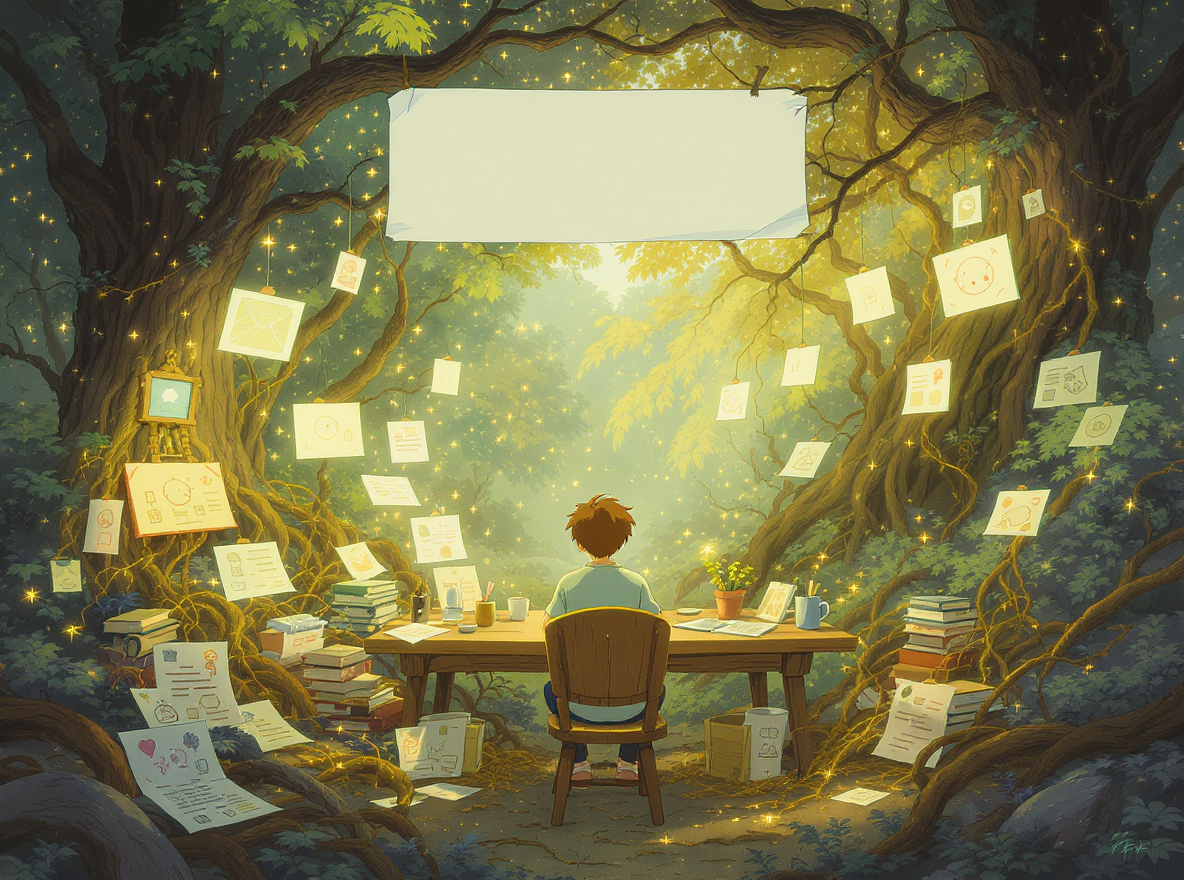
You’ve probably typed “Can I find tutorials on making comics with AI tools like Hugging Face?” into search more than once—and if so, you’re not alone. Maybe you’ve scrolled through endless forums, tried a dozen open-source notebooks, or watched YouTube demos that left you with more questions than answers. The dream? To transform your ideas into compelling comics without spending months learning to draw or code. The reality? You hit roadblocks—confusing tools, inconsistent characters, or comics that just don’t feel “yours.” I’ve been there, and I know how frustrating it feels to watch your story stall at the starting line.

But what if you could find not just tutorials, but a complete, empathetic roadmap that guides you from blank page to a finished, publish-ready comic—all powered by next-generation AI? In this post, I’ll break down exactly how you can do that, with practical steps, best practices, and real-world results using platforms like Hugging Face and the industry-leading LlamaGen.AI. You’ll discover how to move from stuck to published in 48 hours, keep your characters consistent across episodes, and access advanced features (like 4K comics, video, and storyboards) even if you’ve never picked up a stylus.

Let’s dive into actionable strategies, time-saving tricks, and the best resources to finally bring your AI comic vision to life.

If you’ve ever tried to create comics with AI models or open-source tools, you know the pain points:

  • Inconsistent Results: One panel looks stunning, the next is off-model or changes your character’s hair color.
  • Lack of Guidance: Many Hugging Face Spaces or Colab notebooks assume you’re a developer or already know prompt engineering.
  • Time Sinks: You spend hours troubleshooting, only to get a handful of usable images—not a coherent comic.
  • No Character Memory: Your protagonist’s look resets with every prompt, making story continuity impossible.
  • No Publishing Pipeline: Even after generating images, there’s no simple way to lay them out, add speech bubbles, or export for social media or print.

Sound familiar? These aren’t just technical snags—they’re creativity-killers. You want to focus on storytelling, not prompt engineering or patching together five different tools.

From Frustration to Flow: How LlamaGen.AI and Hugging Face Tutorials Transform Your Workflow

Here’s the good news: AI comic generation has matured rapidly. While Hugging Face remains the go-to hub for open-source AI models, platforms like LlamaGen.AI have solved the problems that stall most creators.

Why LlamaGen.AI Is a Game-Changer for AI Comic Tutorials

Registro de alterações

Desperte sonhos nos jovens
Onde milhões de histórias ganham vida

Um resumo dos lançamentos mais recentes de recursos do LlamaGen, melhorias no produto, atualizações de design e correções importantes de bugs.


✦
✧
✦
✧

Um novo meio para Narrativa

Crie histórias, quadrinhos, animações, jogos e muito mais sem limites — em segundos, com apelo para o público moderno

The Real Struggle: Why Most AI Comic Tutorials Leave You Hanging - LlamaGen.AI Blog
  • Step-by-Step Video Guides: LlamaGen.AI offers comprehensive tutorials, from “Create Your First Comic” to advanced panel control, all accessible on YouTube.
  • Instant Results: With pre-trained models and a user-friendly interface, you can go from idea to a 6-character consistent comic strip in 48 hours or less.
  • No Coding Required: Unlike most Hugging Face implementations, you don’t need to tweak Python or manage dependencies—just describe your scene, choose your style, and let the AI do the heavy lifting.
  • Professional Output: Generate 4K comics, export print-ready PDFs, and even animate your comics into videos—all with a few clicks.
  • Character Consistency Solved: Proprietary “Character Consistency Engine” means your heroes look the same in every panel, across any episode.

Success Story: From Novice to Published Creator in 2 Days

Take Jake M., who wrote, “I’ve struggled to find a tool that truly allows me to unleash my creativity at scale. llamagen.ai not only breaks limits but shatters them, offering endless possibilities for my projects.”

He started with a simple script, watched the 15-minute “Create Your First Comic” tutorial, and published a multi-panel comic with six consistent characters—all in a single weekend.

Where to Find the Best AI Comic Tutorials—And What Actually Works

Let’s be honest: there are thousands of tutorials out there, but only a handful will help you build a polished, multi-panel comic (not just random images). Here’s what I recommend, based on hands-on experience and community feedback.

Curated Tutorial Resources for Making Comics with AI

  1. LlamaGen.AI Video Learning Hub

    • Official YouTube Channel: Weekly tutorials covering panel control, speech bubble toggling, aspect ratios, cover design, and more.
    • Academy Series: Deep-dive written guides, perfect for step-by-step learners.
    • AI Video Generator Guide: Learn how to animate your comics for TikTok, YouTube, or Instagram.
  2. Hugging Face Model Spaces

    • Hugging Face Model Hub: Search for “comic” or “manga” models; many Spaces include quickstart guides and demo notebooks.
    • Community Discussions: Ask specific questions, share results, and get prompt engineering tips from other AI artists.
  3. Discord and Community Groups

    • LlamaGen.AI Discord: Real-time support, feedback, and user-driven tutorials.
    • Reddit r/LlamaGenAi: Q&A, showcase threads, and troubleshooting.
  4. Best Practice Guides

    • Official LlamaGen.AI Introduction Series
    • API Documentation for Developers (for advanced integrations and automation)

What to Look for in an Effective AI Comic Tutorial

  • Covers the Full Workflow: From prompt to export, not just image generation.
  • Includes Character Consistency Techniques: Shows how to keep characters on-model.
  • Offers Panel Layout Tips: Teaches you how to reframe, resize, and sequence images for actual storytelling.
  • Demonstrates Problem-Solving: How to fix inconsistent panels, redraw with better prompts, or swap backgrounds.
  • Shares Real-World Examples: With before/after results, not just theory.

Step-by-Step: Your Roadmap to Mastering AI Comic Creation (in 48 Hours)

Ready to go from “stuck” to a published comic, even if you’ve never drawn before? These practical steps use LlamaGen.AI as the hub (but the principles apply if you’re using Hugging Face models too).

Prerequisites: What You Need Before You Start

  • A Story or Idea: Even a rough script or a scene description is enough.
  • A Computer or Tablet: LlamaGen.AI runs in the browser—no high-end hardware required.
  • Free Account on LlamaGen.AI: Get started with 600 credits (enough for dozens of panels).
  • Optional: Reference images if you want to lock in specific character looks.

Step 1: Define Your Characters and Story Flow

  • Use the Character Creation from Images tutorial to upload a photo or sketch.
  • Give your characters names, backstories, and visual traits. This step is key for continuity.
  • In LlamaGen.AI, “lock” your hero’s design with persistent references—no more off-model panels.

Step 2: Script Your Comic Panels (or Use Prompts)

  • Write a simple script (“Panel 1: The hero enters the city. Panel 2: An explosion erupts.”) or just describe each scene with a prompt.
  • Paste your script into LlamaGen.AI’s storyboard generator, or use Hugging Face’s text-to-image models for individual panels.

Step 3: Generate Panels with AI—And Iterate for Consistency

  • Choose your comic format: single-panel, multi-panel, webtoon, or storyboard.
  • LlamaGen.AI’s multi-panel generator can create up to 64 panels in one session. This is a game-changer for visual planning.
  • Use the “redraw” and “negative prompt” tools to refine any panel that doesn’t match your vision.
  • Toggle speech bubbles on/off, or add custom captions later for total control.

Step 4: Control Layout, Aspect Ratio, and Export Settings

  • Watch the Panel Size & Aspect Ratios tutorial for tips on professional layouts.
  • Resize, reframe, and reorder panels directly in the editor. No design skills needed.
  • Export your comic as a high-res PDF, 4K images, or even MP4 video for sharing.

Step 5: Publish and Share—Faster Than Ever

  • Upload your finished comic to the LlamaGen.AI gallery, or distribute on social platforms (Facebook, YouTube, Pixiv, Line).
  • Get feedback instantly from a community of 100,000+ creators.
  • Iterate and publish new episodes in days—not months.

How LlamaGen.AI Solves What Hugging Face Tutorials Can’t

If you’ve tried making comics with Hugging Face models alone, you know the workflow is often fragmented—one tool for images, another for layout, maybe a third for captions. LlamaGen.AI integrates these steps, so you never have to jump between platforms.

Key Problems Solved:

  • Panel-to-Panel Consistency: The Character Consistency Engine remembers your designs across all panels and episodes.
  • Style Locking: Choose from a library of artistic modes—manga, anime, western comic, painterly, etc.—and apply them universally.
  • Cinematic Storyboarding: Pre-visualize entire episodes with up to 64 storyboards in a single session (compared to slow, one-image-at-a-time workflows elsewhere).
  • Multilingual Support: Generate comics in 50+ languages, instantly localizing for global audiences.
  • Commercial-Ready Output: Create assets suitable for publishing, marketing campaigns, or client delivery.

Advanced Best Practices for Consistent, Professional Comics

After working with dozens of AI comic tools, here are my top tips for getting the best, most consistent results—especially on LlamaGen.AI, but also for advanced Hugging Face workflows:

1. Use Character Focus Prompts for Visual Continuity

  • In LlamaGen.AI, the “CF” (Character Focus) prompt lets you lock outfits, hair color, or key attributes.
  • Example: “A 16-year-old heroine in a red jacket, short black hair, blue eyes, always holding a book.”
  • Result: Across 10+ panels, your character maintains the same appearance—no random changes.

2. Iterate Fast With Panel-Level Editing

  • Don’t settle for “good enough.” If a panel is off, use redraw or negative prompts to fix backgrounds, expressions, or poses instantly.
  • LlamaGen.AI’s panel editor lets you fine-tune every detail without re-generating the whole page.

3. Master Multi-Format Outputs

  • Export your comic as a video with Comic to Video Animation for social media virality.
  • Create interactive visual novels by linking panels, using LlamaGen.AI’s visual novel mode.

4. Leverage API Access for Automation

  • If you want to generate dozens of comics or integrate with your own app, check out LlamaGen.AI’s Comicbook APIs.
  • Automate panel generation, layout, and export via simple API calls—no manual steps needed.

5. Join the Community for Real-Time Feedback

  • Post your work-in-progress on the LlamaGen.AI Discord or Reddit.
  • Get advice from experienced creators, prompt engineers, and the LlamaGen dev team.

Measurable Results: What You Can Achieve in 48 Hours

Here’s what users are experiencing—backed up by testimonials and real metrics:

  • 6-Character Consistency: Achievable in a weekend, even for complex stories. No more “who is this supposed to be?” moments.
  • Full Storyboard in One Session: Generate an entire episode’s visual plan in less than an hour.
  • Export to Print or Video: Share your comic anywhere, in any format, with professional quality.
  • Zero Coding Required: Focus on story, not software.

As one user, Maya S., put it: “While I still value an authentic man-made production, the ability for me to create something on my own (with a little help from AI) is really empowering and exciting.”

Frequently Asked Questions—Answered by a Creator, Not a Marketer

Q: Is it free to get started?
A: Yes—LlamaGen.AI gives you 600 free credits, which is enough to create dozens of panels and test all the features. No payment required until you’re ready to scale.

Q: How do I keep my characters consistent across comics?
A: Use the Character Consistency Engine and CF prompts in LlamaGen.AI. For Hugging Face models, consistency is manual and much more difficult—requiring careful prompt engineering and sometimes custom model training.

Q: Can I make motion comics or videos?
A: Absolutely. Use LlamaGen.AI’s “Export as MP4” feature or follow the Comic to Video Animation tutorial.

Q: Where can I get support if I’m stuck?
A: Join the LlamaGen.AI Discord for live help, or check the Video Learning Hub for step-by-step guides.

Conclusion

You’re no longer limited by your drawing skills, your coding ability, or the hit-or-miss nature of open-source AI tools. Thanks to platforms like LlamaGen.AI—and best-in-class tutorials curated specifically for comic and manga creators—you can go from idea to a polished, professional, and consistent comic in as little as 48 hours.

Here’s your next step:

  • Sign up for a free LlamaGen.AI account and claim your starter credits
  • Watch the “Create Your First Comic” tutorial for a quick win
  • Dive into advanced guides (panel control, video, consistency) as you grow
  • Share your results with the community for real feedback and motivation

No more dead ends. No more “almost” comics. This is your breakthrough moment—your story, your way, with AI that empowers and delivers. If you’re ready to master comic creation with AI, everything you need is just a click away.

For deep-dive tutorials, best practices, and advanced support, explore the official LlamaGen.AI resources, YouTube channel, and community forums. Your story deserves to be told—start building it today.

Related hot tags

guide

tutorial

tips

best practices

how to

Ferramentas populares para criadores

Transforme inspiração em sua próxima história

Crie quadrinhos, storyboards e fotos estilosas com LlamaGen.

01

Gerador de Quadrinhos IA

Transforme uma ideia em tirinhas polidas em minutos.

Criar quadrinhos
02

Gerador de Mangá IA

Crie arte mangá expressiva e histórias com vários painéis.

Crie mangá com IA
03

Gerador de Storyboard IA

Visualize cada cena antes de começar a produção.

Crie storyboards com IA
04

Transformar foto em quadrinho

Transforme qualquer foto em uma ilustração estilo quadrinho.

Crie quadrinhos a partir de fotos
05

Criador de Tiras de Quadrinhos IA

Monte tirinhas compartilháveis com personagens consistentes.

Crie tirinhas com IA

LlamaGen community

checkmark

Get hands-on help with your comics

checkmark

Showcase your comics to fellow LlamaGen creators

checkmark

Participate in special events to win gifts

Logo da LlamaGen
  • United States
  • Español
  • Français (France)
  • 日本語
  • 한국어
  • Deutsch
  • 繁體中文 (台灣)
  • 繁體中文 (香港)
  • 简体中文
  • Português
  • Italiano
  • Español (México)
  • العربية
  • Русский
  • Português (Brasil)
  • Tiếng Việt

Liderando o futuro da geração de quadrinhos por IA

  • Suporte 24/7
  • Atualizações semanais
  • Seguro e compatível
  • 99,9% de tempo de atividade

Baixe o LlamaGen grátis

iOSComputador

Pergunte à IA sobre LlamaGen

Produto

  • Últimos lançamentos
  • Características
  • Criador de tirinhas
  • Estúdio de MangaNovo
  • Transforme Imagem em Quadrinho
  • Quadrinho para Vídeo
  • Fábrica de Quadrinhos IA
  • Agente de Quadrinhos
  • iOS & Android
  • Mac & Windows
  • Baixar
  • Comic ZapNovo
  • Gerador de Quadrinhos IA
  • Gerador de Desenho Animado IA
  • Gerador de Webtoon IA
  • Criador de Tirinhas
  • Transforme Imagem em Quadrinho
  • Gerador de Mangá IA
  • Tradutor de Manga
  • Foto para Anime
  • Anime para Vida Real
  • Colorizador de mangá
  • Gerador de Personagem de Anime
  • Ferramentas de assets para jogos pixel art
  • Gerador de sprite sheet com IA
  • Melhores ferramentas para jogos pixel art em 2026
  • Criador de quadrinhos com fotos
  • Alternativa ao Comic Life

Produtos relacionados

  • Família LlamaGen
  • CineoBoardNovo
  • Comics API

Planos

  • Preços
  • Iniciante
  • Pro

Comunidade

  • Criadores
  • Afiliados
  • Parceiro

AI Models

  • Grok Imagine Image 2.0
  • Wan 3.0
  • Wan 3.0 Prime
  • Seedance 2.5
LinkedInX (Twitter)
  • Início
  • Artigos
  • Blog
  • Criar
  • Preços
  • API
  • Affiliate ProgramNEW

Blogs anteriores

Storyboard-to-Video Handoff Checklist: Shots, Timing, Audio, and Continuity

Storyboard-to-Video Handoff Checklist: Shots, Timing, Audio, and Continuity

Turn approved storyboard frames into a clear video handoff with stable shot IDs, timing, motion note

Jay
Jay
1 de novembro de 2026
How to Localize a Comic Without Redrawing the Artwork

How to Localize a Comic Without Redrawing the Artwork

Preserve approved comic art while translating dialogue, rebuilding editable lettering, checking read

Jay
Jay
31 de outubro de 2026
Batch Comic Production Workflow: Draft, Approve, Repair, and Export 40 Pages

Batch Comic Production Workflow: Draft, Approve, Repair, and Export 40 Pages

Plan a 40-page AI comic with a pilot, reviewable batches, a page ledger, selective repairs, and expo

Jay
Jay
30 de outubro de 2026
From a Flat AI Image to an Editable Comic Page

From a Flat AI Image to an Editable Comic Page

Turn a finished comic image into an editable comic page by reviewing an asset sheet, extracting tran

Jay
Jay
28 de outubro de 2026
  • Comic Zap
  • Velika
  • Empresarial
  • Educação
  • API de Quadrinhos
  • Contate as Vendas
  • Planos para Educação
  • Professores
  • Estudantes
  • Professores e Estudantes
  • Empresas emergentes
  • Descontos Educativos
  • Empresa

    • Converse com nosso fundador
    • Sobre
    • Roteiro do Produto
    • Carreiras
    • Envie-nos um email
    • O Mundo da Nossa Mascote
    • Kit de Mídia
    • Parceria com KOL
    • Conteúdo

    Ajuda

    • Centro de Ajuda
    • Confiança
    • IA segura
    • Serviços profissionais
    • Perguntas Frequentes
    • Segurança
    • Acessibilidade
    • Tutorial em Vídeo
    • Entre em contato conosco
    • Mapa do site
    Depoimentos
  • Mural de Amor
  • LlamaGen MCPNovo
  • LlamaGen para desenvolvedores
  • Recursos

    • Registro de alterações
    • Blog
    • Guias
    • Quadrinhos personalizados
    • Características
    • Alternativas
    • Melhores Apps de IA
    • Guia de colorização de mangá com GPT-6
    • Skill de quadrinhos no Claude
    • Guia de quadrinhos com IA do Gemini
    • Quadrinho Isso
    • Descontos Educativos
    • Desconto para estudantes

    Ferramentas

    • Gerador de logos com IA
    • Gerador de personagens no estilo Grokbot
    • PNG para quadrinhos
    • Texto para quadrinhos
    • PDF para quadrinhos
    • Roteiro para quadrinhos
    • Livro para quadrinhos
    • Transforme Imagem em Quadrinho
    • Gerador de Pixel Art com IA
    • Quadrinhos Educativos
    • Gerador de Vídeo AI
    • Gerador de Vídeos Gemini AI
    • Gerador Gratuito de Vídeo sem Rosto com IA
    • Quadrinho para Vídeo
    • Crie software de storyboard
    • Gerador de Storyboard IA
    • Software de roteiro
    • Editor de roteiro
    • Story IA
    • Gerador de Histórias AI
    • Gerador de livros ilustrados
    • Gerador de Imagem IA
    • Divisor de Camadas com IA
    • Controle de ângulo da câmera com IA
    • Gerador de Pixel Art com IA
    • Ferramentas de assets para jogos pixel art
    • Gerador de sprite sheet com IA
    • Cortador de sprite sheet
    • Melhores ferramentas para jogos pixel art em 2026
    • API de Animação
    • Plugin do ChatGPT/Codex
    • Guia de instalação do ChatGPT
    • Plugin do Claude Code
    • Guia de instalação do Claude Code
  • MiniMax H3
  • Nano Banana 2.1
  • Nano Banana 2 Lite
  • Seedream 5.0 Flash
  • Seedream 5.0 Pro
  • Seedance 2.0 Mini
  • Kling 3.0 Turbo
  • Nano Banana 2
  • Imagem GPT 2
  • Gemini Omni Flash
  • All AI Models
  • Ferramentas de AI

    • Extrator de Looks por IA
    • Trocador de Corte de Cabelo por IA
    • Trocador de Cabelo de Mangá por IA
    • Gerador de Efeito de Vento por IA
    • Gerador de Mapa de Profundidade por IA
    • Fundo Branco por IA
    • Removedor de Objetos por IA
    • Prova de Roupas Virtual por IA
    • Desfocar imagens com IA
    • Redução de ruído com IA
    • Restauração de fotos com IA
    • Sombras de produto com IA
    • Gerador de Fundo por IA
    • Gerador de headshots com IA
    • Criador de emojis com IA
    • Alterador de fundo com IA
    • Abrir olhos com IA
    • Beleza com IA
    • Fotografia de produtos com IA
    Instagram
    YouTube
    Grupo no Facebook
    Reddit
    Discord
    Suporte por e-mail
    PrivacidadeTermosMapa do site
    Baixar Recursos da Marca
    © 2026 LlamaGen.Ai Todos os direitos reservadosTodos os serviços estão online
    Veja todos os blogs



