Four intensity levels
Start with Auto, then move from Light to Strong only when the source needs more correction.


AI image unblur
Upload a blurry portrait, product, document, or memory and recover cleaner edges and natural detail without changing the original composition.
Unblur your image
Choose the lightest intensity that restores useful detail without creating halos or an artificial sharpened look.
Upload a blurry image
Portrait, product, document, landscape, or old photo
Unblur intensity
Output framing
Matches the first source image to protect the original crop.
Uses 300 credits per generation.
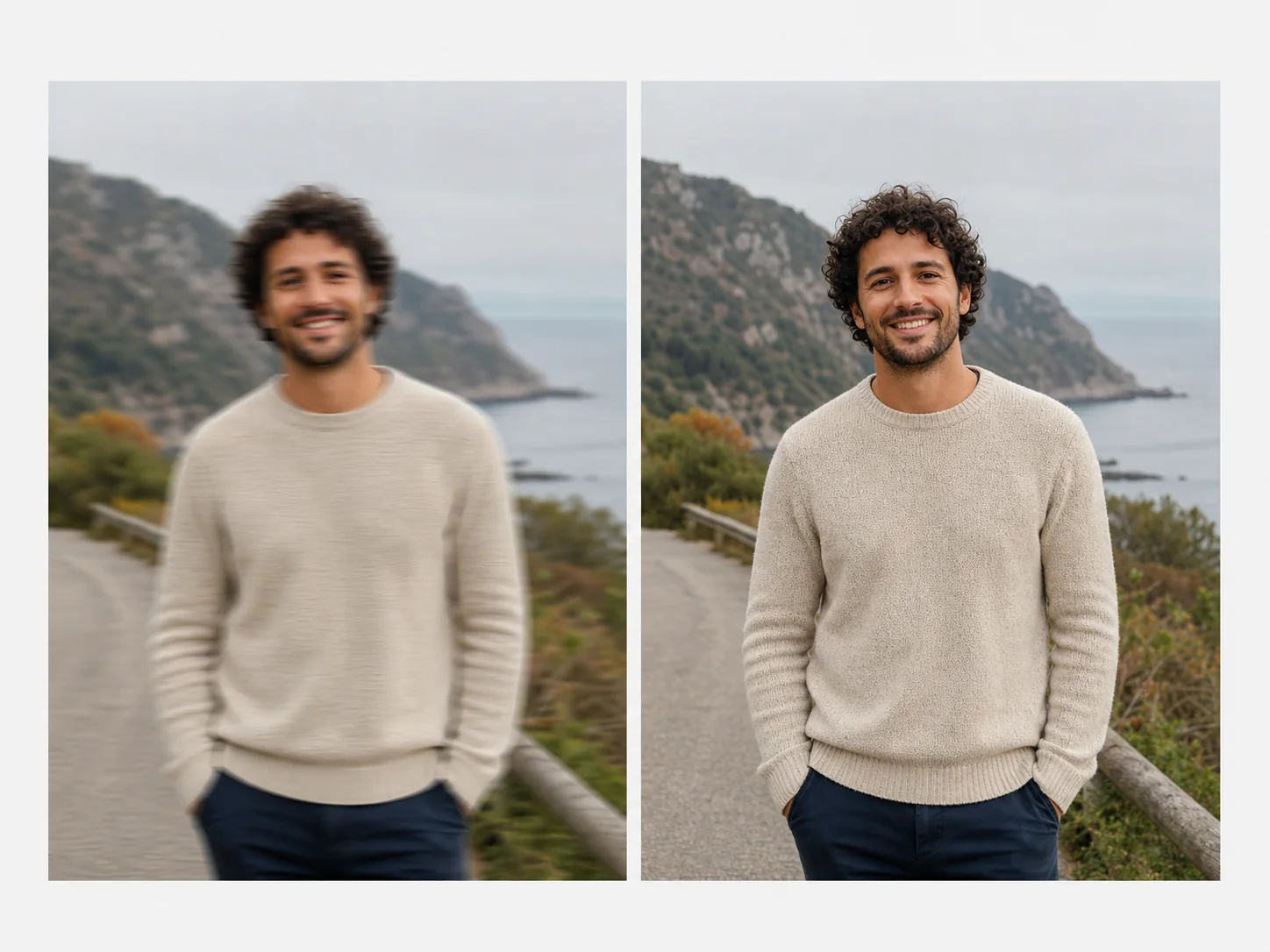
Recover usable clarity
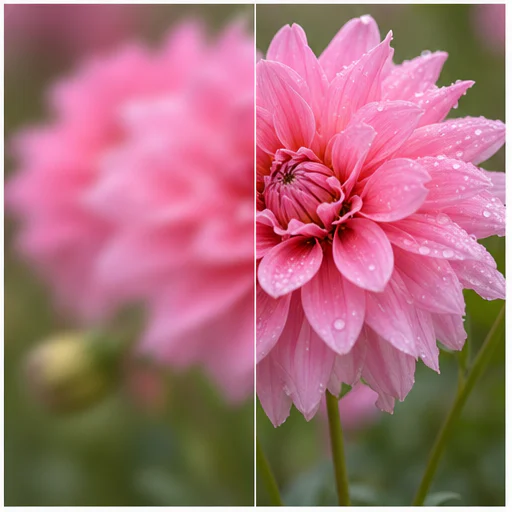
AI unblurring can reduce motion softness, missed focus, and pixel-level blur while preserving the subject, color, framing, and atmosphere of the source.
Strong blur may contain detail that was never captured. Review faces, text, fine patterns, and edges closely so reconstructed detail is not mistaken for original evidence.
Start with Auto, then move from Light to Strong only when the source needs more correction.
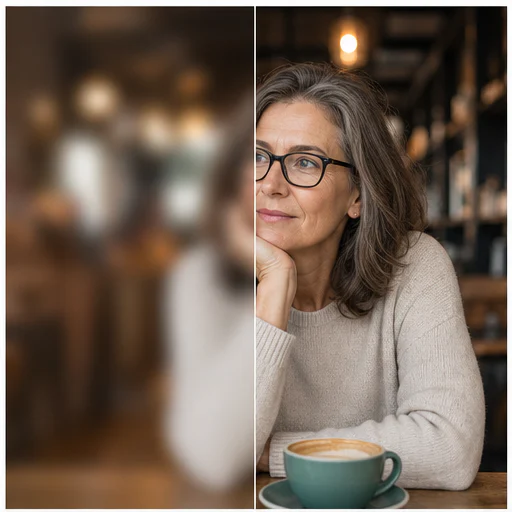
Protect identity and natural skin texture while improving eyes, hair, and facial edges.
Improve soft screenshots, labels, receipts, and product edges when enough source detail exists.
The output keeps the source proportions and composition instead of forcing a square crop.
Real examples
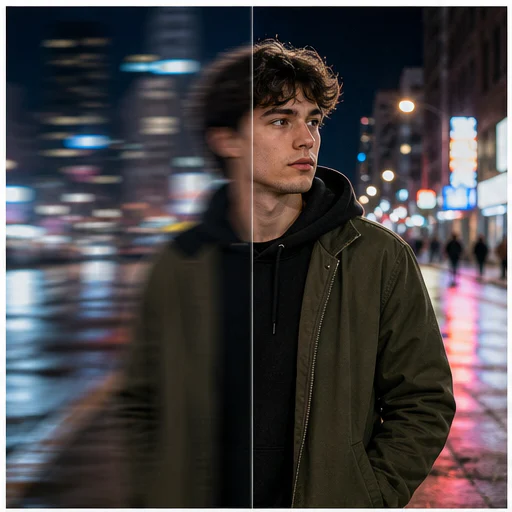
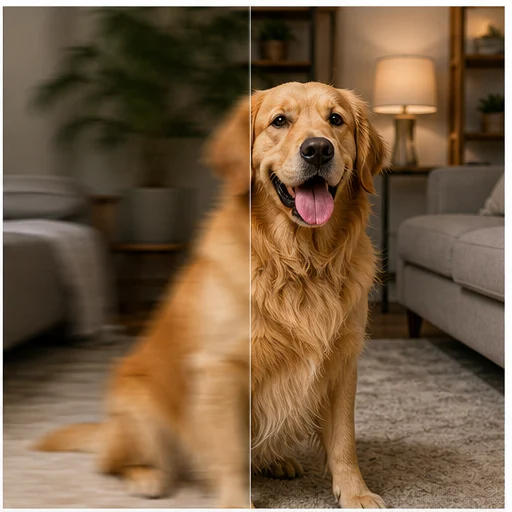
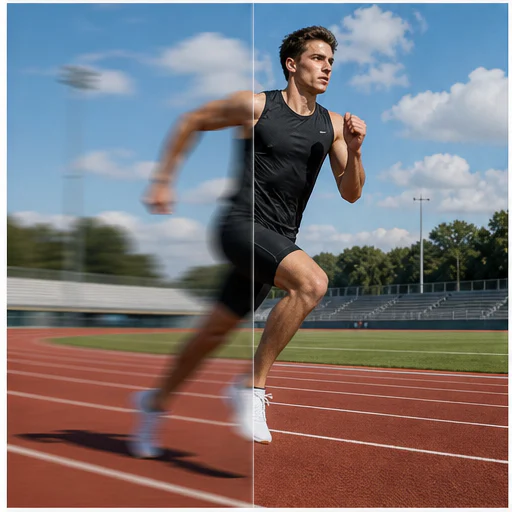
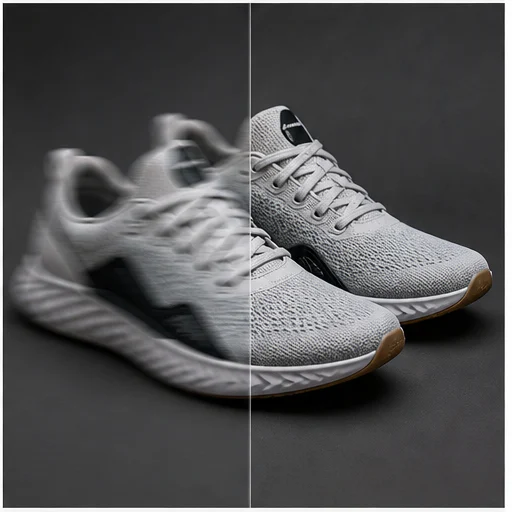
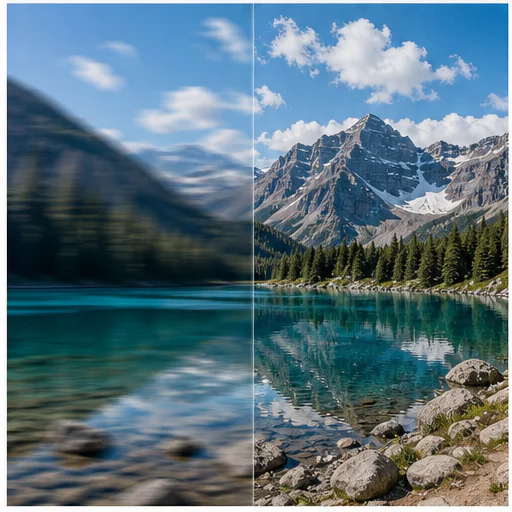
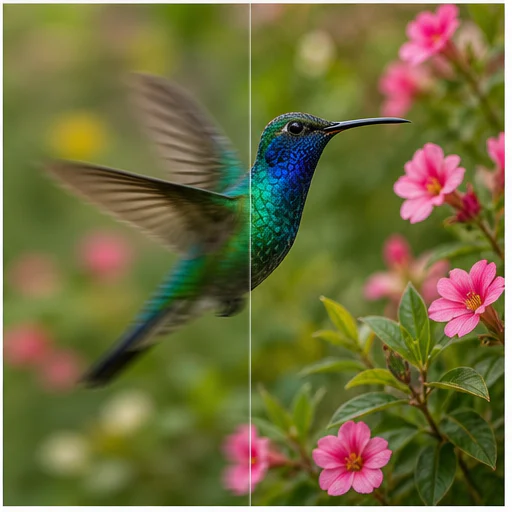
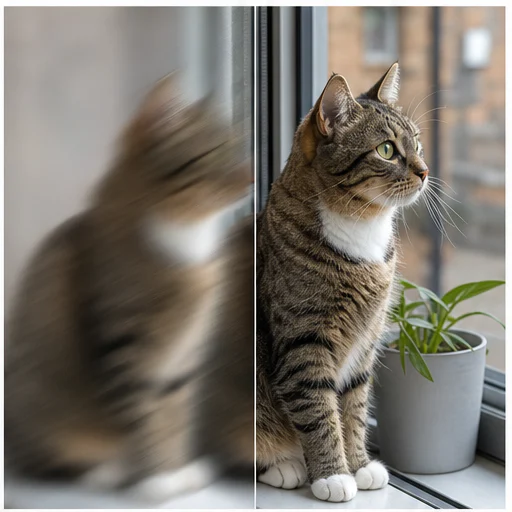
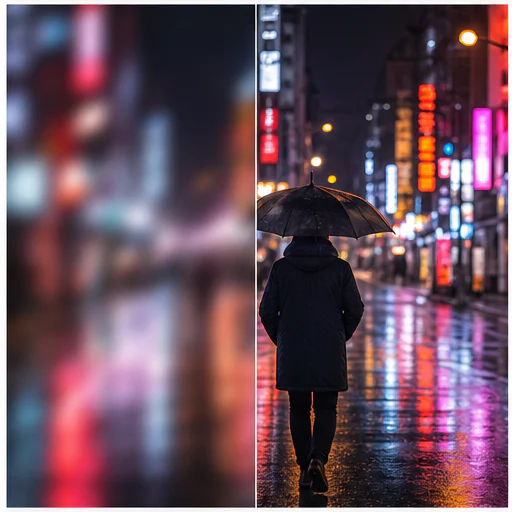
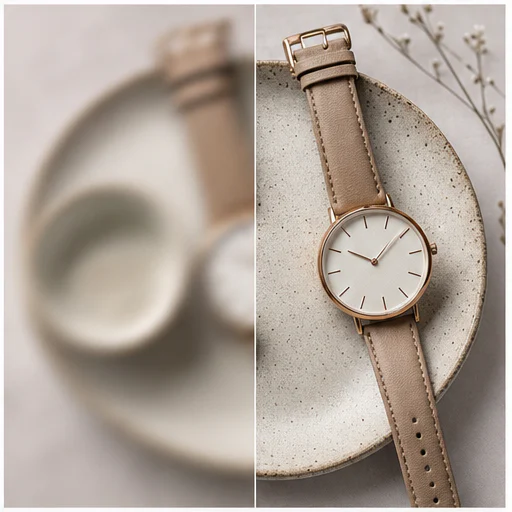
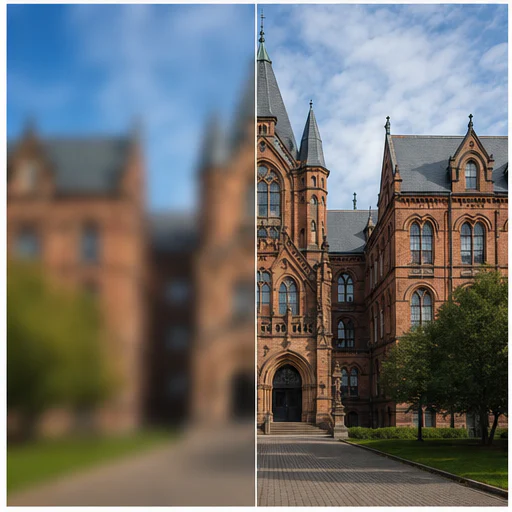
Twelve before-and-after examples cover subject motion, camera shake, missed focus, wildlife, products, architecture, and landscapes.
How it works
Follow the short workflow, then inspect the generated details before using or publishing the result.
Choose the highest-resolution version available for the most reliable recovery.
Use Auto first, then increase strength only when important details remain soft.
Compare edges, faces, and text before downloading the clearer result.
বাস্তব নির্মাতার মতামত
স্রষ্টারা কীভাবে LlamaGen দিয়ে কমিক, চরিত্র ও ভিজ্যুয়াল গল্প বানিয়েছে, তা পড়ুন।

@jake-m
কমিকবুক স্টাইলের গ্রাফিক তৈরির নেশাগ্রস্ত হিসেবে, এতদিন এমন কোনো টুল পাইনি যেখানে সত্যিকার অর্থে আমার সৃজনশীলতা পূর্ণমাত্রায় প্রকাশ করতে পারতাম। llamagen.ai শুধু সীমানা ভাঙে না, ছাড়িয়ে যায়, আমার প্রকল্পের জন্য অসীম সম্ভাবনা এনে দেয়। এটি আমার বহু প্রতীক্ষিত চূড়ান্ত এআই-শক্তিশালী সমাধান!
@sarah-l
আমি ছবি জেনারেশনের জন্য অনেক AI টুল ব্যবহার করেছি। এসব বেশ মজার, তবে llamagen.ai-ই প্রথম অ্যাপ যাতে আমি প্রকৃত ব্যবহারের সম্ভাবনা দেখেছি। চরিত্রের সামঞ্জস্যতা আমার চোখে পড়েছে, যেটা আগে দেখিনি; এটা পেশাদার ও অপেশাদারদের জন্য আকর্ষণীয় মনে হচ্ছে। সত্যিকারের গেম-চেঞ্জার!
@michael-b
llamagen.ai আবারও আমার গল্প তৈরির প্রতি আগ্রহকে উজ্জীবিত করেছে। একজন ব্যস্ত পেশাজীবী হিসেবে সৃষ্টিশীল প্রকল্পে সময় দেওয়া চ্যালেঞ্জিং, কিন্তু এই অ্যাপটি এত সহজ যে... যেন আমার পাশে রয়েছে এক সৃষ্টিশীল সহচর!

@alex-t
সৃজনশীল শিল্পের অংশ হিসেবে দক্ষতা বজায় রাখা জরুরি, মানের সাথে আপস না করেই। llamagen.ai শুধু চাহিদা পূরণই করে না, বরং ছাড়িয়ে যায়। স্টোরিবোর্ডের জন্য AI-এর ছবি ও টেক্সট উভয় সহায়তা খুব ভালো লেগেছে - এটি সামগ্রিক অভিজ্ঞতাকে বাড়াতে দারুণ।
@maya-s
আমি দুর্দান্ত কমিক বই উপভোগ করি এবং AI নিয়ে বরাবরই সন্দেহপ্রবণ ছিলাম। যেমন ব্যাটম্যান AI কমিকের সমালোচনা গুলো যথার্থ। তবে সন্দেহের মাঝেও আমি এই ধরনের টুলের জন্য একটা জায়গা দেখছি। যদিও এখনো মানুষের তৈরি কাজকে বেশি মূল্য দেই, তবুও AI-র একটু সাহায্যে নিজে কিছু তৈরি করার সুযোগটা আমার জন্য সত্যিই ক্ষমতাবান ও উত্তেজনাপূর্ণ।
@taylor-h
চরিত্রের ধারাবাহিকতা বজায় রাখা দ্রুত সমাধান হবে ভাবিনি। যদিও মাঝে মাঝে ত্রুটি হয়, ফলাফল অত্যন্ত চমৎকার এবং আমি আমার workflow ও কৃত্রিম বুদ্ধিমত্তা উৎপাদন আরও কাস্টমাইজ করার সুযোগের অপেক্ষায় আছি।
Practical workflows
Keep the generated image as a reviewable draft, reference, or finished asset according to the needs of the job.
Portraits
Make a useful expression or candid portrait easier to view and share.
Commerce
Improve edge definition and surface detail in authorized product images.
Documents
Make screenshots, signs, labels, and scanned pages easier to inspect.
Memories
Reduce softness in family and archive photos while keeping the original character.
Review notes
Deblurring is a reconstruction task. Use the result as an improved visual, not as proof of detail that the source did not record.
identity and expression remain recognizable
edges are clearer without bright halos
skin and fabric still have natural texture
text is not replaced with invented characters
background depth of field remains believable
the original crop and color are preserved
FAQ
Practical answers about source images, generated results, rights, and review.
No. Mild motion blur and soft focus usually respond best. Severe blur or missing pixels may not contain enough evidence for faithful recovery.
Start with Auto. Use Light for subtle softness and reserve Strong for images that remain clearly blurred after a lower setting.
The tool sends match-input framing so the result follows the source proportions and crop.
Related tools
Move from this focused edit into the next photo or fashion task.
Upload a portrait, selfie, or group photo and reconstruct naturally open eyes while preserving identity, expression, lighting, people, and the original crop.
Upload a noisy low-light, compressed, scanned, or generated image and reduce grain while preserving edges, texture, and the source atmosphere.
Upload a faded, scratched, blurry, or timeworn photo and create a clearer restoration that protects faces, clothing, history, and the original composition.
Upload one clear portrait, choose a haircut and optional color, then generate a realistic preview that keeps your face, expression, clothing, and background recognizable.
Start with your image
Upload one soft image, choose an intensity, and create a clearer version in a short workflow.