

1
Step 1: Write the source brief
Capture the character role, personality, age range, outfit, palette, prop, art direction and story world before generating.
Turn a prompt, reference image or story script into a reusable character direction: portrait, full-body design, expressions, model sheet and scene-ready references for comics, games, visual novels, storyboards and pitch work.
Start with a role, outfit, personality, style and world description to create an original character direction.
Open character studioPaste a script or upload a file, extract the cast, edit roles, then generate characters from the story context.
Create from storyUse a portrait, avatar or sketch as a reference when the face, outfit or visual identity already exists.
Use a referenceBuild the story world before the cast when lighting, setting and visual continuity matter.
Create sceneA stronger character workflow gives you the identity, references and scene context needed before deeper production.
Capture the character role, personality, age range, outfit, palette, prop, art direction and story world before generating.
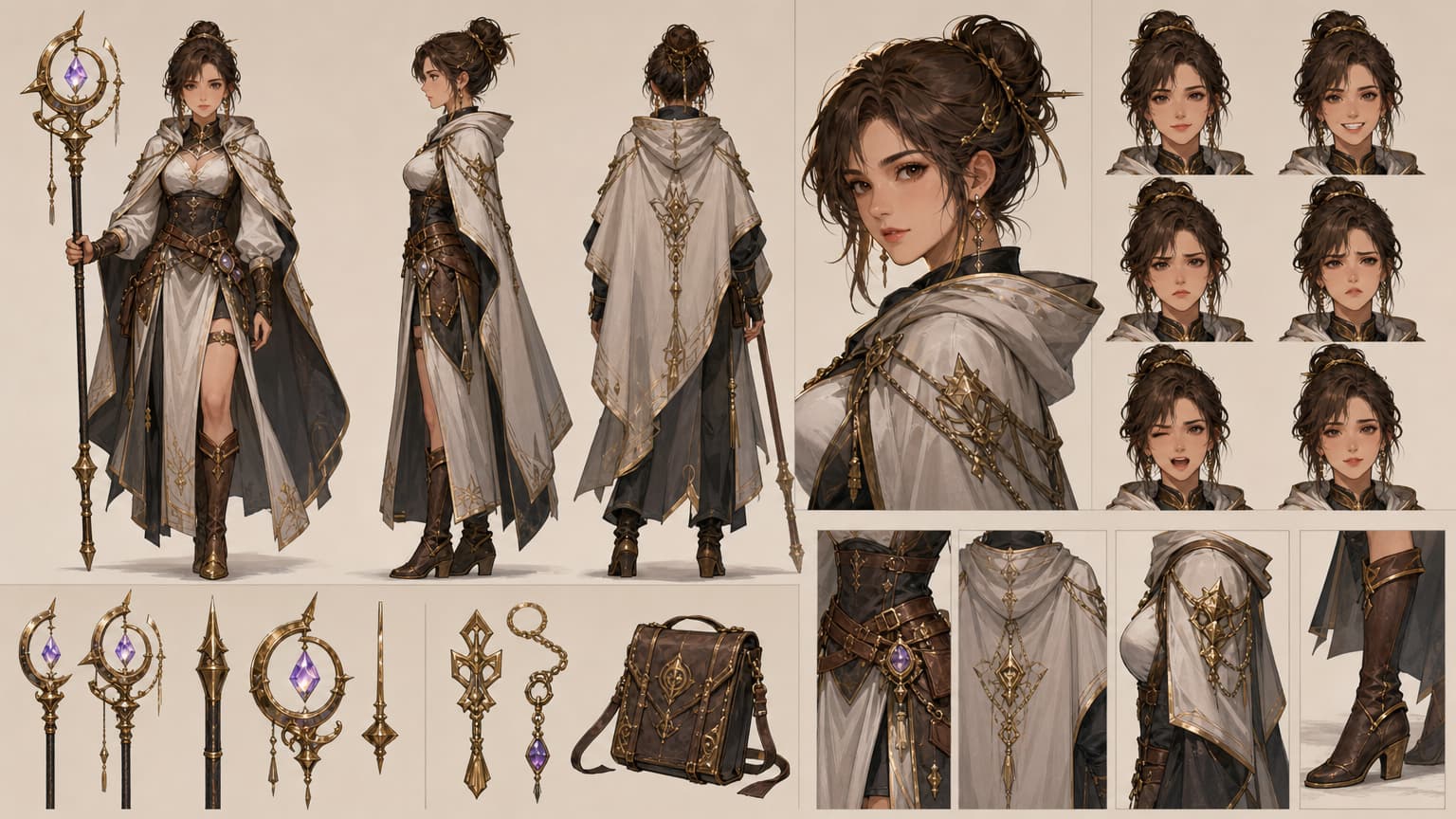
Create portraits, full-body looks, turnarounds, expression heads, outfit details and prop references from the same direction.
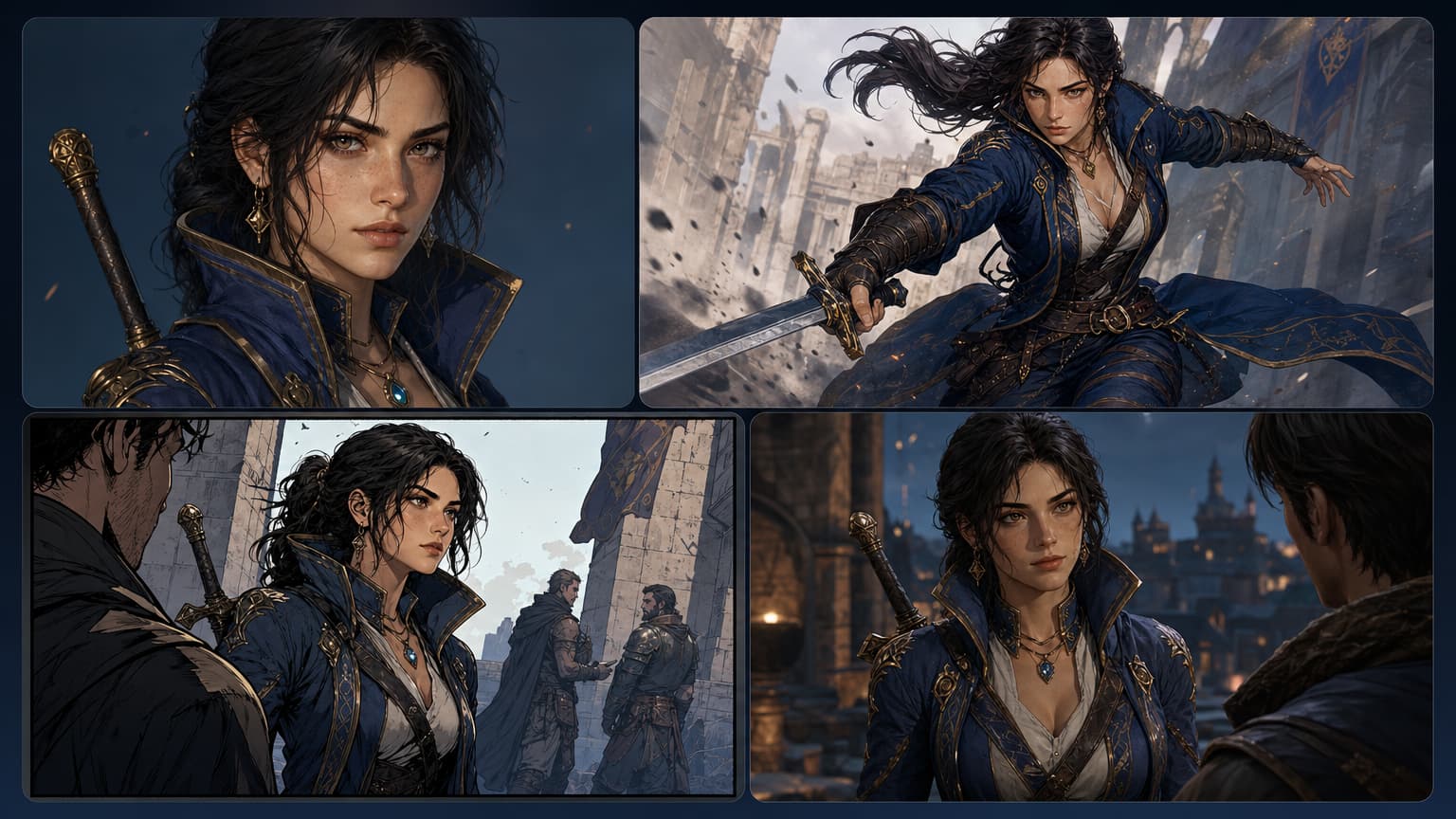
Carry the approved face, outfit, palette, prop and pose language into comics, storyboards, webtoons, visual novels, avatars, game pitches and scene generation.
The output is not just a nice render. It gives you the face, outfit, palette, role, expressions, pose language and scene direction needed for consistent visual storytelling.
Generate a first pass, compare directions and turn the strongest version into a cast member, reference sheet, expression board or scene-ready asset.
A useful AI character generator has to preserve identity, support story roles and produce references that creators can take into the next production step.
Start from a reusable brief so every variation has the same role, personality, outfit logic, palette and story context.
Keep face shape, hairstyle, silhouette, costume details, colour language and signature props attached to the same character direction.
Create model-sheet-style references with full-body views, turnarounds, expressions, poses, props and close-up details for review.
Route from character to scene, comic panel, manga page, webtoon episode, storyboard, visual novel or game-dialogue workflow.
A character becomes useful when the same identity can survive style tests, poses, expressions, references and scenes.
The image may look good, but the identity, outfit logic, expression range and handoff references are not organised.

Start from the character brief, then create a cast member, model sheet, expression range, pose reference, prop details and scene-ready direction.
Use LlamaGen when a character needs to be recognisable, reviewable and ready for the next creative step.
Define role, personality, age, body language, outfit, palette, style, props and story context.
Keep identity details visible across portraits, full-body views, expressions and scene concepts.
Turn a story file into characters with names, roles, relationships and visual directions.
Plan front, side, back, close-up, expression, pose, outfit, prop and handoff references.
Explore different art directions without losing the core character identity.
Move characters into panels, storyboards, webtoons, visual novels and game pitch assets.
Compare variations, reject weak identity drift and regenerate the shots that matter.
Help writers, artists, teams and non-designers test a character idea before deeper production.
Each example shows a different production need: a reusable hero asset, a workflow board, a reference sheet, scene reuse, expressions and a cast line-up.
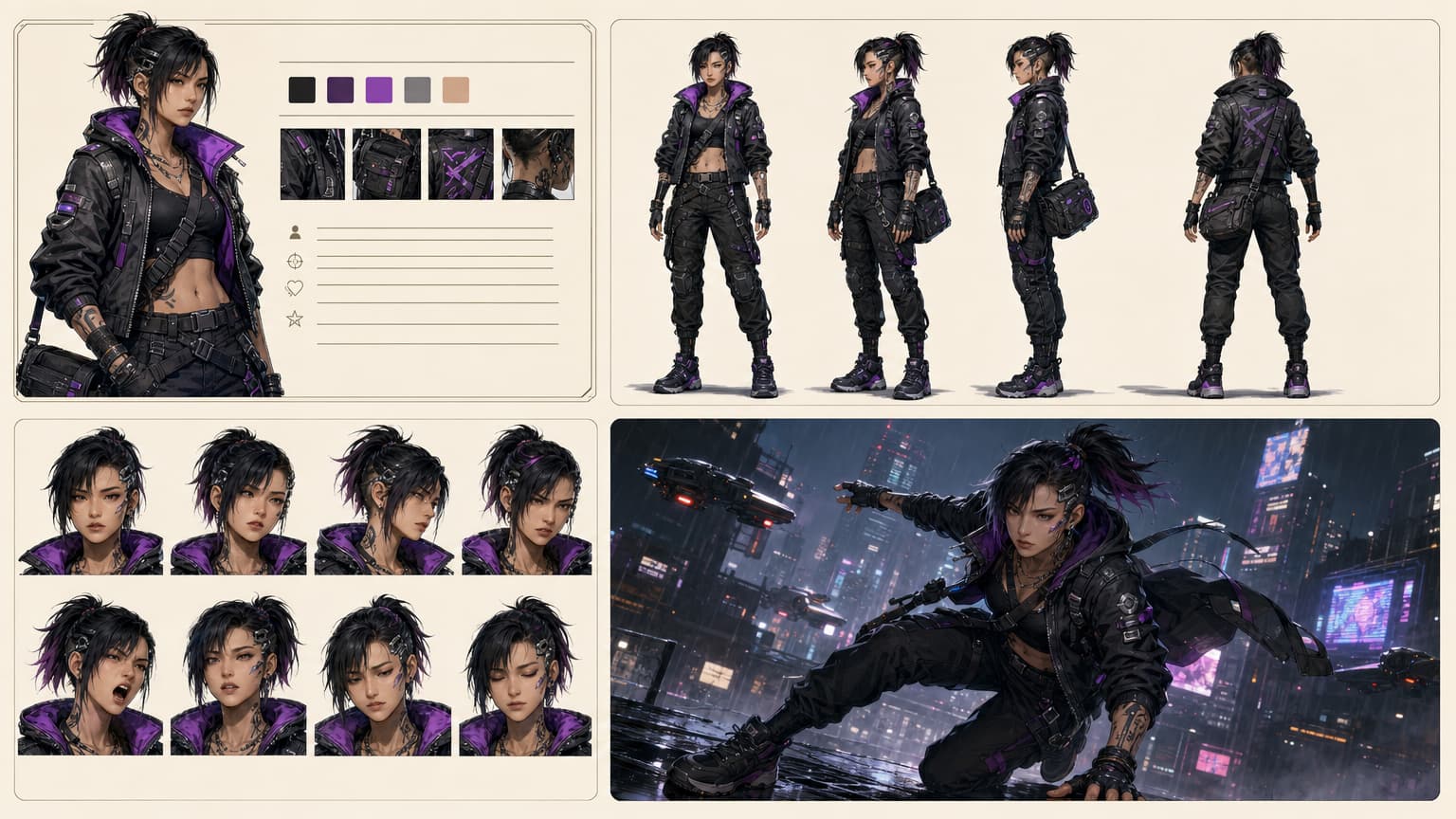
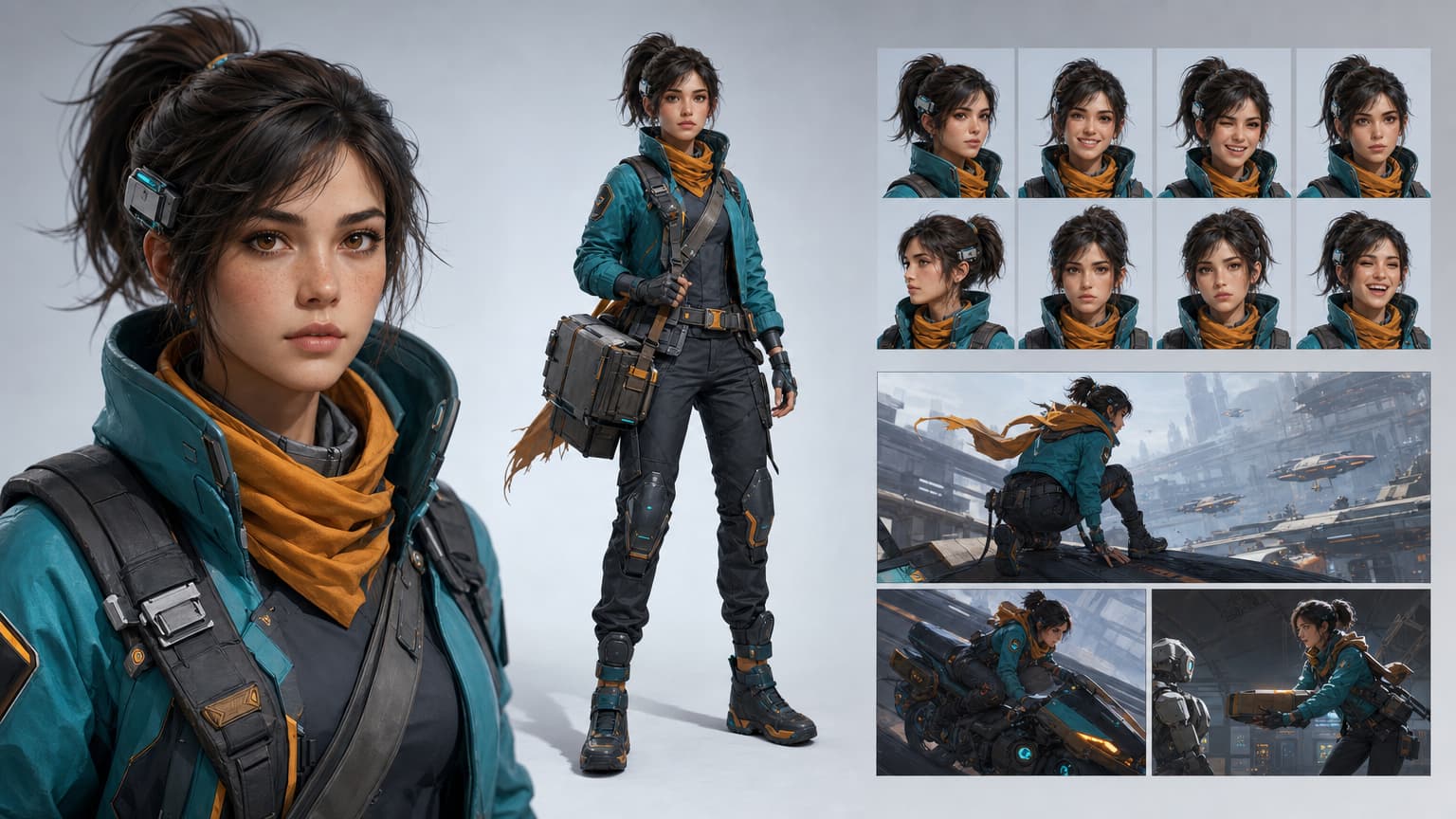
Reusable character identity: portrait, full-body design, expressions and story scene frames from one direction.
Character workflow proof: brief, colour palette, turnaround views, expressions and final scene handoff.
Production reference sheet: front, side, back, portrait, expression heads, props and outfit details.
Scene reuse board: one character identity carried into portrait, action, comic panel and game dialogue frames.
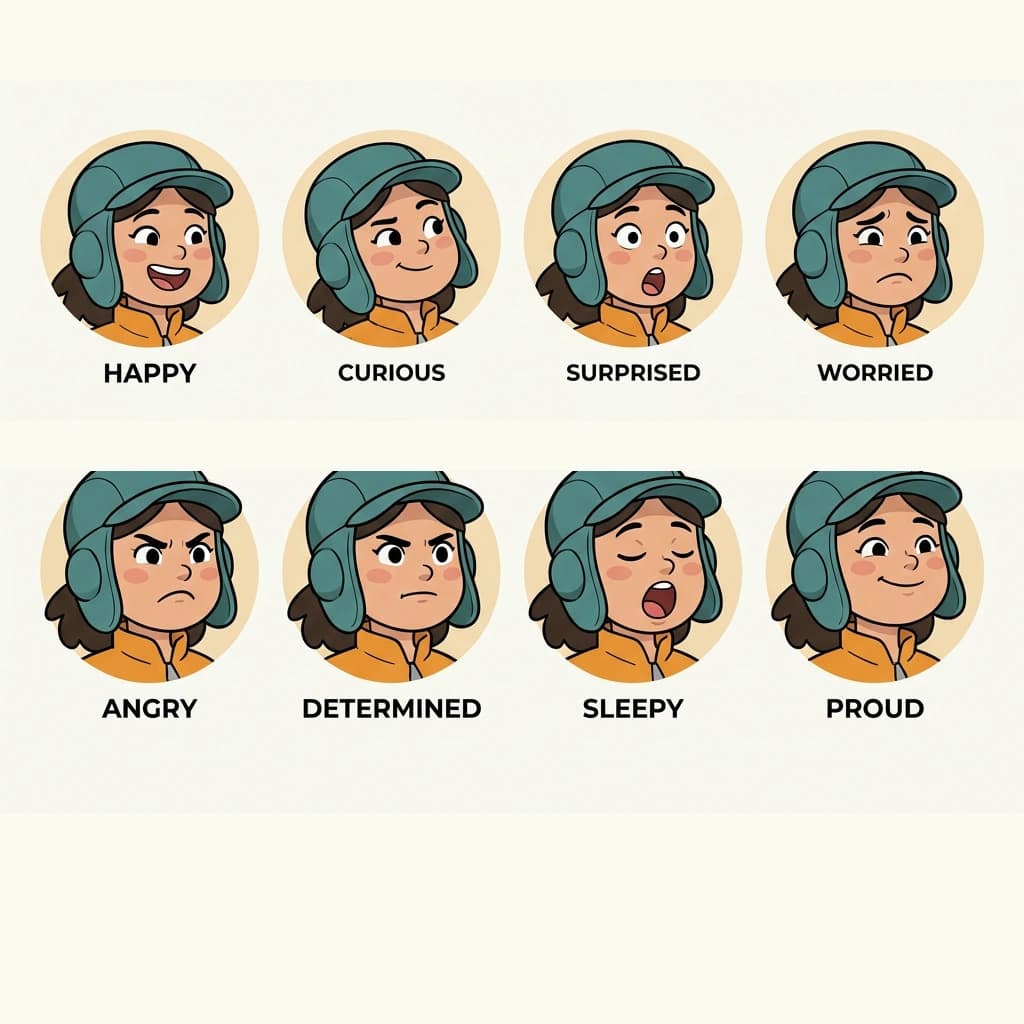
Expression sheet: same face structure across multiple moods for comics, animation and avatar work.

Cast line-up: multiple original characters ready for story roles, webtoon episodes and pitch decks.
Character creation is not a single workflow. Sometimes you start with a face, sometimes with a script, and sometimes with the story world. This page keeps those paths clear so creators do not have to guess where to begin.
Use it when the character needs to appear again: in another pose, another expression, another panel, another scene or another pitch asset.
Build protagonists, rivals, mentors, villains and side characters before drawing panels or generating pages.
Create early cast concepts, avatars, NPC references, sprites and pitch visuals before full production.
Turn a script, scene or story bible into a visible cast with roles and relationships.
Generate mascots, social avatars, branded story characters, explainer heroes and campaign visuals.
Create more than one striking image: build a recognisable character with a story role, usable references and assets for panels, scenes, games, avatars or storyboards.
Define the role, personality, silhouette, outfit, palette, props and world rules once, then reuse that direction for every visual output.
Extract protagonists, rivals, mentors, villains and side characters from a story file before generating each character direction.
Preserve face shape, hairstyle, outfit logic, silhouette, colour language and signature props across portraits, poses and scenes.
Generate front, side, back, expression, pose, outfit and prop references that a creator or team can actually review.
Move the same character into comics, manga panels, webtoon episodes, storyboards, visual novels and game dialogue scenes.
Compare variations, reject identity drift and keep approved references connected to story beats and production tasks.
Move from broad character generation into the specific production task your project needs next.
Create consistent story characters, character sheets, casts and long-form visual workflows.
Open toolDesign the look, silhouette, outfit, props and production-ready identity of a character.
Open toolCreate reference sheets with poses, views, expressions and consistent details.
Open toolKeep the same character recognisable across images, scenes and visual formats.
Open toolMove your character into manga panels, pages and sequential story layouts.
Open toolUse your cast in mobile-first vertical scroll comic episodes.
Open toolAn AI character generator turns prompts, reference images or story scripts into reusable character concepts for comics, games, webtoons, storyboards, avatars, pitch decks and visual storytelling.
Yes. The Story Cast flow can analyse a script or uploaded file, extract the cast, let you edit each role, choose an image model and generate character portraits.
Start with a clear character brief, keep identity details such as face shape, hairstyle, outfit, palette and props visible, then save the strongest result as a reference for future images, sheets and scenes.
Yes. Use the character workflow to create portraits, full-body references, front-side-back views, expression sets, pose ideas, prop details and production notes, then continue into dedicated character sheet tools when needed.
No. You can create anime, manga, comic, cartoon, game, fantasy, realistic concept, mascot, avatar and visual novel characters, depending on the style direction you choose.
Start with Story Cast when your script already has multiple roles. Start in the character studio when you need to design one hero, mascot, avatar or NPC in detail.
Start from a prompt, image or script, then turn the strongest result into a character sheet, story cast or scene-ready visual reference.