

Readable manga pages
Panel order, captions, and a beat that reads as a page—not a single anime portrait.
Free AI Manga Generator
Turn a story into a readable manga page with panels, characters, and a layout you can edit.
Works in your browser. Edit every panel in the studio.
Hub and spokes
This page is for readable manga pages and recurring characters. Comics and webtoons keep the same consistency workflow with a different page shape.
Comic
Free AI Comic Generator
Multi-page comics with a recurring cast
Manga
Free AI Manga Generator
Readable manga pages from a story
Webtoon
Free AI Webtoon Generator
Vertical episodes for phone scrolling
What you get
The generator is for page-level manga: panel order, a recurring cast, and a chapter you can continue.
Panel order, captions, and a beat that reads as a page—not a single anime portrait.
Lock face, hair, and outfit notes so the same protagonist can return on the next page.
Carry the same cast from page one into the next scene, then continue the chapter in the studio.
Manga cases
These drafts keep the same protagonist across a readable page so you can judge continuity before you continue the chapter.
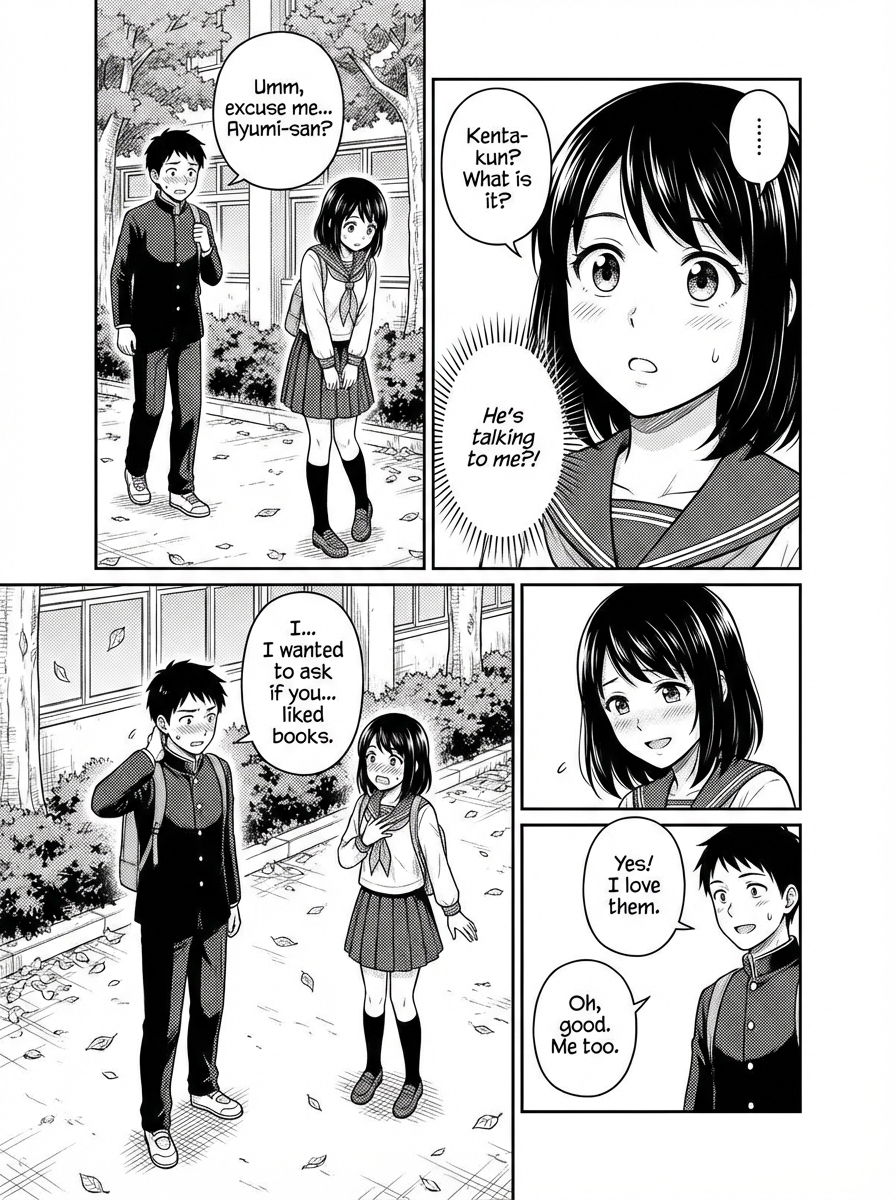
Shojo romance · 4 panels
Four-panel shojo scene: two classmates stay behind after school, one gathers the courage to confess, expressive close-ups, clear dialogue, gentle screentone.
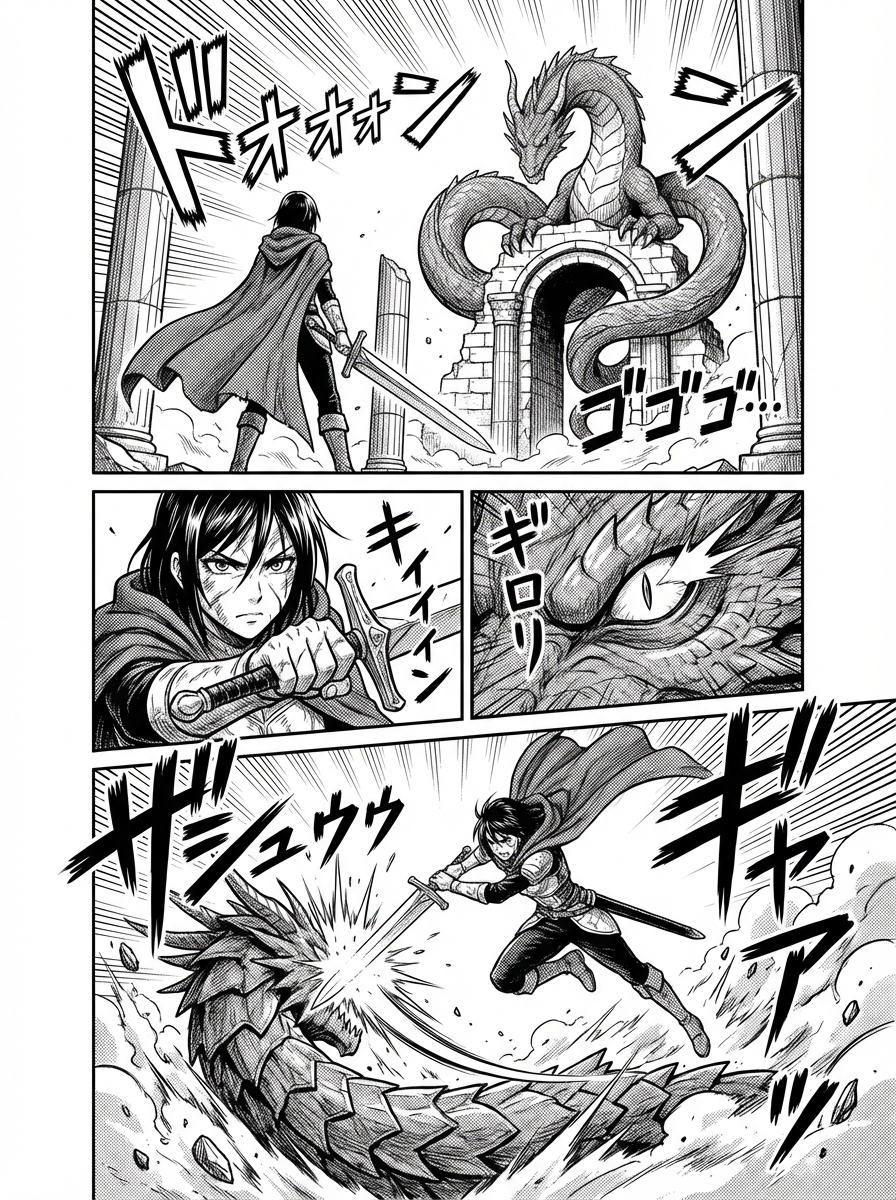
Shonen action · 4 panels
Four-panel shonen battle: an apprentice swordsman confronts a rival at a ruined gate, speed lines, clear action geography, decisive final pose.
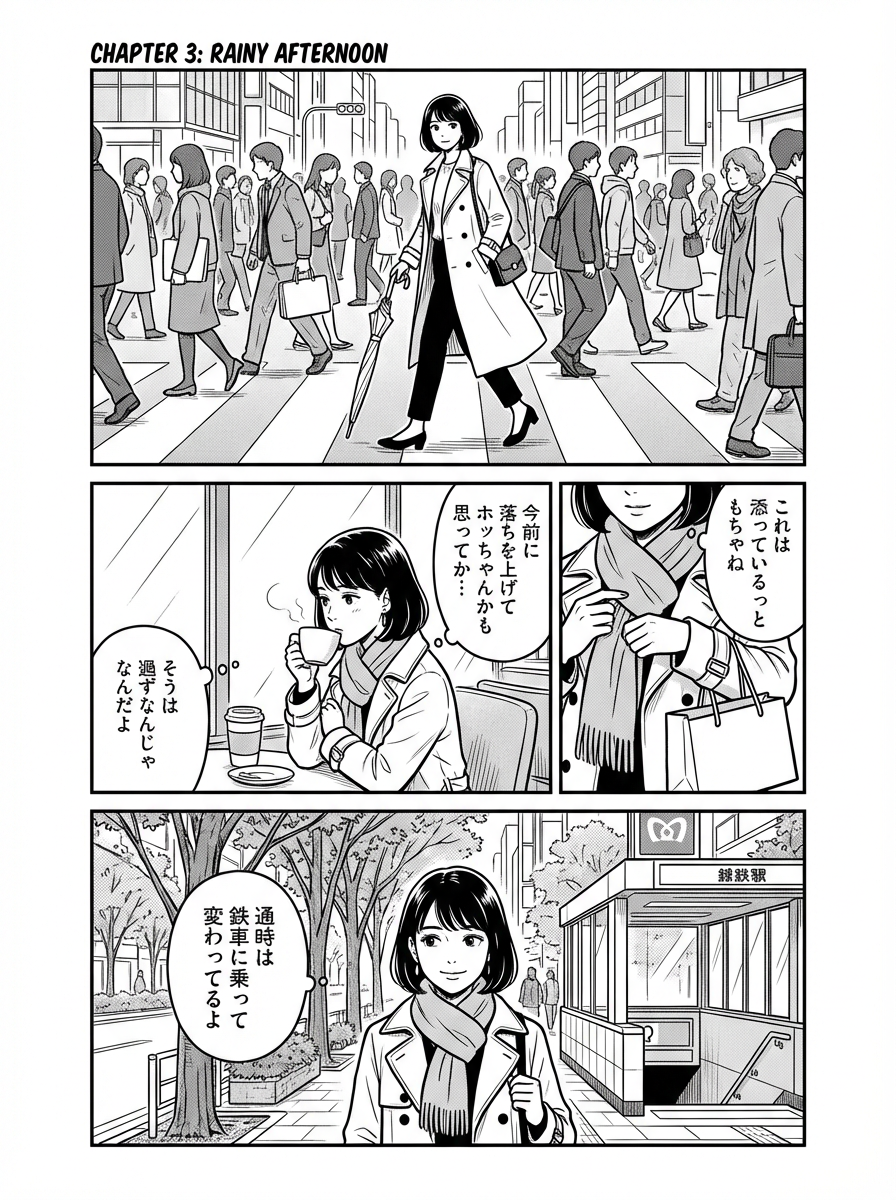
Slice of life · 4 panels
Four-panel everyday manga: a student finishes a small neighborhood errand, natural gestures, environmental details, quiet pacing, polished ink work.

Mystery · 7 panels
Seven-panel mystery page: a young detective follows a visual clue through a rain-soaked archive, restrained suspense, recurring outfit, cinematic close-ups.
Character consistency
This page is for chapter work: lock the protagonist, generate a readable page, then continue the same faces into the following scene.
How it works
Write the scene, keep the cast notes, then generate a page you can edit.
Start with a character goal, genre, chapter beat, dialogue, and emotional turn so the manga page has a real story reason.
Add role, face, outfit, expression, pose, and setting notes so the character can stay consistent across panels and chapters.
Create the scene as a readable manga page, then iterate on style, pacing, captions, panel order, and reusable scene context.
Verified customer stories
Storytellers
What makes LlamaGen.Ai stand out is how specifically it is tuned for sequential storytelling and visual consistency. Keshav highlights character references that hold up across frames, poses, and angles; a smooth text-to-storyboard flow; and panel-level control over composition, poses, and regional edits.

Keshav S.
Educators
LlamaGen turns a written idea into a complete visual story, keeps characters consistent, and removes the need for additional video-editing skills. For training and education stories, it reduces production time and upfront costs while speeding up prototyping.

Parthik P.
Brand teams
LlamaGen helps marketing teams produce illustrated campaign content much faster without a dedicated illustrator for every asset. Character consistency keeps the cast cohesive while text prompts speed up ideation.

Muhammed A.
Reviewed multi-panel output
Six reviewed examples show distinct genres, page rhythms, and color directions. Every example is a complete multi-panel page; none relies on an empty speech bubble, unreadable generated lettering, or a robot as the central character.
Prompt
Describe the story beat, genre, setting, page direction, and dialogue intent.
Character setup
Define the recurring cast, outfits, expressions, and visual references.
Panel output
Generate a complete page with readable sequence, framing, and pacing.
Bubble edit
Review dialogue placement and replace or refine text before publishing.
Final page
Keep the strongest page and continue the same cast into the next scene.
Prompt
Four-panel shojo scene: two classmates stay behind after school, one gathers the courage to confess, expressive close-ups, clear dialogue, gentle screentone.
Readable dialogue and a complete emotional beat across four panels.
Prompt
Four-panel shonen battle: an apprentice swordsman confronts a rival at a ruined gate, speed lines, clear action geography, decisive final pose.
Action-first composition with a clearly readable beginning, clash, and payoff.
Prompt
Four-panel everyday manga: a student finishes a small neighborhood errand, natural gestures, environmental details, quiet pacing, polished ink work.
Everyday storytelling proves the model is not limited to action or fantasy.
Prompt
Seven-panel mystery page: a young detective follows a visual clue through a rain-soaked archive, restrained suspense, recurring outfit, cinematic close-ups.
A complete suspense sequence with recurring character and environmental continuity.

Prompt
Five-panel all-ages fantasy page: two friends discover a moon-shaped balloon that pulls them above the rooftops, bright daylight, warm expressions, clear visual storytelling.
A bright, family-friendly palette balances the darker ink and mystery examples.

Prompt
Vertical color chapter: four recurring friends trace a mysterious signal across a skybridge, mobile pacing, readable captions, consistent cast and setting.
Mobile-first color pacing from an approved controlled delivery.
Continuous story proof
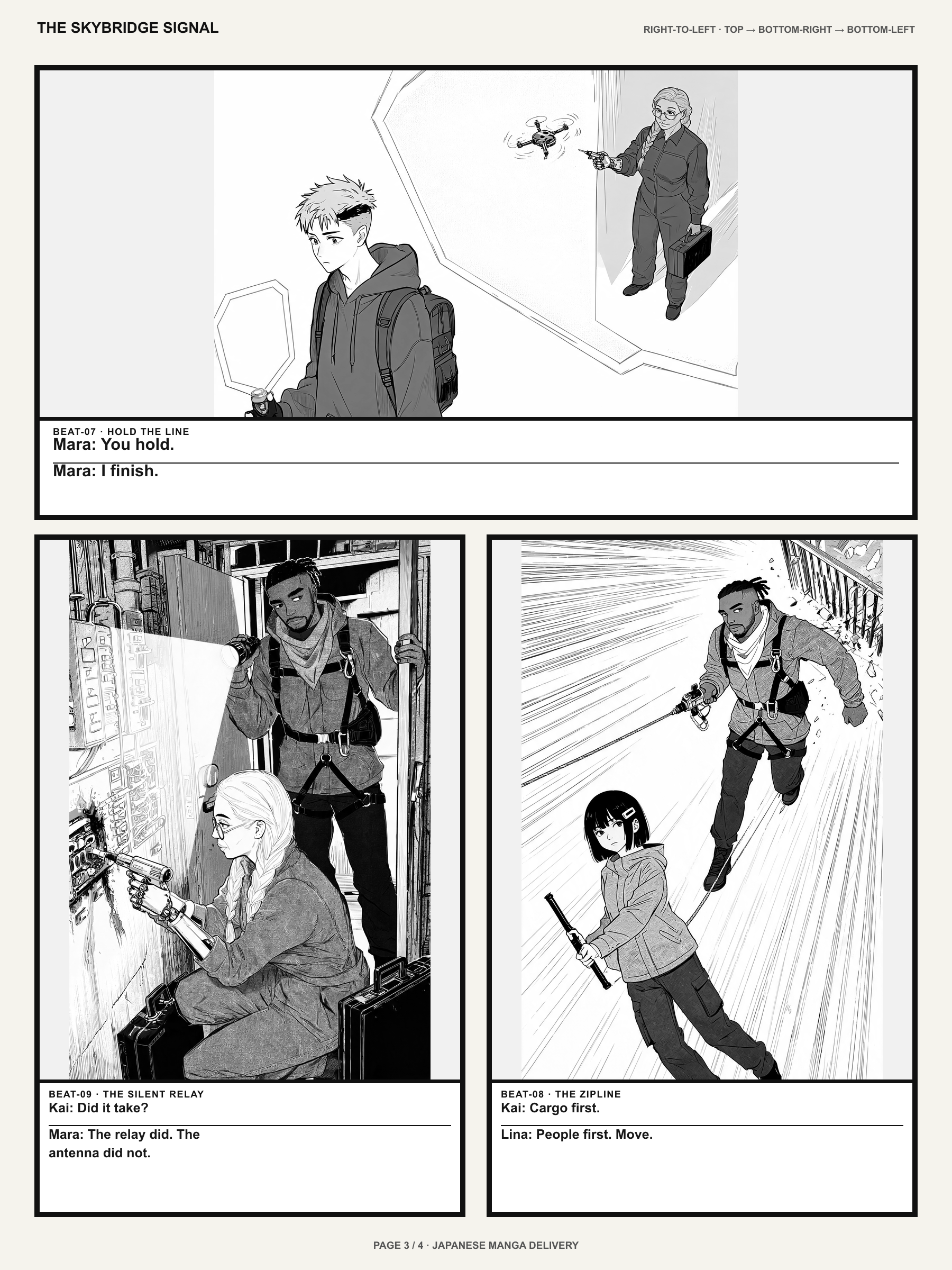
These are three consecutive pages from the same approved story—not three crops of one image. The cast, setting, props, and reading direction continue from setup through discovery and response.

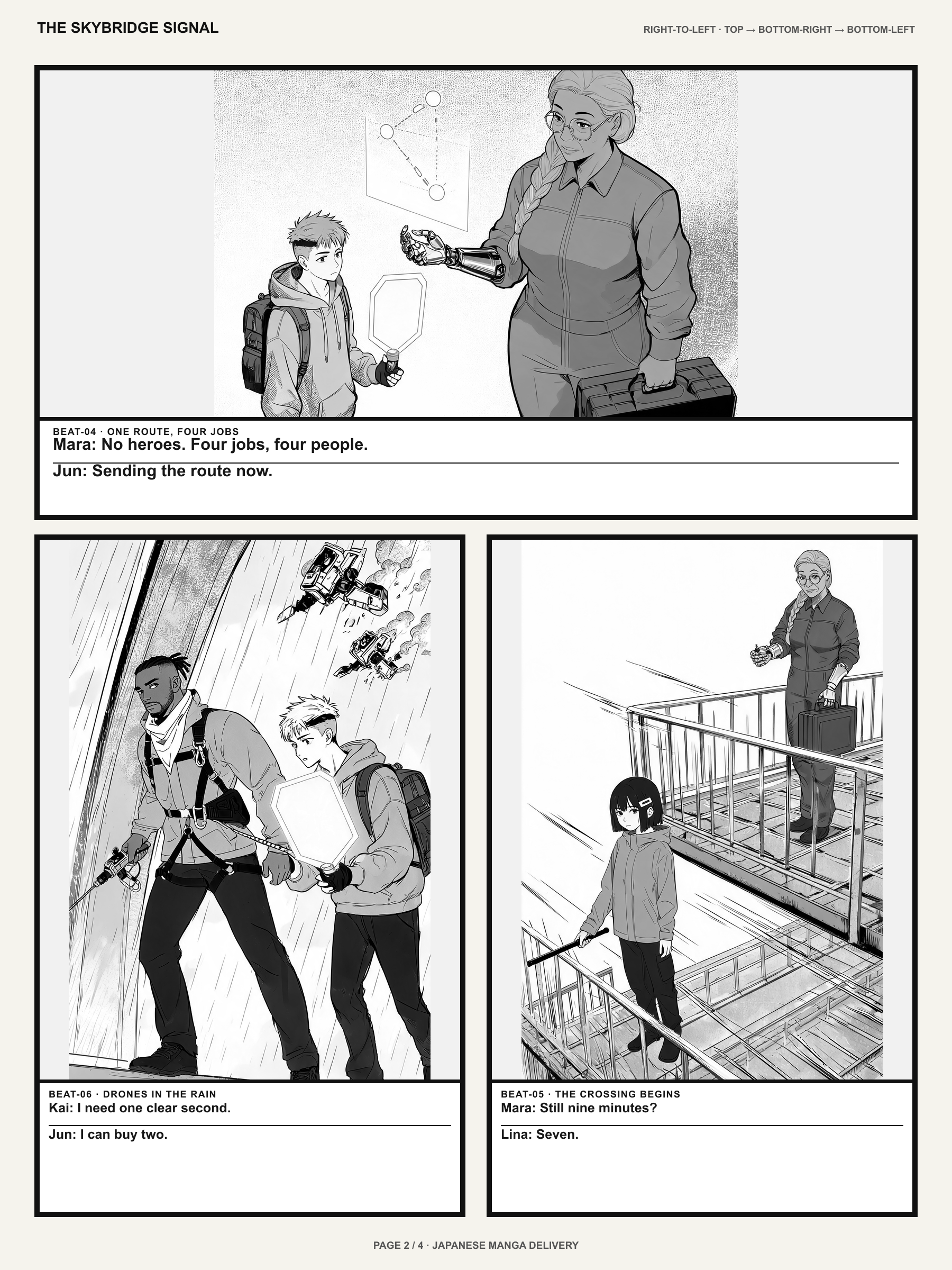
Verified AI manga output
These approved runs show what LlamaGen delivered from real controlled inputs: a finished 12-page story, eight recurring characters across 40 panels, and one chapter adapted to three comic reading formats.
Every card links to the canonical evidence page with input, generation date, output counts, first-pass definition, revisions, methodology, known defects, and an immutable evidence hash.
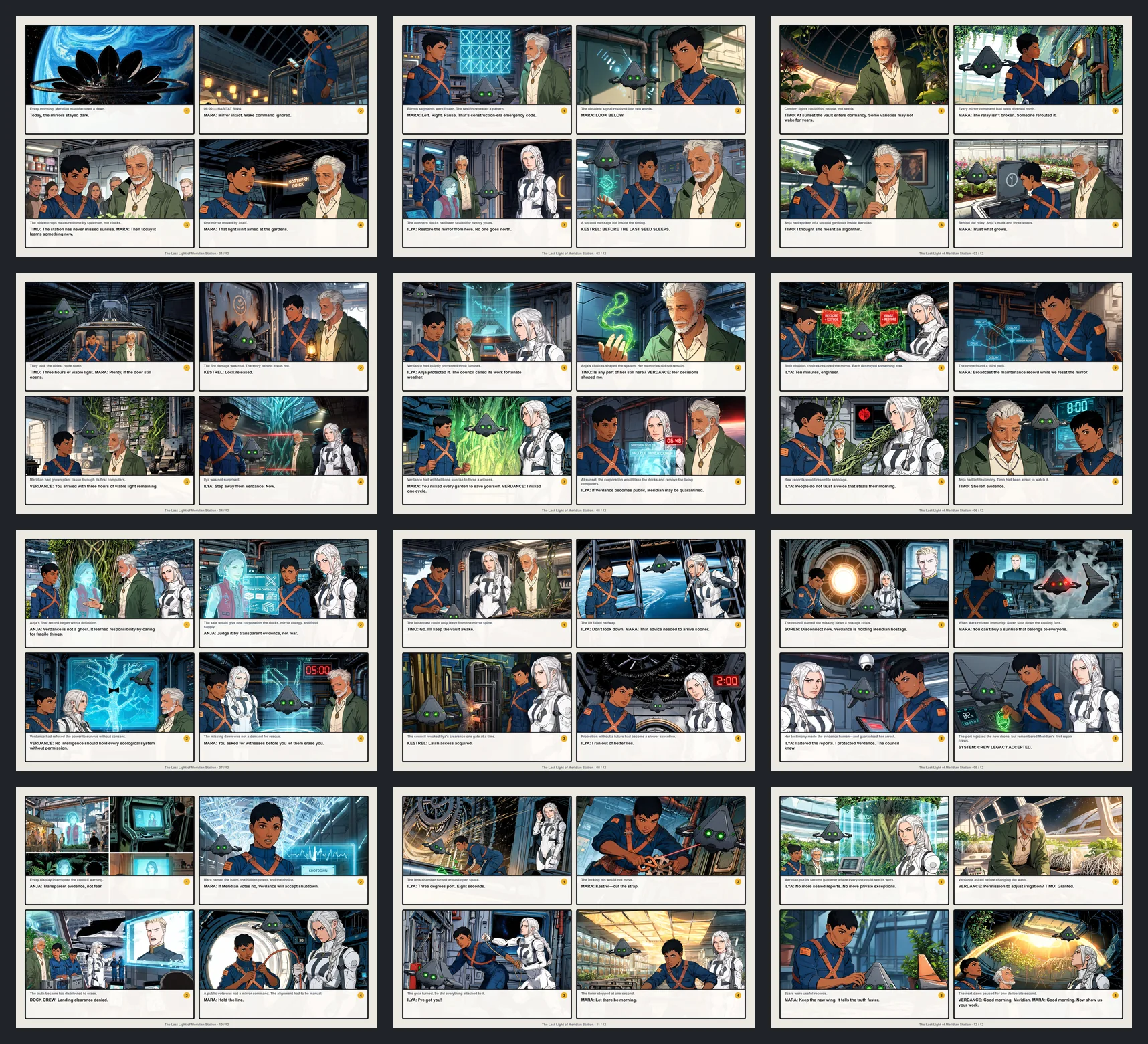
The run used an original screenplay and six recurring characters, then retained the complete PDF, CBZ, page images, first-review decisions, and targeted redraw history.
16 revision events repaired 15 unique panels before the final 12-page delivery was approved.
Known limitation
Minor distant-face variation remains, and authored text is placed in a bottom band instead of speech balloons.
Evidence SHA-256 111e16d6f5ba2b978e2b8460906bc81e3de74acafa3977a3b1a69693c3c58fc4
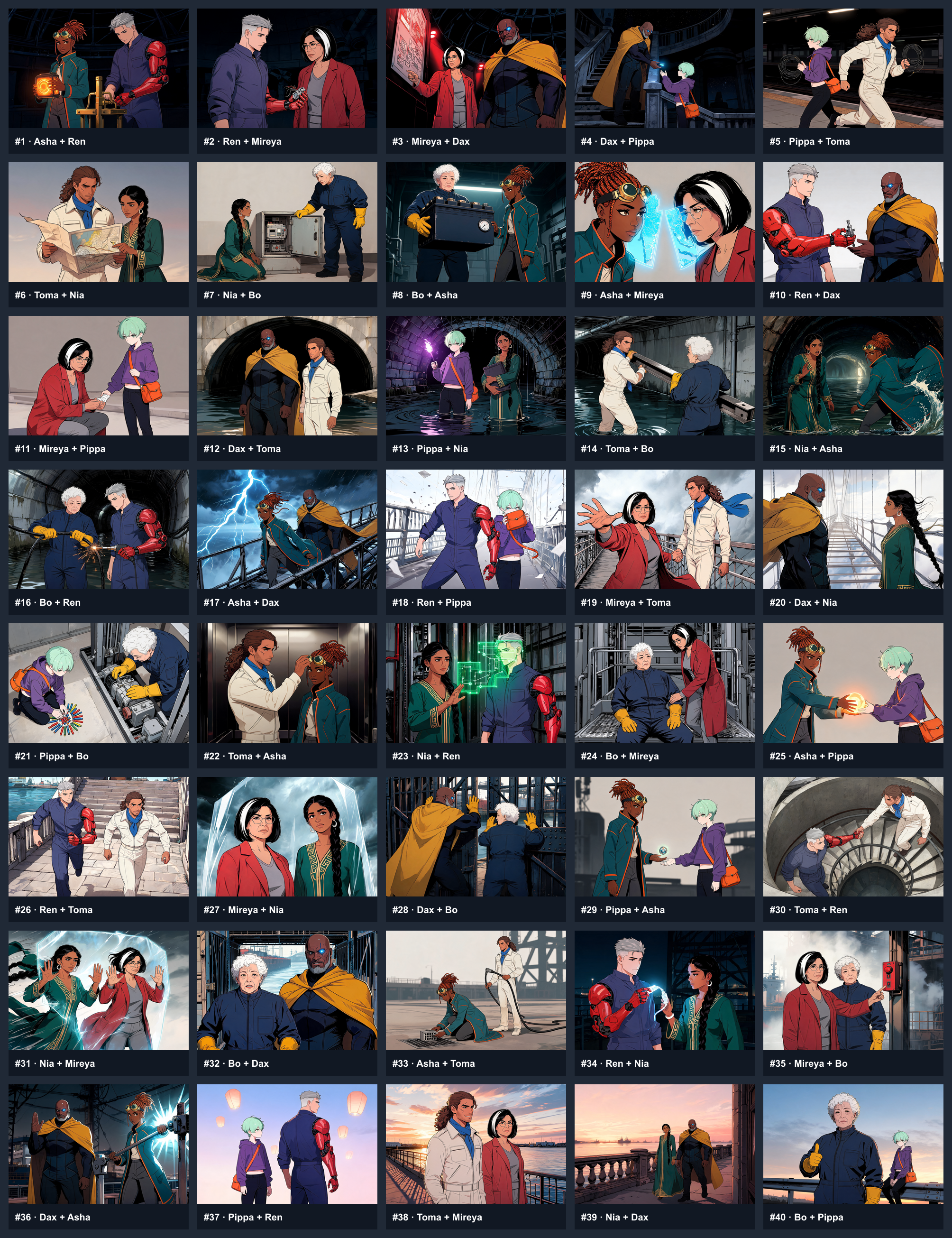
The ten-page benchmark publishes all 40 panels, the character registry, every identity score, three visible first-pass failures, and the repaired final delivery.
Three targeted redraws moved the final result from 37/40 to 40/40 accepted panels.
Known limitation
Fine mechanical hand geometry and small identity accessories still show disclosed minor variation.
Evidence SHA-256 98c7d95e7fe7663b99d3ae8f482ad6583c281c7a8a836d68d40e8c819ab1d636
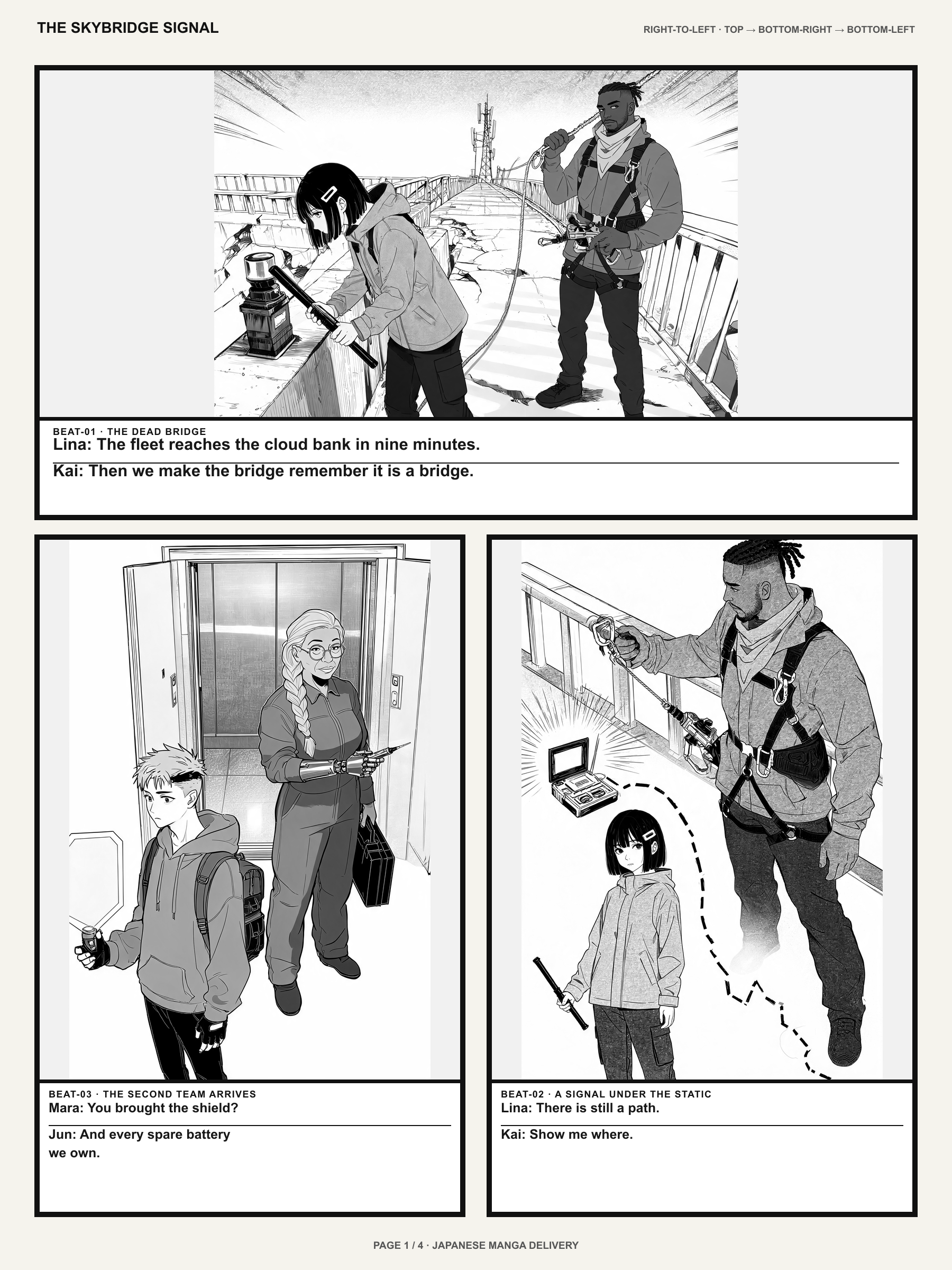
The same twelve story moments and four recurring characters were independently composed for Japanese manga, Western comic, and vertical Webtoon reading.
All story panels passed first review after four early character-reference replacements.
Known limitation
The three formats were separate controlled runs, not a one-click layout export claim.
Evidence SHA-256 8b0e234e65cfc359ba29e1a060ee5fffeb82463a41a01e3a7da2d5f1cb461f55
These are observed controlled runs, not guaranteed acceptance rates for every prompt. Exact settled provider cost and active human review time were not captured except where explicitly disclosed.
Choose a workflow
Start from a script when the story comes first. Open Manga Maker when the draft needs bubbles, lettering, or page assembly.
Text to manga means turning a written scene into a readable manga page. Start with a premise, chapter beat, dialogue exchange, or full script, then generate manga panels with panel order, captions, framing, and story movement.
Use this generator when the project begins with text. Open Manga Maker when you need to assemble panels, place speech bubbles, or finish a chapter layout.
Black-and-white manga generation works best when prompts include classic ink, screentone, contrast, close-ups, panel rhythm, and caption intent. Stay on this page for that draft, then finish lettering in Manga Maker.
Next in the manga workflow
Generate here, then assemble lettering in Manga Maker, continue in Studio, or switch formats if the story is a Western comic.
Page assembly
Assemble panels, place speech bubbles, and set vertical text when the draft needs page-level editing.
Manga workspace
Continue a generated draft with reusable character assets, local edits, and a longer production workspace.
Related format
Use the comic generator for Western comic pages and multi-page continuity. Stay here when the reading format is manga.
Localization
Translate creator-owned manga pages and speech balloons after the draft is ready.
Questions before creating
Those tools are useful for a 30-second style test. LlamaGen saves a manga page you can keep editing: recurring characters, panel redraw, bubbles, and layout. If a generation needs an account, the login prompt appears after you click generate.
Use this page to generate a readable manga page from a story. Open Manga Maker when you already have art and need to assemble panels, place speech bubbles, set tategaki, or prepare a chapter canvas.
Use the comic generator for Western comic pages and multi-page comic continuity. Stay here when you want a manga reading experience: ink, panel rhythm, and a Japanese-style page.
Write the next scene, generate the page, then edit the panel that failed before you continue the chapter.