

Colorful love-story comic built around a small gesture
Example preview
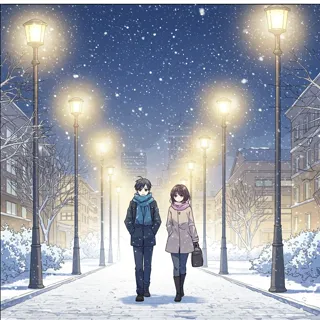
Vibrant webtoon illustration can make romance feel personal when one thoughtful action carries the emotional change. A starting point for creating and refining an image in LlamaGen.
Use a specific gesture of attention rather than a generic romantic pose.
When to use this template
- Anniversary comic idea
- Quiet romance beat
- Reunion story image
Build your first draft
Choose the story moment
Describe who is present and what changes before adding decorative details. Use a specific gesture of attention rather than a generic romantic pose.
Direct the composition
Repeat one meaningful object and keep expressions readable.
Review the first draft
Check that the action remains clear without dialogue. Check the focal point at a small size, then revise one issue at a time.
Try a complete example
Worked example — Colorful love-story comic built around a small gesture
Three colorful webtoon moments: a cyclist notices a partner’s loose shoelace, kneels to tie it before a ride, and receives a shy smile. Warm morning street, two bicycles, no text.
The small practical kindness makes the relationship visible. Use this direction as a draft brief; inspect the result before relying on fine details.
Before you publish
- The style direction alone does not define a vertical strip layout.
- Hands near shoelaces can need careful correction.
- Add captions after reviewing the image so the story remains readable.
Questions about this template
- Can I change the subject?
- Yes. Replace the example subject while retaining the visual choices described above; too many competing actions make the result harder to read.
- Is this a blank downloadable file?
- This is a creation preset, not a blank worksheet. Open it, describe a scene, and refine the generated draft.
- Will the prompt reproduce every detail exactly?
- No. The prompt gives direction. Layout, lettering, anatomy, and repeated character details can need correction.