

Camera Angle Control - Photo Angle Editor with AI
Ανεβάστε πολυμέσα, κρατήστε πατημένο και σύρετε για να αλλάξετε τη γωνία της κάμερας και δημιουργήστε από τις 12 καλύτερες γωνίες. Μεταμορφώστε τις εικόνες σας με AI Image Camera Angle Control μέσω φυσικού διαλόγου και χειρισμών οριζόντιας γωνίας, κάθετης γωνίας και απόστασης zoom.
Κάντε επεξεργασία μέσω chat, επεκτείνετε σκηνές, αφαιρέστε αντικείμενα, αλλάξτε φόντα και δημιουργήστε νέες γωνίες κάμερας από μία μόνο φωτογραφία με τα workflows Qwen Image Edit και AIOmnigen.
Διαδραστικό εργαστήριο γωνιών
Ανεβάστε μία εικόνα, αλλάξτε τη γωνία και κάντε επεξεργασία μέσω chat
Αυτό το ενσωματωμένο εργαλείο σάς επιτρέπει να μεταμορφώνετε εικόνες μέσω φυσικού διαλόγου. Ανεβάστε μία φωτογραφία και μετά επεκτείνετε, αφαιρέστε αντικείμενα, αλλάξτε φόντα ή δημιουργήστε νέες γωνίες κάμερας με διαδραστικούς ελέγχους κάμερας και μοντέλα επεξεργασίας όπως το Qwen Image Edit.
Multi-Angles
Source Reference
Upload a reference image
Use the Replace and Remove buttons above anytime.
Generated Result
Examples
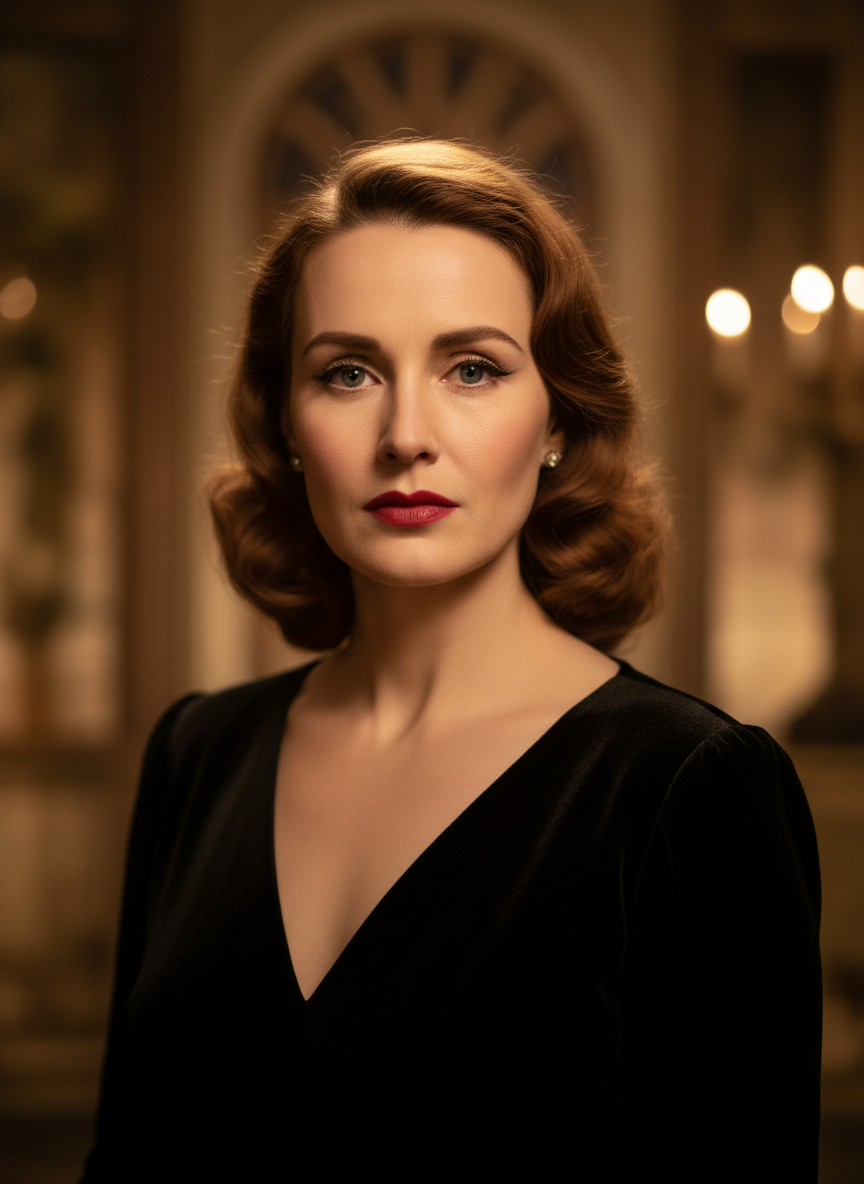
Source
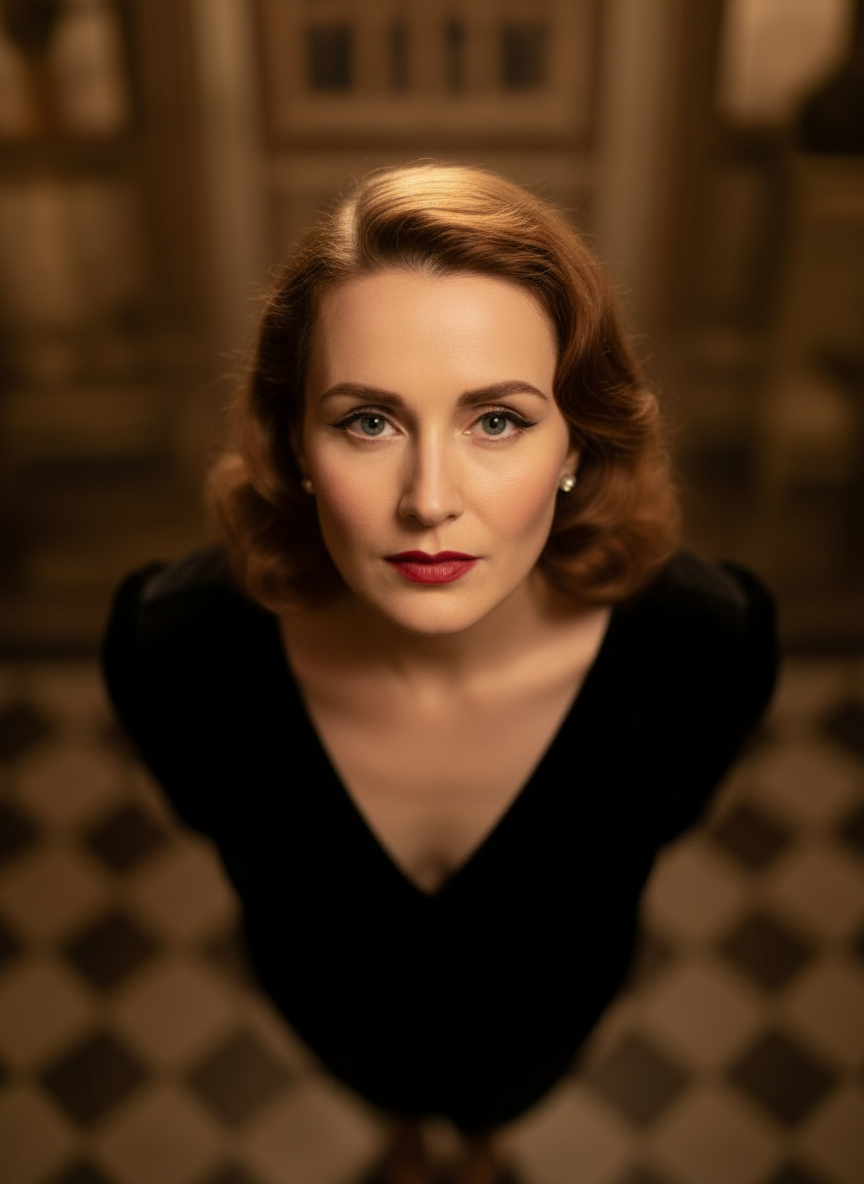
Overhead Angle
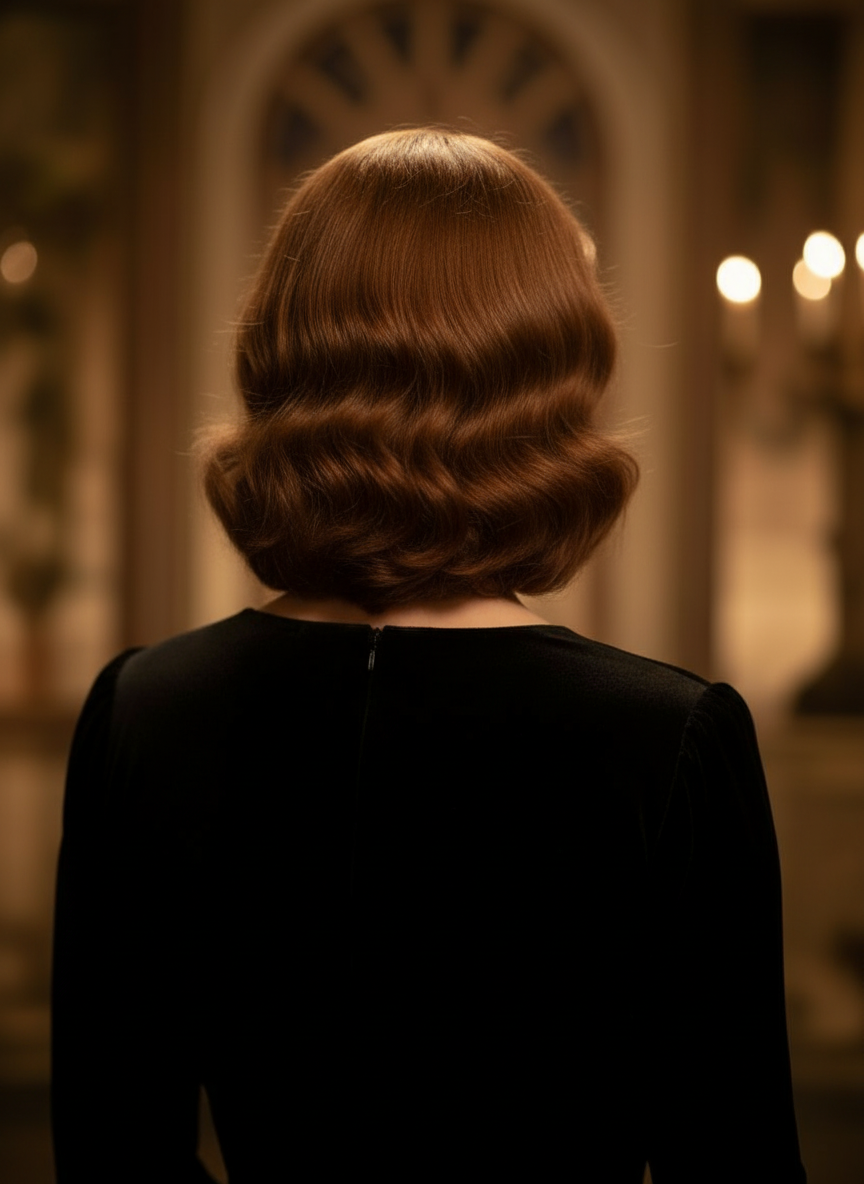
Back Angle
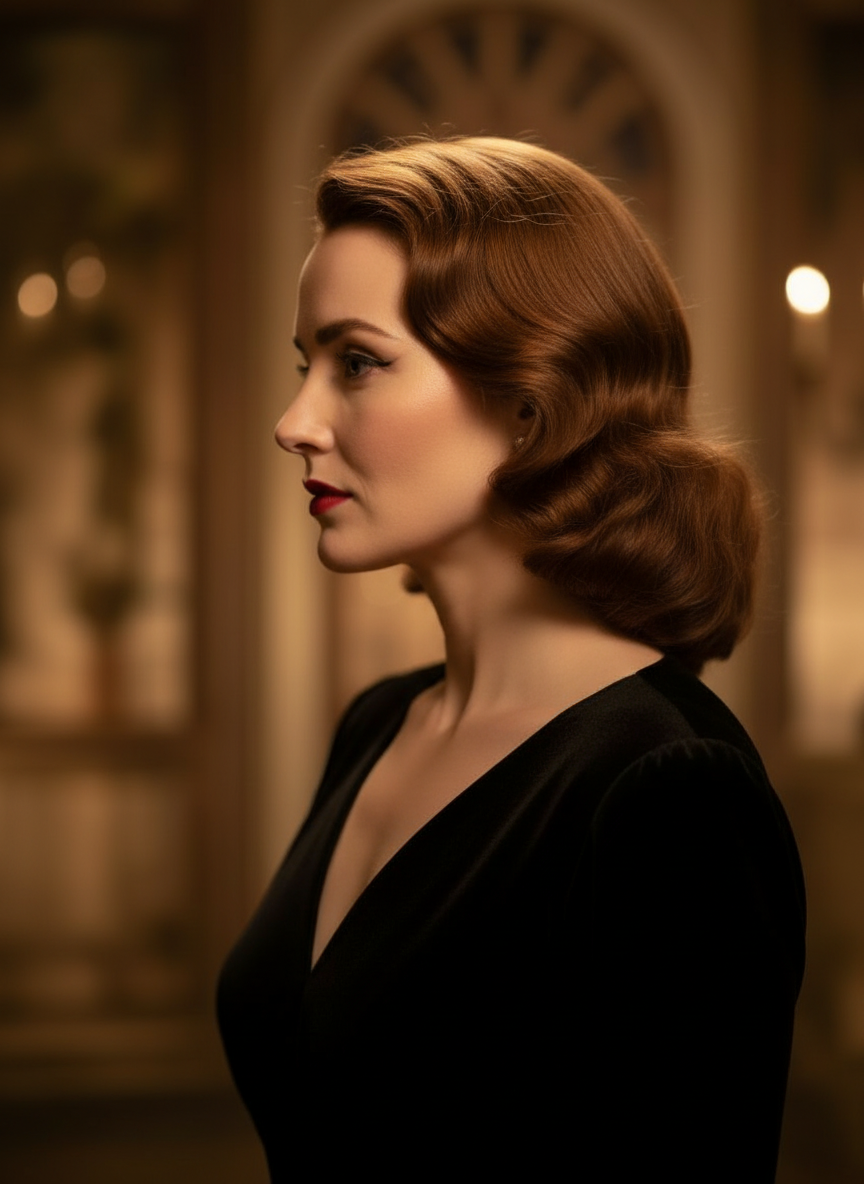
Three-Quarter Side
Μεταμορφώστε τις εικόνες σας μέσω φυσικού διαλόγου
Ανεβάστε απλώς μια εικόνα και συνομιλήστε για να κάνετε αλλαγές. Επεκτείνετε το κάδρο, αφαιρέστε αντικείμενα, αλλάξτε φόντα και δημιουργήστε εναλλακτικές γωνίες κάμερας χωρίς να ξαναφτιάξετε την εικόνα από την αρχή.
Ανοίξτε το Camera Angle ControlΡυθμίστε οριζόντια γωνία, κάθετη γωνία και απόσταση zoom
Κρατήστε πατημένο και σύρετε για να αλλάξετε τη γωνία της κάμερας ή χρησιμοποιήστε εύχρηστα sliders για να ρυθμίσετε οριζόντια γωνία, κάθετη γωνία και απόσταση zoom. Δημιουργήστε καθαρές παραλλαγές από μία μόνο φωτογραφία με πιο γρήγορο workflow image-camera-control.
Δημιουργήστε νέα γωνίαΠώς να χρησιμοποιήσετε το Camera Angle Control σε 3 βήματα
Ένα απλό workflow για επεξεργασία φωτογραφιών, αναπλαισίωση και AI camera control.
Ανεβάστε μια εικόνα θέματος
Ξεκινήστε με μία φωτογραφία ή εικόνα αναφοράς που θέλετε να παραμείνει συνεπής κατά την επεξεργασία και την αναπλαισίωση.
Ορίστε το σχέδιο κάμερας
Επιλέξτε μία από τις 12 καλύτερες γωνίες και μετά κρατήστε πατημένο και σύρετε ή χρησιμοποιήστε τα controls για να ρυθμίσετε οριζόντια γωνία, κάθετη γωνία, κλίση και απόσταση zoom.
Συνομιλήστε, αποδώστε και ελέγξτε
Περιγράψτε τις αλλαγές σε φυσική γλώσσα, δημιουργήστε τη νέα προβολή και ελέγξτε το αποτέλεσμα για σχεδιασμό, περιεχόμενο ή παράδοση στην παραγωγή.
Πραγματικό αποτέλεσμα εργαλείου
Μία εικόνα εισόδου, ένα παραγόμενο αποτέλεσμα γωνίας κάμερας
Συγκρίνετε την αρχική εικόνα με ένα αποτέλεσμα που παρήχθη από το workflow Camera Angle Control. Το θέμα παραμένει αναγνωρίσιμο ενώ η οπτική αλλάζει σε μια ευρύτερη μελέτη γωνίας.
Είσοδος
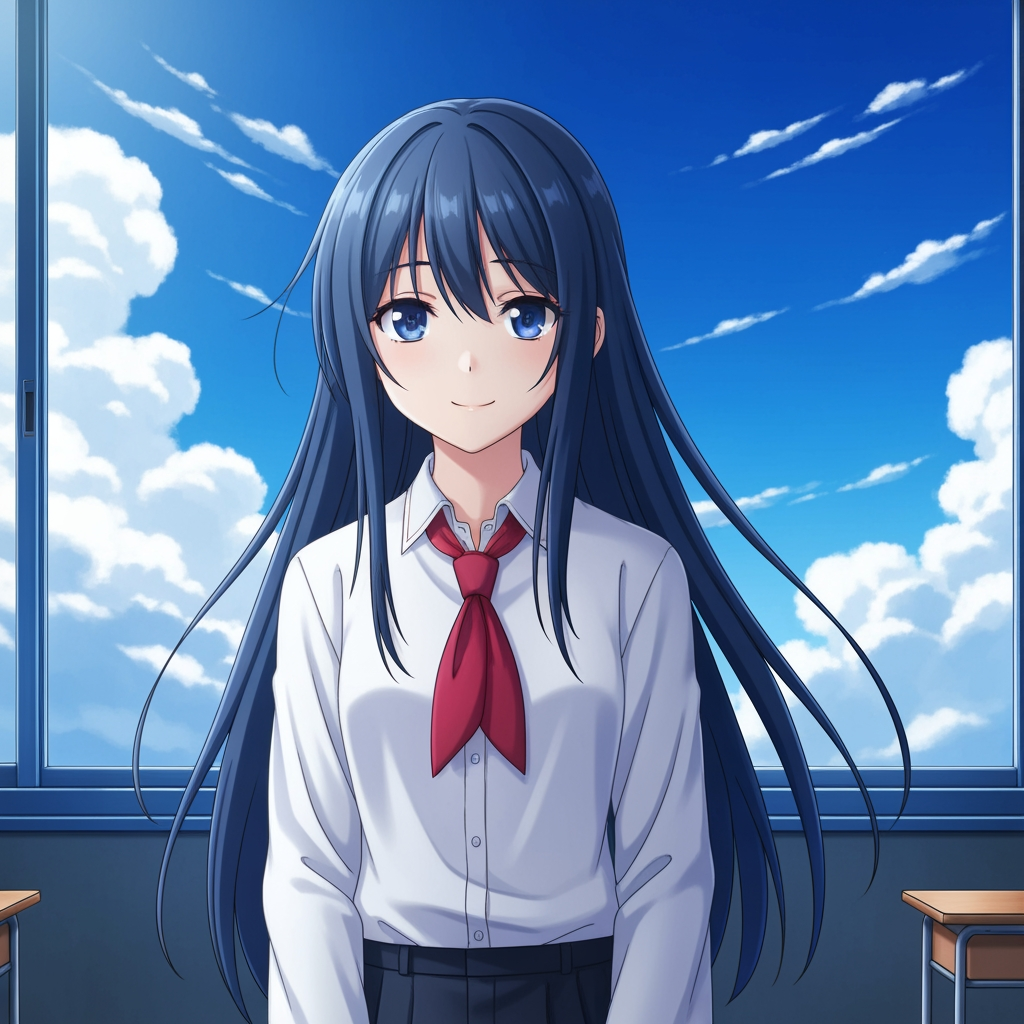
Αρχική εικόνα θέματος
Το βασικό σχέδιο παραμένει αμετάβλητο. Αυτή είναι η εικόνα εισόδου που χρησιμοποιήθηκε για τον έλεγχο της φάσης της γωνίας κάμερας.
- Ρόλος
- Ανεβασμένη αναφορά
- Θέμα
- Ένας μόνο anime χαρακτήρας
Παραγόμενο αποτέλεσμα

Αποτέλεσμα αναπλαισίωσης γωνίας κάμερας
Το παραγόμενο αποτέλεσμα μετατρέπει την ίδια αναφορά σε μια ευρύτερη μελέτη γωνίας για σχεδιασμό λήψης και οπτική αξιολόγηση.
- Ρόλος
- Παραγόμενη παραλλαγή
- Χρήση
- Αξιολόγηση γωνίας και κάδρου
Οι παρακάτω εικόνες είναι ένα πραγματικό ζεύγος εισόδου και εξόδου από το workflow του εργαλείου, όχι ένα έτοιμο mockup. Τα αποτελέσματα AI διαφέρουν ανάλογα με την εικόνα εισόδου, το επιλεγμένο μοντέλο και τους ελέγχους γωνίας και κάδρου.
Τι είναι το Camera Angle Control;
Το Camera Angle Control είναι ένας photo angle editor με AI για όσους θέλουν να μεταμορφώνουν εικόνες μέσω φυσικού διαλόγου. Ανεβάστε μία εικόνα, κάντε επεξεργασία μέσω chat και μετά ρυθμίστε γωνία, κλίση, κάδρο και zoom για να δημιουργήσετε νέες οπτικές, διατηρώντας συνεπή την ταυτότητα του θέματος.
Prompt to Comic
Δημιουργία από τις 12 καλύτερες γωνίες
Εξερευνήστε low angle, high angle, eye-level, Dutch angle, over-the-shoulder και άλλα επαναχρησιμοποιήσιμα camera presets πριν καταλήξετε.
Δημιουργία από τις 12 καλύτερες γωνίες
Εξερευνήστε low angle, high angle, eye-level, Dutch angle, over-the-shoulder και άλλα επαναχρησιμοποιήσιμα camera presets πριν καταλήξετε.
Διατηρήστε συνεπές ένα θέμα
Χρησιμοποιήστε μια εικόνα αναφοράς ώστε το εργαλείο να κρατά πιο κοντά στο αρχικό φωτογραφικό υλικό το θέμα, τη λογική του φωτισμού και την οπτική ταυτότητα.
Επεξεργασία και αναπλαισίωση σε ένα workflow
Χρησιμοποιήστε μαζί επεξεργασία εικόνας μέσω chat και camera control για να επεκτείνετε σκηνές, να αφαιρέσετε αντικείμενα, να αλλάξετε φόντα και να αναπλαισιώσετε την ίδια εικόνα.
Γιατί οι ομάδες το χρησιμοποιούν για εξερεύνηση γωνιών κάμερας
Σχεδιασμένο για εξερεύνηση λήψεων, σχεδιασμό κάλυψης και γρήγορο οπτικό έλεγχο.
Δημιουργία με βάση αναφορά
Ξεκινήστε από μια ανεβασμένη βασική εικόνα αντί να κάνετε prompt για ένα νέο θέμα κάθε φορά.
Presets γωνίας που ταιριάζουν στη γλώσσα της παραγωγής
Δοκιμάστε γρήγορα eye-level, low angle, high angle, Dutch angle, bird's-eye και over-the-shoulder κάλυψη.
Χρήσιμο για previz και boards
Συγκρίνετε ιδέες λήψης πριν κλειδώσει το storyboarding, η διάταξη κόμικ ή ο έλεγχος animation.
Έτοιμο για comic και cartoon
Εναλλάξτε ανάμεσα σε comic και cartoon οπτική κατεύθυνση χωρίς να ξαναστήσετε το περιβάλλον ελέγχου.
Γρήγορα πειράματα κάδρου
Μετακινηθείτε από close-up σε wide shot και από ουδέτερη κλίση σε πιο δραματική σκηνοθεσία μέσα σε δευτερόλεπτα.
Σχεδιασμένο για κύκλους αξιολόγησης
Δημιουργήστε μία μελέτη γωνίας, συζητήστε την και μετά προχωρήστε αμέσως στην επόμενη παραλλαγή.
Συχνές ερωτήσεις
Τι κάνει το Camera Angle Control;
Μεταμορφώνει τις εικόνες σας μέσω φυσικού διαλόγου και διαδραστικών controls κάμερας, βοηθώντας σας να δημιουργήσετε νέες γωνίες κάμερας, να επεκτείνετε σκηνές, να αφαιρέσετε αντικείμενα και να αλλάξετε φόντα από μία μόνο ανεβασμένη εικόνα.
Μπορώ να δημιουργήσω νέες γωνίες κάμερας από μία μόνο φωτογραφία;
Ναι. Ανεβάστε τα πολυμέσα μία φορά και μετά δημιουργήστε από τις 12 καλύτερες γωνίες ενώ ρυθμίζετε οριζόντια γωνία, κάθετη γωνία και απόσταση zoom.
Χρειάζεται να ανεβάσω εικόνα αναφοράς;
Ναι. Το workflow είναι σχεδιασμένο γύρω από image to image generation, ώστε το μοντέλο να διατηρεί το θέμα πιο κοντά στο αρχικό board, χαρακτήρα ή σκηνή σας.
Ποιοι τύποι γωνιών κάμερας μπορώ να δοκιμάσω;
Μπορείτε να δοκιμάσετε eye-level, low angle, high angle, over-the-shoulder, Dutch angle, bird's-eye και άλλα καθοδηγούμενα angle presets, και μετά να τα βελτιώσετε με drag controls και sliders.
Είναι χρήσιμο για αξιολόγηση storyboard και previz;
Ναι. Είναι χρήσιμο για σκηνοθέτες, storyboard artists, ομάδες κόμικ και previz artists που χρειάζονται ταχύτερη εξερεύνηση λήψεων και σύγκριση γωνιών.
Ποια μοντέλα τροφοδοτούν τις επεξεργασίες και το camera control;
Το workflow έχει σχεδιαστεί για σύγχρονα image editing models όπως το Qwen Image Edit και το AIOmnigen-style image camera control, ανάλογα με την ενεργή διαδρομή δημιουργίας.
Χρειάζεστε επαναχρησιμοποιήσιμα boards μετά την εξερεύνηση γωνιών;
Ανοίξτε το Free Storyboard Template για να χωρίσετε τα storyboard sheets, να κατεβάσετε καθαρά καρέ και να κρατήσετε οργανωμένο το πακέτο αξιολόγησής σας.
Μεταβείτε στο Free Storyboard TemplateΈτοιμοι να ελέγξετε την επόμενη γωνία της εικόνας σας;
Ανεβάστε μία εικόνα, κρατήστε πατημένο και σύρετε για να αλλάξετε τη γωνία της κάμερας και δημιουργήστε μια νέα προβολή σε λίγα λεπτά.