Logo da LlamaGenMarca LlamaGen
ComeceAssine agora20% de desconto
  1. Início
Export Comic Assets: Turn an AI Comic Page Into a Publishable Package
Todas as postagens

Export Comic Assets: Turn an AI Comic Page Into a Publishable Package

Jay
Jay
13 de julho de 2026
Copiar link
  • What Is a Comic Asset Package?
  • Step 1: Freeze the Creative Source
  • Step 2: Save the Final Page Separately From Drafts
  • Step 3: Export Individual Panels
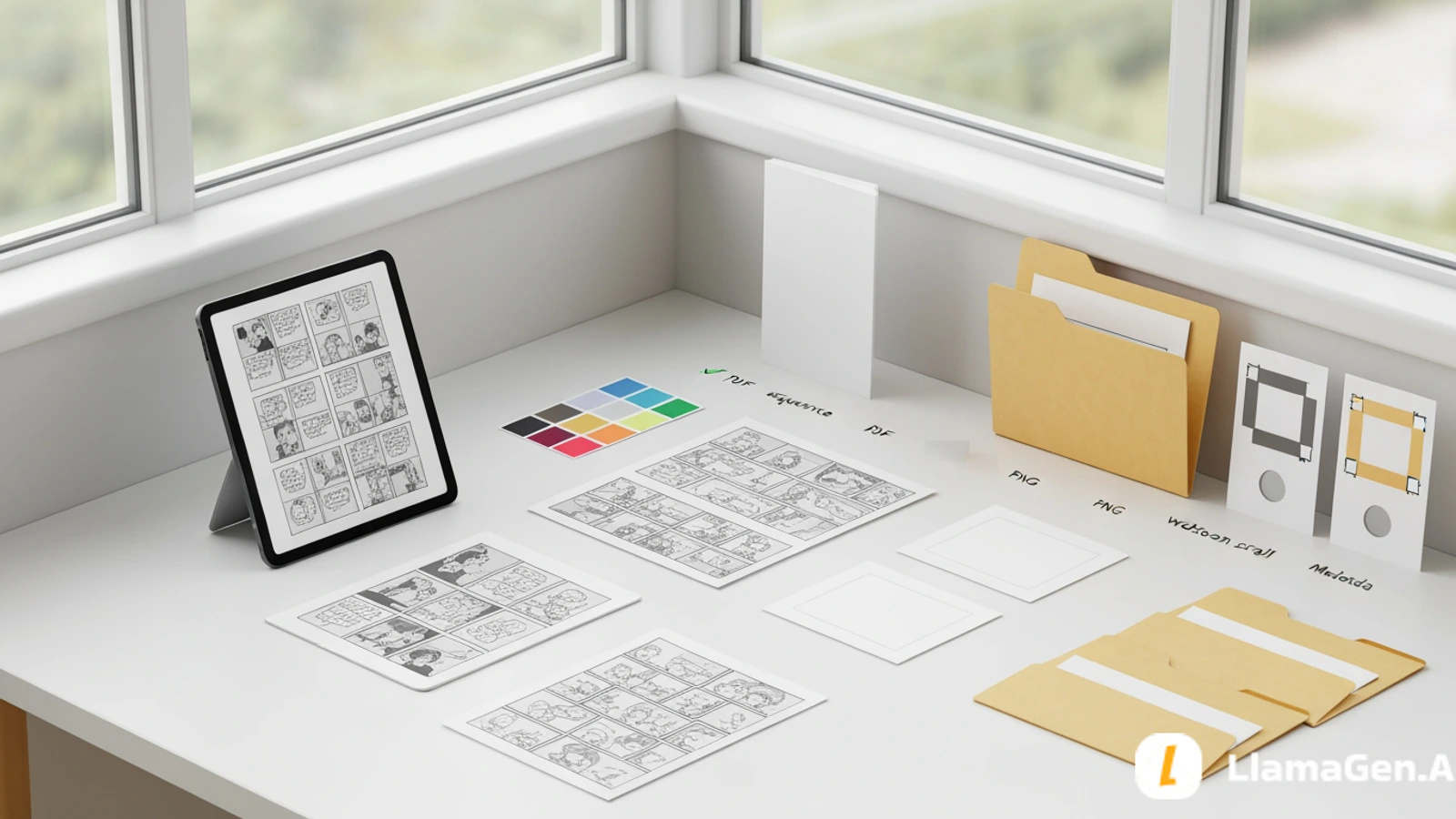
  • Step 4: Choose the Right Export Format
  • Step 5: Prepare a PDF Version
  • Step 6: Prepare a PNG Sequence
  • Step 7: Prepare a Webtoon Scroll
  • Step 8: Create Cover and Thumbnail Assets
  • Step 9: Add Metadata
  • Step 10: Run a Final Export Review
  • Example Asset Package for One Page
  • LlamaGen.AI Export Workflow
  • Common Export Mistakes
  • Final Checklist
  • Next Step
elevate-your-comics.png
Eleve seus Quadrinhos com LlamaGen

A comic is not finished when the image looks good.

It is finished when the story, character references, page files, panel exports, cover, metadata, and publishing formats are organized well enough that you can share, revise, print, upload, or continue the project without losing control.

That is the difference between a single image and a comic asset package.

This guide completes the seven-part comic creation workflow:

  • Day 1: How to Start a Comic Story
  • Day 2: Character Creation
  • Day 3: Comic World Building
  • Day 4: Comic Script Format
  • Day 5: Generate a Comic Page
  • Day 6: Fix AI Character Consistency

Today, the goal is to create the final output:

A publishable comic asset package with source notes, page files, panel exports, cover assets, and format-specific outputs.

The goal is not only to export a file. It is to make the comic usable after export.

What Is a Comic Asset Package?

A publishable comic asset package is the organized handoff version of your comic project.

It includes the creative source, the visual assets, and the delivery formats.

For a short comic or manga page, the package can be simple:

comic-project/
  01-story/
  02-character/
  03-world/
  04-script/
  05-pages/
  06-panels/
  07-cover/
  08-export/
  README.md

Each folder has a clear role:

FolderWhat it containsWhy it matters
StoryOne-paragraph story, hook, page goalKeeps the comic anchored
CharacterCharacter sheet, fixed rules, references
Related hot tags

Comic Export

Quadrinhos com IA

Publishing Workflow

Webtoon

Comic Production

Ferramentas populares para criadores

Transforme inspiração em sua próxima história

Crie quadrinhos, storyboards e fotos estilosas com LlamaGen.

01

Gerador de Quadrinhos IA

Transforme uma ideia em tirinhas polidas em minutos.

Criar quadrinhos
02

Gerador de Mangá IA

Crie arte mangá expressiva e histórias com vários painéis.

Crie mangá com IA
03

Gerador de Storyboard IA

Visualize cada cena antes de começar a produção.

Crie storyboards com IA
04

Transformar foto em quadrinho

Transforme qualquer foto em uma ilustração estilo quadrinho.

Crie quadrinhos a partir de fotos
05

Criador de Tiras de Quadrinhos IA

Monte tirinhas compartilháveis com personagens consistentes.

Crie tirinhas com IA

LlamaGen community

checkmark

Get hands-on help with your comics

checkmark

Showcase your comics to fellow LlamaGen creators

checkmark

Participate in special events to win gifts

Registro de alterações

Desperte sonhos nos jovens
Onde milhões de histórias ganham vida

Um resumo dos lançamentos mais recentes de recursos do LlamaGen, melhorias no produto, atualizações de design e correções importantes de bugs.

✦
✧
✦
✧

Um novo meio para Narrativa

Crie histórias, quadrinhos, animações, jogos e muito mais sem limites — em segundos, com apelo para o público moderno

Export Comic Assets: Turn an AI Comic Page Into a Publishable Package - LlamaGen.AI Blog
Protects consistency
WorldLocation notes, style bible, background anchorsKeeps scenes repeatable
ScriptPanel-by-panel script and dialoguePreserves reading order
PagesFull comic page drafts and finalsMain visual output
PanelsIndividual panel crops or redrawsUseful for editing and social reuse
CoverCover image and thumbnail versionsNeeded for publishing and sharing
ExportPDF, PNG sequence, webtoon scroll, metadataFinal delivery formats

This structure may seem formal, but it saves time. With organized assets, you can revise a panel, localize dialogue, export a new format, or continue into page two without digging through random downloads.

Step 1: Freeze the Creative Source

Before exporting, freeze the source material.

That means saving the latest approved versions of:

  • Story seed
  • Character sheet
  • World notes
  • Style bible
  • Panel script
  • Revision notes
  • Dialogue
  • Final page decision

For the sample Leo story, the frozen source might look like this:

Story:
In a floating junk market above the city, Leo, a nervous apprentice repair kid, opens a dented delivery crate and finds a tiny damaged robot repeating his missing sister's voice.

Page goal:
Leo discovers the robot, sees market guards nearby, and hides it while deciding whether to follow its map.

Character fixed anchors:
messy black hair, copper hair clip, left cheek bandage, oversized tan utility jacket, dark green shirt, patched work pants, dented screwdriver.

World anchors:
floating platforms, hanging cables, warning flags, open sky gaps, repair stalls, pulley crates, patched metal.

Style:
polished manga-inspired comic page, clean linework, expressive faces, soft screen-tone shadows, bright high-altitude daylight.

This source file becomes your production memory.

Do not rely on memory or chat history alone. If you want repeatable comic production, put the source into a plain text or markdown file.

Step 2: Save the Final Page Separately From Drafts

Do not overwrite every draft with the final page.

Keep a clear distinction:

05-pages/
  page-001-draft-a.png
  page-001-draft-b.png
  page-001-consistency-fix.png
  page-001-final.png

Why keep drafts?

  • You may need to recover a better face from an earlier version.
  • You may want to compare story readability.
  • You may need proof of process for a team or client.
  • You may want to rebuild a page with the same layout later.

The final page should have a simple name:

page-001-final.png

If you generate multiple pages, keep the numbering stable:

page-001-final.png
page-002-final.png
page-003-final.png

Stable names make PDF export, webtoon assembly, and review easier.

Step 3: Export Individual Panels

A full page is useful, but panel exports are valuable too.

Export individual panels when you need:

  • Panel-level editing
  • Social media previews
  • Translation or lettering
  • Webtoon rearrangement
  • Thumbnails
  • Review comments
  • Animation or video experiments

Use a folder like this:

06-panels/
  page-001-panel-01.png
  page-001-panel-02.png
  page-001-panel-03.png
  page-001-panel-04.png
  page-001-panel-05.png

For webtoon conversion, panels are often easier to work with than one complete page. You can add vertical spacing, reorder beats, and adjust pacing for mobile reading.

In LlamaGen.AI, it helps to keep your page versions, panel edits, and generation history organized so you can return to the exact version you want. The best export workflow starts before you click export.

Step 4: Choose the Right Export Format

Different publishing destinations need different files.

Use this table as a quick guide:

FormatBest forOutput
Full-page PNGPortfolio, preview, reviewOne high-quality image per page
PNG panel sequenceEditing, social, webtoon conversionIndividual panel files
PDFPrint review, client handoff, compact readingMulti-page document
Webtoon scrollMobile-first publishingLong vertical image or ordered slices
Cover imageBlog, platform listing, store page16:9, square, or platform-specific crop
Source markdownTeam continuity and future revisionsText file with story, prompts, notes

Do not assume one export covers every use case.

A PDF is good for reading. A PNG sequence is better for editing. A vertical scroll is better for mobile. A cover is better for discovery.

Step 5: Prepare a PDF Version

PDF is useful when you want a compact, reviewable version of your comic.

Before exporting a PDF, check:

  • Page order is correct
  • Margins are safe
  • Text is readable
  • No panel is cropped unintentionally
  • Page numbers are optional but consistent
  • Cover page is included only if useful
  • File size is reasonable

For a short comic, a PDF package might include:

08-export/
  leo-floating-market-v1.pdf
  leo-floating-market-v1-pages.zip
  leo-floating-market-v1-source.md

PDF is especially helpful for teachers, clients, small teams, and early reader feedback. It feels finished enough to review without requiring anyone to open a design app.

Step 6: Prepare a PNG Sequence

PNG sequences are one of the most flexible export formats.

Use them when:

  • You want to edit pages later
  • You need image uploads for a platform
  • You are sharing pages with collaborators
  • You want to convert pages into video
  • You need panel-level retouching

Recommended naming:

leo-floating-market-page-001.png
leo-floating-market-page-002.png
leo-floating-market-page-003.png

For panels:

leo-floating-market-p001-panel-01.png
leo-floating-market-p001-panel-02.png
leo-floating-market-p001-panel-03.png

Avoid names like:

final.png
final-final.png
new-final-2.png
image-7.png

Those names feel harmless at first and become painful when you have 20 pages.

Step 7: Prepare a Webtoon Scroll

A webtoon version is not just a tall version of a page.

Mobile scrolling changes pacing.

When converting a page to webtoon format, check:

  • Does each beat have enough vertical breathing room?
  • Are close-ups large enough on mobile?
  • Is the emotional reveal placed after a scroll break?
  • Are panels too wide for phone screens?
  • Does text stay readable?
  • Are there awkward blank gaps?

Webtoon pacing often benefits from separating panels:

Panel 1: location
vertical space
Panel 2: action
vertical space
Panel 3: discovery
short space
Panel 4: danger
longer space
Panel 5: emotional hook

The same story can feel faster or slower depending on spacing.

If your comic began as a classic page, export panel crops first, then rebuild the scroll version intentionally.

Step 8: Create Cover and Thumbnail Assets

Many creators spend hours on pages and then use a weak thumbnail.

That hurts discovery.

Prepare at least three cover assets:

07-cover/
  cover-16x9.png
  cover-square.png
  cover-vertical.png

Each cover should communicate:

  • Main character
  • Genre
  • Story mood
  • Key visual hook
  • Clean composition at small size

For the Leo story:

Cover idea:
Leo hides a tiny glowing robot under his tan jacket while floating market platforms and red guard lights appear behind him.

A cover should not try to show every plot point. It should help the reader understand the promise quickly.

For AI-generated covers, avoid placing readable title text inside the image. Add title typography later with a controlled design tool if needed.

Step 9: Add Metadata

Publishing platforms, blogs, galleries, and internal libraries all benefit from metadata.

Create a simple metadata file:

Title:
Creator:
Format:
Genre:
Short description:
Characters:
Pages:
Export date:
Version:
CTA or destination link:
Rights notes:

Example:

Title: Leo and the Unlisted Platform
Creator: Jay
Format: 5-panel manga-inspired comic page
Genre: cozy sci-fi adventure
Short description: A nervous repair kid discovers a damaged robot that repeats his missing sister's voice.
Characters: Leo, tiny robot, market guards
Pages: 1
Export date: 2026-07-13
Version: v1
CTA or destination link: https://llamagen.ai/new/ai-comic-strips
Rights notes: Original story and original characters.

Metadata makes the asset searchable and easier to reuse later.

Step 10: Run a Final Export Review

Before you publish or share, review the package, not only the image.

Use this checklist:

Story:
- Does the page still match the story seed?
- Is the hook clear?

Character:
- Is the main character recognizable in every panel?
- Are fixed anchors preserved?

World:
- Does the location stay recognizable?
- Are background anchors consistent?

Script:
- Does the panel order match the script?
- Is dialogue short and readable?

Format:
- Is the PDF readable?
- Are PNG files named clearly?
- Are panel exports complete?
- Is the webtoon version paced for mobile?

Cover:
- Does it communicate genre and hook?
- Does it work at thumbnail size?

Package:
- Are source notes included?
- Is the version number clear?
- Can another person understand what is final?

This is the review that turns a project into a usable handoff.

Example Asset Package for One Page

Here is a complete package structure for the Leo sample:

leo-floating-market-v1/
  README.md
  01-story/
    story-seed.md
    page-goal.md
  02-character/
    leo-character-sheet.md
    leo-reference.png
  03-world/
    floating-junk-market.md
    visual-style-bible.md
  04-script/
    page-001-script.md
    dialogue.md
  05-pages/
    page-001-draft-a.png
    page-001-consistency-fix.png
    page-001-final.png
  06-panels/
    page-001-panel-01.png
    page-001-panel-02.png
    page-001-panel-03.png
    page-001-panel-04.png
    page-001-panel-05.png
  07-cover/
    cover-16x9.png
    cover-square.png
    cover-vertical.png
  08-export/
    leo-floating-market-v1.pdf
    leo-floating-market-webtoon-scroll.png
    leo-floating-market-pages.zip

The package is small, but complete.

It can be reviewed, archived, uploaded, localized, continued, or turned into a longer episode.

LlamaGen.AI Export Workflow

LlamaGen.AI is useful here because comic creation usually involves more than one image generation step. The workflow often includes story direction, character consistency, panel planning, page generation, panel-level edits, speech bubbles, captions, version history, and export.

A practical flow:

  1. Start with a story seed.
  2. Create or save a character reference.
  3. Build a short world and style guide.
  4. Write a 4-6 panel script.
  5. Generate the first page.
  6. Fix consistency issues.
  7. Add dialogue or caption space.
  8. Export page and panel assets.
  9. Prepare a cover and metadata.
  10. Package everything for publishing or revision.

You can start a new project with LlamaGen.AI Comic Strips and use this package structure as your final checklist.

Common Export Mistakes

Avoid these:

  • Exporting only one flattened image and losing the source notes
  • Forgetting character sheet and style bible files
  • Naming files randomly
  • Publishing before checking mobile readability
  • Letting messy generated text remain in the final art
  • Using a cover that does not match the story
  • Skipping panel exports
  • Losing track of which version is approved
  • Sending a PDF without reviewing page order
  • Treating webtoon export as automatic resizing

Most export problems are organization problems. The fix is a clear package structure.

Final Checklist

Before calling the comic finished, make sure you have:

  • Story seed
  • Character sheet
  • World and style notes
  • Panel script
  • Final page PNG
  • Individual panel exports
  • Cover assets
  • PDF version if needed
  • Webtoon scroll if needed
  • Metadata file
  • Version number
  • Clear folder names

When those pieces exist, your comic is no longer just an AI image. It is a publishable creative asset.

Next Step

You now have the full seven-step workflow:

story -> character -> world -> script -> page -> consistency fix -> export package

Start from the beginning with How to Start a Comic Story, or create and export your next comic with LlamaGen.AI Comic Strips.

LlamaGen.Ai
  • United States
  • Español
  • Français (France)
  • 日本語
  • 한국어
  • Deutsch
  • 繁體中文 (台灣)
  • 繁體中文 (香港)
  • 简体中文
  • Português
  • Italiano
  • Español (México)
  • العربية
  • Русский
  • Português (Brasil)
  • Tiếng Việt

Liderando o futuro da geração de quadrinhos por IA

  • Suporte 24/7
  • Atualizações semanais
  • Seguro e compatível
  • 99,9% de tempo de atividade

Baixe o LlamaGen grátis

AndroidiOSComputador

Produto

  • Últimos lançamentos
  • Características
  • Criador de tirinhas
  • Comic StoresNovo
  • Estúdio de MangaNovo
  • Transforme Imagem em Quadrinho
  • Quadrinho para Vídeo
  • Fábrica de Quadrinhos IA
  • Agente de Quadrinhos
  • iOS & Android
  • Mac & Windows
  • Baixar
  • Comic ZapNovo
  • Gerador de Quadrinhos IA
  • Gerador de Desenho Animado IA
  • Gerador de Webtoon IA
  • Criador de Tirinhas
  • Transforme Imagem em Quadrinho
  • Gerador de Mangá IA
  • Tradutor de Manga
  • Foto para Anime
  • Imagem para Prompt
  • Anime para Vida Real
  • Colorizador de mangá
  • Gerador de Personagem de Anime
  • Ferramentas de assets para jogos pixel art
  • Gerador de sprite sheet com IA
  • Melhores ferramentas para jogos pixel art em 2026
  • Criador de quadrinhos com fotos
  • Alternativa ao Comic Life

Produtos relacionados

  • Família LlamaGen
  • CineoBoardNovo
  • Comics API

Planos

  • Preços
  • Inicial
  • Pro

Comunidade

  • Criadores
  • Afiliados
  • Parceiro

Modelos de IA

  • GPT Image 2.6 Flare
  • GPT Image 2.6 Sunburst
  • Grok Imagine Image 2.0
  • Wan 3.0
LinkedInX (Twitter)
  • Início
  • Artigos
  • Blog
  • Criar
  • Preços
  • API
  • Affiliate ProgramNEW

Blogs anteriores

Human-Led AI Game Cutscenes: Keep the Script, Storyboards, and Timing Under Your Control

Human-Led AI Game Cutscenes: Keep the Script, Storyboards, and Timing Under Your Control

A practical, creator-led AI game cutscene workflow for selecting storyboard candidates, rejecting we

Jay
Jay
23 de novembro de 2026
Make an AI Film Feel Real: Blocking, Reactions, and Continuity in a Quiet Scene

Make an AI Film Feel Real: Blocking, Reactions, and Continuity in a Quiet Scene

A worked quiet-scene repair case: room geography, prop behavior, reactions, and edit choices that im

Jay
Jay
23 de novembro de 2026
How to Make an AI Drama: A Six-Shot Pilot and Series Continuity Plan

How to Make an AI Drama: A Six-Shot Pilot and Series Continuity Plan

Create a 30-second illustrated AI drama pilot, review real motion failures, and package continuity n

Jay
Jay
23 de novembro de 2026
Two OCs in One Comic Panel: Keep Identities and Speakers Clear

Two OCs in One Comic Panel: Keep Identities and Speakers Clear

A six-panel Maya and Theo dialogue case showing separate references, a handoff repair, a reverse-sho

Jay
Jay
20 de novembro de 2026
Veja todos os blogs

Pergunte à IA sobre LlamaGen

  • Comic Zap
  • Velika
  • Empresarial
  • Educação
  • API de Quadrinhos
  • Contate as Vendas
  • Planos para Educação
  • Professores
  • Estudantes
  • Professores e Estudantes
  • Empresas emergentes
  • Descontos Educativos
  • Empresa

    • Converse com nosso fundador
    • Sobre
    • Roteiro do Produto

    Ajuda

    • Centro de Ajuda
    • Confiança
    • IA segura
    Depoimentos
  • Mural de Amor
  • LlamaGen MCPNovo
  • LlamaGen para desenvolvedores
  • Recursos

    • Registro de alterações
    • Blog
    • Guias

    Ferramentas

    • Gerador de logos com IA
    • Gerador de personagens no estilo Grokbot
    • PNG para quadrinhos
  • Wan 3.0 Prime
  • Seedance 2.5
  • MiniMax H3
  • Nano Banana 2.1
  • Nano Banana 2 Lite
  • Seedream 5.0 Flash
  • Seedream 5.0 Pro
  • Seedance 2.0 Mini
  • Kling 3.0 Turbo
  • Nano Banana 2
  • Imagem GPT 2
  • Gemini Omni Flash
  • All AI Models
  • Ferramentas de AI

    • Extrator de Looks por IA
    • Trocador de Corte de Cabelo por IA
    • Trocador de Cabelo de Mangá por IA
    Instagram
    YouTube
    Grupo no Facebook
    Reddit
    Discord
    Suporte por e-mail
    PrivacidadeTermosMapa do site
    Baixar Recursos da Marca
    © 2026 LlamaGen.Ai Todos os direitos reservadosTodos os serviços estão online
    Carreiras
  • Envie-nos um email
  • O Mundo da Nossa Mascote
  • Kit de Mídia
  • Parceria com KOL
  • Conteúdo
  • Serviços profissionais
  • Perguntas Frequentes
  • Segurança
  • Acessibilidade
  • Tutorial em Vídeo
  • Entre em contato conosco
  • Mapa do site
  • Quadrinhos personalizados
  • Características
  • Alternativas
  • Melhores Apps de IA
  • Guia de colorização de mangá com GPT-6
  • Skill de quadrinhos no Claude
  • Guia de quadrinhos com IA do Gemini
  • Quadrinho Isso
  • Descontos Educativos
  • Desconto para estudantes
  • Texto para quadrinhos
  • PDF para quadrinhos
  • Roteiro para quadrinhos
  • Livro para quadrinhos
  • Transforme Imagem em Quadrinho
  • Gerador de Pixel Art com IA
  • Quadrinhos Educativos
  • Gerador de Vídeo AI
  • Gerador de Vídeos Gemini AI
  • Gerador Gratuito de Vídeo sem Rosto com IA
  • Quadrinho para Vídeo
  • Crie software de storyboard
  • Gerador de Storyboard IA
  • Software de roteiro
  • Editor de roteiro
  • Story IA
  • Gerador de Histórias AI
  • Gerador de livros ilustrados
  • Gerador de Imagem IA
  • Divisor de Camadas com IA
  • Controle de ângulo da câmera com IA
  • Gerador de Pixel Art com IA
  • Ferramentas de assets para jogos pixel art
  • Gerador de sprite sheet com IA
  • Cortador de sprite sheet
  • Melhores ferramentas para jogos pixel art em 2026
  • API de Animação
  • Plugin do ChatGPT/Codex
  • Guia de instalação do ChatGPT
  • Plugin do Claude Code
  • Guia de instalação do Claude Code
  • Gerador de Efeito de Vento por IA
  • Gerador de Mapa de Profundidade por IA
  • Fundo Branco por IA
  • Removedor de Objetos por IA
  • Prova de Roupas Virtual por IA
  • Desfocar imagens com IA
  • Redução de ruído com IA
  • Restauração de fotos com IA
  • Sombras de produto com IA
  • Gerador de Fundo por IA
  • Gerador de headshots com IA
  • Criador de emojis com IA
  • Alterador de fundo com IA
  • Abrir olhos com IA
  • Beleza com IA
  • Fotografia de produtos com IA