LlamaGen logoLlamaGen brand
Log InSubscribe Now20% Off
  1. Home
Export Comic Assets: Turn an AI Comic Page Into a Publishable Package
All posts

Export Comic Assets: Turn an AI Comic Page Into a Publishable Package

Jay
Jay
July 13th, 2026
Copy link
  • What Is a Comic Asset Package?
  • Step 1: Freeze the Creative Source
  • Step 2: Save the Final Page Separately From Drafts
  • Step 3: Export Individual Panels
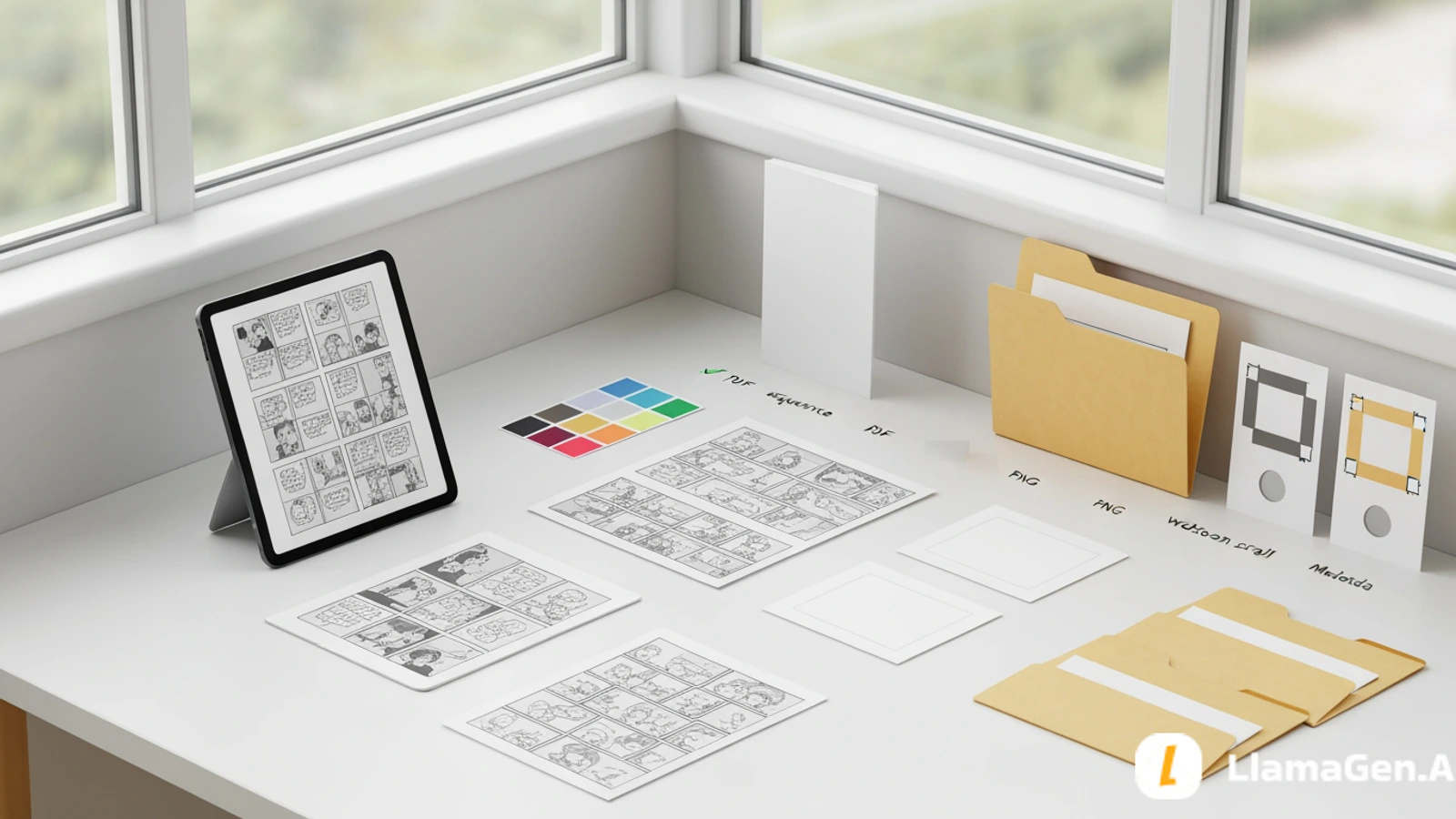
  • Step 4: Choose the Right Export Format
  • Step 5: Prepare a PDF Version
  • Step 6: Prepare a PNG Sequence
  • Step 7: Prepare a Webtoon Scroll
  • Step 8: Create Cover and Thumbnail Assets
  • Step 9: Add Metadata
  • Step 10: Run a Final Export Review
  • Example Asset Package for One Page
  • LlamaGen.AI Export Workflow
  • Common Export Mistakes
  • Final Checklist
  • Next Step
elevate-your-comics.png
Elevate your Comics with LlamaGen

A comic is not finished when the image looks good.

It is finished when the story, character references, page files, panel exports, cover, metadata, and publishing formats are organized well enough that you can share, revise, print, upload, or continue the project without losing control.

That is the difference between a single image and a comic asset package.

This guide completes the seven-part comic creation workflow:

  • Day 1: How to Start a Comic Story
  • Day 2: Character Creation
  • Day 3: Comic World Building
  • Day 4: Comic Script Format
  • Day 5: Generate a Comic Page
  • Day 6: Fix AI Character Consistency

Today, the goal is to create the final output:

A publishable comic asset package with source notes, page files, panel exports, cover assets, and format-specific outputs.

The goal is not only to export a file. It is to make the comic usable after export.

What Is a Comic Asset Package?

A publishable comic asset package is the organized handoff version of your comic project.

It includes the creative source, the visual assets, and the delivery formats.

For a short comic or manga page, the package can be simple:

comic-project/
  01-story/
  02-character/
  03-world/
  04-script/
  05-pages/
  06-panels/
  07-cover/
  08-export/
  README.md

Each folder has a clear role:

FolderWhat it containsWhy it matters
StoryOne-paragraph story, hook, page goalKeeps the comic anchored
CharacterCharacter sheet, fixed rules, references
Related hot tags

Comic Export

AI Comics

Publishing Workflow

Webtoon

Comic Production

Popular creator tools

Turn inspiration into your next story

Create comics, storyboards and stylized photos with LlamaGen.

01

AI Comic Generator

Turn an idea into polished comic strips in minutes.

Create comics with AI
02

AI Manga Generator

Create expressive manga art and multi-panel stories.

Create manga with AI
03

AI Storyboard Generator

Visualize every scene before production starts.

Create storyboards with AI
04

Turn Picture into Comic

Transform any photo into a comic-style illustration.

Create comics from pictures with AI
05

AI Comic Strips Maker

Build shareable strips with characters that stay consistent.

Create comic strips with AI

LlamaGen community

checkmark

Get hands-on help with your comics

checkmark

Showcase your comics to fellow LlamaGen creators

checkmark

Participate in special events to win gifts

Changelog

Spark dreams for the young
Where millions of stories come alive

A rundown of the latest LlamaGen feature releases, product enhancements, design updates, and important bug fixes.

✦
✧
✦
✧

A new medium for Storytelling

Vibe creating unlimited stories, comics, animations, games, and more—in seconds that resonate with modern audiences

Protects consistency
WorldLocation notes, style bible, background anchorsKeeps scenes repeatable
ScriptPanel-by-panel script and dialoguePreserves reading order
PagesFull comic page drafts and finalsMain visual output
PanelsIndividual panel crops or redrawsUseful for editing and social reuse
CoverCover image and thumbnail versionsNeeded for publishing and sharing
ExportPDF, PNG sequence, webtoon scroll, metadataFinal delivery formats

This structure may seem formal, but it saves time. With organized assets, you can revise a panel, localize dialogue, export a new format, or continue into page two without digging through random downloads.

Step 1: Freeze the Creative Source

Before exporting, freeze the source material.

That means saving the latest approved versions of:

  • Story seed
  • Character sheet
  • World notes
  • Style bible
  • Panel script
  • Revision notes
  • Dialogue
  • Final page decision

For the sample Leo story, the frozen source might look like this:

Story:
In a floating junk market above the city, Leo, a nervous apprentice repair kid, opens a dented delivery crate and finds a tiny damaged robot repeating his missing sister's voice.

Page goal:
Leo discovers the robot, sees market guards nearby, and hides it while deciding whether to follow its map.

Character fixed anchors:
messy black hair, copper hair clip, left cheek bandage, oversized tan utility jacket, dark green shirt, patched work pants, dented screwdriver.

World anchors:
floating platforms, hanging cables, warning flags, open sky gaps, repair stalls, pulley crates, patched metal.

Style:
polished manga-inspired comic page, clean linework, expressive faces, soft screen-tone shadows, bright high-altitude daylight.

This source file becomes your production memory.

Do not rely on memory or chat history alone. If you want repeatable comic production, put the source into a plain text or markdown file.

Step 2: Save the Final Page Separately From Drafts

Do not overwrite every draft with the final page.

Keep a clear distinction:

05-pages/
  page-001-draft-a.png
  page-001-draft-b.png
  page-001-consistency-fix.png
  page-001-final.png

Why keep drafts?

  • You may need to recover a better face from an earlier version.
  • You may want to compare story readability.
  • You may need proof of process for a team or client.
  • You may want to rebuild a page with the same layout later.

The final page should have a simple name:

page-001-final.png

If you generate multiple pages, keep the numbering stable:

page-001-final.png
page-002-final.png
page-003-final.png

Stable names make PDF export, webtoon assembly, and review easier.

Step 3: Export Individual Panels

A full page is useful, but panel exports are valuable too.

Export individual panels when you need:

  • Panel-level editing
  • Social media previews
  • Translation or lettering
  • Webtoon rearrangement
  • Thumbnails
  • Review comments
  • Animation or video experiments

Use a folder like this:

06-panels/
  page-001-panel-01.png
  page-001-panel-02.png
  page-001-panel-03.png
  page-001-panel-04.png
  page-001-panel-05.png

For webtoon conversion, panels are often easier to work with than one complete page. You can add vertical spacing, reorder beats, and adjust pacing for mobile reading.

In LlamaGen.AI, it helps to keep your page versions, panel edits, and generation history organized so you can return to the exact version you want. The best export workflow starts before you click export.

Step 4: Choose the Right Export Format

Different publishing destinations need different files.

Use this table as a quick guide:

FormatBest forOutput
Full-page PNGPortfolio, preview, reviewOne high-quality image per page
PNG panel sequenceEditing, social, webtoon conversionIndividual panel files
PDFPrint review, client handoff, compact readingMulti-page document
Webtoon scrollMobile-first publishingLong vertical image or ordered slices
Cover imageBlog, platform listing, store page16:9, square, or platform-specific crop
Source markdownTeam continuity and future revisionsText file with story, prompts, notes

Do not assume one export covers every use case.

A PDF is good for reading. A PNG sequence is better for editing. A vertical scroll is better for mobile. A cover is better for discovery.

Step 5: Prepare a PDF Version

PDF is useful when you want a compact, reviewable version of your comic.

Before exporting a PDF, check:

  • Page order is correct
  • Margins are safe
  • Text is readable
  • No panel is cropped unintentionally
  • Page numbers are optional but consistent
  • Cover page is included only if useful
  • File size is reasonable

For a short comic, a PDF package might include:

08-export/
  leo-floating-market-v1.pdf
  leo-floating-market-v1-pages.zip
  leo-floating-market-v1-source.md

PDF is especially helpful for teachers, clients, small teams, and early reader feedback. It feels finished enough to review without requiring anyone to open a design app.

Step 6: Prepare a PNG Sequence

PNG sequences are one of the most flexible export formats.

Use them when:

  • You want to edit pages later
  • You need image uploads for a platform
  • You are sharing pages with collaborators
  • You want to convert pages into video
  • You need panel-level retouching

Recommended naming:

leo-floating-market-page-001.png
leo-floating-market-page-002.png
leo-floating-market-page-003.png

For panels:

leo-floating-market-p001-panel-01.png
leo-floating-market-p001-panel-02.png
leo-floating-market-p001-panel-03.png

Avoid names like:

final.png
final-final.png
new-final-2.png
image-7.png

Those names feel harmless at first and become painful when you have 20 pages.

Step 7: Prepare a Webtoon Scroll

A webtoon version is not just a tall version of a page.

Mobile scrolling changes pacing.

When converting a page to webtoon format, check:

  • Does each beat have enough vertical breathing room?
  • Are close-ups large enough on mobile?
  • Is the emotional reveal placed after a scroll break?
  • Are panels too wide for phone screens?
  • Does text stay readable?
  • Are there awkward blank gaps?

Webtoon pacing often benefits from separating panels:

Panel 1: location
vertical space
Panel 2: action
vertical space
Panel 3: discovery
short space
Panel 4: danger
longer space
Panel 5: emotional hook

The same story can feel faster or slower depending on spacing.

If your comic began as a classic page, export panel crops first, then rebuild the scroll version intentionally.

Step 8: Create Cover and Thumbnail Assets

Many creators spend hours on pages and then use a weak thumbnail.

That hurts discovery.

Prepare at least three cover assets:

07-cover/
  cover-16x9.png
  cover-square.png
  cover-vertical.png

Each cover should communicate:

  • Main character
  • Genre
  • Story mood
  • Key visual hook
  • Clean composition at small size

For the Leo story:

Cover idea:
Leo hides a tiny glowing robot under his tan jacket while floating market platforms and red guard lights appear behind him.

A cover should not try to show every plot point. It should help the reader understand the promise quickly.

For AI-generated covers, avoid placing readable title text inside the image. Add title typography later with a controlled design tool if needed.

Step 9: Add Metadata

Publishing platforms, blogs, galleries, and internal libraries all benefit from metadata.

Create a simple metadata file:

Title:
Creator:
Format:
Genre:
Short description:
Characters:
Pages:
Export date:
Version:
CTA or destination link:
Rights notes:

Example:

Title: Leo and the Unlisted Platform
Creator: Jay
Format: 5-panel manga-inspired comic page
Genre: cozy sci-fi adventure
Short description: A nervous repair kid discovers a damaged robot that repeats his missing sister's voice.
Characters: Leo, tiny robot, market guards
Pages: 1
Export date: 2026-07-13
Version: v1
CTA or destination link: https://llamagen.ai/new/ai-comic-strips
Rights notes: Original story and original characters.

Metadata makes the asset searchable and easier to reuse later.

Step 10: Run a Final Export Review

Before you publish or share, review the package, not only the image.

Use this checklist:

Story:
- Does the page still match the story seed?
- Is the hook clear?

Character:
- Is the main character recognizable in every panel?
- Are fixed anchors preserved?

World:
- Does the location stay recognizable?
- Are background anchors consistent?

Script:
- Does the panel order match the script?
- Is dialogue short and readable?

Format:
- Is the PDF readable?
- Are PNG files named clearly?
- Are panel exports complete?
- Is the webtoon version paced for mobile?

Cover:
- Does it communicate genre and hook?
- Does it work at thumbnail size?

Package:
- Are source notes included?
- Is the version number clear?
- Can another person understand what is final?

This is the review that turns a project into a usable handoff.

Example Asset Package for One Page

Here is a complete package structure for the Leo sample:

leo-floating-market-v1/
  README.md
  01-story/
    story-seed.md
    page-goal.md
  02-character/
    leo-character-sheet.md
    leo-reference.png
  03-world/
    floating-junk-market.md
    visual-style-bible.md
  04-script/
    page-001-script.md
    dialogue.md
  05-pages/
    page-001-draft-a.png
    page-001-consistency-fix.png
    page-001-final.png
  06-panels/
    page-001-panel-01.png
    page-001-panel-02.png
    page-001-panel-03.png
    page-001-panel-04.png
    page-001-panel-05.png
  07-cover/
    cover-16x9.png
    cover-square.png
    cover-vertical.png
  08-export/
    leo-floating-market-v1.pdf
    leo-floating-market-webtoon-scroll.png
    leo-floating-market-pages.zip

The package is small, but complete.

It can be reviewed, archived, uploaded, localized, continued, or turned into a longer episode.

LlamaGen.AI Export Workflow

LlamaGen.AI is useful here because comic creation usually involves more than one image generation step. The workflow often includes story direction, character consistency, panel planning, page generation, panel-level edits, speech bubbles, captions, version history, and export.

A practical flow:

  1. Start with a story seed.
  2. Create or save a character reference.
  3. Build a short world and style guide.
  4. Write a 4-6 panel script.
  5. Generate the first page.
  6. Fix consistency issues.
  7. Add dialogue or caption space.
  8. Export page and panel assets.
  9. Prepare a cover and metadata.
  10. Package everything for publishing or revision.

You can start a new project with LlamaGen.AI Comic Strips and use this package structure as your final checklist.

Common Export Mistakes

Avoid these:

  • Exporting only one flattened image and losing the source notes
  • Forgetting character sheet and style bible files
  • Naming files randomly
  • Publishing before checking mobile readability
  • Letting messy generated text remain in the final art
  • Using a cover that does not match the story
  • Skipping panel exports
  • Losing track of which version is approved
  • Sending a PDF without reviewing page order
  • Treating webtoon export as automatic resizing

Most export problems are organization problems. The fix is a clear package structure.

Final Checklist

Before calling the comic finished, make sure you have:

  • Story seed
  • Character sheet
  • World and style notes
  • Panel script
  • Final page PNG
  • Individual panel exports
  • Cover assets
  • PDF version if needed
  • Webtoon scroll if needed
  • Metadata file
  • Version number
  • Clear folder names

When those pieces exist, your comic is no longer just an AI image. It is a publishable creative asset.

Next Step

You now have the full seven-step workflow:

story -> character -> world -> script -> page -> consistency fix -> export package

Start from the beginning with How to Start a Comic Story, or create and export your next comic with LlamaGen.AI Comic Strips.

LlamaGen logo
  • United States
  • Español
  • Français (France)
  • 日本語
  • 한국어
  • Deutsch
  • 繁體中文 (台灣)
  • 繁體中文 (香港)
  • 简体中文
  • Português
  • Italiano
  • Español (México)
  • العربية
  • Русский
  • Português (Brasil)
  • Tiếng Việt

Leading the Future of AI Comic Generation

  • 24/7 support
  • Weekly updates
  • Secure and compliant
  • 99.9% uptime

Download LlamaGen for free

AndroidiOSDesktop

Product

  • Latest launches
  • Features
  • Comic strip maker
  • Comic StoresNew
  • Manga StudioNew
  • Turn Picture Into Comic
  • Comic To Video
  • AI Comic Factory
  • Comic Agent
  • iOS & Android
  • Mac & Windows
  • Download
  • Comic ZapNew
  • AI Comic Generator
  • AI Cartoon Generator
  • AI Webtoon Generator
  • Comic Strip Maker
  • Turn Picture Into Comic
  • AI Manga Generator
  • Manga Translator
  • Photo to Anime
  • Image to Prompt
  • Anime to Real Life
  • Manga Colorizer
  • Anime Character Generator
  • Pixel game asset tools
  • AI sprite sheet generator
  • Best pixel game tools 2026
  • Photo Comic Maker
  • Comic Life Alternative

Sister products

  • LlamaGen family
  • CineoBoardNew
  • Comics API

Plans

  • Pricing
  • Starter
  • Pro

Community

  • Creators
  • Affiliates
  • Partner

AI Models

  • GPT Image 2.6 Flare
  • GPT Image 2.6 Sunburst
  • Grok Imagine Image 2.0
  • Wan 3.0
LinkedInX (Twitter)
  • Home
  • Articles
  • Blog
  • Create
  • Pricing
  • API
  • Affiliate ProgramNEW

Previous blogs

Build an OC Wardrobe for a Three-Scene Comic

Build an OC Wardrobe for a Three-Scene Comic

Review six outfit references, approve three wardrobe versions, and apply one OC consistently across

Jay
Jay
November 19th, 2026
Animate Comic Panels into a 15-Second Video: A Worked Example

Animate Comic Panels into a 15-Second Video: A Worked Example

A documented 15-second comic-to-video workflow using three Maya panels, generated clips, and final e

Jay
Jay
November 15th, 2026
From a Three-Page PDF to a Four-Panel Comic: A Worked Example

From a Three-Page PDF to a Four-Panel Comic: A Worked Example

A transparent PDF-to-comic example with the source PDF, page-to-panel mapping, panel repair, and an

Jay
Jay
November 13th, 2026
Same OC, Six Expressions: Test Character Identity in a Dialogue Scene

Same OC, Six Expressions: Test Character Identity in a Dialogue Scene

Review 12 real OC expression outputs, compare identity and emotion separately, and apply the results

Jay
Jay
November 13th, 2026
Export Comic Assets: Turn an AI Comic Page Into a Publishable Package - LlamaGen.AI Blog
See all blogs

Ask AI about LlamaGen

  • Comic Zap
  • Velika
  • Enterprise
  • Education
  • Comic API
  • Contact Sales
  • Education Plans
  • Teachers
  • Students
  • Teachers and Students
  • Startups
  • Educational Discounts
  • Company

    • Talk to Our Founder
    • About
    • Product Roadmap

    Help

    • Help Center
    • Trust
    • Safe AI
    Testimonials
  • Wall of Love
  • LlamaGen MCPNew
  • LlamaGen Developer
  • Resources

    • Changelog
    • Blog
    • Guides

    Tools

    • AI Logo Generator
    • Grokbot Style Character Generator
    • PNG to Comic
  • Wan 3.0 Prime
  • Seedance 2.5
  • MiniMax H3
  • Nano Banana 2.1
  • Nano Banana 2 Lite
  • Seedream 5.0 Flash
  • Seedream 5.0 Pro
  • Seedance 2.0 Mini
  • Kling 3.0 Turbo
  • Nano Banana 2
  • GPT Image 2
  • Gemini Omni Flash
  • All AI Models
  • AI Tools

    • AI Outfit Extractor
    • AI Hairstyle Changer
    • AI Manga Hairstyle Changer
    Instagram
    YouTube
    Facebook group
    Reddit
    Discord
    Email support
    PrivacyTermsSitemap
    Download Brand Assets
    © 2026 LlamaGen.Ai All rights reservedAll services are online
    Careers
  • Email us
  • Our Mascot World
  • Media Kit
  • KOL Partnership
  • Content
  • Professional Services
  • FAQ
  • Security
  • Accessibility
  • Video Tutorial
  • Contact us
  • Sitemap
  • Personalized Comics
  • Features
  • Alternatives
  • Best AI Apps
  • GPT-6 Manga Coloring Guide
  • Claude Comic Book Skill
  • Gemini AI Comic Guide
  • Comic That
  • Educational Discounts
  • Student discount
  • Text to Comic
  • PDF to Comic
  • Script to Comic
  • Book to Comic
  • Turn Picture Into Comic
  • AI Pixel Art Generator
  • Educational Comics
  • AI Video Generator
  • Gemini AI Video Generator
  • Free Faceless AI Video Generator
  • Comic To Video
  • Make Storyboard Software
  • AI Storyboard Generator
  • Screenwriting Software
  • Screenplay Editor
  • Story AI
  • AI Story Generator
  • Storybook Generator
  • AI Image Generator
  • AI Layer Splitter
  • AI Camera Angle Control
  • AI Pixel Art Generator
  • Pixel game asset tools
  • AI sprite sheet generator
  • Sprite sheet slicer
  • Best pixel game tools 2026
  • Animation API
  • ChatGPT/Codex Plugin
  • ChatGPT Install Guide
  • Claude Code Plugin
  • Claude Code Install Guide
  • AI Wind Effect Generator
  • AI Depth Map Generator
  • AI White Background
  • AI Object Remover
  • AI Virtual Try-On
  • AI Unblur Images
  • AI Denoise
  • AI Photo Restoration
  • AI Product Shadows
  • AI Background Generator
  • AI Headshot Generator
  • AI Emoji Maker
  • AI Background Changer
  • AI Open Eyes
  • AI Beauty
  • AI Product Photography