



LlamaGen logoLlamaGen brand
Get startedSubscribe Now20% Off
  1. Home
How to Start a Comic Story: A 10-Minute Workflow for Your First Comic Idea
All posts

How to Start a Comic Story: A 10-Minute Workflow for Your First Comic Idea

Jay
Jay
July 5th, 2026
Copy link
  • What You Will Create
  • What Makes a Comic Story Different From a Novel Idea
  • The 10-Minute Comic Story Workflow
  • 1. Pick a reader promise
  • 2. Choose one character with one pressure
  • 3. Add a visual setting
  • 4. Create conflict that can be drawn
  • 5. End with a hook
  • Use LlamaGen.AI to Turn the Story Seed Into Visual Direction
  • Prompt Examples You Can Copy
  • Prompt 1: Simple beginner comic story
  • Prompt 2: Manga story idea with conflict
  • Prompt 3: Turn a vague idea into a comic premise
  • Prompt 4: Generate three hooks
  • Prompt 5: Prepare the story for panels
  • A Complete Example
  • Checklist: Is Your Comic Story Ready?
  • Next Step: Character Creation
elevate-your-comics.png
Elevate your Comics with LlamaGen

Most comic ideas do not fail because they are bad. They fail because they are still too vague to draw.

"A boy discovers magic" is not a comic story yet. "A shy delivery boy finds a glowing letter that only appears when he lies" is much closer. A comic needs visible action, a character who wants something, a conflict that can play out in scenes, and a hook that makes the reader turn the page.

This guide gives you a fast way to start. In about 10 minutes, you will create one useful output:

A one-paragraph comic story with a clear character, conflict, and hook.

That paragraph becomes the input for the next step: character creation.
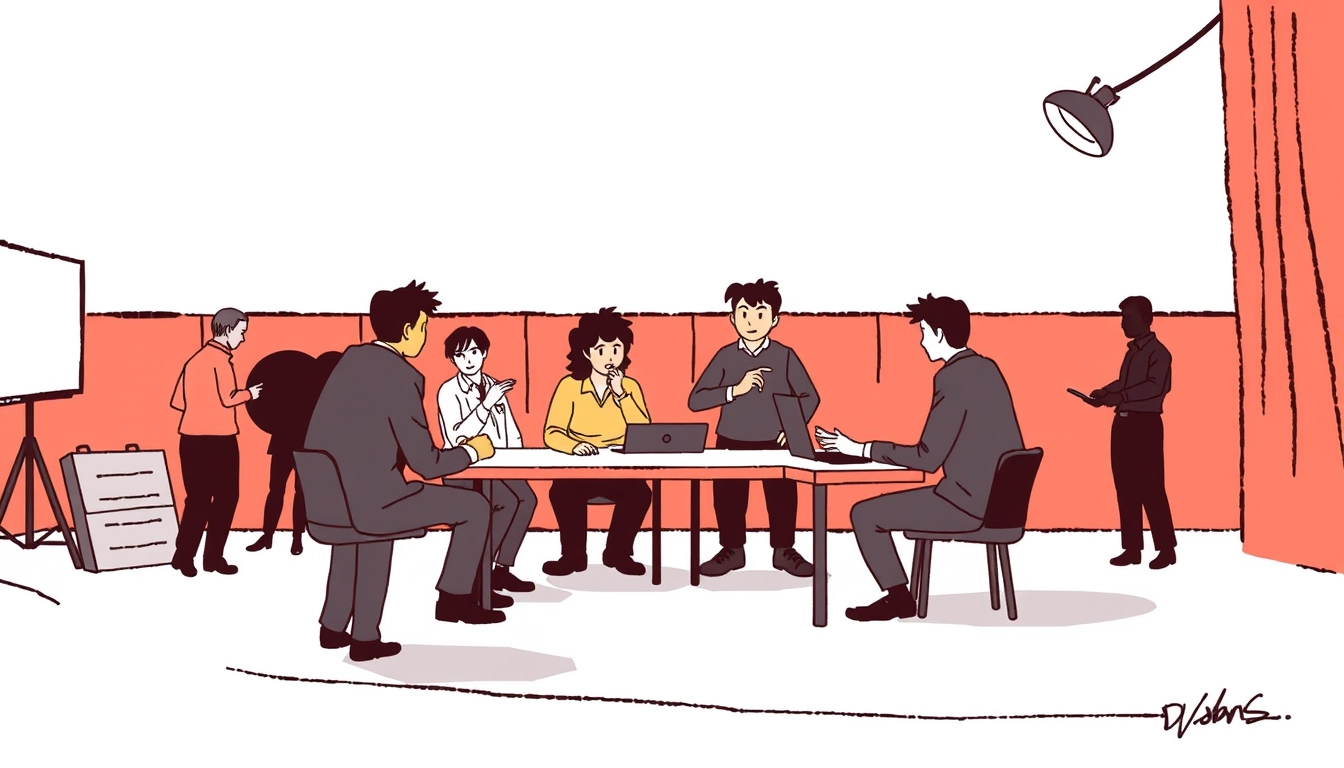
Comic creation workflow overview

What You Will Create

Your goal is not a full plot outline. It is a compact story seed that can become a comic page, strip, manga scene, or webtoon episode.

A strong story seed usually includes:

  • A main character
  • A visible setting
  • A problem or pressure
  • A choice the character must make
  • A hook that can lead into page one

Here is a simple format to use:

In [setting], [main character] wants [goal], but [conflict]. When [trigger event] happens, they must [choice/action], which reveals [hook].

Example:

In a rainy train station that appears only at midnight, Mina, a nervous student courier, wants to deliver a lost sketchbook, but every platform leads to a different memory. When the sketchbook begins drawing tomorrow's accident by itself, she must choose whether to deliver it or change what it predicts, which reveals that the owner has been waiting for her for ten years.

That is not a finished comic. It is something more useful at this stage: a clear starting asset.

What Makes a Comic Story Different From a Novel Idea

A novel can stay inside a character's thoughts for pages. A comic has to turn meaning into visible moments.

When testing a comic idea, ask:

  • What can the reader see in panel 1?
  • What changes by panel 3?
  • What does the character do instead of only think?
  • What object, place, expression, or action carries the emotion?
  • What question makes the reader continue?
Changelog

Spark dreams for the young
Where millions of stories come alive

A rundown of the latest LlamaGen feature releases, product enhancements, design updates, and important bug fixes.
✦
✧
✦
✧

A new medium for Storytelling

Vibe creating unlimited stories, comics, animations, games, and more—in seconds that resonate with modern audiences

That is why "a lonely girl feels different" is weak for comics, while "a lonely girl sees her shadow wave back at her in class" is much stronger. The second version gives you something to draw.

Example comic page output

The 10-Minute Comic Story Workflow

Use this sequence when you are stuck at the idea stage.

1. Pick a reader promise

Choose what kind of experience the reader should expect.

Genre:
Reader feeling:
Story size:
Format:

Example:

Genre: cozy fantasy
Reader feeling: warm mystery
Story size: one-page opening scene
Format: 6-panel comic page

Keep the first promise small. A one-page opening is easier to finish than a 200-page universe.

2. Choose one character with one pressure

Comic stories get stronger when the first character has a clear source of pressure.

Weak:

A girl with magic powers.

Stronger:

A girl who can repair broken objects, but every repair removes one of her own memories.

Use this template:

Main character:
Want:
Pressure:
Visible trait:
Secret or fear:

3. Add a visual setting

Avoid generic locations. Pick a place that helps tell the story.

Instead of:

city
school
forest
space

Use:

a convenience store that sells forgotten dreams
a school rooftop covered in paper cranes
a forest where every tree has a door
a repair shop inside an abandoned satellite

A specific setting gives the artist or AI something concrete to show.

4. Create conflict that can be drawn

Conflict is not only fighting. It can be a deadline, a secret, a broken rule, a strange object, or a difficult choice.

Good comic conflict has a visible handle, such as:

  • A countdown on a train sign
  • A cracked mask
  • A locked door with light underneath
  • A character hiding a glowing object
  • Two friends reaching for the same letter

If the conflict has no visible form, readers may not feel it clearly in panels.

5. End with a hook

The hook should create a question that makes the next page feel necessary.

Examples:

  • The map updates with the character's name.
  • A stranger says, "You were not supposed to remember this."
  • The broken robot calls the hero "captain."
  • The final panel shows the same character watching from the future.

Your hook does not need to explain everything. It only needs to create momentum.

Use LlamaGen.AI to Turn the Story Seed Into Visual Direction

Once you have the one-paragraph story, you can use LlamaGen.AI to turn it into visual planning material.

LlamaGen.AI is designed for sequential visual storytelling, including comic pages, panels, storyboards, character consistency, speech bubbles, captions, editing, and export. That makes it useful when your story seed needs to become repeatable visual assets rather than a single standalone image.

Use the story seed to create:

  • A main character direction
  • A first scene
  • A panel plan
  • A visual mood
  • A first comic page draft
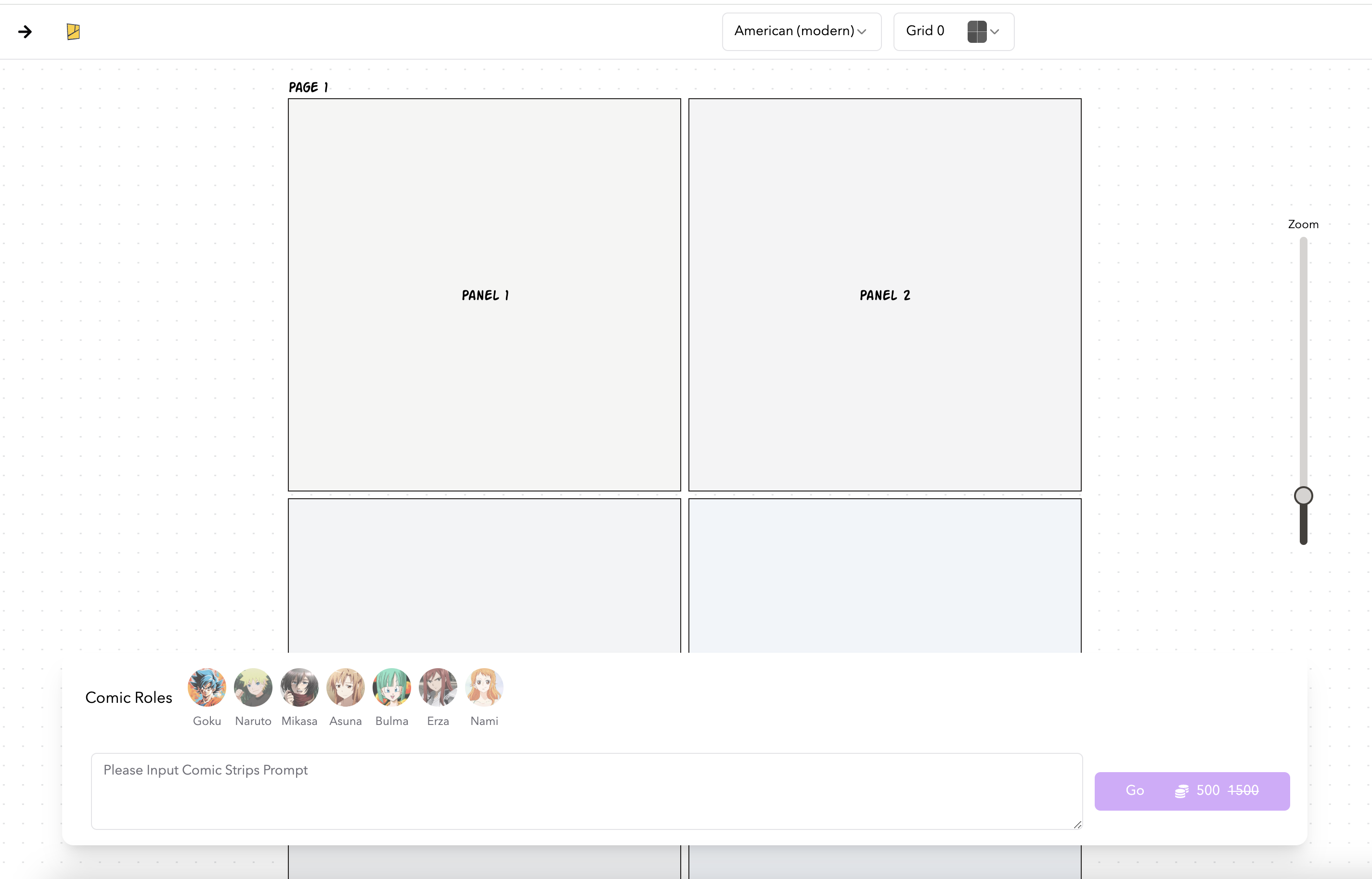
LlamaGen comic creation interface example

Start with a short prompt, then refine.

Create a 6-panel comic page opening for this story:
[paste your one-paragraph story]

Style: clean cinematic manga, readable panel flow, expressive faces.
Focus: visual storytelling, no random text inside the art.
Output: first page draft with a clear hook in the final panel.

Prompt Examples You Can Copy

Use these prompts to generate story seeds before moving into character creation.

Prompt 1: Simple beginner comic story

Generate 5 beginner-friendly comic story ideas.

Audience: new comic readers
Format: one-page comic
Tone: warm, mysterious, easy to visualize
Each idea must include:
- main character
- setting
- conflict
- final hook
Keep each idea under 80 words.

Prompt 2: Manga story idea with conflict

Create a manga story seed using this template:
In [specific setting], [main character] wants [goal], but [conflict]. When [trigger event] happens, they must [choice/action], which reveals [hook].

Genre: supernatural school mystery
Main character type: quiet observer
Mood: rainy, tense, emotional
Make the conflict visible enough to become comic panels.

Prompt 3: Turn a vague idea into a comic premise

Turn this vague idea into a comic-ready story premise:
"A kid finds a secret world."

Requirements:
- make the setting visually specific
- give the character one clear goal
- add one visible object that causes conflict
- end with a hook
- keep it to one paragraph

Prompt 4: Generate three hooks

Give me 3 possible final-panel hooks for this comic story:
[paste story seed]

Each hook should be visual, surprising, and easy to draw.
Avoid exposition. Make the reader want page 2.

Prompt 5: Prepare the story for panels

Convert this story seed into a first-page plan:
[paste story seed]

Output:
- one-sentence logline
- 6-panel beat list
- visual mood
- main character notes
- final-panel hook
Do not write final dialogue yet.

A Complete Example

Start with a vague idea:

A boy finds a robot.

Make it comic-ready:

In a floating junk market above the city, Leo, a nervous apprentice repair kid, wants to prove he can fix something valuable, but every machine he touches breaks in a new way. When he opens a dented delivery crate and finds a tiny robot repeating his missing sister's voice, he must decide whether to hide it from the market guards or follow the robot's map, which points to a place that officially does not exist.

Now the story has usable comic assets:

AssetDetail
CharacterLeo, nervous apprentice repair kid
SettingFloating junk market above the city
ConflictMachines break when Leo touches them
ObjectDented delivery crate and tiny robot
Emotional hookRobot uses his missing sister's voice
Next stepDesign Leo and the robot consistently

This is the point where you should move into character creation.

Checklist: Is Your Comic Story Ready?

Before you generate panels, check the story seed:

  • It has one main character.
  • The character wants something specific.
  • The setting can be drawn in one clear image.
  • The conflict has a visible object, deadline, rule, or pressure.
  • The hook creates a question.
  • The idea can fit into one page or one short opening scene.
  • The story does not depend only on internal thoughts.
  • You can imagine at least 4 panels from it.
  • It points naturally to character creation.

Next Step: Character Creation

The next article in this series is /blogs/character-creation. That guide turns your story seed into a character sheet with appearance, personality, and consistency rules.

If you want a broader beginner workflow before going deeper, read How to Make Manga Without Drawing.

When you are ready to turn your story into a visual draft, start here:

Create your first comic page with LlamaGen.AI

Related hot tags

Comic Writing

Story Ideas

AI Comics

Beginner Guide

Tutorial

Popular creator tools

Turn inspiration into your next story

Create comics, storyboards and stylized photos with LlamaGen.

01

AI Comic Generator

Turn an idea into polished comic strips in minutes.

Create comics with AI
02

AI Manga Generator

Create expressive manga art and multi-panel stories.

Create manga with AI
03

AI Storyboard Generator

Visualize every scene before production starts.

Create storyboards with AI
04

Turn Picture into Comic

Transform any photo into a comic-style illustration.

Create comics from pictures with AI
05

AI Comic Strips Maker

Build shareable strips with characters that stay consistent.

Create comic strips with AI

LlamaGen community

checkmark

Get hands-on help with your comics

checkmark

Showcase your comics to fellow LlamaGen creators

checkmark

Participate in special events to win gifts

LlamaGen.Ai
  • United States
  • Español
  • Français (France)
  • 日本語
  • 한국어
  • Deutsch
  • 繁體中文 (台灣)
  • 繁體中文 (香港)
  • 简体中文
  • Português
  • Italiano
  • Español (México)
  • العربية
  • Русский
  • Português (Brasil)
  • Tiếng Việt

Leading the Future of AI Comic Generation

  • 24/7 support
  • Weekly updates
  • Secure and compliant
  • 99.9% uptime

Download LlamaGen for free

AndroidiOSDesktop

Product

  • Latest launches
  • Features
  • Comic strip maker
  • Comic StoresNew
  • Manga StudioNew
  • Turn Picture Into Comic
  • Comic To Video
  • AI Comic Factory
  • Comic Agent
  • iOS & Android
  • Mac & Windows
  • Download
  • Comic ZapNew
  • AI Comic Generator
  • AI Cartoon Generator
  • AI Webtoon Generator
  • Comic Strip Maker
  • Turn Picture Into Comic
  • AI Manga Generator
  • Manga Translator
  • Photo to Anime
  • Image to Prompt
  • Anime to Real Life
  • Manga Colorizer
  • Anime Character Generator
  • Pixel game asset tools
  • AI sprite sheet generator
  • Best pixel game tools 2026
  • Photo Comic Maker
  • Comic Life Alternative

Sister products

  • LlamaGen family
  • CineoBoardNew
  • Comics API

Plans

  • Pricing
  • Starter
  • Pro

Community

  • Creators
  • Affiliates
  • Partner

AI Models

  • GPT Image 2.6 Flare
  • GPT Image 2.6 Sunburst
  • Grok Imagine Image 2.0
  • Wan 3.0
LinkedInX (Twitter)
  • Home
  • Articles
  • Blog
  • Create
  • Pricing
  • API
  • Affiliate ProgramNEW

Ask AI about LlamaGen

  • Comic Zap
  • Velika
  • Enterprise
  • Education
  • Comic API
  • Contact Sales
  • Education Plans
  • Teachers
  • Students
  • Teachers and Students
  • Startups
  • Educational Discounts
  • Company

    • Talk to Our Founder
    • About
    • Product Roadmap

    Help

    • Help Center
    • Trust
    • Safe AI
    Testimonials
  • Wall of Love
  • LlamaGen MCPNew
  • LlamaGen Developer
  • Resources

    • Changelog
    • Blog
    • Guides

    Tools

    • AI Logo Generator
    • Grokbot Style Character Generator
    • PNG to Comic
  • Wan 3.0 Prime
  • Seedance 2.5
  • MiniMax H3
  • Nano Banana 2.1
  • Nano Banana 2 Lite
  • Seedream 5.0 Flash
  • Seedream 5.0 Pro
  • Seedance 2.0 Mini
  • Kling 3.0 Turbo
  • Nano Banana 2
  • GPT Image 2
  • Gemini Omni Flash
  • All AI Models
  • AI Tools

    • AI Outfit Extractor
    • AI Hairstyle Changer
    • AI Manga Hairstyle Changer
    Instagram
    YouTube
    Facebook group
    Reddit
    Discord
    Email support
    PrivacyTermsSitemap
    Download Brand Assets
    © 2026 LlamaGen.Ai All rights reservedAll services are online
    How to Start a Comic Story: A 10-Minute Workflow for Your First Comic Idea - LlamaGen.AI Blog

    Previous blogs

    Human-Led AI Game Cutscenes: Keep the Script, Storyboards, and Timing Under Your Control

    Human-Led AI Game Cutscenes: Keep the Script, Storyboards, and Timing Under Your Control

    A practical, creator-led AI game cutscene workflow for selecting storyboard candidates, rejecting we

    Jay
    Jay
    November 23rd, 2026
    Make an AI Film Feel Real: Blocking, Reactions, and Continuity in a Quiet Scene

    Make an AI Film Feel Real: Blocking, Reactions, and Continuity in a Quiet Scene

    A worked quiet-scene repair case: room geography, prop behavior, reactions, and edit choices that im

    Jay
    Jay
    November 23rd, 2026
    How to Make an AI Drama: A Six-Shot Pilot and Series Continuity Plan

    How to Make an AI Drama: A Six-Shot Pilot and Series Continuity Plan

    Create a 30-second illustrated AI drama pilot, review real motion failures, and package continuity n

    Jay
    Jay
    November 23rd, 2026
    Two OCs in One Comic Panel: Keep Identities and Speakers Clear

    Two OCs in One Comic Panel: Keep Identities and Speakers Clear

    A six-panel Maya and Theo dialogue case showing separate references, a handoff repair, a reverse-sho

    Jay
    Jay
    November 20th, 2026
    Careers
  • Email us
  • Our Mascot World
  • Media Kit
  • KOL Partnership
  • Content
  • Professional Services
  • FAQ
  • Security
  • Accessibility
  • Video Tutorial
  • Contact us
  • Sitemap
  • Personalized Comics
  • Features
  • Alternatives
  • Best AI Apps
  • GPT-6 Manga Coloring Guide
  • Claude Comic Book Skill
  • Gemini AI Comic Guide
  • Comic That
  • Educational Discounts
  • Student discount
  • Text to Comic
  • PDF to Comic
  • Script to Comic
  • Book to Comic
  • Turn Picture Into Comic
  • AI Pixel Art Generator
  • Educational Comics
  • AI Video Generator
  • Gemini AI Video Generator
  • Free Faceless AI Video Generator
  • Comic To Video
  • Make Storyboard Software
  • AI Storyboard Generator
  • Screenwriting Software
  • Screenplay Editor
  • Story AI
  • AI Story Generator
  • Storybook Generator
  • AI Image Generator
  • AI Layer Splitter
  • AI Camera Angle Control
  • AI Pixel Art Generator
  • Pixel game asset tools
  • AI sprite sheet generator
  • Sprite sheet slicer
  • Best pixel game tools 2026
  • Animation API
  • ChatGPT/Codex Plugin
  • ChatGPT Install Guide
  • Claude Code Plugin
  • Claude Code Install Guide
  • AI Wind Effect Generator
  • AI Depth Map Generator
  • AI White Background
  • AI Object Remover
  • AI Virtual Try-On
  • AI Unblur Images
  • AI Denoise
  • AI Photo Restoration
  • AI Product Shadows
  • AI Background Generator
  • AI Headshot Generator
  • AI Emoji Maker
  • AI Background Changer
  • AI Open Eyes
  • AI Beauty
  • AI Product Photography
  • See all blogs




