

Recomendado
Quick Mode
Recomendado para empezar. Una hoja de capas PNG legible a partir de una imagen.
Subí una imagen limpia y separala en fondo, sujeto, texto, objetos, personajes de cómic, arte anime, props o gráficas de producto. Empezá con una hoja de capas online gratis en Quick Mode y pasate a PRO cuando el material necesite una separación más limpia para producción.
or drop a file,
paste image or
No image? Try one of these:
Empezá con la muestra cargada o reemplazala por tu propia imagen. Quick Mode te da un resultado rápido y revisable de imagen a capas; PRO es la mejora para lograr una separación más limpia de fondo, sujeto, texto, objetos y personajes cuando el material está listo para producción.
Recomendado para empezar. Una hoja de capas PNG legible a partir de una imagen.
Modelo avanzado. Separación más limpia dentro de la hoja de assets.
AI Layer Splitter es una herramienta de imagen a capas para creadores que ya tienen una imagen base pero necesitan las piezas prácticas para producción: primer plano, fondo, sujeto, personajes, pelo, rostro, vestuario, extremidades, texto, objetos, props, detalles de producto y accesorios.
Pensado para artistas, equipos indie de juegos, animadores, marketers, equipos de e-commerce y creadores ACG que necesitan convertir una imagen plana en assets reutilizables sin pasar toda la sesión haciendo máscaras.
Un PNG pulido no puede parpadear, generar parallax, cambiar props, aislar productos ni convertirse en sprite hasta que se separen las piezas principales.
Las herramientas de selección, la limpieza de bordes y el nombrado de capas pueden llevar más tiempo que la primera prueba de animación.
Cambiar un guante, bolso, zapato, cola, casco o cinta puede terminar en un repintado completo cuando todo está fusionado.
Antes
Una imagen atractiva de personaje que se ve terminada, pero sigue bloqueada como un solo bitmap plano.
Después
Una hoja de assets legible con primer plano, fondo, personajes, texto y objetos separados para que los artistas puedan planificar movimiento, editar detalles y pasar referencias a producción.
Creá una pasada revisable de separación antes de abrir un flujo completo de máscaras manuales.
Pasá de una sola imagen de personaje a partes listas para animación, juegos y handoff de edición.
Caso de uso
Una mascota de marca puede pasar de una ilustración estática a referencias separadas de cabeza, cola, zapatos, bolso, ropa y accesorios para planificar animaciones con rapidez.
Resultado
Los artistas pueden revisar qué partes sirven, decidir si conviene volver a correr con PRO y arrancar la limpieza desde una hoja concreta en vez de una sesión de máscaras desde cero.
Flujo de capas de LlamaGen
preparación de assets para cartoon, anime y juegos
Usá AI Layer Splitter como primera pasada limpia: subí una imagen, generá una hoja de capas y después llevá el resultado a tu editor, flujo de animación o pipeline de assets para juegos.
Usá arte de personaje de cuerpo completo, arte de mascotas, key art anime, conceptos de juego, fotos de producto, diseños gráficos, props o ilustraciones estilo producto con bordes visibles.
Quick Mode crea un checkpoint visual rápido para que el equipo vea pelo, rostro, ropa, manos, props, zapatos, fondo, texto, objetos y accesorios en contexto.
PRO Mode funciona mejor cuando la primera hoja demuestra que la imagen fuente es legible y el proyecto necesita una pasada más limpia.
Usá la hoja descargada para bloquear movimiento, planificar rigs, referencias de sprites, repintado o composición creativa.
La meta es un punto de partida de producción revisable, no una demo vaga de IA.
La herramienta AI layer splitter analiza tu arte e identifica distintos elementos como personajes, fondos y objetos para crear capas separadas. Usa IA para descomponer imágenes mientras conserva el layout, la jerarquía y la intención de diseño, y funciona mejor con diseño gráfico, productos ilustrados, arte de personajes y assets de juegos limpios.
La galería está organizada alrededor de los principales escenarios de producción: mascotas cartoon, personajes de juego, personajes anime y flujos de imagen a capas basados en objetos. Cada ejemplo usa una imagen fuente original generada con IA y una hoja de assets separada correspondiente.
Mascotas, personajes infantiles, héroes tipo sticker y personajes para motion comics con props y accesorios expresivos.
Héroes RPG, runners cyber, NPCs cozy, capas de equipamiento, armas, referencias de inventario y hojas para preparar sprites.
Key art anime moderno con separación de pelo, uniforme, cinta, casco, guante, bota, arnés y dijes.
AI Layer Splitter es más útil cuando la salida tiene un destino claro. Estos escenarios explican qué imagen subir, qué partes revisar y cómo la hoja se integra en animación, juegos, cómics, e-commerce o producción de marca.
Animación de mascotas
Usá una pose limpia de mascota cuando necesites stickers para redes, anuncios cortos, movimiento en landing pages o una planificación simple de rig.
Fuente para subir
Una mascota de cuerpo completo con rostro, manos, zapatos, cola, props y bordes de ropa visibles.
Capas útiles para revisar
Handoff de producción
Dale a los animadores una hoja de partes revisable antes de calcar, redibujar o riggear el movimiento final.
Preparación de assets para juegos indie
Usá arte de juego ya aprobado cuando el equipo necesite variantes de equipamiento, íconos de inventario, arte de perfil o exploración rápida de poses.
Fuente para subir
Un concepto de personaje legible con armadura, armas, bolso, capa, pelo, botas y silueta claros.
Capas útiles para revisar
Handoff de producción
Usá la hoja como referencia inicial para limpieza de sprites, cambios de equipamiento y arte orientado al gameplay.
Ediciones anime y ACG
Usá arte de personaje estilo anime cuando necesites controlar pelo, rostro, uniforme, cinta, guante, casco o accesorios.
Fuente para subir
Un personaje anime individual con contornos fuertes, detalles de vestuario visibles y mínimo ruido de fondo.
Capas útiles para revisar
Handoff de producción
Revisá la hoja antes de editar expresiones, crear variantes de vestuario, tarjetas de personaje o pruebas cortas de animatic.
Iteración de cómics y anuncios
Usá personajes de campaña, props o productos ilustrados cuando los cambios de último momento tocan partes visuales pequeñas.
Fuente para subir
Una ilustración pulida con el objeto centrado, bordes visibles y los principales puntos de cambio sin obstrucciones.
Capas útiles para revisar
Handoff de producción
Dale al equipo de diseño una hoja concreta para cambios de props, variantes seguras para copy y pruebas de composición.
La herramienta rinde mejor cuando el sujeto está limpio, completo y claramente separado. No es un atajo para cualquier foto cargada, hoja de bocetos, pose ocluida o layout denso donde primer plano, fondo, texto y objetos se superponen demasiado.
Una hoja generada debe evaluarse como una primera pasada de producción, no como un archivo final mágico. Usá esta checklist para decidir si conviene descargar, volver a correr, recortar la fuente o pasar a PRO después de que el separador de capas identifique áreas útiles de primer plano, fondo, sujeto, objeto y texto.
Resultado flojo
Las partes importantes aparecen derretidas entre sí, duplicadas al azar o escondidas en ruido visual.
Resultado útil para producción
La hoja permite identificar de un vistazo las partes visibles principales: cabeza, extremidades, ropa, props, accesorios y elementos de fondo.
Resultado flojo
El personaje parece un diseño nuevo con proporciones, colores, calidad de línea o personalidad diferentes.
Resultado útil para producción
Las partes separadas siguen conectadas con la dirección de arte original, con silueta, paleta e identidad reconocibles.
Resultado flojo
La hoja es interesante, pero el equipo no puede saber qué conviene calcar, redibujar, enmascarar o probar después.
Resultado útil para producción
Los artistas pueden elegir enseguida qué partes limpiar, usar para bloquear rig, referenciar en sprites, cambiar props o probar en composición.
Resultado flojo
Una mala separación no deja claro si el problema vino del modelo o de la imagen subida.
Resultado útil para producción
El resultado deja ver qué corregir después: recortar más cerca, quitar marcas de boceto, dar más margen, simplificar el fondo o usar PRO.
Cada tarjeta muestra una hoja de capas generada para que los visitantes puedan revisar personajes, props, fondos y partes de diseño separadas en una vista clara y enfocada en el resultado.
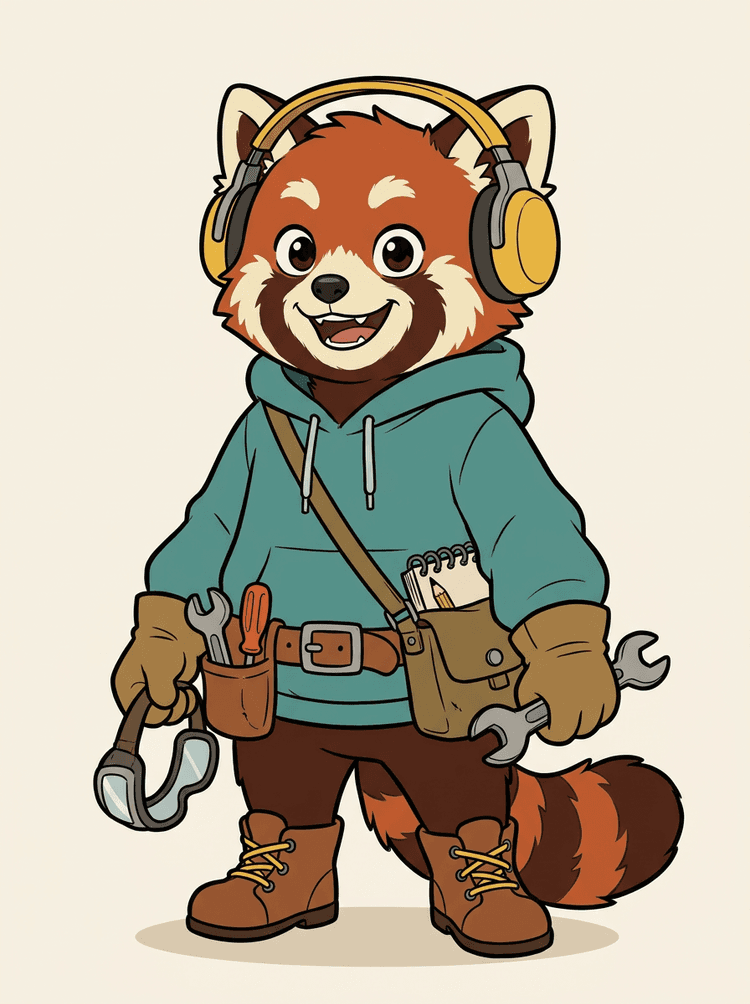
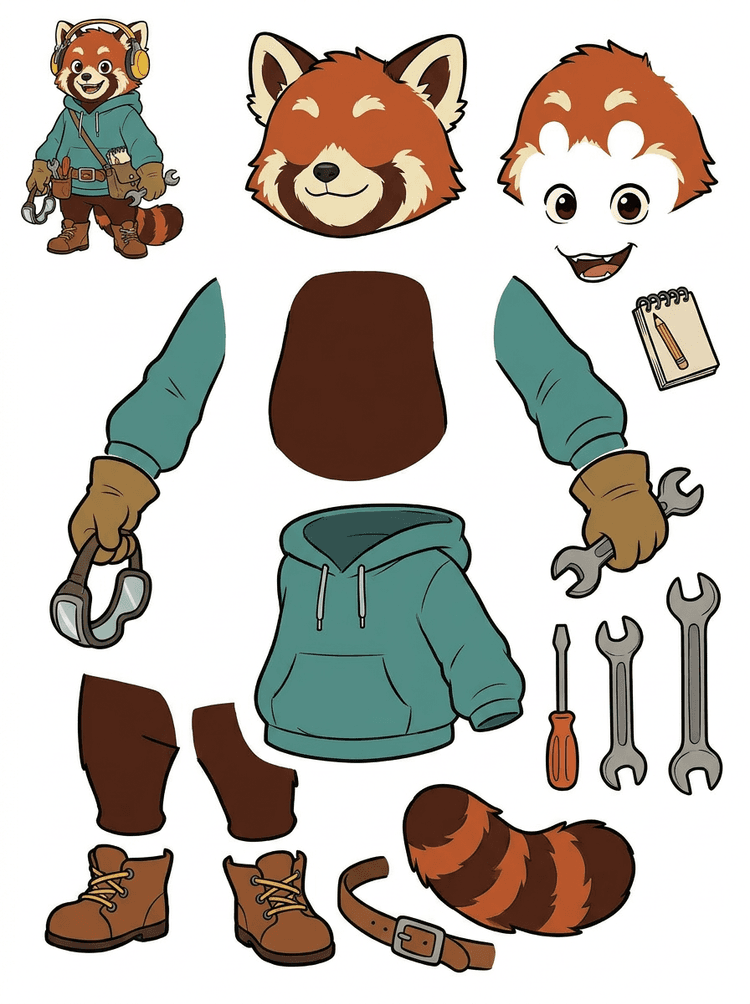
Una mascota de personaje con auriculares, buzo, bolso cruzado, cola, zapatos y herramientas de dibujo se convierte en una hoja práctica para revisar animación.
Visible parts in this real result
Production handoff
The generated sheet is the review step. Continue in the live tool to extract suitable visible regions as separate transparent PNG layers, then package them as a ZIP or editable starting PSD.
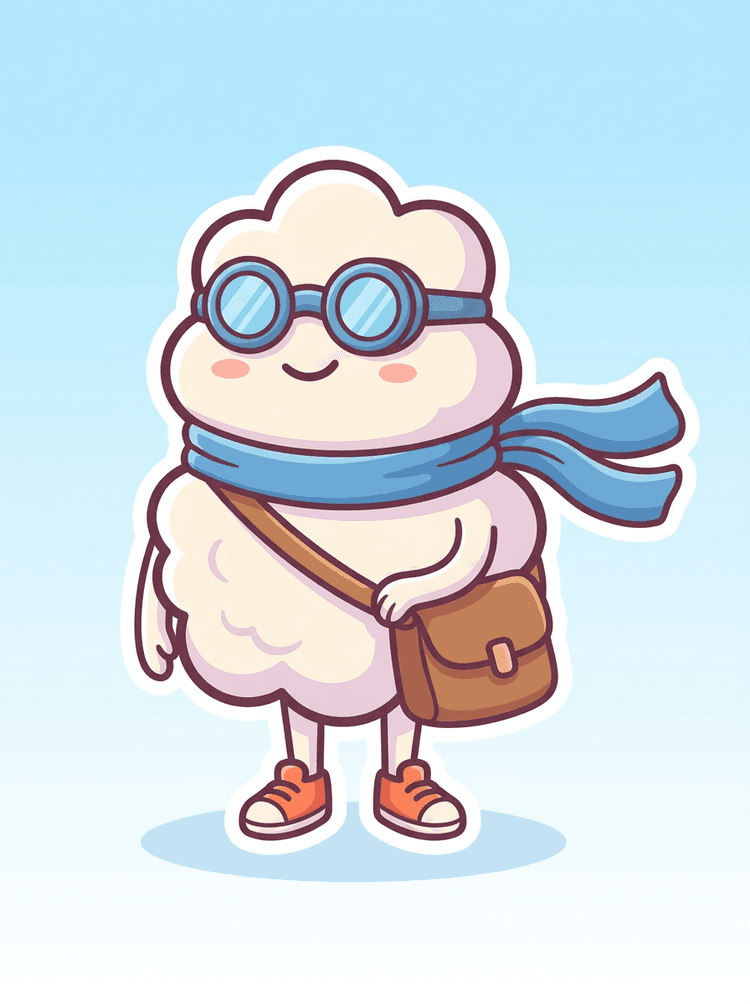
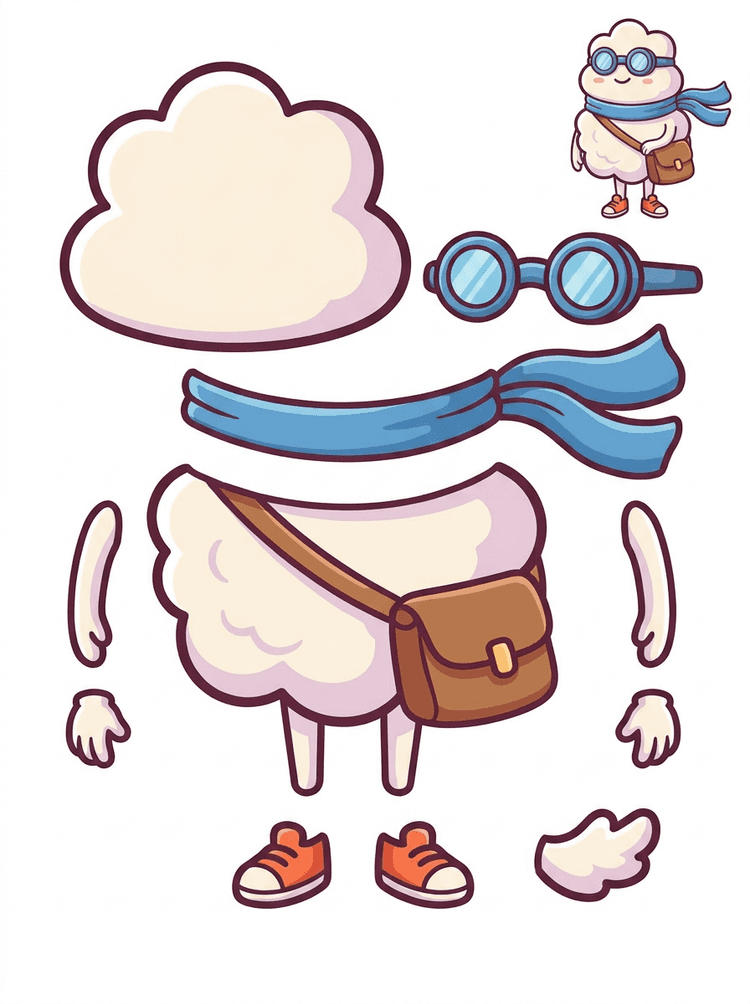
Un héroe cartoon estilo sticker se convierte en una hoja de partes con bufanda, bolso, zapatos, antiparras, manos y componentes del cuerpo redondeado.
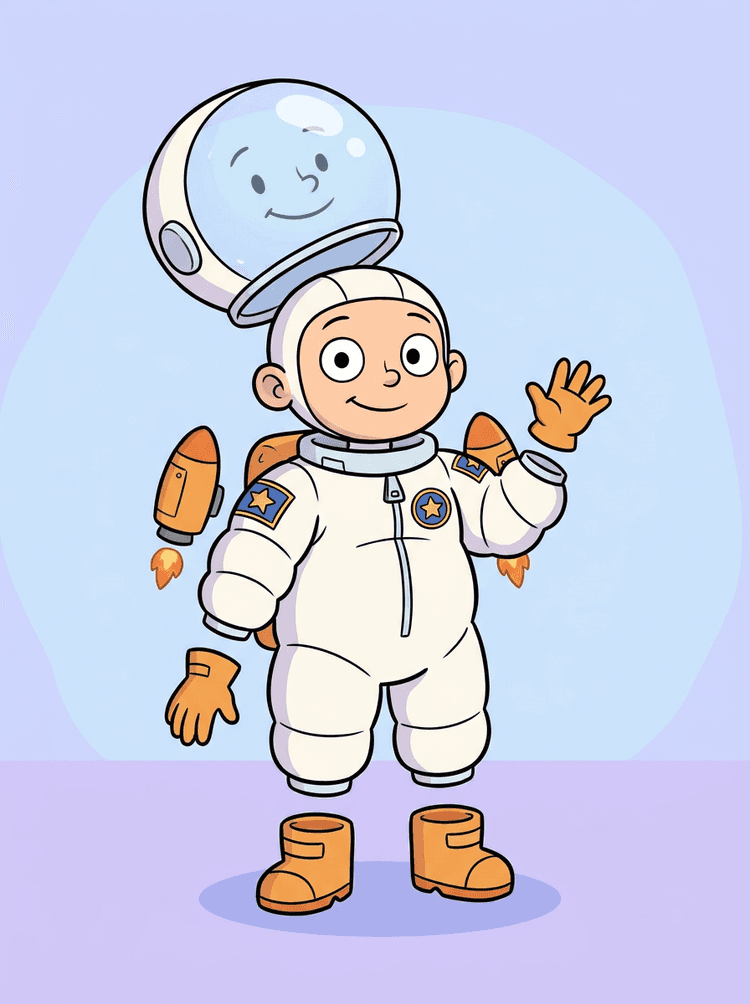
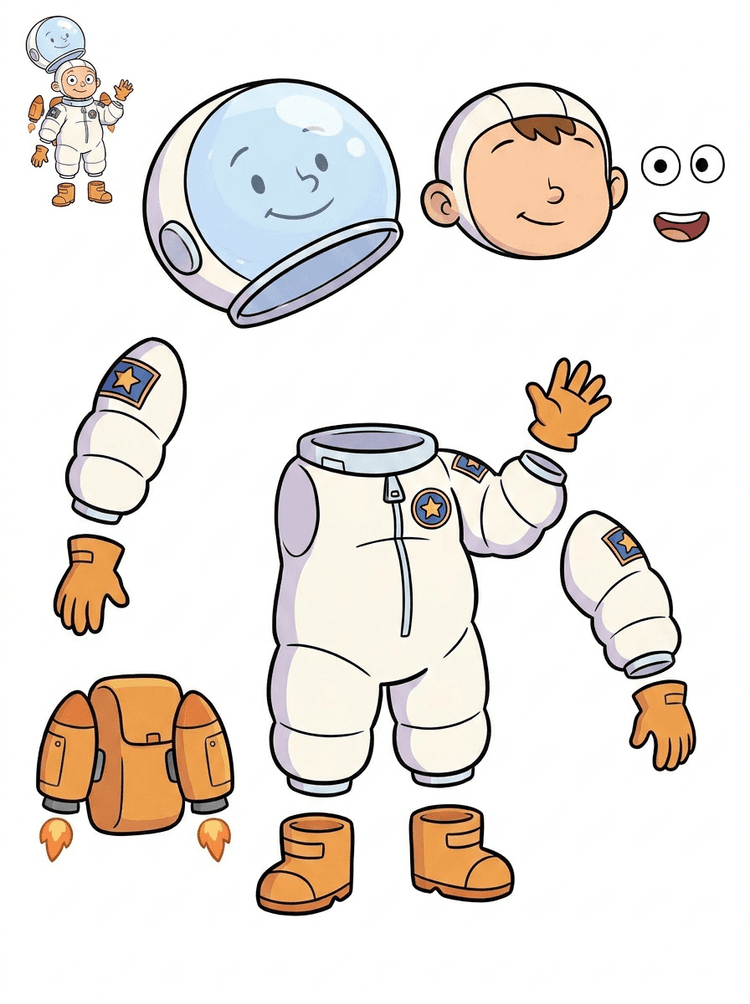
Una ilustración de un nene astronauta se convierte en una hoja para casco, traje, guantes, botas, parches, mochila y piezas de motion comic.
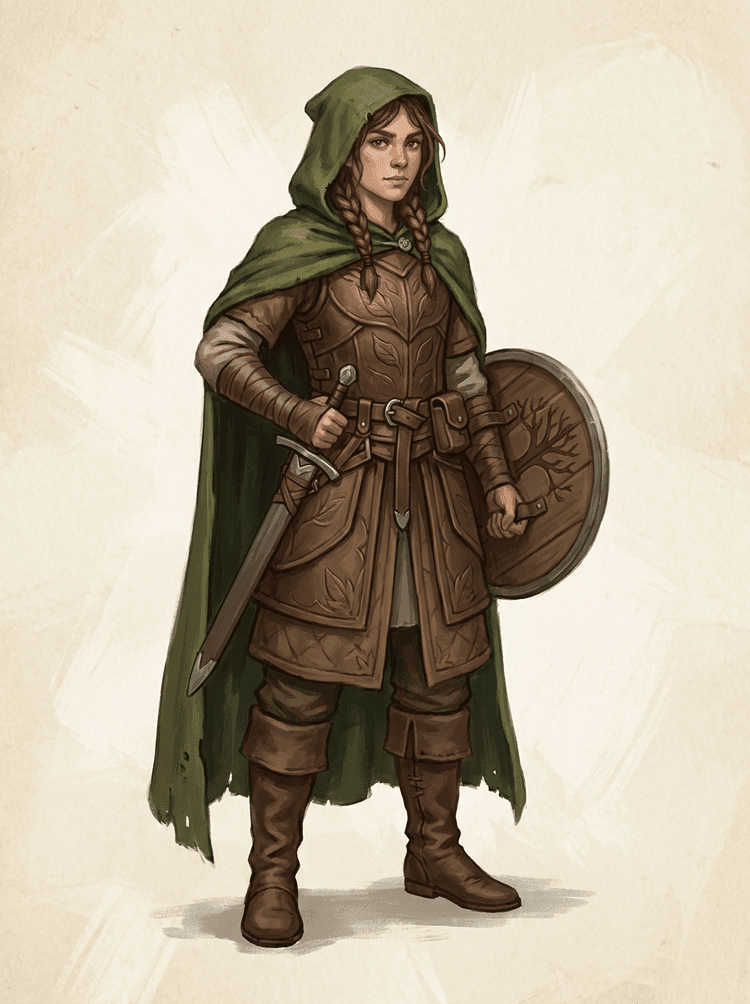
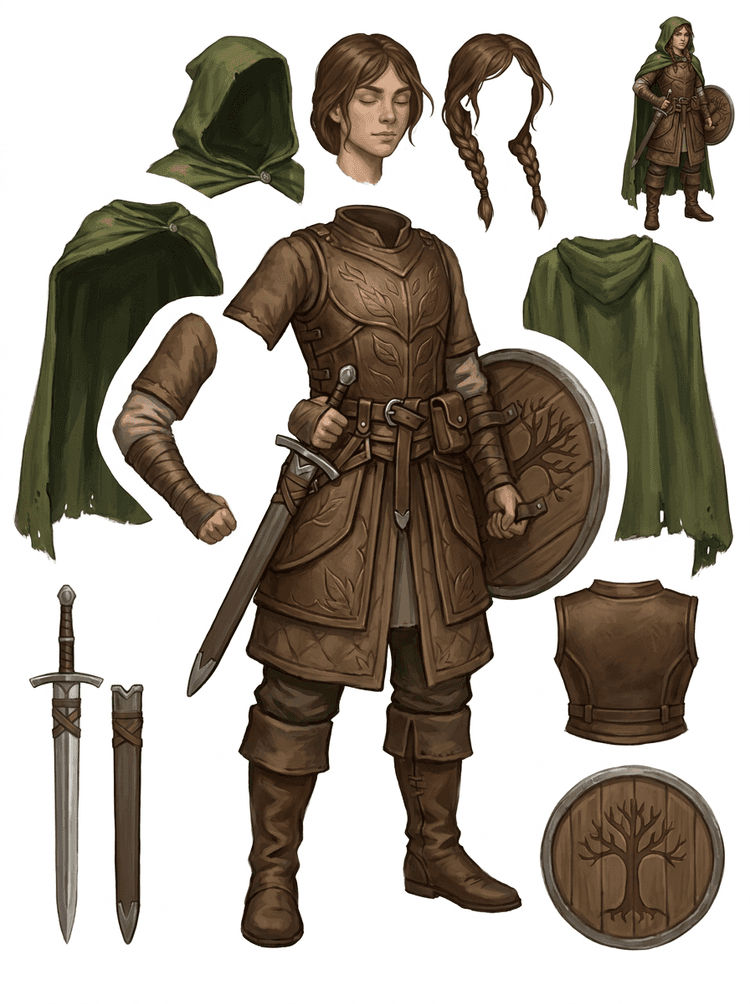
Un personaje de juego de fantasía se divide en armadura, capa, espada, escudo, bolsitas, botas, extremidades y referencias reutilizables para sprites.
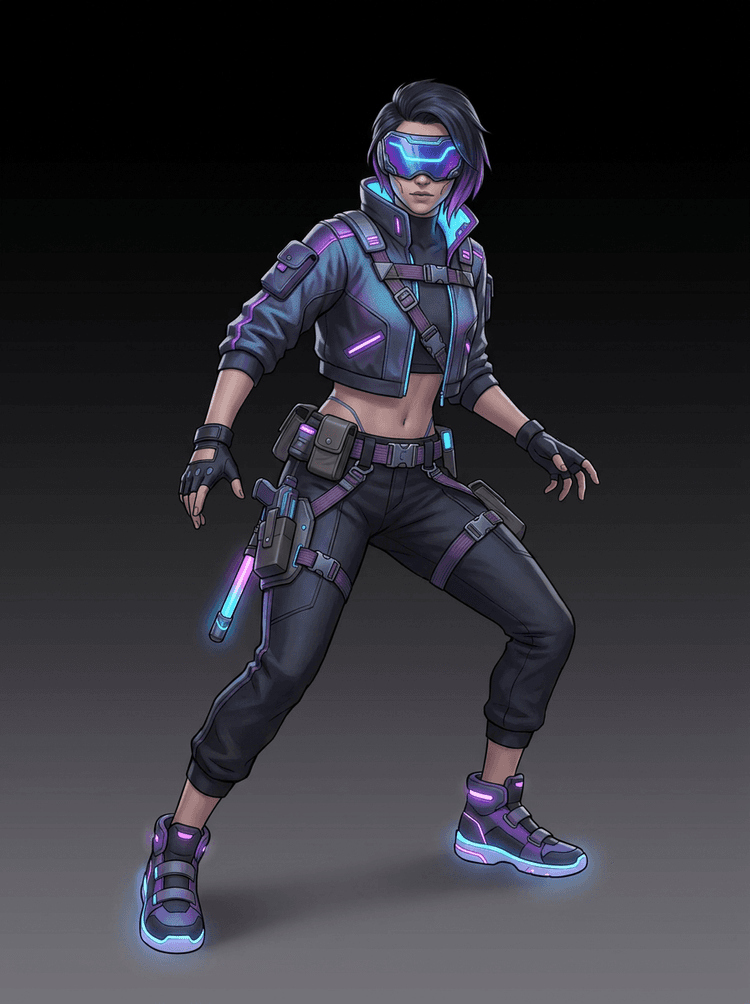
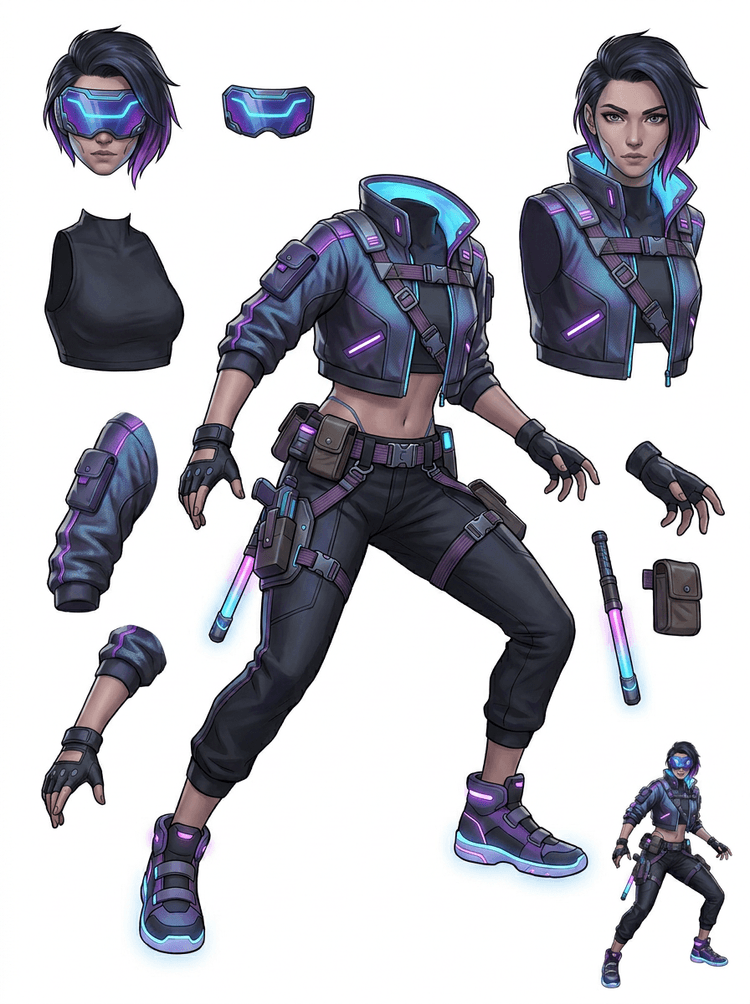
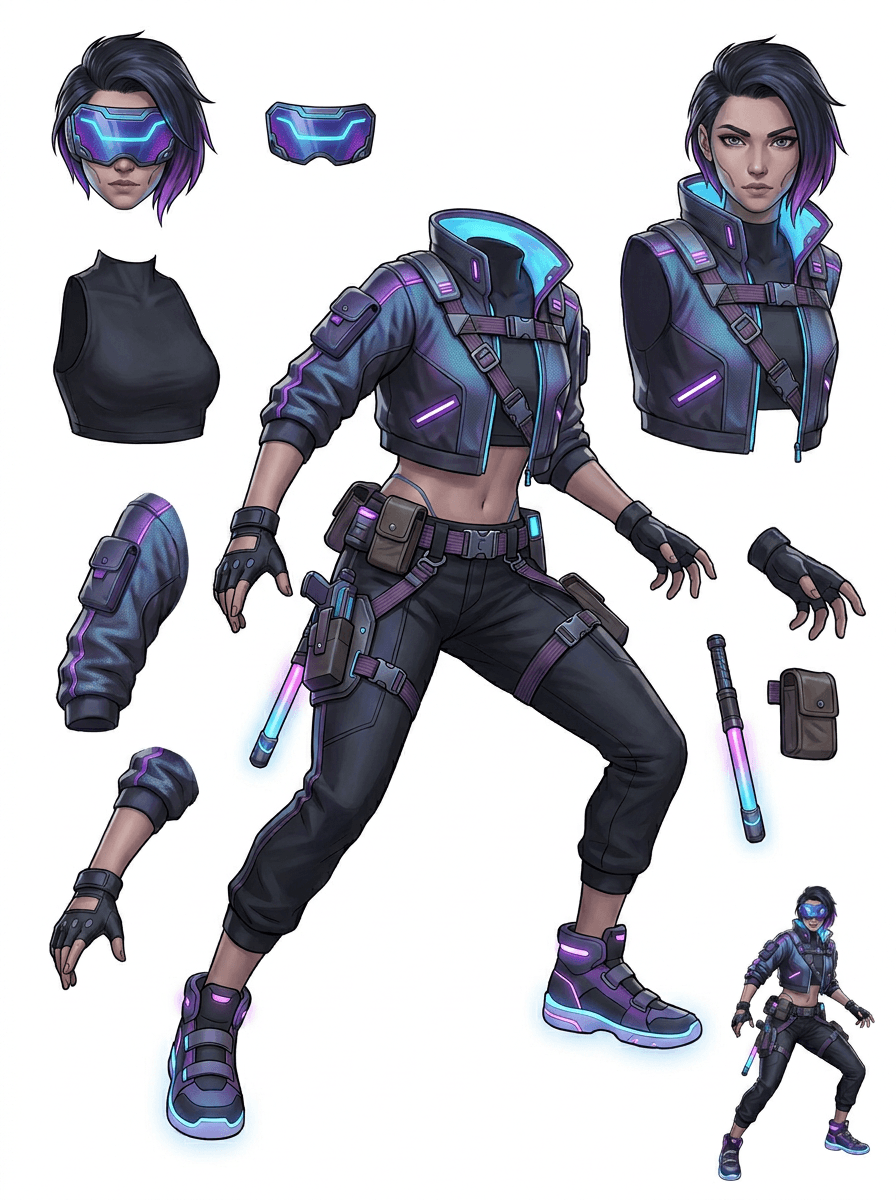
Un personaje de acción cyberpunk se convierte en una referencia detallada de partes para campera, visor, guantes, zapatos, tiras, bastón y piezas del cuerpo.
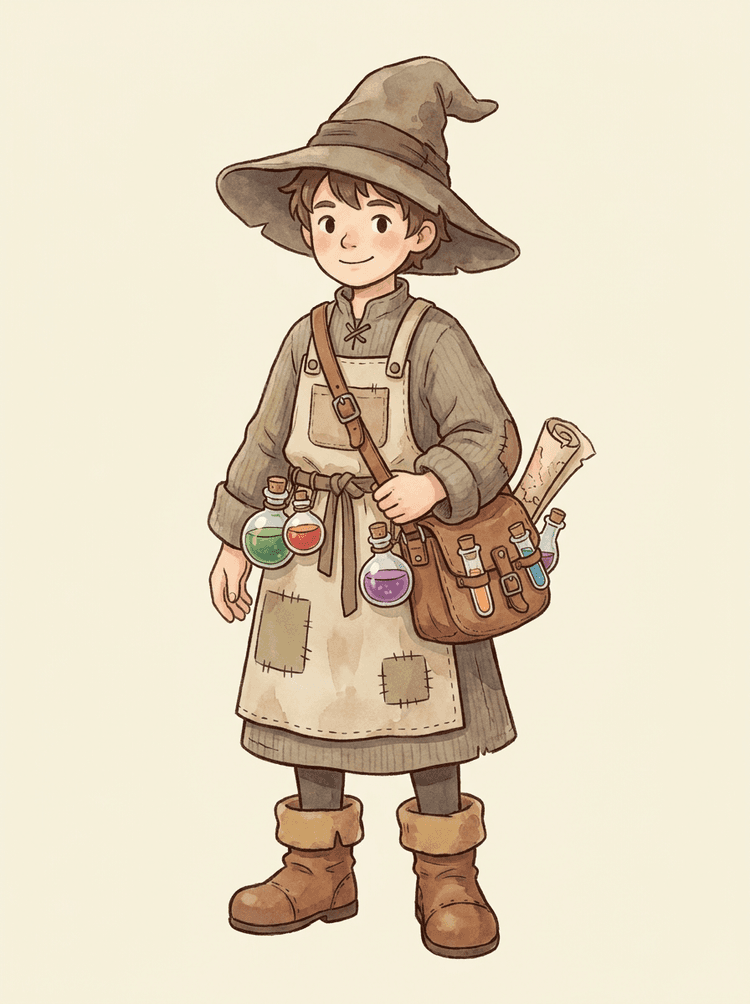
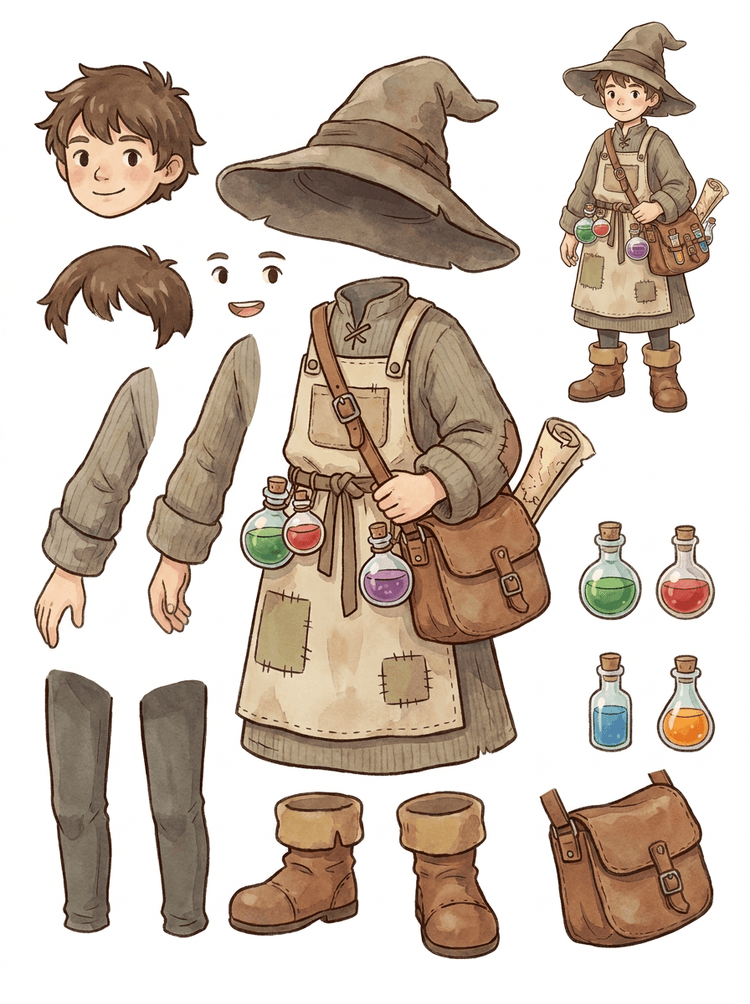
Un NPC cozy con sombrero, delantal, bolso de pociones, botellas, mapa, botas y ropa cálida se convierte en una hoja reutilizable para producción de juegos.
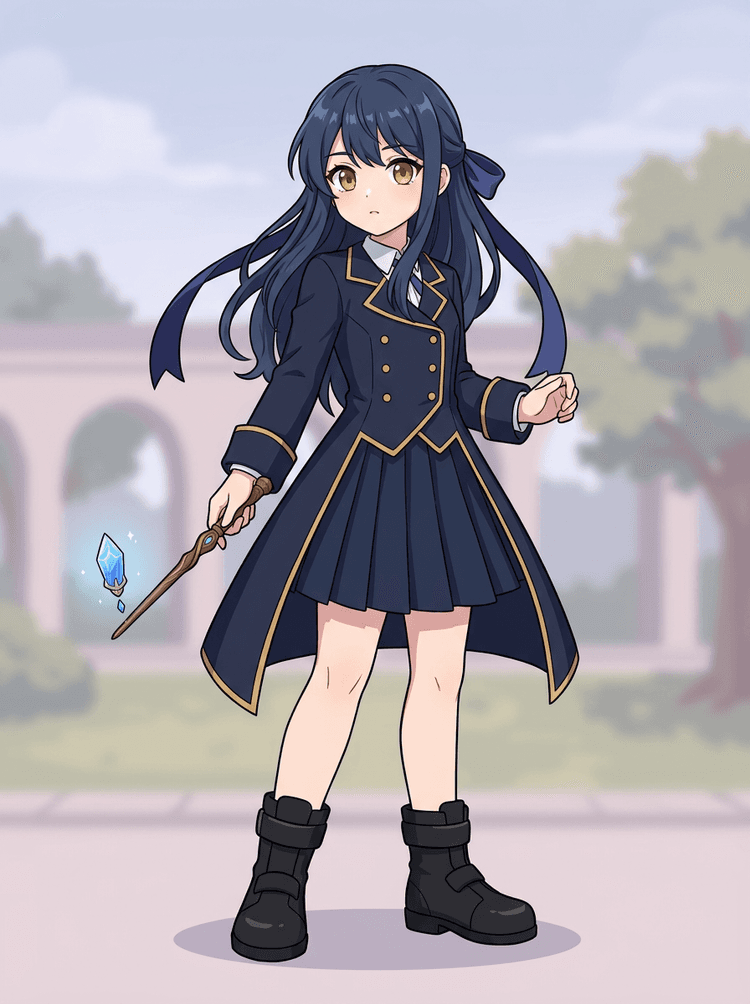
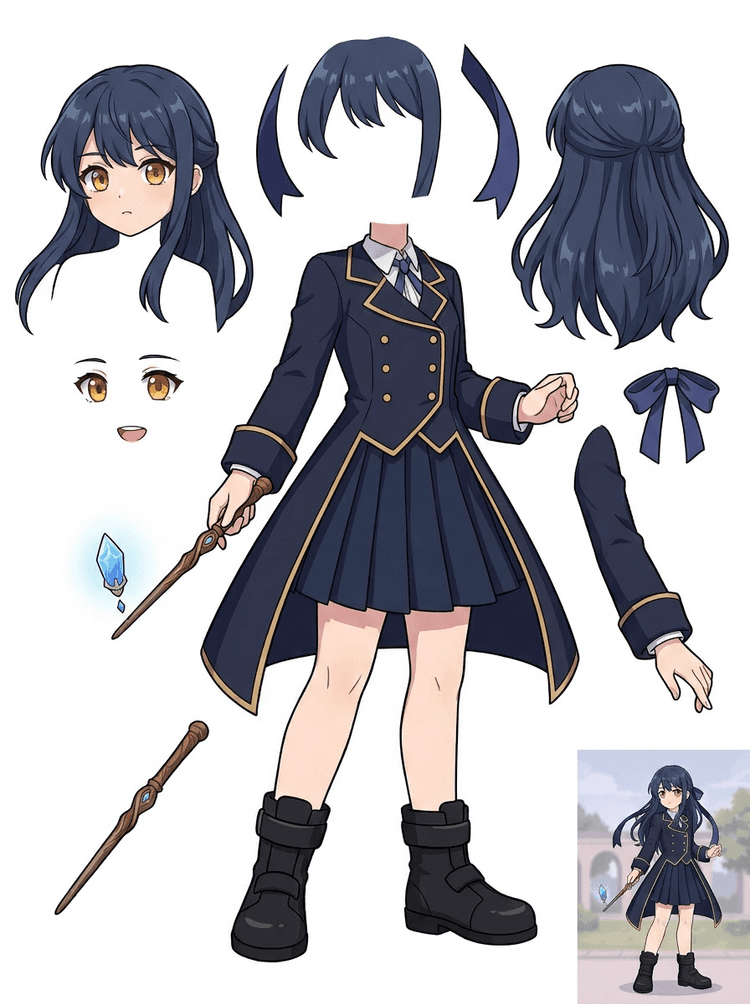
Un key art anime con uniforme, cinta, varita, pelo, dije, guantes y botas se convierte en una hoja de partes para edición y pruebas de movimiento.
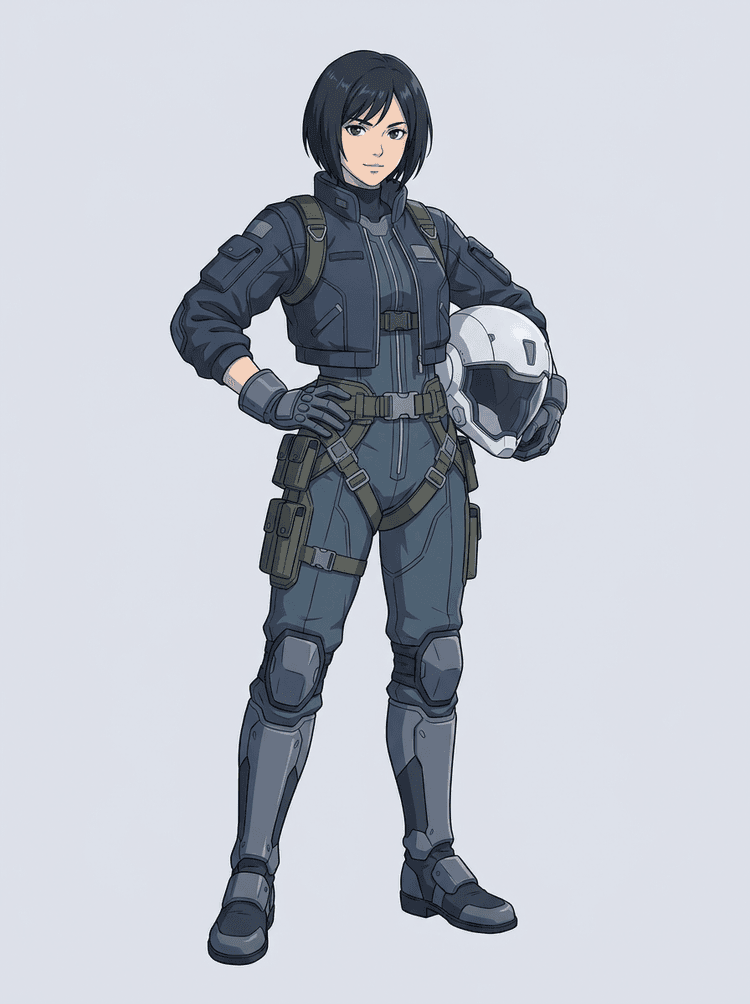
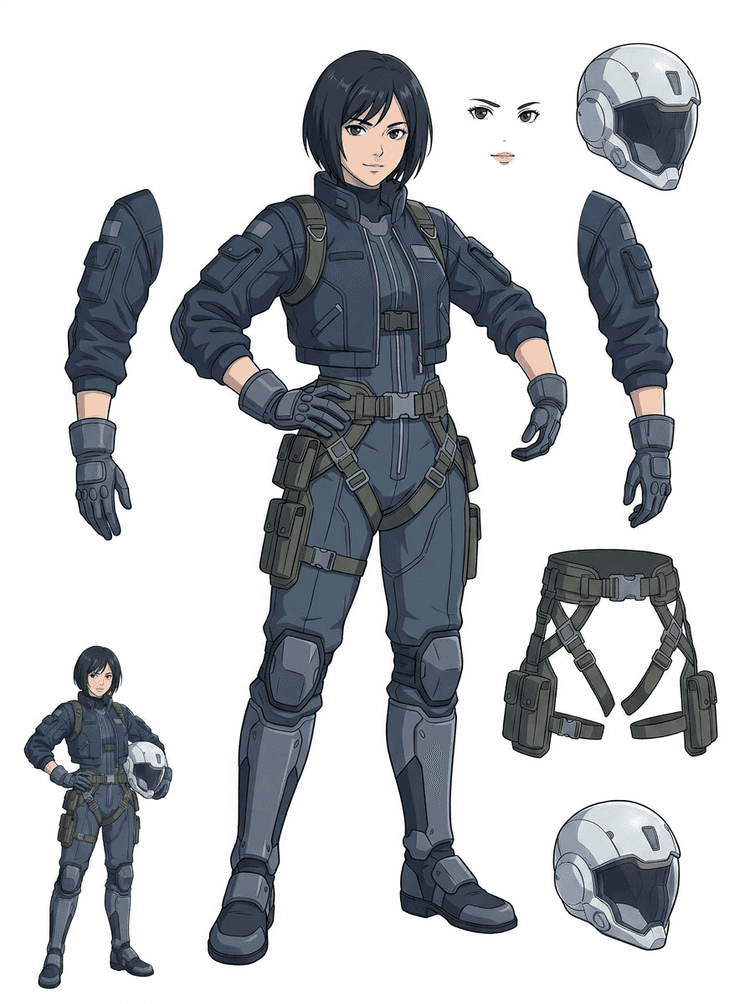
Un piloto anime sci-fi se separa en pelo, rostro, campera, guantes, arnés, botas, casco y componentes del cuerpo.
Convertí una imagen terminada en partes visuales separadas que sean más fáciles de revisar, editar, animar o reconstruir.
Subí una imagen limpia y creá una hoja de capas PNG legible con primer plano, fondo, sujeto, objetos, texto, ropa, props y accesorios en un solo resultado.
Un separador de capas de imagen ayuda a diseñadores, marketers, animadores y equipos de juego a identificar qué partes de una imagen fuente pueden convertirse en assets editables. En lugar de redibujar cada elemento desde cero, los equipos pueden generar una hoja de capas PNG, comparar el original con el resultado separado y decidir si la fuente necesita recorte, limpieza, Quick Mode o una pasada PRO.
Creá una hoja descargable para preparar sprites, planificar rigs, motion comics, ediciones de e-commerce, variantes de stickers o handoff de personajes. Funciona mejor cuando hay un solo sujeto claro, con bordes visibles y poca superposición.
El mejor flujo de separación en capas conserva el contexto. Guardá la fuente, la hoja generada y una nota breve de revisión para que el próximo artista sepa qué usar y qué todavía necesita limpieza.
La imagen original explica la intención cuando un animador, artista de juego o diseñador revisa la hoja separada más tarde.
Una primera hoja vale más cuando el equipo sabe qué partes están listas y cuáles necesitan terminación manual.
Usá la hoja como puente práctico hacia animación, preparación de sprites, edición de cómics o composición, en vez de tratarla como reemplazo final de un PSD.
AI Layer Splitter les da a los equipos una primera pasada más rápida; los assets finales para publicación igual se benefician de revisión y limpieza humana.
AI Layer Splitter convierte una imagen plana en una hoja de capas PNG legible con fondos, sujetos, texto, props, objetos, detalles de producto y partes de personajes separadas para flujos de edición, animación, arte para juegos, motion comics, e-commerce y composición.
Sí. Quick Mode es el punto de partida gratis online para obtener un resultado revisable de imagen a capas. Usalo para probar si la imagen fuente se separa bien antes de invertir tiempo en máscaras manuales o mejorar a una pasada PRO más limpia.
Sí. AI Layer Splitter funciona como un separador web de capas de imagen con IA: subís una imagen, el modelo identifica sujetos, fondos, texto, props y objetos, y después descargás una hoja de imagen a capas revisable. Funciona más rápido con fotos limpias, diseño gráfico, productos ilustrados, assets de juegos y arte de personajes; las imágenes complejas pueden seguir necesitando limpieza manual en Photoshop, Figma u otro editor.
Subí una imagen limpia, corré Quick Mode y revisá la hoja generada de imagen a capas. El resultado separa primer plano, fondo, sujeto, texto, props y objetos visibles en una referencia práctica que podés usar para edición, composición, bloqueo de animación, preparación de sprites o limpieza manual.
El flujo actual crea una hoja de capas PNG descargable, no un PSD final con capas editables. Usala como primera pasada de separación de capas con IA y después reconstruí, enmascará o pulí las partes más sólidas en Photoshop, Figma, Procreate, After Effects o tu pipeline de assets de juego.
Layer Decomposition es una capacidad de agente de IA que separa una sola imagen en capas visuales lógicas y editables, como primer plano, fondo, sujetos, texto y objetos. Ayuda a los equipos a pasar de una imagen plana a una hoja de capas práctica para revisión, edición, animación y handoff de producción.
Sí. LlamaGen AI Layer Splitter separa fondo, texto, sujetos y objetos visibles en el navegador y te da una hoja de assets descargable para seguir editando.
Funcionan mejor los sujetos ilustrados y limpios: mascotas cartoon, personajes anime, personajes de juegos, gráficas estilo producto, props y diseños de cuerpo completo con pelo, ropa, extremidades, zapatos, armas, bolsos, colas, texto, objetos o accesorios visibles.
Sí. Los personajes cartoon y las mascotas son de los casos de uso más fuertes porque sus contornos, props, ropa, manos, zapatos y rasgos faciales suelen verse lo bastante claros como para generar una hoja útil.
Sí. AI Layer Splitter para assets de juegos puede convertir conceptos limpios de personaje en un punto de partida para referencias de sprites, variantes de pose, íconos de inventario, edición de equipamiento, retratos de UI y bloqueo de animación.
Sí. Los personajes estilo anime pueden separarse en referencias visibles de pelo, rostro, vestuario, cinta, guante, bota, prop, casco y accesorios cuando la imagen fuente está limpia.
Quick Mode crea una hoja de assets rápida y revisable. PRO Mode usa un modelo mejorado para una separación más limpia cuando la imagen fuente es legible y el proyecto necesita una pasada de mayor calidad.
No. Las escenas muy cargadas, partes del cuerpo ocultas, sujetos superpuestos, marcas de boceto, sombras fuertes, extremidades recortadas o accesorios muy pequeños pueden seguir necesitando limpieza de la fuente o terminación manual.
Podés usar las salidas generadas de acuerdo con tu plan de LlamaGen y sus términos. Asegurate también de tener los derechos sobre la imagen fuente que subís.
Empezá con la muestra precargada, subí tu propio personaje cartoon, anime o de juego y creá una hoja de capas revisable en minutos. Usá el primer resultado para decidir si Quick alcanza o si vale la pena una pasada PRO.