

Soovitatav
Quick Mode
Soovitatav esimene valik. Üks loetav PNG-kihtide leht ühest pildist.
Laadi üles puhas pilt ja jaga see taustaks, esiplaaniks, subjektiks, tekstiks, objektideks, koomiksitegelasteks, animekunstiks, rekvisiitideks või tootegraafikaks. Vaata esmalt üle kihtide leht ja eralda seejärel üksikud läbipaistvad PNG-kihid ning ekspordi ZIP või muudetav algne PSD.
First pass · 300 credits
Generates one reviewable PNG asset sheet. It is not an editable set of transparent PNG layers.
First pass · 600 credits
Uses a higher-quality model to produce a cleaner PNG asset sheet, still delivered as a single image.
Paid second pass · +600 credits
Once the sheet is ready, a paid user can extract individual transparent PNG layers, download them or a ZIP, and export a starter PSD.
The extracted PNGs are actual second-pass outputs, not a crop of the sheet. Occluded regions or complex edges can need manual cleanup; PSD is an editable starting file.
or drop a file,
paste image or
No image? Try one of these:
Laadi lehele üles päris lähtepilt. Quick Mode loob esmase ülevaadatava kihtide lehe; PRO parandab seda lehte, kui lähtepilt on puhas. Tasuline teine läbikäik eraldab eraldi läbipaistvad PNG-kihid, mida saab alla laadida eraldi, ZIP-ina või muudetava algse PSD-na.
Soovitatav esimene valik. Üks loetav PNG-kihtide leht ühest pildist.
Täiustatud mudel. Puhasem eraldus varade lehe sees.
After creating a sheet, paid plans can extract real transparent PNG layer files and download individual PNGs, a ZIP, or an editable starter PSD. Complex images may need manual cleanup.
Iga kaart näitab päris lähtepilti ja genereeritud kihtide lehte. Sildid kirjeldavad ainult selles tulemuses nähtavaid osi; otsetööriist ülal on koht, kus sobiv lähtepilt saab jätkata eraldi esiplaani, tausta, subjekti, teksti ja objektikihtideni.
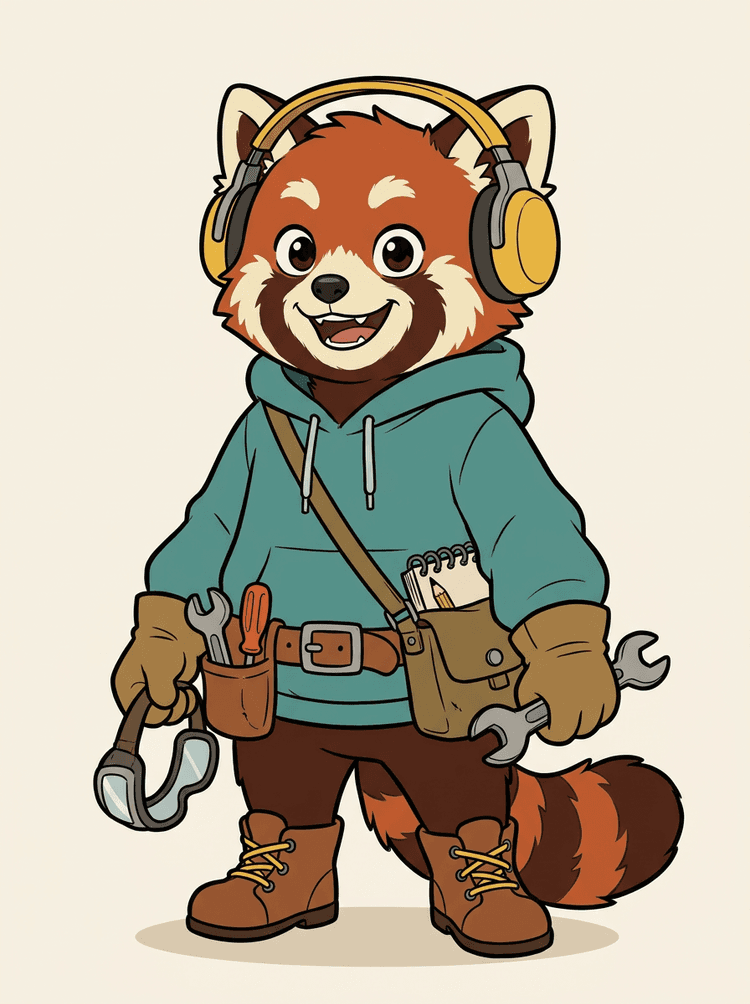
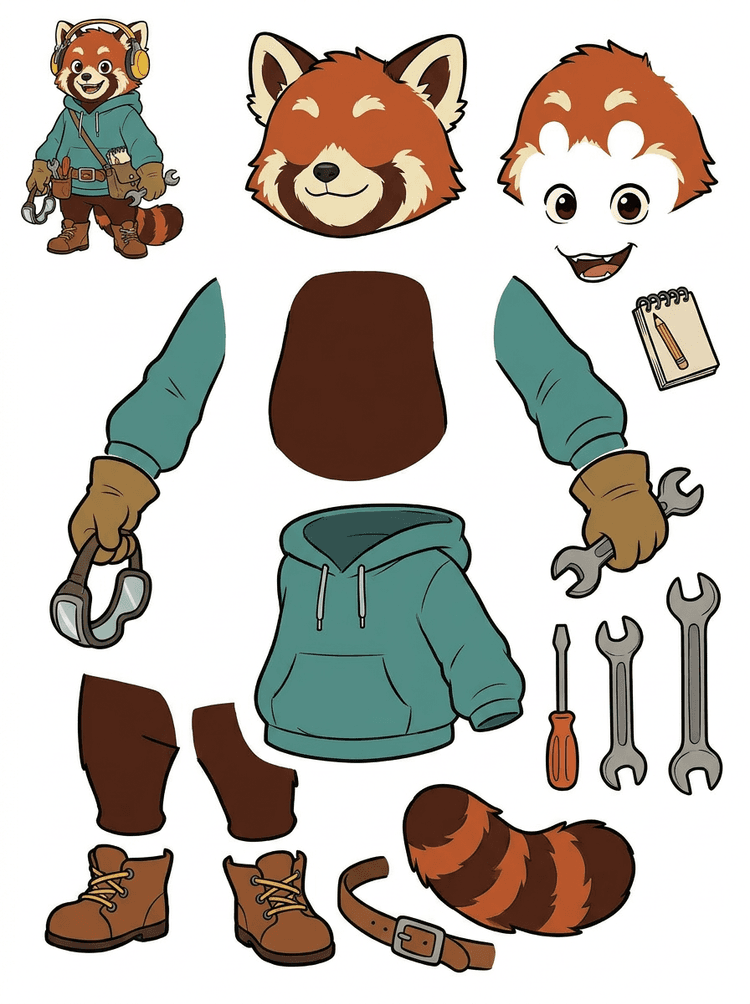
Kõrvaklappide, kapuutsi, koti, saba, kingade ja joonistusvahenditega tegelasmaskotist saab praktiline leht animatsiooni ülevaatuseks.
Selles päristulemuses nähtavad osad
Tootmise üleandmine
Genereeritud leht on ülevaatuse samm. Jätka otsetööriistas, et eraldada sobivad nähtavad alad eraldi läbipaistvate PNG-kihtidena ja pakenda need ZIP-iks või muudetavaks algseks PSD-ks.

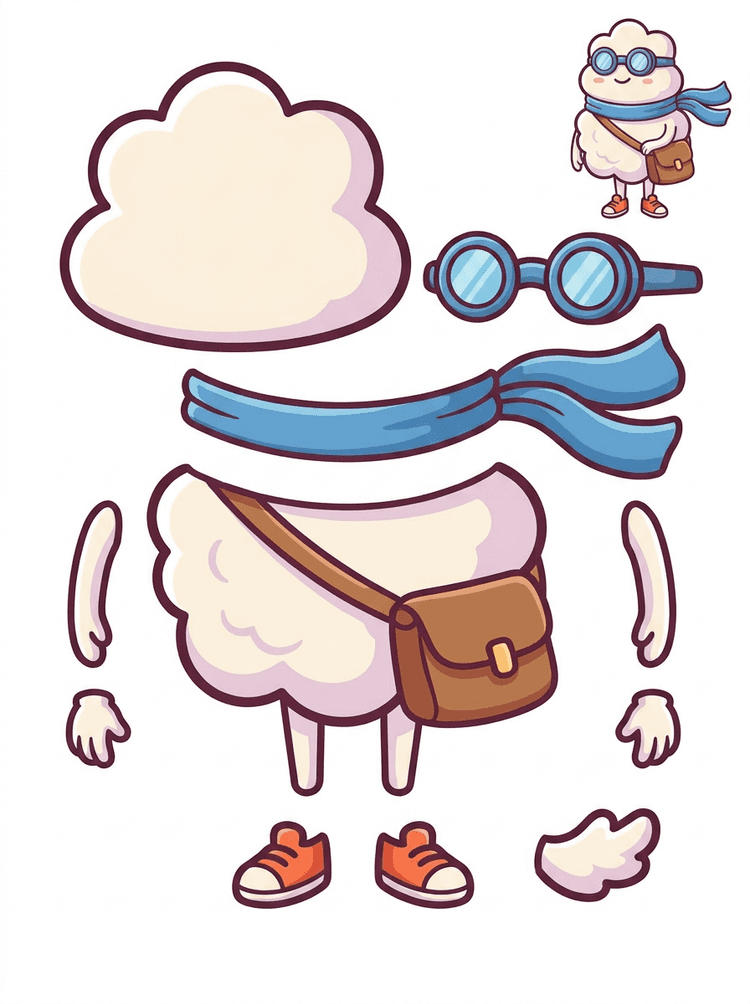
Kleebiselaadne koomikskangelane muutub osade leheks salli, koti, kingade, prillide, käte ja ümmarguste kehaosadega.
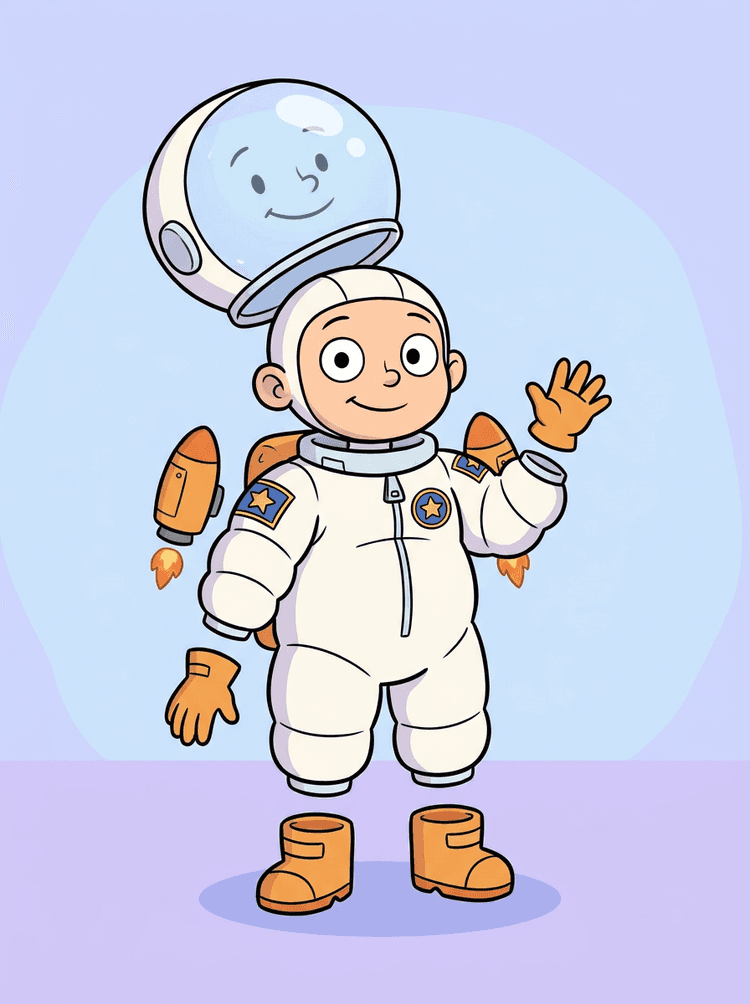
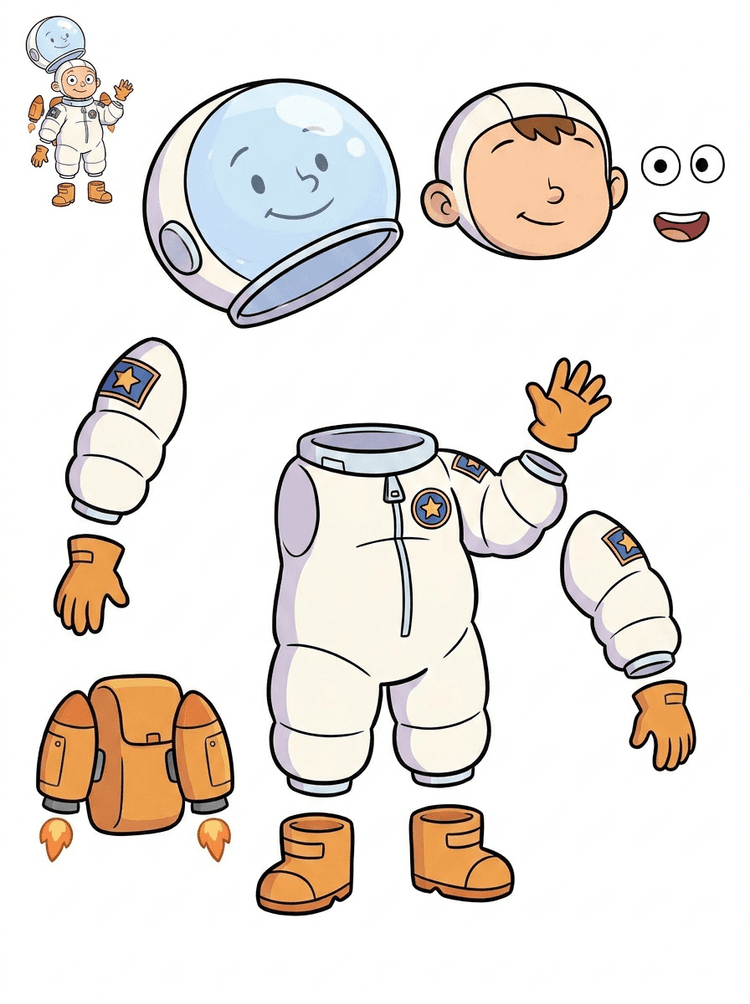
Lasteastronaudi illustratsioonist saab leht kiivri, ülikonna, kinnaste, saabaste, embleemide, seljakoti ja motion-comic'i osade jaoks.
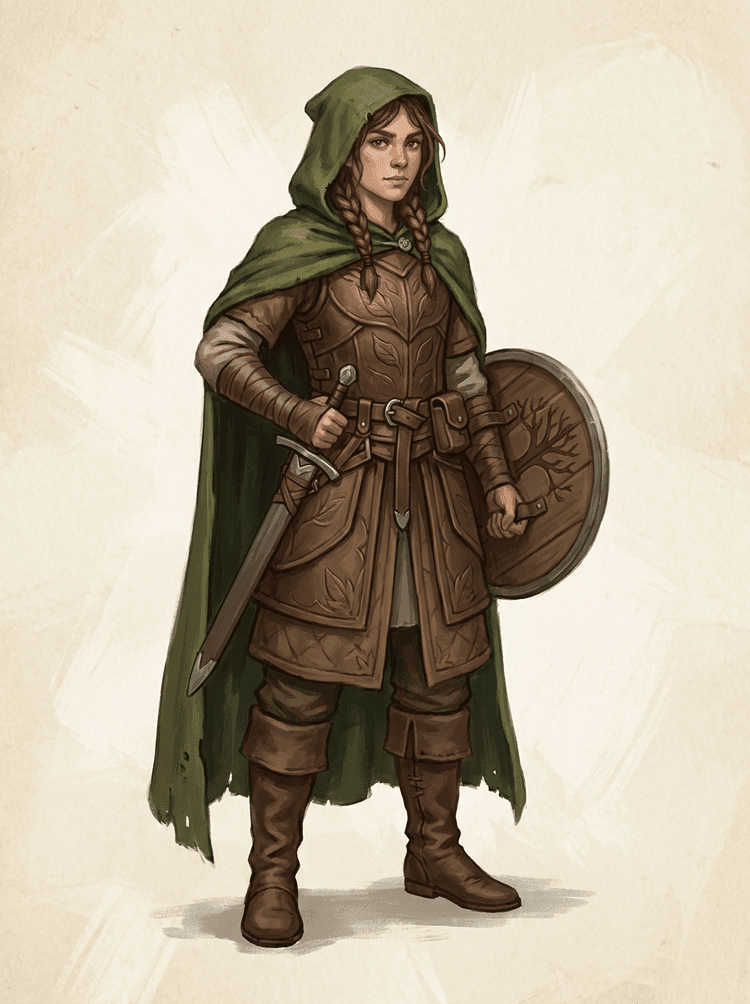
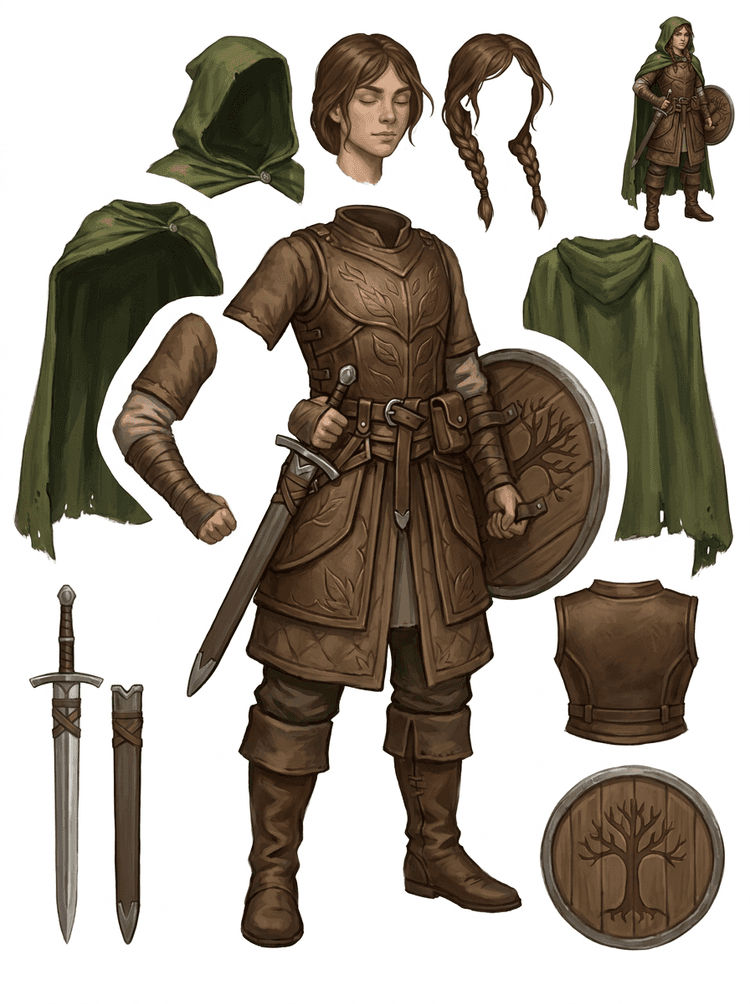
Fantaasiamängu tegelane jagatakse soomuseks, mantliks, mõõgaks, kilbiks, kottideks, saabasteks, jäsemeteks ja korduvkasutatavateks sprite'i viideteks.
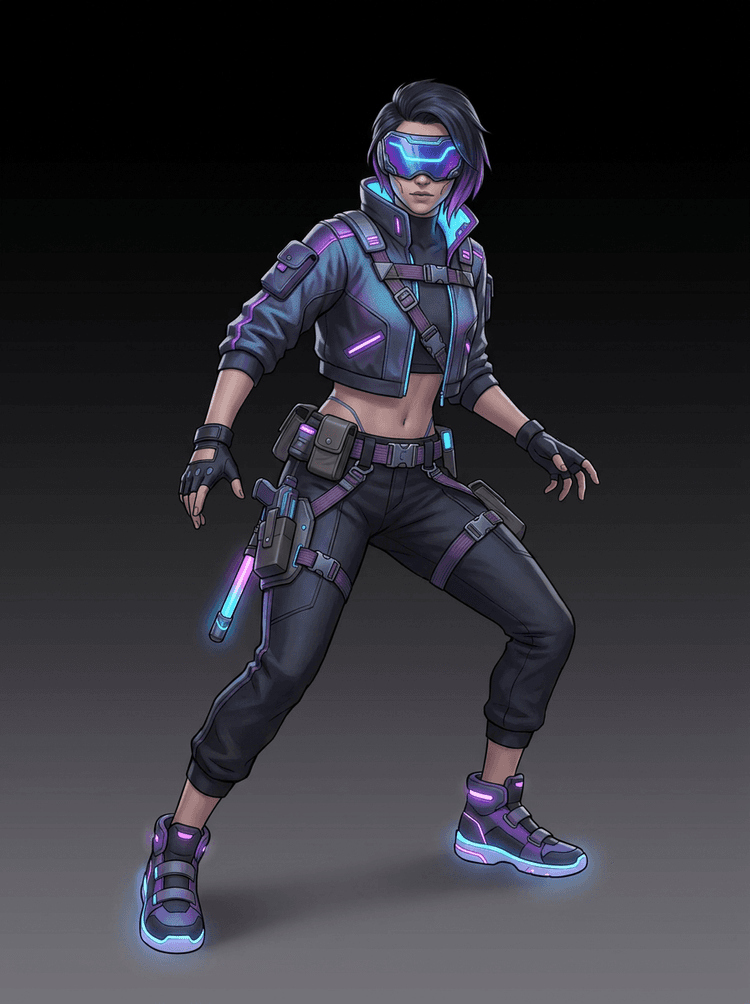
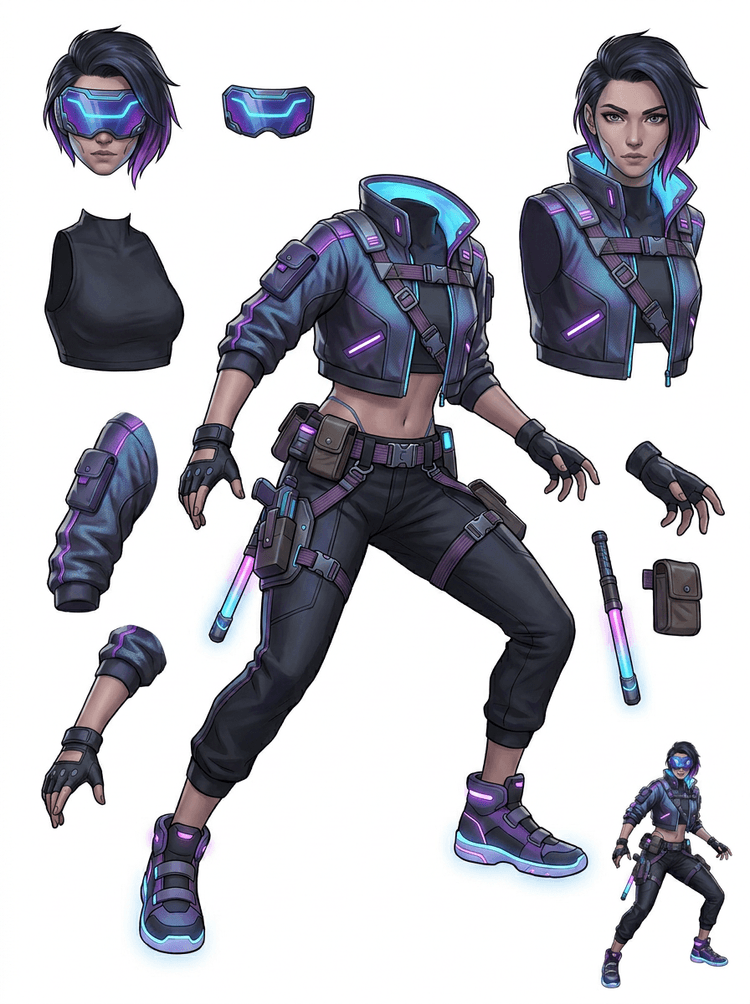
Küberspordi tegevustegelane muutub kõrgedetailseks osade viiteks jope, visiiri, kinnaste, kingade, rihmade, nuii ja kehaosade jaoks.
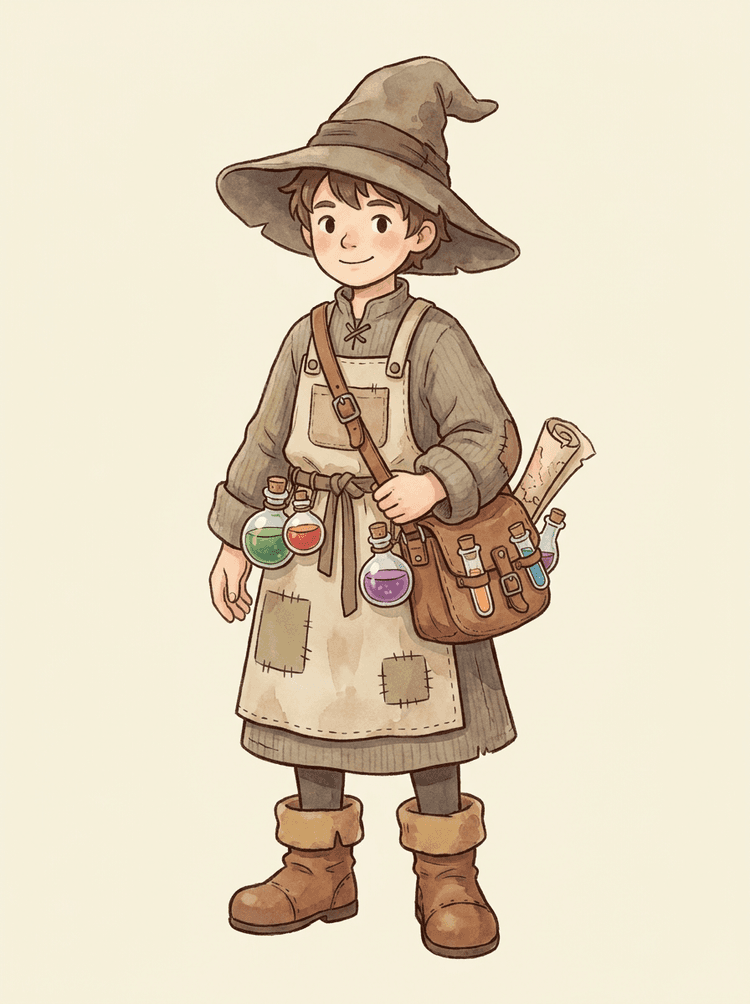
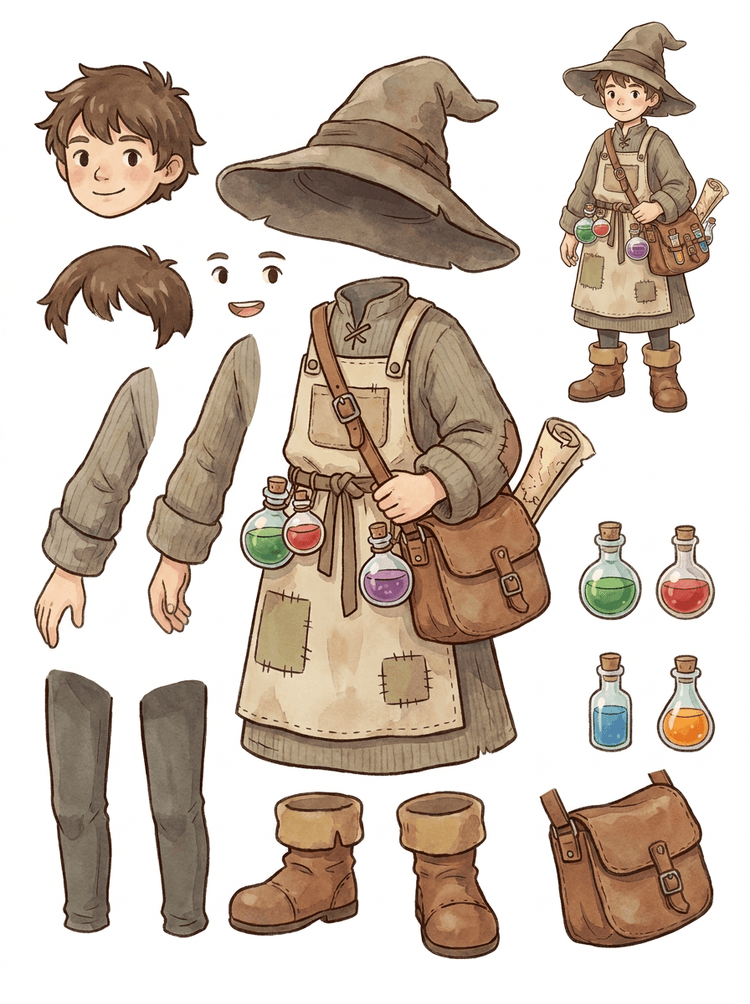
Mütsi, põlle, joogikotikese, pudelite, kaardi, saabaste ja sooja riietusega hubasest NPC-st saab korduvkasutatav mängutootmise leht.
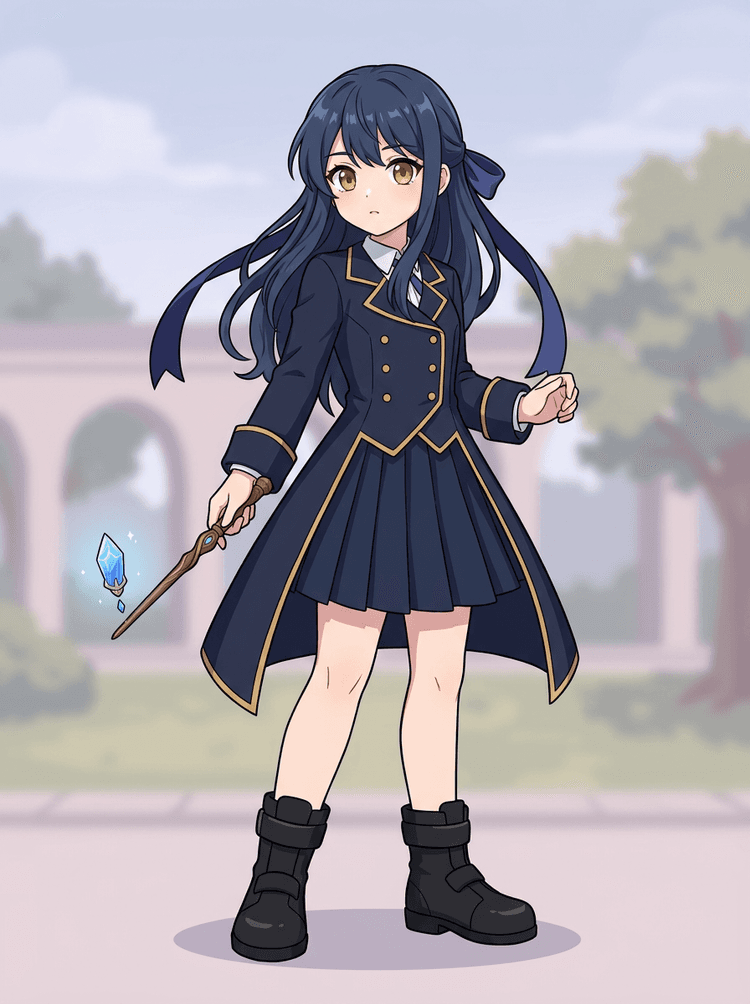
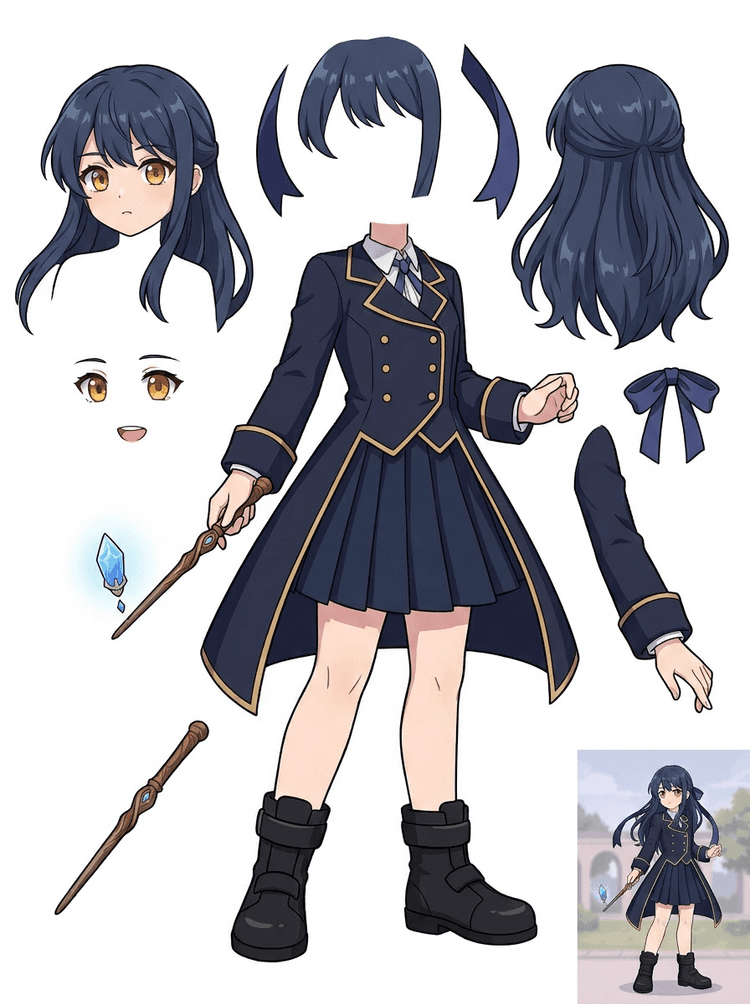
Anime võtmekunst vormi, paela, võlukepi, juuste, amuleti, kinnaste ja saabastega muutub osade leheks muudatuste ja liikumistestide jaoks.
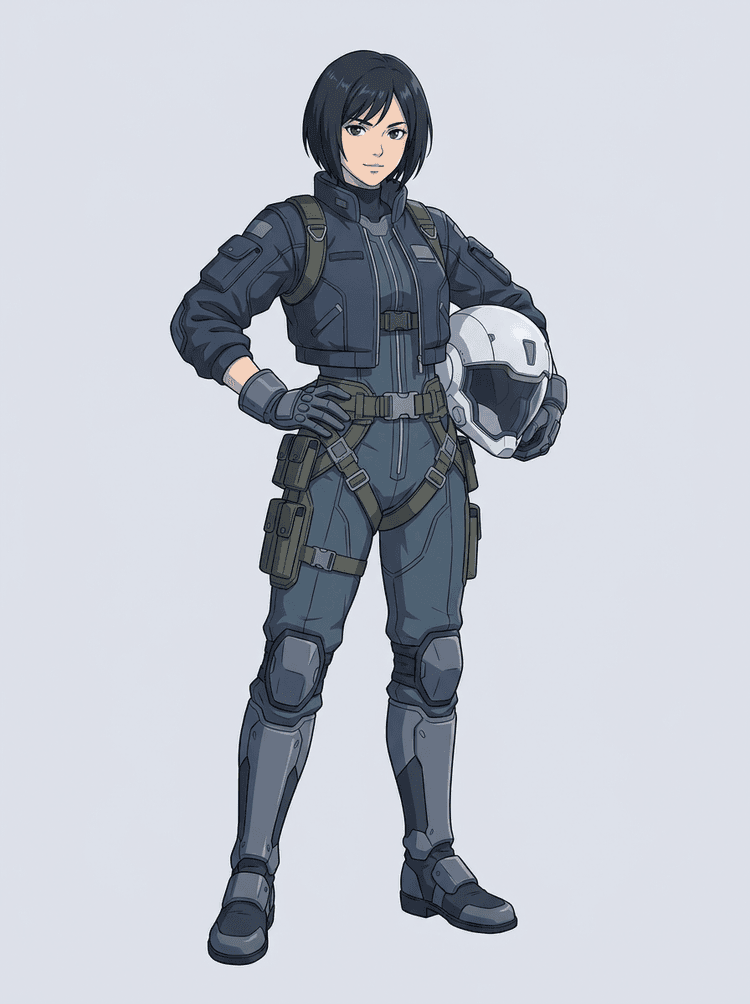
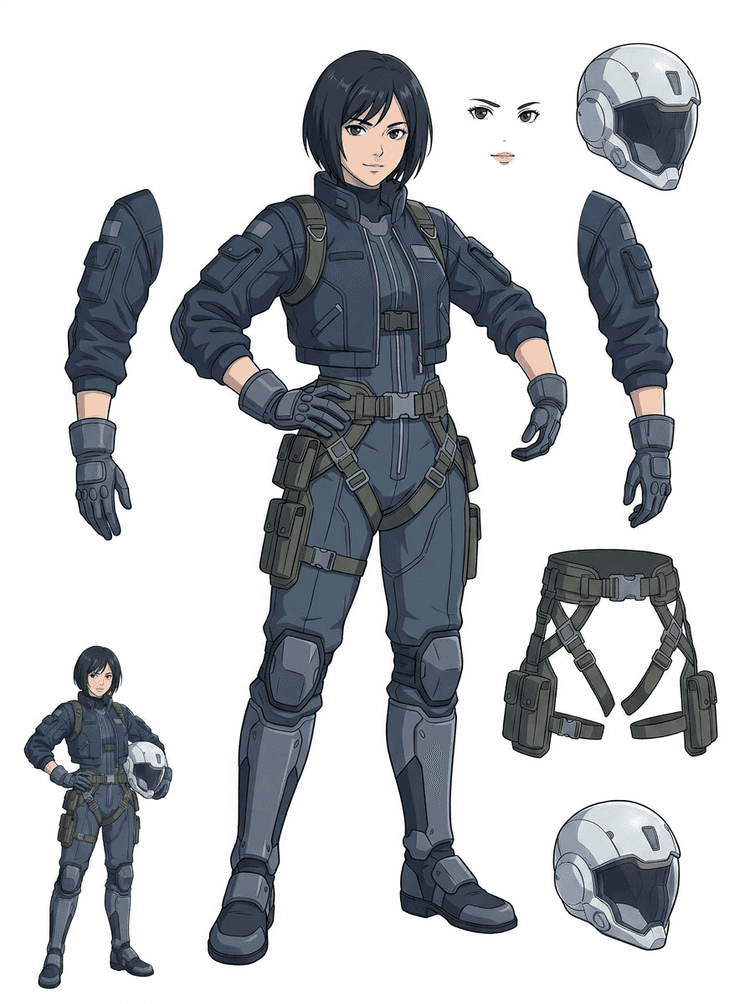
Ulmeanime piloot jagatakse juusteks, näoks, jakiks, kinnasteks, rakmeteks, saabasteks, kiivriks ja kehaosadeks.
AI kihilõikur on pilt-kihtideks tööriist loojatele, kellel on juba lähtepilt, kuid vaja on selle taga olevaid praktilisi tootmisosi: esiplaan, taust, subjekt, tegelased, juuksed, nägu, riietus, jäsemed, tekst, objektid, rekvisiidid, tootedetailid ja aksessuaarid.
Loodud kunstnikele, indie-mängude tiimidele, animaatoritele, turundajatele, e-kaubanduse meeskondadele ja ACG-loojatele, kellel on vaja muuta üks lame pilt korduvkasutatavateks tootmisvaradeks, ilma et kogu seanss kuluks maskimisele.
Viimistletud PNG ei saa pilgutada, parallaksi teha, rekvisiite vahetada, tooteid isoleerida ega sprite'iks muutuda enne, kui põhiosad on eraldatud.
Valikutööriistad, servade puhastamine ja kihtide nimetamine võivad võtta kauem aega kui esimene animatsioonitest.
Ühe kinda, koti, kinga, saba, kiivri või paela muutmine võib muutuda täielikuks ülevärvimiseks, kui kõik osad on kokku sulanud.
Enne
Üks ilus tegelaspilt, mis näeb välja terviklik, kuid on endiselt lukus ühe lameda bitmapina.
Pärast
Loetav varaleht esiplaani, tausta, tegelaste, teksti ja objektidega eraldi, et kunstnikud saaksid planeerida liikumist, redigeerida detaile ja anda tootmise viiteid edasi.
Loo ülevaadatav eraldusläbimine enne täieliku käsitsi maskimise töövoo avamist.
Liigu ühest tegelaspildist osadeni animatsiooni, mängu ja redigeerimise üleandmiseks.
Juhtumiuuring
Brändi maskott võib liikuda ühest staatilisest illustratsioonist eraldatud pea, saba, kingade, koti, riietuse ja aksessuaaride viideteni, et animatsiooni planeerimine läheks kiiresti.
Tulemus
Kunstnikud saavad üle vaadata, millised osad on kasutuskõlblikud, otsustada, kas PRO-ga uuesti käivitada, ja alustada puhastamist konkreetsest lehelt, mitte tühjalt maskimisseansilt.
LlamaGen kihitöövoog
koomiksi-, anime- ja mänguvarade ettevalmistus
Kasuta AI kihilõikurit kui esimest puhast läbikäiku: laadi üles üks pilt, loo kihtide leht ja kasuta tulemust oma redaktoris, animatsioonitöövoos või mänguvarade torustikus.
Kasuta kogu keha tegelaskunsti, maskotikunsti, anime võtmeillustratsiooni, mängukontseptsiooni, tootefotot, graafilist disaini, rekvisiiti või tootestiilis illustratsiooni, millel on nähtavad servad.
Quick Mode loob kiire visuaalse kontrollpunkti, et meeskond näeks juukseid, nägu, riietust, käsi, rekvisiite, kingi, tausta, teksti, objekte ja aksessuaare kontekstis.
PRO Mode on parim siis, kui esimene leht tõestab, et lähtepilt on loetav, ja projekt vajab puhtamat mudelipääsu.
Kasuta allalaaditud lehte liikumise planeerimiseks, rig'i kavandamiseks, sprite'i viidete, ülevärvimise või loomingulise komposiidi jaoks.
Eesmärk on ülevaadatav tootmise lähtepunkt, mitte ebamäärane AI-demo.
AI kihilõikuri tööriist analüüsib su kunsti ja tuvastab erinevad elemendid nagu tegelased, taustad ja objektid, luues eraldi kihid. See kasutab AI-d, et pildid osadeks jaotada, säilitades paigutuse, hierarhia ja disainimõtte ning sobib eriti hästi graafilise disaini, illustreeritud toodete, tegelaskunsti ja puhaste mänguvarade jaoks.
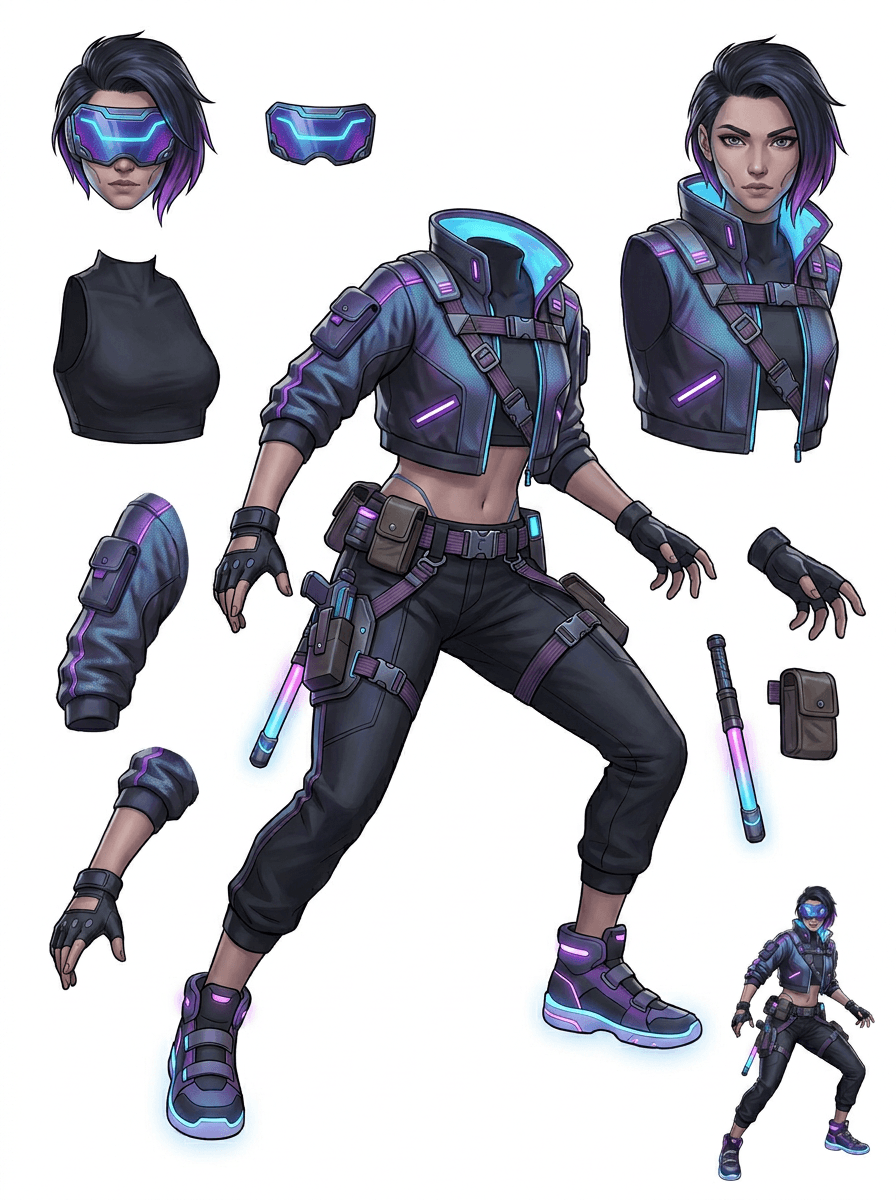
Galerii on korraldatud peamiste tootmisstsenaariumide järgi: koomiksimaskotid, mängutegelased, anime tegelased ja objektipõhised pilt-kihtideks töövood. Iga näide kasutab originaalset AI-ga loodud lähtepilti ja sellele vastavat eraldatud varalehte.
Maskotid, lastetegelased, kleepsulaadsed kangelased ja motion-comic'i tegelased väljendusrikaste rekvisiitide ja aksessuaaridega.
RPG-kangelased, küberjooksjad, hubased NPC-d, varustuskihtidega tegelased, relvad, inventari viited ja sprite'ide ettevalmistuslehed.
Moodne anime võtmekunst juuste, vormi, paela, kiivri, kinda, saapa, rakmete ja amuleti eraldamisega.
AI kihilõikur on kõige kasulikum siis, kui väljundil on sihtkoht. Need stsenaariumid selgitavad, milline lähtepilt üles laadida, milliseid osi üle vaadata ja kuidas leht liigub animatsiooni, mängude, koomiksite, e-kaubanduse või bränditootmisse.
Maskoti animatsioon
Kasuta puhast maskotiposit, kui vajad sotsiaalmeedia kleepsusid, lühireklaame, maandumislehe liikumist või lihtsat rig'i planeerimist.
Üleslaaditav lähtepilt
Täiskehaline maskott, mille nägu, käed, kingad, saba, rekvisiidid ja riietuse servad on nähtavad.
Kasulikud kihid ülevaatamiseks
Tootmise üleandmine
Anna animaatoritele ülevaadatav osade leht enne, kui nad joonistavad, ümber teevad või final motioni rigivad.
Indiemängu varade ettevalmistus
Kasuta heakskiidetud mängukunsti siis, kui tiim vajab varustusvariante, inventari ikoone, profiilikunsti või kiiret poosiuurimist.
Üleslaaditav lähtepilt
Loetav tegelaskontseptsioon selge soomuse, relvade, koti, keepi, juuste, saabaste ja siluetiga.
Kasulikud kihid ülevaatamiseks
Tootmise üleandmine
Kasuta lehte lähteviitena sprite'i puhastamiseks, varustuse vahetuseks ja mängus nähtava kunsti jaoks.
Anime ja ACG muudatused
Kasuta anime-stiilis tegelaskunsti siis, kui vajad kontrolli juuste, näo, vormi, paela, kinda, kiivri või aksessuaaride üle.
Üleslaaditav lähtepilt
Üks anime tegelane tugevate kontuuride, nähtavate rõivadetailide ja minimaalse taustamüraga.
Kasulikud kihid ülevaatamiseks
Tootmise üleandmine
Vaata leht üle enne ilme muudatusi, rõiva variante, tegelaskaartide või lühikeste animatic-testide tegemist.
Koomiksi ja reklaami iteratsioon
Kasuta kampaaniategelasi, rekvisiite või illustreeritud tooteid siis, kui viimase hetke muudatused puudutavad väikseid visuaalseid osi.
Üleslaaditav lähtepilt
Viimistletud illustratsioon, kus objekt on keskel, servad nähtavad ja peamised muudatuspunktid on katmata.
Kasulikud kihid ülevaatamiseks
Tootmise üleandmine
Anna disaineritele konkreetne leht rekvisiidi asendusteks, tekstikindlateks variantideks ja komposiitseksperimentideks.
Tööriist on kõige tugevam siis, kui subjekt on puhas, terviklik ja selgelt eraldatud. See ei ole otsetee igale segasele fotole, visandile, osaliselt varjatud poosile ega tihedale paigutusele, kus esiplaan, taust, tekst ja objektid tugevalt kattuvad.
Genereeritud lehte tuleks hinnata nagu esimest tootmisläbimist, mitte maagilist lõppfaili. Kasuta kontrollnimekirja, et otsustada, kas alla laadida, uuesti käivitada, lähtepilti kärpida või liikuda PRO-le pärast seda, kui pildi kihtide eraldaja tuvastab kasutuskõlblikud esiplaani, tausta, subjekti, objekti ja teksti alad.
Nõrk tulemus
Olulised osad on kokku sulanud, juhuslikult dubleeritud või visuaalse segaduse alla peidetud.
Tootmises kasutatav tulemus
Leht teeb peamised nähtavad osad ühe pilguga hõlpsasti eristatavaks: pea, jäsemed, rõivad, rekvisiidid, aksessuaarid ja taustatükid.
Nõrk tulemus
Tegelane näeb välja nagu uus disain, mille proportsioonid, värvid, joonekvaliteet või iseloom on muutunud.
Tootmises kasutatav tulemus
Eraldatud osad tunduvad endiselt seotud algse kunstisuunaga ning säilitavad äratuntava silueti, värvipaleti ja tegeliku identiteedi.
Nõrk tulemus
Leht on huvitav, kuid tiim ei saa aru, mida järgmise sammuna üle joonistada, ümber teha, maskida või testida.
Tootmises kasutatav tulemus
Kunstnikud saavad kohe valida osad puhastamiseks, rig'i plokkimiseks, sprite'i viiteks, rekvisiidi vahetuseks või komposiittestideks.
Nõrk tulemus
Halb jaotus ei anna vihjet, kas probleem tuli mudelist või üles laaditud pildist.
Tootmises kasutatav tulemus
Tulemus näitab, mida järgmisena parandada: lõika lähemalt, eemalda visandijäljed, anna rohkem ääremaad, lihtsusta tausta või kasuta PRO-d.
Muuda üks valmis pilt eraldatud visuaalseteks osadeks, mida on lihtsam üle vaadata, redigeerida, animeerida või uuesti üles ehitada.
Laadi üles puhas pilt ja loo loetav PNG-kihtide leht, kus on esiplaan, taust, subjekt, objektid, tekst, riietus, rekvisiidid ja aksessuaarid ühes tulemuses.
Pildi kihtide eraldaja aitab disaineritel, turundajatel, animaatoritel ja mängumeeskondadel tuvastada, millised lähtepildi osad saavad muutuda redigeeritavateks varadeks. Selle asemel, et iga elementi nullist joonistada, saab meeskond luua PNG-kihtide lehe, võrrelda algpilti eraldatud tulemusega ja otsustada, kas lähtepilt vajab kärpimist, puhastamist, Quick Mode'i või PRO läbikäiku.
Loo allalaaditav leht sprite'ide ettevalmistuseks, rig'i planeerimiseks, motion comic'iks, e-kaubanduse muudatusteks, kleepsuvariantideks või tegelase üleandmiseks. See töötab kõige paremini siis, kui ühel selgel subjektil on nähtavad servad ja vähe kattuvust.
Parim kihilõikamise töövoog säilitab konteksti. Hoia alles lähtepilt, loodud leht ja lühike ülevaatuse märkus, et järgmine kunstnik teaks, mida kasutada ja mida veel puhastada.
Algne pilt selgitab mõtet siis, kui animaator, mängukunstnik või disainer eraldatud lehte hiljem vaatab.
Esimene leht muutub väärtuslikumaks, kui tiim teab, millised osad on valmis ja millised vajavad käsitsi lõpetamist.
Kasuta lehte ja eksporditud läbipaistvaid kihte praktilise sillana animatsiooni, sprite'i ettevalmistuse, koomiksi muudatuste või komposiidi suunas. PSD on muudetav algfail, mitte garanteeritud lõplik tootmisvara.
AI kihilõikur annab meeskondadele kiirema esimese läbimise; lõplikud avaldamisvarad saavad siiski kasu inimese ülevaatest ja puhastamisest.
AI kihilõikur muudab ühe lameda pildi loetavaks PNG-kihtide leheks, kus taustad, subjektid, tekst, rekvisiidid, objektid, tootedetailid ja tegelase osad on eraldatud redigeerimiseks, animatsiooniks, mängukunstiks, motion-comic'iks, e-kaubanduseks ja komposiit-töövoogudeks.
Jah. Quick Mode on tasuta veebipõhine alguspunkt ülevaadatava pilt-kihtideks tulemuse jaoks. Kasuta seda, et testida, kas lähtepilt eraldub hästi, enne kui kulutad aega käsitsi maskimisele või uuendad puhtama PRO läbikäigu jaoks.
Jah. AI kihilõikur töötab veebipõhise AI pildi kihieraldajana: laadi üles üks pilt, lase mudelil tuvastada subjektid, taustad, tekst, rekvisiidid ja objektid ning laadi seejärel alla ülevaadatav pilt-kihtideks leht. See töötab kõige kiiremini puhaste fotode, graafilise disaini, illustreeritud toodete, mänguvarade ja tegelaskunsti puhul; keerukad pildid võivad siiski vajada käsitsi puhastamist Photoshopis, Figma's või mõnes muus redaktoris.
Laadi üles puhas pilt, käivita Quick Mode ja vaata loodud pilt-kihtideks leht üle. Tulemus eraldab nähtavad esiplaani, tausta, subjekti, teksti, rekvisiidid ja objektid praktiliseks viiteks, mida saad kasutada redigeerimiseks, komposiidi tegemiseks, animatsiooni plokkimiseks, sprite'i ettevalmistuseks või käsitsi puhastamiseks.
Jah. Pärast esimese kihtide lehe loomist saab tasuline teine läbikäik eraldada üksikud läbipaistvad PNG-kihid. Saad need kihid alla laadida eraldi, pakendada ZIP-ina või eksportida muudetava algse PSD-na. Keerulised servad ja tihedad allikad võivad siiski enne tootmisse edastamist vajada käsitsi puhastamist.
Layer Decomposition on AI agendi võimekus, mis eraldab ühe pildi loogilisteks, muudetavateks visuaalseteks kihtideks nagu esiplaan, taust, subjektid, tekst ja objektid. See aitab tiimidel liikuda lamedast pildist praktilise kihtide leheni ülevaatuseks, redigeerimiseks, animatsiooniks ja tootmise üleandmiseks.
Jah. LlamaGen AI kihilõikur eraldab brauseris tausta, teksti, subjektid ja nähtavad objektid ning pakub allalaaditavat varalehte edasiseks redigeerimiseks.
Puhas illustreeritud subjekt töötab kõige paremini: koomiksimaskotid, anime tegelased, mängutegelased, tootestiilis graafika, rekvisiidid ja täiskehalised kujundused, kus on nähtavad juuksed, rõivad, jäsemed, kingad, relvad, kotid, sabad, tekst, objektid või aksessuaarid.
Jah. Koomiksitegelased ja maskotid on üks tugevamaid kasutusjuhtumeid, sest kontuurid, rekvisiidid, rõivad, käed, kingad ja näoosad on sageli piisavalt selged, et neist saaks kasulik leht.
Jah. AI kihilõikur mänguvarade jaoks saab muuta puhtad tegelaskontseptsioonid lähtepunktiks sprite'i viidetele, poosivariantidele, inventariikoonidele, varustusmuudatustele, UI-portreedele ja animatsiooniplokkimisele.
Jah. Anime-stiilis tegelasi saab jagada nähtavateks juuste, näo, rõivastuse, paela, kinda, saapa, rekvisiidi, kiivri ja aksessuaaride viideteks, kui lähtepilt on puhas.
Quick Mode loob kiire ülevaadatava varalehe. PRO Mode kasutab täiustatud mudelit puhtamaks eraldamiseks siis, kui lähtepilt on loetav ja projekt vajab kvaliteetsemat läbikäiku.
Ei. Väga segased stseenid, peidetud kehaosad, kattuvad subjektid, visandijäljed, tugevad varjud, kärbitud jäsemed või pisikesed aksessuaarid võivad siiski vajada lähtefaili puhastamist või käsitsi lõpetamist.
Saad loodud väljundeid kasutada vastavalt oma LlamaGen paketi tingimustele. Veendu ka, et sul on õigused üles laaditud lähtepildile.
Alusta eellaaditud näidisest, laadi üles oma koomiksi-, anime- või mängutegelane ja loo mõne minutiga ülevaadatav kihtide leht. Kasuta esimest tulemust, et otsustada, kas Quickist piisab või on PRO läbikäik seda väärt.