

Preporučeno
Quick Mode
Preporučeno za početak. Jedan čitljiv PNG list slojeva iz jedne slike.
Prenesite čistu sliku i razdvojite je na pozadinu, prednji plan, subjekt, tekst, objekte, likove iz stripa, anime umjetnost, rekvizite ili grafike proizvoda. Pregledajte prvi list slojeva, a zatim izdvojite pojedinačne prozirne PNG slojeve i izvezite ZIP ili uređivi početni PSD.
First pass · 300 credits
Generates one reviewable PNG asset sheet. It is not an editable set of transparent PNG layers.
First pass · 600 credits
Uses a higher-quality model to produce a cleaner PNG asset sheet, still delivered as a single image.
Paid second pass · +600 credits
Once the sheet is ready, a paid user can extract individual transparent PNG layers, download them or a ZIP, and export a starter PSD.
The extracted PNGs are actual second-pass outputs, not a crop of the sheet. Occluded regions or complex edges can need manual cleanup; PSD is an editable starting file.
or drop a file,
paste image or
No image? Try one of these:
Učitajte stvarnu izvornu sliku na stranici. Quick Mode stvara prvi list slojeva za pregled; PRO poboljšava taj list kada je izvor čist. Plaćeni drugi prolaz izdvaja odvojene prozirne PNG slojeve koje možete preuzeti pojedinačno, kao ZIP ili kao uređivi početni PSD.
Preporučeno za početak. Jedan čitljiv PNG list slojeva iz jedne slike.
Napredni model. Čišće razdvajanje unutar lista asseta.
After creating a sheet, paid plans can extract real transparent PNG layer files and download individual PNGs, a ZIP, or an editable starter PSD. Complex images may need manual cleanup.
Svaka kartica prikazuje stvarni izvor i generirani list slojeva. Oznake opisuju samo dijelove vidljive u tom rezultatu; živi alat iznad služi za nastavak na pojedinačne slojeve prednjeg plana, pozadine, subjekta, teksta i objekata.
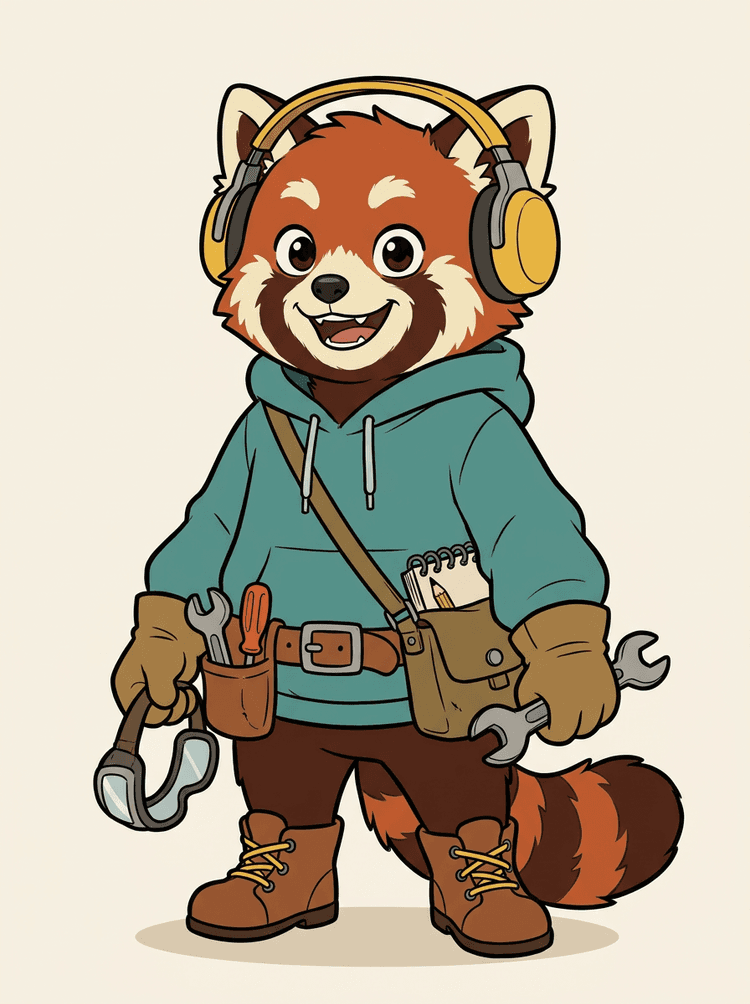
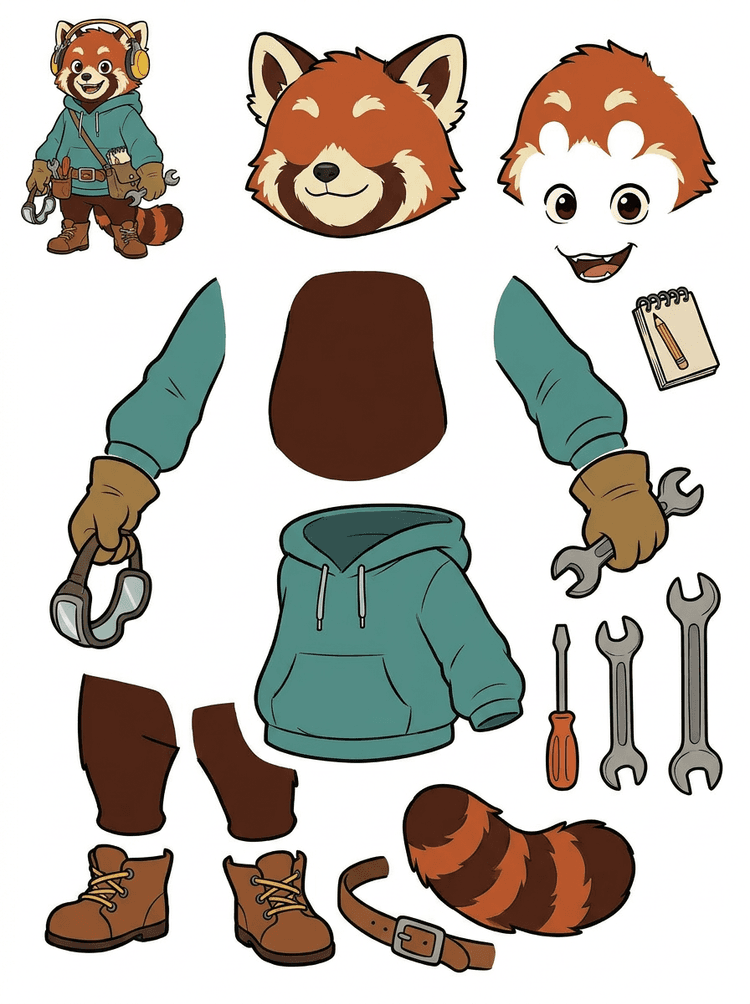
Lik maskote s slušalicama, hoodiejem, torbicom, repom, cipelama i alatima za crtanje postaje praktičan list za pregled animacije.
Vidljivi dijelovi u ovom stvarnom rezultatu
Predaja u produkciju
Generirani list je korak pregleda. Nastavite u live alatu kako biste izdvojili prikladna vidljiva područja kao zasebne prozirne PNG slojeve, a zatim ih pakirajte kao ZIP ili uređivi početni PSD.

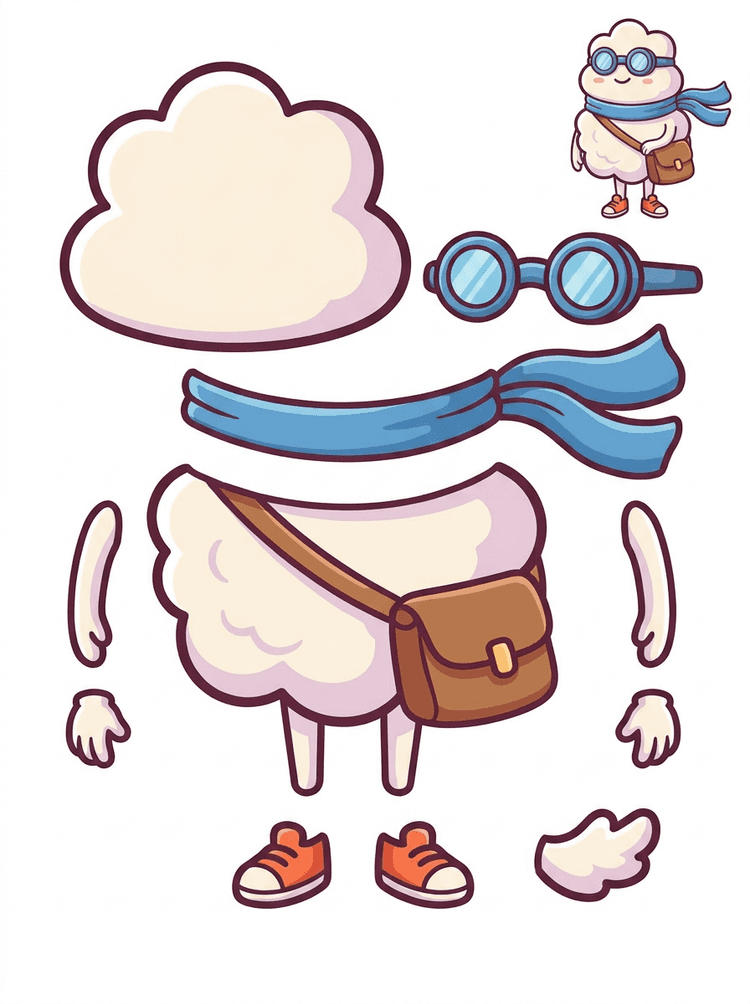
Crtani junak nalik naljepnici postaje list dijelova sa šalom, torbom, cipelama, naočalama, rukama i zaobljenim komponentama tijela.
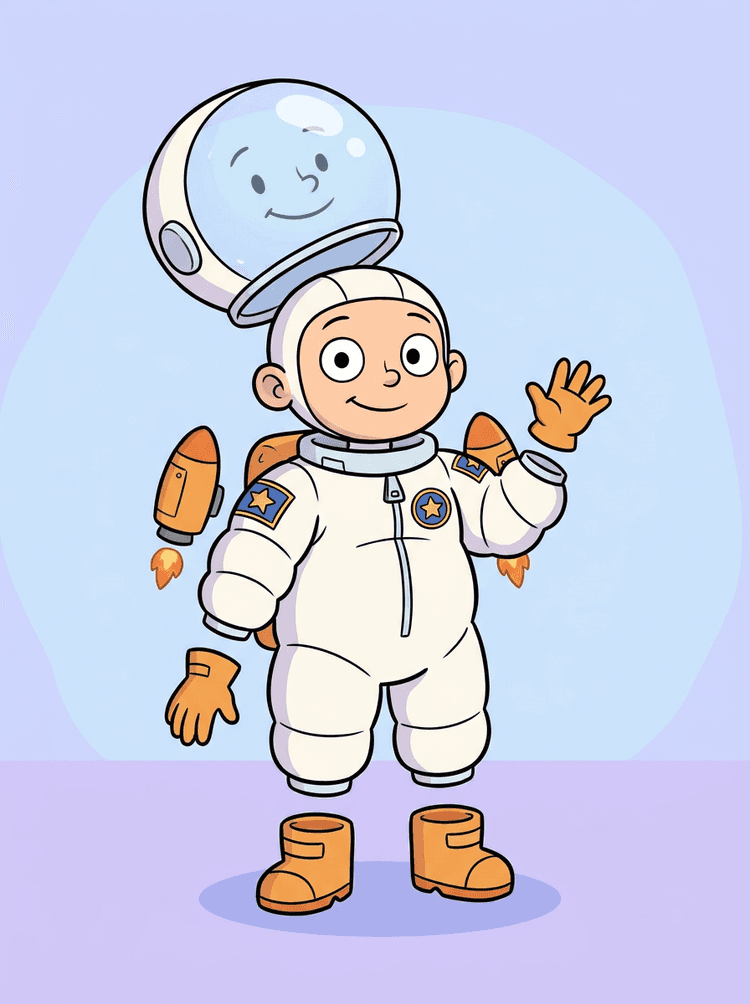
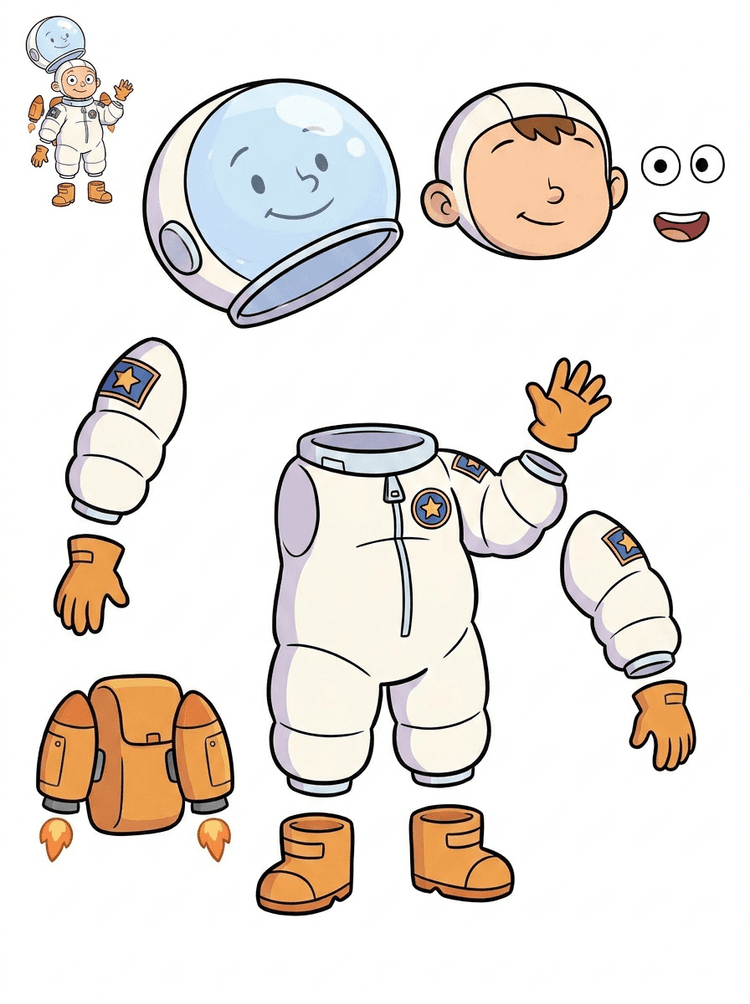
Ilustracija dječaka astronauta postaje list za kacigu, odijelo, rukavice, čizme, oznake, ruksak i dijelove motion stripa.
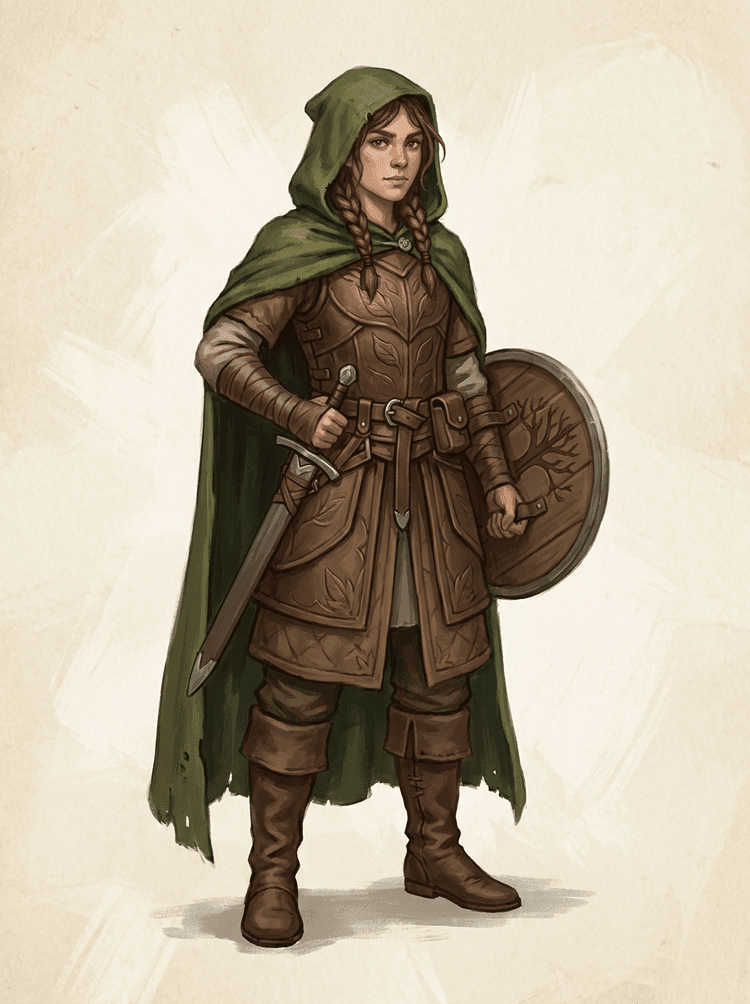
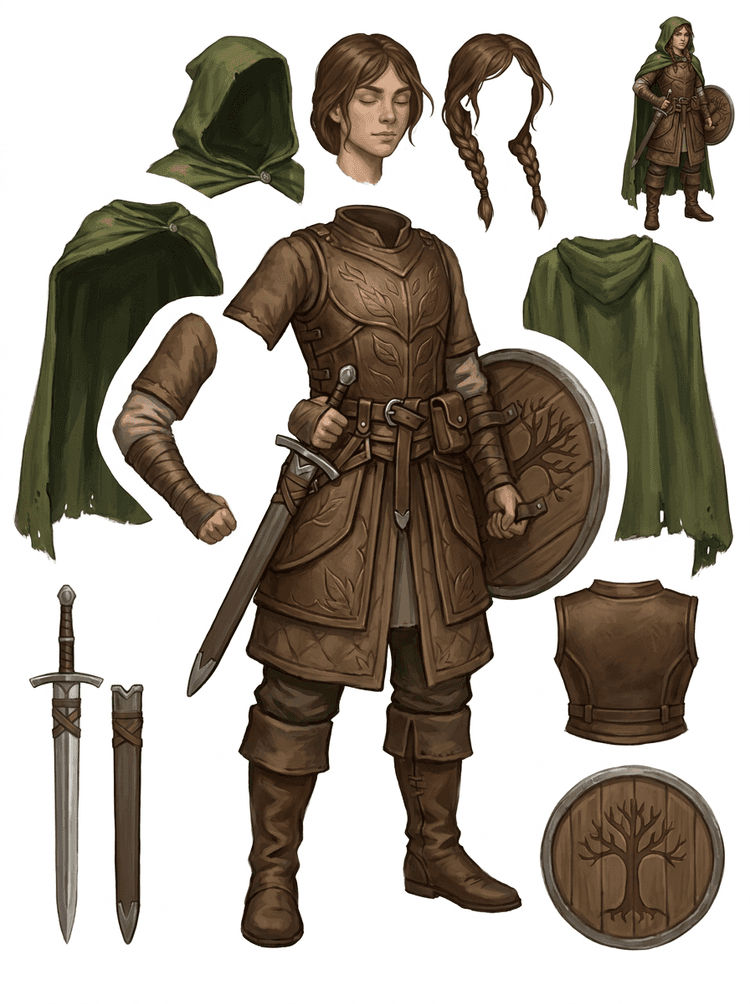
Fantasy lik iz igre razdvojen je na oklop, plašt, mač, štit, torbice, čizme, udove i ponovno upotrebljive reference za spriteove.
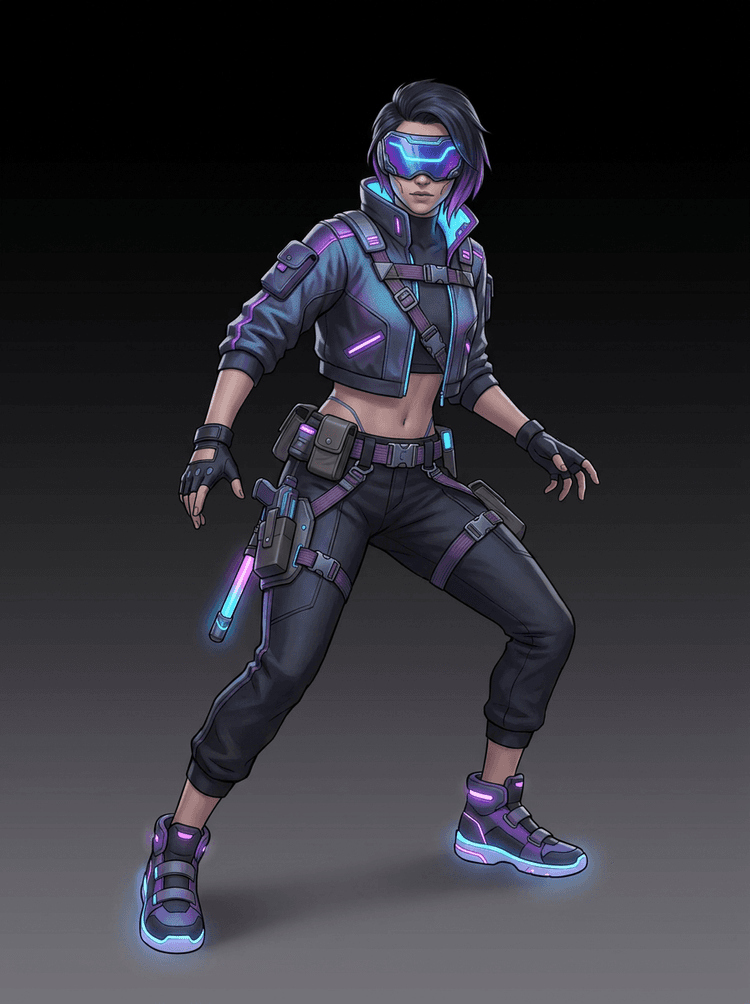
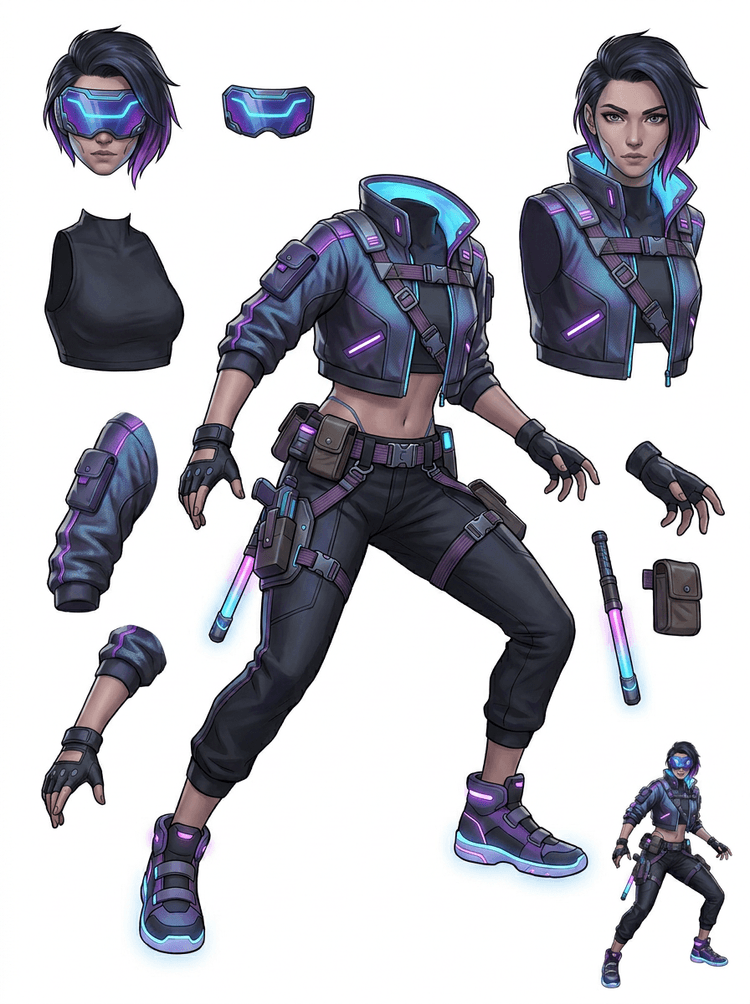
Cyberpunk akcijski lik postaje detaljna referenca dijelova za jaknu, vizir, rukavice, cipele, trake, palicu i dijelove tijela.
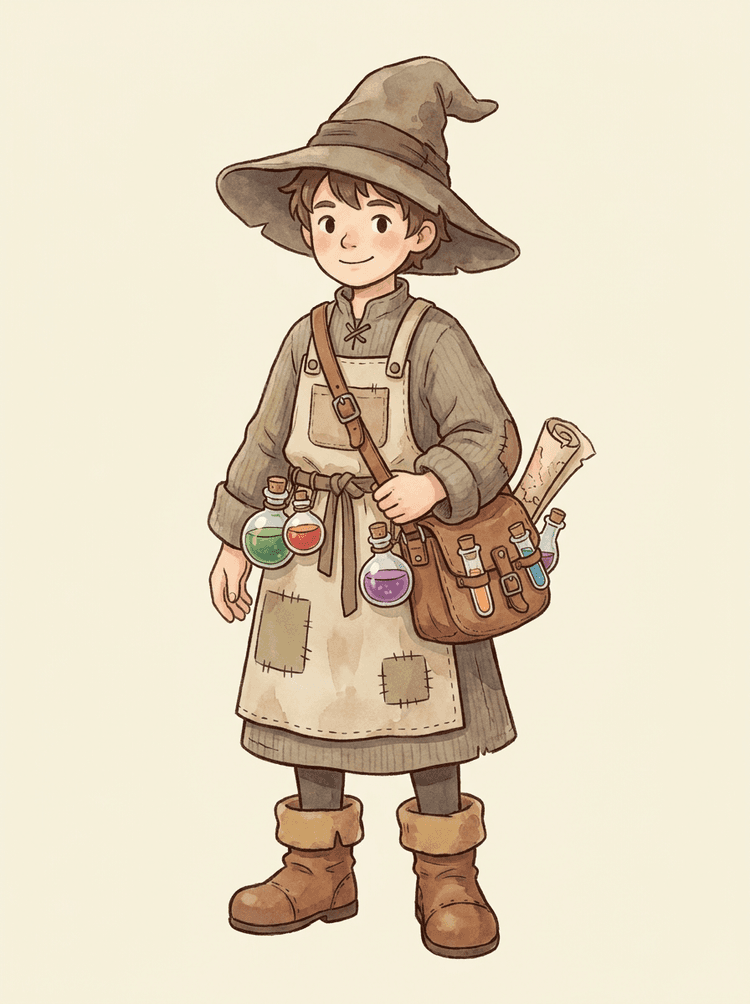
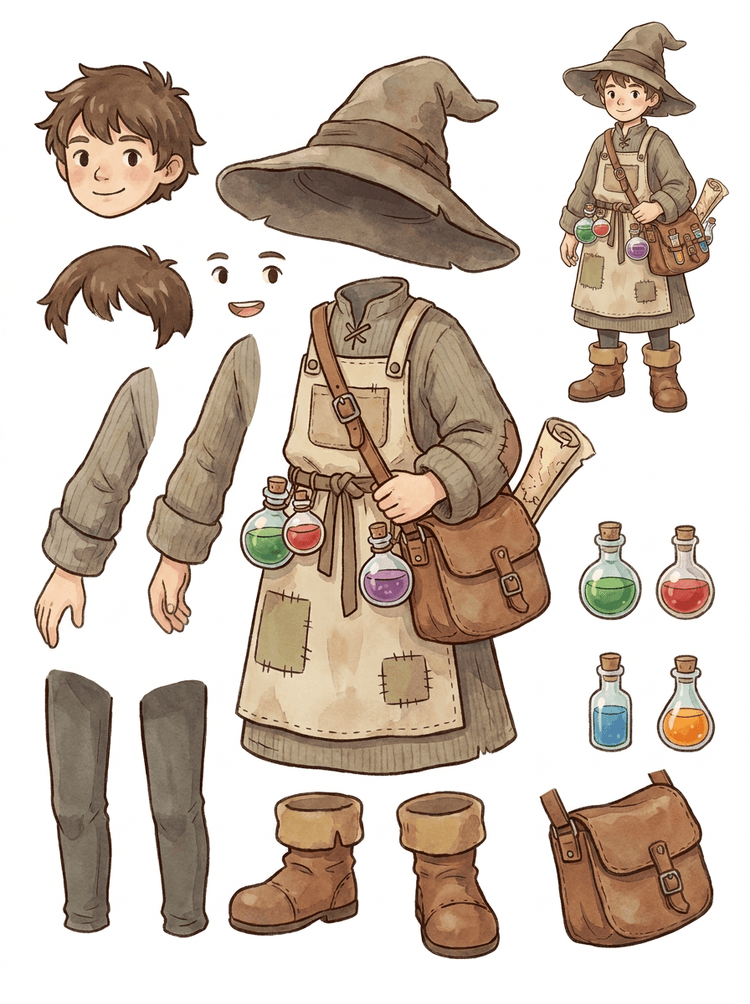
Ugodni NPC s šeširom, pregačom, torbom za napitke, bočicama, kartom, čizmama i toplom odjećom postaje ponovno upotrebljiv list za produkciju igara.
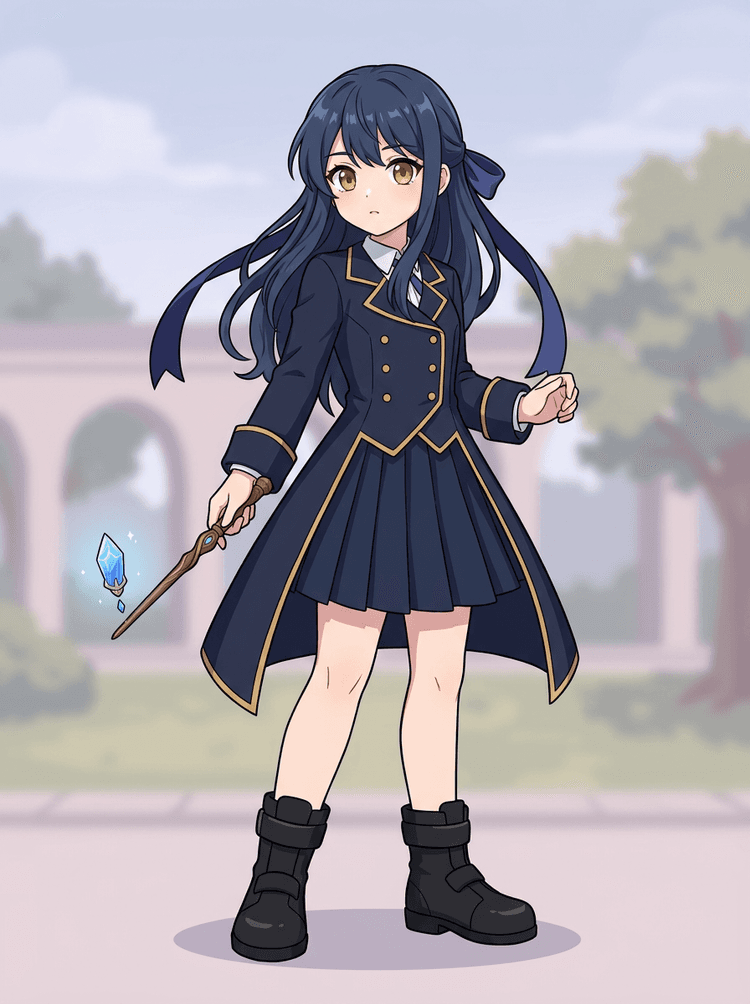
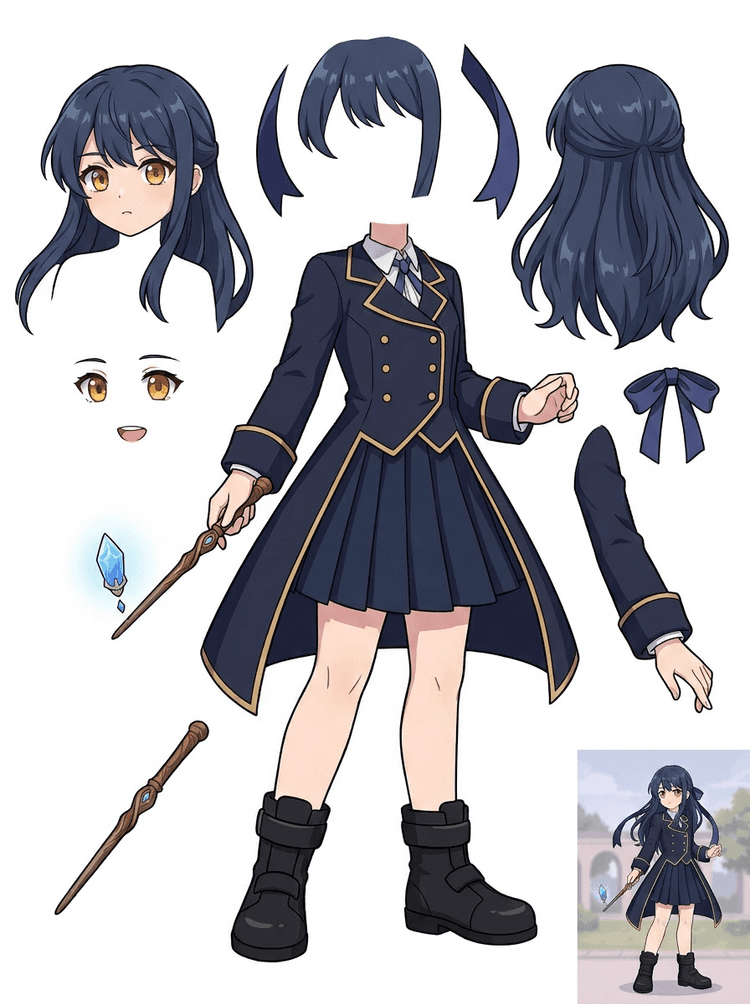
Anime key art s uniformom, vrpcom, štapom, kosom, privjeskom, rukavicama i čizmama postaje list dijelova za izmjene i testove pokreta.
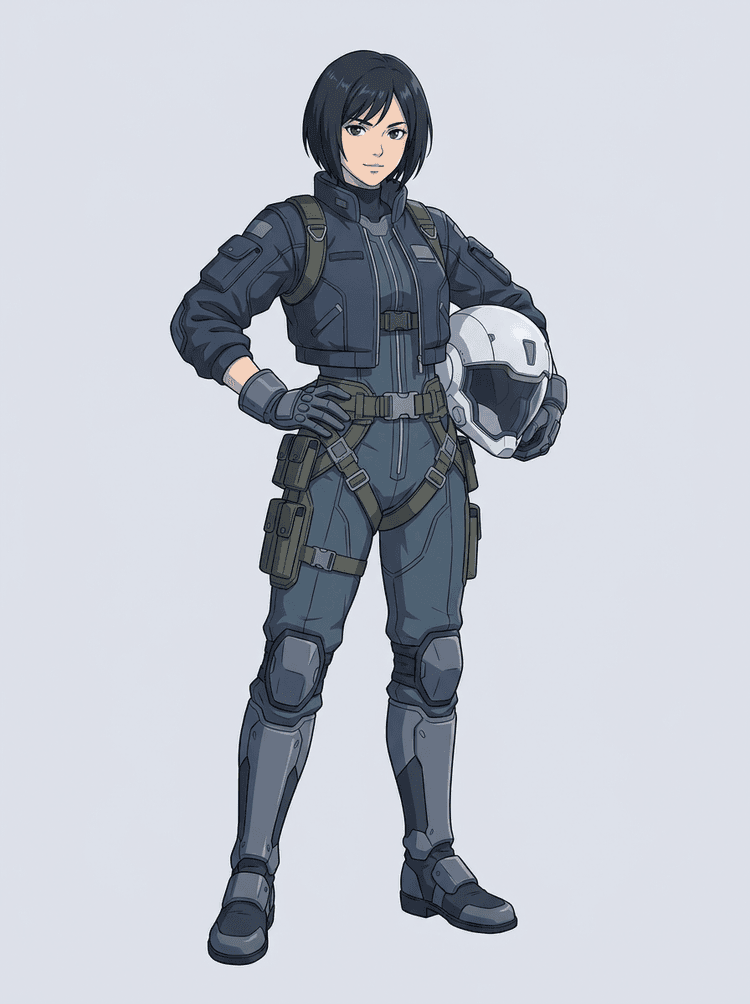
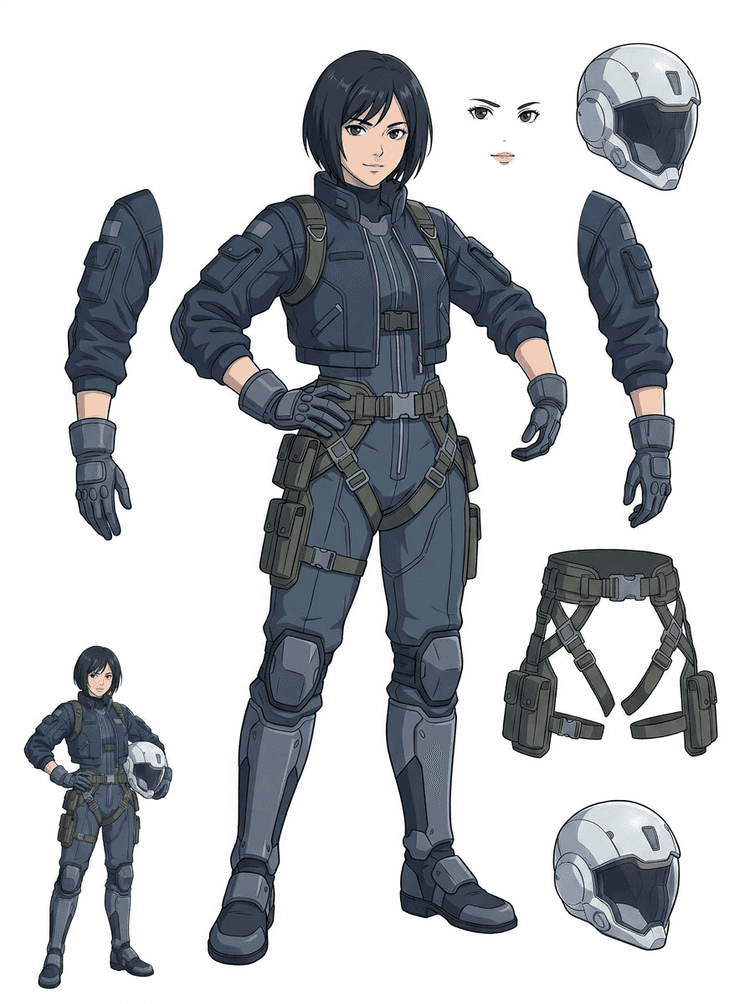
Sci-fi anime pilot razdvaja se na kosu, lice, jaknu, rukavice, pojas, čizme, kacigu i dijelove tijela.
AI razdvajač slojeva je alat za pretvaranje slike u slojeve za kreatore koji već imaju izvornu sliku, ali trebaju praktične produkcijske dijelove iza nje: prednji plan, pozadinu, subjekt, likove, kosu, lice, odjeću, udove, tekst, objekte, rekvizite, detalje proizvoda i dodatke.
Namijenjeno umjetnicima, indie game timovima, animatorima, marketinškim timovima, e-commerce timovima i ACG kreatorima koji trebaju pretvoriti jednu ravnu sliku u ponovno upotrebljive produkcijske assete bez trošenja cijele sesije na maskiranje.
Dotjerani PNG ne može treptati, stvarati paralaksu, mijenjati rekvizite, izolirati proizvode ili postati sprite dok glavni dijelovi nisu odvojeni.
Alati za odabir, čišćenje rubova i imenovanje slojeva mogu potrajati dulje od prvog testa animacije.
Promjena jedne rukavice, torbe, cipele, repa, kacige ili vrpce može završiti kao potpuno ponovno crtanje kada su svi dijelovi spojeni.
Prije
Jedna privlačna slika lika koja izgleda dovršeno, ali je i dalje zaključana kao jedan ravni bitmap.
Nakon
Čitljiv list asseta s odvojenim prednjim planom, pozadinom, likovima, tekstom i objektima, tako da umjetnici mogu planirati pokret, uređivati detalje i predati produkcijske reference.
Kreirajte prolaz za pregled odvajanja prije nego što otvorite puni ručni workflow maskiranja.
Pređite s jedne slike lika na dijelove za animaciju, igru i predaju za uređivanje.
Studija slučaja
Brend maskota može prijeći iz jedne statične ilustracije u odvojene reference za glavu, rep, cipele, torbu, odjeću i dodatke za brzo planiranje animacije.
Rezultat
Umjetnici mogu pregledati koji su dijelovi upotrebljivi, odlučiti hoće li ponovno pokrenuti s PRO i započeti čišćenje na temelju konkretnog lista umjesto prazne sesije maskiranja.
LlamaGen workflow slojeva
priprema crtanih, anime i game asseta
Koristite AI razdvajač slojeva kao prvi čisti prolaz: učitajte jednu sliku, generirajte list slojeva, a zatim rezultat upotrijebite u uređivaču, workflowu animacije ili pipelineu asseta za igru.
Koristite umjetnost cijelog lika, maskote, anime key art, koncepte igre, proizvode, grafičke dizajne, rekvizite ili ilustracije u stilu proizvoda s vidljivim rubovima.
Quick Mode stvara brzu vizualnu kontrolnu točku kako bi tim mogao vidjeti kosu, lice, odjeću, ruke, rekvizite, cipele, pozadinu, tekst, objekte i dodatke u kontekstu.
PRO Mode je najbolji nakon što prvi list potvrdi da je izvor čitljiv i da projektu treba čišći prolaz modela.
Koristite preuzeti list za blokiranje pokreta, planiranje rigova, referencije za spriteove, ponovno crtanje ili kreativni kompoziting.
Cilj je pregledna početna produkcijska točka, a ne nejasan AI demo.
AI alat za razdvajanje slojeva analizira vašu umjetnost i identificira različite elemente poput likova, pozadina i objekata, stvarajući odvojene slojeve. Koristi AI za razlaganje slika uz očuvanje rasporeda, hijerarhije i namjere dizajna, a najbolje radi s grafičkim dizajnom, ilustriranim proizvodima, umjetnošću likova i čistim assetima za igru.
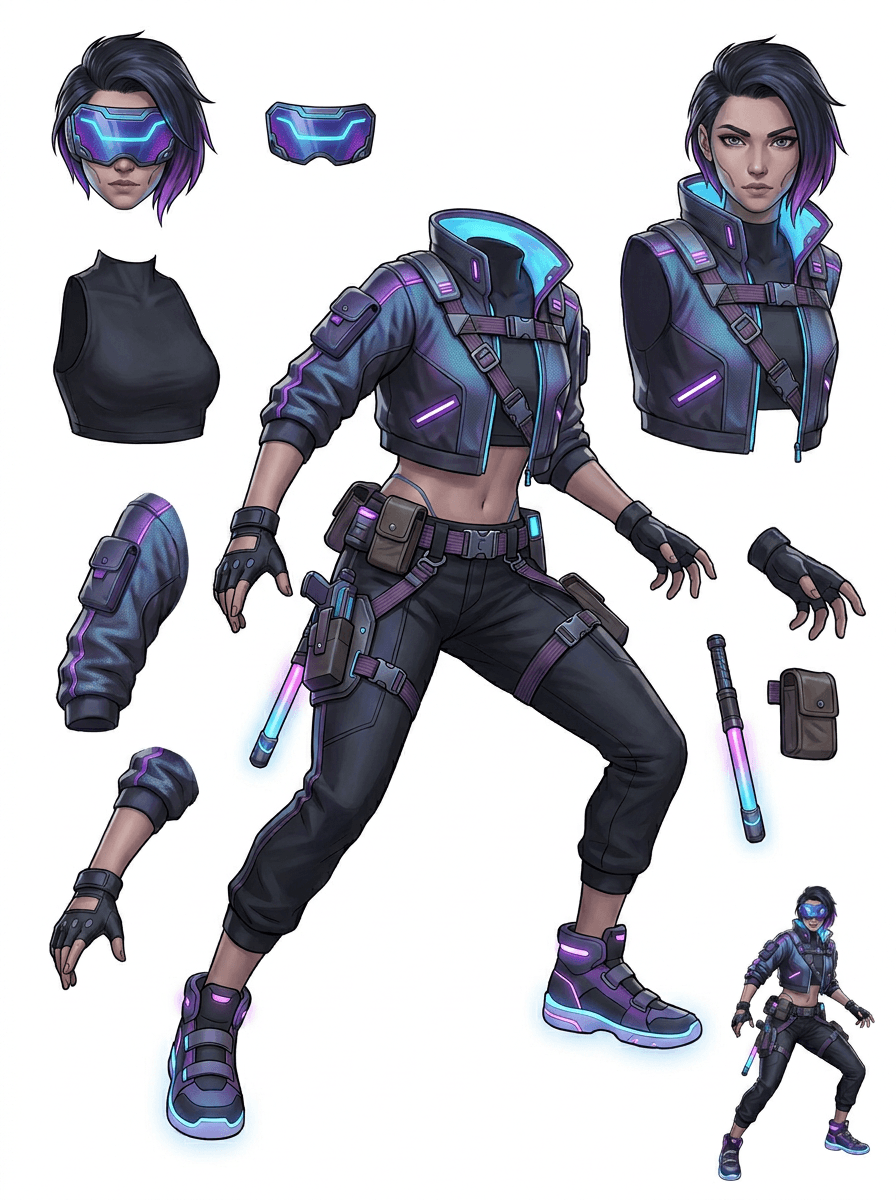
Galerija je organizirana oko glavnih produkcijskih scenarija: crtanih maskota, game likova, anime likova i workflowa image to layers temeljenih na objektima. Svaki primjer koristi izvorne AI-generirane slike i odgovarajući razdvojeni list asseta.
Maskote, dječji likovi, heroji nalik naljepnicama i likovi motion stripova s izražajnim rekvizitima i dodacima.
RPG heroji, cyber trkači, ugodni NPC likovi, slojevi opreme, oružja, referencije inventara i listovi za pripremu spriteova.
Moderni anime key art s razdvajanjem kose, uniforme, vrpce, kacige, rukavice, čizme i privjeska.
AI razdvajač slojeva najkorisniji je kada rezultat ima namjenu. Ovi scenariji objašnjavaju koju izvornu sliku prenijeti, koje dijelove pregledati i kako list prelazi u animaciju, igre, stripove, e-commerce ili produkciju brenda.
Animacija maskote
Koristite čistu pozu maskote kada trebate društvene naljepnice, kratke oglase, pokret na landing stranici ili jednostavno planiranje rigova.
Izvor za prijenos
Maskota cijelog tijela s vidljivim licem, rukama, cipelama, repom, rekvizitima i rubovima odjeće.
Korisni slojevi za pregled
Predaja u produkciju
Dajte animatorima list dijelova za pregled prije nego što crtaju, ponovno crtaju ili rigaju finalni pokret.
Priprema indie game asseta
Koristite odobrenu game umjetnost kada timu trebaju varijante opreme, ikone inventara, profilna umjetnost ili brzo istraživanje poza.
Izvor za prijenos
Čitljiv koncept lika s jasnim oklopom, oružjem, torbom, plaštem, kosom, čizmama i siluetom.
Korisni slojevi za pregled
Predaja u produkciju
Koristite list kao početnu referencu za čišćenje spriteova, zamjene opreme i umjetnost okrenutu prema gameplayu.
Anime i ACG izmjene
Koristite anime stil umjetnosti lika kada trebate kontrolu nad kosom, licem, uniformom, vrpcom, rukavicom, kacigom ili dodatkom.
Izvor za prijenos
Jedan anime lik s jakim obrisima, vidljivim detaljima odjeće i minimalnom pozadinskom bukom.
Korisni slojevi za pregled
Predaja u produkciju
Pregledajte list prije izmjena izraza, varijacija odjeće, kartica lika ili kratkih animatik testova.
Strip i oglasne iteracije
Koristite likove kampanje, rekvizite ili ilustrirane proizvode kada posljednje izmjene stalno zahvaćaju male vizualne dijelove.
Izvor za prijenos
Dotjerana ilustracija s objektom u sredini, vidljivim rubovima i nezaštićenim glavnim ciljevima izmjene.
Korisni slojevi za pregled
Predaja u produkciju
Dajte dizajnerima konkretan list za zamjene rekvizita, varijante sigurne za tekst i eksperimente s kompozicijom.
Alat je najsnažniji kada je subjekt čist, potpun i jasno odvojen. Nije prečac za svaku prenatrpanu fotografiju, list skica, zaklonjenu pozu ili gusti raspored gdje se prednji plan, pozadina, tekst i objekti snažno preklapaju.
Generirani list treba procjenjivati kao prvi produkcijski prolaz, a ne kao čarobnu finalnu datoteku. Upotrijebite kontrolni popis da odlučite hoćete li preuzeti, ponovno pokrenuti, izrezati izvor ili prijeći na PRO nakon što razdvajac slojeva slike identificira upotrebljive područja prednjeg plana, pozadine, subjekta, objekta i teksta.
Slab rezultat
Važni dijelovi su spojeni, nasumično duplicirani ili skriveni ispod vizualne gužve.
Rezultat koristan za produkciju
List na prvi pogled jasno prikazuje glavne vidljive dijelove: glavu, udove, odjeću, rekvizite, dodatke i dijelove pozadine.
Slab rezultat
Lik izgleda kao novi dizajn s drugačijim proporcijama, bojama, kvalitetom linija ili osobnošću.
Rezultat koristan za produkciju
Odvojeni dijelovi i dalje su povezani s izvornim umjetničkim smjerom, s prepoznatljivom siluetom, paletom i identitetom lika.
Slab rezultat
List je zanimljiv, ali tim ne može znati što treba crtati, ponovno crtati, maskirati ili testirati dalje.
Rezultat koristan za produkciju
Umjetnici mogu odmah odabrati dijelove za čišćenje, planiranje rigova, referencu spritea, zamjene rekvizita ili testove kompozitinga.
Slab rezultat
Loše razdvajanje ne daje nikakav trag je li problem nastao zbog modela ili prenesene slike.
Rezultat koristan za produkciju
Rezultat otkriva što treba popraviti sljedeće: izrezati bliže, ukloniti tragove skice, ostaviti više margine, pojednostaviti pozadinu ili koristiti PRO.
Pretvorite jednu dovršenu sliku u odvojene vizualne dijelove koje je lakše pregledati, uređivati, animirati ili ponovno sastaviti.
Prenesite čistu sliku i stvorite čitljiv PNG list slojeva s prednjim planom, pozadinom, subjektom, objektima, tekstom, odjećom, rekvizitima i dodacima u jednom rezultatu.
Razdvajac slojeva slike pomaže dizajnerima, marketinškim stručnjacima, animatorima i game timovima da prepoznaju koji dijelovi izvorne slike mogu postati uređivi asseti. Umjesto ponovnog crtanja svakog elementa od nule, timovi mogu generirati PNG list slojeva, usporediti izvornik s razdvojenim rezultatom i odlučiti treba li izvoru izrezivanje, čišćenje, Quick Mode ili PRO prolaz.
Napravite list za preuzimanje za pripremu spriteova, planiranje rigova, motion stripove, e-commerce izmjene, varijante naljepnica ili predaju lika. Najbolje radi kada jedan jasan subjekt ima vidljive rubove i minimalno preklapanje.
Najbolji workflow razdvajanja slojeva čuva kontekst. Sačuvajte izvor, generirani list i kratku bilješku za pregled kako bi sljedeći umjetnik znao što koristiti i što još treba očistiti.
Izvorna slika objašnjava namjeru kada animator, game artist ili dizajner kasnije pregledava razdvojeni list.
Prvi list postaje vrjedniji kada tim zna koji su dijelovi spremni, a koji trebaju ručno dorađivanje.
Koristite list i izvezene prozirne slojeve kao praktičan most prema animaciji, pripremi spriteova, izmjenama stripa ili kompozitingu. PSD je uređiva početna datoteka, a ne zajamčeni finalni produkcijski asset.
AI razdvajač slojeva daje timovima brži prvi prolaz; završni asseti za isporuku i dalje profitiraju od ljudskog pregleda i čišćenja.
AI razdvajač slojeva pretvara jednu ravnu sliku u čitljiv PNG list slojeva s vidljivim pozadinama, subjektima, tekstom, rekvizitima, objektima, detaljima proizvoda i dijelovima lika odvojenima za uređivanje, animaciju, umjetnost za igre, motion stripove, e-commerce i workflow kompozitinga.
Da. Quick Mode je besplatna online početna točka za rezultat slike u slojeve koji se može pregledati. Koristite ga za testiranje razdvaja li se izvorna slika dobro prije nego što potrošite vrijeme na ručno maskiranje ili nadogradnju za čišći PRO prolaz.
Da. AI razdvajač slojeva radi kao web-bazirani AI razdvajac slojeva slike: prenesite jednu sliku, pustite model da identificira subjekte, pozadine, tekst, rekvizite i objekte, a zatim preuzmite list slike u slojevima za pregled. Najbrži je za čiste fotografije, grafički dizajn, ilustrirane proizvode, game assete i umjetnost likova; složene slike i dalje mogu zahtijevati ručno čišćenje u Photoshopu, Figmai ili drugom uređivaču.
Prenesite čistu sliku, pokrenite Quick Mode i pregledajte generirani list slike u slojeve. Rezultat razdvaja vidljivi prednji plan, pozadinu, subjekt, tekst, rekvizite i objekte u praktičnu referencu koju možete koristiti za uređivanje, kompoziting, blokiranje animacije, pripremu spriteova ili ručno čišćenje.
Da. Nakon što se generira prvi list slojeva, plaćeni drugi prolaz može izdvojiti pojedinačne prozirne PNG slojeve. Možete ih preuzeti zasebno, zapakirati kao ZIP ili izvesti uređivi početni PSD. Složeni rubovi i prenatrpani izvori i dalje mogu zahtijevati ručno čišćenje prije predaje u produkciju.
Layer Decomposition je mogućnost AI agenta koja razdvaja jednu sliku u logične, uređive vizualne slojeve poput prednjeg plana, pozadine, subjekata, teksta i objekata. Pomaže timovima preći s ravne slike na praktičan list slojeva za pregled, uređivanje, animaciju i predaju u produkciju.
Da. LlamaGen AI razdvajač slojeva razdvaja pozadinu, tekst, subjekte i vidljive objekte u pregledniku i pruža list asseta za preuzimanje za naknadno uređivanje.
Najbolje rade čisti ilustrirani subjekti: crtane maskote, anime likovi, game likovi, grafike u stilu proizvoda, rekviziti i dizajni cijelog tijela s vidljivom kosom, odjećom, udovima, cipelama, oružjem, torbama, repovima, tekstom, objektima ili dodacima.
Da. Crtani likovi i maskote jedna su od najjačih primjena jer su obrisi, rekviziti, odjeća, ruke, cipele i dijelovi lica često dovoljno jasni da postanu koristan list.
Da. AI razdvajač slojeva za game assete može pretvoriti čiste koncepte likova u početnu točku za reference spriteova, varijante poza, ikone inventara, izmjene opreme, UI portrete i blokiranje animacije.
Da. Likovi u anime stilu mogu se razdvojiti na vidljivu kosu, lice, odjeću, vrpcu, rukavicu, čizmu, rekvizit, kacigu i reference dodataka kada je izvorna slika čista.
Quick Mode stvara brz list asseta za pregled. PRO Mode koristi nadograđeni model za čišće razdvajanje kada je izvorna slika čitljiva i projektu treba prolaz više kvalitete.
Ne. Vrlo prenatrpane scene, skriveni dijelovi tijela, preklapajući subjekti, tragovi skice, jaki sjene, odrezani udovi ili sitni dodaci i dalje mogu zahtijevati čišćenje izvora ili ručno dovršavanje.
Generirane izlaze možete koristiti prema svom LlamaGen planu i uvjetima. Pobrinite se i da imate prava na izvornu sliku koju prenosite.
Počnite s unaprijed učitanim primjerom, prenesite vlastitog crtanog, anime ili game lika i za nekoliko minuta kreirajte list slojeva za pregled. Upotrijebite prvi rezultat kako biste odlučili je li Quick dovoljan ili se isplati PRO prolaz.