

 Sci-fi romance
A Love Simulation with a Robot Transfer Student
A quiet school romance where a government-built android begins asking questions its training never prepared it to answer.
A writing room for long-form fiction
Start with a rough idea. Get an opening with voice, conflict, character stakes, and a clear path into the next chapter—then keep developing it in LlamaGen Story.
Generated story direction
A Love Simulation
Opening scene · character tension · chapter direction
Ctrl + Enter to generate
What a useful result looks like
The strongest first draft creates decisions you want to make next: whose story this is, what can be lost, which image belongs on the page, and where the tension should turn.
Sci-fi romanceA quiet school romance where a government-built android begins asking questions its training never prepared it to answer.
 Urban fantasy
A frightened teenager discovers that the darkness around him can fight—and that someone else has been waiting for it to wake.
 Fantasy adventure
A lost traveler meets a star-eyed spirit and learns why the forest has been calling her home through every dream.
Real LlamaGen workflow
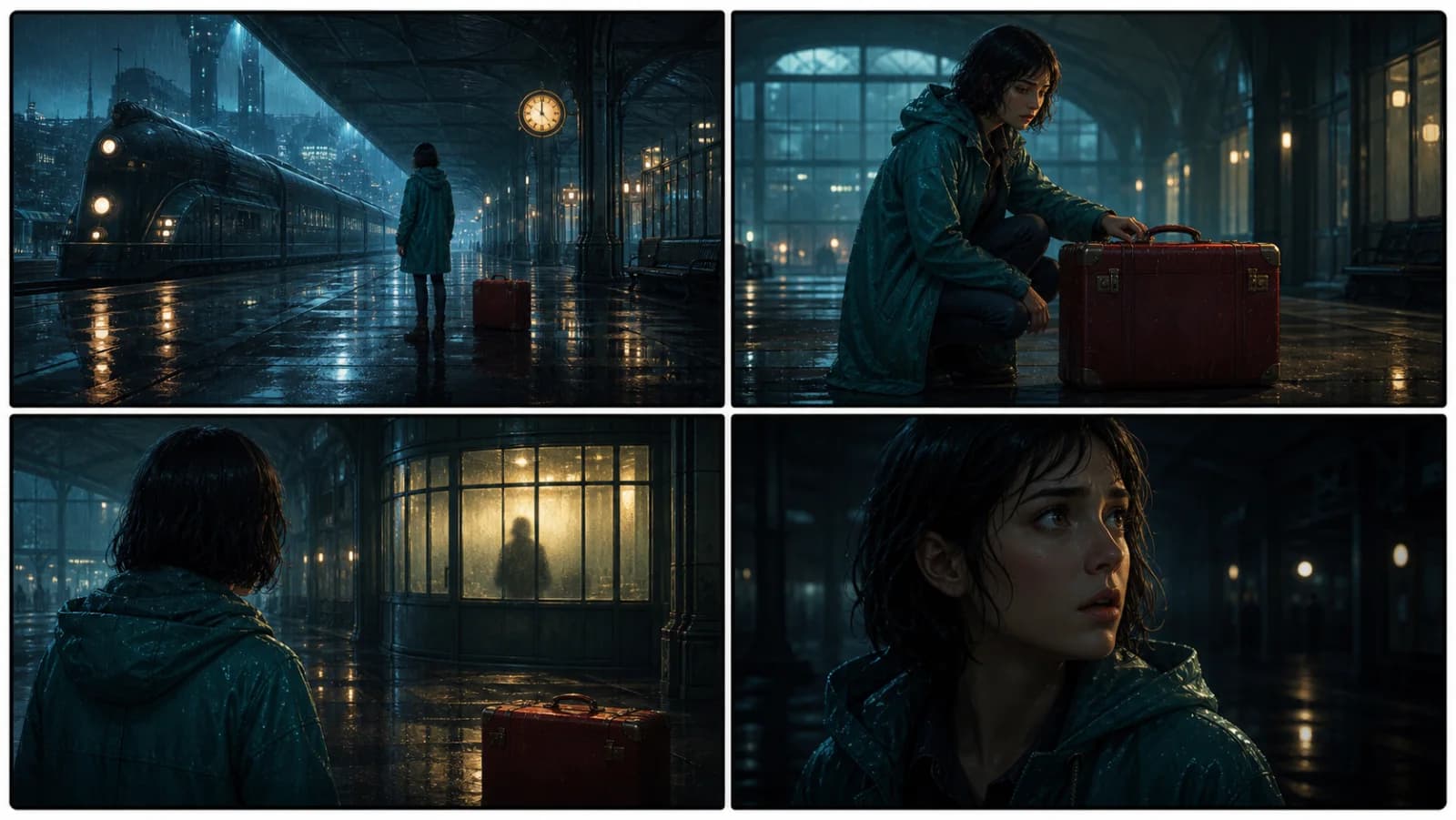
The Last Train Signal begins as one written beat. LlamaGen carries the same character, location, and red suitcase into four connected shots that can be reviewed before production.
Creative control, not prompt roulette

01
Start with character desire, conflict, and a specific sensory world—not a summary that postpones the actual story.

02
Carry character motives, setting rules, and unresolved tension into the next chapter instead of restarting from a blank prompt.

03
Identify the beats worth turning into screenplay pages, comic panels, or connected storyboard shots.
A three-part writing rhythm
Start with a premise, character, scene, theme, or reader promise. LlamaGen identifies the tension that can carry the piece forward.
The result arrives with structure—not just paragraphs—so you can inspect the hook, progression, characters, and next decision.
Continue scenes, organize chapters, preserve character notes, and move approved beats into screenplay, comic, or storyboard workflows.

The first page is only the beginning.
Move the draft into Story to plan chapters, track characters, continue scenes, and turn the strongest beats into a visual storyboard.
Questions before the first page
A premise, character, image, or unresolved situation is enough. Add genre, point of view, or tone only when those choices matter to you.
This page creates a strong opening and direction. Long-form work is better developed chapter by chapter so you can protect voice, continuity, and the decisions that make the book yours.
Open the Story workspace to organize chapters, character notes, references, and visual story beats around the generated opening.
Related writing workflow
Use the AI Screenplay Editor when a script, fiction draft, storyboard brief, video idea, or canvas note needs proper scene headings, action, dialogue, parentheticals, cover pages, outlines, beats, and collaboration-ready revisions.
INT. COMMUNITY CENTER - NIGHT
Folded chairs. A storm outside. MAYA stands at the microphone with a page of notes she no longer needs.
MAYA
If the city will not read the record, we will read it out loud.
Scrittore di Romanzi AI
Move the draft into Story to plan chapters, track characters, continue scenes, and turn the strongest beats into a visual storyboard.