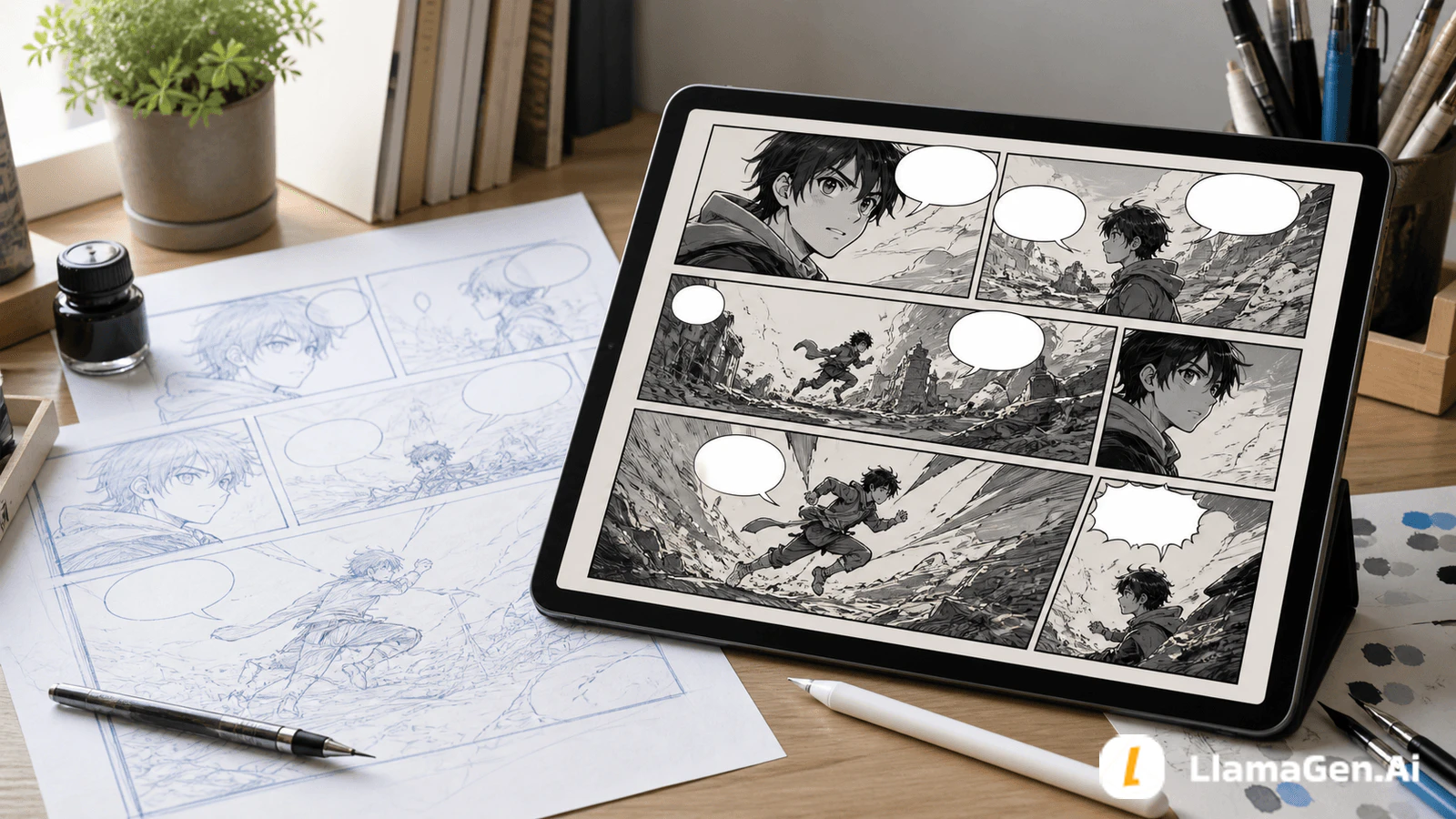
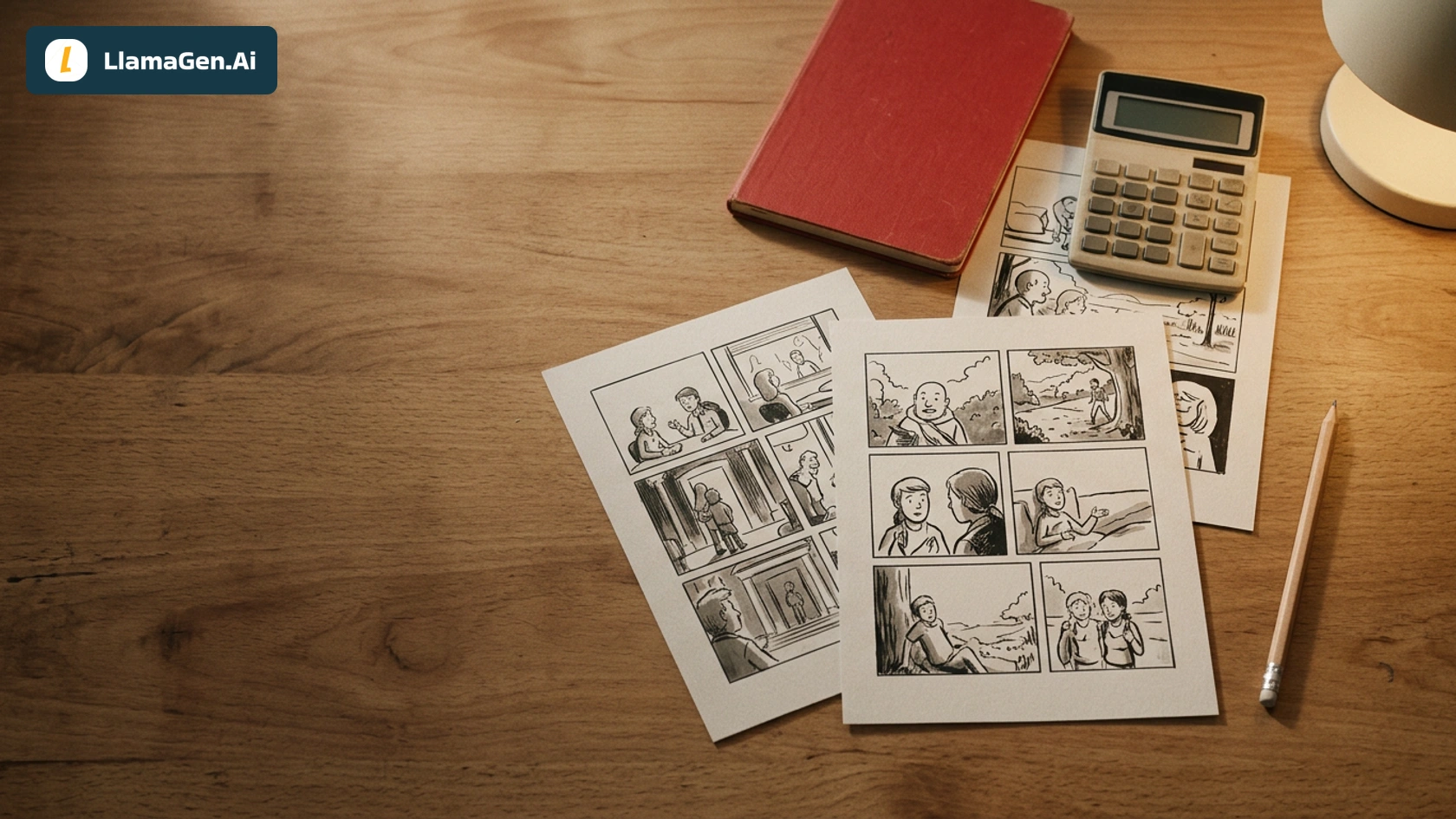
That sounds small, but it prevents one of the most common beginner comic problems: the art looks good, then the dialogue covers the face, action, clue, or emotional beat.
A readable comic page usually follows this order:
script beat -> panel layout -> bubble safe zones -> rough art -> final art -> lettering polish
If you are using AI, this order matters even more. A model can generate a beautiful panel and still leave no usable space for dialogue. Use LlamaGen.AI AI Comic to plan the scene, then check bubble space before you upscale, redraw, or export the page.
The goal is not to make every bubble perfect on the first pass. The goal is to make the page readable before you spend time polishing the wrong composition.
Why speech bubble placement breaks comic pages
Creators often treat bubbles as a final decoration.
That is backwards. Bubbles are part of the composition. They control pacing, eye movement, silence, and emotional emphasis.
Bad bubble placement usually creates one of five problems:
The reader sees the wrong panel first.
Dialogue covers the speaker's face or hands.
The bubble tail points ambiguously.
The page feels crowded even when the drawing is good.
Mobile readers have to zoom or reread the panel.
On Reddit-style creator discussions, this pain shows up again and again in different words: "my pages are confusing," "the text ruins the art," "speech bubbles make my panels ugly," or "I do not know where to leave space." The fix is a repeatable checklist, not a prettier font.
Test setup
This article uses the same practical standard as the recent LlamaGen.AI comic workflow series: one small story page, one readable goal, and visible mistakes.
Test item
Registro de alterações
Desperte sonhos nos jovens Onde milhões de histórias ganham vida
Um resumo dos lançamentos mais recentes de recursos do LlamaGen, melhorias no produto, atualizações de design e correções importantes de bugs.
✦
✧
✦
✧
Um novo meio para Narrativa
Crie histórias, quadrinhos, animações, jogos e muito mais sem limites — em segundos, com apelo para o público moderno
Setup
Date tested
August 12, 2026
Project
Moon Gate Delivery
Source input
1 six-panel mystery scene with two speaking characters
Creator stage
After thumbnailing, before final image generation
Target output
Bubble safe-zone plan, bad placement diagnosis, repaired page prompt
This is a workflow test. Model behavior, credit use, and exact UI labels can vary by account and generation settings.
The question was simple:
Can a beginner make a dialogue-heavy comic page readable before final drawing?
Source scene
Here is the page we need to letter:
Nia, a bicycle courier, finds Marco waiting under the abandoned station clock.

Nia says the envelope changed after midnight.
Marco says the station clock has been running backward all week.
The arrival board turns on.
Both characters notice the same moon-shaped symbol on the envelope and the board.
The page ends with Nia asking whether tomorrow has already happened.
This is not a huge scene, but it has enough dialogue to expose bubble problems.
The page needs:
two speakers
one environmental clue
one shared reaction
one final question
clear reading order
That means the bubbles cannot be random. They have to guide the reader from speaker to clue to reaction.
The speech bubble placement checklist
Use this checklist before final art.
Check
What to ask
Good sign
Speaker clarity
Can I tell who says this without reading the line twice?
The tail points to one speaker, not between people.
Face protection
Does the bubble cover eyes, mouth, hands, or expression?
The emotional part of the pose stays visible.
Reading order
Does the bubble path match the panel path?
The reader moves naturally from first bubble to last bubble.
Negative space
Did I reserve quiet space before rendering final art?
Sky, wall, floor, or background space carries the bubble.
Panel edge safety
Is the bubble too close to trim or gutter?
It has breathing room from borders.
Mobile readability
Would this still read on a phone?
Short lines, moderate bubble size, no tiny stacked text.
Art priority
Does the bubble cover the reason the panel exists?
Key clue, prop, face, or action stays clear.
Tail angle
Is the tail short and unambiguous?
The tail points cleanly toward the speaker.
Rhythm
Are important pauses allowed to breathe?
Not every panel is packed with text.
Repair path
Can I fix this with a layout change before final rendering?
The page can still move bubbles or reframe panels cheaply.
If a page fails more than two of these checks, repair the thumbnail or composition first. Do not try to save it with smaller text.
Step 1: Mark the speakers
Before placing any bubble, mark who speaks in each panel.
For the Moon Gate Delivery page:
Panel 1: Nia speaks.
Panel 2: Marco answers.
Panel 3: Nia reacts to the clock.
Panel 4: Marco points to the board.
Panel 5: both silently notice the symbol.
Panel 6: Nia asks the final question.
This prevents a common mistake: placing the bubble where it looks balanced rather than where it reads clearly.
In a left-to-right comic, a bubble for the first speaker usually sits earlier in the panel path. In manga-style right-to-left pages, reverse the flow intentionally. Do not mix reading systems on the same page unless the whole page is designed around that effect.
Step 2: Reserve bubble safe zones
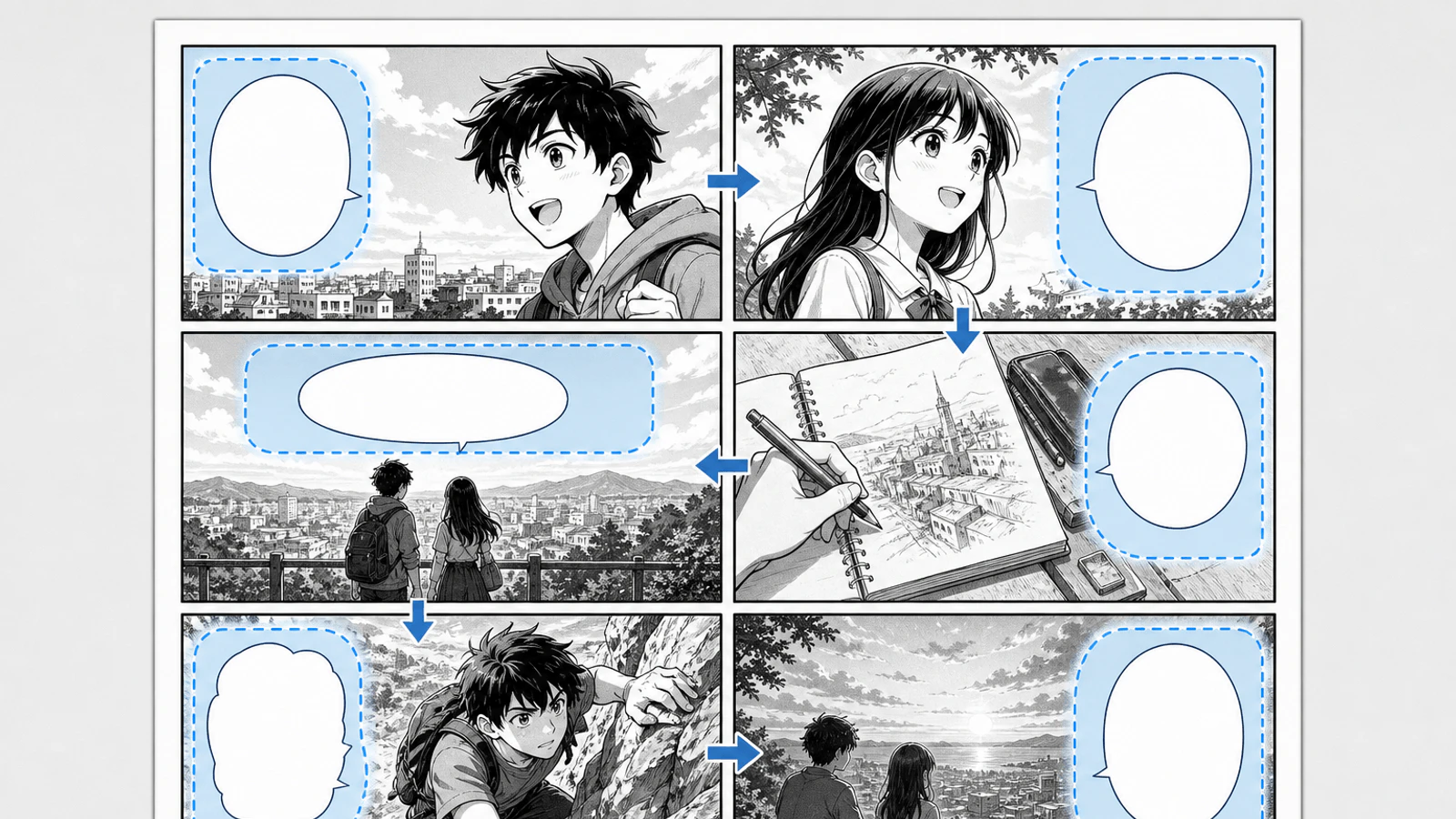
Bubble safe zones are areas where dialogue can sit without damaging the drawing.
Good safe zones are usually:
sky
blank wall
dark empty corner
quiet floor area
simple background texture
an area already meant to be visually calm
Bad safe zones are usually:
faces
hands
eyes
mouths
weapons or tools
clues the reader must notice
detailed background that carries story information
When using LlamaGen.AI, include bubble planning in the prompt before final art:
Create a six-panel comic page. Keep clear blank space for speech bubbles in each panel.
Do not cover faces, hands, the envelope, the station clock, or the arrival board.
Leave calm negative space near the active speaker in each panel.
That instruction gives the generation a layout job, not just an art style job.
Step 3: Diagnose the bad version
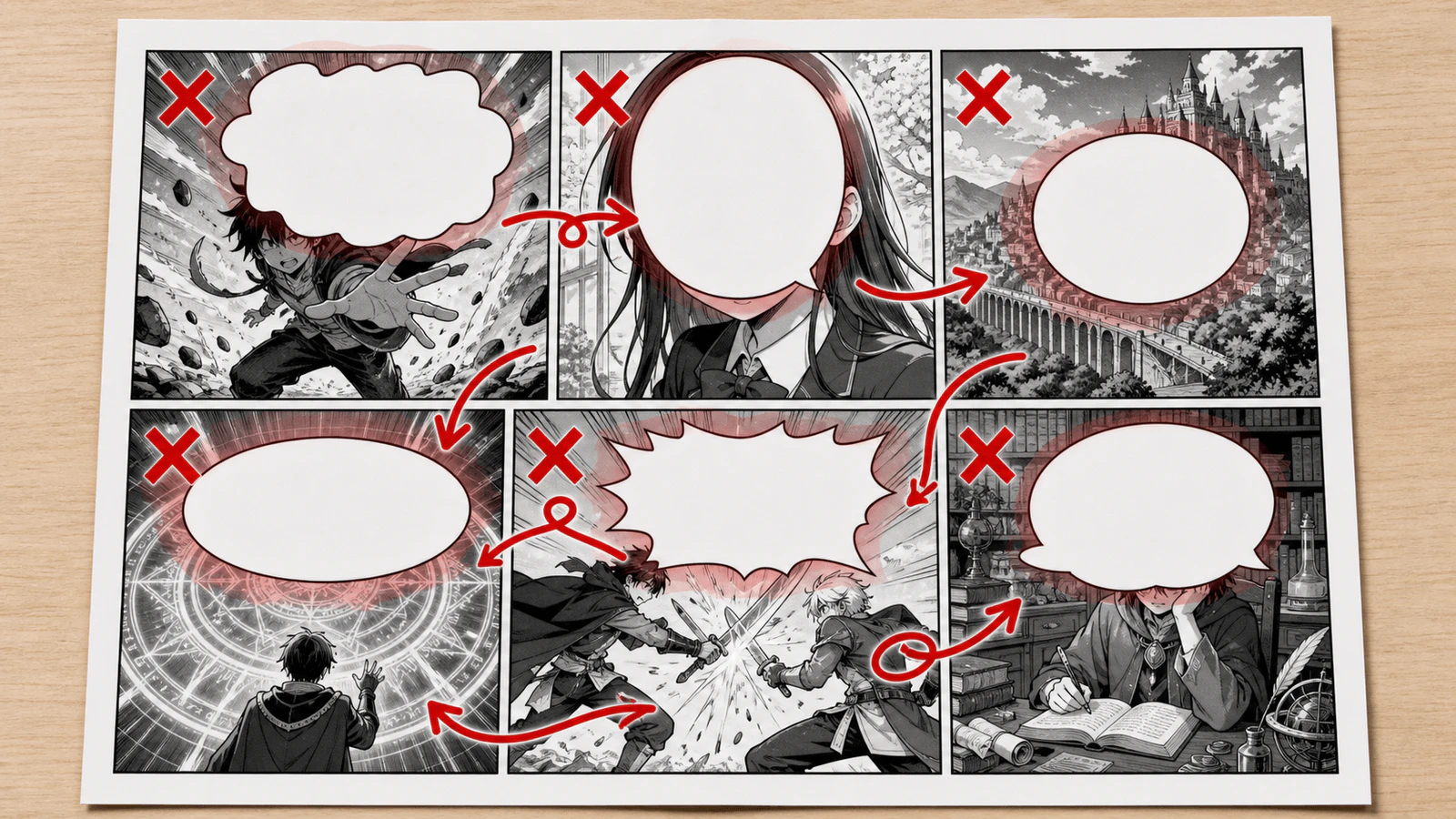
Here is the kind of result you want to catch before final export:
This page has familiar problems:
Bubbles are too large for the amount of dialogue.
Several bubbles sit on top of faces.
The reader-flow arrows fight the panel order.
Important environmental details are covered.
Bubble tails feel more decorative than functional.
Every panel has similar visual weight, so nothing breathes.
The page is not broken because the drawing is bad. It is broken because the lettering plan arrived too late.
Step 4: Repair the page
The repair is not "make the font smaller." That is the last resort.
Repair in this order:
Shorten the dialogue.
Move the bubble into existing negative space.
Reframe the panel to create more quiet space.
Split one crowded line across two panels.
Remove dialogue from a panel that works better silently.
Regenerate or redraw only the panel that has no usable bubble area.
A useful LlamaGen.AI repair prompt looks like this:
Revise this comic page for readable speech bubble placement.
Keep the same six story beats and character poses where possible.
Move blank bubble space into quiet background areas.
Do not cover eyes, mouths, hands, the envelope, the station clock, or the arrival board.
Keep bubble tails short and clearly aimed at the active speaker.
Leave panel 5 mostly silent so the symbol reveal has space.
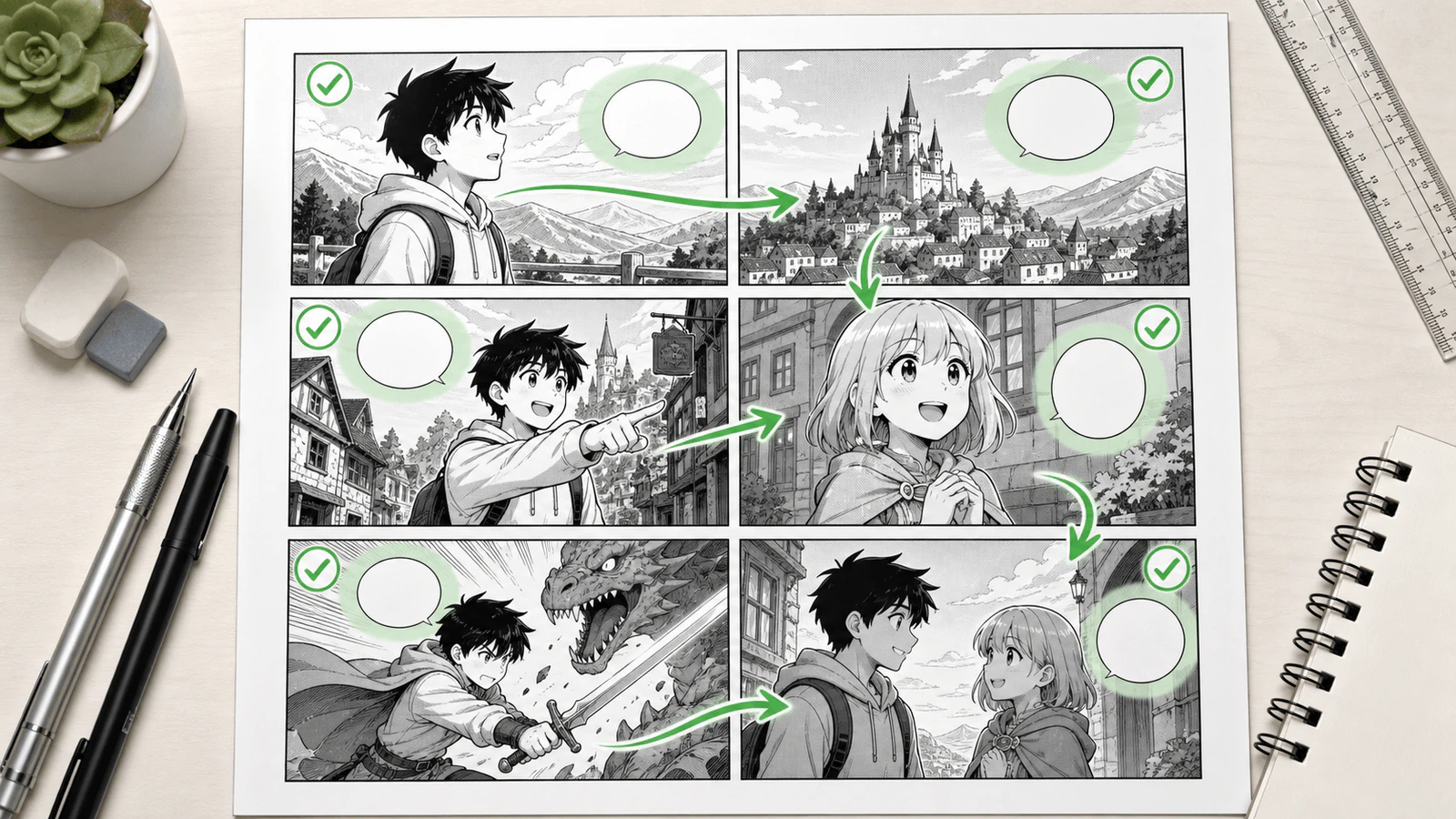
The repaired page should feel calmer:
Notice the difference: the bubbles still exist, but they no longer compete with the reason each panel exists.
Step 5: Keep dialogue short enough for the page
Many bubble problems are actually script problems.
A comic panel is not a paragraph container. If a line takes more than one comfortable bubble, ask whether it should be:
split into two panels
turned into a caption
shortened
moved to a quieter panel
removed because the image already says it
For the test scene, this line is too long:
Nia, I know this sounds impossible, but the station clock has been running backward every night this week, and nobody else seems to notice it.
A better comic version is:
The clock runs backward every night.
Nobody else notices.
Shorter dialogue gives the art room to work.
Step 6: Check mobile readability
Many creators design on a big monitor and publish to phone screens.
Before exporting, zoom the page out until it is roughly phone-sized. Ask:
Can I tell who speaks first?
Are bubble shapes still distinct?
Are the lines too dense?
Does the final panel still land?
Do I need more panel spacing?
For vertical comics and webtoons, the same idea applies, but the safe zone is usually above or beside the speaker in the scroll path. Do not stack too many bubbles before the reader sees the character reaction.
Step 7: Use AI for layout, not just final art
The strongest AI comic workflow uses the model before the final image stage.
Use this prompt when a page keeps getting crowded:
Create a readable comic page layout for this scene.
Use [number] panels.
Keep blank speech bubble space near the active speaker in each panel.
Protect faces, hands, key props, and story clues from bubbles.
Keep bubble tails short and unambiguous.
Use quieter background areas for dialogue.
Leave one silent reaction panel if the scene needs emotional breathing room.
Do not place bubbles over the main action.
Use clear reader flow for [left-to-right / right-to-left / vertical scroll].
Then add your actual scene below it.
Common mistakes
Mistake 1: Placing bubbles after final art
If the artwork has no quiet area, every bubble feels like damage. Plan the empty space first.
Mistake 2: Letting every character talk in every panel
Comics need silence. A reaction panel can be stronger than another line of explanation.
Mistake 3: Covering eyes
Eyes carry emotion. If a bubble covers the eyes, the line may read clearly but the panel loses feeling.
Mistake 4: Using bubble tails as decoration
A tail is a pointer. If it points between two speakers, it is not doing its job.
Mistake 5: Ignoring format
A print manga page, a western comic page, and a vertical webtoon do not solve bubble placement the same way. Decide the format before final layout.
FAQ
Should I add speech bubbles before or after AI image generation?
Plan the bubble space before final generation. Add final text after the image is stable. This gives you readable composition and cleaner lettering control.
Can LlamaGen.AI generate comics with speech bubbles?
Yes, but for professional results you should still review bubble placement, tails, and readability before export. AI can create the page quickly; the checklist helps you make it readable.
What is the easiest fix for crowded comic dialogue?
Shorten the line first. If that is not enough, split the beat into another panel or reframe the panel with more negative space.
How many words should go in one comic bubble?
There is no universal number, but shorter is usually better. If a bubble feels like a paragraph, rewrite it into one or two punchier lines.
Does this checklist work for manga and webtoons?
Yes, but adjust reader flow. Manga may use right-to-left flow, while webtoons use vertical scroll pacing. The core rule stays the same: bubbles guide the eye without covering the story.
Final checklist
Before publishing a comic page, confirm:
The first bubble is obvious.
Every tail points to one speaker.
Faces and hands remain visible.
Key clues are not covered.
Important action is not covered.
The final panel has enough room to land.
Mobile readability still works.
Dialogue length matches the panel size.
Silent panels are allowed to stay silent.
The page still reads without explanation.
Good bubble placement is not decoration. It is storytelling architecture.
Start with a rough page in LlamaGen.AI AI Comic, reserve the speech space early, then polish the art after the page already reads.
Related hot tags
Quadrinhos com IA
Comic Workflow
Lettering
Beginner Tutorial
Ferramentas populares para criadores
Transforme inspiração em sua próxima história
Crie quadrinhos, storyboards e fotos estilosas com LlamaGen.