

Препоръчано
Quick Mode
Препоръчван първи избор. Един четим PNG sheet със слоеве от едно изображение.
Качете чисто изображение и го разделете на фон, преден план, основен обект, текст, елементи, комикс персонажи, аниме арт, реквизит или продуктова графика. Прегледайте първия sheet със слоеве, после извлечете отделни прозрачни PNG слоеве и експортирайте ZIP или editируем начален PSD.
First pass · 300 credits
Generates one reviewable PNG asset sheet. It is not an editable set of transparent PNG layers.
First pass · 600 credits
Uses a higher-quality model to produce a cleaner PNG asset sheet, still delivered as a single image.
Paid second pass · +600 credits
Once the sheet is ready, a paid user can extract individual transparent PNG layers, download them or a ZIP, and export a starter PSD.
The extracted PNGs are actual second-pass outputs, not a crop of the sheet. Occluded regions or complex edges can need manual cleanup; PSD is an editable starting file.
or drop a file,
paste image or
No image? Try one of these:
Качете реално изходно изображение в страницата. Quick Mode създава първия sheet за преглед; PRO подобрява този sheet, когато източникът е чист. Платен втори пас извлича отделни прозрачни PNG слоеве, които могат да се свалят поотделно, като ZIP или като editируем начален PSD.
Препоръчван първи избор. Един четим PNG sheet със слоеве от едно изображение.
Advanced model. По-чисто разделяне в asset sheet-а.
After creating a sheet, paid plans can extract real transparent PNG layer files and download individual PNGs, a ZIP, or an editable starter PSD. Complex images may need manual cleanup.
Всяка карта показва реален източник и генериран sheet със слоеве. Етикетите описват само частите, видими в този резултат; live tool-ът по-горе е мястото, където подходящ източник може да продължи към отделни слоеве за преден план, фон, обект, текст и обекти.
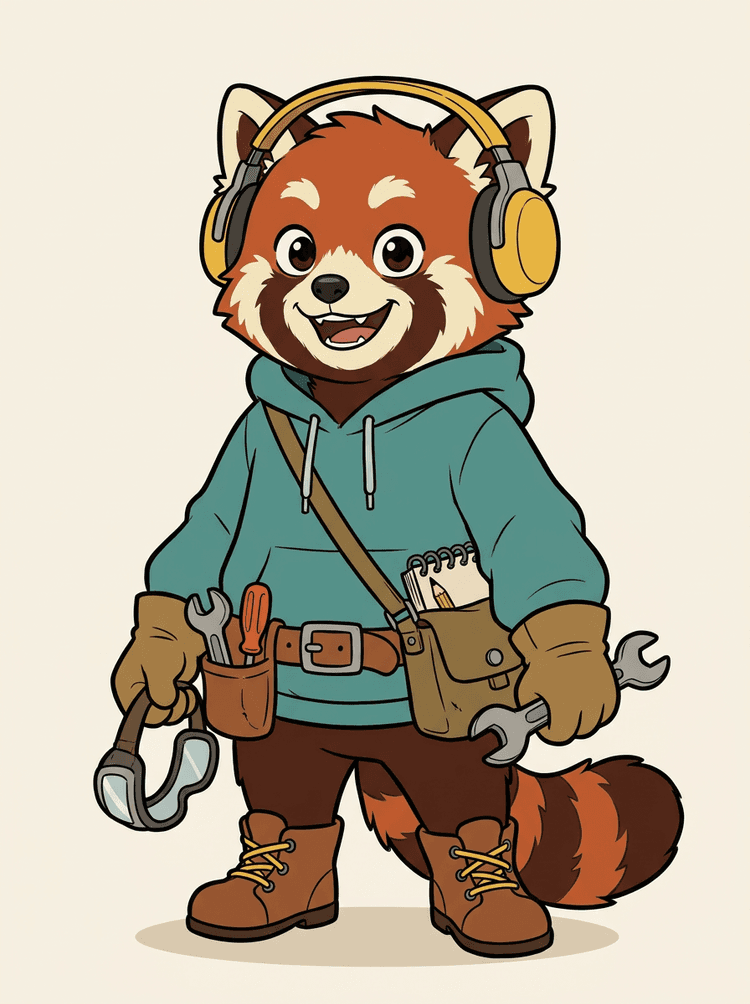
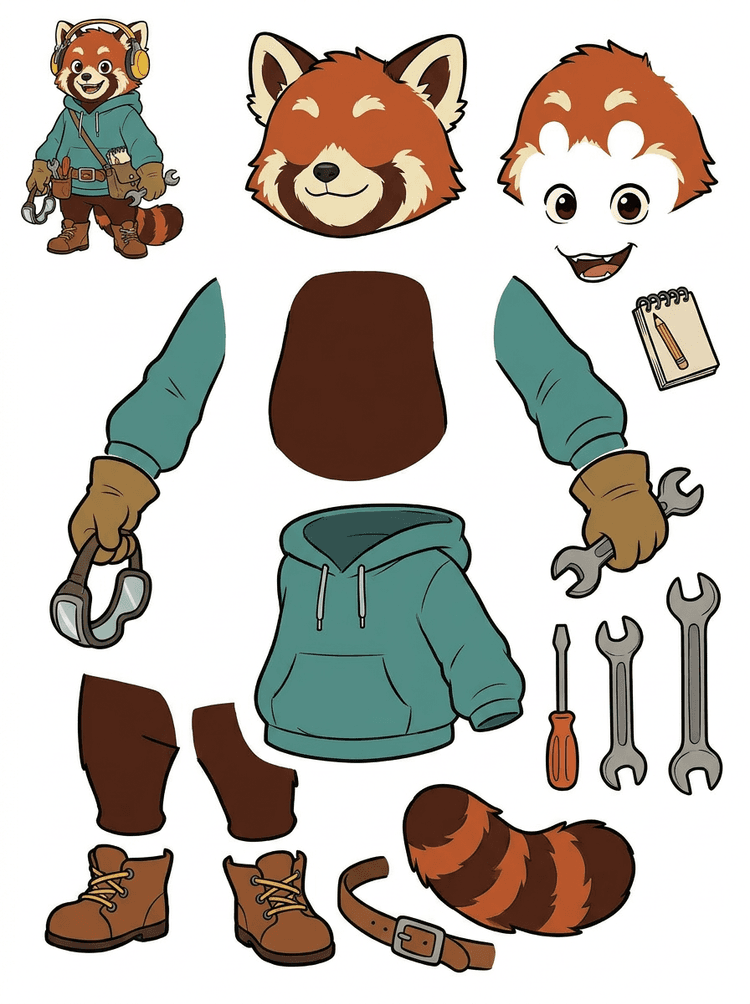
Mascot персонаж със слушалки, суитшърт с качулка, чанта, опашка, обувки и рисувални инструменти се превръща в практичен sheet за преглед на анимация.
Видими части в този реален резултат
Production handoff
Генерираният sheet е стъпката за преглед. Продължете в live tool-а, за да извлечете подходящите видими области като отделни прозрачни PNG слоеве, после ги пакетирайте като ZIP или editируем начален PSD.

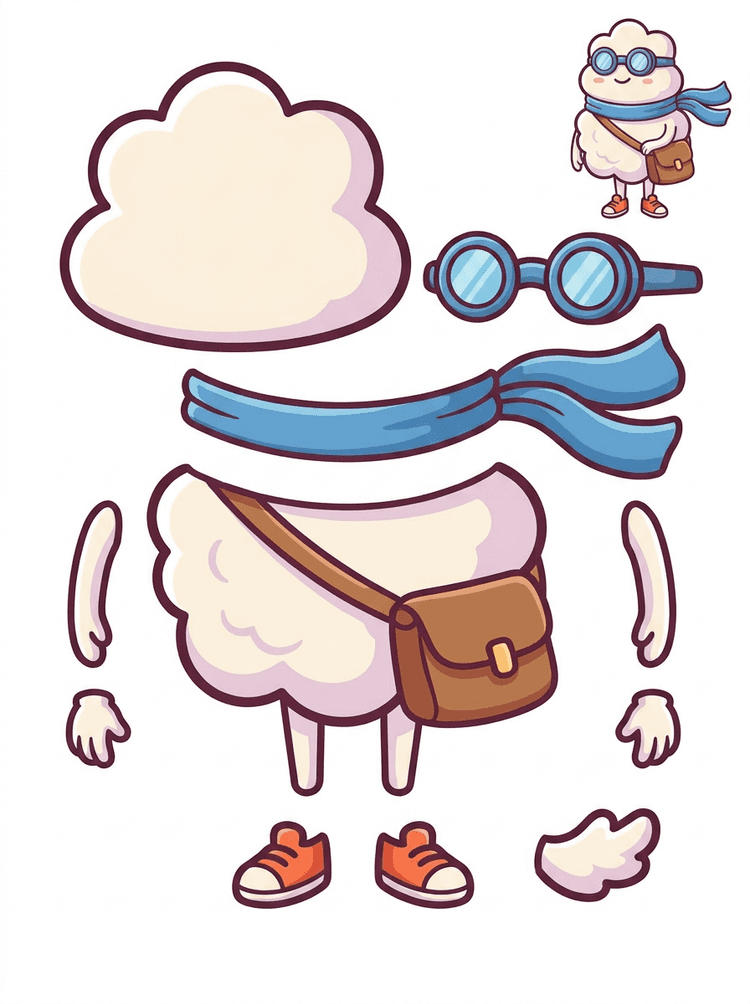
Cartoon герой в sticker стил се превръща в parts sheet с шал, чанта, обувки, очила, ръце и заоблени части на тялото.
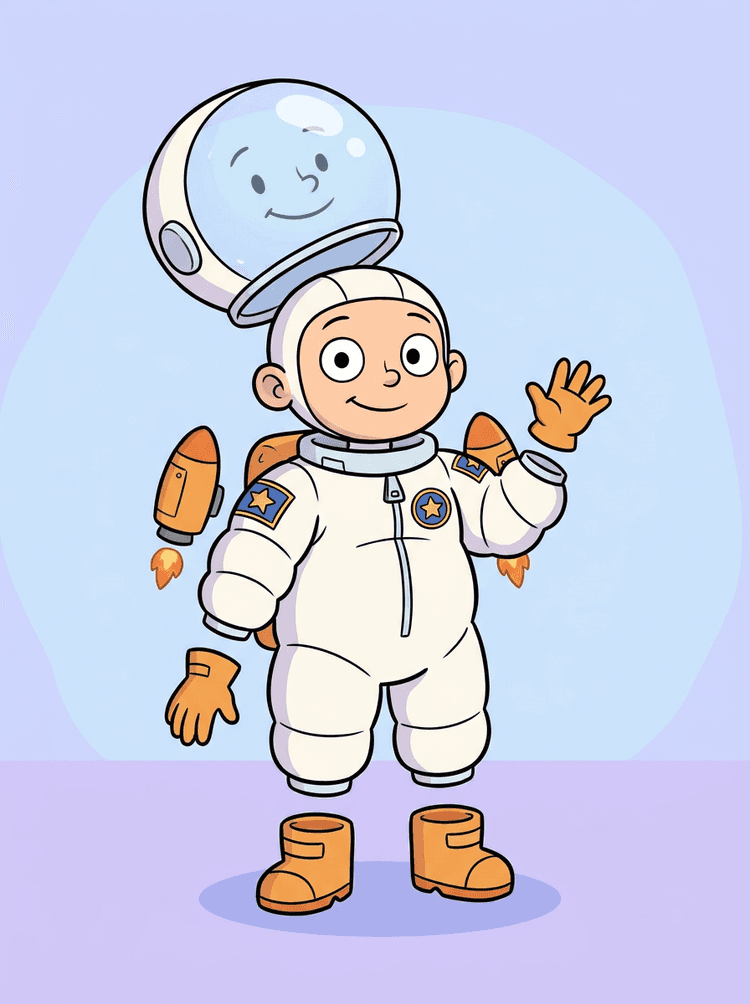
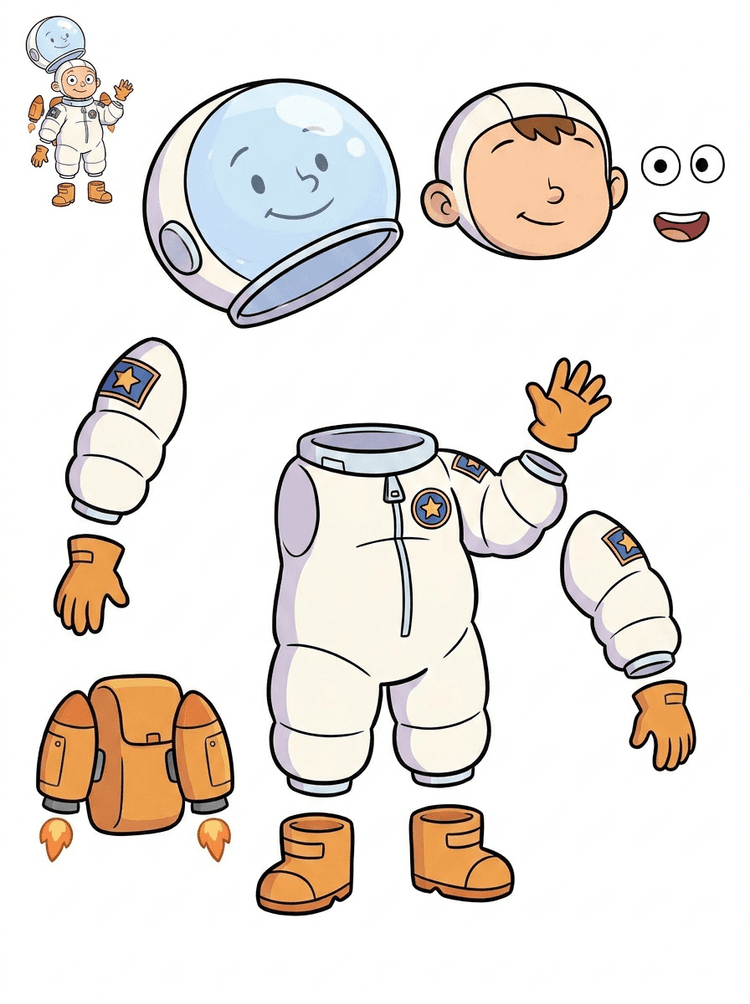
Илюстрация на дете астронавт се превръща в sheet за каска, костюм, ръкавици, ботуши, значки, раница и motion-comic части.
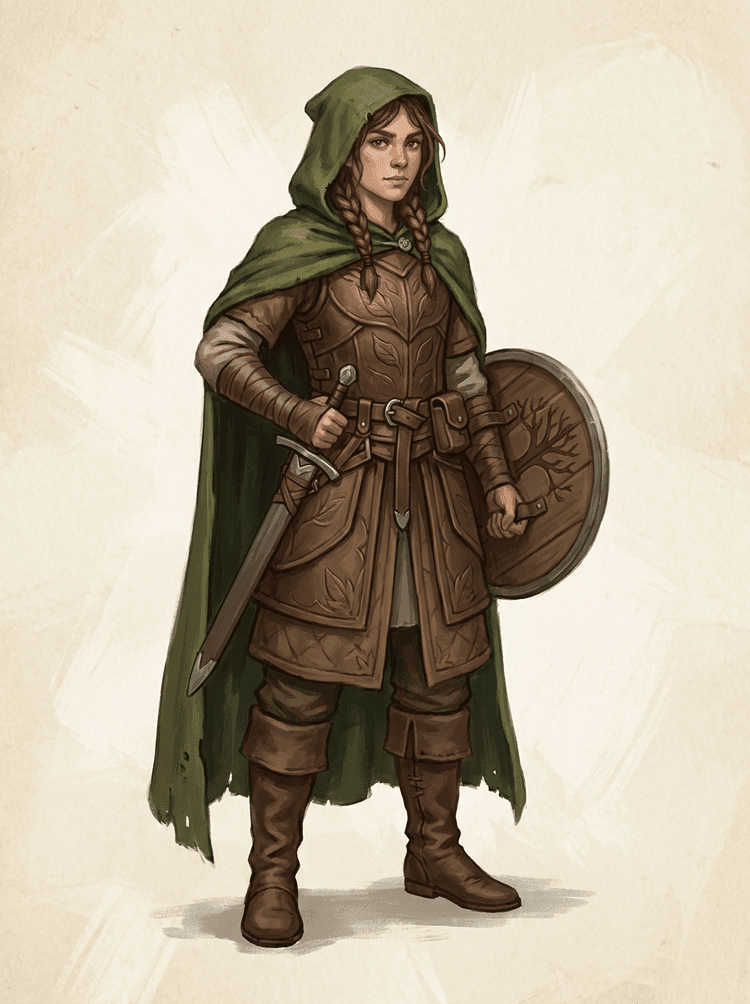
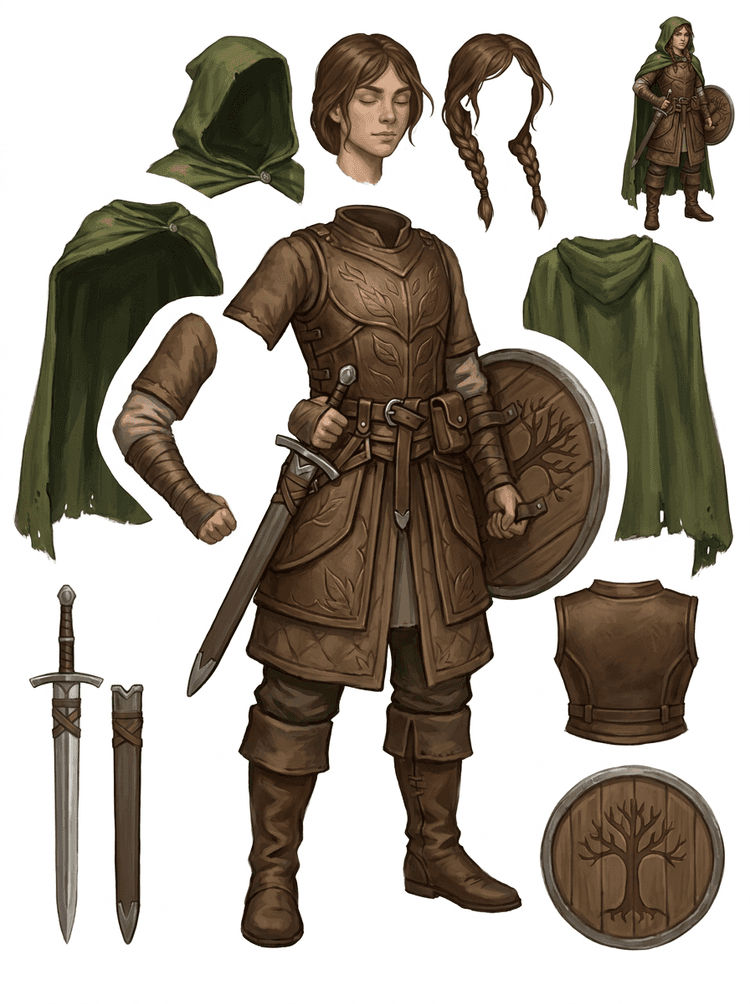
Fantasy game персонаж се разделя на armor, плащ, меч, щит, чанти, ботуши, крайници и reusable sprite references.
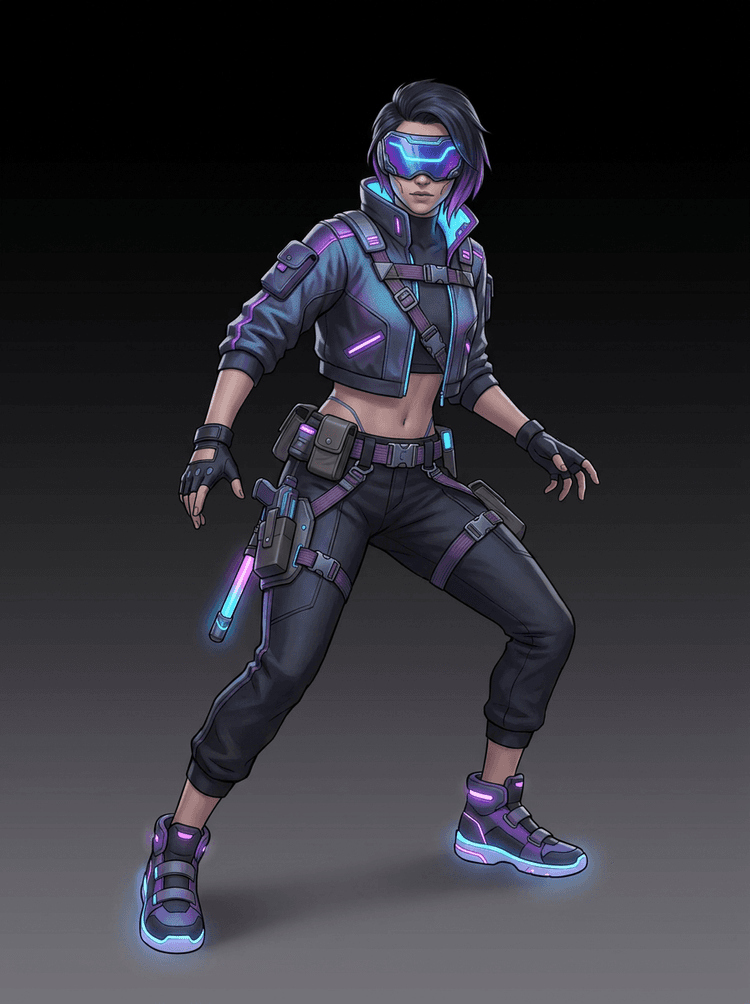
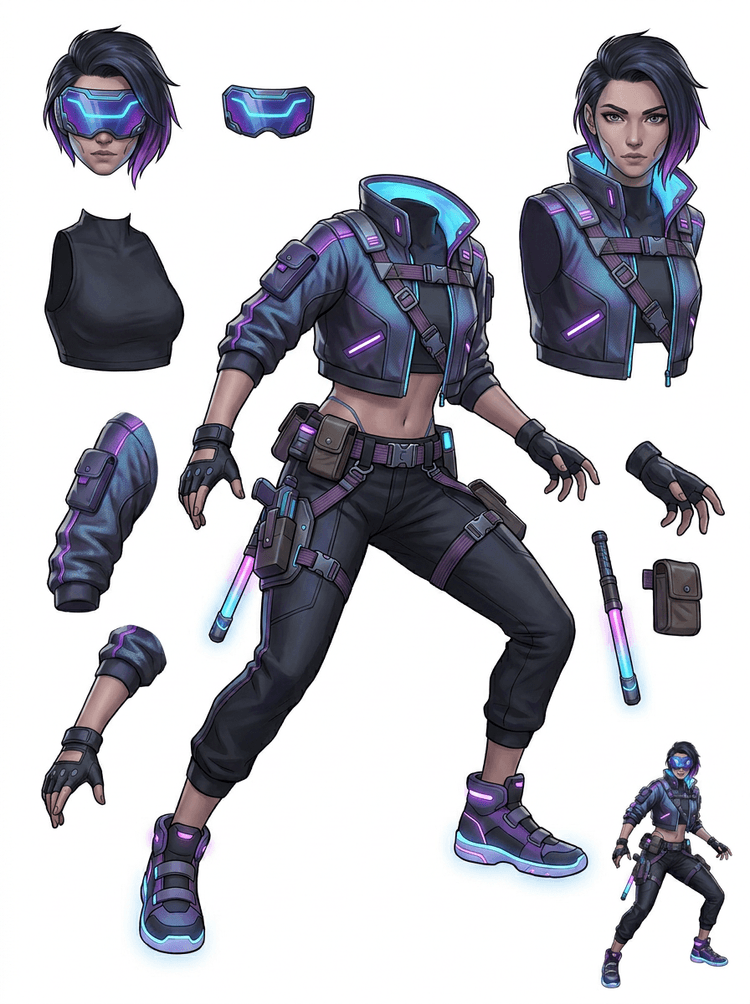
Cyberpunk action персонаж се превръща във високодетайлен parts reference за яке, визьор, ръкавици, обувки, каиши, baton и части на тялото.
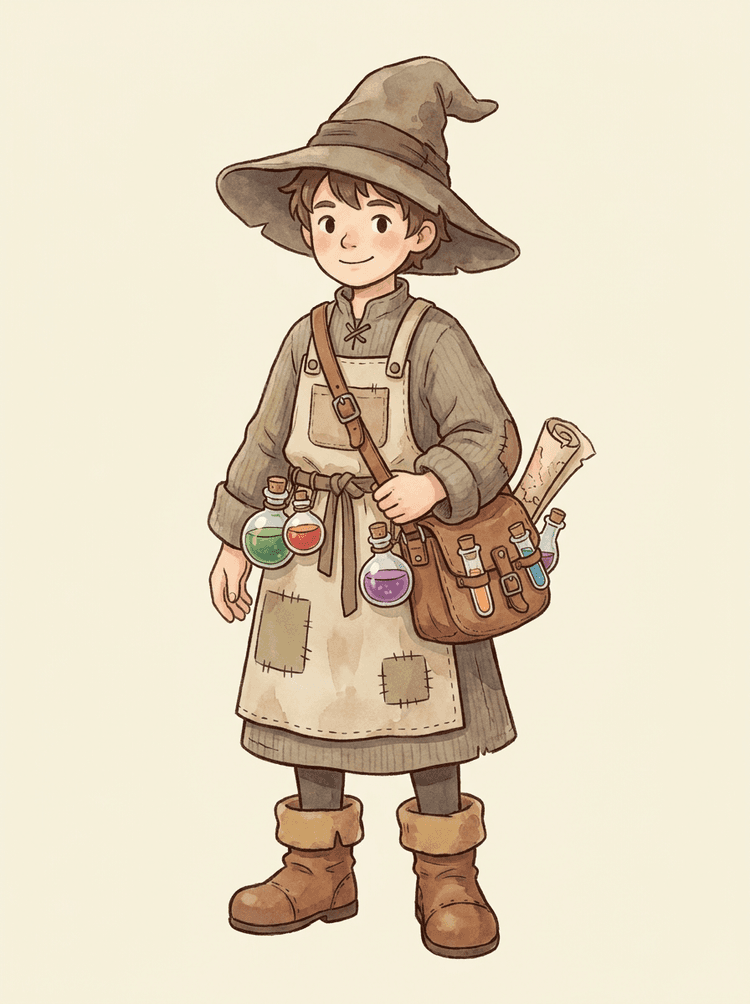
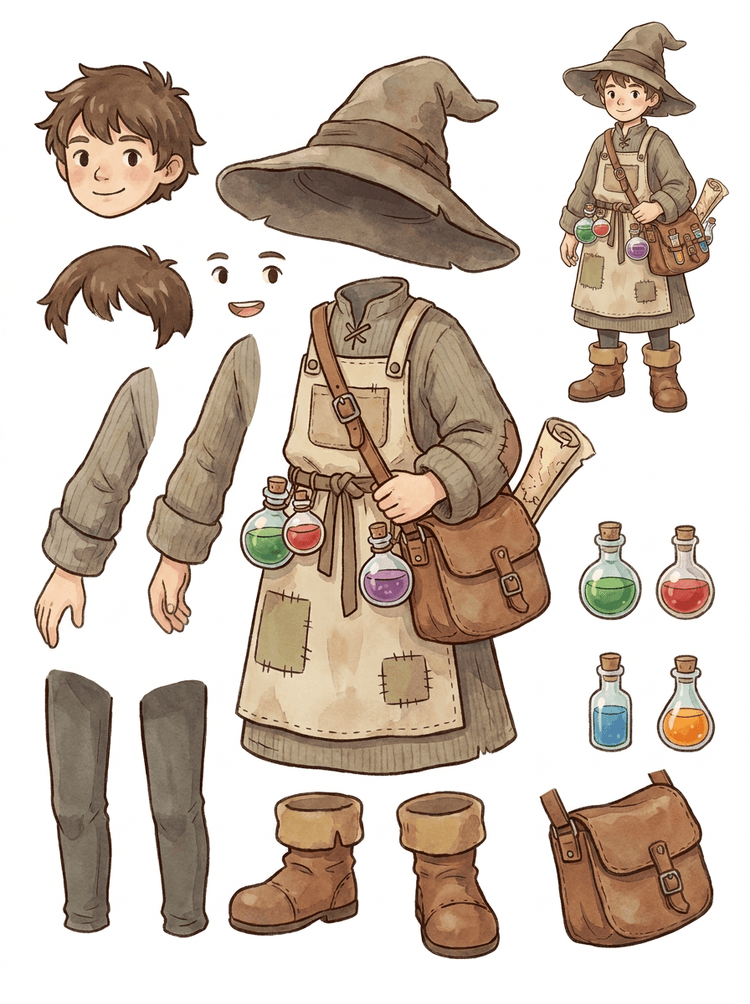
Cozy NPC с шапка, престилка, чанта за отвари, бутилки, карта, ботуши и топли дрехи се превръща в reusable game-production sheet.
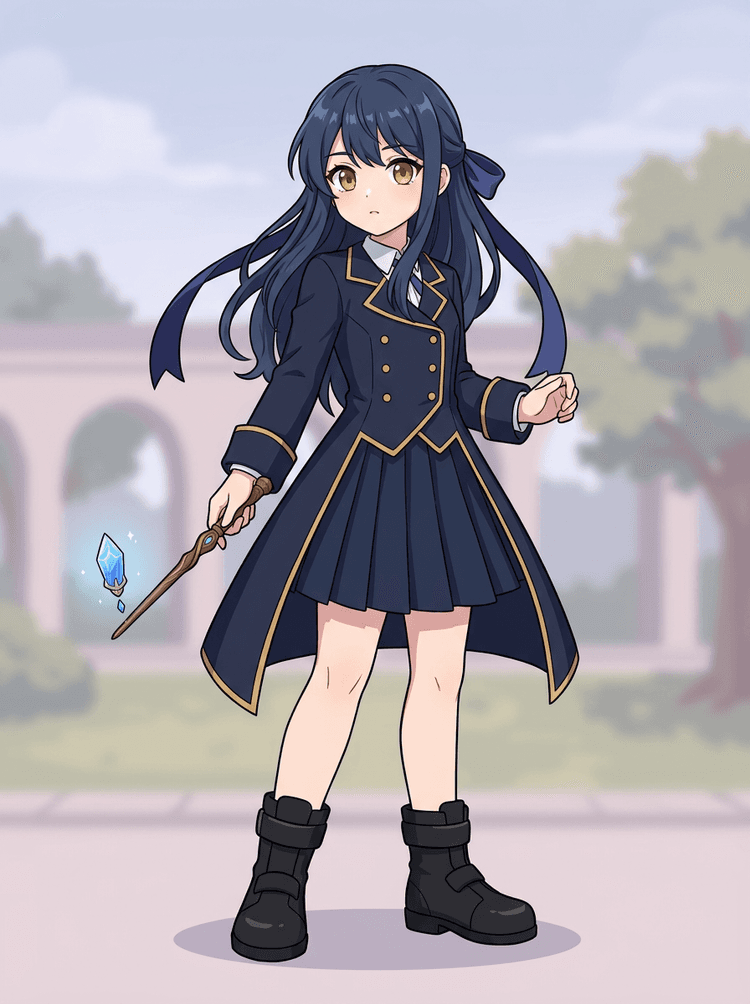
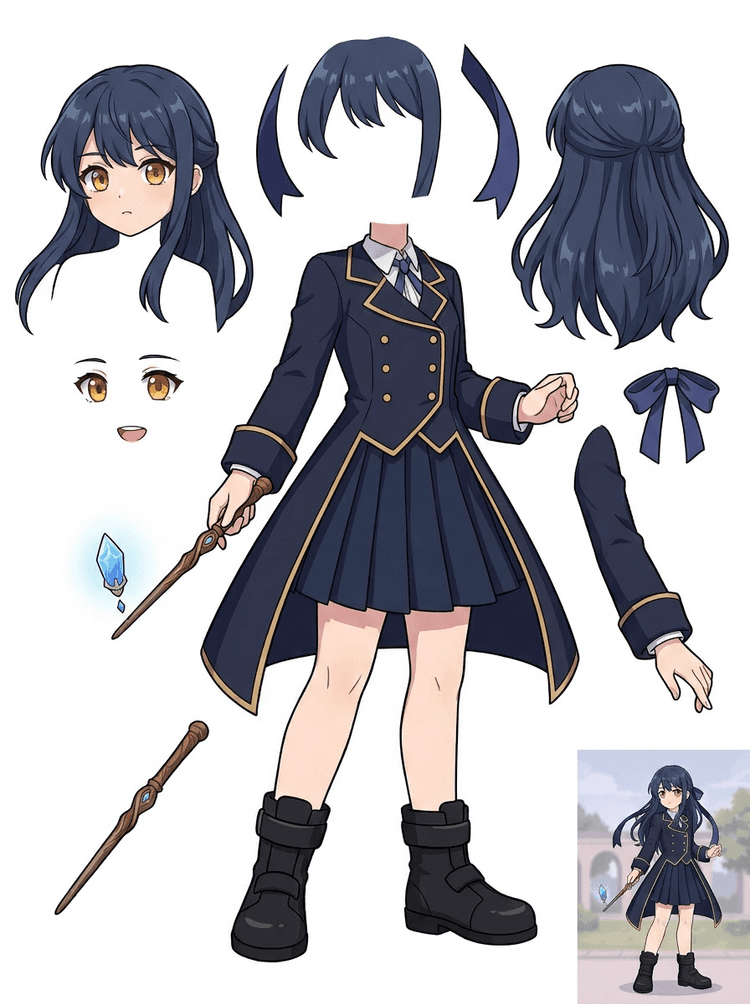
Anime key art с униформа, панделка, жезъл, коса, чарм, ръкавици и ботуши се превръща в parts sheet за редакции и motion tests.
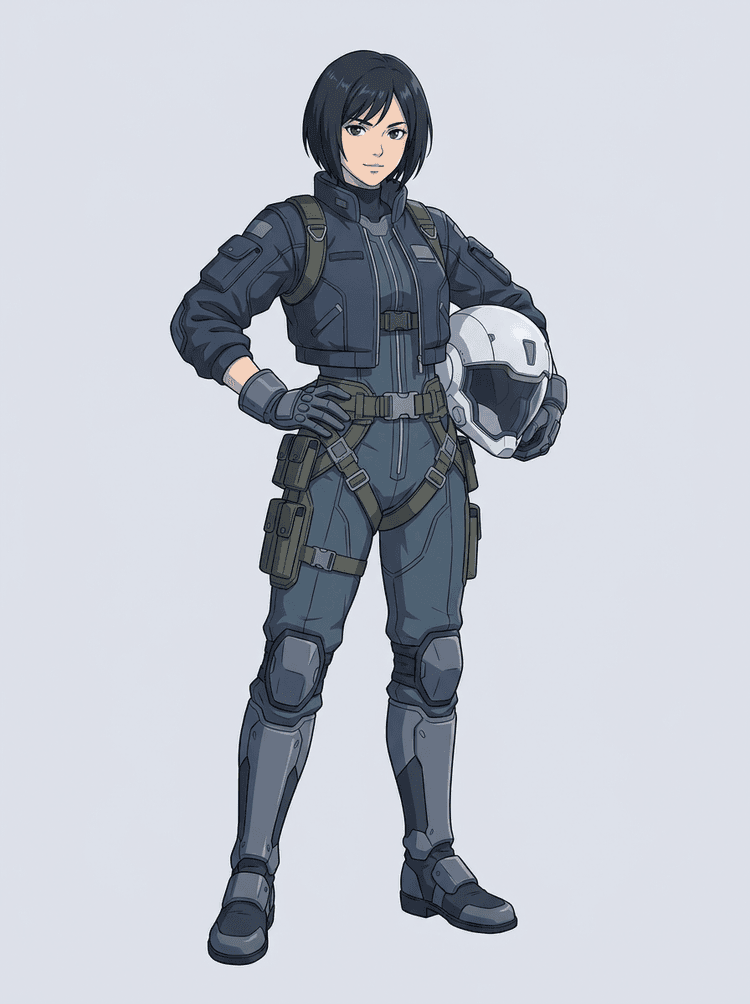
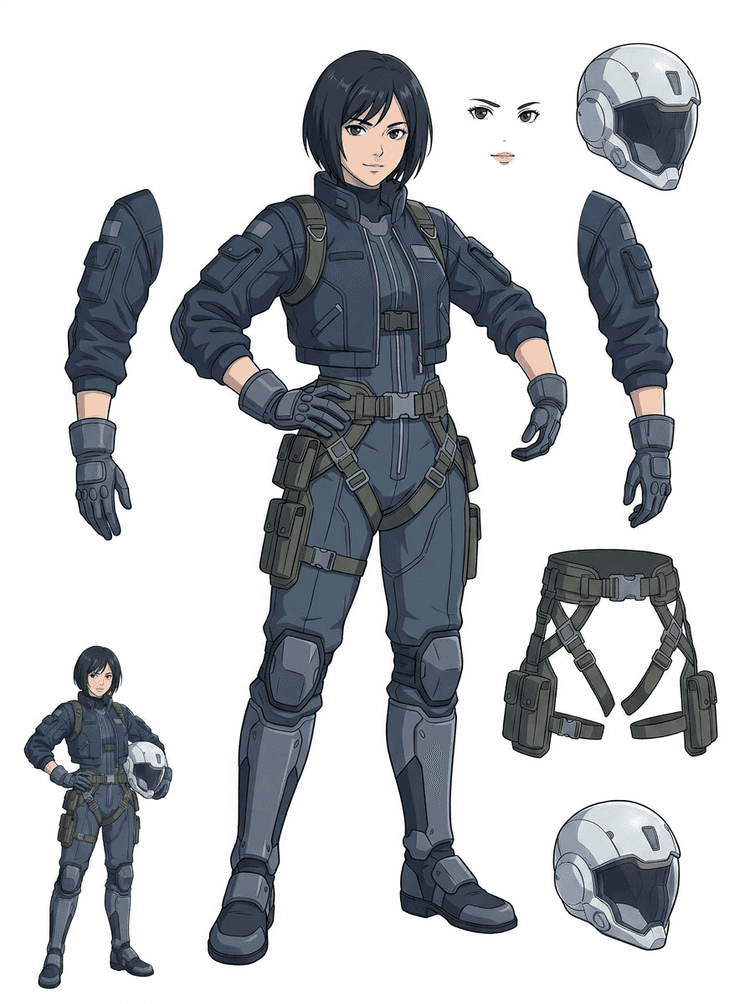
Sci-fi anime pilot се разделя на коса, лице, яке, ръкавици, harness, ботуши, каска и части на тялото.
AI Layer Splitter е image to layers инструмент за творци, които вече имат изходно изображение, но им трябват практичните production части зад него: преден план, фон, основен обект, персонажи, коса, лице, облекло, крайници, текст, елементи, реквизит, продуктови детайли и аксесоари.
Създаден за артисти, indie game екипи, аниматори, маркетолози, e-commerce екипи и ACG creators, които трябва да превърнат едно плоско изображение в reusable production assets, без да прекарват цялата сесия в маскиране.
Едно изпипано PNG не може да мига, да има parallax, да сменя реквизит, да изолира продукт или да стане sprite, докато основните части не бъдат разделени.
Инструментите за селекция, почистването на ръбове и именуването на слоеве могат да отнемат повече време от първия animation test.
Промяната на една ръкавица, чанта, обувка, опашка, каска или панделка може да се превърне в цяла repaint сесия, когато всяка част е слепена заедно.
Преди
Едно привлекателно изображение на персонаж, което изглежда завършено, но все още е заключено като един плосък bitmap.
След
Четлив asset sheet с разделени преден план, фон, персонажи, текст и обекти, така че артистите да могат да планират motion, да редактират детайли и да предават production reference.
Създайте reviewable pass за разделяне, преди да отворите пълен работен процес за ръчно маскиране.
Преминете от едно изображение на персонаж към части за анимация, игра и предаване за редакция.
Казус
Един brand mascot може да премине от една статична илюстрация към разделени head, tail, shoes, bag, clothing и accessory references за бързо планиране на анимация.
Резултат
Артистите могат да видят кои части са използваеми, да решат дали да пуснат отново с PRO и да започнат почистване от конкретен sheet вместо от празна сесия за маскиране.
LlamaGen layer workflow
подготовка на cartoon, anime и game assets
Приемете AI Layer Splitter като първия чист pass: качете едно изображение, генерирайте sheet със слоеве и после използвайте резултата в редактора си, в анимационния workflow или в pipeline-а за game assets.
Използвайте full-body character art, mascot art, anime key art, game concepts, product shots, graphic designs, props или илюстрации в product стил с видими ръбове.
Quick Mode създава бърза визуална проверка, за да може екипът да види коса, лице, дрехи, ръце, реквизит, обувки, фон, текст, обекти и аксесоари в контекст.
PRO Mode е най-подходящ след като първият sheet докаже, че източникът е четим и проектът има нужда от по-чист model pass.
Използвайте сваления sheet за motion blocking, rig планиране, sprite references, repainting или creative compositing.
Целта е reviewable production starting point, а не неясна AI demo.
Инструментът AI layer splitter анализира вашето изкуство и разпознава различни елементи като персонажи, фонове и обекти, като създава отделни слоеве. Използва AI, за да разбива изображенията, като запазва композицията, йерархията и design intent-а, и работи най-добре с graphic design, илюстрирани продукти, character art и чисти game assets.
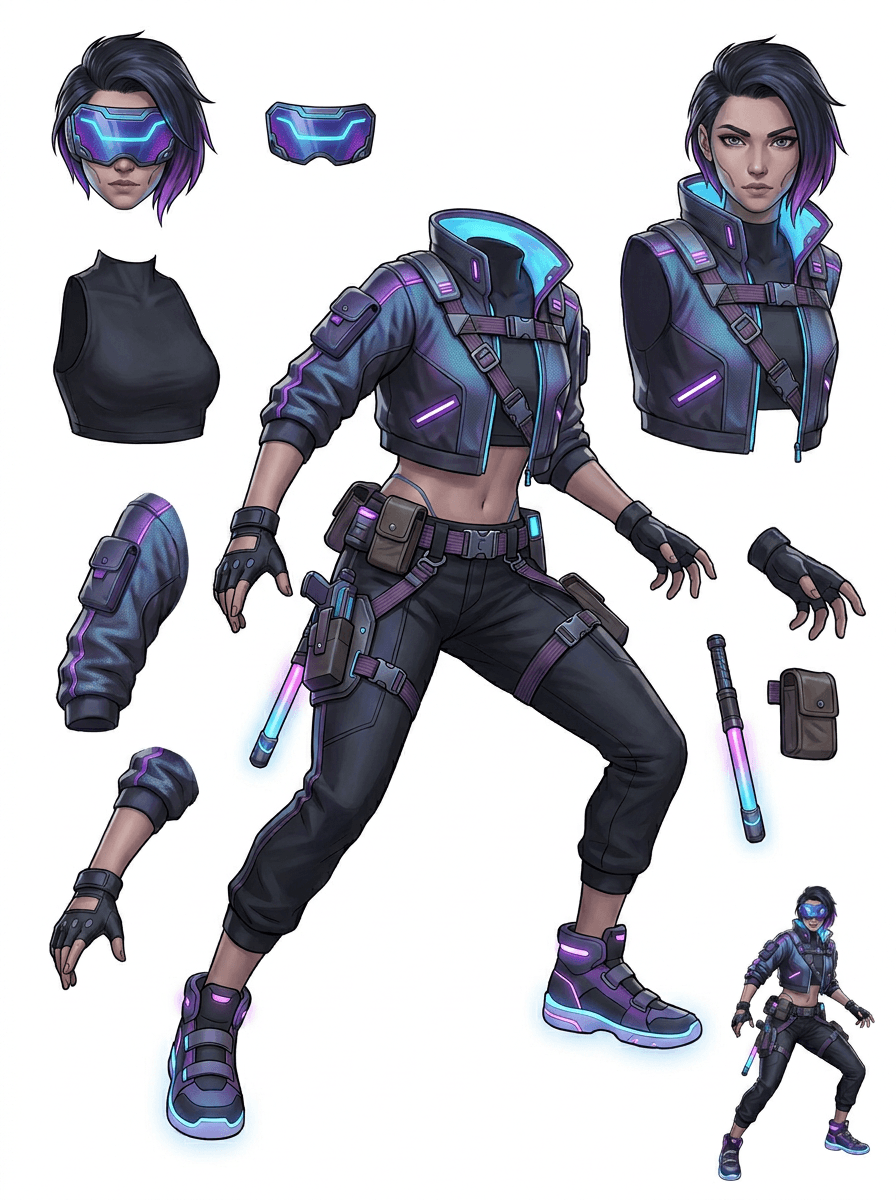
Галерията е организирана около основните production сценарии: cartoon маскоти, game персонажи, anime персонажи и object-based image to layers workflows. Всеки пример използва оригинално AI-генерирано изходно изображение и съответстващ разделен asset sheet.
Маскоти, детски персонажи, sticker-like герои и motion-comic персонажи с изразителни реквизити и аксесоари.
RPG герои, cyber runners, cozy NPC, слоеве на екипировка, оръжия, inventory references и sheets за sprite подготовка.
Съвременно anime key art с разделяне на коса, униформа, панделка, каска, ръкавица, ботуш, harness и charm.
AI Layer Splitter е най-полезен, когато output-ът има предназначение. Тези сценарии обясняват какво изходно изображение да качите, кои части да проверите и как sheet-ът влиза в анимация, игри, комикси, e-commerce или brand production.
Mascot анимация
Използвайте чиста поза на маскот, когато ви трябват social stickers, кратки реклами, motion за landing page или лесно rig планиране.
Източник за качване
Пълен mascot с видими лице, ръце, обувки, опашка, реквизит и ръбове на дрехите.
Полезни слоеве за преглед
Production handoff
Дайте на аниматорите sheet с части за преглед, преди да трасирват, прерисуват или rig-нат финалното motion решение.
Подготовка на indie game asset
Използвайте одобрен game арт, когато екипът има нужда от варианти на екипировка, inventory icons, profile art или бързо проучване на пози.
Източник за качване
Четим character concept с ясни armor, оръжия, чанта, наметало, коса, ботуши и силует.
Полезни слоеве за преглед
Production handoff
Използвайте sheet-а като начална reference за почистване на sprite-и, смяна на екипировка и art за gameplay.
Anime и ACG редакции
Използвайте anime-style character art, когато ви трябва контрол върху коса, лице, униформа, панделка, ръкавица, каска или аксесоар.
Източник за качване
Един anime персонаж със силни контури, видими детайли на облеклото и минимален фонов шум.
Полезни слоеве за преглед
Production handoff
Прегледайте sheet-а преди редакции на израза, вариации на облеклото, character cards или кратки animatic тестове.
Комикс и рекламни итерации
Използвайте campaign персонажи, реквизит или илюстрирани продукти, когато последните ревизии засягат малки визуални части.
Източник за качване
Изпипана илюстрация с центриран обект, видими ръбове и основните цели за ревизия без закриване.
Полезни слоеве за преглед
Production handoff
Дайте на дизайнерите конкретен sheet за смяна на реквизит, варианти, безопасни за copy, и compositing експерименти.
Инструментът е най-силен, когато обектът е чист, цял и видимо отделен. Той не е shortcut за всяка претрупана снимка, sheet със скици, закрита поза или гъста композиция, където преден план, фон, текст и обекти се припокриват силно.
Генерираният sheet трябва да се оценява като първи production pass, а не като магически финален файл. Използвайте checklist-а, за да решите дали да свалите, генерирате отново, изрежете източника или преминете към PRO, след като image layer separator е разпознал използваеми зони на преден план, фон, обект, елемент и текст.
Слаб резултат
Важните части са слети, дублирани на случаен принцип или скрити под визуален шум.
Резултат, полезен за production
Sheet-ът прави основните видими части лесни за разпознаване от пръв поглед: глава, крайници, дрехи, реквизит, аксесоари и фонови елементи.
Слаб резултат
Персонажът изглежда като нов дизайн с различни пропорции, цветове, качество на линията или характер.
Резултат, полезен за production
Разделените части все още се усещат свързани с оригиналната art direction, с разпознаваем силует, палитра и идентичност на персонажа.
Слаб резултат
Sheet-ът е интересен, но екипът не може да каже какво да трасирва, прерисува, маскира или тества след това.
Резултат, полезен за production
Артистите могат веднага да изберат части за почистване, rig blocking, sprite reference, смяна на реквизит или compositing тестове.
Слаб резултат
Лошото разделяне не дава насока дали проблемът е в модела или в каченото изображение.
Резултат, полезен за production
Резултатът показва какво да се поправи след това: по-близък crop, премахване на скицови следи, повече поле около обекта, по-прост фон или използване на PRO.
Превърнете едно завършено изображение в разделени визуални части, които се преглеждат, редактират, анимират или възстановяват по-лесно.
Качете чисто изображение и създайте четим PNG sheet със слоеве с преден план, фон, основен обект, елементи, текст, дрехи, реквизит и аксесоари в един резултат.
Image layer separator помага на дизайнери, маркетолози, аниматори и game екипи да разпознаят кои части от изходното изображение могат да станат editируеми assets. Вместо да прерисуват всеки елемент от нулата, екипите могат да генерират PNG sheet със слоеве, да сравнят оригинала с разделения резултат и да решат дали е нужен crop, почистване, Quick Mode или PRO pass.
Създайте sheet за сваляне за sprite подготовка, rig планиране, motion comics, e-commerce редакции, sticker варианти или предаване на character. Работи най-добре, когато един ясен обект има видими ръбове и минимално припокриване.
Най-добрият workflow за разделяне на слоеве запазва контекста. Запазете източника, генерирания sheet и кратка бележка за преглед, за да знае следващият артист какво да използва и какво още се нуждае от почистване.
Оригиналното изображение обяснява намерението, когато аниматор, game артист или дизайнер прегледа разделения sheet по-късно.
Първият sheet става по-ценен, когато екипът знае кои части са готови и кои се нуждаят от ръшн finish.
Използвайте sheet-а и експортираните прозрачни слоеве като практичен мост към анимация, sprite подготовка, комикс редакции или compositing. PSD е editируем начален файл, а не гарантирано финален production asset.
AI Layer Splitter дава на екипите по-бърз първи pass; финалните production assets все още се възползват от човешки преглед и почистване.
AI Layer Splitter превръща едно плоско изображение в четим PNG sheet със слоеве, с видимо разделени фон, основни обекти, текст, реквизит, елементи, продуктови детайли и части на персонажи за редактиране, анимация, game art, motion comics, e-commerce и compositing workflows.
Да. Quick Mode е безплатната онлайн отправна точка за reviewable image-to-layers резултат. Използвайте го, за да проверите дали изходното изображение се разделя добре, преди да отделяте време за ръчно маскиране или да ъпгрейднете за по-чист PRO pass.
Да. AI Layer Splitter работи като уеб-базиран AI image layer separator: качете едно изображение, оставете модела да разпознае обекти, фонове, текст, реквизит и елементи, после свалете reviewable image-to-layers sheet. Най-бърз е за чисти снимки, graphic design, илюстрирани продукти, game assets и character art; сложните изображения може все още да изискват ръчно почистване в Photoshop, Figma или друг editor.
Качете чисто изображение, пуснете Quick Mode и прегледайте генерирания image to layers sheet. Резултатът разделя видимите преден план, фон, основен обект, текст, реквизит и елементи в практична reference, която можете да използвате за редактиране, compositing, animation blocking, sprite подготовка или ръчно почистване.
Да. След като бъде генериран първият sheet със слоеве, платен втори pass може да извлече отделни прозрачни PNG слоеве. Можете да ги свалите поотделно, да ги пакетирате като ZIP или да експортирате editируем начален PSD. Сложните ръбове и претъпканите източници може все още да изискват ръчно почистване преди production delivery.
Layer Decomposition е capability на AI agent, която разделя едно изображение на логически, editируеми визуални слоеве като преден план, фон, обекти, текст и елементи. Помага на екипите да преминат от плоско изображение към практичен sheet със слоеве за преглед, редакция, анимация и production handoff.
Да. LlamaGen AI Layer Splitter разделя фон, текст, обекти и видими елементи в браузъра и предоставя downloadable asset sheet за последваща редакция.
Най-добре работят чисти илюстрирани обекти: cartoon маскоти, anime персонажи, game персонажи, графики в product стил, реквизит и full-body дизайни с видими коса, дрехи, крайници, обувки, оръжия, чанти, опашки, текст, обекти или аксесоари.
Да. Cartoon персонажите и маскотите са едни от най-силните use cases, защото контурите, реквизитът, дрехите, ръцете, обувките и лицевите части често са достатъчно ясни, за да станат полезен sheet.
Да. AI Layer Splitter за game assets може да превърне чисти character concepts в отправна точка за sprite references, варианти на пози, inventory icons, редакции на екипировка, UI портрети и animation blocking.
Да. Anime-style персонажите могат да бъдат разделени на видими references за коса, лице, облекло, панделка, ръкавица, ботуш, реквизит, каска и аксесоар, когато изходното изображение е чисто.
Quick Mode създава бърз sheet за преглед. PRO Mode използва ъпгрейднат модел за по-чисто разделяне, когато изходното изображение е четимо и проектът има нужда от по-висококачествен pass.
Не. Много претъпкани сцени, скрити части на тялото, припокриващи се обекти, скицови следи, силни сенки, изрязани крайници или дребни аксесоари може все още да изискват почистване на източника или ръшн finish.
Можете да използвате генерираните output-и според вашия LlamaGen plan и условията. Уверете се и че имате правата върху изходното изображение, което качвате.
Започнете с предварително заредения sample, качете свой cartoon, anime или game персонаж и създайте sheet за преглед за минути. Използвайте първия резултат, за да решите дали Quick е достатъчен или PRO pass си заслужава.