

Doporučeno
Quick Mode
Doporučený první krok. Jeden čitelný PNG přehled vrstev z jednoho obrázku.
Nahrajte čistý obrázek a rozdělte ho na pozadí, popředí, hlavní objekt, text, objekty, komiksové postavy, anime kresbu, rekvizity nebo produktovou grafiku. Zkontrolujte první přehled vrstev a pak vyexportujte samostatné transparentní PNG vrstvy a ZIP nebo editovatelný úvodní PSD.
First pass · 300 credits
Generates one reviewable PNG asset sheet. It is not an editable set of transparent PNG layers.
First pass · 600 credits
Uses a higher-quality model to produce a cleaner PNG asset sheet, still delivered as a single image.
Paid second pass · +600 credits
Once the sheet is ready, a paid user can extract individual transparent PNG layers, download them or a ZIP, and export a starter PSD.
The extracted PNGs are actual second-pass outputs, not a crop of the sheet. Occluded regions or complex edges can need manual cleanup; PSD is an editable starting file.
or drop a file,
paste image or
No image? Try one of these:
Nahrajte na stránce skutečný zdrojový obrázek. Quick Mode vytvoří první přehled vrstev k revizi; PRO tento přehled vylepší, pokud je zdroj čistý. Placovaný druhý průchod pak vytáhne samostatné transparentní PNG vrstvy, které lze stáhnout jednotlivě, jako ZIP nebo jako editovatelný úvodní PSD.
Doporučený první krok. Jeden čitelný PNG přehled vrstev z jednoho obrázku.
Pokročilý model. Čistší oddělení v přehledu assetů.
After creating a sheet, paid plans can extract real transparent PNG layer files and download individual PNGs, a ZIP, or an editable starter PSD. Complex images may need manual cleanup.
Každá karta ukazuje skutečný zdroj a vygenerovaný přehled vrstev. Popisky popisují pouze části viditelné v daném výsledku; samotný živý nástroj výše slouží k pokračování na samostatné vrstvy popředí, pozadí, hlavního objektu, textu a objektů.
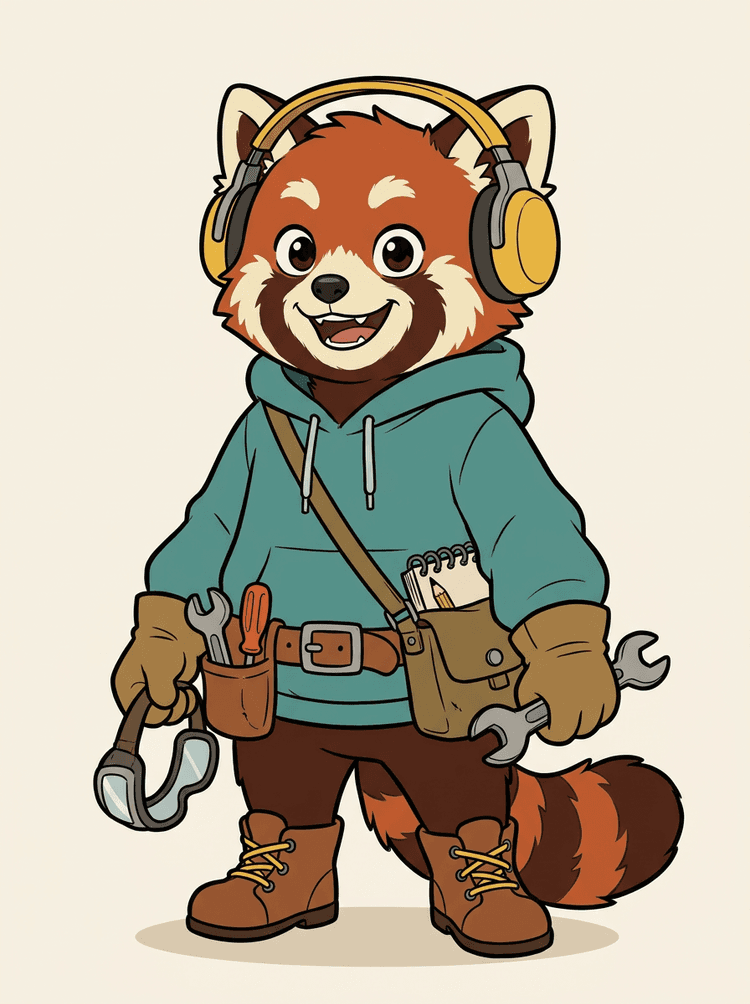
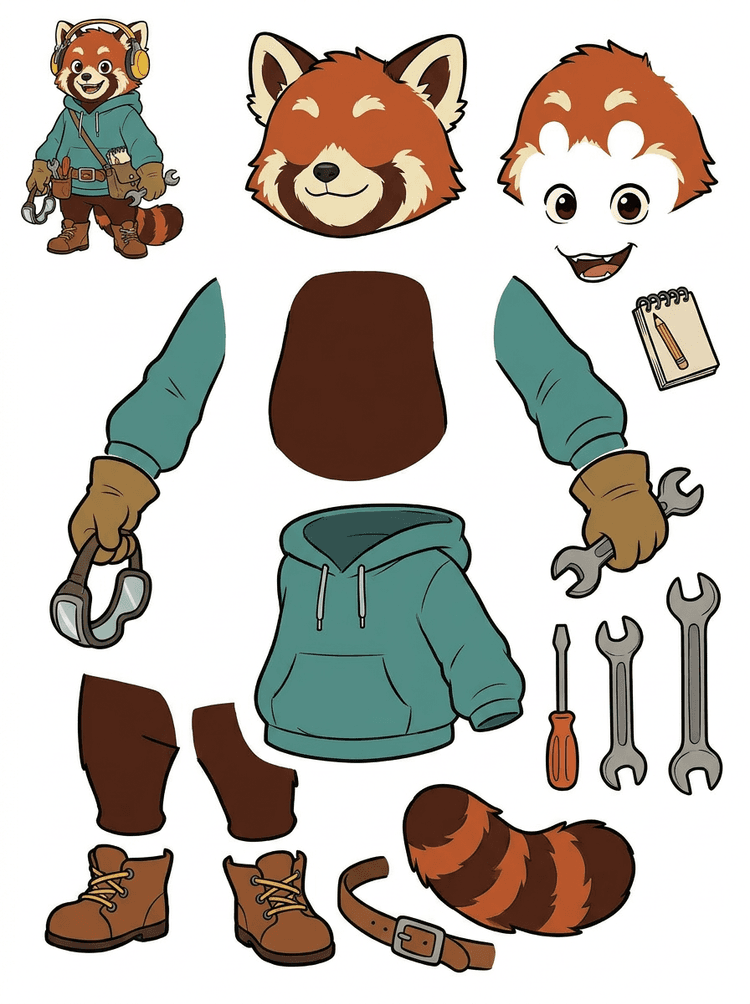
Maskot s headsetem, mikinou s kapucí, taškou, ocasem, botami a kreslicími nástroji se promění v praktický přehled pro revizi animace.
Viditelné části v tomto skutečném výsledku
Předání do produkce
Vygenerovaný přehled je krok revize. Pokračujte v živém nástroji a vytáhněte vhodné viditelné oblasti jako samostatné transparentní PNG vrstvy, pak je zabalte jako ZIP nebo editovatelný úvodní PSD.

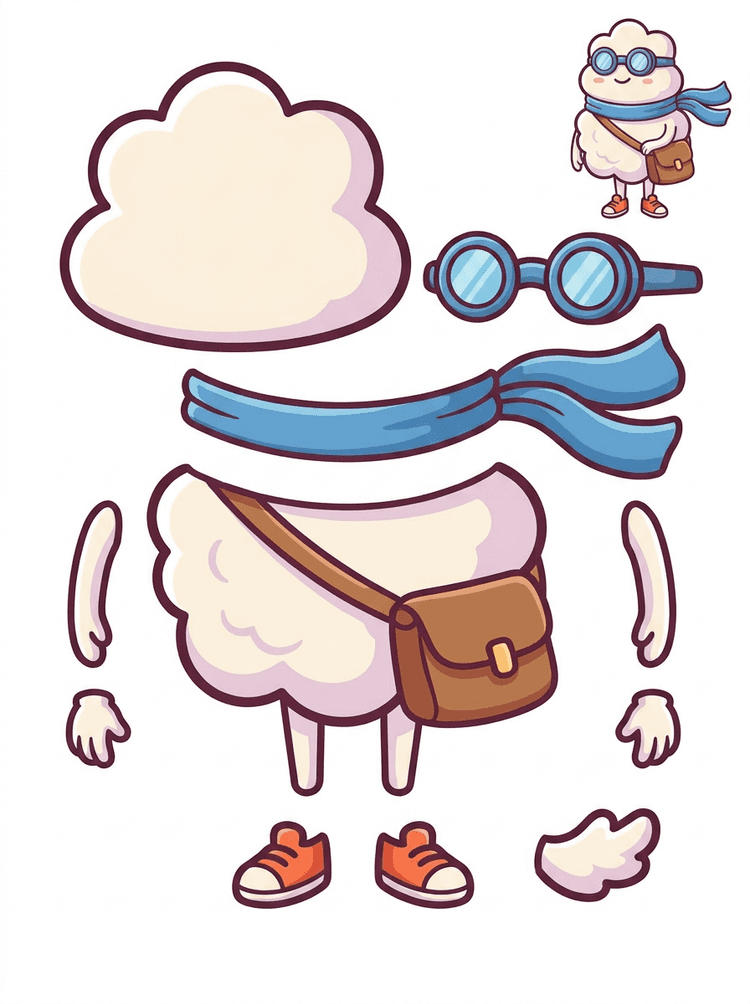
Kreslený hrdina ve stylu samolepky se promění v přehled částí se šálou, taškou, botami, brýlemi, rukama a zaoblenými částmi těla.
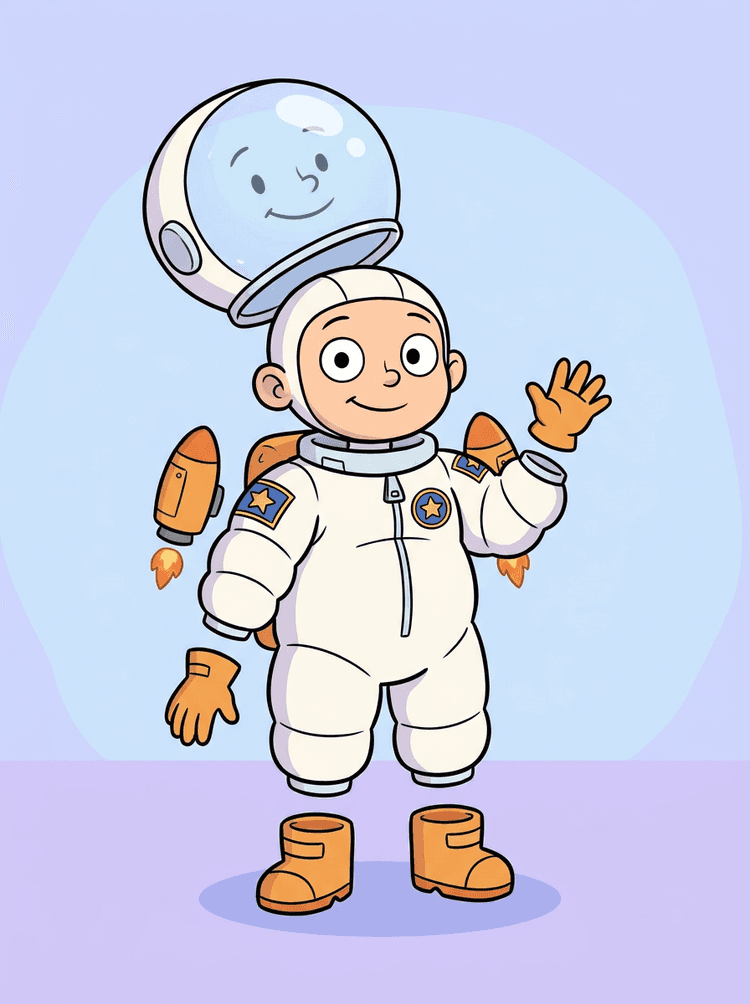
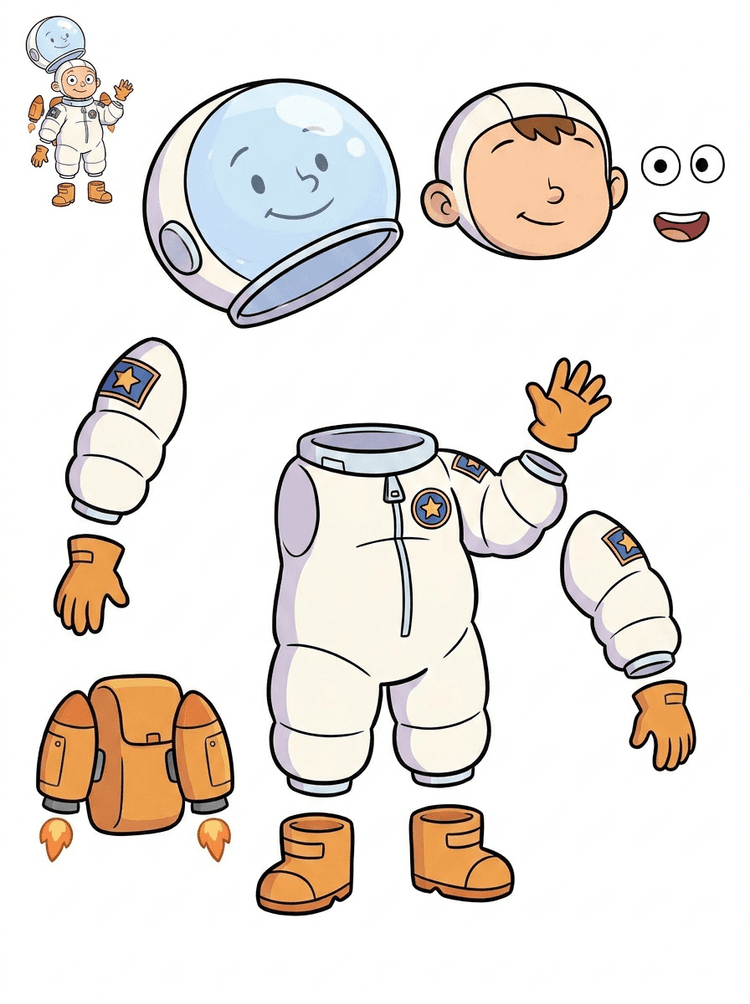
Ilustrace dětského astronauta se promění v přehled přilby, obleku, rukavic, bot, nášivek, batohu a částí motion komiksu.
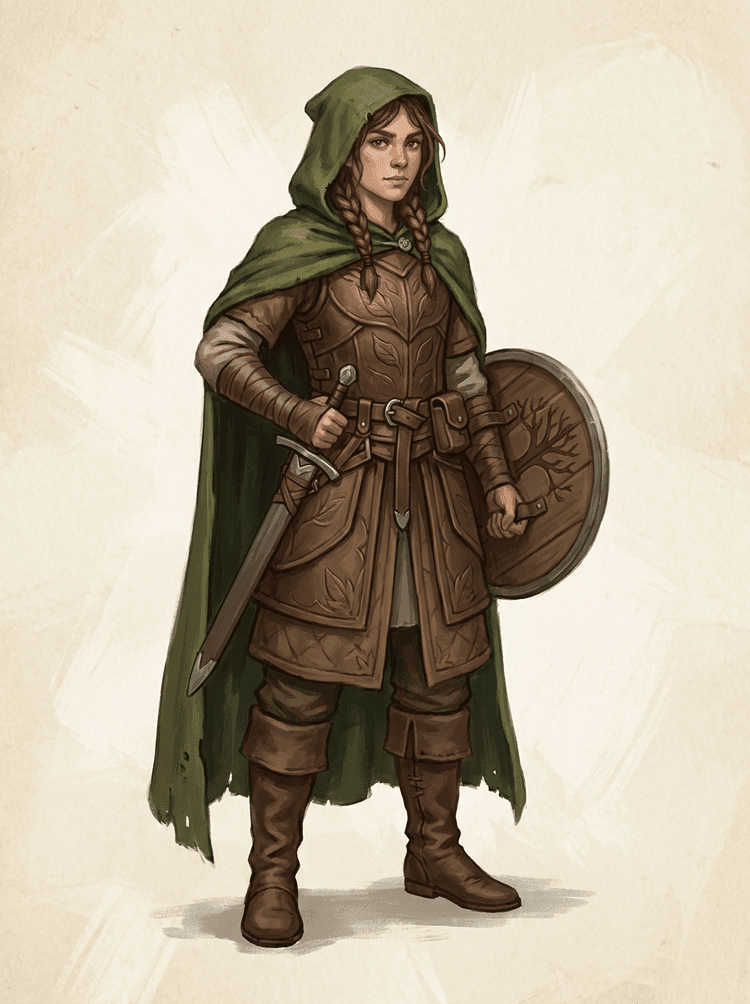
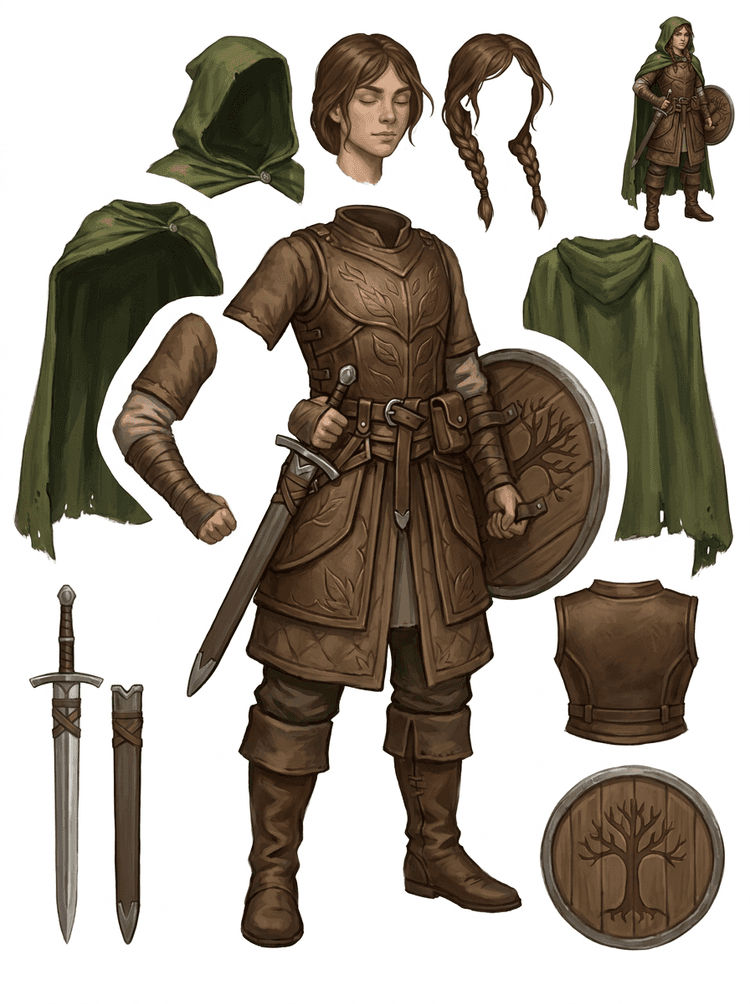
Fantasy herní postava se rozdělí na brnění, plášť, meč, štít, váčky, boty, končetiny a znovupoužitelné sprite reference.
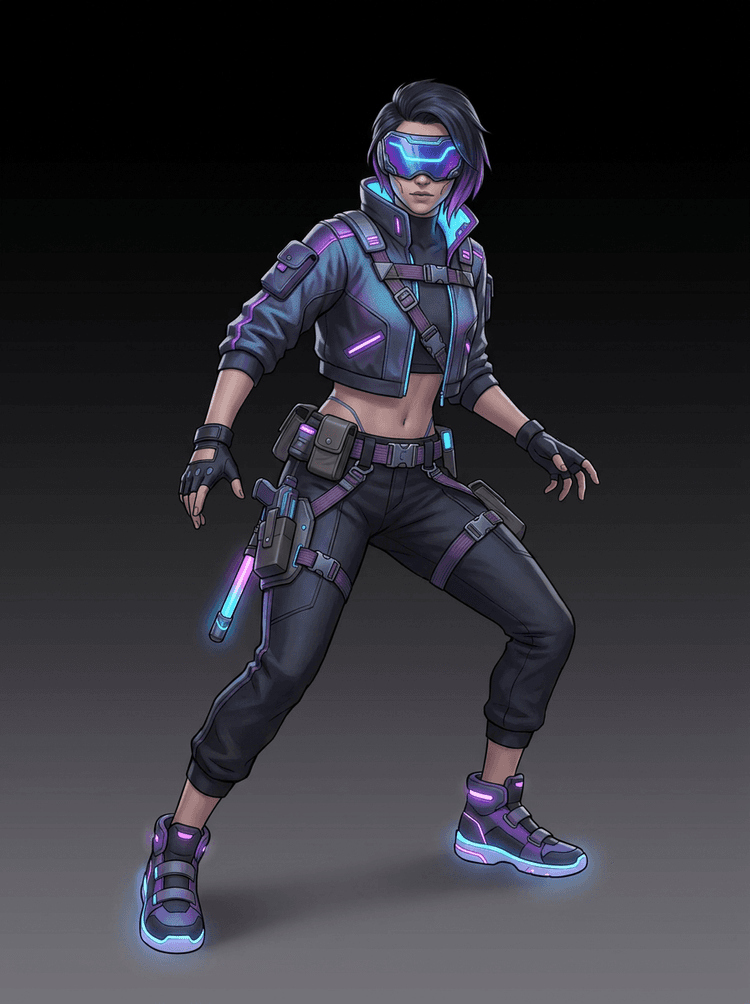
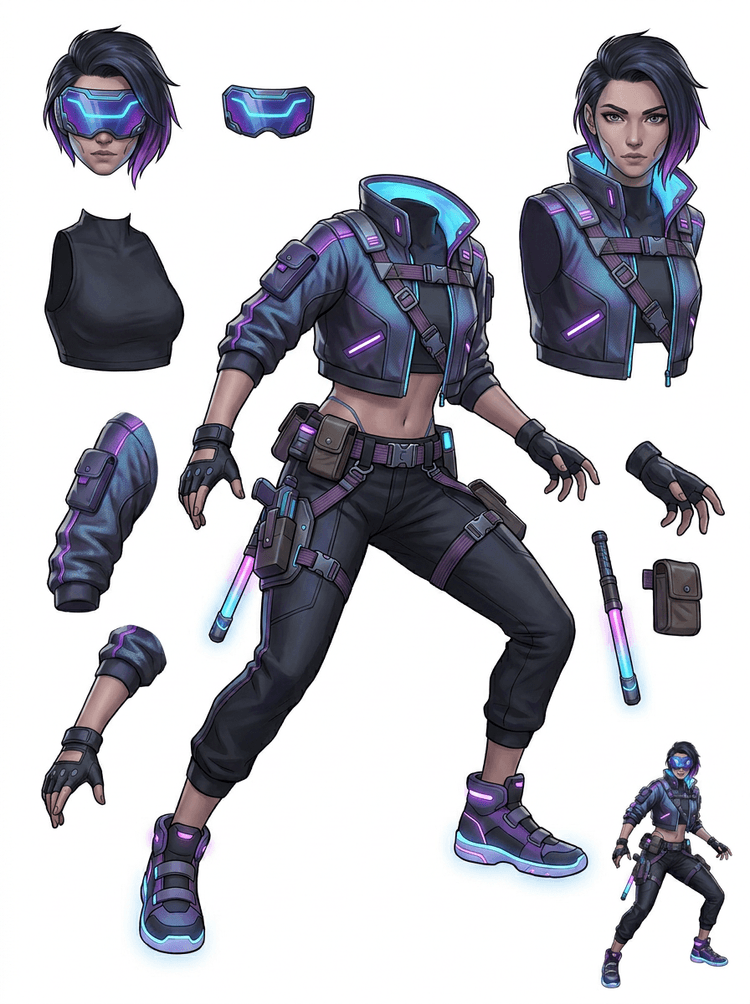
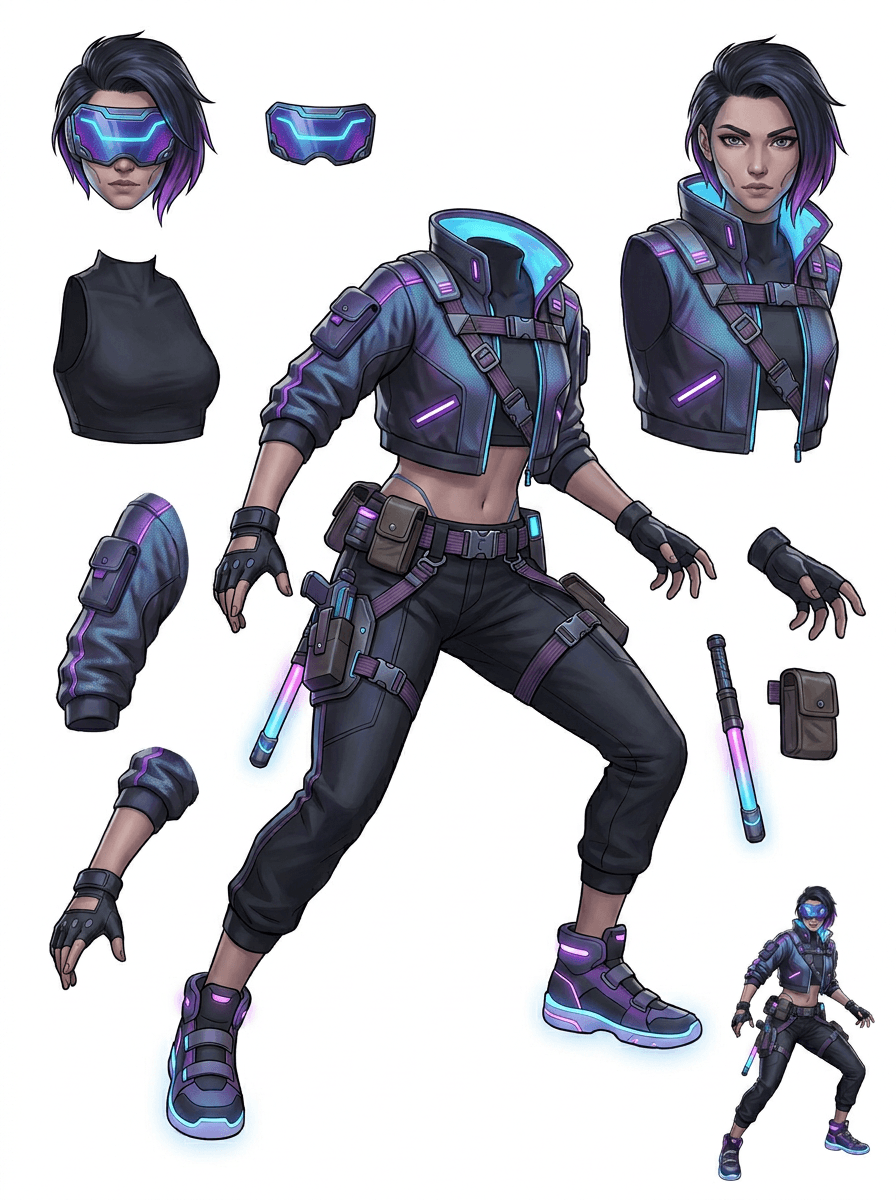
Cyberpunková akční postava se promění v detailní referenci částí pro bundu, vizor, rukavice, boty, popruhy, obušek a části těla.
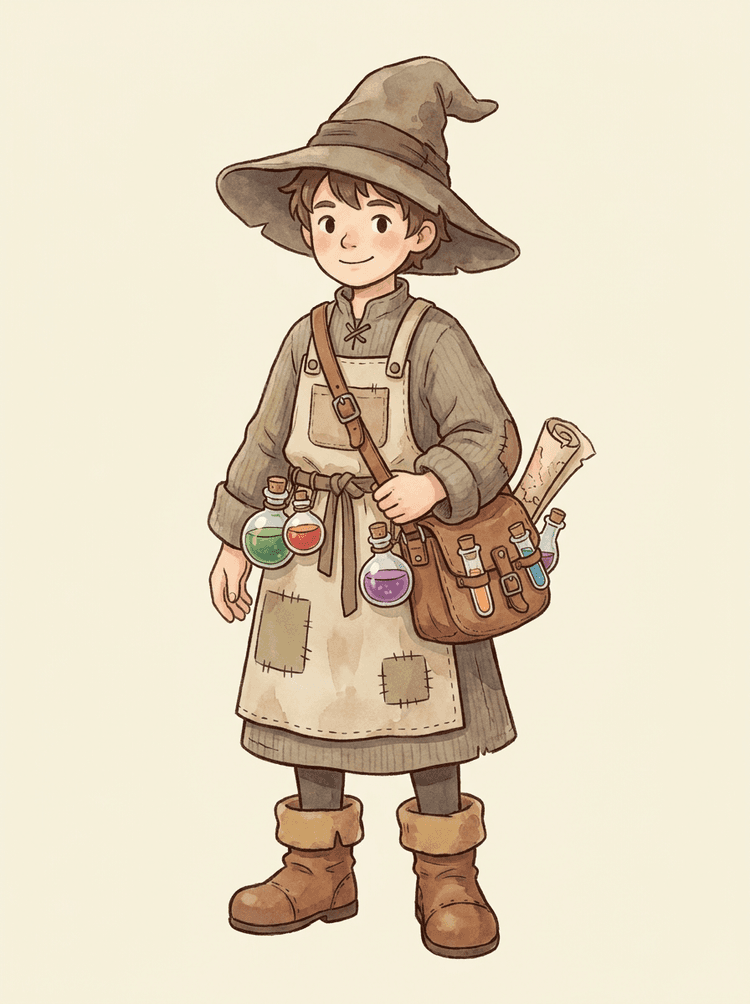
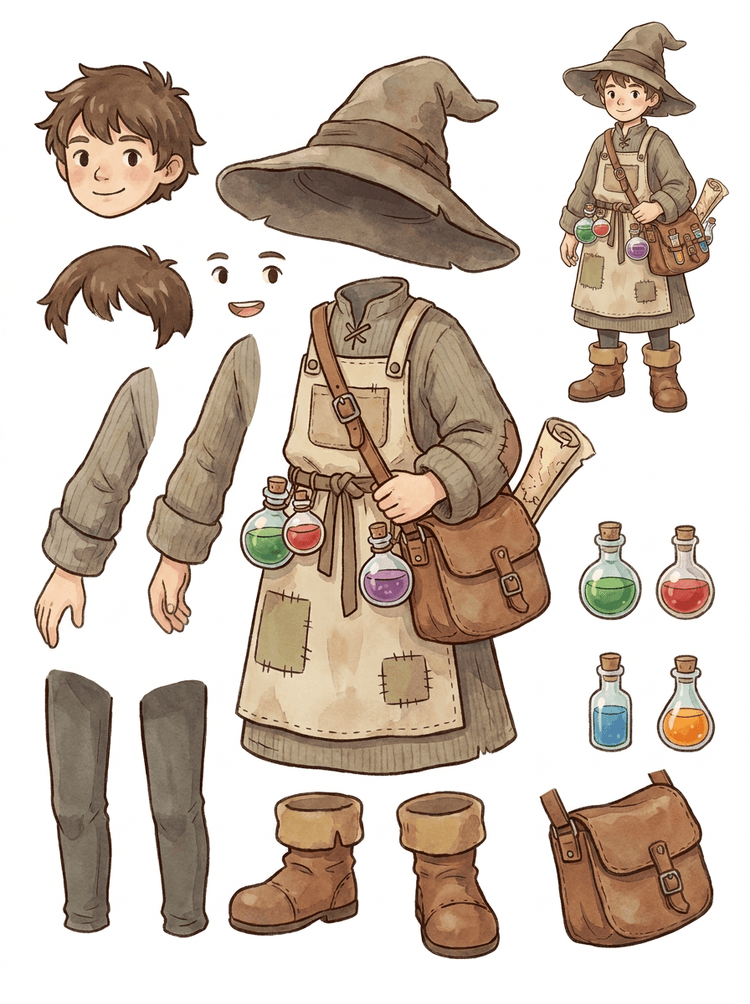
Pohodové NPC s kloboukem, zástěrou, brašnou na lektvary, lahvičkami, mapou, botami a teplým oblečením se promění v opakovaně použitelný produkční přehled.
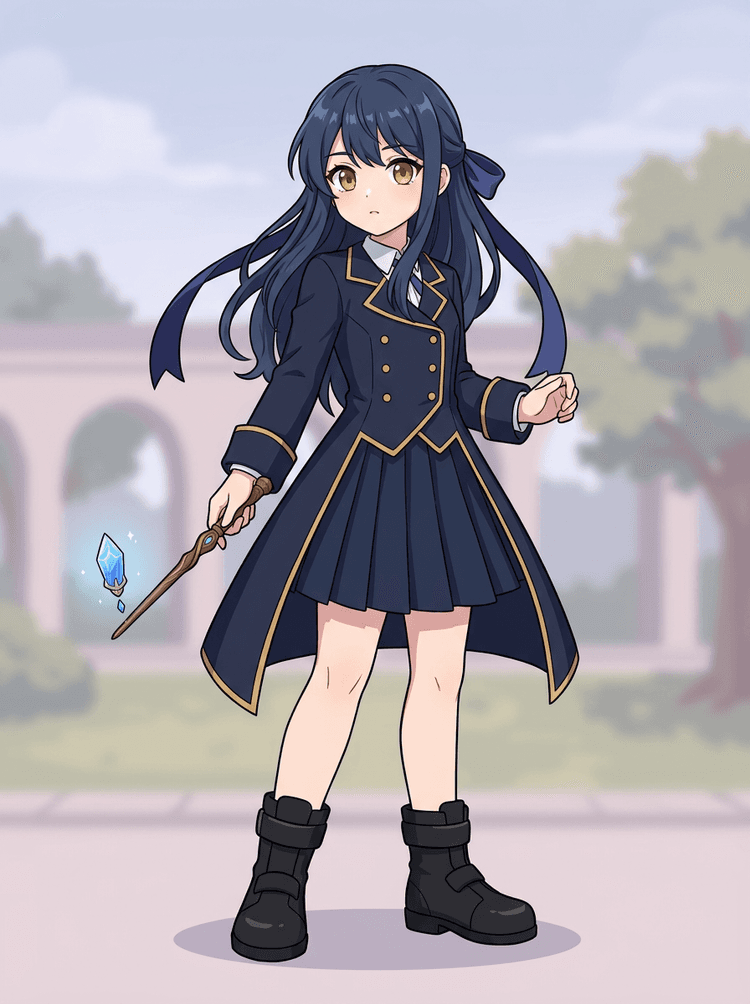
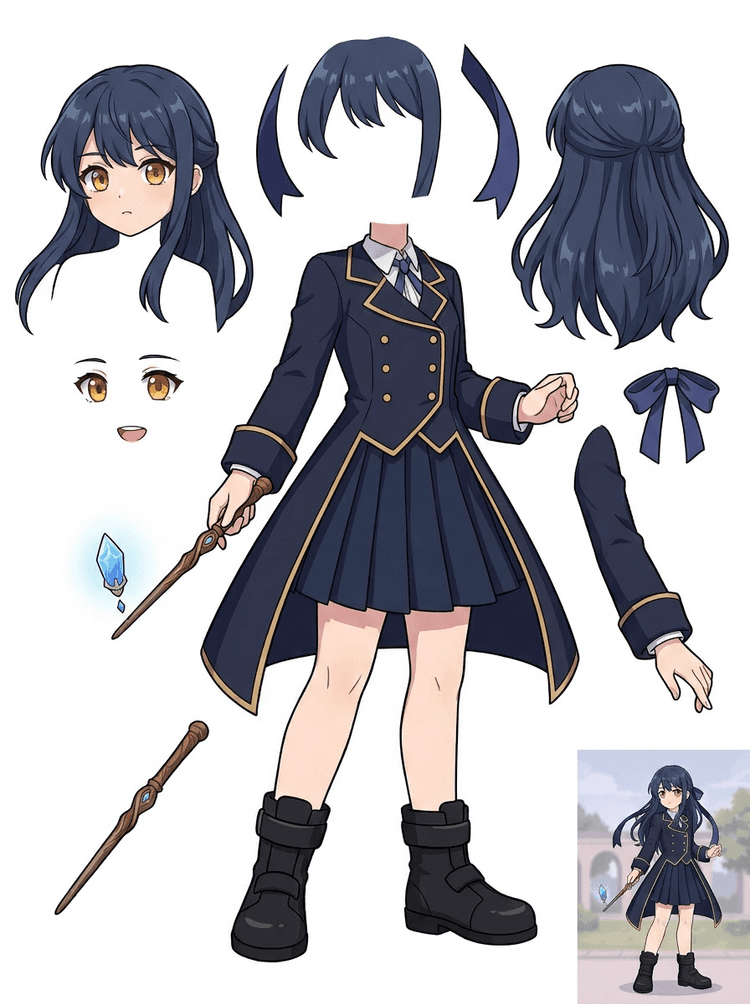
Anime key art s uniformou, stuhou, hůlkou, vlasy, přívěskem, rukavicemi a botami se promění v přehled částí pro úpravy a pohybové testy.
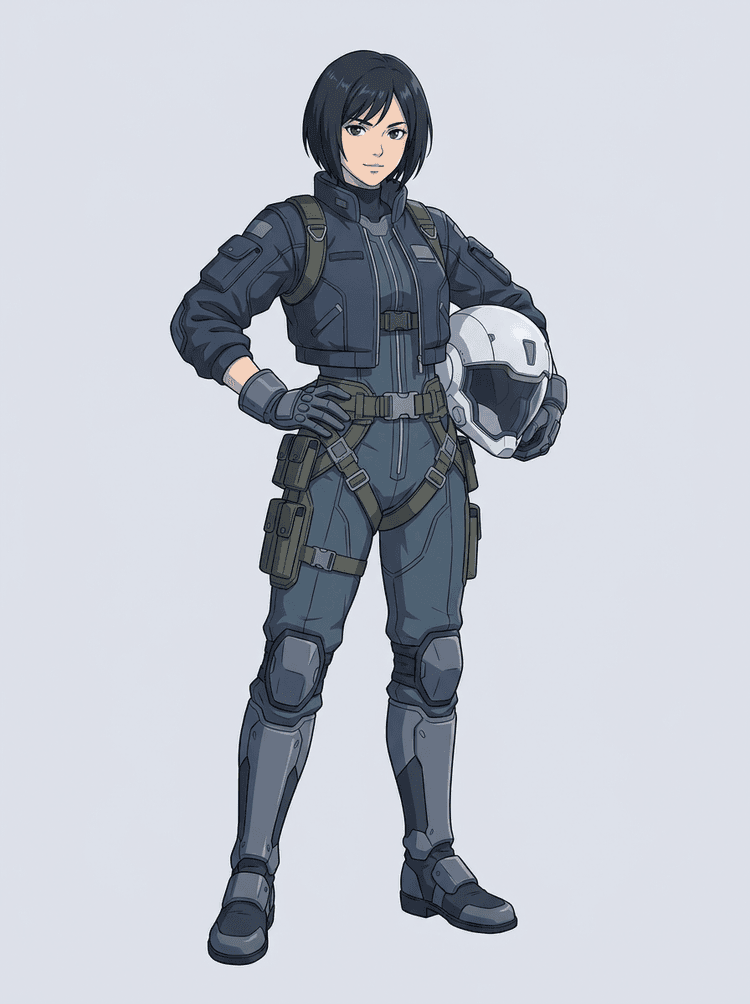
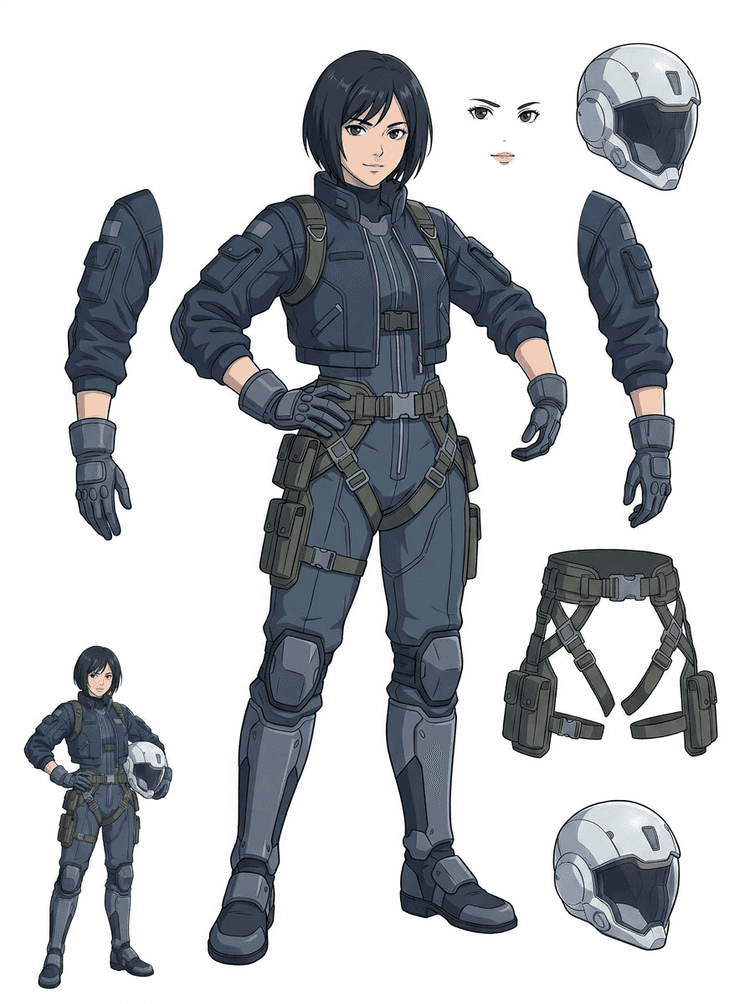
Sci-fi anime pilot se rozdělí na vlasy, obličej, bundu, rukavice, postroj, boty, helmu a části těla.
AI oddělovač vrstev je nástroj image to layers pro tvůrce, kteří už mají zdrojový obrázek, ale potřebují z něj praktické produkční části: popředí, pozadí, hlavní objekt, postavy, vlasy, obličej, oblečení, končetiny, text, objekty, rekvizity, detaily produktu a doplňky.
Vytvořeno pro umělce, indie herní týmy, animátory, marketéry, e-commerce týmy a ACG tvůrce, kteří potřebují z jednoho plochého obrázku udělat znovupoužitelné produkční assety bez toho, aby celou dobu strávili maskováním.
Vyleštěné PNG nemůže mrkat, dělat parallax, měnit rekvizity, izolovat produkty ani se stát spritem, dokud nejsou hlavní části oddělené.
Výběrové nástroje, čištění hran a pojmenování vrstev může trvat déle než první test animace.
Změna jedné rukavice, tašky, boty, ocasu, helmy nebo stuhy se může změnit v kompletní přemalování, když je všechno slité dohromady.
Předtím
Jeden hezký obrázek postavy, který vypadá kompletně, ale je stále uzamčený jako jediný plochý bitmapový soubor.
Potom
Čitelný přehled assetů s odděleným popředím, pozadím, postavami, textem a objekty, aby umělci mohli plánovat pohyb, upravovat detaily a předat produkční reference.
Vytvořte revizní průchod oddělením, než otevřete plný workflow ručního maskování.
Přejděte z jediného obrázku postavy na části pro animaci, hru a předání k úpravám.
Případová studie
Značkový maskot se může z jedné statické ilustrace přesunout do oddělených referencí pro hlavu, ocas, boty, tašku, oblečení a doplňky pro rychlé plánování animace.
Výsledek
Umělci mohou zkontrolovat, které části jsou použitelné, rozhodnout se, zda znovu spustit PRO, a začít čištění z konkrétního přehledu místo z prázdné maskovací relace.
LlamaGen workflow vrstev
příprava cartoon, anime a herních assetů
Vnímejte AI oddělovač vrstev jako první čistý průchod: nahrajte jeden obrázek, vygenerujte přehled vrstev a pak výsledek použijte v editoru, animačním workflow nebo pipeline herních assetů.
Použijte celou postavu, maskota, anime key art, herní koncept, produktovou fotku, grafický návrh, rekvizitu nebo produktově laděnou ilustraci s viditelnými okraji.
Quick Mode vytvoří rychlý vizuální checkpoint, aby tým viděl vlasy, obličej, oblečení, ruce, rekvizity, boty, pozadí, text, objekty a doplňky v kontextu.
PRO Mode je nejlepší až ve chvíli, kdy první přehled prokáže, že je zdroj čitelný, a projekt potřebuje čistší průchod modelem.
Použijte stažený přehled pro blokování pohybu, plánování rigů, reference pro sprity, přemalování nebo kreativní kompozici.
Cílem je revizní výchozí bod pro produkci, ne vágní AI demo.
Nástroj pro oddělování vrstev pomocí AI analyzuje vaše dílo a identifikuje různé prvky, jako jsou postavy, pozadí a objekty, a vytváří samostatné vrstvy. Pomocí AI rozkládá obrázky při zachování kompozice, hierarchie a záměru návrhu a funguje nejlépe pro grafický design, ilustrované produkty, character art a čisté herní assety.
Galerie je uspořádaná podle hlavních produkčních scénářů: kreslené maskoty, herní postavy, anime postavy a workflow image to layers založená na objektech. Každý příklad používá originální AI generovaný zdrojový obrázek a odpovídající rozdělený přehled assetů.
Maskoti, dětské postavy, hrdinové ve stylu samolepek a postavy do motion komiksů s výraznými rekvizitami a doplňky.
RPG hrdinové, cyber běžci, pohodové NPC, vrstvy vybavení, zbraně, inventární reference a přehledy pro přípravu spriteů.
Moderní anime key art s oddělením vlasů, uniformy, stuhy, helmy, rukavic, bot, postroje a přívěsku.
AI oddělovač vrstev je nejužitečnější tehdy, když má výstup jasný cíl. Tyto scénáře vysvětlují, jaký zdrojový obrázek nahrát, které části kontrolovat a jak přehled přenést do animace, her, komiksů, e-commerce nebo značkové produkce.
Animace maskota
Použijte čistou pózu maskota, když potřebujete samolepky na sociální sítě, krátké reklamy, pohyb na landing page nebo jednoduché plánování rigů.
Zdroj k nahrání
Maskot v celé postavě s viditelným obličejem, rukama, botami, ocasem, rekvizitami a okraji oblečení.
Užitečné vrstvy ke kontrole
Předání do produkce
Dejte animátorům přehled částí k revizi ještě před tím, než je překreslí, přemalují nebo zrigují pro finální pohyb.
Příprava indie herních assetů
Použijte schválený herní artwork, když tým potřebuje varianty vybavení, inventární ikony, portréty nebo rychlé zkoušení póz.
Zdroj k nahrání
Čitelný koncept postavy s jasným brněním, zbraněmi, taškou, pláštěm, vlasy, botami a siluetou.
Užitečné vrstvy ke kontrole
Předání do produkce
Použijte přehled jako výchozí referenci pro čištění spriteů, výměny vybavení a artwork pro gameplay.
Anime a ACG úpravy
Použijte anime styl postavy, když potřebujete kontrolu nad vlasy, obličejem, uniformou, stuhou, rukavicí, helmou nebo doplňkem.
Zdroj k nahrání
Jediná anime postava s výraznými obrysy, viditelnými detaily oblečení a minimálním vizuálním šumem v pozadí.
Užitečné vrstvy ke kontrole
Předání do produkce
Zkontrolujte přehled před úpravami výrazu, variantami oblečení, character cards nebo krátkými animatiky.
Komiks a reklamní iterace
Použijte postavy kampaně, rekvizity nebo ilustrované produkty, když se poslední změny pořád dotýkají drobných vizuálních částí.
Zdroj k nahrání
Vyleštěná ilustrace s objektem uprostřed, viditelnými okraji a hlavními místy pro úpravy nezakrytými.
Užitečné vrstvy ke kontrole
Předání do produkce
Dejte designérům konkrétní přehled pro výměny rekvizit, varianty bezpečné pro copy a kompoziční experimenty.
Nástroj funguje nejlépe, když je objekt čistý, celý a jasně oddělený. Není to zkratka pro každou přeplněnou fotku, skicový list, zakrytý postoj nebo husté rozvržení, kde se popředí, pozadí, text a objekty silně překrývají.
Vygenerovaný přehled by se měl hodnotit jako první produkční průchod, ne jako kouzelný finální soubor. Použijte kontrolní seznam a rozhodněte se, zda stáhnout, spustit znovu, oříznout zdroj nebo přejít na PRO poté, co oddělovač obrazových vrstev identifikuje použitelné oblasti popředí, pozadí, hlavního objektu, objektů a textu.
Slabý výsledek
Důležité části jsou slité dohromady, náhodně duplikované nebo schované v vizuálním nepořádku.
Výsledek použitelný pro produkci
Přehled umožňuje na první pohled snadno poznat hlavní viditelné části: hlavu, končetiny, oblečení, rekvizity, doplňky a části pozadí.
Slabý výsledek
Postava vypadá jako nový návrh s jinými proporcemi, barvami, kvalitou linek nebo osobností.
Výsledek použitelný pro produkci
Oddělené části stále působí propojeně s původním art direction, se snadno rozpoznatelnou siluetou, paletou i identitou postavy.
Slabý výsledek
Přehled je zajímavý, ale tým neví, co má dál obtahovat, přemalovat, maskovat nebo testovat.
Výsledek použitelný pro produkci
Umělci si mohou okamžitě vybrat části pro čištění, blokování rigů, referenci pro sprity, výměny rekvizit nebo kompoziční testy.
Slabý výsledek
Špatné rozdělení neukáže, zda je problém v modelu, nebo v nahraném obrázku.
Výsledek použitelný pro produkci
Výsledek ukáže, co opravit dál: oříznout blíž, odstranit skicové značky, přidat prostor, zjednodušit pozadí nebo použít PRO.
Proměňte jeden hotový obrázek v oddělené vizuální části, které se snadněji kontrolují, upravují, animují nebo znovu skládají.
Nahrajte čistý obrázek a vytvořte čitelný PNG přehled vrstev s popředím, pozadím, hlavním objektem, objekty, textem, oblečením, rekvizitami a doplňky v jednom výsledku.
Oddělovač obrazových vrstev pomáhá designérům, marketérům, animátorům a herním týmům určit, které části zdrojového obrázku se dají proměnit v editovatelné assety. Místo překreslování každého prvku od nuly mohou týmy vygenerovat PNG přehled vrstev, porovnat originál s odděleným výsledkem a rozhodnout se, zda zdroj potřebuje ořez, vyčištění, Quick Mode nebo PRO průchod.
Vytvořte přehled ke stažení pro přípravu spriteů, plánování rigů, motion komiksy, úpravy pro e-commerce, varianty samolepek nebo předání postavy. Nejlépe funguje, když má jeden jasný objekt viditelné okraje a minimum překryvů.
Nejlepší workflow oddělování vrstev zachovává kontext. Udržte zdroj, vygenerovaný přehled a krátkou poznámku z revize, aby další umělec věděl, co použít a co ještě potřebuje vyčištění.
Původní obrázek vysvětluje záměr, když animátor, herní umělec nebo designér později prochází oddělený přehled.
První přehled má větší hodnotu, když tým ví, které části jsou připravené a které ještě potřebují ruční dokončení.
Použijte přehled a exportované transparentní vrstvy jako praktický most do animace, přípravy spriteů, komiksových úprav nebo kompozice. PSD je editovatelný výchozí soubor, ne zaručený finální produkční asset.
AI oddělovač vrstev dává týmům rychlejší první průchod; finální produkční assety ale stále těží z lidské kontroly a čištění.
AI oddělovač vrstev přemění jeden plochý obrázek na čitelný PNG přehled vrstev s viditelně odděleným pozadím, objektem, textem, rekvizitami, předměty, detaily produktu a částmi postavy pro úpravy, animaci, herní art, motion komiksy, e-commerce a kompozici.
Ano. Quick Mode je bezplatný online výchozí bod pro výsledek image-to-layers k revizi. Použijte ho k otestování, zda se zdrojový obrázek dobře odděluje, ještě než strávíte čas ručním maskováním nebo upgradujete na čistší PRO průchod.
Ano. AI oddělovač vrstev funguje jako webový AI oddělovač obrazových vrstev: nahrajte jeden obrázek, nechte model rozpoznat objekty, pozadí, text, rekvizity a předměty a pak si stáhněte přehled image-to-layers k revizi. Nejrychlejší je pro čisté fotky, grafický design, ilustrované produkty, herní assety a character art; složité obrázky mohou stále potřebovat ruční vyčištění ve Photoshopu, Figma nebo v jiném editoru.
Nahrajte čistý obrázek, spusťte Quick Mode a zkontrolujte vygenerovaný přehled image to layers. Výsledek oddělí viditelné popředí, pozadí, hlavní objekt, text, rekvizity a objekty do praktické reference, kterou můžete použít pro úpravy, kompozici, blokování animace, přípravu spriteů nebo ruční čištění.
Ano. Po vytvoření prvního přehledu vrstev může placený druhý průchod vytáhnout jednotlivé transparentní PNG vrstvy. Tyto vrstvy můžete stáhnout samostatně, zabalit jako ZIP nebo exportovat jako editovatelný úvodní PSD. Složité hrany a přeplněné zdroje mohou před předáním do produkce stále vyžadovat ruční čištění.
Layer Decomposition je schopnost AI agenta, která oddělí jeden obrázek do logických, editovatelných vizuálních vrstev, jako jsou popředí, pozadí, objekty, text a předměty. Pomáhá týmům přejít z plochého obrázku na praktický přehled vrstev pro revizi, úpravy, animaci a předání do produkce.
Ano. LlamaGen AI oddělovač vrstev oddělí v prohlížeči pozadí, text, objekty a viditelné předměty a poskytne stažitelný přehled assetů pro navazující úpravy.
Nejlépe fungují čisté ilustrované objekty: kreslení maskoti, anime postavy, herní postavy, produktově laděná grafika, rekvizity a celopostavové návrhy s viditelnými vlasy, oblečením, končetinami, botami, zbraněmi, taškami, ocasy, textem, objekty nebo doplňky.
Ano. Kreslené postavy a maskoti jsou jedním z nejsilnějších use casů, protože obrysy, rekvizity, oblečení, ruce, boty a části obličeje bývají dostatečně jasné, aby z nich vznikl užitečný přehled.
Ano. AI oddělovač vrstev pro herní assety může proměnit čisté koncepty postav ve výchozí bod pro reference spriteů, varianty póz, ikony inventáře, úpravy vybavení, UI portréty a blokování animace.
Ano. Anime styl postav lze při čistém zdrojovém obrázku rozdělit na viditelné reference vlasů, obličeje, oblečení, stuhy, rukavic, bot, rekvizit, helmy a doplňků.
Quick Mode vytvoří rychlý přehled assetů k revizi. PRO Mode používá vylepšený model pro čistší oddělení, když je zdrojový obrázek čitelný a projekt potřebuje kvalitnější průchod.
Ne. Velmi přeplněné scény, skryté části těla, překrývající se objekty, skicové značky, silné stíny, oříznuté končetiny nebo drobné doplňky mohou stále vyžadovat úpravu zdroje nebo ruční dokončení.
Vygenerované výstupy můžete používat podle svého plánu a podmínek LlamaGen. Ujistěte se také, že máte práva ke zdrojovému obrázku, který nahráváte.
Začněte s přednahranou ukázkou, nahrajte vlastní kreslenou, anime nebo herní postavu a během pár minut vytvořte přehled vrstev k revizi. První výsledek vám ukáže, zda stačí Quick, nebo se vyplatí PRO průchod.