

Narrativa de varias páginas
Planea escenas conectadas en lugar de pedir imágenes sueltas una por una. Lleva la trama, el ritmo, las locaciones, los objetos y la dirección visual de la página uno a la siguiente escena o capítulo.
LlamaGen Cómics
Convierte una historia o guion en paneles de cómic con diálogos, personajes y un diseño que puedes editar.
Funciona en tu navegador. Edita cada panel en el estudio.
Pega tu historia y luego elige la cantidad de páginas y el diseño.
Elige un formato de lectura
Crea páginas conectadas o un episodio vertical y ajusta los personajes y diálogos en el estudio.
Cómic
Generador de cómics con IA
Historias de varias páginas con personajes recurrentes
Manga
Generador de manga con IA
Páginas de manga a partir de tu historia
Webtoon
Generador de webtoon con IA
Episodios verticales para leer en el móvil
Qué lo hace diferente
LlamaGen está diseñado para trabajo secuencial: un elenco recurrente, momentos de historia conectados y un formato que los lectores puedan seguir. El objetivo no es solo generar un panel atractivo; es darte un proyecto de cómic que sí puedas trabajar.
Planea escenas conectadas en lugar de pedir imágenes sueltas una por una. Lleva la trama, el ritmo, las locaciones, los objetos y la dirección visual de la página uno a la siguiente escena o capítulo.
Define un elenco recurrente y reutiliza referencias visuales aprobadas. Revisa rostros, ropa, colores y detalles distintivos a medida que la historia pasa entre primeros planos, acción, diálogo y nuevas locaciones.
Define el formato de lectura desde el inicio: manga en blanco y negro, páginas de cómic occidental a color completo o webtoon vertical pensado primero para móvil. Continúa paneles seleccionados en un motion comic cuando la historia necesite movimiento.
Historias verificadas de clientes
Creadores de cómic
Lo que hace que LlamaGen.Ai destaque es lo específicamente ajustado que está para la narración secuencial y la consistencia visual. Keshav resalta referencias de personajes que se mantienen bien en cuadros, poses y ángulos; un flujo fluido de texto a storyboard; y control a nivel de panel sobre composición, poses y ediciones regionales.

Keshav S.
Educadores
LlamaGen convierte una idea escrita en una historia visual completa, mantiene consistentes a los personajes y elimina la necesidad de habilidades adicionales de edición de video. Para historias de capacitación y educación para pacientes, reduce el tiempo de producción y los costos iniciales mientras acelera la creación de prototipos.

Parthik P.
Narradores de marca
LlamaGen ayuda a nuestro equipo de marketing a producir storyboards estilo cómic y contenido ilustrado de campañas mucho más rápido sin necesitar un ilustrador dedicado para cada activo. La consistencia de personajes mantiene las campañas cohesionadas, mientras que los prompts de texto y el soporte multilingüe aceleran la ideación para una audiencia multilingüe.

Muhammed A.
Flujo real del producto
Estas son vistas reales del producto de LlamaGen: define el elenco, edita la página de cómic y luego continúa el proyecto hacia exportación, compartir o movimiento.

Configura los rasgos reconocibles del personaje y aprueba una referencia visual antes de pedir que vuelva en paneles posteriores.

Revisa la página generada en Comic Studio y luego corrige subtítulos, globos de diálogo, proporciones o solo el panel que no cumplió con el brief.

Continúa la secuencia con el mismo elenco, exporta o comparte el trabajo aprobado, o abre el flujo Animatic cuando algunas escenas necesiten movimiento.
Opciones de entrega verificadas
Exporta la página actual como archivo PNG o copia la página renderizada como PNG desde Comic Studio.
Las ediciones de panel y lienzo se conservan después de un breve retraso de guardado. Tu plan sigue determinando cuánto tiempo se conserva el historial del proyecto.
El plan Free no promete salida en HD ni quitar la marca de agua; Studio reserva las opciones de exportación de mayor resolución para planes de pago.
Envía escenas seleccionadas del cómic al flujo de animación, genera movimiento y descarga el archivo de video resultante.
Tres formatos más movimiento
Cada ejemplo usa una premisa y un destino distintos. Abre una imagen fija a tamaño completo o reproduce el ejemplo animado; ninguna de estas tarjetas recorta la fuente para fabricar una vista previa más atractiva.
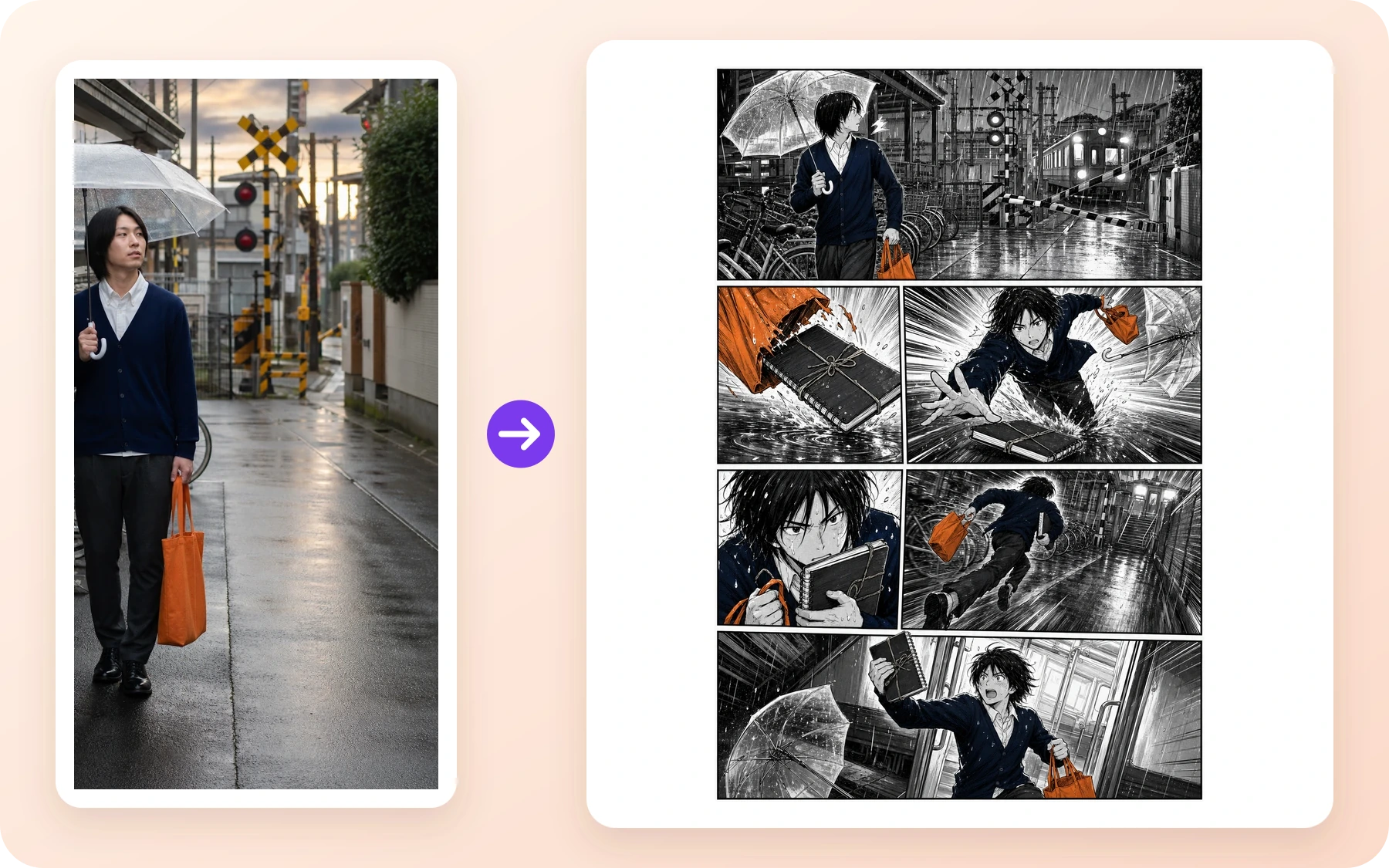
Manga · Creadores de cómic
Una referencia de ferrocarril lluvioso se convierte en una página de acción en blanco y negro con una apertura clara, persecución, primer plano y cierre.
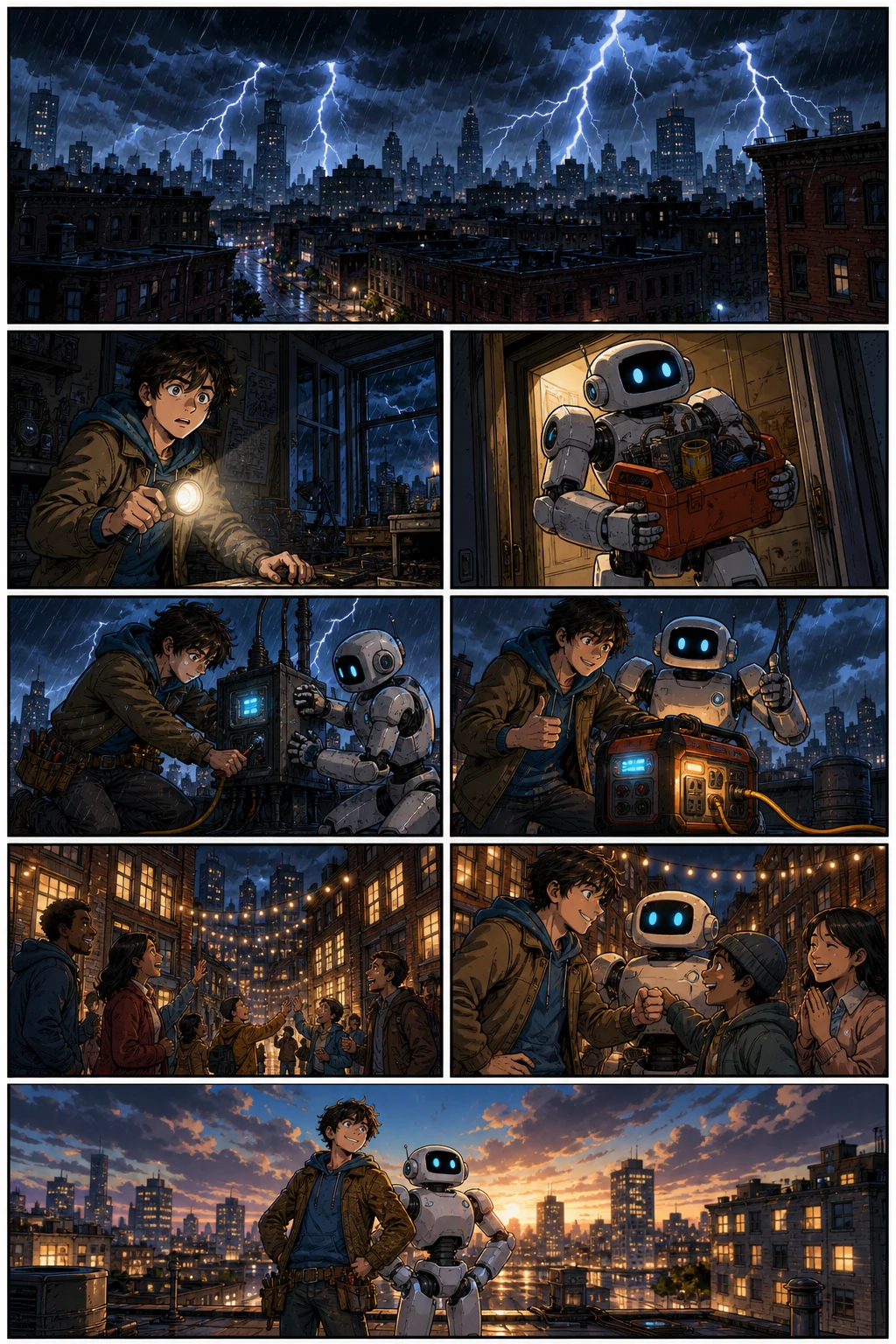
Cómic occidental · Narradores de marca
Un inventor recurrente y un robot avanzan por un rescate a oscuras a todo color, con acción legible y cambios de ángulo de cámara.
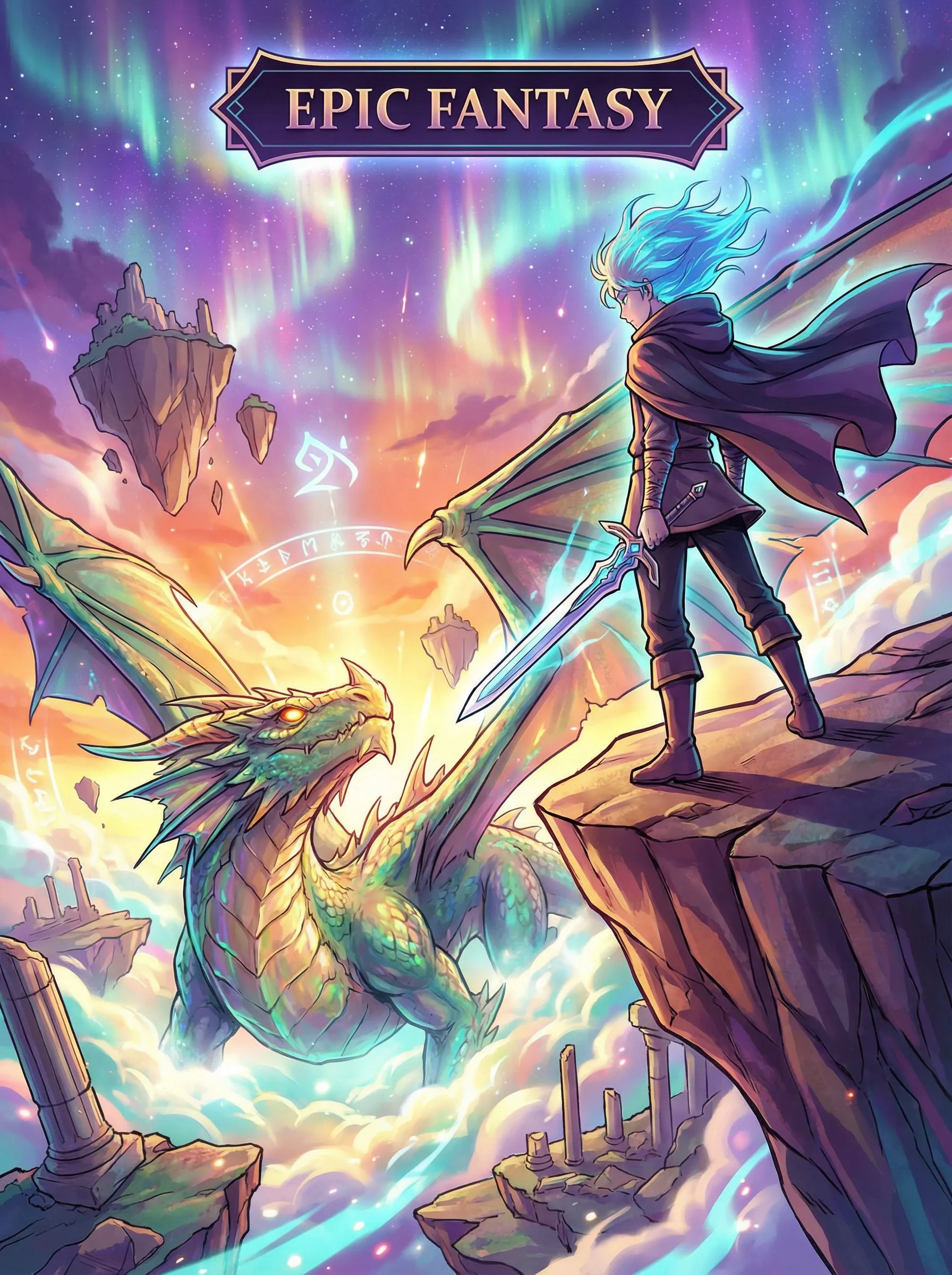
Webtoon vertical · Educadores
Un viaje de fantasía usa espaciado vertical y ritmo móvil de largo formato para llevar al lector del descubrimiento al peligro.
Motion Comic · Equipos de storyboard
Un cuadro de cómic terminado continúa en una breve escena animada con movimiento de cámara dirigido y movimiento del personaje.
comic to video converterCorrige la parte que falló
El resultado de IA todavía necesita criterio. Trata cada página generada como un borrador: conserva lo aprobado, aísla el problema y revisa la unidad útil más pequeña. Este es el camino práctico cuando una cara se desvía, una pose falla o las palabras ya no encajan con el momento.
Reutiliza la referencia aprobada del personaje y redibuja el panel afectado. Mantén en su lugar las páginas aceptadas mientras comparas la cara, ropa, objetos y paleta corregidos.
Cambia el prompt, la toma, la pose o el fondo de ese panel y regénéralo en lugar de reiniciar toda la secuencia.
Revisa subtítulos y diálogo, luego ajusta las proporciones de panel y el orden de lectura en Studio. Aprueba la página solo después de que las palabras y lo visual transmitan el mismo momento de la historia.
Resumen de entrega verificada
Usamos los mismos momentos de la historia y el mismo elenco recurrente para tres ejecuciones separadas por formato. Esto es evidencia de un flujo de trabajo repetible, no una promesa de que un clic convierta automáticamente un cómic terminado en todos los diseños.
Los 36 paneles aprobados muestran que el mismo plan de capítulo y los cuatro personajes recurrentes pueden sobrevivir a múltiples escenas y formatos de lectura después de la revisión. No prueban que cada primer resultado sea útil, que los tres diseños sean intercambiables o que el flujo de trabajo no necesite edición humana. Por eso el registro detallado conserva los intentos rechazados, el tiempo del modelo, los prompts, el manifiesto de activos y los hashes de archivo fuera de esta página de conversión, donde pueden inspeccionarse sin abrumar a quien solo quiere empezar un cómic.
Ver el caso completoAntes de empezar
El saldo de sesión iniciada y la confirmación que se muestran antes de generar siguen siendo la fuente de verdad actual porque los créditos, promociones y empaquetado de planes pueden cambiar.
Free no promete historial de cómics guardado. Standard actualmente indica 30 días, Pro 90 días y los niveles superiores historial ilimitado. El uso comercial sigue sujeto a los Términos y a los derechos de terceros.
Comparar los planes y límites actualesSeguridad, derechos y publicación
Este es un resumen en lenguaje sencillo, no un sustituto de las políticas. Tu uso previsto, material de origen, jurisdicción y tamaño de empresa pueden cambiar la respuesta, así que sigue los documentos vinculados cuando un proyecto sea importante comercialmente.
La Política de contenido aplica a prompts, cargas, resultados generados o editados, publicaciones públicas y uso de API. LlamaGen describe verificaciones automáticas, controles del proveedor, escaneo de áreas públicas, reportes y revisión humana. También es el límite práctico de uso aceptable para este generador. Usa el control de Reportar en una obra pública o sigue las instrucciones de reporte de la Política de contenido. No adjuntes material sospechoso de abuso infantil.
Los Términos te asignan el interés de LlamaGen en el resultado en la medida permitida por la ley, incluido el uso comercial, sujeto a los Términos y a los derechos de terceros. Sigues siendo responsable de tener permiso para las entradas y de liberar derechos de privacidad, imagen, copyright, marca registrada y otros. Las empresas por encima del umbral de ingresos indicado necesitan el plan de pago requerido.
Leer los TérminosLlamaGen no promete que el resultado de IA sea único, que tenga derechos de autor en todos los países ni que esté libre de reclamos de terceros. Prompts similares pueden producir resultados similares. Conserva evidencia de tu autoría humana y decisiones de edición, evita personajes o marcas protegidas que no controles y obtén asesoría legal para decisiones de publicación o licenciamiento de alto valor.
Leer los términos de derechos sobre el resultadoPreguntas antes de crear
Si usaste Comics Canvas de Komiko para bosquejar paneles y páginas, este generador de cómics con IA es el flujo de trabajo equivalente de LlamaGen: escribe la historia, genera páginas conectadas y luego edita paneles en Comic Studio. El chat de personajes no forma parte de esta página.
Usa OC Maker o Anime OC Maker y luego lleva al mismo personaje a este generador de cómics. Photo to anime es la página equivalente si empiezas desde una selfie en lugar de un OC escrito.
Sí. Define al elenco recurrente y la dirección de la historia, reutiliza referencias visuales aprobadas y revisa rostros, ropa, objetos, escenarios y estilo a medida que agregas paneles y páginas. La consistencia de la IA todavía necesita revisión; corrige el panel que se desvíe antes de extender la secuencia.
Free está pensado para probar un cómic corto y usa créditos. La generación requiere una cuenta, el plan Free actual indica hasta cuatro paneles por página y no promete quitar la marca de agua, salida en HD ni historial de cómics guardado. Revisa la página de Precios en vivo porque las asignaciones de créditos, promociones y paquetes pueden cambiar.
No. En Comic Studio puedes revisar el prompt, la toma, la pose o el fondo del panel afectado y regenerar solo ese panel mientras conservas el trabajo aprobado. También puedes revisar subtítulos o diálogo y ajustar las proporciones de los paneles antes de continuar la historia.
Los ejemplos de esta página no hacen esa promesa. El caso verificado de tres formatos usó los mismos momentos de la historia y las mismas referencias de personajes en tres ejecuciones separadas por formato. Planea cada dirección de lectura y diseño para su destino y luego revisa el resultado de forma independiente.
Sí. Comic Studio ofrece un lienzo editable para subtítulos, elementos de diálogo, proporciones de paneles, revisión de página y regeneración de paneles seleccionados. Las opciones exactas de exportación, historial y edición avanzada dependen del plan actual.
Los Términos te asignan el interés de LlamaGen en el resultado en la medida permitida por la ley, incluido el uso comercial, sujeto a los Términos y a los derechos de terceros. Tú eres responsable de los permisos de entrada y de liberar derechos. Las empresas con más de US$500,000 de ingresos anuales deben usar Pro o Unlimited al crear activos.
La Política de contenido aplica a prompts, cargas, resultados generados o editados, publicaciones públicas y uso de API. LlamaGen describe verificaciones automáticas, controles del proveedor, escaneo de áreas públicas, reportes y revisión humana. Usa el control de Reportar en una obra pública o envía un Content Safety Report con la URL de la página y una breve explicación.
No. El tratamiento de derechos de autor varía según la jurisdicción, el resultado puede no ser único y LlamaGen no garantiza ausencia de infracción. Conserva registros de tu escritura y ediciones humanas, evita personajes o marcas protegidas que no controles y busca asesoría legal para decisiones de publicación o licenciamiento de alto valor.
No. Copyright treatment varies by jurisdiction, output may not be unique, and LlamaGen does not guarantee non-infringement. Keep records of your human writing and edits, avoid protected characters or brands you do not control, and seek legal advice for high-value publishing or licensing decisions.
You can create multi-page comics, comic strips, manga pages, and Webtoon episodes using AI. LlamaGen is an AI comic drawing generator and comic drawer AI — a complete comic using AI workflow that turns a story prompt into an AI made comic with consistent characters, editable panels, and export-ready pages.
Yes. LlamaGen works as an AI comic generator from photo and image references — upload a portrait, scene, or character sketch and generate comic panels from it. You can also write a story prompt and use the AI comic generator from text free for scripts, chapters, and original ideas.
Yes. You can use LlamaGen to make anime-style manga pages, action panels, and character-driven comics. Sign in to generate comics; generation uses credits, including on the Free plan. Check the current Pricing page for credit allowances and plan limits.
Define al elenco y el siguiente momento de la historia, genera una página conectada y luego revisa los paneles antes de continuar el capítulo.
Crear un cómic