

Rekomenduojama
Quick Mode
Rekomenduojamas pirmas pasirinkimas. Vienas įskaitomas PNG sluoksnių lapas iš vieno vaizdo.
Įkelkite švarų vaizdą ir padalykite jį į foną, priekinius planus, pagrindinį objektą, tekstą, objektus, komiksų veikėjus, anime meną, atributiką ar produkto grafiką. Peržiūrėkite pirmą sluoksnių lapą, tada išskirkite atskirus permatomus PNG sluoksnius ir eksportuokite ZIP arba redaguojamą pradinį PSD.
First pass · 300 credits
Generates one reviewable PNG asset sheet. It is not an editable set of transparent PNG layers.
First pass · 600 credits
Uses a higher-quality model to produce a cleaner PNG asset sheet, still delivered as a single image.
Paid second pass · +600 credits
Once the sheet is ready, a paid user can extract individual transparent PNG layers, download them or a ZIP, and export a starter PSD.
The extracted PNGs are actual second-pass outputs, not a crop of the sheet. Occluded regions or complex edges can need manual cleanup; PSD is an editable starting file.
or drop a file,
paste image or
No image? Try one of these:
Įkelkite tikrą šaltinio vaizdą šiame puslapyje. Quick Mode sugeneruoja pirmą peržiūrai tinkamą sluoksnių lapą; PRO pagerina tą lapą, kai šaltinis yra švarus. Mokamas antrasis etapas išskiria atskirus permatomus PNG sluoksnius, kuriuos galima atsisiųsti po vieną, kaip ZIP arba kaip redaguojamą pradinį PSD.
Rekomenduojamas pirmas pasirinkimas. Vienas įskaitomas PNG sluoksnių lapas iš vieno vaizdo.
Pažangus modelis. Švaresnis atskyrimas turinio lape.
After creating a sheet, paid plans can extract real transparent PNG layer files and download individual PNGs, a ZIP, or an editable starter PSD. Complex images may need manual cleanup.
Kiekviena kortelė rodo tikrą šaltinį ir sugeneruotą sluoksnių lapą. Etiketės aprašo tik tas dalis, kurios matomos tame rezultate; tiesioginis įrankis aukščiau yra vieta, kur tinkamas šaltinis gali būti toliau skaidomas į atskirus priekinio plano, fono, pagrindinio objekto, teksto ir objekto sluoksnius.
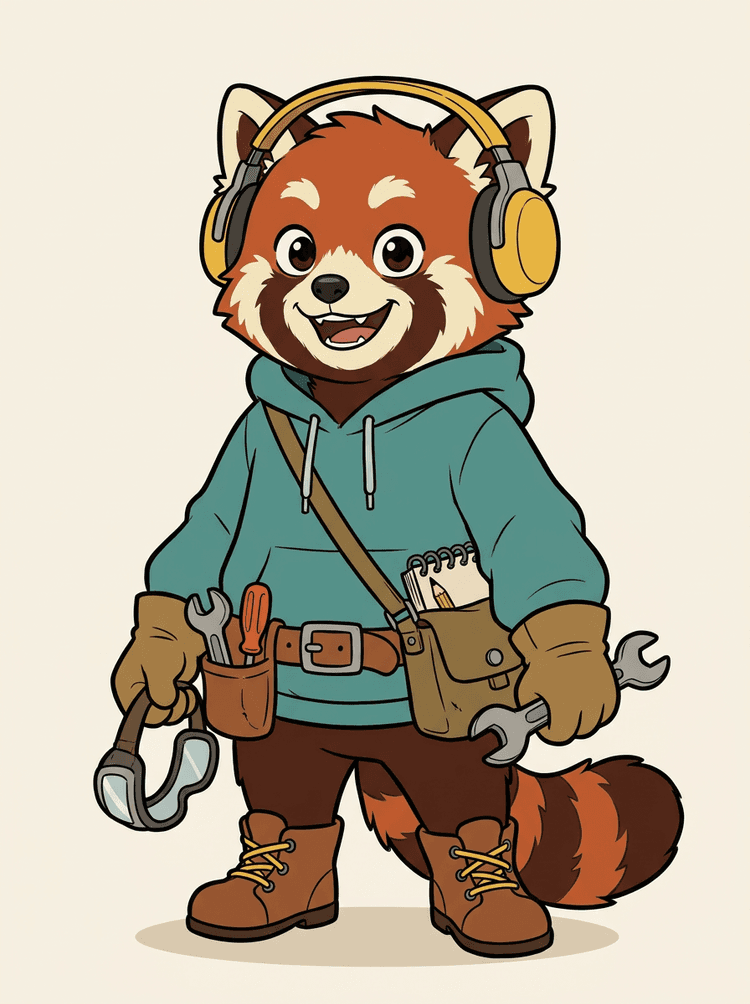
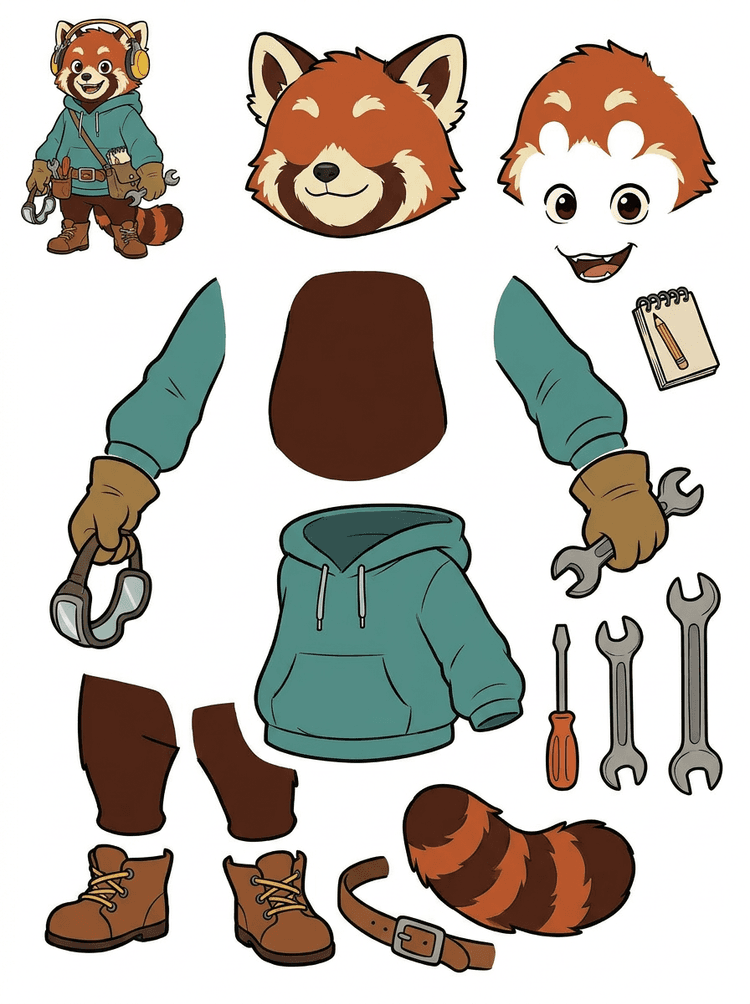
Veikėjo maskotas su ausinėmis, džemperiu, rankine, uodega, batais ir piešimo įrankiais tampa praktišku lapu animacijos peržiūrai.
Matomos dalys šiame tikrame rezultate
Perdavimas gamybai
Sugeneruotas lapas yra peržiūros etapas. Tęskite tiesioginiame įrankyje, kad išskirtumėte tinkamas matomas sritis kaip atskirus permatomus PNG sluoksnius, tada supakuokite juos į ZIP arba redaguojamą pradinį PSD.

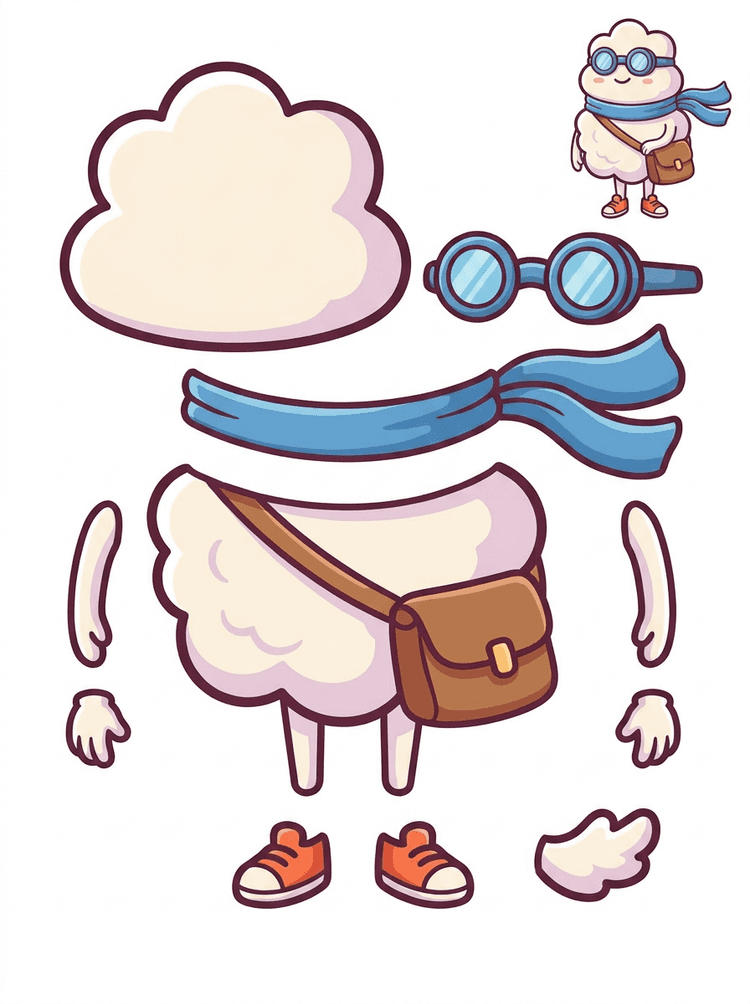
Lipduko stiliaus animacinis herojus tampa dalių lapu su šaliku, krepšiu, batais, akiniais, rankomis ir apvalaus kūno komponentais.
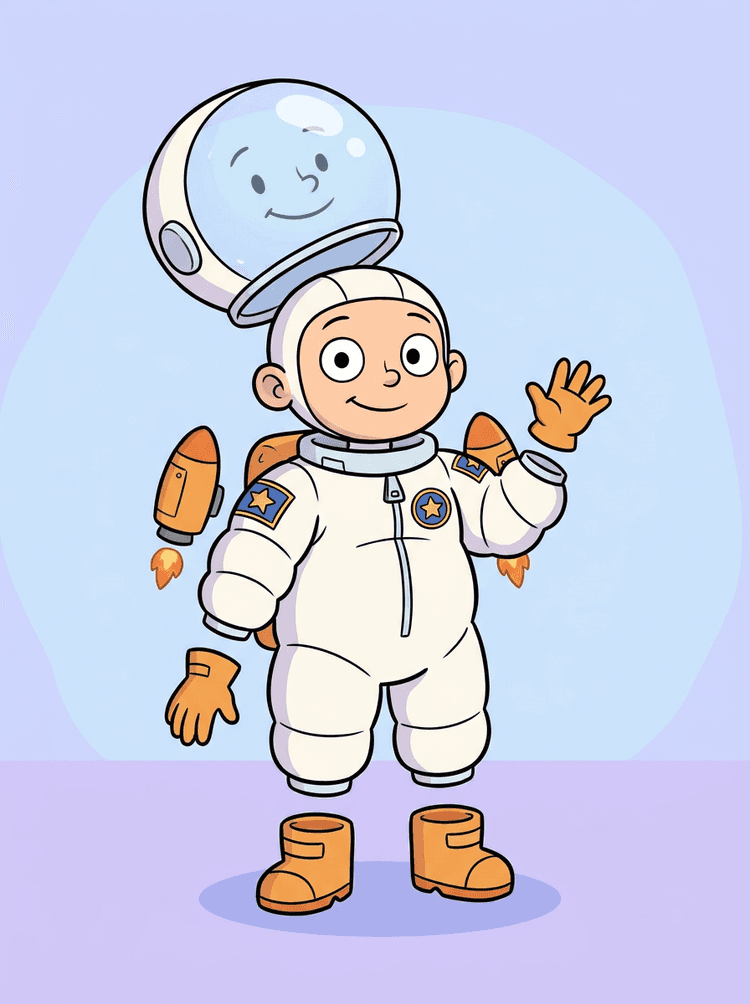
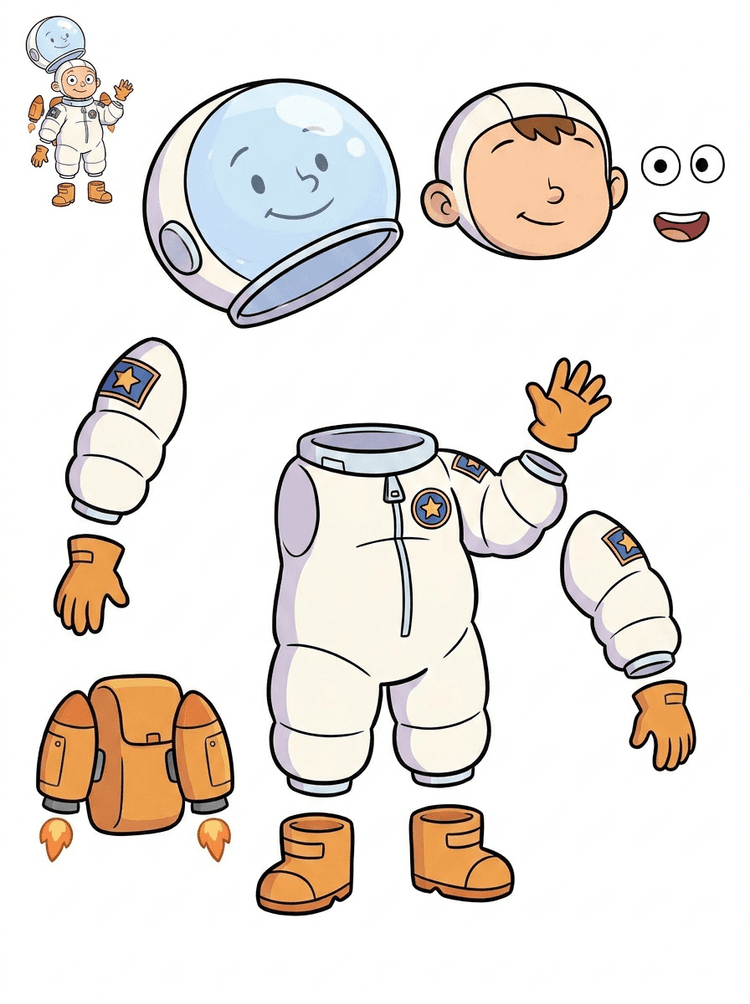
Vaiko astronauto iliustracija tampa lapu šalmui, kostiumui, pirštinėms, batams, lopams, kuprinei ir motion komikso dalims.
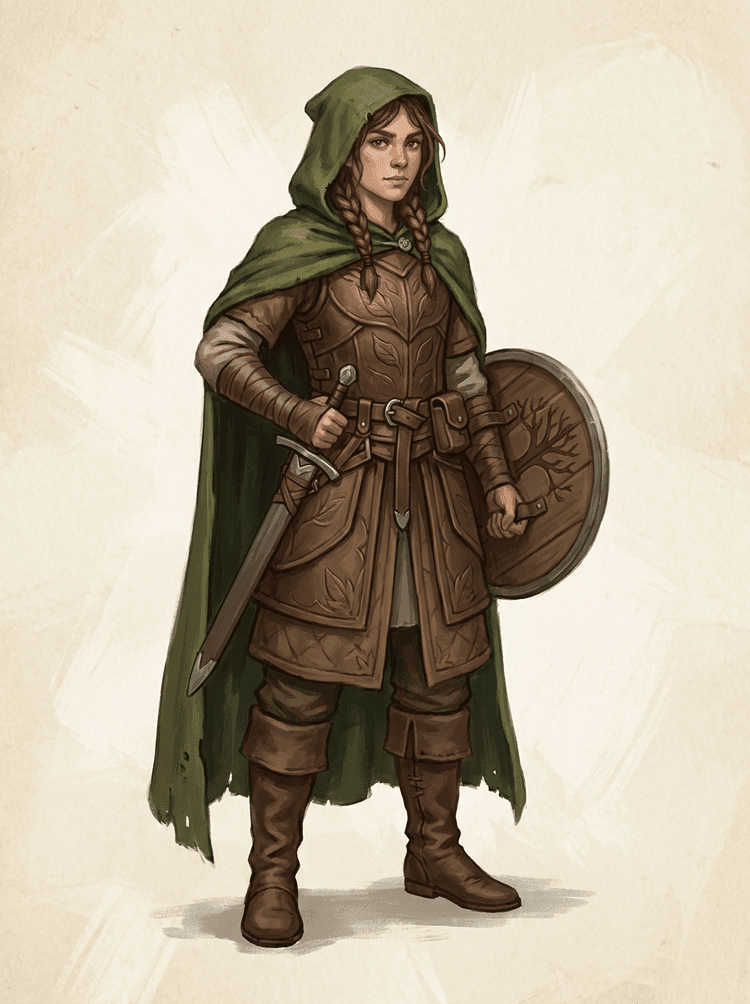
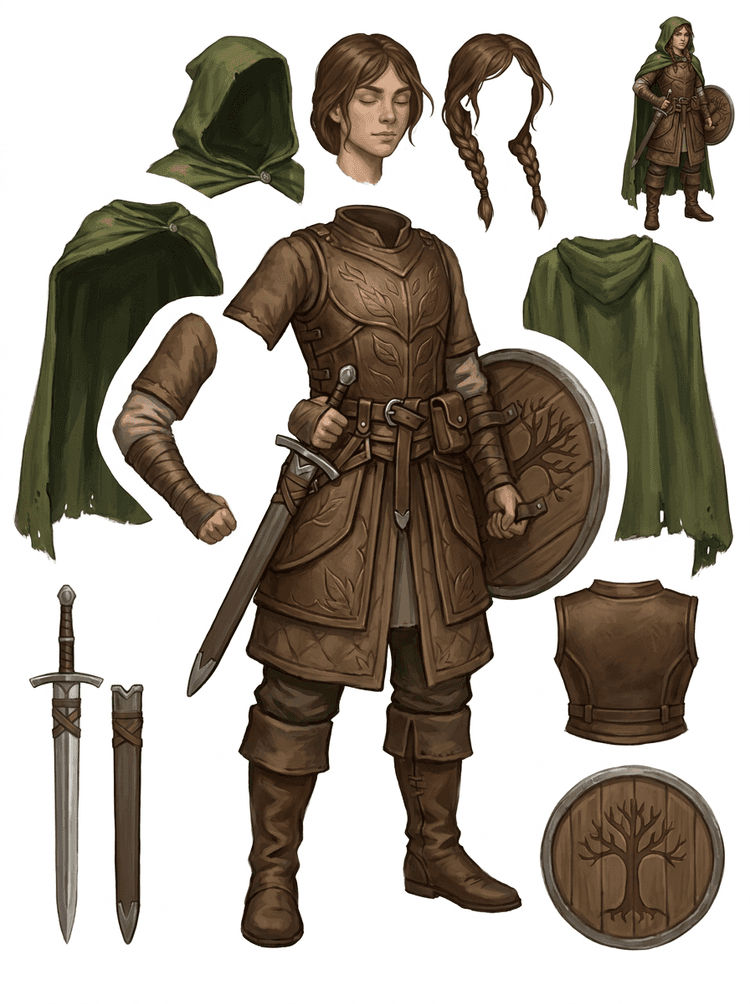
Fantastinis žaidimo veikėjas padalijamas į šarvus, apsiaustą, kardą, skydą, maišelius, batus, galūnes ir pakartotinai naudojamas sprite nuorodas.
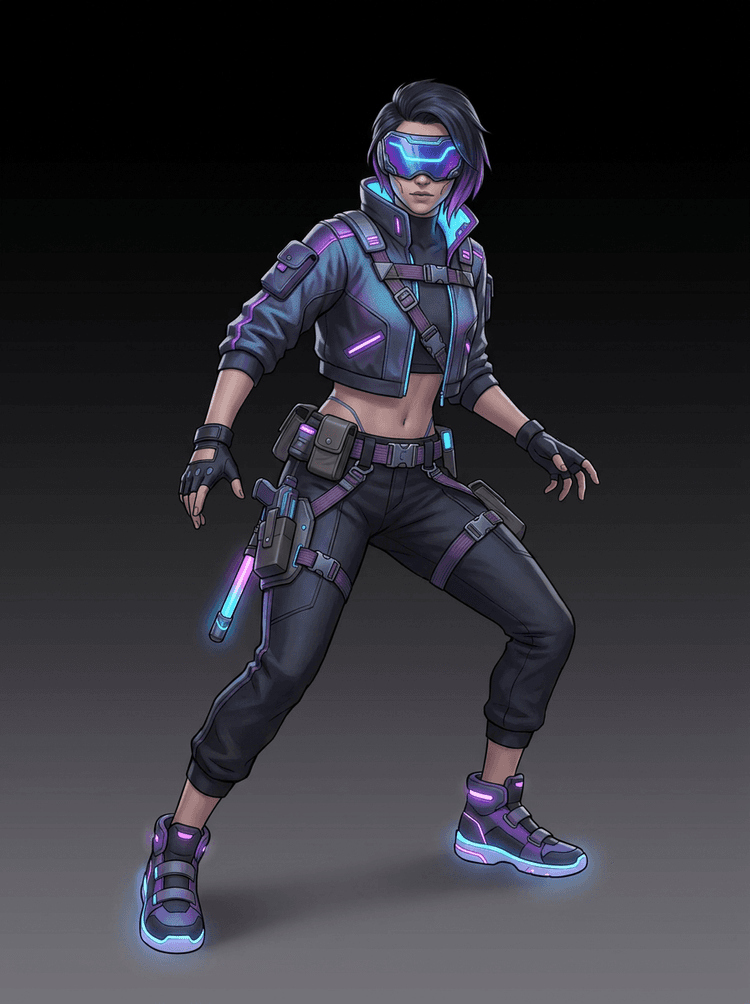
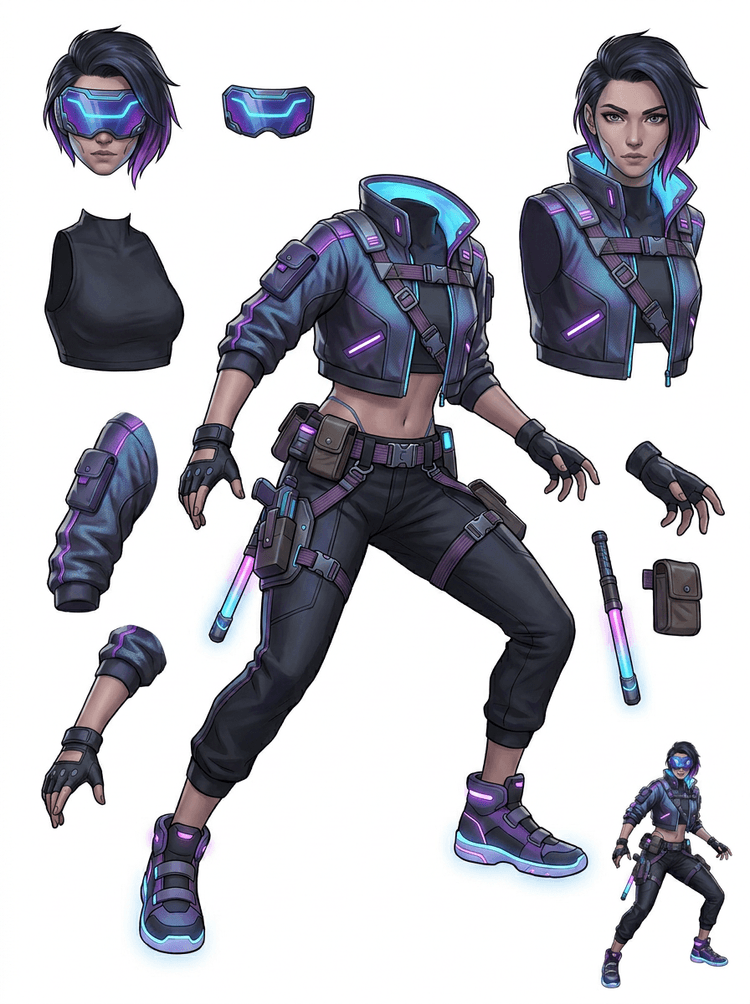
Kiberpanko veiksmo veikėjas tampa detaliu dalių nuorodų lapu striukei, vizoriui, pirštinėms, batams, diržams, lazdai ir kūno dalims.
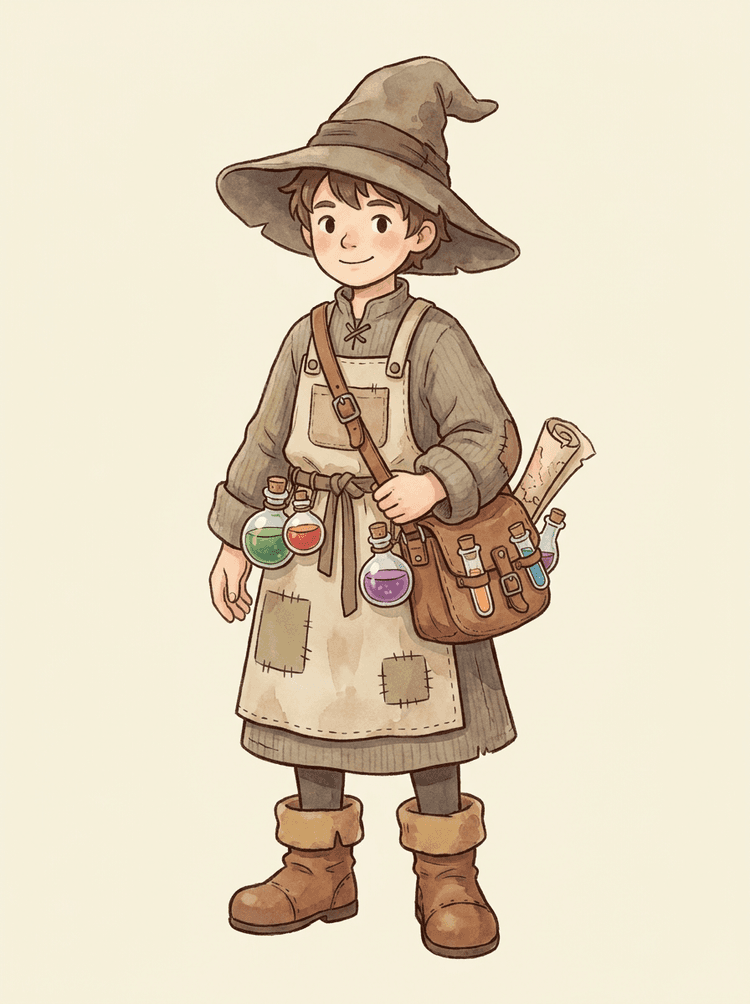
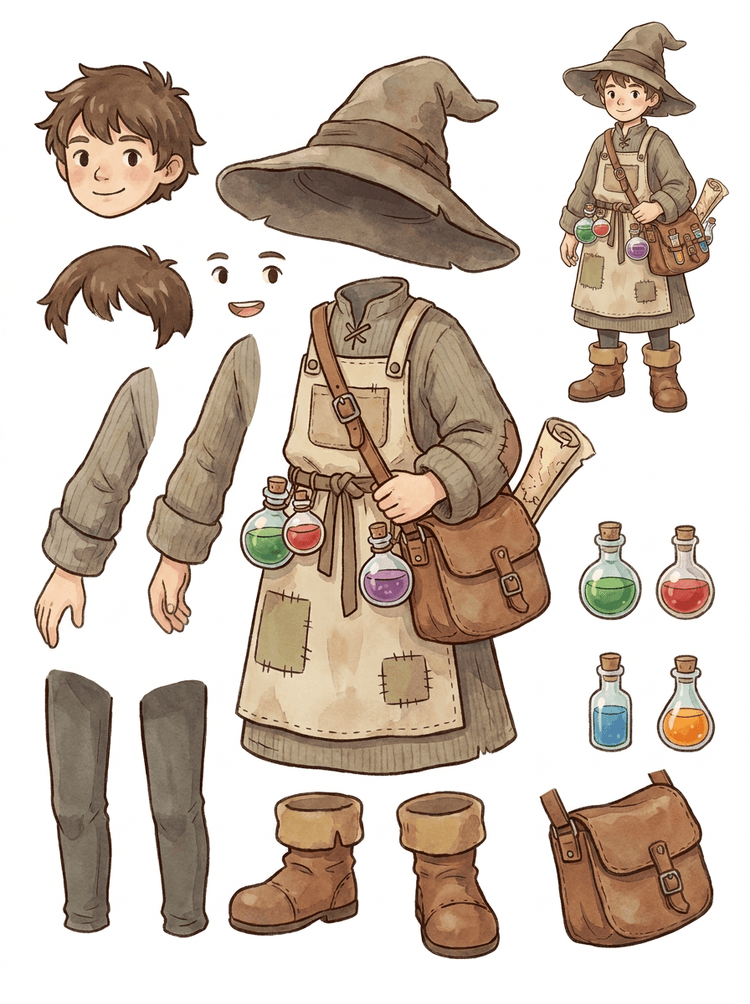
Jaukus NPC su kepure, prijuoste, potionų krepšiu, buteliais, žemėlapiu, batais ir šiltais drabužiais tampa pakartotinai naudojamu žaidimų gamybos lapu.
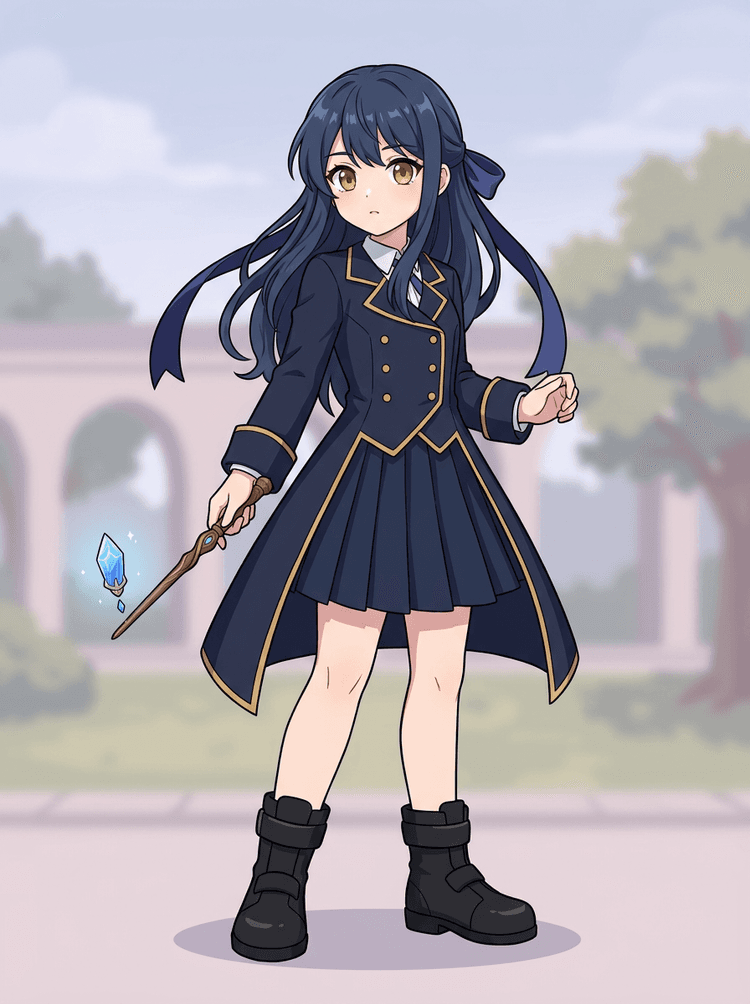
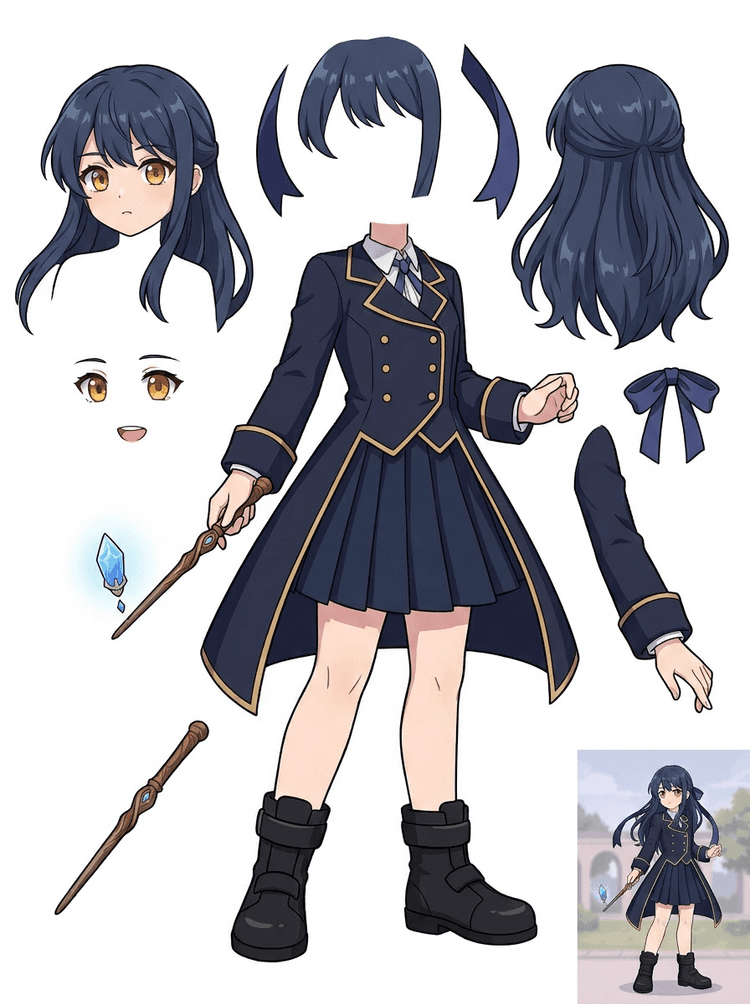
Anime pagrindinis menas su uniforma, kaspinėliu, lazdele, plaukais, pakabuku, pirštinėmis ir batais tampa dalių lapu redagavimui ir judesio bandymams.
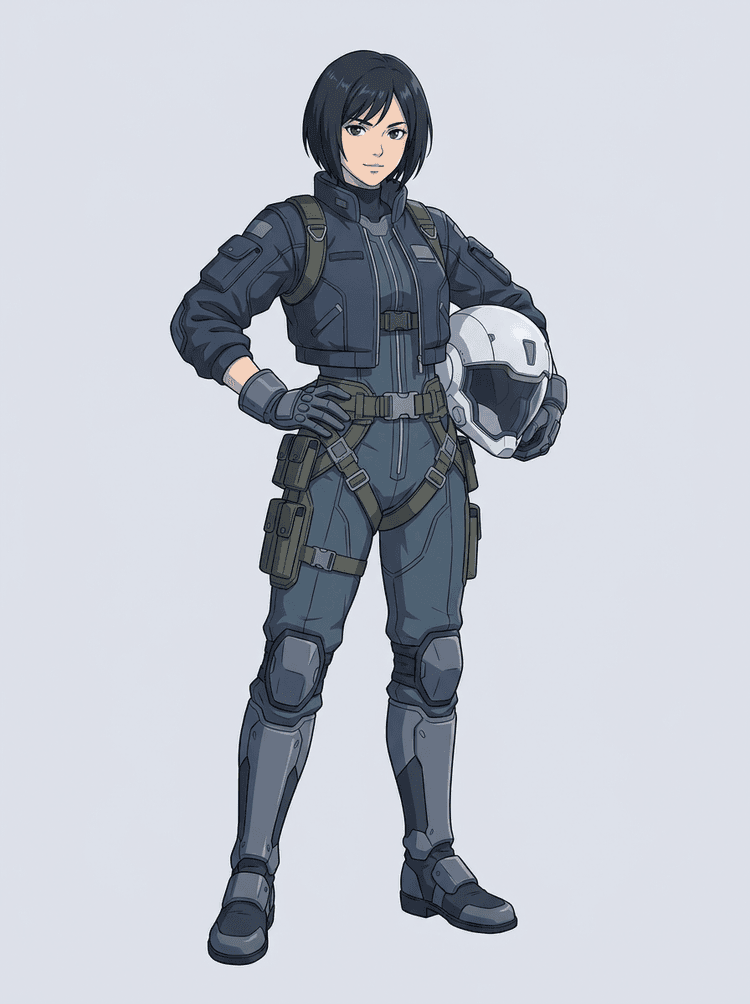
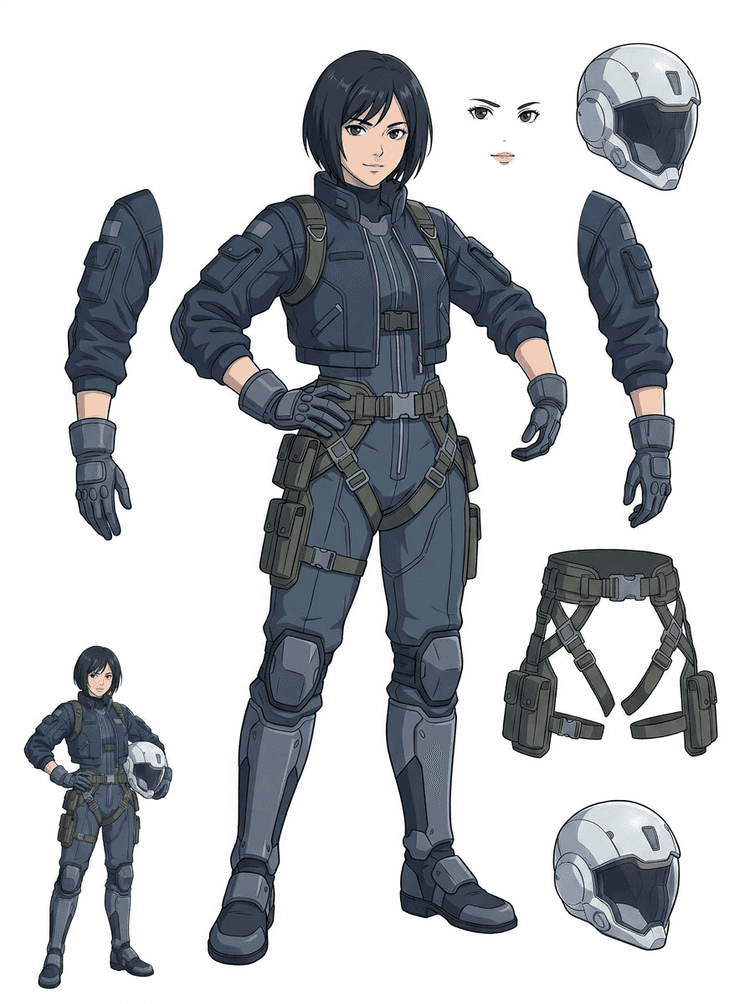
Mokslinės fantastikos anime pilotas atskiriamas į plaukus, veidą, striukę, pirštines, diržus, batus, šalmą ir kūno komponentus.
AI sluoksnių skirstytuvas yra paveikslo į sluoksnius įrankis kūrėjams, kurie jau turi šaltinio vaizdą, bet jiems reikia praktinių gamybinių dalių: pirmo plano, fono, pagrindinio objekto, veikėjų, plaukų, veido, aprangos, galūnių, teksto, objektų, atributikos, produkto detalių ir aksesuarų.
Sukurta menininkams, nepriklausomoms žaidimų komandoms, animatoriams, rinkodaros specialistams, e. prekybos komandoms ir ACG kūrėjams, kuriems reikia vieną plokščią vaizdą paversti pakartotinai naudojamu gamybiniu turtu, nešvaistant visos sesijos maskavimui.
Nušlifuotas PNG negali mirksėti, kurti paralykso, keisti atributų, izoliuoti produktų ar tapti sprite, kol pagrindinės dalys nėra atskirtos.
Atrankos įrankiai, kraštų valymas ir sluoksnių pavadinimų suteikimas gali užtrukti ilgiau nei pirmasis animacijos bandymas.
Pakeitus vieną pirštinę, krepšį, batą, uodegą, šalmą ar juostelę, gali tekti perpiešti viską iš naujo, jei kiekviena dalis yra sulipdyta.
Prieš
Vienas patrauklus veikėjo vaizdas, kuris atrodo užbaigtas, bet vis dar užrakintas kaip vienas plokščias bitmap.
Po
Įskaitomas turinio lapas su atskirtais priekiniu planu, fonu, veikėjais, tekstu ir objektais, kad menininkai galėtų planuoti judesį, redaguoti detales ir perduoti gamybines nuorodas.
Sukurkite peržiūrai tinkamą skaidymo perėjimą prieš atidarydami pilną rankinio maskavimo darbo eigą.
Pereikite nuo vieno veikėjo vaizdo prie dalių animacijai, žaidimui ir perdavimui redagavimui.
Atvejo analizė
Prekės ženklo maskotas gali iš vienos statinės iliustracijos virsti atskirtomis galvos, uodegos, batų, krepšio, drabužių ir aksesuarų nuorodomis greitam animacijos planavimui.
Rezultatas
Menininkai gali peržiūrėti, kurios dalys yra tinkamos naudoti, nuspręsti, ar verta paleisti iš naujo su PRO, ir pradėti tvarkymą nuo konkretaus lapo, o ne nuo tuščios maskavimo sesijos.
LlamaGen sluoksnių darbo eiga
animacinių, anime ir žaidimų turinio paruošimas
Laikykite AI sluoksnių skirstytuvą kaip pirmą švarų perėjimą: įkelkite vieną vaizdą, sugeneruokite sluoksnių lapą, tada naudokite rezultatą savo redaktoriuje, animacijos darbo eigoje arba žaidimo turinio grandinėje.
Naudokite viso kūno veikėjo meną, maskoto meną, anime pagrindinį kadrą, žaidimo koncepcijas, produkto nuotraukas, grafinį dizainą, atributiką ar produkto stiliaus iliustracijas su matomais kraštais.
Quick Mode sukuria greitą vizualinį atskaitos tašką, kad komanda galėtų matyti plaukus, veidą, drabužius, rankas, atributiką, batus, foną, tekstą, objektus ir aksesuarus kontekste.
PRO Mode geriausiai veikia tada, kai pirmasis lapas parodo, kad šaltinis yra įskaitomas, ir projektui reikia švaresnio modelio perėjimo.
Naudokite atsisiųstą lapą judesio blokavimui, rig planavimui, sprite nuorodoms, perpiešimui ar kūrybiniam komponavimui.
Tikslas yra peržiūrai tinkamas gamybos atspirties taškas, o ne miglotas AI demonstravimas.
AI sluoksnių skirstytuvo įrankis analizuoja jūsų kūrinį ir nustato skirtingus elementus, tokius kaip veikėjai, fonai ir objektai, sukuriant atskirus sluoksnius. Jis naudoja AI vaizdams skaidyti, išlaikydamas išdėstymą, hierarchiją ir dizaino intenciją, ir geriausiai veikia su grafiniu dizainu, iliustruotais produktais, veikėjų menu ir švariais žaidimo turiniais.
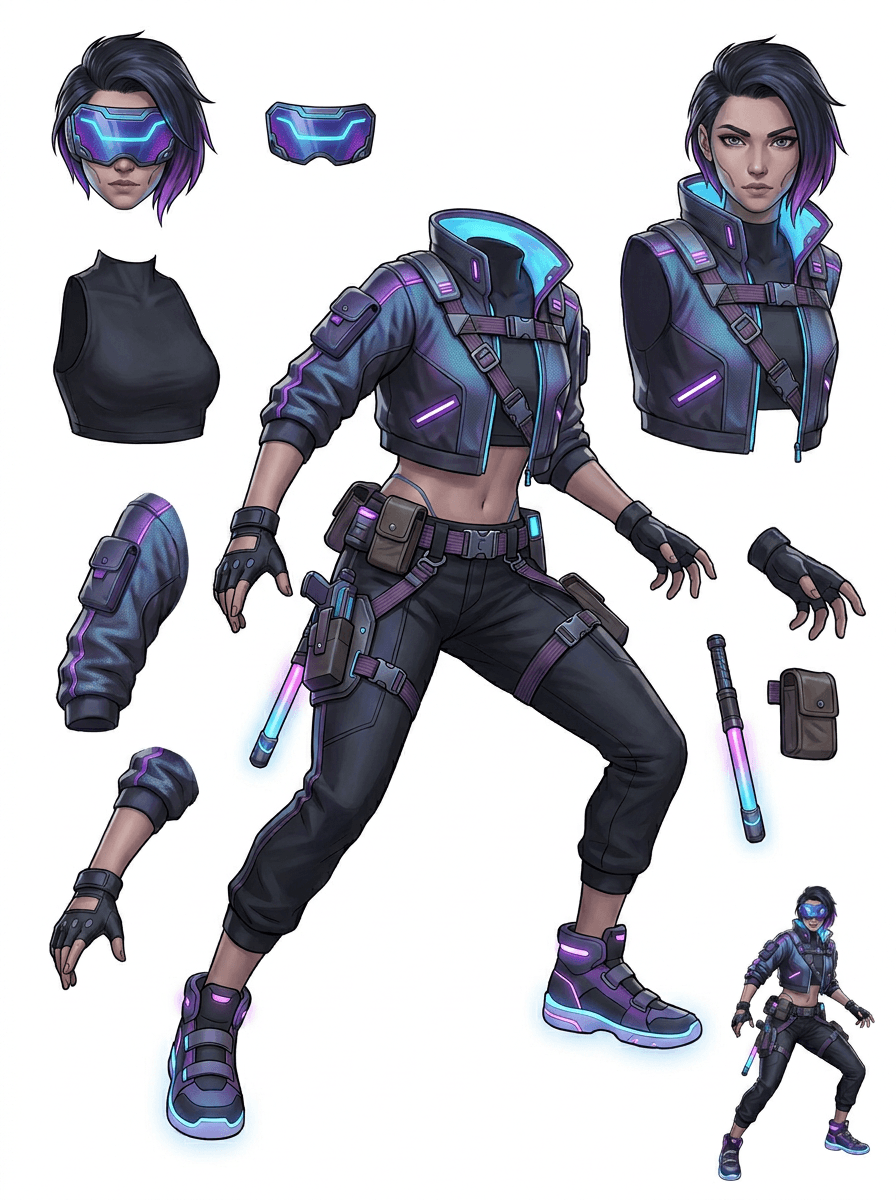
Galerija sudaryta pagal pagrindinius gamybos scenarijus: animacinius maskotus, žaidimo veikėjus, anime veikėjus ir objektinius paveikslo į sluoksnius darbo srautus. Kiekvienas pavyzdys naudoja originalų AI sugeneruotą šaltinio vaizdą ir atitinkamą padalytą turinio lapą.
Maskotai, vaikų veikėjai, lipdukų stiliaus herojai ir motion komikso veikėjai su išraiškingomis atributikomis ir aksesuarais.
RPG herojai, kibernetiniai bėgikai, jaukūs NPC, įrangos sluoksniai, ginklai, inventoriaus nuorodos ir sprite paruošimo lapai.
Šiuolaikinis anime pagrindinis menas su plaukų, uniformos, kaspinėlio, šalmo, pirštinės, bato, diržo ir pakabuko atskyrimu.
AI sluoksnių skirstytuvas yra naudingiausias tada, kai rezultatas turi paskirtį. Šie scenarijai paaiškina, kokį šaltinio vaizdą įkelti, kurias dalis tikrinti ir kaip lapas pereina į animaciją, žaidimus, komiksus, e. prekybą ar prekės ženklo gamybą.
Maskoto animacija
Naudokite švarią maskoto pozą, kai reikia socialinių lipdukų, trumpų reklamų, tinklalapio judesio ar paprasto rig planavimo.
Šaltinis, kurį reikia įkelti
Pilno kūno maskotas su matomu veidu, rankomis, batais, uodega, atributika ir drabužių kraštais.
Naudingos sluoksnių dalys peržiūrai
Perdavimas gamybai
Animatoriams duokite peržiūrai tinkamą dalių lapą prieš jiems brėžiant, perpiešiant ar rigginant galutinį judesį.
Nepriklausomo žaidimo turinio paruošimas
Naudokite patvirtintą žaidimo meną, kai komandai reikia įrangos variantų, inventoriaus piktogramų, profilio meno ar greito pozų tyrinėjimo.
Šaltinis, kurį reikia įkelti
Įskaitoma veikėjo koncepcija su aiškiu šarvu, ginklais, krepšiu, apsiaustu, plaukais, batais ir siluetu.
Naudingos sluoksnių dalys peržiūrai
Perdavimas gamybai
Naudokite lapą kaip pradinę nuorodą sprite tvarkymui, įrangos keitimams ir žaidimui skirtam menui.
Anime ir ACG redagavimas
Naudokite anime stiliaus veikėjo meną, kai reikia valdyti plaukus, veidą, uniformą, kaspinėlį, pirštinę, šalmą ar aksesuarą.
Šaltinis, kurį reikia įkelti
Vienas anime veikėjas su ryškiais kontūrais, matomomis aprangos detalėmis ir minimaliu fono triukšmu.
Naudingos sluoksnių dalys peržiūrai
Perdavimas gamybai
Peržiūrėkite lapą prieš keičiant išraiškas, aprangos variantus, veikėjo korteles ar trumpus animatikos bandymus.
Komiksų ir reklamos iteracija
Naudokite kampanijų veikėjus, atributiką ar iliustruotus produktus, kai paskutinės minutės pakeitimai nuolat paliečia smulkias vizualines dalis.
Šaltinis, kurį reikia įkelti
Nušlifuota iliustracija su centre esančiu objektu, matomais kraštais ir pagrindiniais keitimo taškais neuždengtais.
Naudingos sluoksnių dalys peržiūrai
Perdavimas gamybai
Duokite dizaineriams konkretų lapą atributikos keitimams, kopijai saugiems variantams ir komponavimo bandymams.
Įrankis veikia geriausiai, kai objektas yra švarus, visas ir aiškiai atskirtas. Tai nėra trumpesnis kelias kiekvienai perpildytai nuotraukai, eskizo lapui, uždengtai pozai ar tankiai kompozicijai, kur priekinis planas, fonas, tekstas ir objektai stipriai persidengia.
Sugeneruotas lapas turėtų būti vertinamas kaip pirmasis gamybinis perėjimas, o ne stebuklingas galutinis failas. Naudokite kontrolinį sąrašą, kad nuspręstumėte, ar atsisiųsti, generuoti iš naujo, apkarpyti šaltinį ar pereiti prie PRO, kai paveikslo sluoksnių skirstytuvas nustato tinkamas priekinio plano, fono, pagrindinio objekto, objekto ir teksto sritis.
Silpnas rezultatas
Svarbios dalys yra sulietos, atsitiktinai dubliuotos arba paslėptos po vizualine netvarka.
Gamybai tinkamas rezultatas
Lapas leidžia iš pirmo žvilgsnio lengvai atpažinti pagrindines matomas dalis: galvą, galūnes, drabužius, atributiką, aksesuarus ir fono elementus.
Silpnas rezultatas
Veikėjas atrodo kaip naujas dizainas su kitomis proporcijomis, spalvomis, linijų kokybe ar charakteriu.
Gamybai tinkamas rezultatas
Atskirtos dalys vis dar susijusios su originalia menine kryptimi, išlaikant atpažįstamą siluetą, spalvų paletę ir veikėjo tapatybę.
Silpnas rezultatas
Lapas įdomus, bet komanda negali suprasti, ką toliau braižyti, perpiešti, maskuoti ar bandyti.
Gamybai tinkamas rezultatas
Menininkai iš karto gali pasirinkti dalis tvarkymui, rig blokavimui, sprite nuorodoms, atributikos keitimams ar komponavimo bandymams.
Silpnas rezultatas
Prastas padalijimas neparodo, ar problema kilo dėl modelio, ar dėl įkelto vaizdo.
Gamybai tinkamas rezultatas
Rezultatas parodo, ką taisyti toliau: apkirpti arčiau, pašalinti eskizo žymes, palikti daugiau paraštės, supaprastinti foną arba naudoti PRO.
Paverskite vieną užbaigtą vaizdą atskirtais vizualiniais elementais, kuriuos lengviau peržiūrėti, redaguoti, animuoti ar atkurti.
Įkelkite švarų vaizdą ir sukurkite įskaitomą PNG sluoksnių lapą su priekiniu planu, fonu, pagrindiniu objektu, objektais, tekstu, drabužiais, atributika ir aksesuarais viename rezultate.
Paveikslo sluoksnių skirstytuvas padeda dizaineriams, rinkodaros specialistams, animatoriams ir žaidimų komandoms nustatyti, kurios šaltinio vaizdo dalys gali tapti redaguojamais turiniais. Vietoj to, kad viskas būtų perpiešiama nuo nulio, komandos gali sugeneruoti PNG sluoksnių lapą, palyginti originalą su atskirtu rezultatu ir nuspręsti, ar šaltinį reikia apkirpti, sutvarkyti, naudoti Quick Mode ar PRO perėjimą.
Sukurkite atsisiunčiamą lapą sprite paruošimui, rig planavimui, motion komiksams, e. prekybos redagavimams, lipdukų variantams ar veikėjo perdavimui. Geriausiai veikia, kai vienas aiškus objektas turi matomus kraštus ir minimalų persidengimą.
Geriausia sluoksnių skaidymo darbo eiga išlaiko kontekstą. Išsaugokite šaltinį, sugeneruotą lapą ir trumpą peržiūros pastabą, kad kitas menininkas žinotų, ką naudoti ir ką dar reikia sutvarkyti.
Originalus vaizdas paaiškina intenciją, kai animatorius, žaidimo menininkas ar dizaineris vėliau peržiūri atskirtą lapą.
Pirmasis lapas tampa vertingesnis, kai komanda žino, kurios dalys yra paruoštos, o kurias dar reikia užbaigti rankiniu būdu.
Naudokite lapą ir eksportuotus permatomus sluoksnius kaip praktinį tiltą į animaciją, sprite paruošimą, komiksų redagavimą ar komponavimą. PSD yra redaguojamas pradinis failas, o ne garantuotas galutinis gamybinis turtas.
AI sluoksnių skirstytuvas suteikia komandoms greitesnį pirmą perėjimą; galutiniai pristatymo failai vis tiek naudingi iš žmogaus peržiūros ir tvarkymo.
AI sluoksnių skirstytuvas vieną plokščią vaizdą paverčia įskaitomu PNG sluoksnių lapu su matomu fonu, pagrindiniu objektu, tekstu, atributika, objektais, produkto detalėmis ir atskirtomis veikėjo dalimis, skirtomis redagavimui, animacijai, žaidimų menui, judančiam komiksui, e. prekybai ir komponavimo darbo eigoms.
Taip. Quick Mode yra nemokamas internetinis atspirties taškas peržiūrai tinkamam paveikslo į sluoksnius rezultatui. Naudokite jį tam, kad patikrintumėte, ar šaltinio vaizdas gerai atsiskiria, prieš skirdami laiką rankiniam maskavimui arba atnaujinimui į švaresnį PRO perėjimą.
Taip. AI sluoksnių skirstytuvas veikia kaip internetinis AI paveikslų sluoksnių skirstytuvas: įkelkite vieną vaizdą, leiskite modeliui atpažinti objektus, fonus, tekstą, atributiką ir elementus, tada atsisiųskite peržiūrai tinkamą paveikslo į sluoksnius lapą. Greičiausiai jis veikia su švariomis nuotraukomis, grafinio dizaino darbais, iliustruotais produktais, žaidimų turiniu ir veikėjų menu; sudėtingiems vaizdams vis tiek gali prireikti rankinio tvarkymo Photoshop, Figma ar kitame redaktoriuje.
Įkelkite švarų vaizdą, paleiskite Quick Mode ir peržiūrėkite sugeneruotą paveikslą į sluoksnius lapą. Rezultatas atskiria matomą priekinį planą, foną, pagrindinį objektą, tekstą, atributiką ir objektus į praktišką nuorodą, kurią galite naudoti redagavimui, komponavimui, animacijos blokavimui, sprite paruošimui ar rankiniam tvarkymui.
Taip. Po pirmojo sluoksnių lapo sugeneravimo mokamas antrasis etapas gali išskirti atskirus permatomus PNG sluoksnius. Juos galite atsisiųsti atskirai, supakuoti į ZIP arba eksportuoti redaguojamą pradinį PSD. Sudėtingi kraštai ir perpildyti šaltiniai vis tiek gali reikalauti rankinio tvarkymo prieš perduodant gamybai.
Sluoksnių suskaidymas yra AI agento galimybė, kuri padalija vieną vaizdą į logiškus, redaguojamus vizualinius sluoksnius, tokius kaip priekinis planas, fonas, objektai, tekstas ir elementai. Tai padeda komandoms pereiti nuo plokščio vaizdo prie praktiško sluoksnių lapo peržiūrai, redagavimui, animacijai ir perdavimui gamybai.
Taip. LlamaGen AI sluoksnių skirstytuvas naršyklėje atskiria foną, tekstą, objektus ir matomus elementus bei pateikia atsisiunčiamą turinio lapą tolesniam redagavimui.
Geriausiai veikia švarūs iliustruoti objektai: animaciniai maskotai, anime veikėjai, žaidimų veikėjai, produkto stiliaus grafika, atributika ir viso kūno dizainai su matomais plaukais, drabužiais, galūnėmis, batais, ginklais, krepšiais, uodegomis, tekstu, objektais ar aksesuarais.
Taip. Animaciniai veikėjai ir maskotai yra vieni stipriausių naudojimo atvejų, nes kontūrai, atributika, drabužiai, rankos, batai ir veido dalys dažnai būna pakankamai aiškūs, kad taptų naudingu lapu.
Taip. AI sluoksnių skirstytuvas žaidimų turiniui gali paversti švarias veikėjų koncepcijas pradine nuoroda sprite, pozų variantams, inventoriaus piktogramoms, įrangos redagavimams, UI portretams ir animacijos blokavimui.
Taip. Anime stiliaus veikėjai gali būti padalyti į matomus plaukus, veidą, aprangą, kaspinėlį, pirštinę, batą, atributiką, šalmą ir aksesuarų nuorodas, kai šaltinio vaizdas yra švarus.
Quick Mode sukuria greitą peržiūrai tinkamą turinio lapą. PRO Mode naudoja patobulintą modelį švaresniam atskyrimui, kai šaltinio vaizdas yra įskaitomas ir projektui reikia kokybiškesnio perėjimo.
Ne. Labai perpildytos scenos, paslėptos kūno dalys, persidengiantys objektai, eskizo žymės, stiprūs šešėliai, nukirptos galūnės ar smulkūs aksesuarai vis tiek gali reikalauti šaltinio tvarkymo arba rankinio užbaigimo.
Sugeneruotus rezultatus galite naudoti pagal savo LlamaGen planą ir sąlygas. Įsitikinkite, kad taip pat turite teises į įkeliamą šaltinio vaizdą.
Pradėkite nuo iš anksto įkelto pavyzdžio, įkelkite savo animacinį, anime arba žaidimo veikėją ir per kelias minutes sukurkite peržiūrai tinkamą sluoksnių lapą. Naudokite pirmą rezultatą, kad nuspręstumėte, ar pakanka Quick, ar verta atlikti PRO perėjimą.