

Ieteicams
Quick Mode
Ieteicams kā pirmais. Viena nolasāma PNG slāņu lapa no viena attēla.
Augšupielādējiet tīru attēlu un sadaliet to fonā, priekšplānā, objektā, tekstā, objektos, komiksu varoņos, anime ilustrācijā, rekvizītos vai produkta grafikā. Pārskatiet pirmo slāņu lapu, pēc tam izvelciet atsevišķus caurspīdīgus PNG slāņus un eksportējiet ZIP vai rediģējamu sākuma PSD.
First pass · 300 credits
Generates one reviewable PNG asset sheet. It is not an editable set of transparent PNG layers.
First pass · 600 credits
Uses a higher-quality model to produce a cleaner PNG asset sheet, still delivered as a single image.
Paid second pass · +600 credits
Once the sheet is ready, a paid user can extract individual transparent PNG layers, download them or a ZIP, and export a starter PSD.
The extracted PNGs are actual second-pass outputs, not a crop of the sheet. Occluded regions or complex edges can need manual cleanup; PSD is an editable starting file.
or drop a file,
paste image or
No image? Try one of these:
Augšupielādējiet īstu avota attēlu šajā lapā. Quick Mode izveido pirmo pārskatāmo slāņu lapu; PRO uzlabo šo lapu, ja avots ir tīrs. Maksas otrais solis izvelk atsevišķus caurspīdīgus PNG slāņus, ko var lejupielādēt atsevišķi, kā ZIP vai rediģējamu sākuma PSD.
Ieteicams kā pirmais. Viena nolasāma PNG slāņu lapa no viena attēla.
Uzlabots modelis. Tīrāka sadalīšana resursu lapā.
After creating a sheet, paid plans can extract real transparent PNG layer files and download individual PNGs, a ZIP, or an editable starter PSD. Complex images may need manual cleanup.
Katra kartīte rāda īstu avotu un ģenerētu slāņu lapu. Etiķetes apraksta tikai tās daļas, kas redzamas šajā rezultātā; tiešsaistes rīks iepriekš ir vieta, kur piemērotu avotu var turpināt uz atsevišķiem priekšplāna, fona, objekta, teksta un priekšmeta slāņiem.
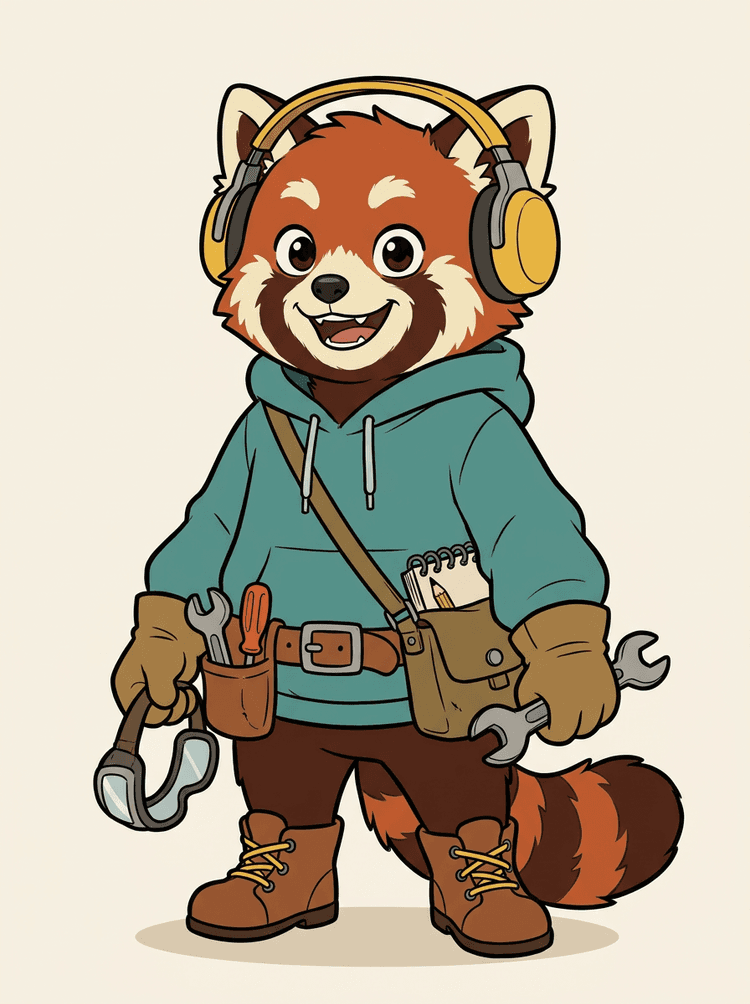
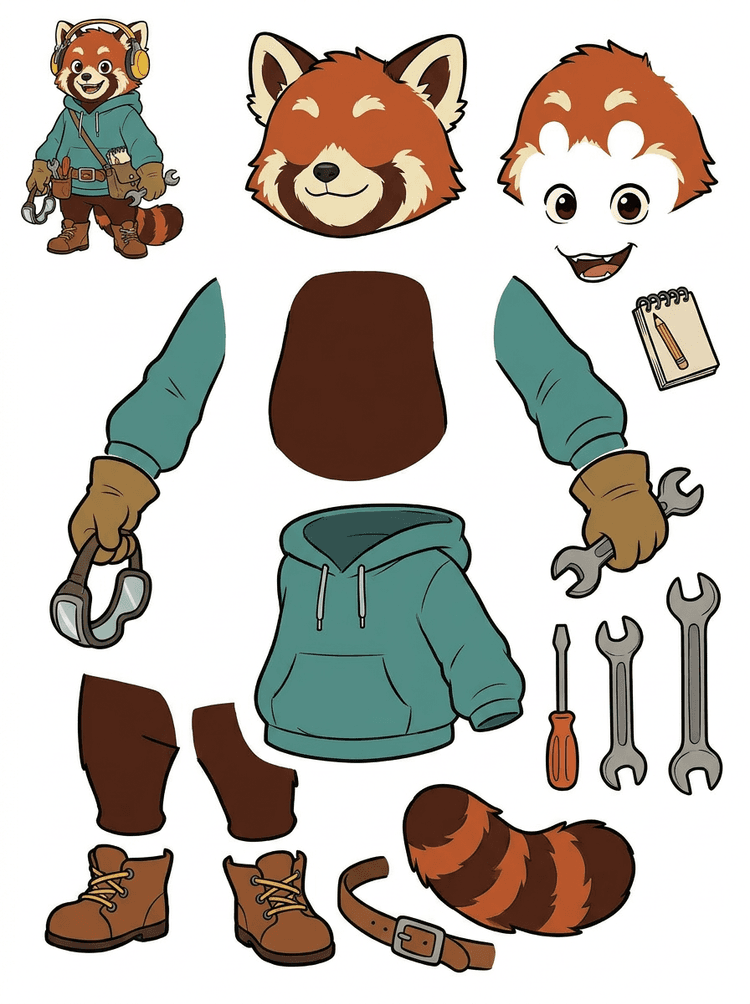
Varonis talismans ar austiņām, kapuci, somiņu, asti, apaviem un zīmēšanas rīkiem kļūst par praktisku lapu animācijas pārskatam.
Redzamās daļas šajā reālajā rezultātā
Nodošana ražošanā
Ģenerētā lapa ir pārskatīšanas solis. Turpiniet tiešsaistes rīkā, lai izvilktu atbilstošas redzamās zonas kā atsevišķus caurspīdīgus PNG slāņus, pēc tam iepakotu tos ZIP vai rediģējamā sākuma PSD.

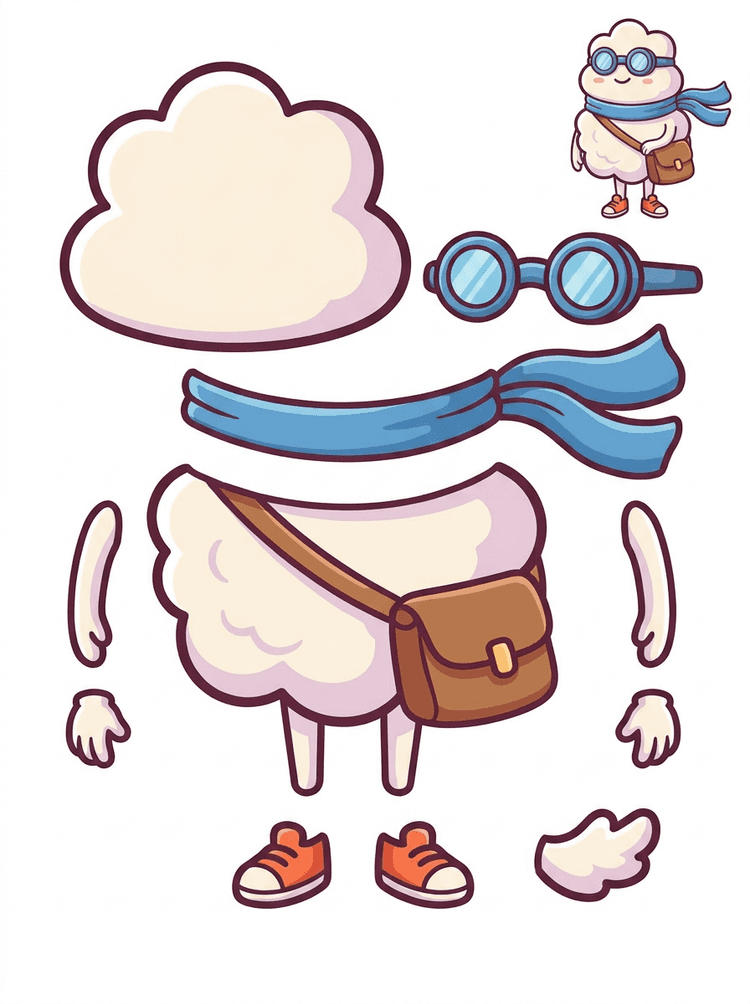
Uzlīmei līdzīgs multfilmas varonis kļūst par detaļu lapu ar šalli, somu, apaviem, aizsargbrillēm, rokām un noapaļotām ķermeņa daļām.
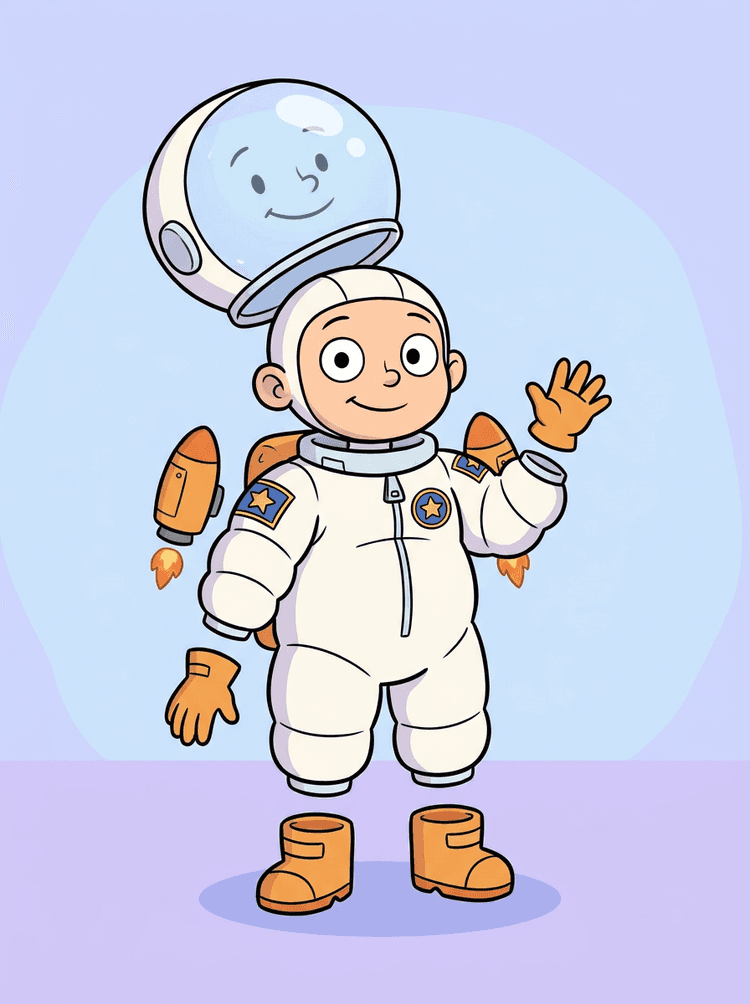
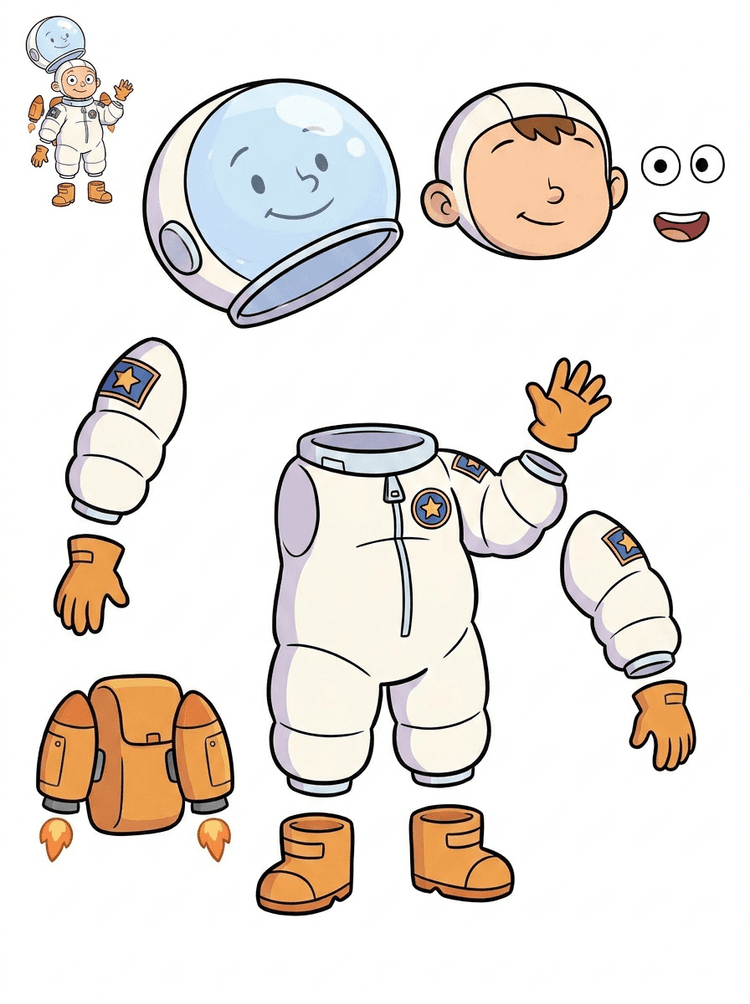
Bērna astronauta ilustrācija kļūst par lapu ķiverei, tērpam, cimdiem, zābakiem, ielāpiem, mugursomai un motion komiksa daļām.
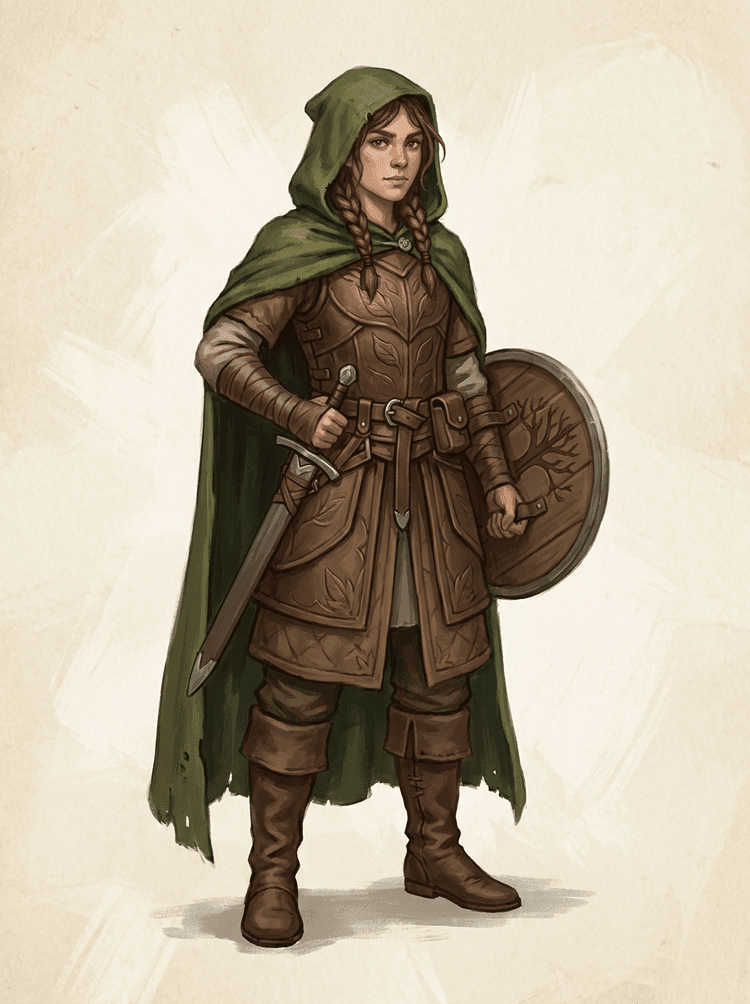
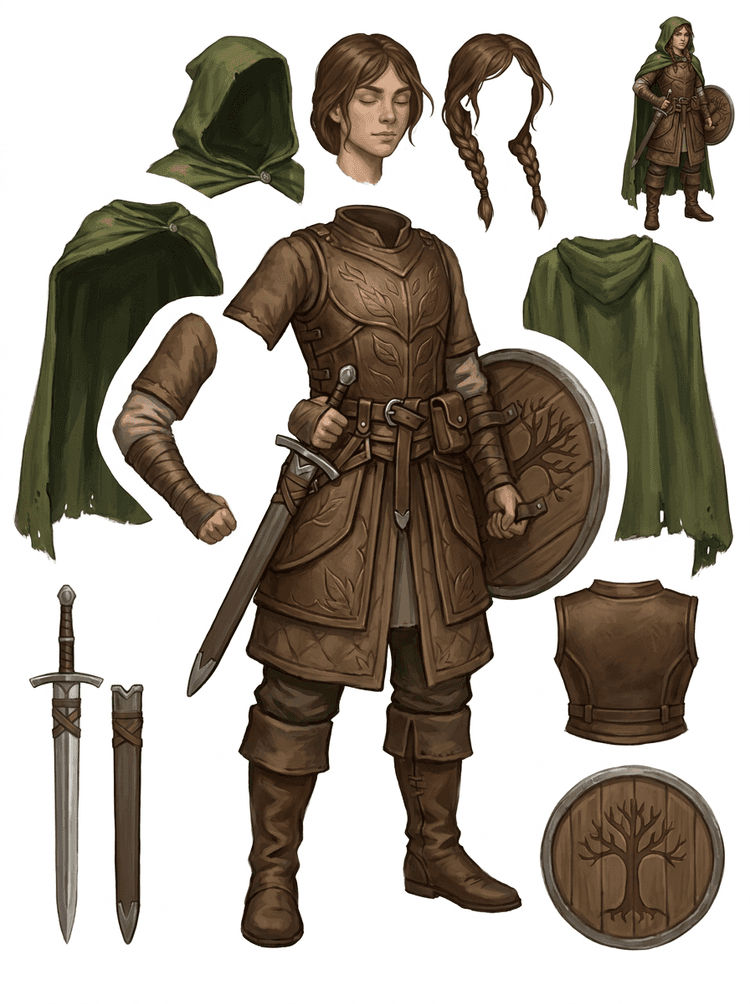
Fantāzijas spēles varonis tiek sadalīts bruņās, apmetnī, zobenā, vairogā, maisiņos, zābakos, ekstremitātēs un atkārtoti izmantojamās sprite atsaucēs.
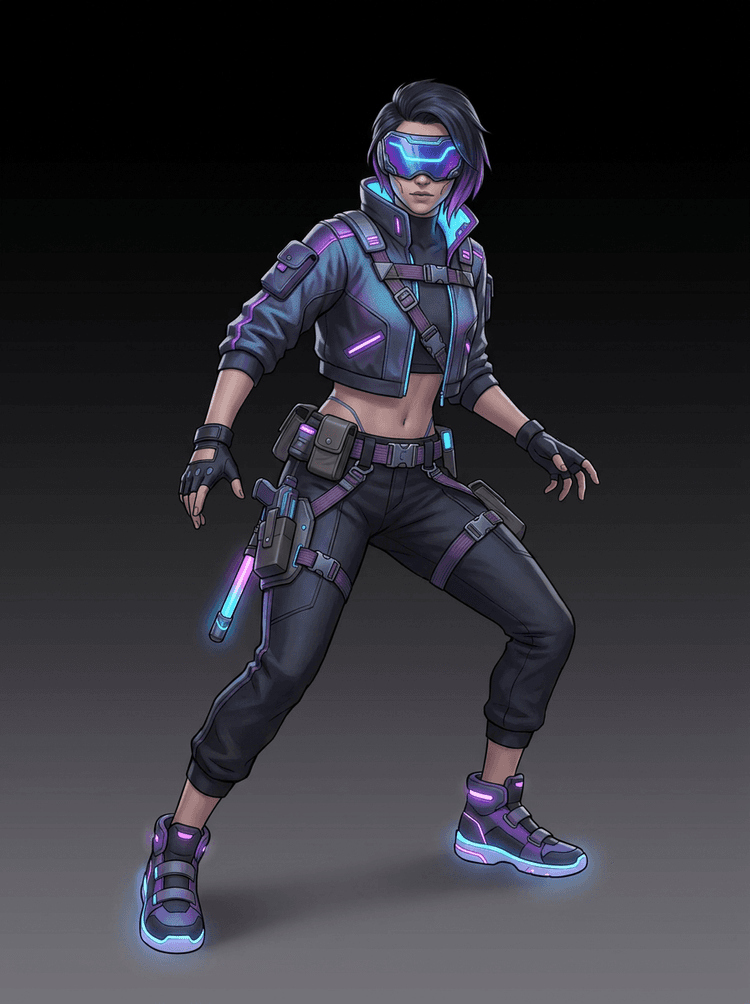
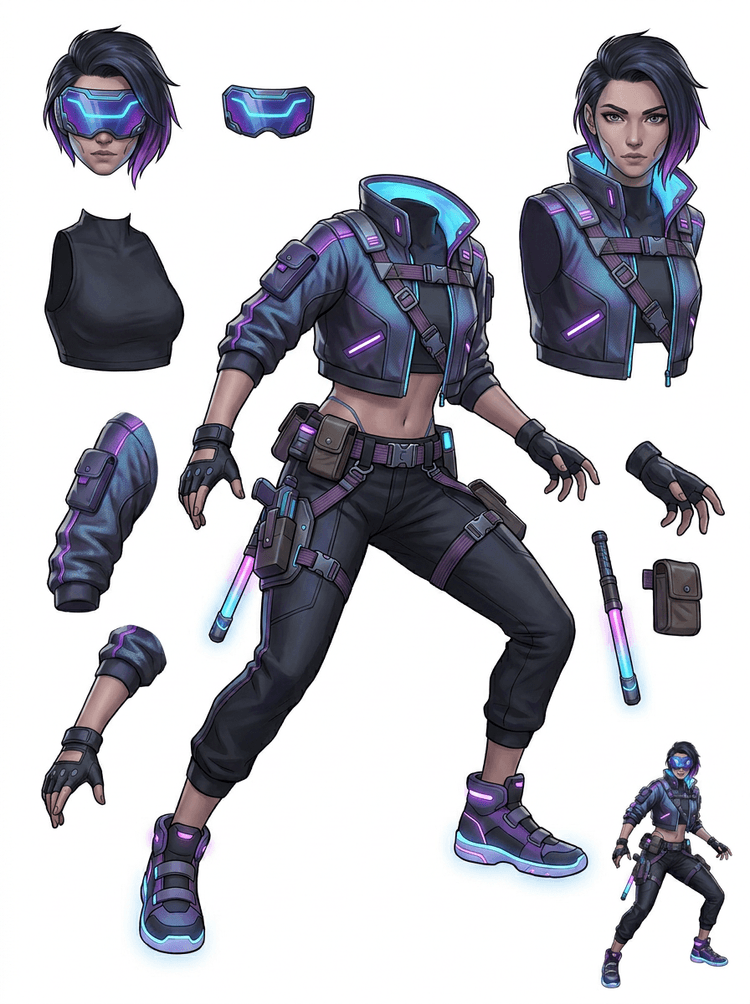
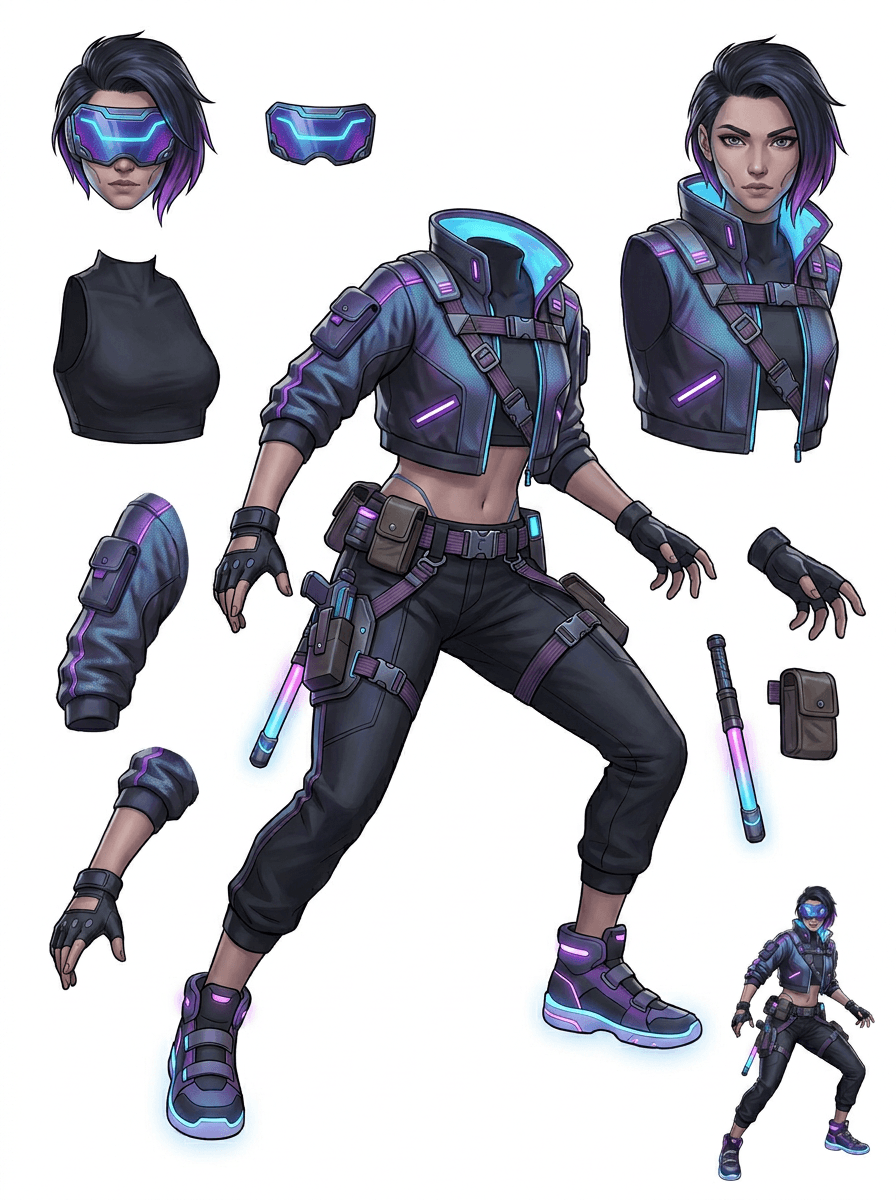
Kiberpanka darbības varonis kļūst par augstas detaļas daļu atsauci jakai, vizierim, cimdiem, apaviem, siksnām, stekam un ķermeņa daļām.
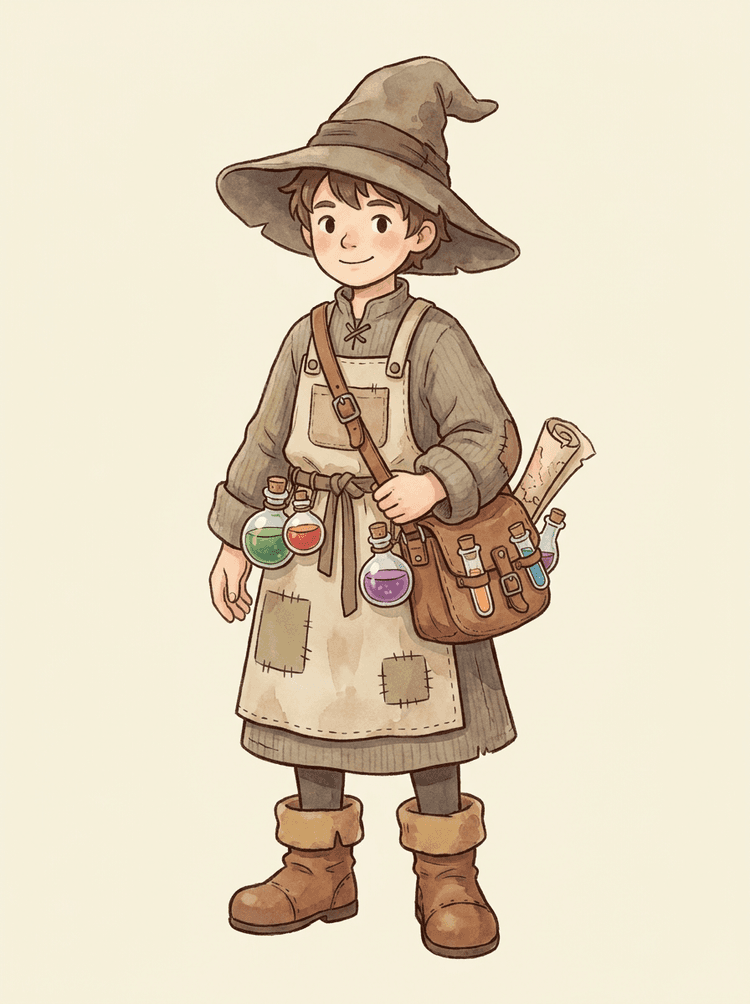
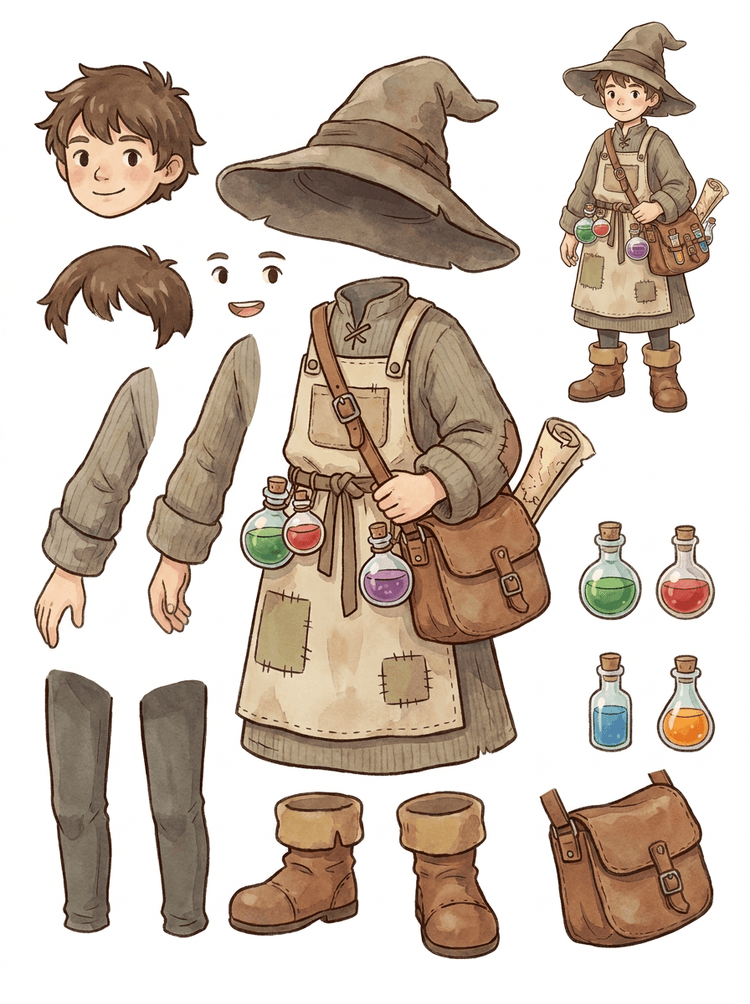
Mājīgs NPC ar cepuri, priekšautu, potionu somiņu, pudelēm, karti, zābakiem un siltu apģērbu kļūst par atkārtoti lietojamu spēles ražošanas lapu.
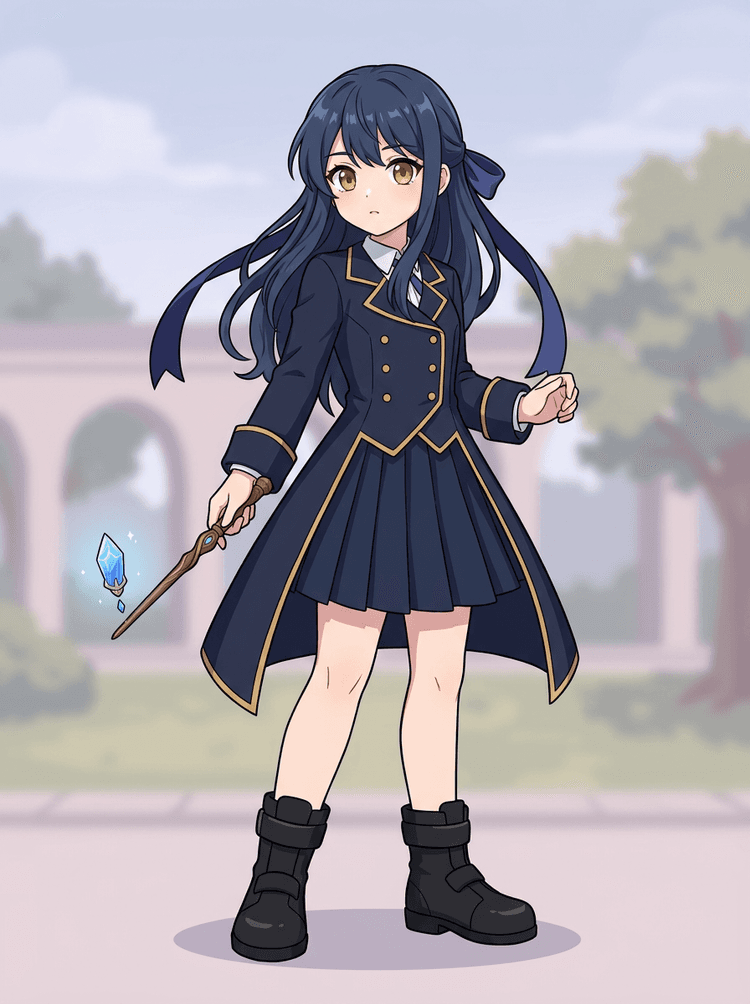
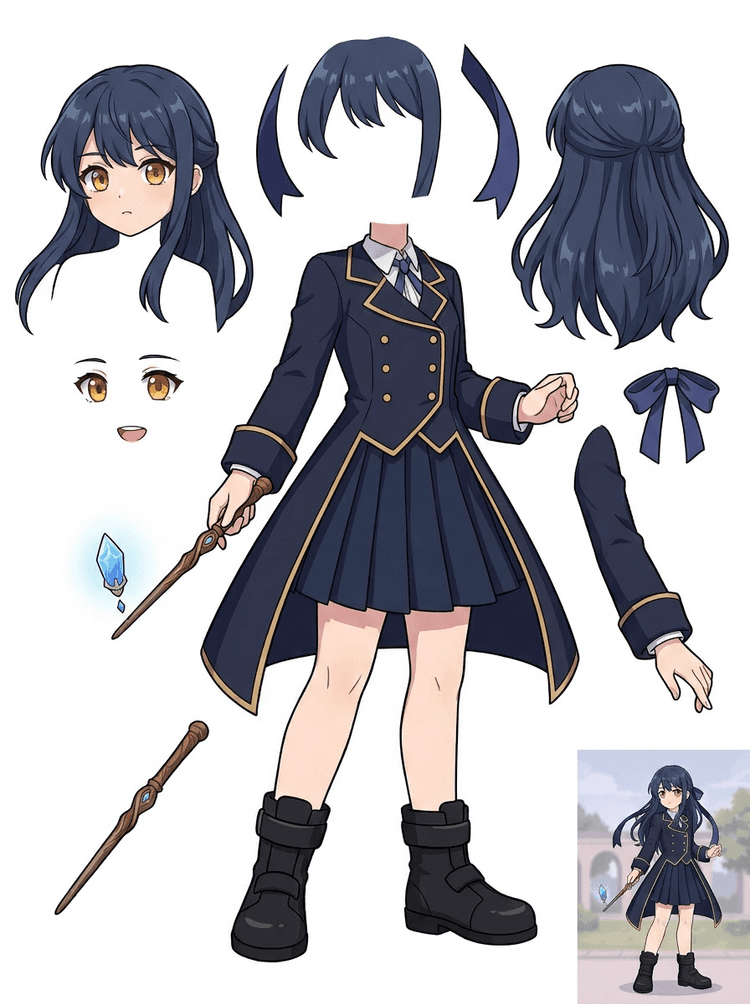
Anime galvenā māksla ar uniformu, lenti, zizli, matiem, piekariņu, cimdiem un zābakiem kļūst par detaļu lapu labojumiem un kustības testiem.
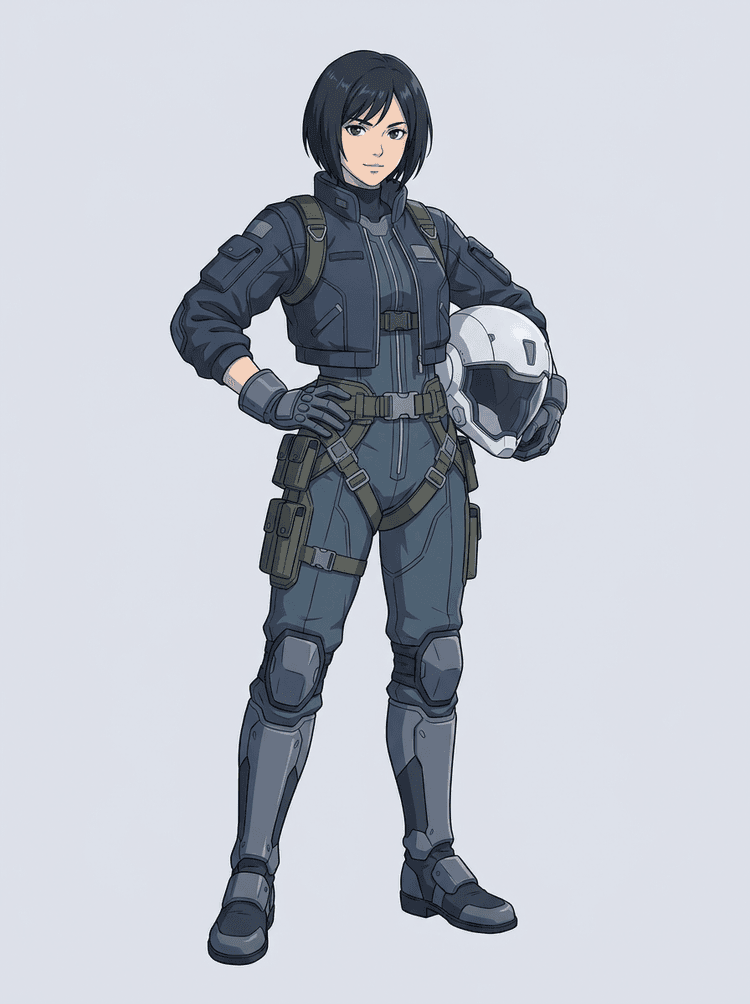
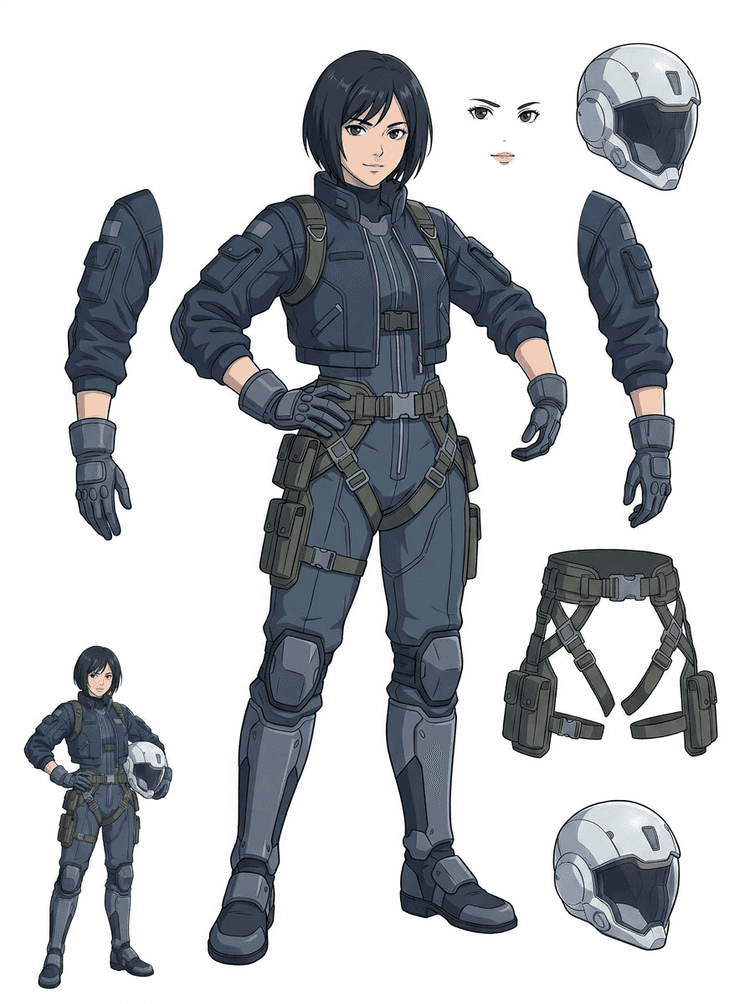
Zinātniskās fantastikas anime pilots tiek sadalīts matos, sejā, jakā, cimdos, jostā, zābakos, ķiverē un ķermeņa komponentos.
AI slāņu sadalītājs ir attēlu uz slāņiem rīks veidotājiem, kuriem jau ir avota attēls, bet vajadzīgi praktiskie ražošanas elementi aiz tā: priekšplāns, fons, objekts, varoņi, mati, seja, apģērbs, ekstremitātes, teksts, objekti, rekvizīti, produkta detaļas un aksesuāri.
Radīts māksliniekiem, neatkarīgām spēļu komandām, animatoriem, mārketinga speciālistiem, e-komercijas komandām un ACG veidotājiem, kuriem vienu plakanu attēlu vajag pārvērst atkārtoti izmantojamos ražošanas resursos, nepavadot visu sesiju maskēšanā.
Noslīpēts PNG nevar mirgot, veidot paralaksi, mainīt rekvizītus, izolēt produktu vai kļūt par sprite, kamēr galvenās daļas nav atdalītas.
Atlases rīki, malu tīrīšana un slāņu nosaukumi var aizņemt vairāk laika nekā pirmais animācijas tests.
Vienas cimda, somas, kurpes, astes, ķiveres vai lentes maiņa var pārvērsties par pilnu pārzīmēšanu, ja viss ir sapludināts kopā.
Pirms
Viens pievilcīgs varoņa attēls, kas izskatās pabeigts, bet joprojām ir bloķēts kā viens plakans bitkarte.
Pēc
Nolasāma resursu lapa ar atdalītu priekšplānu, fonu, varoņiem, tekstu un objektiem, lai mākslinieki varētu plānot kustību, rediģēt detaļas un nodot ražošanas atsauces.
Izveidojiet pārskatāmu atdalīšanas piegājienu pirms pilnas manuālās maskēšanas darbplūsmas atvēršanas.
Pārejiet no viena varoņa attēla uz daļām animācijai, spēlei un nodošanai rediģēšanai.
Gadījuma pētījums
Zīmola talismans var pāriet no vienas statiskas ilustrācijas uz atsevišķām galvas, astes, apavu, somas, apģērba un aksesuāru atsaucēm ātrai animācijas plānošanai.
Rezultāts
Mākslinieki var pārskatīt, kuras daļas ir izmantojamas, izlemt, vai palaist PRO atkārtoti, un sākt tīrīšanu no konkrētas lapas, nevis no tukšas maskēšanas sesijas.
LlamaGen slāņu darbplūsma
multfilmu, anime un spēļu resursu sagatavošana
Uztveriet AI slāņu sadalītāju kā pirmo tīro piegājienu: augšupielādējiet vienu attēlu, ģenerējiet slāņu lapu un pēc tam izmantojiet rezultātu savā redaktorā, animācijas darbplūsmā vai spēļu resursu cauruļvadā.
Izmantojiet pilna auguma varoņa mākslu, talismana ilustrāciju, anime galveno mākslu, spēles konceptu, produkta foto, grafisko dizainu, rekvizītus vai produkta stila ilustrācijas ar redzamām malām.
Quick Mode izveido ātru vizuālu kontrolpunktu, lai komanda varētu redzēt matus, seju, apģērbu, rokas, rekvizītus, apavus, fonu, tekstu, objektus un aksesuārus kontekstā.
PRO Mode ir vislabākais tad, kad pirmā lapa pierāda, ka avots ir nolasāms, un projektam vajadzīgs tīrāks modeļa piegājiens.
Izmantojiet lejupielādēto lapu kustības bloķēšanai, riga plānošanai, sprite atsaucēm, pārzīmēšanai vai radošai kompozīcijai.
Mērķis ir pārskatāms ražošanas sākumpunkts, nevis neskaidra AI demonstrācija.
AI slāņu sadalītāja rīks analizē jūsu mākslu un identificē dažādus elementus, piemēram, varoņus, fonus un objektus, izveidojot atsevišķus slāņus. Tas izmanto AI, lai sadalītu attēlus, vienlaikus saglabājot kompozīciju, hierarhiju un dizaina nodomu, un vislabāk darbojas ar grafisko dizainu, ilustrētiem produktiem, varoņu mākslu un tīriem spēļu resursiem.
Galerija ir organizēta ap galvenajiem ražošanas scenārijiem: multfilmu talismani, spēļu varoņi, anime varoņi un uz objektiem balstītas attēlu uz slāņiem darbplūsmas. Katrs piemērs izmanto oriģinālu AI ģenerētu avota attēlu un atbilstošu sadalītu resursu lapu.
Talismani, bērnu varoņi, uzlīmēm līdzīgi varoņi un motion-komiksa personāži ar izteiksmīgiem rekvizītiem un aksesuāriem.
RPG varoņi, kiber skrējēji, mājīgi NPC, aprīkojuma slāņi, ieroči, inventāra atsauces un sprite sagatavošanas lapas.
Mūsdienu anime galvenā māksla ar matu, uniformas, lentes, ķiveres, cimda, zābaka, jostas un piekariņu atdalīšanu.
AI slāņu sadalītājs ir visnoderīgākais tad, kad rezultātam ir galamērķis. Šie scenāriji izskaidro, kādu avota attēlu augšupielādēt, kuras daļas pārbaudīt un kā lapa nonāk animācijā, spēlēs, komiksos, e-komercijā vai zīmola ražošanā.
Talismana animācija
Izmantojiet tīru talismana pozu, ja nepieciešami sociālo tīklu uzlīmju komplekti, īsas reklāmas, kustība galvenajā lapā vai vienkārša riga plānošana.
Augšupielādējamais avots
Pilna auguma talismans ar redzamu seju, rokām, apaviem, asti, rekvizītiem un apģērba malām.
Noderīgie slāņi pārbaudei
Nodošana ražošanai
Dodiet animatoriem pārskatāmu detaļu lapu pirms viņi iezīmē, pārzīmē vai rigo gala kustību.
Neatkarīgas spēles resursu sagatavošana
Izmantojiet apstiprinātu spēles mākslu, kad komandai vajadzīgas aprīkojuma variācijas, inventāra ikonas, profila māksla vai ātra pozu izpēte.
Augšupielādējamais avots
Nolasāma varoņa koncepcija ar skaidriem bruņojuma elementiem, ieročiem, somu, apmetni, matiem, zābakiem un siluetu.
Noderīgie slāņi pārbaudei
Nodošana ražošanai
Izmantojiet lapu kā sākuma atsauci sprite tīrīšanai, aprīkojuma maiņai un spēles mākslai.
Anime un ACG labojumi
Izmantojiet anime stila varoņu mākslu, kad vajadzīga kontrole pār matiem, seju, uniformu, lenti, cimdu, ķiveri vai aksesuāriem.
Augšupielādējamais avots
Viens anime varonis ar spēcīgām kontūrām, redzamām tērpa detaļām un minimālu fona troksni.
Noderīgie slāņi pārbaudei
Nodošana ražošanai
Pārskatiet lapu pirms izteiksmes labojumiem, tērpa variācijām, varoņu kartītēm vai īsiem animācijas testiem.
Komiksu un reklāmas iterācija
Izmantojiet kampaņas tēlus, rekvizītus vai ilustrētus produktus, kad pēdējā brīža labojumi skar nelielas vizuālās daļas.
Augšupielādējamais avots
Noslīpēta ilustrācija ar centrā novietotu objektu, redzamām malām un neatklātiem galvenajiem labojumu punktiem.
Noderīgie slāņi pārbaudei
Nodošana ražošanai
Dodiet dizaineriem konkrētu lapu rekvizītu maiņām, drošām teksta variācijām un kompozicionāliem eksperimentiem.
Rīks ir spēcīgākais tad, kad objekts ir tīrs, pilns un skaidri atdalīts. Tas nav īsceļš ikvienai pārblīvētai fotogrāfijai, skiču lapai, aizsegta pozu kadram vai blīvam izkārtojumam, kur priekšplāns, fons, teksts un objekti stipri pārklājas.
Ģenerēta lapa jāvērtē kā pirmais ražošanas piegājiens, nevis kā maģisks galīgais fails. Izmantojiet kontrolsarakstu, lai izlemtu, vai lejupielādēt, palaist vēlreiz, apgriezt avotu vai pāriet uz PRO pēc tam, kad attēlu slāņu sadalītājs ir identificējis izmantojamās priekšplāna, fona, objekta, priekšmeta un teksta zonas.
Vājš rezultāts
Svarīgās daļas ir sapludinātas, nejauši dublētas vai paslēptas vizuālā juceklī.
Ražošanai noderīgs rezultāts
Lapa ļauj viegli atpazīt galvenās redzamās daļas no pirmā acu uzmetiena: galvu, ekstremitātes, apģērbu, rekvizītus, aksesuārus un fona elementus.
Vājš rezultāts
Varonis izskatās kā jauns dizains ar citām proporcijām, krāsām, līniju kvalitāti vai personību.
Ražošanai noderīgs rezultāts
Atdalītās daļas joprojām ir saistītas ar sākotnējo māksliniecisko virzienu, ar atpazīstamu siluetu, paleti un varoņa identitāti.
Vājš rezultāts
Lapa ir interesanta, bet komanda nevar saprast, ko tālāk zīmēt, pārzīmēt, maskēt vai testēt.
Ražošanai noderīgs rezultāts
Mākslinieki var uzreiz izvēlēties daļas tīrīšanai, riga bloķēšanai, sprite atsaucei, rekvizītu maiņām vai kompozīcijas testiem.
Vājš rezultāts
Slikts sadalījums nepasaka, vai problēma radusies modelī vai augšupielādētajā attēlā.
Ražošanai noderīgs rezultāts
Rezultāts parāda, ko labot tālāk: apgriezt tuvāk, noņemt skices zīmes, atstāt vairāk malas, vienkāršot fonu vai izmantot PRO.
Pārvērtiet vienu gatavu attēlu atdalītās vizuālās daļās, ko ir vieglāk pārskatīt, rediģēt, animēt vai atjaunot.
Augšupielādējiet tīru attēlu un izveidojiet nolasāmu PNG slāņu lapu ar priekšplānu, fonu, objektu, objektiem, tekstu, apģērbu, rekvizītiem un aksesuāriem vienā rezultātā.
Attēlu slāņu sadalītājs palīdz dizaineriem, mārketinga speciālistiem, animatoriem un spēļu komandām noteikt, kuras avota attēla daļas var kļūt par rediģējamiem resursiem. Tā vietā, lai pārzīmētu katru elementu no nulles, komandas var ģenerēt PNG slāņu lapu, salīdzināt sākotnējo attēlu ar atdalīto rezultātu un izlemt, vai avotam vajadzīga apgriešana, tīrīšana, Quick Mode vai PRO piegājiens.
Izveidojiet lejupielādējamu lapu sprite sagatavošanai, riga plānošanai, motion komiksiem, e-komercijas labojumiem, uzlīmju variācijām vai varoņa nodošanai. Tas vislabāk darbojas, ja vienam skaidram objektam ir redzamas malas un minimāla pārklāšanās.
Labākā slāņu sadalīšanas darbplūsma saglabā kontekstu. Saglabājiet avotu, ģenerēto lapu un īsu pārskata piezīmi, lai nākamais mākslinieks zinātu, ko izmantot un ko vēl vajag sakopt.
Sākotnējais attēls izskaidro nodomu, kad animators, spēļu mākslinieks vai dizainers vēlāk pārskata atdalīto lapu.
Pirmā lapa kļūst vērtīgāka, kad komandai ir skaidrs, kuras daļas ir gatavas un kuras vēl vajag manuāli pabeigt.
Izmantojiet lapu un eksportētos caurspīdīgos slāņus kā praktisku tiltu uz animāciju, sprite sagatavošanu, komiksa labojumiem vai kompozīciju. PSD ir rediģējams sākuma fails, nevis garantēts galīgais ražošanas resurss.
AI slāņu sadalītājs nodrošina komandām ātrāku pirmo piegājienu; galīgajiem piegādes resursiem joprojām noder cilvēka pārbaude un tīrīšana.
AI slāņu sadalītājs pārvērš vienu plakanu attēlu nolasāmā PNG slāņu lapā ar redzamu fonu, objektu, tekstu, rekvizītiem, priekšmetiem, produkta detaļām un varoņa daļām, kas atdalītas rediģēšanai, animācijai, spēļu mākslai, motion komiksiem, e-komercijai un kompozīcijas darbplūsmām.
Jā. Quick Mode ir bezmaksas tiešsaistes sākumpunkts pārskatāmam attēla uz slāņiem rezultātam. Izmantojiet to, lai pārbaudītu, vai avota attēls labi sadalās, pirms tērējat laiku manuālai maskēšanai vai jaunināšanai uz tīrāku PRO piegājienu.
Jā. AI slāņu sadalītājs darbojas kā tīmekļa AI attēlu slāņu sadalītājs: augšupielādējiet vienu attēlu, ļaujiet modelim noteikt objektus, fonus, tekstu, rekvizītus un priekšmetus, pēc tam lejupielādējiet pārskatāmu attēla uz slāņiem lapu. Tas ir visātrākais tīriem fotoattēliem, grafiskajam dizainam, ilustrētiem produktiem, spēļu resursiem un varoņu mākslai; sarežģītiem attēliem joprojām var būt vajadzīga manuāla tīrīšana Photoshop, Figma vai citā redaktorā.
Augšupielādējiet tīru attēlu, palaidiet Quick Mode un pārskatiet ģenerēto attēla uz slāņiem lapu. Rezultāts atdala redzamo priekšplānu, fonu, objektu, tekstu, rekvizītus un priekšmetus praktiskā atsaucē, ko var izmantot rediģēšanai, kompozīcijai, animācijas bloķēšanai, sprite sagatavošanai vai manuālai tīrīšanai.
Jā. Pēc pirmās slāņu lapas izveides maksas otrais piegājiens var izvilkt atsevišķus caurspīdīgus PNG slāņus. Jūs varat lejupielādēt šos slāņus atsevišķi, iepakot tos ZIP vai eksportēt rediģējamu sākuma PSD. Sarežģītas malas un pārblīvēti avoti pirms nodošanas ražošanā joprojām var prasīt manuālu tīrīšanu.
Layer Decomposition ir AI aģenta iespēja, kas sadala vienu attēlu loģiskos, rediģējamos vizuālos slāņos, piemēram, priekšplānā, fonā, objektos, tekstā un priekšmetos. Tas palīdz komandām pāriet no plakana attēla uz praktisku slāņu lapu pārskatīšanai, rediģēšanai, animācijai un nodošanai ražošanā.
Jā. LlamaGen AI slāņu sadalītājs sadala fonu, tekstu, objektus un redzamos priekšmetus pārlūkprogrammā un nodrošina lejupielādējamu resursu lapu turpmākai rediģēšanai.
Vislabāk darbojas tīri ilustrēti objekti: multfilmu talismani, anime varoņi, spēļu varoņi, produkta stila grafikas, rekvizīti un pilna auguma dizaini ar redzamiem matiem, apģērbu, ekstremitātēm, apaviem, ieročiem, somām, astēm, tekstu, objektiem vai aksesuāriem.
Jā. Multfilmu varoņi un talismani ir viens no spēcīgākajiem lietojuma gadījumiem, jo kontūras, rekvizīti, apģērbs, rokas, apavi un sejas daļas bieži ir pietiekami skaidras, lai kļūtu par noderīgu lapu.
Jā. AI slāņu sadalītājs spēļu resursiem var pārvērst tīras varoņu koncepcijas par sākumpunktu sprite atsaucēm, pozu variācijām, inventāra ikonām, aprīkojuma labojumiem, UI portretiem un animācijas bloķēšanai.
Jā. Anime stila varoņus var sadalīt redzamajos matos, sejā, tērpā, lentē, cimdā, zābakā, rekvizītā, ķiverē un aksesuāru atsaucēs, ja avota attēls ir tīrs.
Quick Mode izveido ātru pārskatāmu resursu lapu. PRO Mode izmanto uzlabotu modeli tīrākai atdalīšanai, kad avota attēls ir nolasāms un projektam nepieciešams augstākas kvalitātes piegājiens.
Nē. Ļoti pārblīvētas ainas, paslēptas ķermeņa daļas, pārklājoši objekti, skices zīmes, spēcīgas ēnas, nogrieztas ekstremitātes vai mazi aksesuāri joprojām var prasīt avota tīrīšanu vai manuālu pabeigšanu.
Jūs varat izmantot ģenerētos rezultātus saskaņā ar savu LlamaGen plānu un noteikumiem. Pārliecinieties arī, ka jums ir tiesības uz augšupielādēto avota attēlu.
Sāciet ar iepriekš ielādēto paraugu, augšupielādējiet savu multfilmas, anime vai spēles varoni un dažu minūšu laikā izveidojiet pārskatāmu slāņu lapu. Izmantojiet pirmo rezultātu, lai izlemtu, vai pietiek ar Quick, vai PRO piegājiens ir tā vērts.