Logo da LlamaGenMarca LlamaGen
ComeceAssine agora20% de desconto
  1. Início
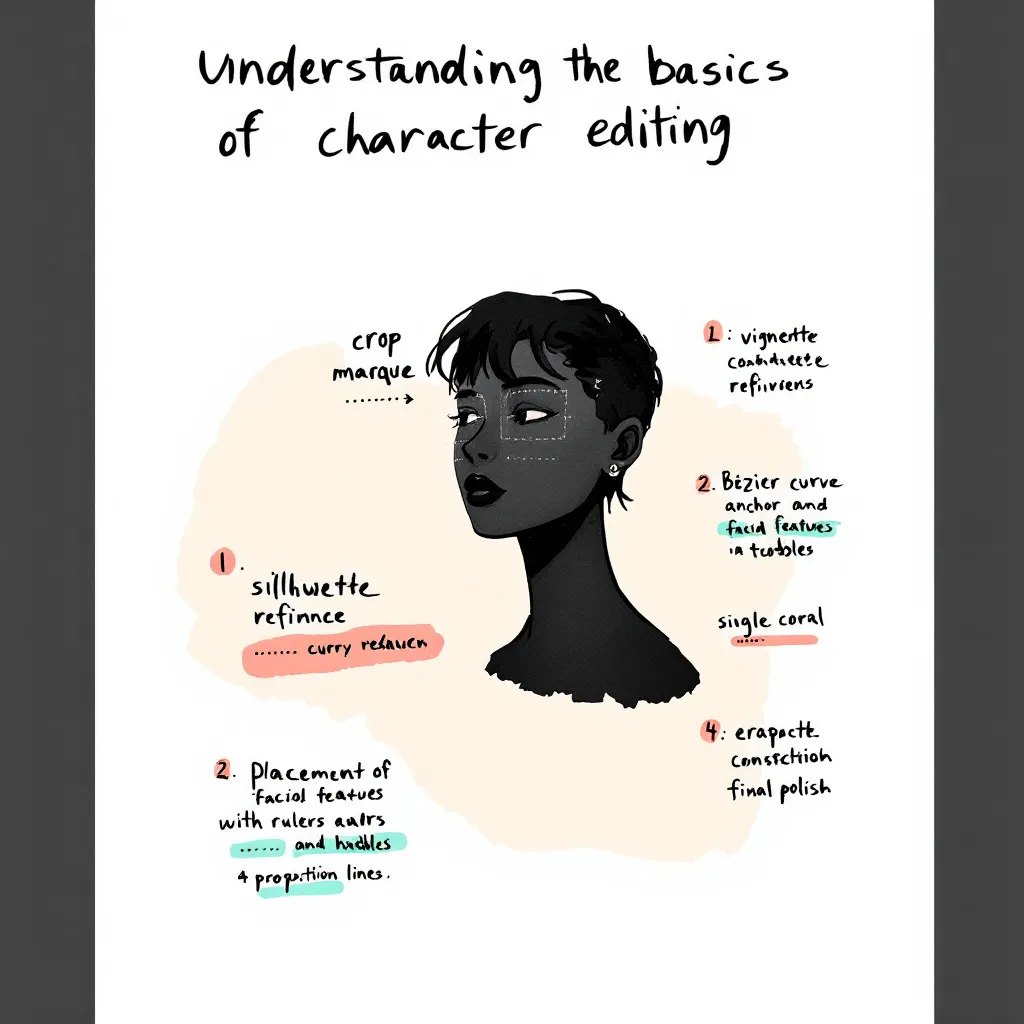
User Story: Understanding the Basics of Character Editing
Todas as postagens

User Story: Understanding the Basics of Character Editing

Jay
Jay
27 de fevereiro de 2026
Copiar link
  • What is Character Editing in LlamaGen?
  • Why Do Beginners Struggle With Character Editing?
  • User Journey: From Confusion to Confidence
  • Initial User Experience
  • Collaborative Creation and Iterative Improvements
  • Achieving 100% Style Stability
  • Step-by-Step Guide: Simplifying Character Editing
  • Prerequisites
  • Step 1: Navigating the Prompts Area
  • Step 2: Using Intuitive Editing Entries
  • Step 3: Achieving Style Stability in Long Texts
  • Step 4: Collaborative Creation Workflow
  • Best Practices and Common Mistakes to Avoid
  • Best Practices
  • Common Mistakes
  • Real-World Scenarios: How Users Benefit
  • Scenario 1: New Author Creating First Comic
  • Scenario 2: Collaborative Team Project
  • Scenario 3: Maintaining Style in Long Series
  • Actionable Tips for Mastering Character Editing
  • Internal Linking: Explore Related Topics
  • FAQ: Quick Answers to Common Questions
  • Conclusion
elevate-your-comics.png
Eleve seus Quadrinhos com LlamaGen

Editing comic characters can feel overwhelming, especially when you're just starting out. I remember working with a German author who faced this exact challenge. She had never edited characters before and felt lost looking at the interface. Her experience mirrors what many newcomers face. That's why we set out to simplify the character editing process and create an easy, beginner-friendly guide. In this post, I’ll share our journey, the practical solutions we implemented, and actionable tips you can use. Whether you’re a writer, artist, or developer, this tutorial will help you achieve 100% style stability and master intuitive editing with LlamaGen. Let’s dive into real user stories, best practices, and step-by-step instructions so you can confidently edit comic characters and elevate your creative workflow.

Before jumping into advanced features, it’s crucial to grasp the basics of character editing. Many authors—especially those new to digital comic creation—find this step confusing.

What is Character Editing in LlamaGen?

Character editing lets you define, customize, and refine the traits, style, and backstory of your comic characters. With LlamaGen, you can:

  • Adjust visual styles
  • Set personality traits
  • Fine-tune dialogue prompts
  • Memorize long text details for consistency

Why Do Beginners Struggle With Character Editing?

Common pain points include:

  • Unclear interface and editing entries
  • Overwhelming options and jargon
  • Difficulty maintaining style stability
  • Lack of actionable guidance

Our German author, for example, initially had no idea where to start. She struggled to find editing options and worried about losing her character’s unique style. These issues are typical for new users.

User Journey: From Confusion to Confidence

To address these challenges, we mapped out the user journey and focused on real-world application.

Initial User Experience

Our German author’s feedback was clear: she felt lost and frustrated. She needed a beginner’s guide that explained every step. Her story is common among creators exploring LlamaGen for the first time.

Collaborative Creation and Iterative Improvements

Over one week, we worked closely with the author, gathering feedback and testing solutions. This collaborative approach allowed us to:

  • Identify pain points (e.g., confusing prompts area, hidden editing entries)
Registro de alterações

Desperte sonhos nos jovens
Onde milhões de histórias ganham vida

Um resumo dos lançamentos mais recentes de recursos do LlamaGen, melhorias no produto, atualizações de design e correções importantes de bugs.

✦
✧
✦
✧

Um novo meio para Narrativa

Crie histórias, quadrinhos, animações, jogos e muito mais sem limites — em segundos, com apelo para o público moderno

User Story: Understanding the Basics of Character Editing - LlamaGen.AI Blog
  • Test solutions in real time
  • Refine features based on actual user needs
  • Achieving 100% Style Stability

    One major goal was to maintain consistent character style across long texts and multiple edits. We optimized memorization algorithms and improved prompt interactions, ensuring that style stability reached 100%.

    Step-by-Step Guide: Simplifying Character Editing

    Here’s a practical tutorial based on our experience. Follow these steps to make character editing easy and reliable.

    Prerequisites

    • Access to LlamaGen (latest version)
    • Basic understanding of comic creation
    • A character profile to edit

    Step 1: Navigating the Prompts Area

    We redesigned the prompts area for clarity. Now, when you open a character profile, you’ll see:

    • Clearly labeled prompt fields
    • Quick tips on how to use each field
    • Example inputs to guide you

    Actionable Tip: Hover over information icons for instant explanations.

    Step 2: Using Intuitive Editing Entries

    Editing entries are now visible and easy to find. Just look for the “Edit” button next to each character trait or dialogue option.

    1. Click “Edit” next to the trait you want to change.
    2. Input your new value or description.
    3. Save changes instantly—no need to navigate away.

    Example: Want to change your character’s hairstyle? Click “Edit” next to “Appearance,” select a style, and hit “Save.”

    Step 3: Achieving Style Stability in Long Texts

    Consistency matters, especially in comics. We optimized how LlamaGen memorizes character traits in long text sequences.

    • Each edit updates the memory matrix
    • Style cues are reinforced after every save
    • System checks for drift and suggests corrections

    Actionable Tip: After making several edits, review the character’s preview panel for any inconsistencies.

    Step 4: Collaborative Creation Workflow

    Working with another creator? Use the “Share & Collaborate” feature.

    1. Invite collaborators to your project
    2. Assign editing permissions
    3. Track changes with version history

    Our German author loved this feature, saying, “I finally felt confident editing and sharing my characters—no more confusion!”

    Best Practices and Common Mistakes to Avoid

    Learning from real user stories, these best practices will help you master character editing.

    Best Practices

    • Start Simple: Edit basic traits first. Build complexity over time.
    • Use Examples: Refer to sample prompts and style guides.
    • Review Regularly: Check for style consistency after each major edit.
    • Collaborate: Share feedback and work with others to spot issues.
    • Leverage Tutorials: Watch the official guide video for hands-on walkthroughs.

    Common Mistakes

    • Editing Too Many Traits at Once: This leads to style drift.
    • Ignoring Prompt Tips: Missed cues can result in inconsistent dialogue.
    • Not Saving Frequently: Unsaved edits may be lost.
    • Skipping Version History: Hard to track changes without this feature.

    Real-World Scenarios: How Users Benefit

    Here are specific use cases that highlight the value of our improvements.

    Scenario 1: New Author Creating First Comic

    Anna, a first-time comic creator, used our beginner’s guide and quickly mastered editing. She said, “The step-by-step instructions made it so easy. I was able to keep my characters consistent from start to finish.”

    Scenario 2: Collaborative Team Project

    A German author and her illustrator collaborated using the new workflow. They commented, “Editing entries are finally visible! We saved hours and avoided confusion.”

    Scenario 3: Maintaining Style in Long Series

    A webcomic team used style stability features to keep characters consistent across 50+ episodes. Their feedback: “Memorization updates and prompts checks are a game-changer for long-form storytelling.”

    Actionable Tips for Mastering Character Editing

    • Always start with a clear character profile.
    • Use the prompts area to test dialogue and personality.
    • Edit traits one at a time to avoid confusion.
    • Collaborate with others for feedback.
    • Use version history to revert unwanted changes.
    • Watch tutorials and read guides for extra help.

    Internal Linking: Explore Related Topics

    For deeper insights, check out related topics like:

    • How to Build Character Arcs in Comics
    • Improving Dialogue with AI Prompts
    • Optimizing Your Comic Creation Workflow

    These guides expand on narrative design and editing principles.

    FAQ: Quick Answers to Common Questions

    How do I access editing entries in LlamaGen?

    Click the “Edit” button next to each character trait. All entries are now visible and labeled.

    Can I collaborate with other authors?

    Yes! Use the “Share & Collaborate” feature to invite others and track edits.

    How do I keep character style consistent?

    Edit traits gradually, use prompt tips, and review the preview panel after each change.

    Where can I find more tutorials?

    Check the official YouTube guide or our help center.

    Conclusion

    Simplifying the character editing experience in LlamaGen was a journey driven by real user stories and collaborative solutions. By listening to feedback—especially from our German author—we improved the prompts area, made editing entries intuitive, and achieved unmatched style stability. Whether you’re a beginner or an experienced creator, these best practices, step-by-step instructions, and actionable tips will help you edit with confidence. Ready to create memorable comic characters? Start with our beginner’s guide, collaborate with others, and unlock the full potential of LlamaGen today.

    For more tutorials, tips, and solutions, explore our related guides or reach out for personalized support. Your next great comic character is just a few edits away!

    Related hot tags

    UserStory

    Ferramentas populares para criadores

    Transforme inspiração em sua próxima história

    Crie quadrinhos, storyboards e fotos estilosas com LlamaGen.

    01

    Gerador de Quadrinhos IA

    Transforme uma ideia em tirinhas polidas em minutos.

    Criar quadrinhos
    02

    Gerador de Mangá IA

    Crie arte mangá expressiva e histórias com vários painéis.

    Crie mangá com IA
    03

    Gerador de Storyboard IA

    Visualize cada cena antes de começar a produção.

    Crie storyboards com IA
    04

    Transformar foto em quadrinho

    Transforme qualquer foto em uma ilustração estilo quadrinho.

    Crie quadrinhos a partir de fotos
    05

    Criador de Tiras de Quadrinhos IA

    Monte tirinhas compartilháveis com personagens consistentes.

    Crie tirinhas com IA

    LlamaGen community

    checkmark

    Get hands-on help with your comics

    checkmark

    Showcase your comics to fellow LlamaGen creators

    checkmark

    Participate in special events to win gifts

    LlamaGen.Ai
    • United States
    • Español
    • Français (France)
    • 日本語
    • 한국어
    • Deutsch
    • 繁體中文 (台灣)
    • 繁體中文 (香港)
    • 简体中文
    • Português
    • Italiano
    • Español (México)
    • العربية
    • Русский
    • Português (Brasil)
    • Tiếng Việt

    Liderando o futuro da geração de quadrinhos por IA

    • Suporte 24/7
    • Atualizações semanais
    • Seguro e compatível
    • 99,9% de tempo de atividade

    Baixe o LlamaGen grátis

    AndroidiOSComputador

    Produto

    • Últimos lançamentos
    • Características
    • Criador de tirinhas
    • Comic StoresNovo
    • Estúdio de MangaNovo
    • Transforme Imagem em Quadrinho
    • Quadrinho para Vídeo
    • Fábrica de Quadrinhos IA
    • Agente de Quadrinhos
    • iOS & Android
    • Mac & Windows
    • Baixar
    • Comic ZapNovo
    • Gerador de Quadrinhos IA
    • Gerador de Desenho Animado IA
    • Gerador de Webtoon IA
    • Criador de Tirinhas
    • Transforme Imagem em Quadrinho
    • Gerador de Mangá IA
    • Tradutor de Manga
    • Foto para Anime
    • Imagem para Prompt
    • Anime para Vida Real
    • Colorizador de mangá
    • Gerador de Personagem de Anime
    • Ferramentas de assets para jogos pixel art
    • Gerador de sprite sheet com IA
    • Melhores ferramentas para jogos pixel art em 2026
    • Criador de quadrinhos com fotos
    • Alternativa ao Comic Life

    Produtos relacionados

    • Família LlamaGen
    • CineoBoardNovo
    • Comics API

    Planos

    • Preços
    • Inicial
    • Pro

    Comunidade

    • Criadores
    • Afiliados
    • Parceiro

    Modelos de IA

    • GPT Image 2.6 Flare
    • GPT Image 2.6 Sunburst
    • Grok Imagine Image 2.0
    • Wan 3.0
    LinkedInX (Twitter)
    • Início
    • Artigos
    • Blog
    • Criar
    • Preços
    • API
    • Affiliate ProgramNEW

    Pergunte à IA sobre LlamaGen

  • Comic Zap
  • Velika
  • Empresarial
  • Educação
  • API de Quadrinhos
  • Contate as Vendas
  • Planos para Educação
  • Professores
  • Estudantes
  • Professores e Estudantes
  • Empresas emergentes
  • Descontos Educativos
  • Empresa

    • Converse com nosso fundador
    • Sobre
    • Roteiro do Produto

    Ajuda

    • Centro de Ajuda
    • Confiança
    • IA segura
    Depoimentos
  • Mural de Amor
  • LlamaGen MCPNovo
  • LlamaGen para desenvolvedores
  • Recursos

    • Registro de alterações
    • Blog
    • Guias

    Ferramentas

    • Gerador de logos com IA
    • Gerador de personagens no estilo Grokbot
    • PNG para quadrinhos
  • Wan 3.0 Prime
  • Seedance 2.5
  • MiniMax H3
  • Nano Banana 2.1
  • Nano Banana 2 Lite
  • Seedream 5.0 Flash
  • Seedream 5.0 Pro
  • Seedance 2.0 Mini
  • Kling 3.0 Turbo
  • Nano Banana 2
  • Imagem GPT 2
  • Gemini Omni Flash
  • All AI Models
  • Ferramentas de AI

    • Extrator de Looks por IA
    • Trocador de Corte de Cabelo por IA
    • Trocador de Cabelo de Mangá por IA
    Instagram
    YouTube
    Grupo no Facebook
    Reddit
    Discord
    Suporte por e-mail
    PrivacidadeTermosMapa do site
    Baixar Recursos da Marca
    © 2026 LlamaGen.Ai Todos os direitos reservadosTodos os serviços estão online
    Carreiras
  • Envie-nos um email
  • O Mundo da Nossa Mascote
  • Kit de Mídia
  • Parceria com KOL
  • Conteúdo
  • Serviços profissionais
  • Perguntas Frequentes
  • Segurança
  • Acessibilidade
  • Tutorial em Vídeo
  • Entre em contato conosco
  • Mapa do site
  • Quadrinhos personalizados
  • Características
  • Alternativas
  • Melhores Apps de IA
  • Guia de colorização de mangá com GPT-6
  • Skill de quadrinhos no Claude
  • Guia de quadrinhos com IA do Gemini
  • Quadrinho Isso
  • Descontos Educativos
  • Desconto para estudantes
  • Texto para quadrinhos
  • PDF para quadrinhos
  • Roteiro para quadrinhos
  • Livro para quadrinhos
  • Transforme Imagem em Quadrinho
  • Gerador de Pixel Art com IA
  • Quadrinhos Educativos
  • Gerador de Vídeo AI
  • Gerador de Vídeos Gemini AI
  • Gerador Gratuito de Vídeo sem Rosto com IA
  • Quadrinho para Vídeo
  • Crie software de storyboard
  • Gerador de Storyboard IA
  • Software de roteiro
  • Editor de roteiro
  • Story IA
  • Gerador de Histórias AI
  • Gerador de livros ilustrados
  • Gerador de Imagem IA
  • Divisor de Camadas com IA
  • Controle de ângulo da câmera com IA
  • Gerador de Pixel Art com IA
  • Ferramentas de assets para jogos pixel art
  • Gerador de sprite sheet com IA
  • Cortador de sprite sheet
  • Melhores ferramentas para jogos pixel art em 2026
  • API de Animação
  • Plugin do ChatGPT/Codex
  • Guia de instalação do ChatGPT
  • Plugin do Claude Code
  • Guia de instalação do Claude Code
  • Gerador de Efeito de Vento por IA
  • Gerador de Mapa de Profundidade por IA
  • Fundo Branco por IA
  • Removedor de Objetos por IA
  • Prova de Roupas Virtual por IA
  • Desfocar imagens com IA
  • Redução de ruído com IA
  • Restauração de fotos com IA
  • Sombras de produto com IA
  • Gerador de Fundo por IA
  • Gerador de headshots com IA
  • Criador de emojis com IA
  • Alterador de fundo com IA
  • Abrir olhos com IA
  • Beleza com IA
  • Fotografia de produtos com IA
  • Blogs anteriores

    Planning 240 Comic Panels a Week: Measure Cost per Approved Panel

    Planning 240 Comic Panels a Week: Measure Cost per Approved Panel

    Audit an 18-panel comic sample and two repair calls. Track approved panels, rejected candidates, usa

    Jay
    Jay
    28 de novembro de 2026
    Build a Location Bible for AI Comics: Return to the Same Place Without Reinventing It

    Build a Location Bible for AI Comics: Return to the Same Place Without Reinventing It

    Create a comic location bible with a master image, map, and prop-state ledger so recurring AI-genera

    Jay
    Jay
    28 de novembro de 2026
    Human-Led AI Game Cutscenes: Keep the Script, Storyboards, and Timing Under Your Control

    Human-Led AI Game Cutscenes: Keep the Script, Storyboards, and Timing Under Your Control

    A practical, creator-led AI game cutscene workflow for selecting storyboard candidates, rejecting we

    Jay
    Jay
    23 de novembro de 2026
    Make an AI Film Feel Real: Blocking, Reactions, and Continuity in a Quiet Scene

    Make an AI Film Feel Real: Blocking, Reactions, and Continuity in a Quiet Scene

    A worked quiet-scene repair case: room geography, prop behavior, reactions, and edit choices that im

    Jay
    Jay
    23 de novembro de 2026
    Veja todos os blogs