


LlamaGen 標誌LlamaGen 品牌
登入立即訂閱八折優惠
  1. 首頁
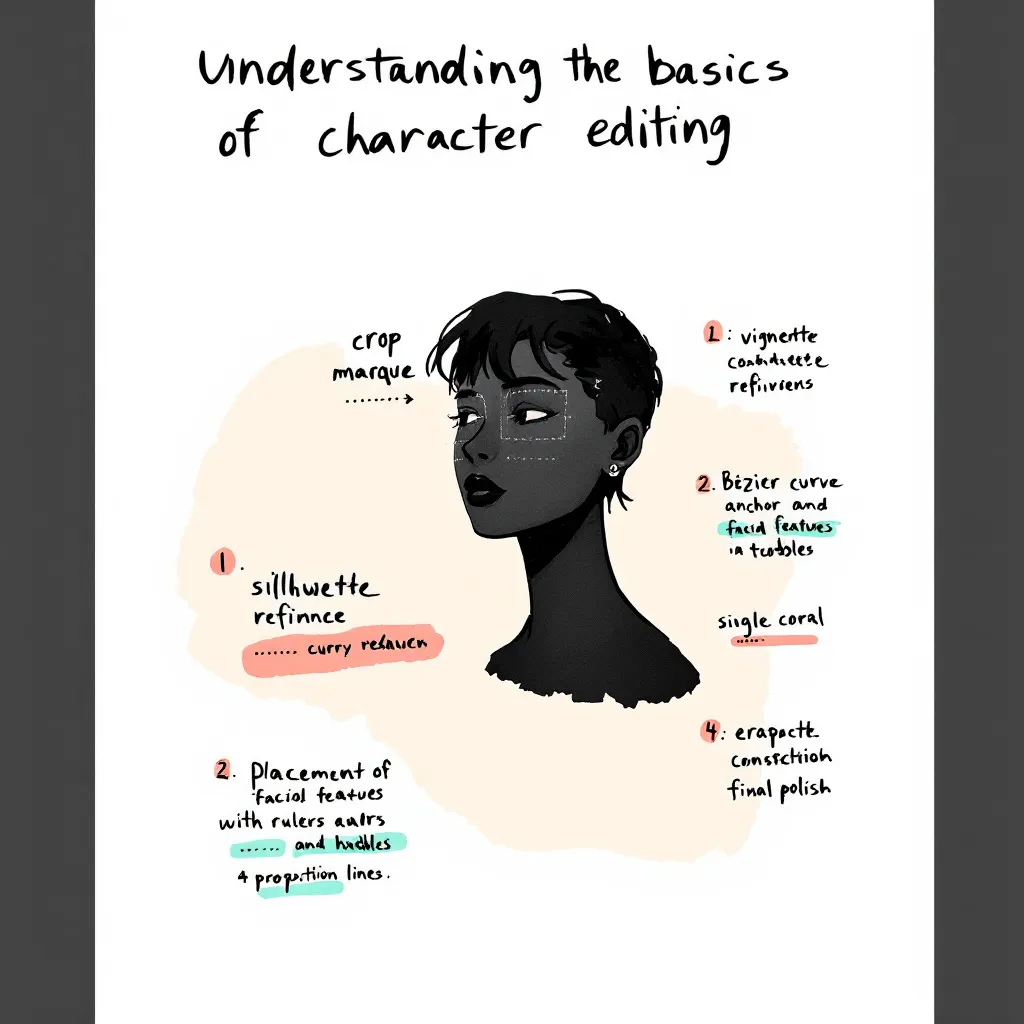
User Story: Understanding the Basics of Character Editing
所有文章

User Story: Understanding the Basics of Character Editing

Jay
Jay
2026年2月27日
複製連結
  • What is Character Editing in LlamaGen?
  • Why Do Beginners Struggle With Character Editing?
  • User Journey: From Confusion to Confidence
  • Initial User Experience
  • Collaborative Creation and Iterative Improvements
  • Achieving 100% Style Stability
  • Step-by-Step Guide: Simplifying Character Editing
  • Prerequisites
  • Step 1: Navigating the Prompts Area
  • Step 2: Using Intuitive Editing Entries
  • Step 3: Achieving Style Stability in Long Texts
  • Step 4: Collaborative Creation Workflow
  • Best Practices and Common Mistakes to Avoid
  • Best Practices
  • Common Mistakes
  • Real-World Scenarios: How Users Benefit
  • Scenario 1: New Author Creating First Comic
  • Scenario 2: Collaborative Team Project
  • Scenario 3: Maintaining Style in Long Series
  • Actionable Tips for Mastering Character Editing
  • Internal Linking: Explore Related Topics
  • FAQ: Quick Answers to Common Questions
  • Conclusion
elevate-your-comics.png
用 LlamaGen 提升你的漫畫質素

Editing comic characters can feel overwhelming, especially when you're just starting out. I remember working with a German author who faced this exact challenge. She had never edited characters before and felt lost looking at the interface. Her experience mirrors what many newcomers face. That's why we set out to simplify the character editing process and create an easy, beginner-friendly guide. In this post, I’ll share our journey, the practical solutions we implemented, and actionable tips you can use. Whether you’re a writer, artist, or developer, this tutorial will help you achieve 100% style stability and master intuitive editing with LlamaGen. Let’s dive into real user stories, best practices, and step-by-step instructions so you can confidently edit comic characters and elevate your creative workflow.

Before jumping into advanced features, it’s crucial to grasp the basics of character editing. Many authors—especially those new to digital comic creation—find this step confusing.

What is Character Editing in LlamaGen?

Character editing lets you define, customize, and refine the traits, style, and backstory of your comic characters. With LlamaGen, you can:

  • Adjust visual styles
  • Set personality traits
  • Fine-tune dialogue prompts
  • Memorize long text details for consistency

Why Do Beginners Struggle With Character Editing?

Common pain points include:

  • Unclear interface and editing entries
  • Overwhelming options and jargon
  • Difficulty maintaining style stability
  • Lack of actionable guidance

Our German author, for example, initially had no idea where to start. She struggled to find editing options and worried about losing her character’s unique style. These issues are typical for new users.

User Journey: From Confusion to Confidence

To address these challenges, we mapped out the user journey and focused on real-world application.

Initial User Experience

Our German author’s feedback was clear: she felt lost and frustrated. She needed a beginner’s guide that explained every step. Her story is common among creators exploring LlamaGen for the first time.

Collaborative Creation and Iterative Improvements

Over one week, we worked closely with the author, gathering feedback and testing solutions. This collaborative approach allowed us to:

  • Identify pain points (e.g., confusing prompts area, hidden editing entries)
更新日誌

點燃年輕人的夢想
讓數百萬個故事活靈活現

彙整最新的 LlamaGen 功能發布、產品強化、設計更新與重要錯誤修正。

✦
✧
✦
✧

全新的媒介,為了 故事創作

用靈感在幾秒內創作無限的故事、漫畫、動畫、遊戲等內容,打動現代觀眾

  • Test solutions in real time
  • Refine features based on actual user needs
  • Achieving 100% Style Stability

    One major goal was to maintain consistent character style across long texts and multiple edits. We optimized memorization algorithms and improved prompt interactions, ensuring that style stability reached 100%.

    Step-by-Step Guide: Simplifying Character Editing

    Here’s a practical tutorial based on our experience. Follow these steps to make character editing easy and reliable.

    Prerequisites

    • Access to LlamaGen (latest version)
    • Basic understanding of comic creation
    • A character profile to edit

    Step 1: Navigating the Prompts Area

    We redesigned the prompts area for clarity. Now, when you open a character profile, you’ll see:

    • Clearly labeled prompt fields
    • Quick tips on how to use each field
    • Example inputs to guide you

    Actionable Tip: Hover over information icons for instant explanations.

    Step 2: Using Intuitive Editing Entries

    Editing entries are now visible and easy to find. Just look for the “Edit” button next to each character trait or dialogue option.

    1. Click “Edit” next to the trait you want to change.
    2. Input your new value or description.
    3. Save changes instantly—no need to navigate away.

    Example: Want to change your character’s hairstyle? Click “Edit” next to “Appearance,” select a style, and hit “Save.”

    Step 3: Achieving Style Stability in Long Texts

    Consistency matters, especially in comics. We optimized how LlamaGen memorizes character traits in long text sequences.

    • Each edit updates the memory matrix
    • Style cues are reinforced after every save
    • System checks for drift and suggests corrections

    Actionable Tip: After making several edits, review the character’s preview panel for any inconsistencies.

    Step 4: Collaborative Creation Workflow

    Working with another creator? Use the “Share & Collaborate” feature.

    1. Invite collaborators to your project
    2. Assign editing permissions
    3. Track changes with version history

    Our German author loved this feature, saying, “I finally felt confident editing and sharing my characters—no more confusion!”

    Best Practices and Common Mistakes to Avoid

    Learning from real user stories, these best practices will help you master character editing.

    Best Practices

    • Start Simple: Edit basic traits first. Build complexity over time.
    • Use Examples: Refer to sample prompts and style guides.
    • Review Regularly: Check for style consistency after each major edit.
    • Collaborate: Share feedback and work with others to spot issues.
    • Leverage Tutorials: Watch the official guide video for hands-on walkthroughs.

    Common Mistakes

    • Editing Too Many Traits at Once: This leads to style drift.
    • Ignoring Prompt Tips: Missed cues can result in inconsistent dialogue.
    • Not Saving Frequently: Unsaved edits may be lost.
    • Skipping Version History: Hard to track changes without this feature.

    Real-World Scenarios: How Users Benefit

    Here are specific use cases that highlight the value of our improvements.

    Scenario 1: New Author Creating First Comic

    Anna, a first-time comic creator, used our beginner’s guide and quickly mastered editing. She said, “The step-by-step instructions made it so easy. I was able to keep my characters consistent from start to finish.”

    Scenario 2: Collaborative Team Project

    A German author and her illustrator collaborated using the new workflow. They commented, “Editing entries are finally visible! We saved hours and avoided confusion.”

    Scenario 3: Maintaining Style in Long Series

    A webcomic team used style stability features to keep characters consistent across 50+ episodes. Their feedback: “Memorization updates and prompts checks are a game-changer for long-form storytelling.”

    Actionable Tips for Mastering Character Editing

    • Always start with a clear character profile.
    • Use the prompts area to test dialogue and personality.
    • Edit traits one at a time to avoid confusion.
    • Collaborate with others for feedback.
    • Use version history to revert unwanted changes.
    • Watch tutorials and read guides for extra help.

    Internal Linking: Explore Related Topics

    For deeper insights, check out related topics like:

    • How to Build Character Arcs in Comics
    • Improving Dialogue with AI Prompts
    • Optimizing Your Comic Creation Workflow

    These guides expand on narrative design and editing principles.

    FAQ: Quick Answers to Common Questions

    How do I access editing entries in LlamaGen?

    Click the “Edit” button next to each character trait. All entries are now visible and labeled.

    Can I collaborate with other authors?

    Yes! Use the “Share & Collaborate” feature to invite others and track edits.

    How do I keep character style consistent?

    Edit traits gradually, use prompt tips, and review the preview panel after each change.

    Where can I find more tutorials?

    Check the official YouTube guide or our help center.

    Conclusion

    Simplifying the character editing experience in LlamaGen was a journey driven by real user stories and collaborative solutions. By listening to feedback—especially from our German author—we improved the prompts area, made editing entries intuitive, and achieved unmatched style stability. Whether you’re a beginner or an experienced creator, these best practices, step-by-step instructions, and actionable tips will help you edit with confidence. Ready to create memorable comic characters? Start with our beginner’s guide, collaborate with others, and unlock the full potential of LlamaGen today.

    For more tutorials, tips, and solutions, explore our related guides or reach out for personalized support. Your next great comic character is just a few edits away!

    Related hot tags

    UserStory

    熱門創作工具

    將靈感變成下一個故事

    使用 LlamaGen 創作漫畫、分鏡同風格化相片。

    01

    AI漫畫生成器

    幾分鐘內將構思變成精美條漫。

    製作漫畫
    02

    AI漫畫生成器

    創作生動漫畫畫面同多格故事。

    用 AI 創作日漫
    03

    AI 故事板生成器

    製作前預覽每個場景。

    用 AI 製作分鏡
    04

    相片轉漫畫

    將相片轉成漫畫風格插畫。

    將相片轉成漫畫
    05

    AI漫畫製造器

    保持角色一致性,製作方便分享嘅條漫。

    用 AI 創作條漫

    LlamaGen community

    checkmark

    Get hands-on help with your comics

    checkmark

    Showcase your comics to fellow LlamaGen creators

    checkmark

    Participate in special events to win gifts

    LlamaGen 標誌
    • United States
    • Español
    • Français (France)
    • 日本語
    • 한국어
    • Deutsch
    • 繁體中文 (台灣)
    • 繁體中文 (香港)
    • 简体中文
    • Português
    • Italiano
    • Español (México)
    • العربية
    • Русский
    • Português (Brasil)
    • Tiếng Việt

    免費下載 LlamaGen

    iOS桌面版
    產品
    • 首頁
    • 文章
    • 博客
    • 建立
    User Story: Understanding the Basics of Character Editing - LlamaGen.AI Blog

    向 AI 詢問 LlamaGen 相關問題

    • 最新推出
    • 特性
    • 漫畫條製作器
    • 日漫工作室新
    • 圖片轉漫畫
    • 漫畫轉視頻
    計劃
    • 價格
    • 入門
    • 專業版
    • 企業
    • 教育
    公司
    • 與創辦人傾偈
    • 關於
    • 產品路線圖
    • 職業
    • 電郵我們
    相關產品
    • LlamaGen 系列
    • CineoBoard新
    • Comics API
    • Comic Zap
    社區
    • 創作者
    • 聯盟
    • 合作夥伴
    • 推薦
    資源
    • 更新日誌
    • 博客
    • 指南
    • 個人化漫畫
    • 特性
    幫助
    • 幫助中心
    • 信賴
    • 安全 AI
    • 專業服務
    • 常見問題
    工具
    • AI 標誌生成器
    • Grokbot 風格角色生成器
    • PNG 轉漫畫
    • Text 轉漫畫
    • PDF 轉漫畫
    AI工具
    • AI 服裝擷取工具
    • AI 髮型更換工具
    • AI 漫畫髮型更換工具
    • AI 風效生成器
    • AI 深度圖生成器

    產品

    • 最新推出
    • 特性
    • 漫畫條製作器
    LinkedInX (Twitter)
  • 價格
  • API
  • 引領 AI 漫畫生成的未來

    • 全天候支援
    • 每週更新
    • 安全且符合規定
    • 99.9%的運行時間

    先前的網誌

    Bible Comic Accuracy Checklist: Scripture, Context, Art, and Review

    Bible Comic Accuracy Checklist: Scripture, Context, Art, and Review

    A practical checklist for tracing every Bible comic panel to Scripture, reviewing context and visual

    Jay
    Jay
    2026年10月16日
    How to Turn a Bible Lesson into a 6-Panel Sunday School Comic

    How to Turn a Bible Lesson into a 6-Panel Sunday School Comic

    A practical workflow for turning one Bible lesson into a six-panel comic, discussion prompts, and a

    Jay
    Jay
    2026年10月15日
    Claude Code + Comic MCP: Turn a Youth Sports Lesson into Editable Comic Panels

    Claude Code + Comic MCP: Turn a Youth Sports Lesson into Editable Comic Panels

    A practical Claude Code and LlamaGen.AI Comic MCP workflow for turning a coach-approved youth basket

    Monica
    Monica
    2026年10月13日
    How to Turn Couple Photos Into a Personalized Comic

    How to Turn Couple Photos Into a Personalized Comic

    Use two adults' photos and shared memories to create a personalized couple comic with stronger liken

    Jay
    Jay
    2026年10月13日
    查看所有網誌
    AI漫畫工廠
  • 漫畫代理
  • iOS和Android
  • Mac和Windows
  • 下載
  • Comic Zap新
  • AI漫畫生成器
  • AI卡通生成器
  • AI 網絡漫畫生成器
  • 條漫製作工具
  • 圖片轉漫畫
  • AI漫畫生成器
  • 日漫翻譯器
  • 照片轉動漫
  • 動漫角色真實化
  • 漫畫上色工具
  • 動漫角色產生器
  • 像素遊戲素材工具
  • AI 精靈圖表生成器
  • 2026 年最佳像素遊戲工具
  • 相片漫畫製作器
  • Comic Life 替代方案
  • 漫畫 API
  • 聯絡銷售
  • 教育方案
  • 教師
  • 學生
  • 教師和學生
  • 新創企業
  • 教育折扣
  • 我們的吉祥物世界
  • 媒體套件
  • KOL 合作
  • 內容
  • Velika
  • 愛之牆
  • LlamaGen MCP新
  • LlamaGen 開發者
  • 替代方案
  • 最佳 AI 應用
  • GPT-6 漫畫上色指南
  • Claude 漫畫創作技能
  • Gemini AI 漫畫指南
  • 漫畫作品
  • 教育折扣
  • 學生優惠
  • 安全
  • 無障礙
  • 視頻教程
  • 聯繫我們
  • 網站地圖
  • 劇本轉漫畫
  • 書本轉漫畫
  • 圖片轉漫畫
  • AI 像素藝術生成器
  • 教育漫畫
  • AI 影片產生器
  • Gemini AI 影片生成器
  • 免費無臉AI影片生成器
  • 漫畫轉視頻
  • 分鏡製作軟件
  • AI 故事板生成器
  • 劇本寫作軟件
  • 劇本編輯器
  • 故事 AI
  • AI故事生成器
  • 繪本生成器
  • AI圖像生成器
  • AI圖層分離器
  • AI 鏡頭角度控制
  • AI 像素藝術生成器
  • 像素遊戲素材工具
  • AI 精靈圖表生成器
  • 精靈圖表切分工具
  • 2026 年最佳像素遊戲工具
  • 動畫 API
  • ChatGPT/Codex 插件
  • ChatGPT 安裝指南
  • Claude Code 插件
  • Claude Code 安裝指南
  • AI 白色背景生成器
  • AI 物件移除工具
  • AI 虛擬試穿
  • AI 圖片去模糊
  • AI 圖片降噪
  • AI 相片修復
  • AI 商品陰影生成
  • AI背景生成器
  • AI 專業頭像生成器
  • AI 表情符號生成器
  • AI 背景更換工具
  • AI 睜眼修復
  • AI 美顏工具
  • AI 商品攝影
  • 日漫工作室
    新
  • 圖片轉漫畫
  • 漫畫轉視頻
  • AI漫畫工廠
  • 漫畫代理
  • iOS和Android
  • Mac和Windows
  • 下載
  • Comic Zap新
  • AI漫畫生成器
  • AI卡通生成器
  • AI 網絡漫畫生成器
  • 條漫製作工具
  • 圖片轉漫畫
  • AI漫畫生成器
  • 日漫翻譯器
  • 照片轉動漫
  • 動漫角色真實化
  • 漫畫上色工具
  • 動漫角色產生器
  • 像素遊戲素材工具
  • AI 精靈圖表生成器
  • 2026 年最佳像素遊戲工具
  • 相片漫畫製作器
  • Comic Life 替代方案
  • 相關產品

    • LlamaGen 系列
    • CineoBoard新
    • Comics API
    • Comic Zap
    • Velika

    計劃

    • 價格
    • 入門
    • 專業版
    • 企業
    • 教育
    • 漫畫 API
    • 聯絡銷售
    • 教育方案
    • 教師
    • 學生
    • 教師和學生
    • 新創企業
    • 教育折扣

    公司

    • 與創辦人傾偈
    • 關於
    • 產品路線圖
    • 職業

    幫助

    • 幫助中心
    • 信賴
    • 安全 AI

    社區

    • 創作者
    • 聯盟
    • 合作夥伴
    • 推薦
    • 愛之牆
    • LlamaGen MCP新
    • LlamaGen 開發者

    資源

    • 更新日誌
    • 博客
    • 指南
    • 個人化漫畫

    工具

    • AI 標誌生成器
    • Grokbot 風格角色生成器
    • PNG 轉漫畫

    AI工具

    • AI 服裝擷取工具
    • AI 髮型更換工具
    • AI 漫畫髮型更換工具
    • AI 風效生成器
    • AI 深度圖生成器
    • AI 白色背景生成器
    • AI 物件移除工具
    • AI 虛擬試穿
    • AI 圖片去模糊
    • AI 圖片降噪
    • AI 相片修復
    • AI 商品陰影生成
    • AI背景生成器
    • AI 專業頭像生成器
    • AI 表情符號生成器
    • AI 背景更換工具
    • AI 睜眼修復
    • AI 美顏工具
    • AI 商品攝影
    Instagram
    YouTube
    Facebook 群組
    Reddit
    Discord
    電郵支持
    隱私條款

    © 2026 LlamaGen.Ai 版權所有

    LinkedInX (Twitter)InstagramYouTubeFacebook 群組RedditDiscord電郵支持
    隱私條款下載品牌資產© 2026 LlamaGen.Ai 版權所有所有服務均在線
  • 電郵我們
  • 我們的吉祥物世界
  • 媒體套件
  • KOL 合作
  • 內容
  • 專業服務
  • 常見問題
  • 安全
  • 無障礙
  • 視頻教程
  • 聯繫我們
  • 網站地圖
  • 特性
  • 替代方案
  • 最佳 AI 應用
  • GPT-6 漫畫上色指南
  • Claude 漫畫創作技能
  • Gemini AI 漫畫指南
  • 漫畫作品
  • 教育折扣
  • 學生優惠
  • Text 轉漫畫
  • PDF 轉漫畫
  • 劇本轉漫畫
  • 書本轉漫畫
  • 圖片轉漫畫
  • AI 像素藝術生成器
  • 教育漫畫
  • AI 影片產生器
  • Gemini AI 影片生成器
  • 免費無臉AI影片生成器
  • 漫畫轉視頻
  • 分鏡製作軟件
  • AI 故事板生成器
  • 劇本寫作軟件
  • 劇本編輯器
  • 故事 AI
  • AI故事生成器
  • 繪本生成器
  • AI圖像生成器
  • AI圖層分離器
  • AI 鏡頭角度控制
  • AI 像素藝術生成器
  • 像素遊戲素材工具
  • AI 精靈圖表生成器
  • 精靈圖表切分工具
  • 2026 年最佳像素遊戲工具
  • 動畫 API
  • ChatGPT/Codex 插件
  • ChatGPT 安裝指南
  • Claude Code 插件
  • Claude Code 安裝指南



