
LlamaGen logoLlamaGen brand
Log InSubscribe Now20% Off
  1. Home
User Story: Understanding the Basics of Character Editing
All posts

User Story: Understanding the Basics of Character Editing

Jay
Jay
February 27th, 2026
Copy link
  • What is Character Editing in LlamaGen?
  • Why Do Beginners Struggle With Character Editing?
  • User Journey: From Confusion to Confidence
  • Initial User Experience
  • Collaborative Creation and Iterative Improvements
  • Achieving 100% Style Stability
  • Step-by-Step Guide: Simplifying Character Editing
  • Prerequisites
  • Step 1: Navigating the Prompts Area
  • Step 2: Using Intuitive Editing Entries
  • Step 3: Achieving Style Stability in Long Texts
  • Step 4: Collaborative Creation Workflow
  • Best Practices and Common Mistakes to Avoid
  • Best Practices
  • Common Mistakes
  • Real-World Scenarios: How Users Benefit
  • Scenario 1: New Author Creating First Comic
  • Scenario 2: Collaborative Team Project
  • Scenario 3: Maintaining Style in Long Series
  • Actionable Tips for Mastering Character Editing
  • Internal Linking: Explore Related Topics
  • FAQ: Quick Answers to Common Questions
  • Conclusion
elevate-your-comics.png
Elevate your Comics with LlamaGen

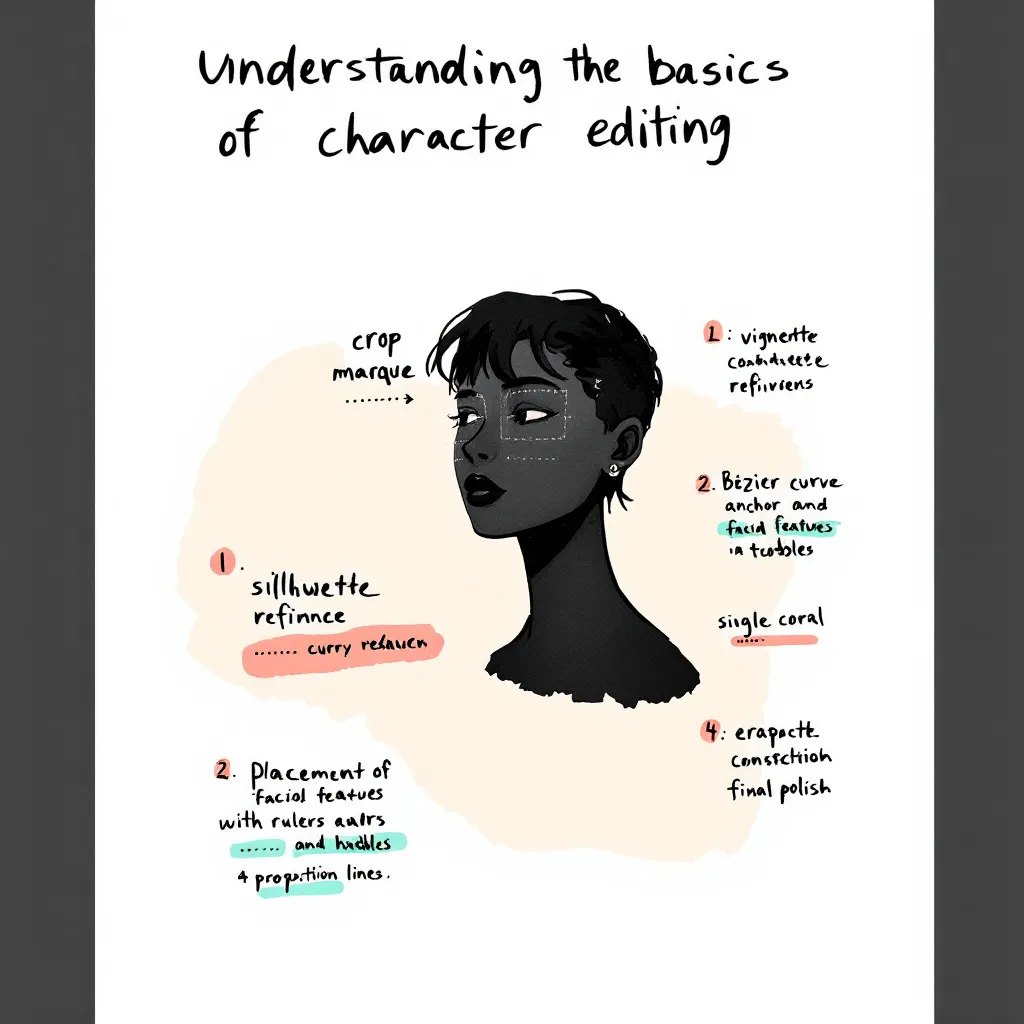
Editing comic characters can feel overwhelming, especially when you're just starting out. I remember working with a German author who faced this exact challenge. She had never edited characters before and felt lost looking at the interface. Her experience mirrors what many newcomers face. That's why we set out to simplify the character editing process and create an easy, beginner-friendly guide. In this post, I’ll share our journey, the practical solutions we implemented, and actionable tips you can use. Whether you’re a writer, artist, or developer, this tutorial will help you achieve 100% style stability and master intuitive editing with LlamaGen. Let’s dive into real user stories, best practices, and step-by-step instructions so you can confidently edit comic characters and elevate your creative workflow.

Before jumping into advanced features, it’s crucial to grasp the basics of character editing. Many authors—especially those new to digital comic creation—find this step confusing.

What is Character Editing in LlamaGen?

Character editing lets you define, customize, and refine the traits, style, and backstory of your comic characters. With LlamaGen, you can:

  • Adjust visual styles
  • Set personality traits
  • Fine-tune dialogue prompts
  • Memorize long text details for consistency

Why Do Beginners Struggle With Character Editing?

Common pain points include:

  • Unclear interface and editing entries
  • Overwhelming options and jargon
  • Difficulty maintaining style stability
  • Lack of actionable guidance

Our German author, for example, initially had no idea where to start. She struggled to find editing options and worried about losing her character’s unique style. These issues are typical for new users.

User Journey: From Confusion to Confidence

To address these challenges, we mapped out the user journey and focused on real-world application.

Initial User Experience

Our German author’s feedback was clear: she felt lost and frustrated. She needed a beginner’s guide that explained every step. Her story is common among creators exploring LlamaGen for the first time.

Collaborative Creation and Iterative Improvements

Over one week, we worked closely with the author, gathering feedback and testing solutions. This collaborative approach allowed us to:

  • Identify pain points (e.g., confusing prompts area, hidden editing entries)
Changelog

Spark dreams for the young
Where millions of stories come alive

A rundown of the latest LlamaGen feature releases, product enhancements, design updates, and important bug fixes.

✦
✧
✦
✧

A new medium for Storytelling

Vibe creating unlimited stories, comics, animations, games, and more—in seconds that resonate with modern audiences

  • Test solutions in real time
  • Refine features based on actual user needs
  • Achieving 100% Style Stability

    One major goal was to maintain consistent character style across long texts and multiple edits. We optimized memorization algorithms and improved prompt interactions, ensuring that style stability reached 100%.

    Step-by-Step Guide: Simplifying Character Editing

    Here’s a practical tutorial based on our experience. Follow these steps to make character editing easy and reliable.

    Prerequisites

    • Access to LlamaGen (latest version)
    • Basic understanding of comic creation
    • A character profile to edit

    Step 1: Navigating the Prompts Area

    We redesigned the prompts area for clarity. Now, when you open a character profile, you’ll see:

    • Clearly labeled prompt fields
    • Quick tips on how to use each field
    • Example inputs to guide you

    Actionable Tip: Hover over information icons for instant explanations.

    Step 2: Using Intuitive Editing Entries

    Editing entries are now visible and easy to find. Just look for the “Edit” button next to each character trait or dialogue option.

    1. Click “Edit” next to the trait you want to change.
    2. Input your new value or description.
    3. Save changes instantly—no need to navigate away.

    Example: Want to change your character’s hairstyle? Click “Edit” next to “Appearance,” select a style, and hit “Save.”

    Step 3: Achieving Style Stability in Long Texts

    Consistency matters, especially in comics. We optimized how LlamaGen memorizes character traits in long text sequences.

    • Each edit updates the memory matrix
    • Style cues are reinforced after every save
    • System checks for drift and suggests corrections

    Actionable Tip: After making several edits, review the character’s preview panel for any inconsistencies.

    Step 4: Collaborative Creation Workflow

    Working with another creator? Use the “Share & Collaborate” feature.

    1. Invite collaborators to your project
    2. Assign editing permissions
    3. Track changes with version history

    Our German author loved this feature, saying, “I finally felt confident editing and sharing my characters—no more confusion!”

    Best Practices and Common Mistakes to Avoid

    Learning from real user stories, these best practices will help you master character editing.

    Best Practices

    • Start Simple: Edit basic traits first. Build complexity over time.
    • Use Examples: Refer to sample prompts and style guides.
    • Review Regularly: Check for style consistency after each major edit.
    • Collaborate: Share feedback and work with others to spot issues.
    • Leverage Tutorials: Watch the official guide video for hands-on walkthroughs.

    Common Mistakes

    • Editing Too Many Traits at Once: This leads to style drift.
    • Ignoring Prompt Tips: Missed cues can result in inconsistent dialogue.
    • Not Saving Frequently: Unsaved edits may be lost.
    • Skipping Version History: Hard to track changes without this feature.

    Real-World Scenarios: How Users Benefit

    Here are specific use cases that highlight the value of our improvements.

    Scenario 1: New Author Creating First Comic

    Anna, a first-time comic creator, used our beginner’s guide and quickly mastered editing. She said, “The step-by-step instructions made it so easy. I was able to keep my characters consistent from start to finish.”

    Scenario 2: Collaborative Team Project

    A German author and her illustrator collaborated using the new workflow. They commented, “Editing entries are finally visible! We saved hours and avoided confusion.”

    Scenario 3: Maintaining Style in Long Series

    A webcomic team used style stability features to keep characters consistent across 50+ episodes. Their feedback: “Memorization updates and prompts checks are a game-changer for long-form storytelling.”

    Actionable Tips for Mastering Character Editing

    • Always start with a clear character profile.
    • Use the prompts area to test dialogue and personality.
    • Edit traits one at a time to avoid confusion.
    • Collaborate with others for feedback.
    • Use version history to revert unwanted changes.
    • Watch tutorials and read guides for extra help.

    Internal Linking: Explore Related Topics

    For deeper insights, check out related topics like:

    • How to Build Character Arcs in Comics
    • Improving Dialogue with AI Prompts
    • Optimizing Your Comic Creation Workflow

    These guides expand on narrative design and editing principles.

    FAQ: Quick Answers to Common Questions

    How do I access editing entries in LlamaGen?

    Click the “Edit” button next to each character trait. All entries are now visible and labeled.

    Can I collaborate with other authors?

    Yes! Use the “Share & Collaborate” feature to invite others and track edits.

    How do I keep character style consistent?

    Edit traits gradually, use prompt tips, and review the preview panel after each change.

    Where can I find more tutorials?

    Check the official YouTube guide or our help center.

    Conclusion

    Simplifying the character editing experience in LlamaGen was a journey driven by real user stories and collaborative solutions. By listening to feedback—especially from our German author—we improved the prompts area, made editing entries intuitive, and achieved unmatched style stability. Whether you’re a beginner or an experienced creator, these best practices, step-by-step instructions, and actionable tips will help you edit with confidence. Ready to create memorable comic characters? Start with our beginner’s guide, collaborate with others, and unlock the full potential of LlamaGen today.

    For more tutorials, tips, and solutions, explore our related guides or reach out for personalized support. Your next great comic character is just a few edits away!

    Related hot tags

    UserStory

    Popular creator tools

    Turn inspiration into your next story

    Create comics, storyboards and stylized photos with LlamaGen.

    01

    AI Comic Generator

    Turn an idea into polished comic strips in minutes.

    Create comics
    02

    AI Manga Generator

    Create expressive manga art and multi-panel stories.

    Create manga
    03

    AI Storyboard Generator

    Visualize every scene before production starts.

    Create storyboards
    04

    Turn Picture into Comic

    Transform any photo into a comic-style illustration.

    Create comics from pictures
    05

    AI Comic Strips Maker

    Build shareable strips with characters that stay consistent.

    Create comic strips

    LlamaGen community

    checkmark

    Get hands-on help with your comics

    checkmark

    Showcase your comics to fellow LlamaGen creators

    checkmark

    Participate in special events to win gifts

    LlamaGen logo
    • United States
    • Español
    • Français (France)
    • 日本語
    • 한국어
    • Deutsch
    • 繁體中文 (台灣)
    • 繁體中文 (香港)
    • 简体中文
    • Português
    • Italiano
    • Español (México)
    • العربية
    • Русский
    • Português (Brasil)
    • Tiếng Việt

    Leading the Future of AI Comic Generation

    • 24/7 support
    • Weekly updates
    • Secure and compliant
    • 99.9% uptime

    Download LlamaGen for free

    iOSDesktop

    Product

    • Latest launches
    • Features
    • Comic strip maker
    • Comic StoresNew
    • Manga StudioNew
    • Turn Picture Into Comic
    • Comic To Video
    • AI Comic Factory
    • Comic Agent
    • iOS & Android
    • Mac & Windows
    • Download
    • Comic ZapNew
    • AI Comic Generator
    • AI Cartoon Generator
    • AI Webtoon Generator
    • Comic Strip Maker
    • Turn Picture Into Comic
    • AI Manga Generator
    • Manga Translator
    • Photo to Anime
    • Image to Prompt
    • Anime to Real Life
    • Manga Colorizer
    • Anime Character Generator
    • Pixel game asset tools
    • AI sprite sheet generator
    • Best pixel game tools 2026
    • Photo Comic Maker
    • Comic Life Alternative

    Sister products

    • LlamaGen family
    • CineoBoardNew
    • Comics API

    Plans

    • Pricing
    • Starter
    • Pro

    Community

    • Creators
    • Affiliates
    • Partner

    AI Models

    • GPT Image 2.6 Flare
    • GPT Image 2.6 Sunburst
    • Grok Imagine Image 2.0
    • Wan 3.0
    LinkedInX (Twitter)
    • Home
    • Articles
    • Blog
    • Create
    • Pricing
    • API
    • Affiliate ProgramNEW

    Ask AI about LlamaGen

  • Comic Zap
  • Velika
  • Enterprise
  • Education
  • Comic API
  • Contact Sales
  • Education Plans
  • Teachers
  • Students
  • Teachers and Students
  • Startups
  • Educational Discounts
  • Company

    • Talk to Our Founder
    • About
    • Product Roadmap

    Help

    • Help Center
    • Trust
    • Safe AI
    Testimonials
  • Wall of Love
  • LlamaGen MCPNew
  • LlamaGen Developer
  • Resources

    • Changelog
    • Blog
    • Guides

    Tools

    • AI Logo Generator
    • Grokbot Style Character Generator
    • PNG to Comic
  • Wan 3.0 Prime
  • Seedance 2.5
  • MiniMax H3
  • Nano Banana 2.1
  • Nano Banana 2 Lite
  • Seedream 5.0 Flash
  • Seedream 5.0 Pro
  • Seedance 2.0 Mini
  • Kling 3.0 Turbo
  • Nano Banana 2
  • GPT Image 2
  • Gemini Omni Flash
  • All AI Models
  • AI Tools

    • AI Outfit Extractor
    • AI Hairstyle Changer
    • AI Manga Hairstyle Changer
    Instagram
    YouTube
    Facebook group
    Reddit
    Discord
    Email support
    PrivacyTermsSitemap
    Download Brand Assets
    © 2026 LlamaGen.Ai All rights reservedAll services are online

    Previous blogs

    How to Make an OC with AI: From an Idea to a Reusable Character

    How to Make an OC with AI: From an Idea to a Reusable Character

    Learn how to create an original character with AI, compare design directions, refine a pose, and sav

    Jay
    Jay
    November 12th, 2026
    Turn Your OC into a 6-Panel Comic with Reference Images

    Turn Your OC into a 6-Panel Comic with Reference Images

    Learn a practical workflow for turning an OC reference image into a clear six-panel comic page with

    Jay
    Jay
    November 11th, 2026
    Best AI Anime Video Generators in 2026: Motion, Consistency, and Cost

    Best AI Anime Video Generators in 2026: Motion, Consistency, and Cost

    A practical comparison of anime video tools by input type, character control, and cost, with real cl

    Jay
    Jay
    November 5th, 2026
    Storyboard-to-Video Handoff Checklist: Shots, Timing, Audio, and Continuity

    Storyboard-to-Video Handoff Checklist: Shots, Timing, Audio, and Continuity

    Turn approved storyboard frames into a clear video handoff with stable shot IDs, timing, motion note

    Jay
    Jay
    November 1st, 2026
    Careers
  • Email us
  • Our Mascot World
  • Media Kit
  • KOL Partnership
  • Content
  • Professional Services
  • FAQ
  • Security
  • Accessibility
  • Video Tutorial
  • Contact us
  • Sitemap
  • Personalized Comics
  • Features
  • Alternatives
  • Best AI Apps
  • GPT-6 Manga Coloring Guide
  • Claude Comic Book Skill
  • Gemini AI Comic Guide
  • Comic That
  • Educational Discounts
  • Student discount
  • Text to Comic
  • PDF to Comic
  • Script to Comic
  • Book to Comic
  • Turn Picture Into Comic
  • AI Pixel Art Generator
  • Educational Comics
  • AI Video Generator
  • Gemini AI Video Generator
  • Free Faceless AI Video Generator
  • Comic To Video
  • Make Storyboard Software
  • AI Storyboard Generator
  • Screenwriting Software
  • Screenplay Editor
  • Story AI
  • AI Story Generator
  • Storybook Generator
  • AI Image Generator
  • AI Layer Splitter
  • AI Camera Angle Control
  • AI Pixel Art Generator
  • Pixel game asset tools
  • AI sprite sheet generator
  • Sprite sheet slicer
  • Best pixel game tools 2026
  • Animation API
  • ChatGPT/Codex Plugin
  • ChatGPT Install Guide
  • Claude Code Plugin
  • Claude Code Install Guide
  • AI Wind Effect Generator
  • AI Depth Map Generator
  • AI White Background
  • AI Object Remover
  • AI Virtual Try-On
  • AI Unblur Images
  • AI Denoise
  • AI Photo Restoration
  • AI Product Shadows
  • AI Background Generator
  • AI Headshot Generator
  • AI Emoji Maker
  • AI Background Changer
  • AI Open Eyes
  • AI Beauty
  • AI Product Photography
  • See all blogs
    User Story: Understanding the Basics of Character Editing - LlamaGen.AI Blog