

Recomendado
Modo Rápido
Recomendado para começar. Uma folha de camadas PNG legível a partir de uma única imagem.
Envie uma imagem limpa e separe fundo, personagem, texto, objetos, personagens de quadrinhos, arte de anime, props ou artes de produto. Comece com a folha de camadas gratuita no Modo Rápido online e use o PRO quando a imagem precisar de uma separação mais limpa para produção.
First pass · 300 credits
Generates one reviewable PNG asset sheet. It is not an editable set of transparent PNG layers.
First pass · 600 credits
Uses a higher-quality model to produce a cleaner PNG asset sheet, still delivered as a single image.
Paid second pass · +600 credits
Once the sheet is ready, a paid user can extract individual transparent PNG layers, download them or a ZIP, and export a starter PSD.
The extracted PNGs are actual second-pass outputs, not a crop of the sheet. Occluded regions or complex edges can need manual cleanup; PSD is an editable starting file.
or drop a file,
paste image or
No image? Try one of these:
Comece com o exemplo carregado ou troque pela sua própria imagem. O Modo Rápido entrega um resultado rápido e fácil de revisar de imagem para camadas; o PRO é o upgrade para uma separação mais limpa de fundo, personagem, texto, objeto e personagem quando a imagem estiver pronta para produção.
Recomendado para começar. Uma folha de camadas PNG legível a partir de uma única imagem.
Modelo avançado. Separação mais limpa dentro da folha de assets.
After creating a sheet, paid plans can extract real transparent PNG layer files and download individual PNGs, a ZIP, or an editable starter PSD. Complex images may need manual cleanup.
Cada card mostra uma folha de camadas gerada para que visitantes possam analisar personagens, props, fundos e partes de design separados em uma visualização clara e focada no resultado.
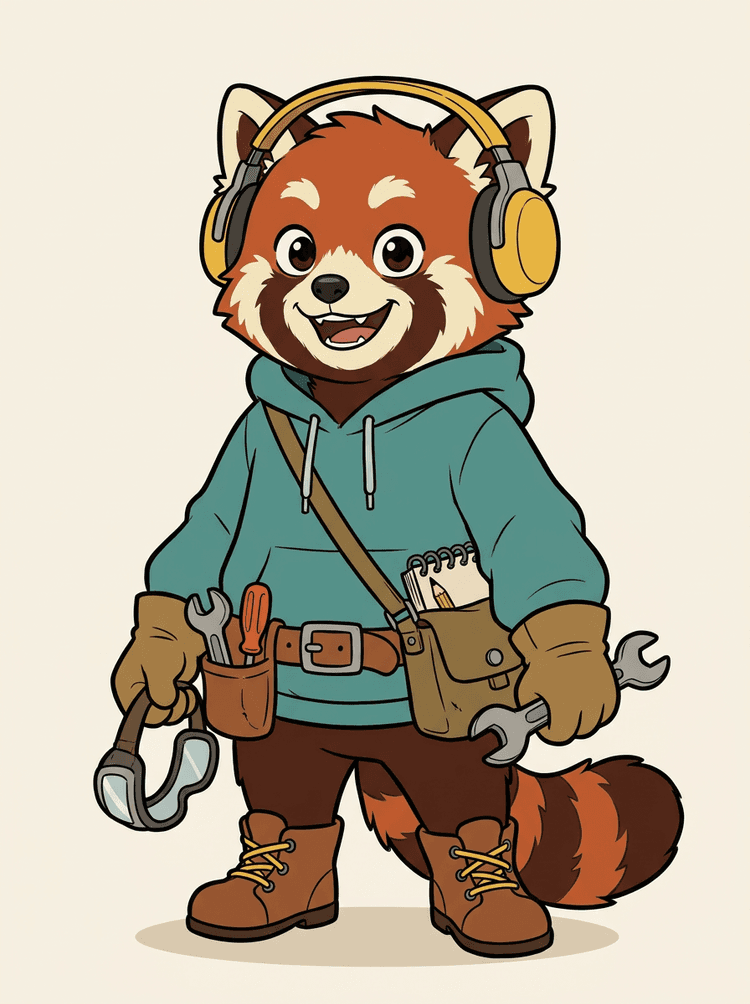
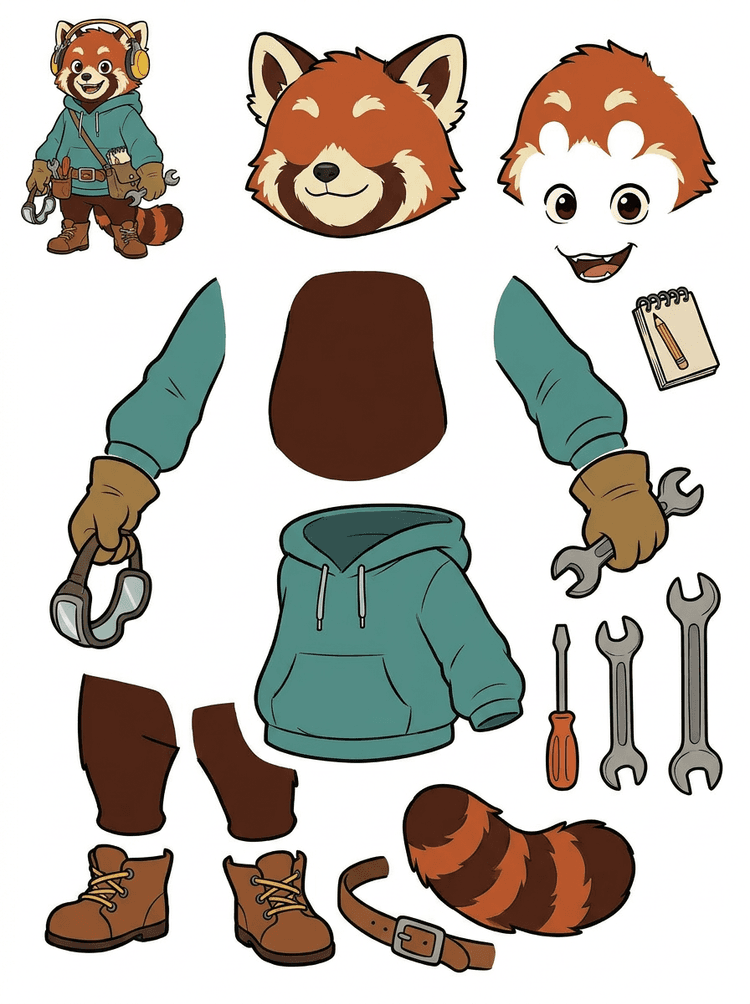
Um mascote com fones, moletom, bolsa, cauda, sapatos e ferramentas de desenho vira uma folha prática para revisão de animação.
Visible parts in this real result
Production handoff
The generated sheet is the review step. Continue in the live tool to extract suitable visible regions as separate transparent PNG layers, then package them as a ZIP or editable starting PSD.

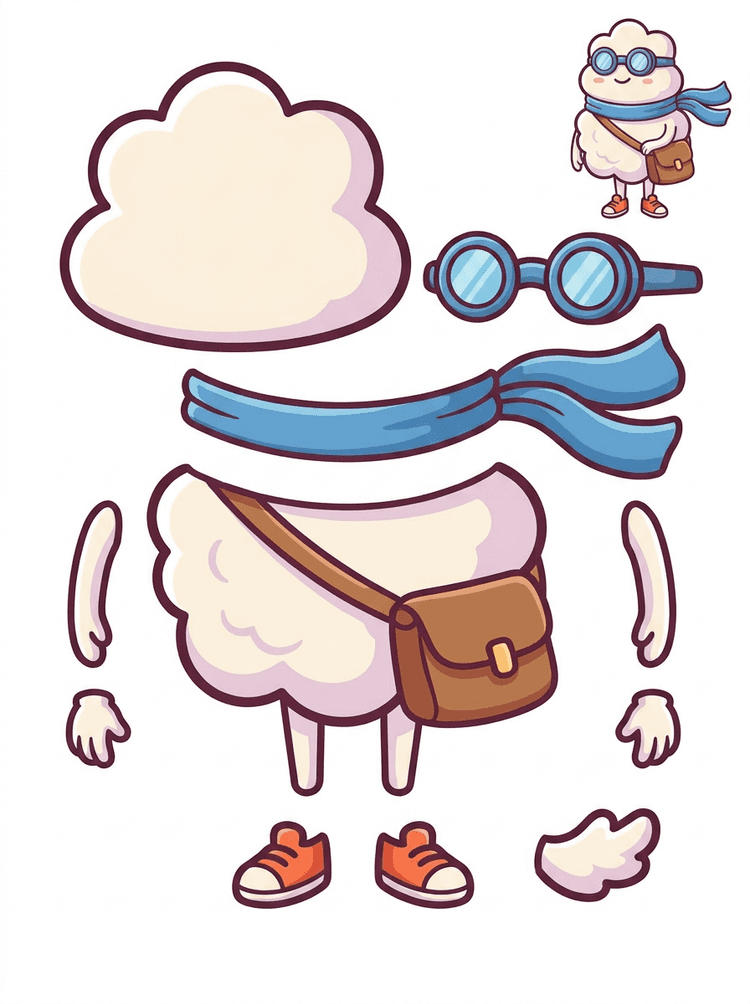
Um herói cartoon estilo sticker vira uma folha de partes com cachecol, bolsa, sapatos, óculos, mãos e componentes arredondados do corpo.
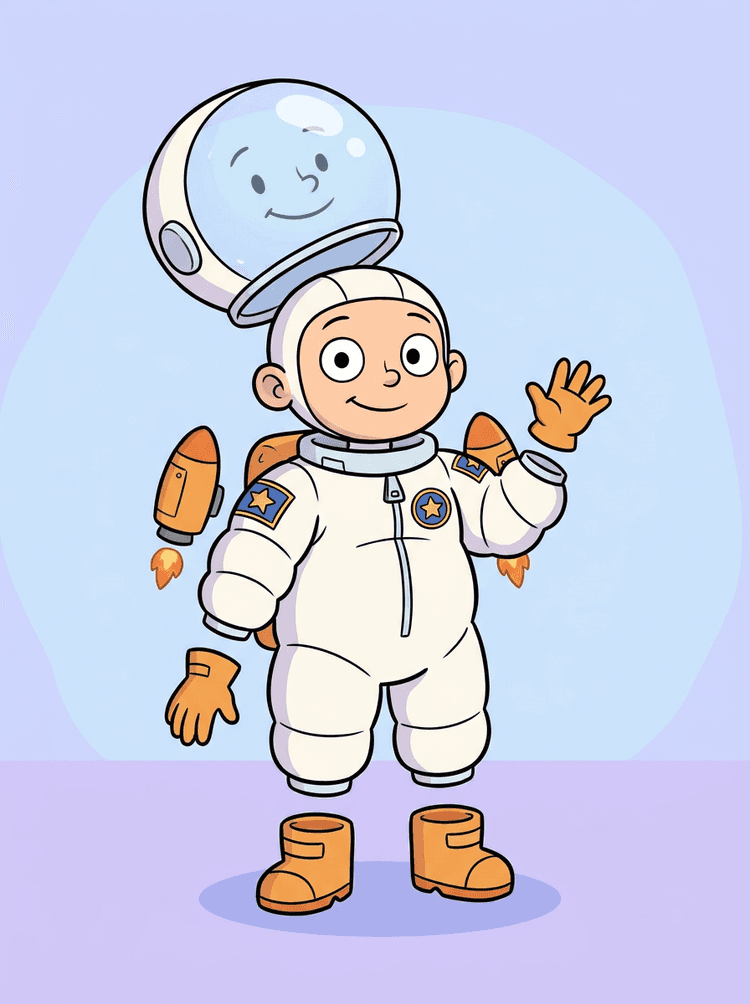
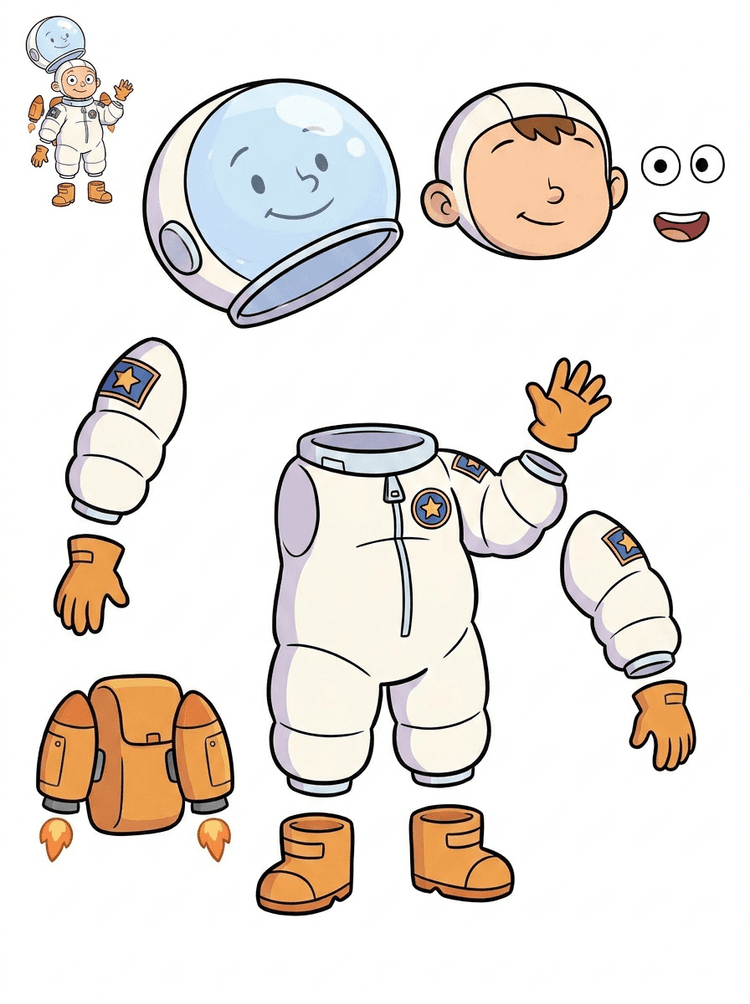
Uma ilustração de astronauta infantil vira uma folha com capacete, traje, luvas, botas, patches, mochila e partes para motion comic.
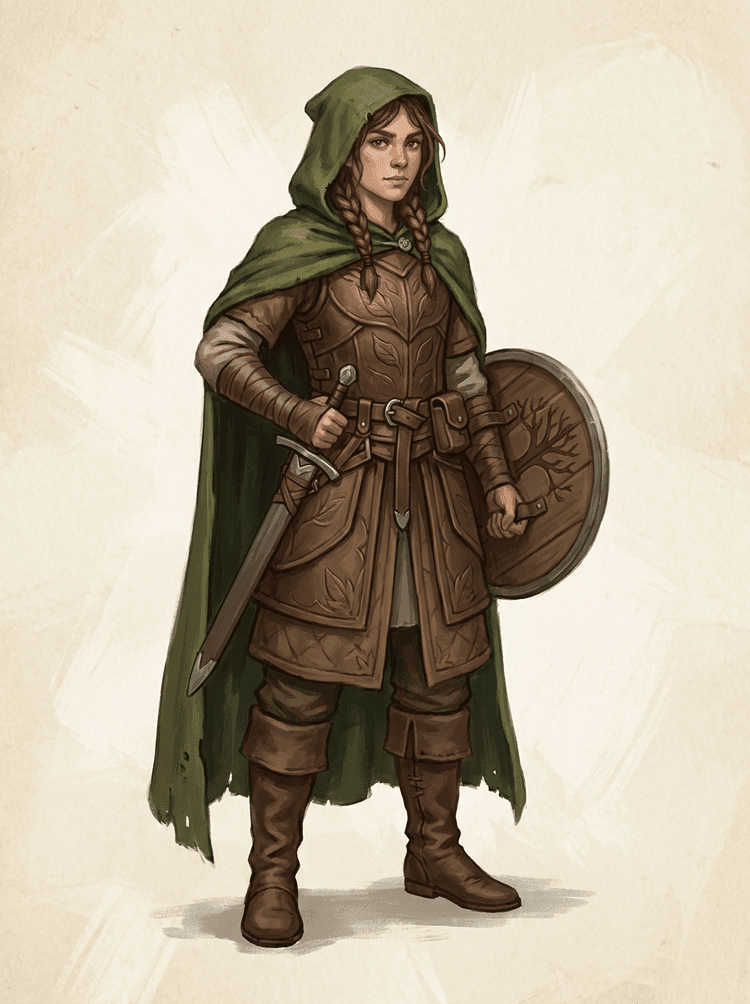
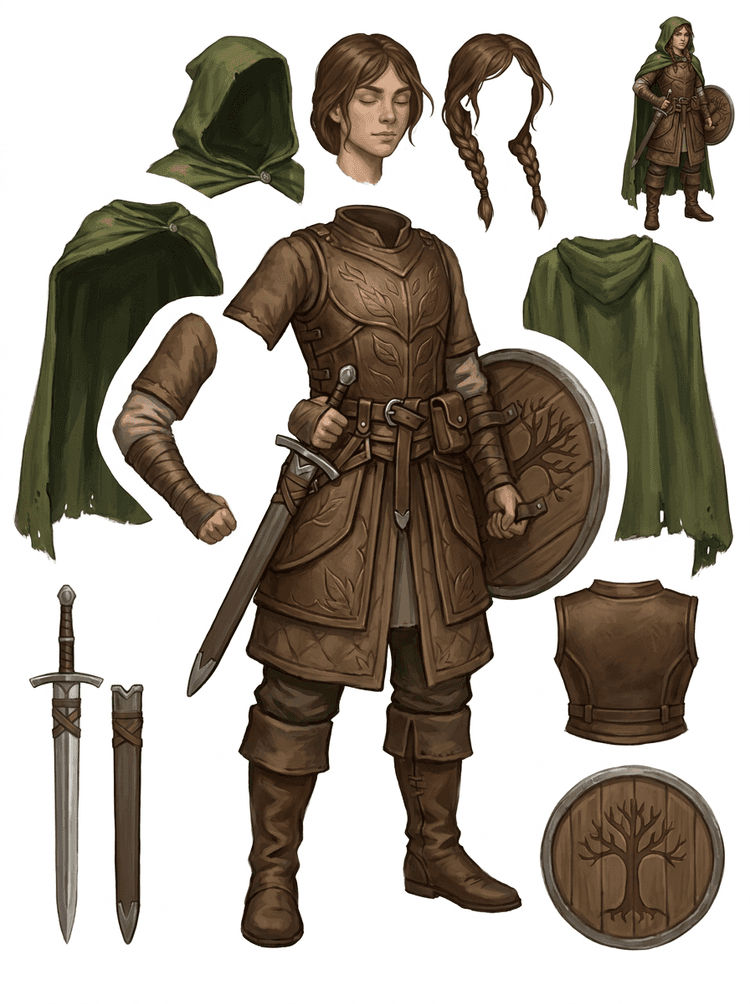
Um personagem de fantasy game é dividido em armadura, capa, espada, escudo, bolsas, botas, membros e referências reutilizáveis para sprite.
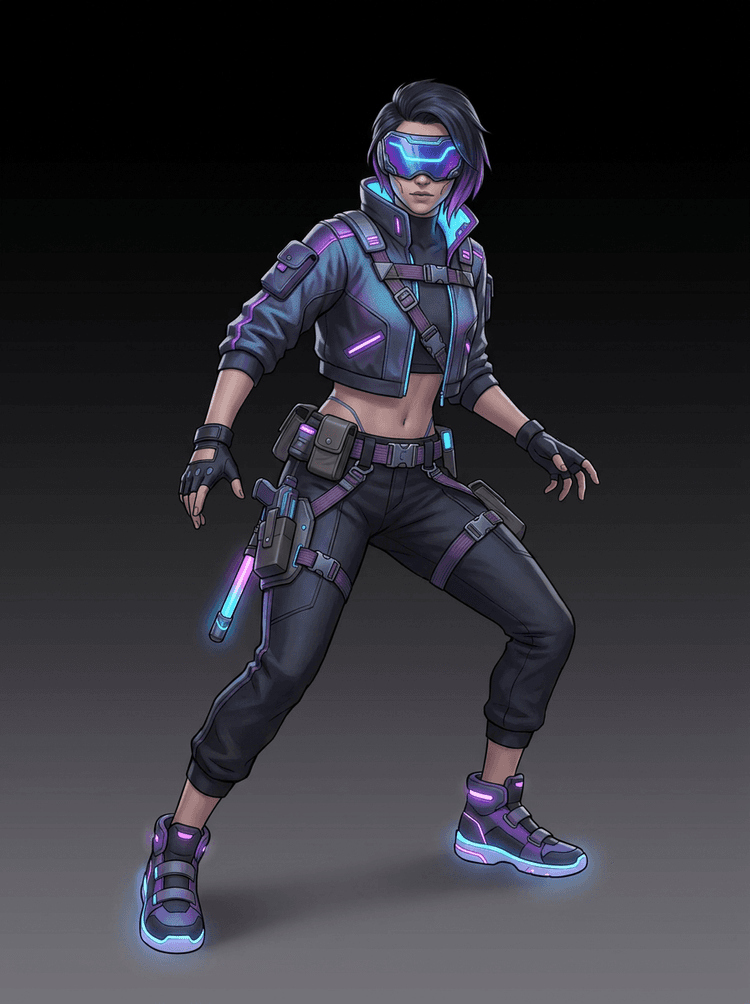
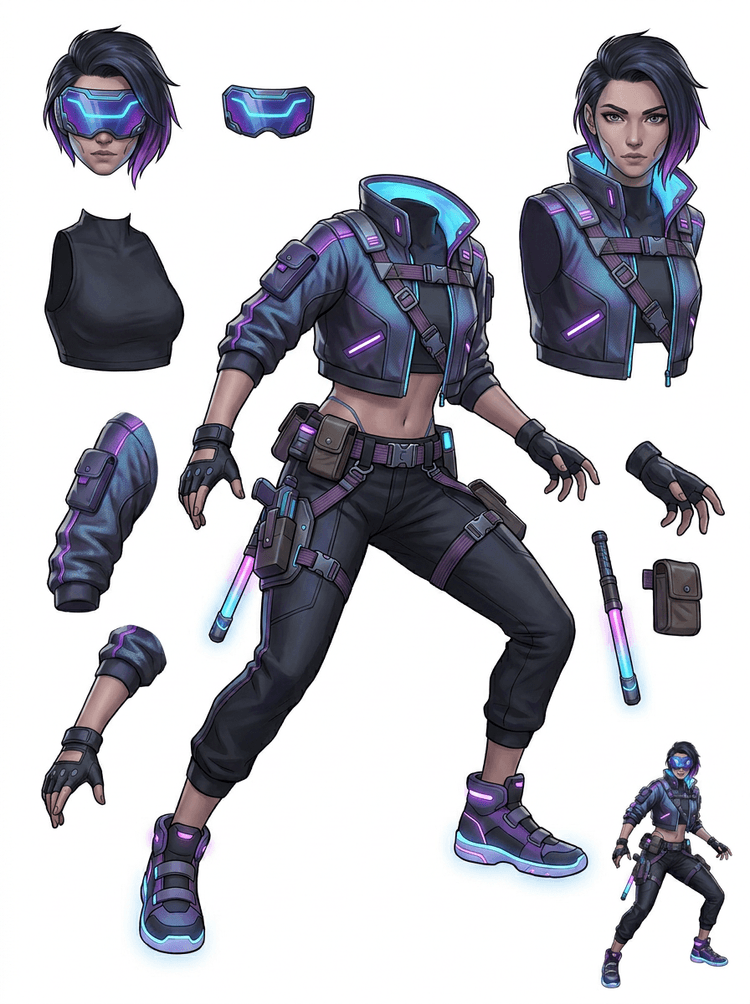
Um personagem de ação cyberpunk vira uma referência de partes em alto detalhe para jaqueta, visor, luvas, sapatos, tiras, bastão e partes do corpo.
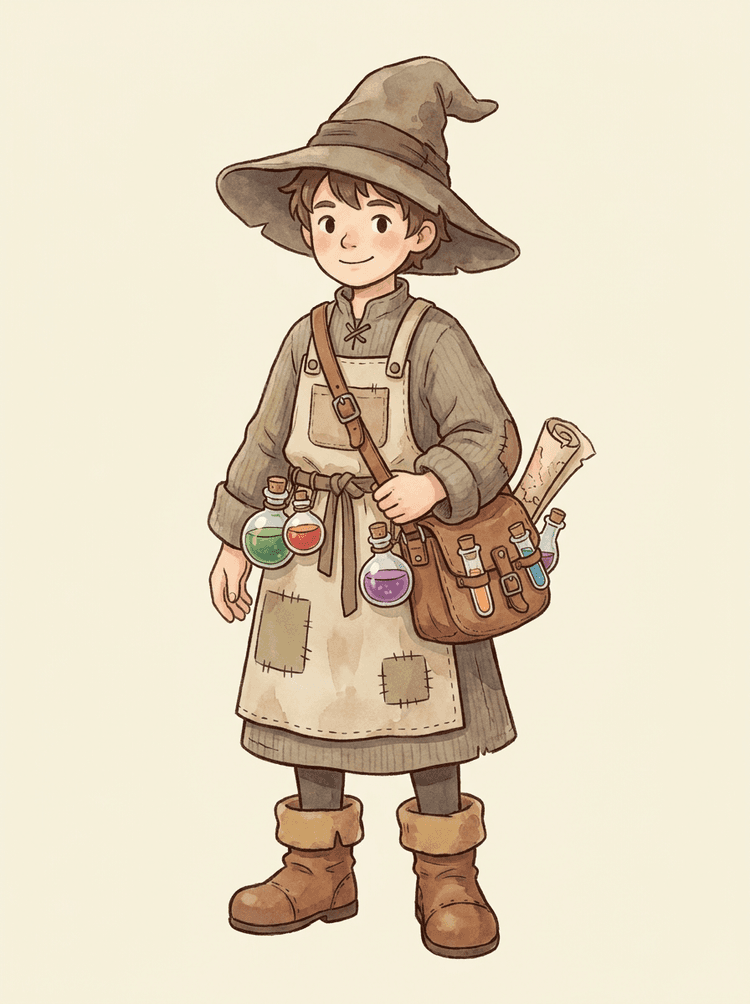
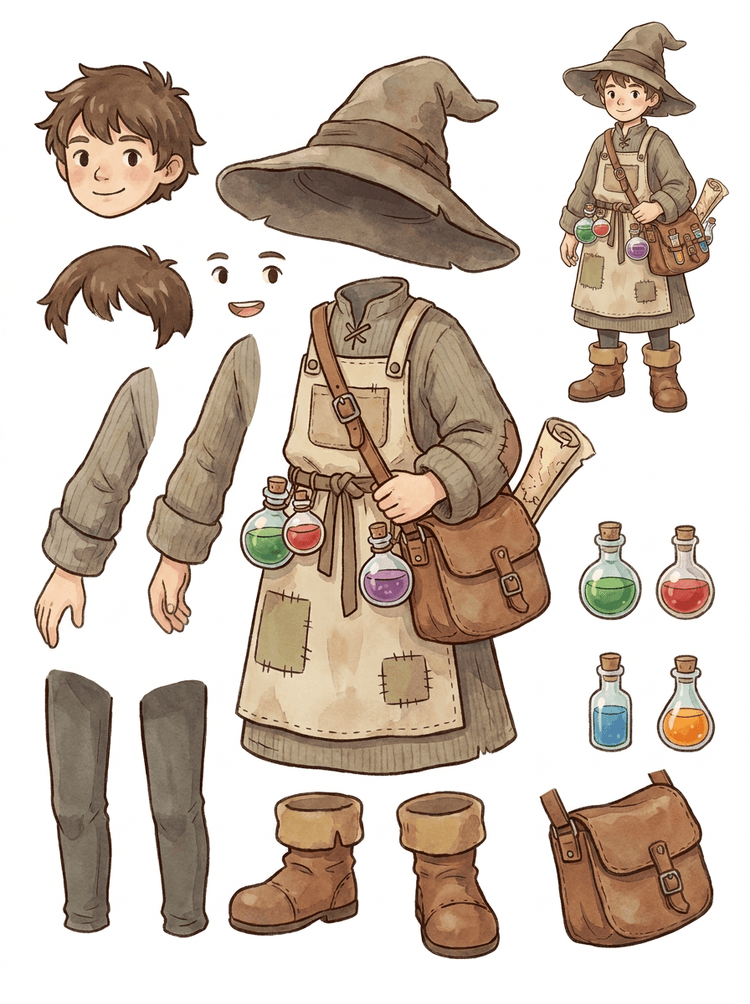
Um NPC aconchegante com chapéu, avental, bolsa de poções, frascos, mapa, botas e roupas quentes vira uma folha reutilizável para produção de games.
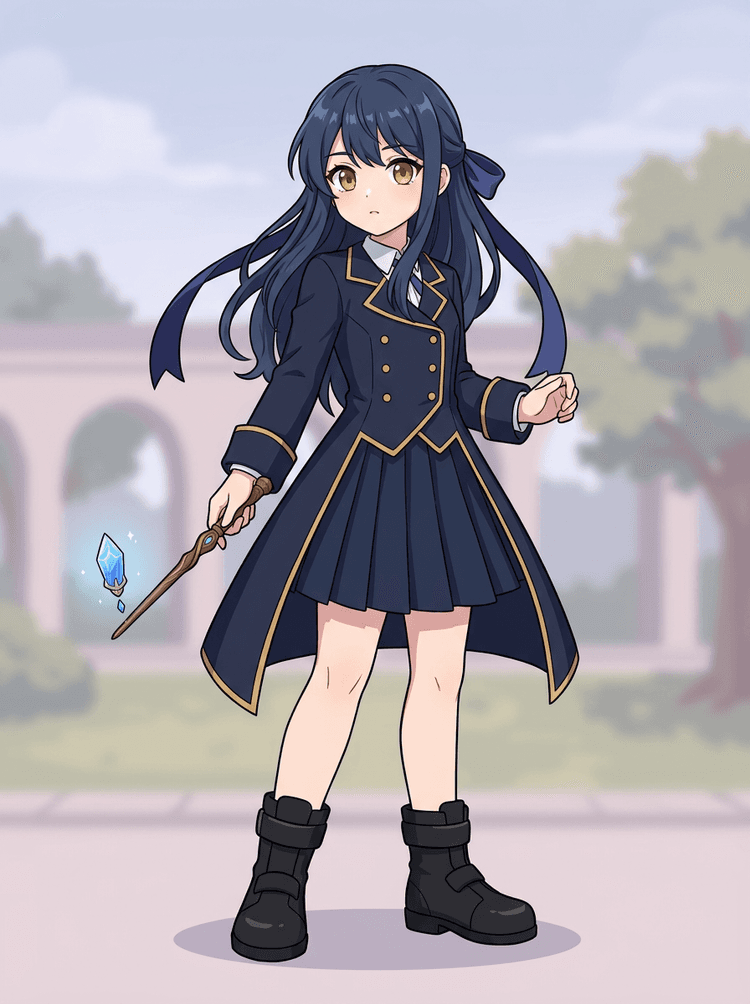
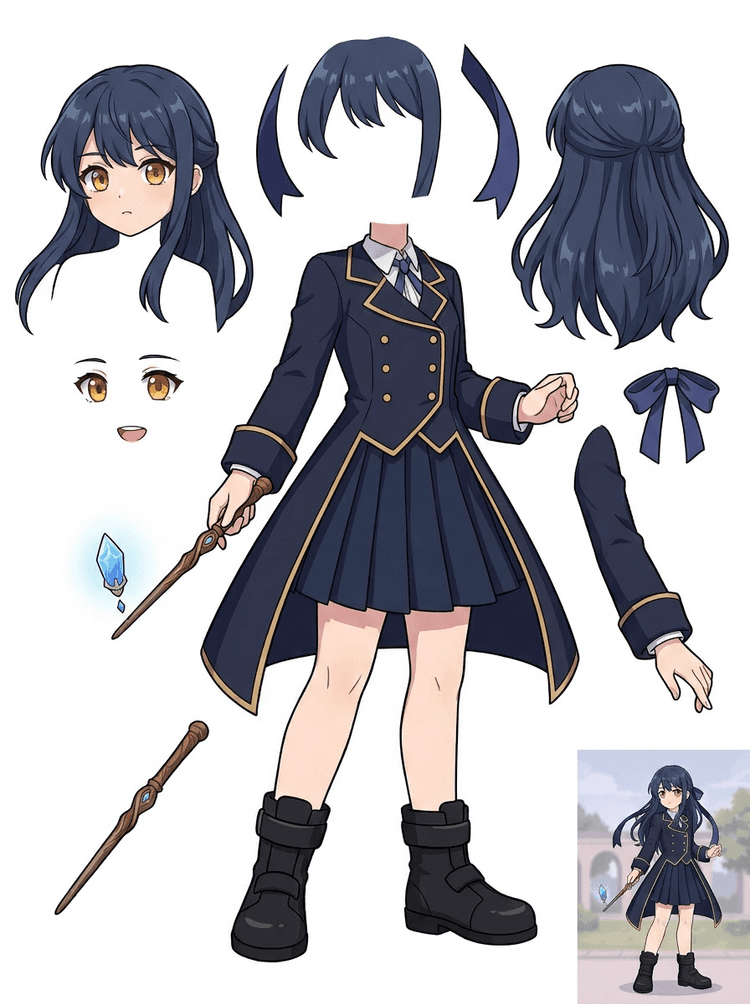
Uma key art de anime com uniforme, fita, varinha, cabelo, pingente, luvas e botas vira uma folha de partes para edições e testes de movimento.
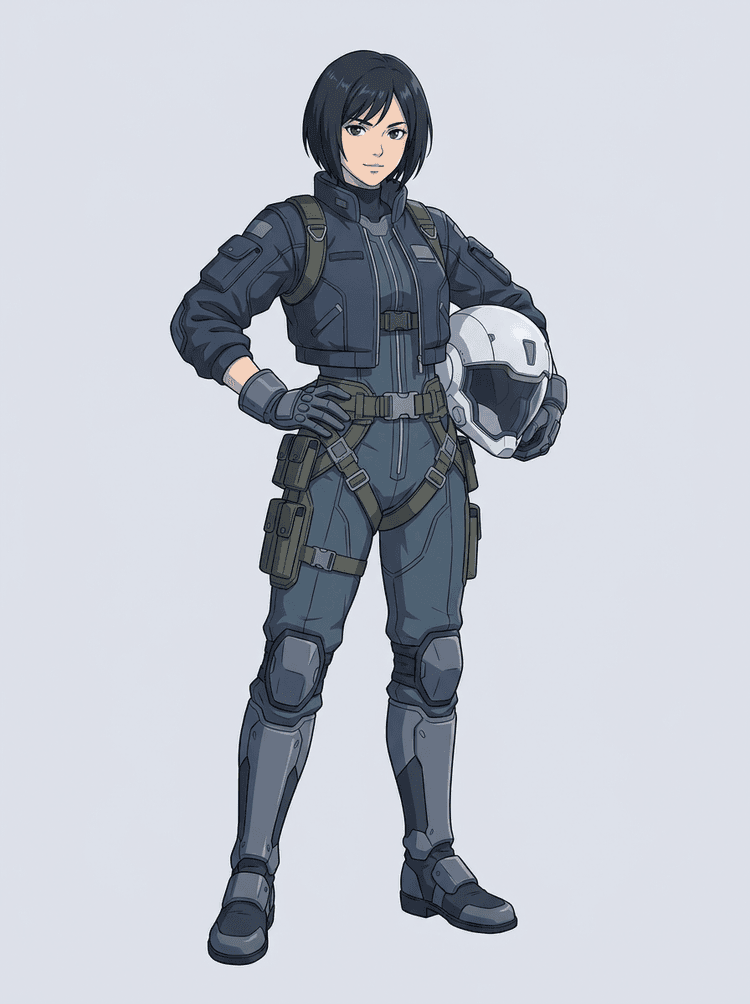
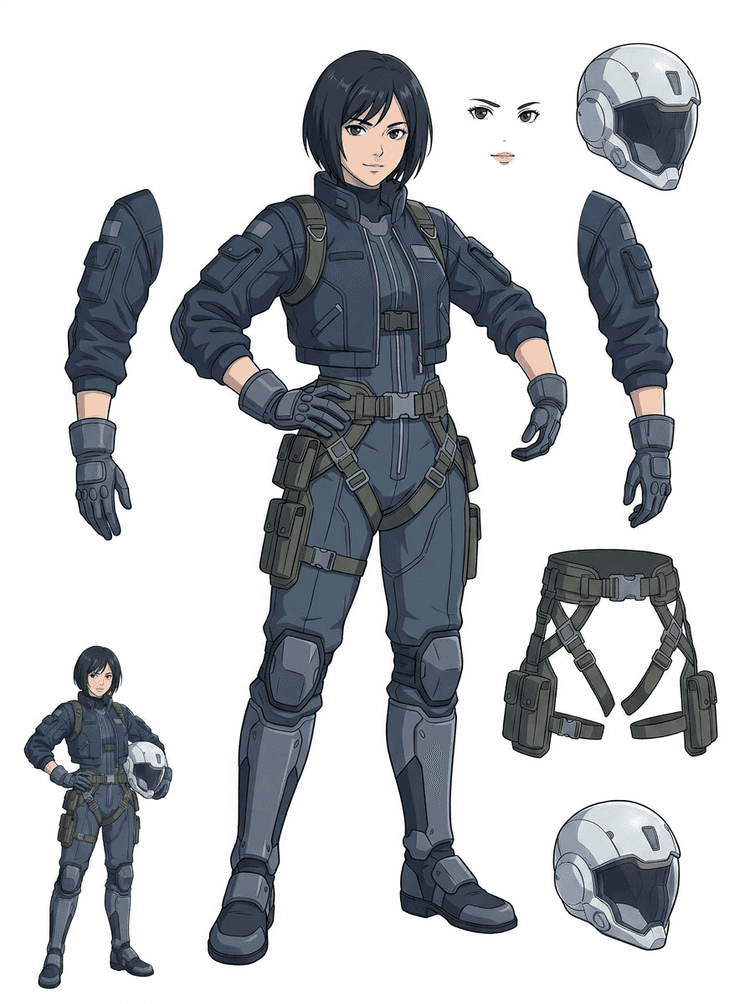
Um piloto sci-fi em estilo anime é separado em cabelo, rosto, jaqueta, luvas, arnês, botas, capacete e componentes do corpo.
AI Layer Splitter é uma ferramenta de imagem para camadas para criadores que já têm uma imagem base, mas precisam das partes práticas para produção: primeiro plano, fundo, personagem, personagens, cabelo, rosto, roupa, membros, texto, objetos, props, detalhes de produto e acessórios.
Feito para artistas, equipes indie de games, animadores, profissionais de marketing, equipes de e-commerce e criadores de ACG que precisam transformar uma imagem chapada em assets reutilizáveis sem passar a sessão inteira mascarando.
Um PNG bem acabado não pode piscar, fazer parallax, trocar props, isolar produtos nem virar sprite até que as peças principais sejam separadas.
Ferramentas de seleção, limpeza de borda e nomeação de camadas podem levar mais tempo do que o primeiro teste de animação.
Alterar uma luva, bolsa, sapato, cauda, capacete ou fita pode virar uma repintura completa quando tudo está fundido na mesma imagem.
Antes
Uma imagem de personagem atraente e finalizada, mas ainda presa em um único bitmap chapado.
Depois
Uma folha de assets legível com primeiro plano, fundo, personagens, texto e objetos separados para que artistas possam planejar movimento, editar detalhes e repassar referências de produção.
Crie uma primeira separação para revisão antes de abrir um workflow completo de máscara manual.
Passe de uma única imagem de personagem para partes prontas para animação, jogo e repasse para edição.
Caso de uso
Um mascote de marca pode sair de uma ilustração estática e virar referências separadas de cabeça, cauda, sapatos, bolsa, roupa e acessórios para acelerar o planejamento de animação.
Resultado
Os artistas conseguem revisar quais partes são aproveitáveis, decidir se vale gerar novamente com PRO e começar a limpeza com base em uma folha concreta, em vez de partir de uma sessão de máscara em branco.
Workflow de camadas LlamaGen
preparo de assets para cartoon, anime e games
Use o AI Layer Splitter como a primeira etapa limpa: envie uma imagem, gere uma folha de camadas e depois aproveite o resultado no seu editor, workflow de animação ou pipeline de assets para jogos.
Use arte de personagem em corpo inteiro, mascotes, key art de anime, conceitos de jogos, fotos de produto, designs gráficos, props ou ilustrações de produto com bordas visíveis.
O Modo Rápido cria um checkpoint visual rápido para que a equipe veja cabelo, rosto, roupa, mãos, props, sapatos, fundo, texto, objetos e acessórios em contexto.
O Modo PRO funciona melhor depois que a primeira folha comprova que a imagem está legível e o projeto precisa de uma geração mais limpa.
Use a folha baixada para bloqueio de movimento, planejamento de rig, referências de sprite, repintura ou composição criativa.
O objetivo é entregar um ponto de partida de produção fácil de revisar, não uma demo vaga de IA.
A ferramenta de separação em camadas com IA analisa sua arte e identifica elementos diferentes, como personagens, fundos e objetos, criando camadas separadas. Ela decompõe imagens preservando layout, hierarquia e intenção de design, e funciona melhor com design gráfico, produtos ilustrados, arte de personagens e assets de jogos bem limpos.
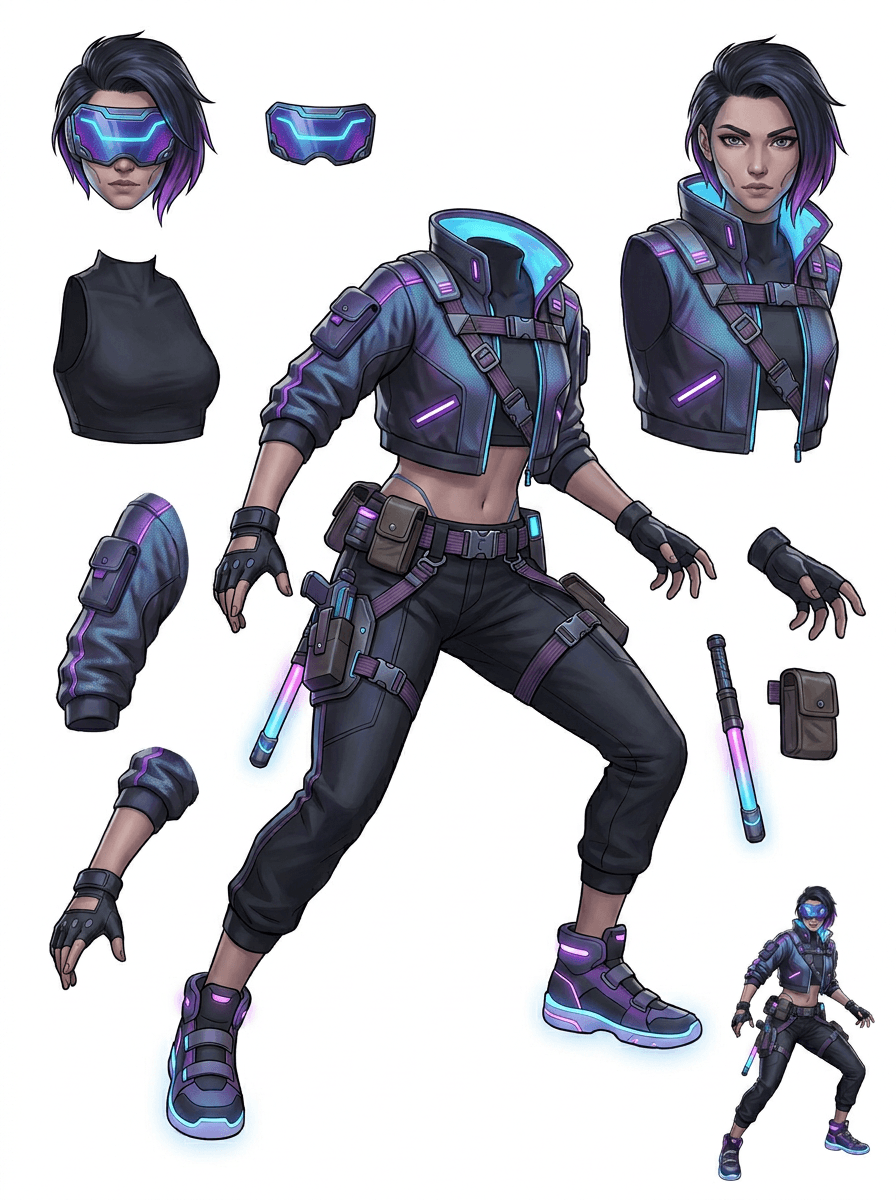
A galeria é organizada pelos principais cenários de produção: mascotes cartoon, personagens de games, personagens de anime e workflows de imagem para camadas focados em objetos. Cada exemplo usa uma imagem original gerada por IA e uma folha de assets correspondente.
Mascotes, personagens infantis, heróis estilo sticker e personagens de motion comic com props e acessórios expressivos.
Heróis de RPG, corredores cyber, NPCs cozy, camadas de equipamentos, armas, referências de inventário e folhas para preparação de sprites.
Key art de anime moderno com separação de cabelo, uniforme, fita, capacete, luva, bota, arnês e pingente.
AI Layer Splitter é mais útil quando a saída tem um destino claro. Estes cenários mostram qual imagem enviar, quais partes revisar e como a folha segue para animação, games, quadrinhos, e-commerce ou produção de marca.
Animação de mascote
Use uma pose limpa do mascote quando precisar de stickers para redes sociais, anúncios curtos, movimento em landing pages ou planejamento simples de rig.
Imagem para enviar
Um mascote em corpo inteiro com rosto, mãos, sapatos, cauda, props e contornos da roupa visíveis.
Camadas úteis para revisar
Repasse para produção
Entregue aos animadores uma folha de partes fácil de revisar antes de traçar, redesenhar ou fazer o rig do movimento final.
Preparação de assets para jogo indie
Use arte de jogo aprovada quando a equipe precisar de variantes de equipamento, ícones de inventário, arte de perfil ou exploração rápida de poses.
Imagem para enviar
Um conceito de personagem legível com armadura, armas, bolsa, capa, cabelo, botas e silhueta bem definidos.
Camadas úteis para revisar
Repasse para produção
Use a folha como referência inicial para limpeza de sprite, troca de equipamentos e arte voltada à jogabilidade.
Edições de anime e ACG
Use arte de personagem em estilo anime quando precisar de controle sobre cabelo, rosto, uniforme, fita, luva, capacete ou acessórios.
Imagem para enviar
Um único personagem de anime com contornos fortes, detalhes visíveis da roupa e pouco ruído no fundo.
Camadas úteis para revisar
Repasse para produção
Revise a folha antes de editar expressões, criar variações de roupa, cartões de personagem ou testes curtos de animatic.
Iteração de quadrinhos e anúncios
Use personagens de campanha, props ou produtos ilustrados quando revisões de última hora continuam afetando pequenas partes visuais.
Imagem para enviar
Uma ilustração finalizada com o objeto centralizado, bordas visíveis e os principais pontos de revisão sem obstruções.
Camadas úteis para revisar
Repasse para produção
Dê aos designers uma folha concreta para troca de props, variações seguras para texto e testes de composição.
A ferramenta funciona melhor quando o elemento principal está limpo, completo e visualmente separado. Ela não é um atalho para qualquer foto poluída, folha de rascunho, pose com partes ocultas ou composição densa em que primeiro plano, fundo, texto e objetos se sobrepõem demais.
Uma folha gerada deve ser avaliada como uma primeira etapa de produção, não como um arquivo final mágico. Use esta checklist para decidir se vale baixar, gerar de novo, recortar a imagem ou migrar para o PRO depois que o separador de camadas identificar áreas úteis de primeiro plano, fundo, personagem, objeto e texto.
Resultado fraco
Partes importantes ficam derretidas, duplicadas aleatoriamente ou escondidas em meio à poluição visual.
Resultado útil para produção
A folha permite identificar rapidamente as principais partes visíveis: cabeça, membros, roupa, props, acessórios e elementos de fundo.
Resultado fraco
O personagem parece um novo design, com proporções, cores, qualidade de linha ou personalidade diferentes.
Resultado útil para produção
As partes separadas ainda parecem conectadas à direção de arte original, com silhueta, paleta e identidade do personagem reconhecíveis.
Resultado fraco
A folha é interessante, mas a equipe não consegue dizer o que deve traçar, redesenhar, mascarar ou testar a seguir.
Resultado útil para produção
Os artistas conseguem escolher imediatamente quais partes usar para limpeza, bloqueio de rig, referência de sprite, troca de props ou testes de composição.
Resultado fraco
Uma separação ruim não dá pista se o problema veio do modelo ou da imagem enviada.
Resultado útil para produção
O resultado mostra claramente o que corrigir: recortar mais de perto, remover marcas de esboço, dar mais margem, simplificar o fundo ou usar PRO.
Transforme uma imagem finalizada em partes visuais separadas, mais fáceis de revisar, editar, animar ou reconstruir.
Envie uma imagem limpa e gere uma folha de camadas PNG legível com primeiro plano, fundo, personagem, objetos, texto, roupa, props e acessórios em um único resultado.
Um separador de camadas de imagem ajuda designers, profissionais de marketing, animadores e equipes de games a identificar quais partes de uma imagem podem virar assets editáveis. Em vez de redesenhar cada elemento do zero, a equipe pode gerar uma folha de camadas PNG, comparar o original com o resultado separado e decidir se a imagem precisa de recorte, limpeza, Modo Rápido ou uma execução PRO.
Crie uma folha para download para preparação de sprites, planejamento de rig, motion comics, edições para e-commerce, variações de sticker ou repasse de personagem. Funciona melhor quando há um elemento principal claro, com bordas visíveis e pouca sobreposição.
O melhor workflow de separação em camadas preserva contexto. Guarde a imagem de origem, a folha gerada e uma nota curta de revisão para que o próximo artista saiba o que usar e o que ainda precisa de acabamento.
A imagem original explica a intenção quando um animador, artista de game ou designer revisa a folha separada mais tarde.
A primeira folha fica mais valiosa quando a equipe sabe quais partes estão prontas e quais ainda precisam de finalização manual.
Use a folha como ponte prática para animação, preparação de sprites, edição de quadrinhos ou composição, em vez de tratá-la como substituta final de um PSD.
AI Layer Splitter dá às equipes uma primeira etapa mais rápida; assets finais para publicação ainda se beneficiam de revisão e acabamento humano.
O AI Layer Splitter transforma uma única imagem chapada em uma folha de camadas PNG legível, com fundos, personagens, texto, props, objetos, detalhes de produto e partes de personagens separados para edição, animação, arte para games, motion comics, e-commerce e workflows de composição.
Sim. O Modo Rápido é o ponto de partida gratuito online para gerar um resultado de imagem para camadas pronto para revisão. Use-o para testar se a imagem se separa bem antes de gastar tempo com máscara manual ou fazer upgrade para uma execução PRO mais limpa.
Sim. O AI Layer Splitter funciona como um separador de camadas de imagem com IA na web: envie uma imagem, deixe o modelo identificar personagens, fundos, texto, props e objetos, e depois baixe uma folha de imagem para camadas pronta para revisão. Ele é mais rápido com fotos limpas, design gráfico, produtos ilustrados, assets de jogos e arte de personagens; imagens complexas ainda podem exigir limpeza manual no Photoshop, Figma ou outro editor.
Envie uma imagem limpa, execute o Modo Rápido e revise a folha gerada. O resultado separa primeiro plano, fundo, personagem, texto, props e objetos visíveis em uma referência prática para edição, composição, bloqueio de animação, preparação de sprites ou limpeza manual.
No momento, o workflow gera uma folha de camadas PNG para download, e não um PSD final com camadas editáveis. Use isso como a primeira etapa de separação com IA e depois recrie, masque ou refine as partes mais fortes no Photoshop, Figma, Procreate, After Effects ou no seu pipeline de assets para jogos.
Layer Decomposition é um recurso de agent de IA que separa uma única imagem em camadas visuais lógicas e editáveis, como primeiro plano, fundo, personagens, texto e objetos. Isso ajuda equipes a sair de uma imagem chapada e chegar a uma folha de camadas prática para revisão, edição, animação e repasse para produção.
Sim. O LlamaGen AI Layer Splitter separa fundo, texto, personagens e objetos visíveis direto no navegador e entrega uma folha de assets para download para edição posterior.
Elementos ilustrados e limpos funcionam melhor: mascotes cartoon, personagens de anime, personagens de games, artes de produto, props e designs em corpo inteiro com cabelo, roupa, membros, sapatos, armas, bolsas, caudas, texto, objetos ou acessórios visíveis.
Sim. Personagens cartoon e mascotes estão entre os melhores casos de uso, porque contornos, props, roupas, mãos, sapatos e partes do rosto costumam estar claros o suficiente para virar uma folha útil.
Sim. O AI Layer Splitter para assets de jogos pode transformar conceitos de personagem limpos em um ponto de partida para referências de sprite, variações de pose, ícones de inventário, edições de equipamento, retratos de UI e bloqueio de animação.
Sim. Personagens em estilo anime podem ser separados em referências visíveis de cabelo, rosto, roupa, fita, luva, bota, prop, capacete e acessórios quando a imagem de origem está limpa.
O Modo Rápido cria uma folha de assets rápida e fácil de revisar. O Modo PRO usa um modelo aprimorado para uma separação mais limpa quando a imagem de origem está legível e o projeto precisa de uma geração de maior qualidade.
Não. Cenas muito poluídas, partes do corpo escondidas, elementos sobrepostos, marcas de esboço, sombras fortes, membros cortados ou acessórios muito pequenos ainda podem exigir limpeza da imagem original ou acabamento manual.
Você pode usar as saídas geradas de acordo com seu plano e os termos da LlamaGen. Certifique-se também de ter os direitos sobre a imagem de origem enviada.
Comece com o exemplo pré-carregado, envie seu próprio personagem cartoon, anime ou game e gere uma folha de camadas pronta para revisão em minutos. Use o primeiro resultado para decidir se o modo Rápido basta ou se vale investir em uma execução PRO.