

Multi-page storytelling
Plan connected scenes instead of asking for unrelated images one at a time. Carry the plot, pacing, locations, props, and visual direction from page one into the next scene or chapter.
LlamaGen Comics
Pretvorite priču ili scenario u strip panele sa dijalogom, likovima i rasporedom koji možete uređivati.
Radi u pregledaču. Uređujte svaki panel u studiju.
Nalepite svoju priču, pa izaberite broj stranica i raspored.
Choose a reading format
Create connected pages or a vertical episode, then refine the characters and dialogue in the studio.
Strip
AI Comic Generator
Multi-page stories with a recurring cast
Manga
AI Manga Generator
Manga pages built from your story
Webtoon
AI generator vebtunova
Vertical episodes for reading on a phone
What makes it different
LlamaGen is designed around sequential work: a recurring cast, connected story beats, and a format readers can follow. The goal is not merely to generate an attractive panel; it is to give you a workable comic project.
Plan connected scenes instead of asking for unrelated images one at a time. Carry the plot, pacing, locations, props, and visual direction from page one into the next scene or chapter.
Define a recurring cast and reuse approved visual references. Review faces, outfits, colors, and signature details as the story moves between close-ups, action, dialogue, and new locations.
Direct the reading format from the beginning: black-and-white manga, full-color Western comic pages, or a mobile-first vertical Webtoon. Continue selected panels into a motion comic when the story needs movement.
Verified customer stories
Comic creators
What makes LlamaGen.Ai stand out is how specifically it is tuned for sequential storytelling and visual consistency. Keshav highlights character references that hold up across frames, poses, and angles; a smooth text-to-storyboard flow; and panel-level control over composition, poses, and regional edits.

Keshav S.
Educators
LlamaGen turns a written idea into a complete visual story, keeps characters consistent, and removes the need for additional video-editing skills. For training and patient-education stories, it reduces production time and upfront costs while speeding up prototyping.

Parthik P.
Brand storytellers
LlamaGen helps our marketing team produce comic-style storyboards and illustrated campaign content much faster without needing a dedicated illustrator for every asset. Character consistency keeps campaigns cohesive, while text prompts and multilingual support speed up ideation for a mixed-language audience.

Muhammed A.
Real product workflow
Choose your characters and visual direction, generate a page, then edit the panels and share your story. These product views show the tools you use at each step.

Describe your characters, approve their reference images, and choose the visual direction for the story. Reuse the references when those characters return in later panels.

Turn your story into comic panels, arrange the reading flow, and edit captions and speech bubbles. Regenerate a selected panel when you want a different shot or expression.

Review the finished sequence, save your edits, and export or share the result. Continue with the same cast when your story needs another page, or open Animatic to add motion.
Verified delivery options
Export the current page as a PNG file or copy the rendered page as PNG from Comic Studio.
Panel and canvas edits are persisted after a short save delay. Your plan still determines how long project history is retained.
The Free plan does not promise HD output or watermark removal; the Studio reserves higher-resolution export options for paid plans.
Send selected comic scenes to the animation workflow, generate motion, and download the resulting video file.
Three formats plus motion
Each example uses a different premise and destination. Open a still at full size or play the motion example; none of these cards crops the source to manufacture a better-looking preview.
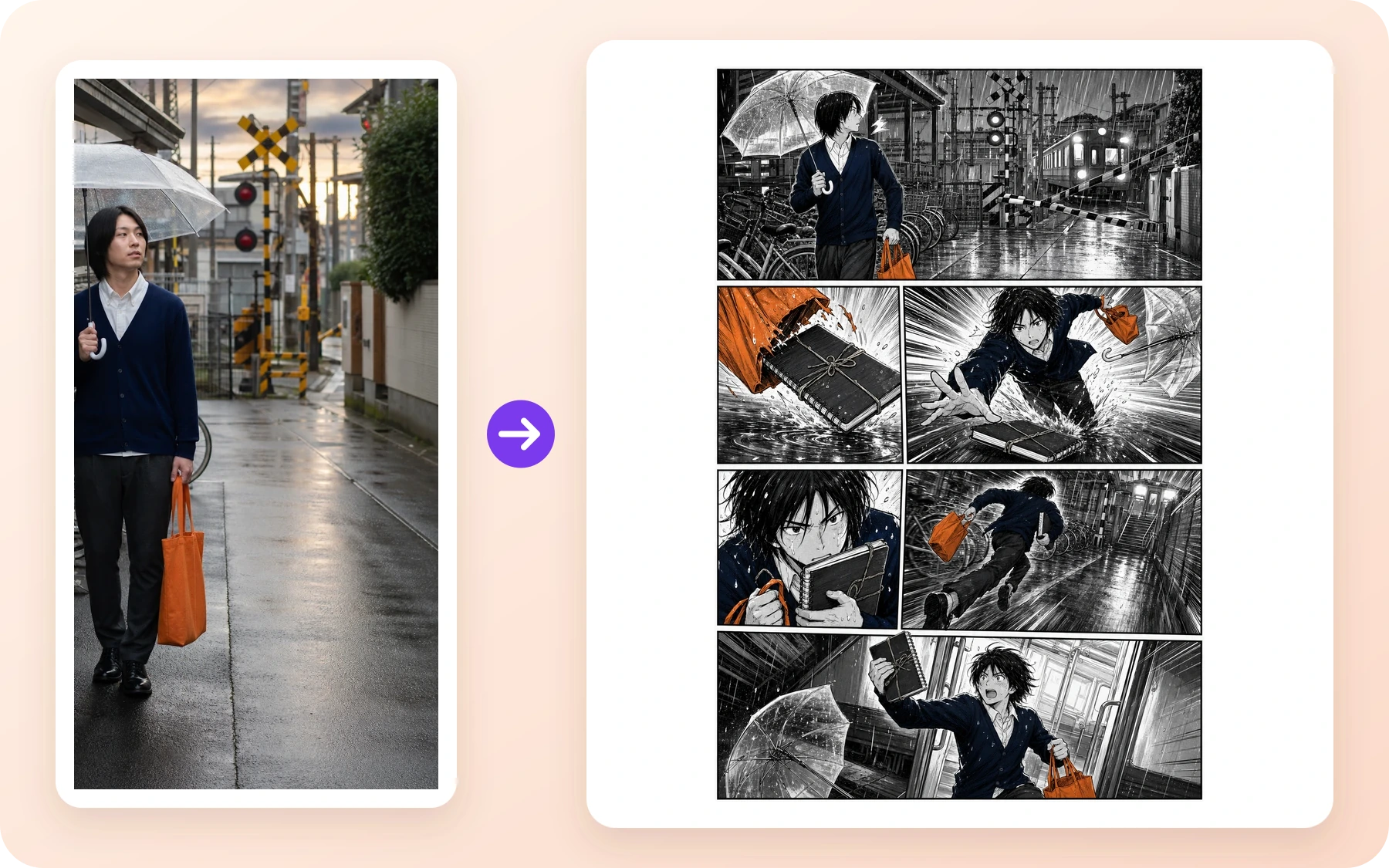
Manga · Comic creators
A rainy railway reference becomes a black-and-white action page with a clear setup, chase, close-up, and final beat.
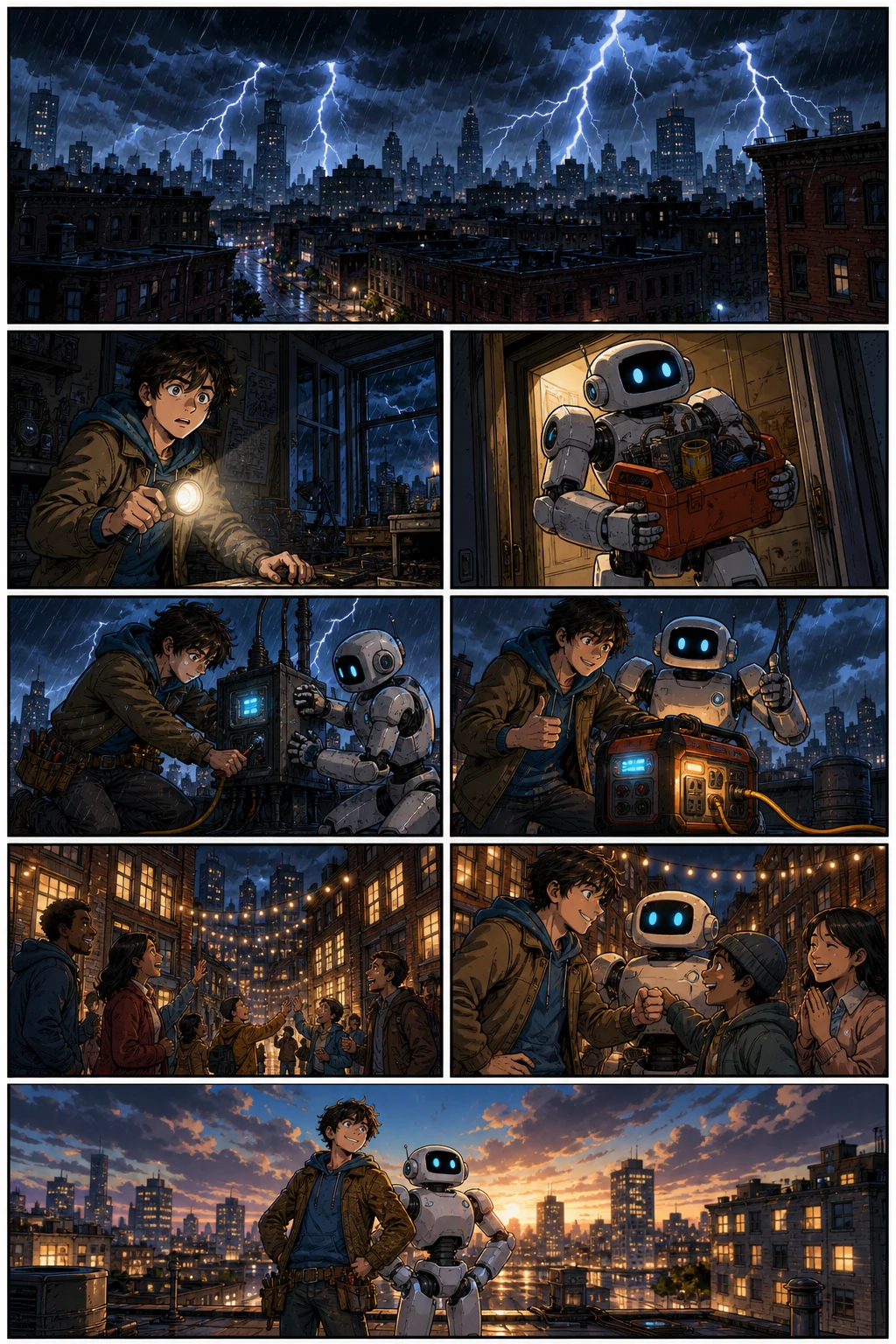
Western comic · Brand storytellers
A recurring inventor and robot move through a full-color blackout rescue with readable action and changing camera angles.
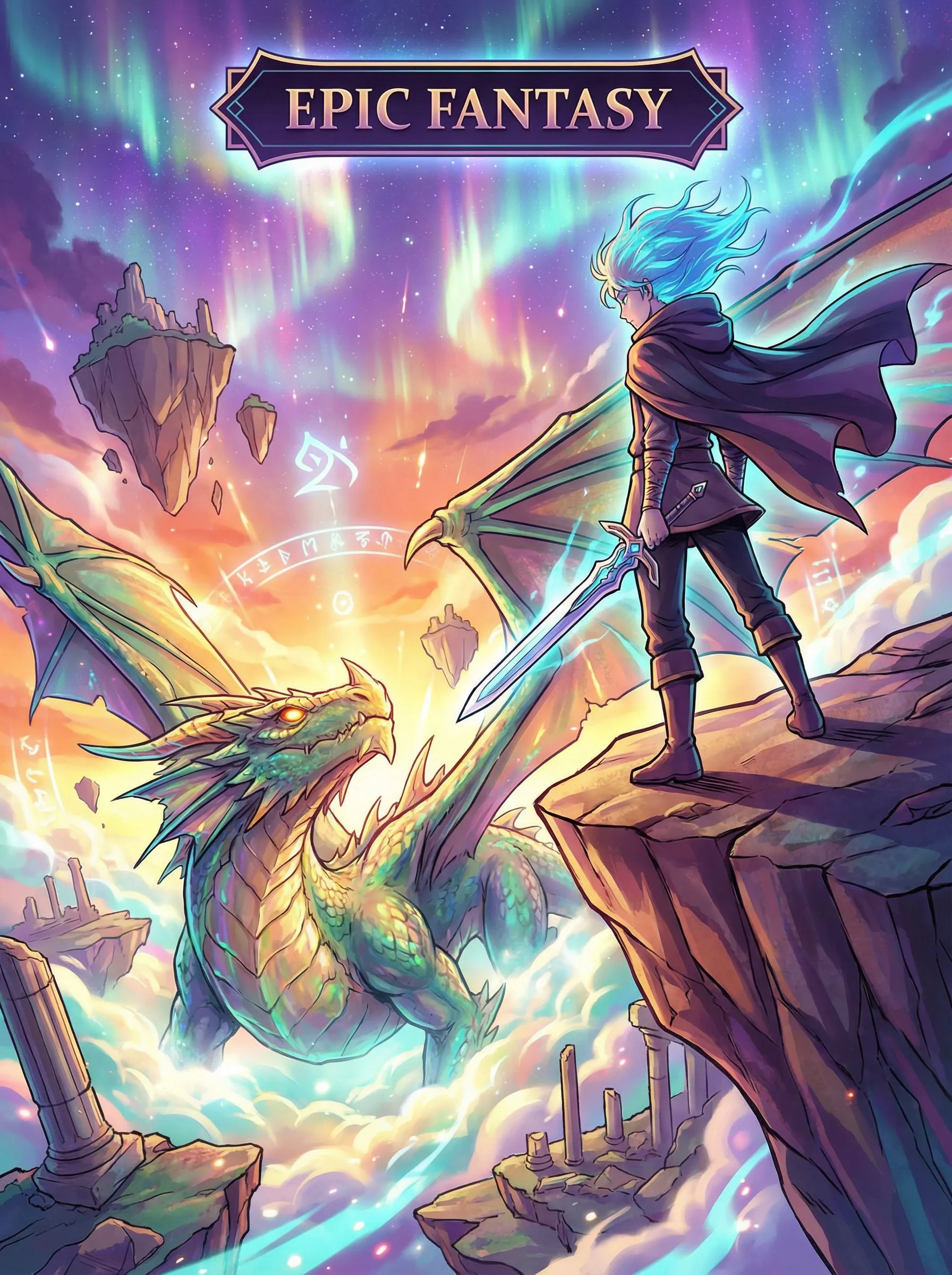
Vertical Webtoon · Educators
A fantasy journey uses vertical spacing and long-form mobile pacing to lead the reader from discovery into danger.
Motion Comic · Storyboard teams
A finished comic frame continues into a short animated scene with directed camera movement and character motion.
comic to video converterFix the part that failed
AI output still needs judgment. Treat every generated page as a draft: keep what is approved, isolate the problem, and revise the smallest useful unit. This is the practical path when a face drifts, a pose fails, or the words no longer fit the beat.
Reuse the approved character reference and redraw the affected panel. Keep the accepted pages in place while you compare the corrected face, outfit, props, and palette.
Change that panel's prompt, shot, pose, or background and regenerate the panel instead of restarting the whole sequence.
Revise captions and dialogue, then adjust panel proportions and reading order in Studio. Approve the page only after the words and visuals carry the same story beat.
Verified delivery summary
We used the same story beats and the same recurring cast for three separate format runs. This is evidence of a repeatable workflow, not a claim that one click automatically converts a finished comic into every layout.
The 36 approved panels show that the same chapter plan and four recurring characters can survive multiple scenes and reading formats after review. They do not prove that every first output is usable, that the three layouts are interchangeable, or that the workflow needs no human editing. The detailed record therefore keeps the rejected attempts, model time, prompts, asset manifest, and file hashes outside this conversion page, where they can be inspected without overwhelming someone who simply wants to start a comic.
View the full case studyBefore you start
The signed-in balance and confirmation shown before generation remain the current source of truth because credits, promotions, and plan packaging can change.
Free does not promise stored comic history. Standard currently lists 30 days, Pro 90 days, and higher tiers unlimited history. Commercial use remains subject to the Terms and third-party rights.
Compare the current plans and limitsSafety, rights, and publishing
This is a plain-language summary, not a substitute for the policies. Your intended use, source material, jurisdiction, and company size can change the answer, so follow the linked documents when a project matters commercially.
The Content Policy applies to prompts, uploads, generated or edited output, public posts, and API use. LlamaGen describes automated checks, provider controls, public-area scanning, reports, and human review. It is also the practical acceptable-use boundary for this generator. Use the Report control on a public artwork, or follow the Content Policy's reporting instructions. Do not attach suspected child-abuse material.
The Terms assign LlamaGen's interest in output to you to the extent permitted by law, including commercial use, subject to the Terms and third-party rights. You remain responsible for having permission for inputs and for clearing privacy, publicity, copyright, trademark, and other rights. Companies above the stated revenue threshold need the required paid plan.
Read the TermsLlamaGen does not promise that AI output is unique, copyrightable in every country, or free of third-party claims. Similar prompts can produce similar results. Keep evidence of your human authorship and editing decisions, avoid protected characters or brands you do not control, and obtain legal advice for high-value publishing or licensing decisions.
Read the output-rights termsQuestions before creating
Write your story or script, choose a layout and visual style, and add character references. Generate the comic pages, then edit dialogue, adjust the panel layout, or regenerate an individual panel in Comic Studio. Sign in to start; generation uses credits.
If you used Komiko’s Comics Canvas to draft panels and pages, this AI comic generator is the matching LlamaGen workflow: write the story, generate connected pages, then edit panels in Comic Studio. Character chat is not part of this page.
Use OC Maker or Anime OC Maker, then bring the same character into this comic generator. Photo to anime is the matching page if you start from a selfie instead of a written OC.
Yes. Define the recurring cast and story direction, reuse approved visual references, and review faces, outfits, props, settings, and style as you add panels and pages. AI consistency still needs review; correct the panel that drifts before extending the sequence.
Free is intended for testing a short comic and uses credits. Generation requires an account, the current Free plan lists up to four panels per page, and it does not promise watermark removal, HD output, or stored comic history. Check the live Pricing page because credit grants, promotions, and packaging can change.
No. In Comic Studio you can revise the affected panel's prompt, shot, pose, or background and regenerate that panel while keeping approved work. You can also revise captions or dialogue and adjust panel proportions before continuing the story.
The examples on this page do not make that claim. The verified three-format case study used the same story beats and character references in three separate format runs. Plan each reading direction and layout for its destination, then review the result independently.
Yes. The Comic Studio provides an editable canvas for captions, dialogue elements, panel proportions, page review, and selected-panel regeneration. Exact export, history, and advanced editing options depend on the current plan.
The Terms assign LlamaGen's interest in output to you to the extent permitted by law, including commercial use, subject to the Terms and third-party rights. You are responsible for input permissions and rights clearance. Companies above US$500,000 in annual revenue must use Pro or Unlimited when creating assets.
The Content Policy applies to prompts, uploads, generated or edited output, public posts, and API use. LlamaGen describes automated checks, provider controls, public-area scanning, reports, and human review. Use the Report control on a public artwork or email a Content Safety Report with the page URL and a short explanation.
No. Copyright treatment varies by jurisdiction, output may not be unique, and LlamaGen does not guarantee non-infringement. Keep records of your human writing and edits, avoid protected characters or brands you do not control, and seek legal advice for high-value publishing or licensing decisions.
You can create multi-page comics, comic strips, manga pages, and Webtoon episodes using AI. LlamaGen is an AI comic drawing generator and comic drawer AI — a complete comic using AI workflow that turns a story prompt into an AI made comic with consistent characters, editable panels, and export-ready pages.
Yes. LlamaGen works as an AI comic generator from photo and image references — upload a portrait, scene, or character sketch and generate comic panels from it. You can also write a story prompt and use the AI comic generator from text free for scripts, chapters, and original ideas.
Yes. You can use LlamaGen to make anime-style manga pages, action panels, and character-driven comics. Sign in to generate comics; generation uses credits, including on the Free plan. Check the current Pricing page for credit allowances and plan limits.
Define the cast and the next story beat, generate a connected page, then review the panels before you continue the chapter.
Kreiraj strip