

Керування ракурсом камери — редактор ракурсу фото з AI
Завантажте медіа, утримуйте й перетягуйте, щоб змінити ракурс камери, та генеруйте з 12 найкращих кутів. Перетворюйте зображення за допомогою AI-керування ракурсом камери через звичайну розмову, а також горизонтального, вертикального та зум-керування.
Редагуйте через чат, розширюйте сцени, видаляйте об’єкти, змінюйте фон і створюйте нові ракурси камери з одного фото за допомогою робочих процесів Qwen Image Edit і AIOmnigen.
Інтерактивна лабораторія ракурсів
Завантажте одне зображення, змініть ракурс і редагуйте через чат
Цей вбудований інструмент дає змогу перетворювати зображення через звичайну розмову. Завантажте одне фото, а потім розширюйте його, видаляйте об’єкти, змінюйте фон або створюйте нові ракурси камери за допомогою інтерактивних елементів керування та моделей редагування, зокрема Qwen Image Edit.
Multi-Angles
Source Reference
Upload a reference image
Use the Replace and Remove buttons above anytime.
Generated Result
Examples
Source
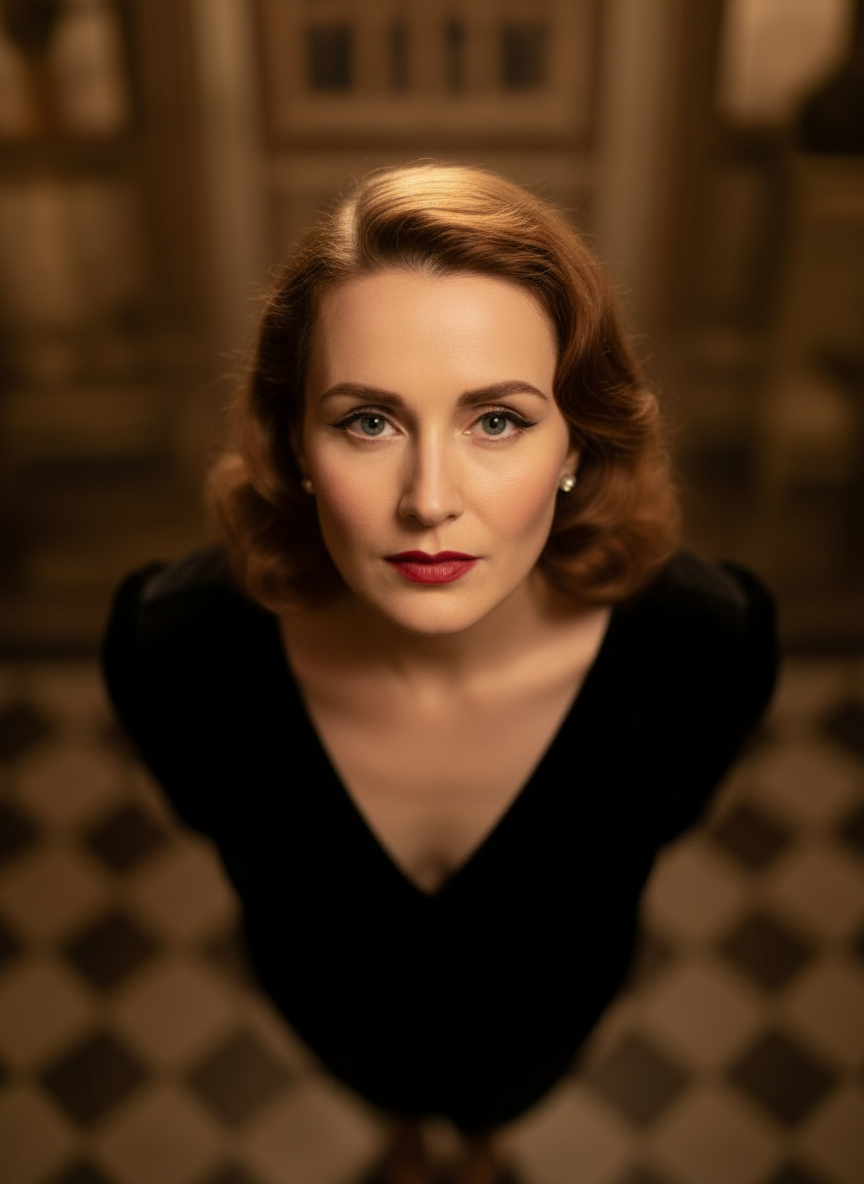
Overhead Angle
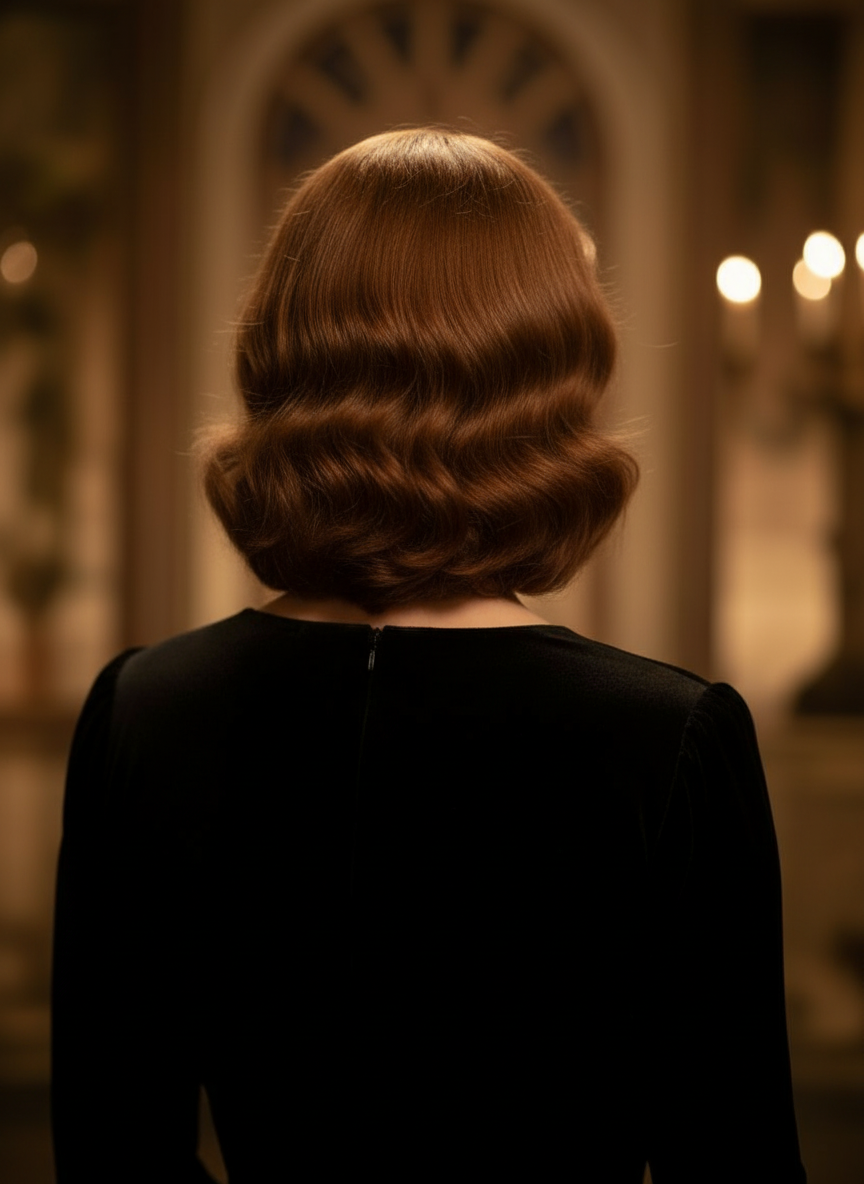
Back Angle
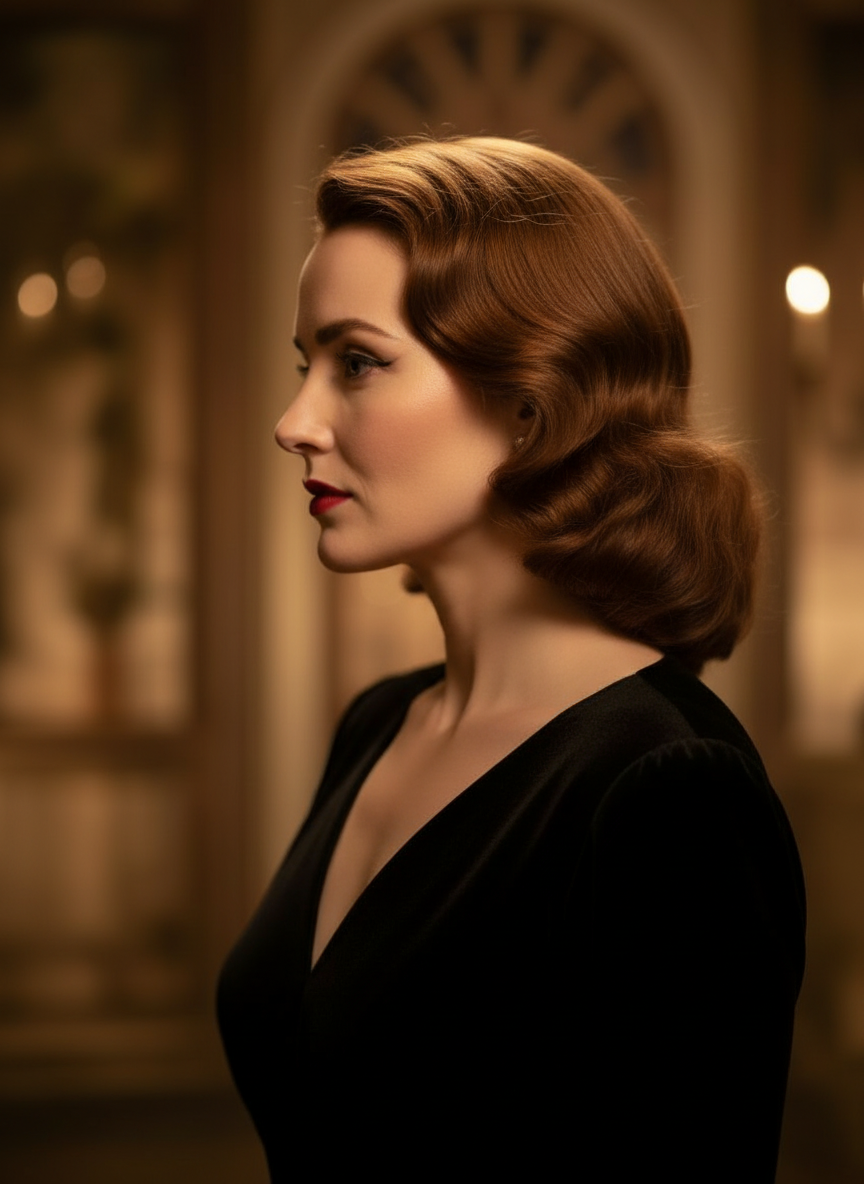
Three-Quarter Side
Перетворюйте зображення через звичайну розмову
Просто завантажте зображення й редагуйте його в чаті. Розширюйте кадр, видаляйте об’єкти, змінюйте фон і генеруйте альтернативні ракурси камери без повної перебудови зображення.
Відкрити керування ракурсомНалаштовуйте горизонтальний ракурс, вертикальний ракурс і відстань зуму
Утримуйте й перетягуйте, щоб змінити ракурс камери, або використовуйте зручні повзунки для налаштування горизонтального ракурсу, вертикального ракурсу та відстані зуму. Створюйте чисті варіації з одного фото швидшим робочим процесом керування камерою зображення.
Згенерувати новий ракурсЯк користуватися Camera Angle Control у 3 кроки
Простий робочий процес для редагування фото, перекомпонування та AI-керування камерою.
Завантажте зображення об’єкта
Почніть з одного фото або референсного зображення, яке ви хочете зберегти послідовним під час редагування та перекомпонування.
Задайте план камери
Виберіть один із 12 найкращих ракурсів, а потім утримуйте й перетягуйте або використовуйте елементи керування для налаштування горизонтального ракурсу, вертикального ракурсу, нахилу та відстані зуму.
Пишіть у чаті, рендерьте й переглядайте
Описуйте правки природною мовою, згенеруйте новий ракурс і перегляньте результат для дизайну, контенту або передачі в продакшн.
Реальний результат інструмента
Одне вхідне зображення — один згенерований результат ракурсу камери
Порівняйте вихідне зображення з результатом, створеним у робочому процесі Camera Angle Control. Об’єкт лишається впізнаваним, а ракурс змінюється на ширше дослідження композиції.
Вхід
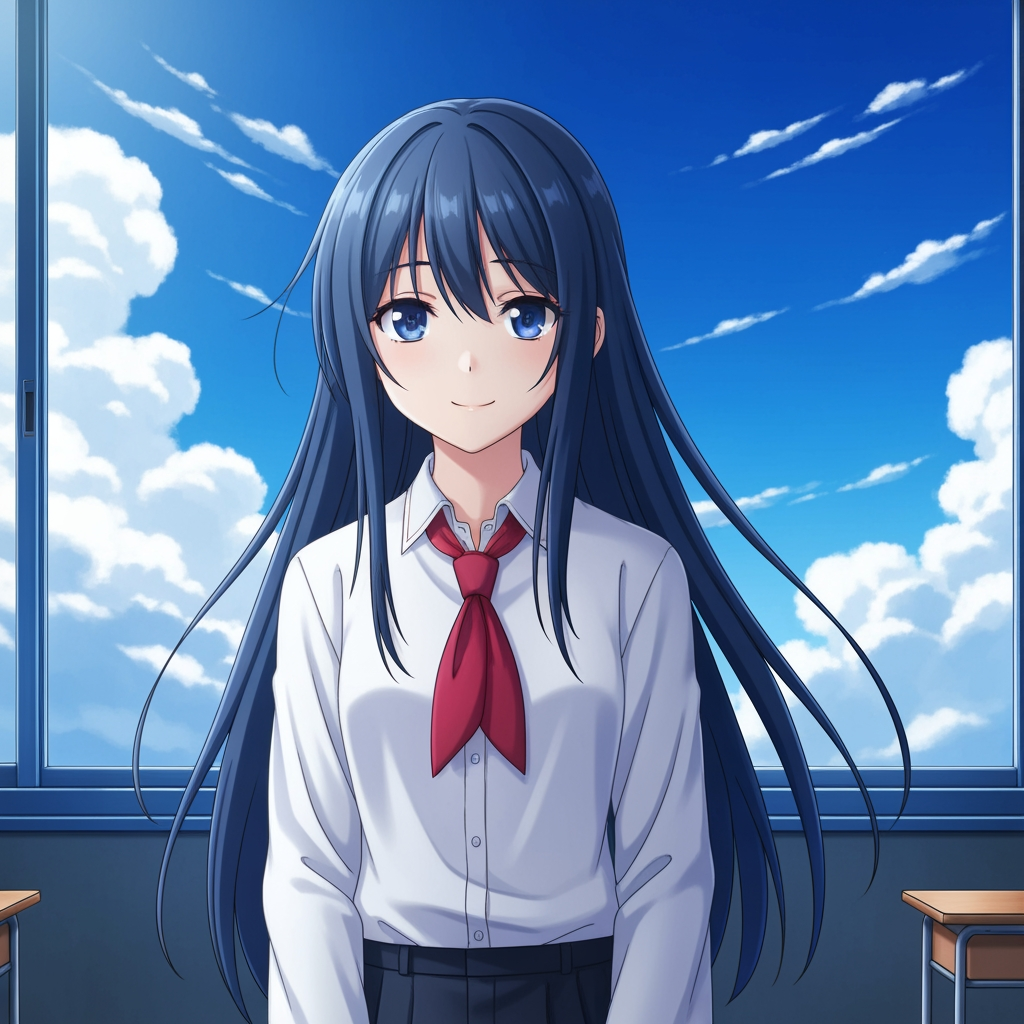
Оригінальне зображення об’єкта
Базовий малюнок лишається без змін. Це вихідне зображення, яке використовують для керування проходом ракурсу камери.
- Роль
- Завантажена референсна основа
- Об’єкт
- Один персонаж аніме
Згенерований результат

Перекомпонований результат ракурсу камери
Згенерований результат перетворює той самий референс на ширше дослідження ракурсу для планування кадру та візуального перегляду.
- Роль
- Згенерована варіація
- Використання
- Перегляд ракурсу та кадрування
Зображення нижче — це реальна пара вхідного та вихідного результатів із робочого процесу інструмента, а не стоковий макет. Результати AI залежать від вихідного зображення, вибраної моделі, ракурсу та керування кадруванням.
Що таке Camera Angle Control?
Camera Angle Control — це редактор ракурсу фото з AI для тих, хто хоче перетворювати зображення через звичайну розмову. Завантажте одне зображення, редагуйте його в чаті, а потім налаштовуйте ракурс, нахил, кадрування та зум, щоб генерувати нові точки зору, зберігаючи цілісність образу об’єкта.
Prompt to Comic
Генеруйте з 12 найкращих ракурсів
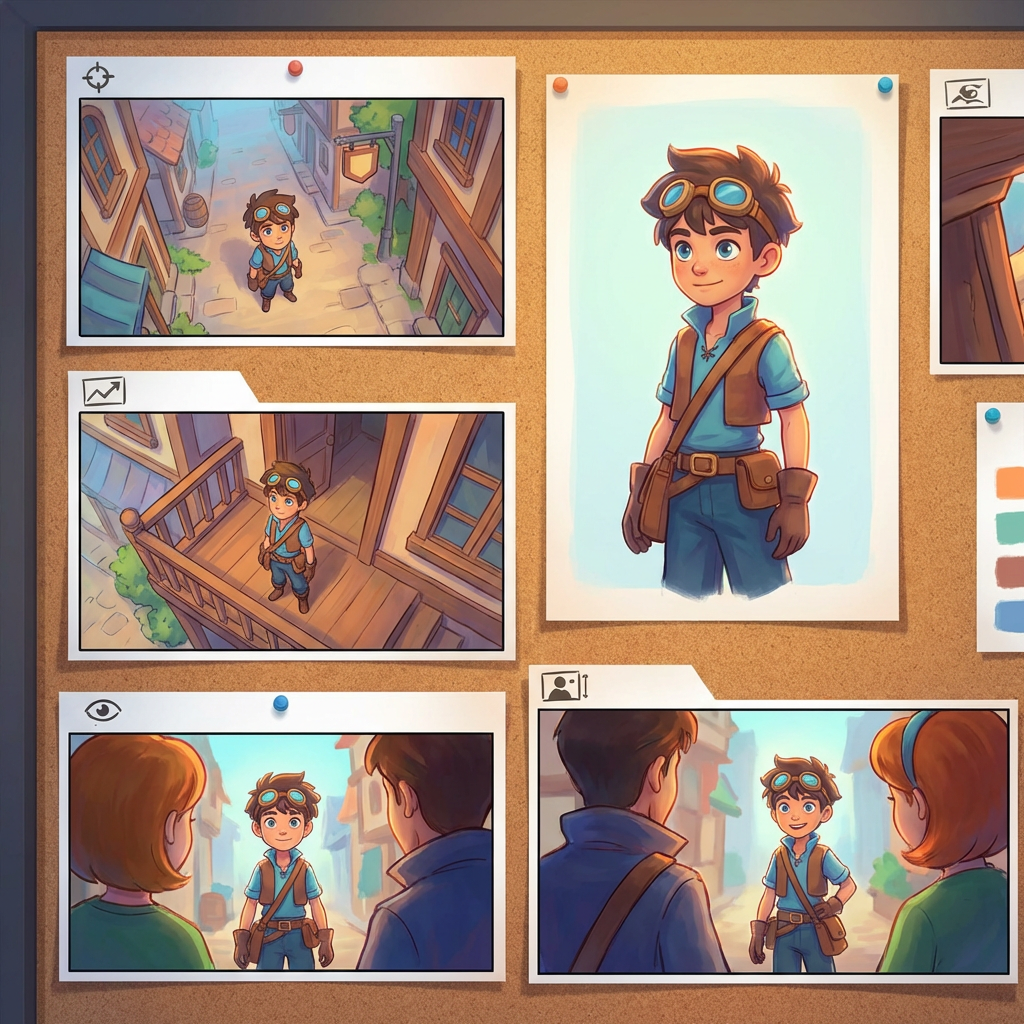
Почніть із низького ракурсу, високого ракурсу, ракурсу на рівні очей, голландського кута, через плече та інших повторно використовуваних пресетів камери, перш ніж затвердити варіант.
Генеруйте з 12 найкращих ракурсів
Почніть із низького ракурсу, високого ракурсу, ракурсу на рівні очей, голландського кута, через плече та інших повторно використовуваних пресетів камери, перш ніж затвердити варіант.
Зберігайте одного об’єкта послідовним
Використовуйте референсне зображення, щоб інструмент краще зберігав об’єкт, логіку світла та візуальну ідентичність ближче до оригінального фото.
Редагуйте й перекомпоновуйте в одному процесі
Поєднуйте редагування зображення через чат і керування камерою, щоб розширювати сцени, видаляти об’єкти, змінювати фон і перекомпонувати те саме зображення.
Чому команди використовують це для дослідження ракурсів камери
Створено для дослідження кадру, планування покриття та швидкого візуального перегляду.
Генерація на основі референсу
Починайте із завантаженого базового зображення замість того, щоб щоразу заново промптити нового об’єкта.
Пресети ракурсів, що відповідають виробничій термінології
Швидко тестуйте ракурс на рівні очей, низький ракурс, високий ракурс, голландський кут, ракурс із пташиного польоту та ракурс через плече.
Корисно для превізуалізації та бордів
Порівнюйте ідеї кадру, перш ніж буде затверджено сторіборд, макет коміксу або перегляд анімації.
Готово для коміксів і мультфільмів
Перемикайтеся між візуальною стилістикою коміксу та мультфільму без повторного налаштування керування.
Швидкі експерименти з кадруванням
Перейдіть від крупного плану до загального і від нейтрального нахилу до драматичної постановки за лічені секунди.
Створено для циклів перегляду
Згенеруйте одне дослідження ракурсу, обговоріть його, а потім одразу переходьте до наступного варіанта.
Поширені запитання
Що робить Camera Angle Control?
Воно перетворює ваші зображення через природну розмову та інтерактивне керування камерою, допомагаючи генерувати нові ракурси, розширювати сцени, видаляти об’єкти та змінювати фон з одного завантаженого зображення.
Чи можна згенерувати нові ракурси камери з одного фото?
Так. Завантажте медіа один раз, а потім генеруйте з 12 найкращих ракурсів, одночасно налаштовуючи горизонтальний ракурс, вертикальний ракурс і відстань зуму.
Чи потрібно завантажувати референсне зображення?
Так. Робочий процес побудований на image to image генерації, щоб модель могла зберігати об’єкт ближчим до вашого оригінального борду, персонажа або сцени.
Які типи ракурсів камери можна протестувати?
Ви можете протестувати ракурс на рівні очей, низький ракурс, високий ракурс, ракурс через плече, голландський кут, ракурс із пташиного польоту та інші керовані пресети ракурсів, а потім уточнити їх за допомогою перетягування та повзунків.
Чи корисно це для перегляду сторібордів і превізуалізації?
Так. Це корисно для режисерів, художників-сторібордистів, комікс-команд і превіз-художників, яким потрібне швидше дослідження кадрів і порівняння ракурсів.
Які моделі забезпечують редагування та керування камерою?
Робочий процес створено для сучасних моделей редагування зображень, зокрема Qwen Image Edit і керування камерою зображення у стилі AIOmnigen, залежно від активного шляху генерації.
Потрібні повторно використовувані борди після дослідження ракурсів?
Відкрийте безкоштовний шаблон сторіборду, щоб розбивати сторіборд-аркуші, завантажувати чисті кадри та тримати пакунок для перегляду впорядкованим.
Перейти до безкоштовного шаблону сторібордуГотові керувати наступним ракурсом вашого зображення?
Завантажте одне зображення, утримуйте й перетягуйте, щоб змінити ракурс камери, та згенеруйте новий вигляд за кілька хвилин.