

Khuyên dùng
Quick Mode
Nên dùng trước. Một bảng layer PNG dễ đọc từ một ảnh.
Tải lên một ảnh sạch và tách thành nền, chủ thể, chữ, vật thể, nhân vật truyện tranh, tranh anime, đạo cụ hoặc đồ hoạ sản phẩm. Bắt đầu với bảng layer Quick Mode miễn phí online, sau đó dùng PRO khi ảnh nguồn cần tách sạch hơn cho production.
First pass · 300 credits
Generates one reviewable PNG asset sheet. It is not an editable set of transparent PNG layers.
First pass · 600 credits
Uses a higher-quality model to produce a cleaner PNG asset sheet, still delivered as a single image.
Paid second pass · +600 credits
Once the sheet is ready, a paid user can extract individual transparent PNG layers, download them or a ZIP, and export a starter PSD.
The extracted PNGs are actual second-pass outputs, not a crop of the sheet. Occluded regions or complex edges can need manual cleanup; PSD is an editable starting file.
or drop a file,
paste image or
No image? Try one of these:
Bắt đầu với ảnh mẫu đã tải sẵn hoặc thay bằng ảnh của bạn. Quick Mode cho kết quả image-to-layers nhanh để duyệt; PRO là lựa chọn nâng cấp khi ảnh nguồn đủ sạch và bạn cần tách nền, chủ thể, chữ, vật thể và nhân vật gọn hơn cho production.
Nên dùng trước. Một bảng layer PNG dễ đọc từ một ảnh.
Model nâng cao. Tách chi tiết sạch hơn trong bảng asset.
After creating a sheet, paid plans can extract real transparent PNG layer files and download individual PNGs, a ZIP, or an editable starter PSD. Complex images may need manual cleanup.
Mỗi thẻ hiển thị một bảng layer được tạo để người xem có thể kiểm tra nhân vật, đạo cụ, nền và các thành phần thiết kế đã được tách trong một góc nhìn rõ ràng, tập trung vào kết quả.
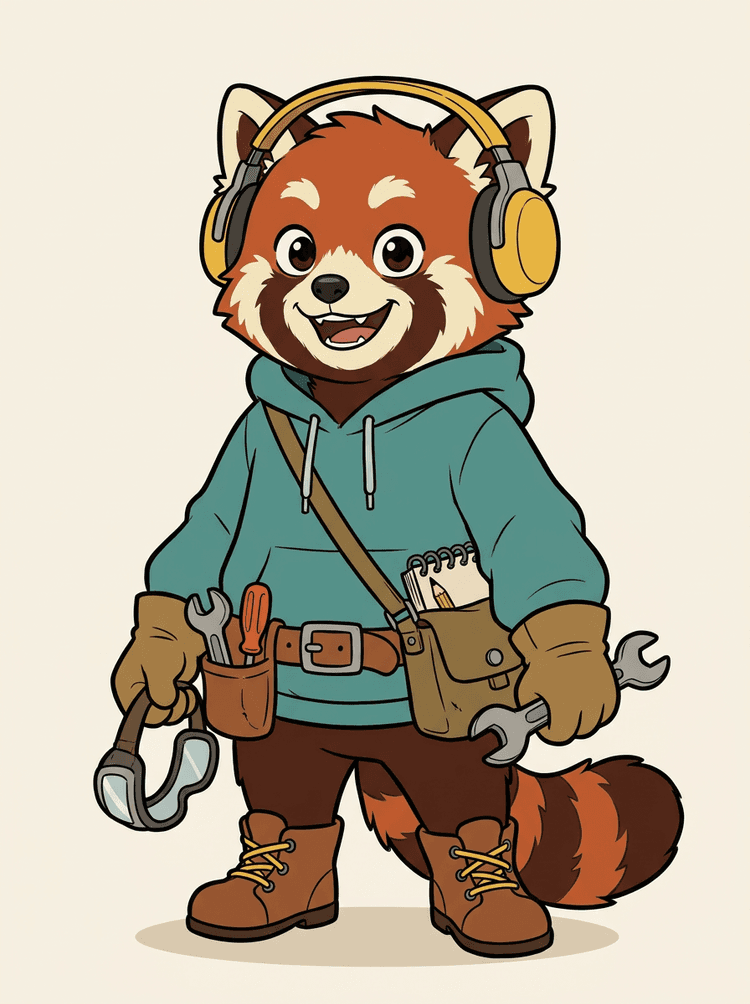
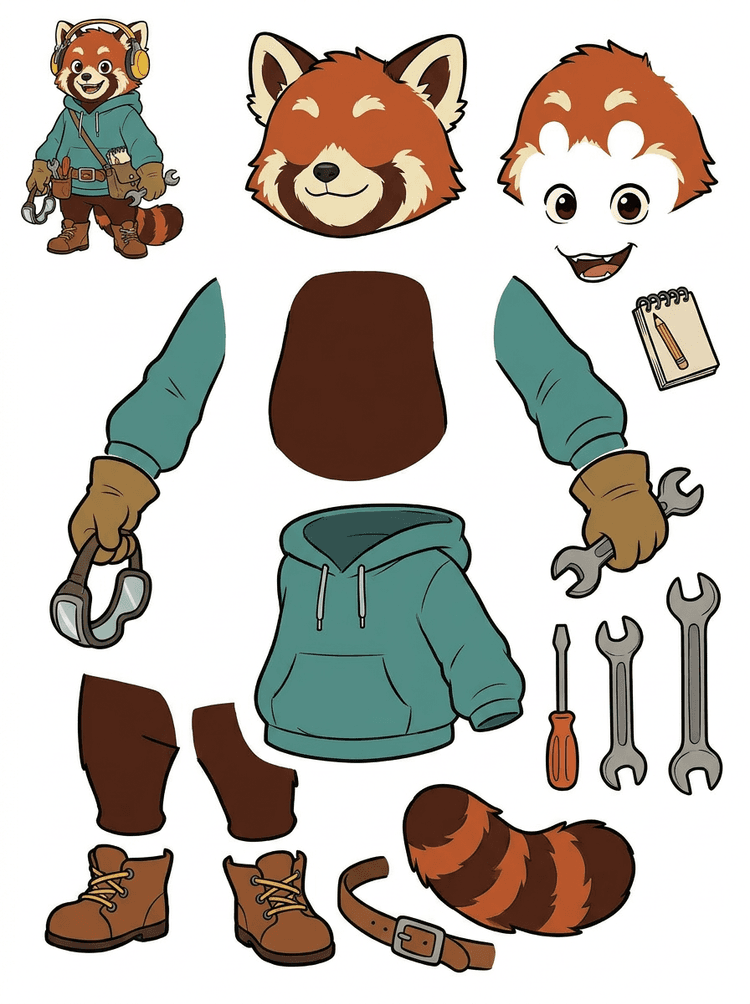
Một mascot nhân vật với tai nghe, hoodie, túi đeo, đuôi, giày và dụng cụ vẽ được chuyển thành bảng thực tế để review animation.
Visible parts in this real result
Production handoff
The generated sheet is the review step. Continue in the live tool to extract suitable visible regions as separate transparent PNG layers, then package them as a ZIP or editable starting PSD.

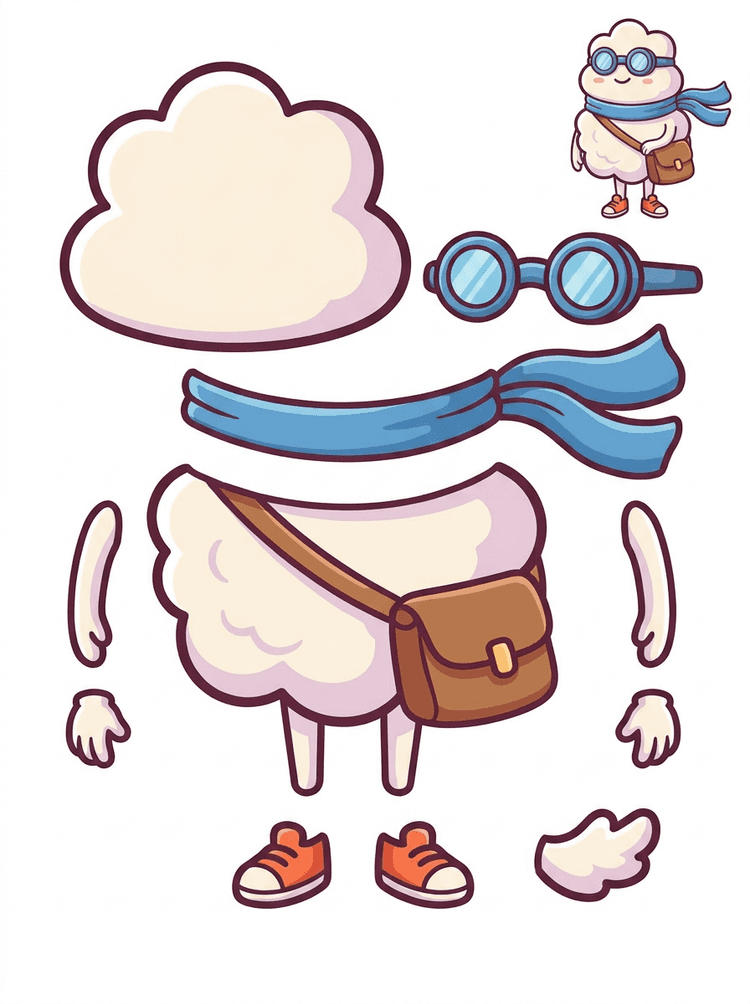
Một anh hùng hoạt hình kiểu sticker được chuyển thành bảng thành phần gồm khăn quàng, túi, giày, kính bảo hộ, tay và các bộ phận thân tròn.
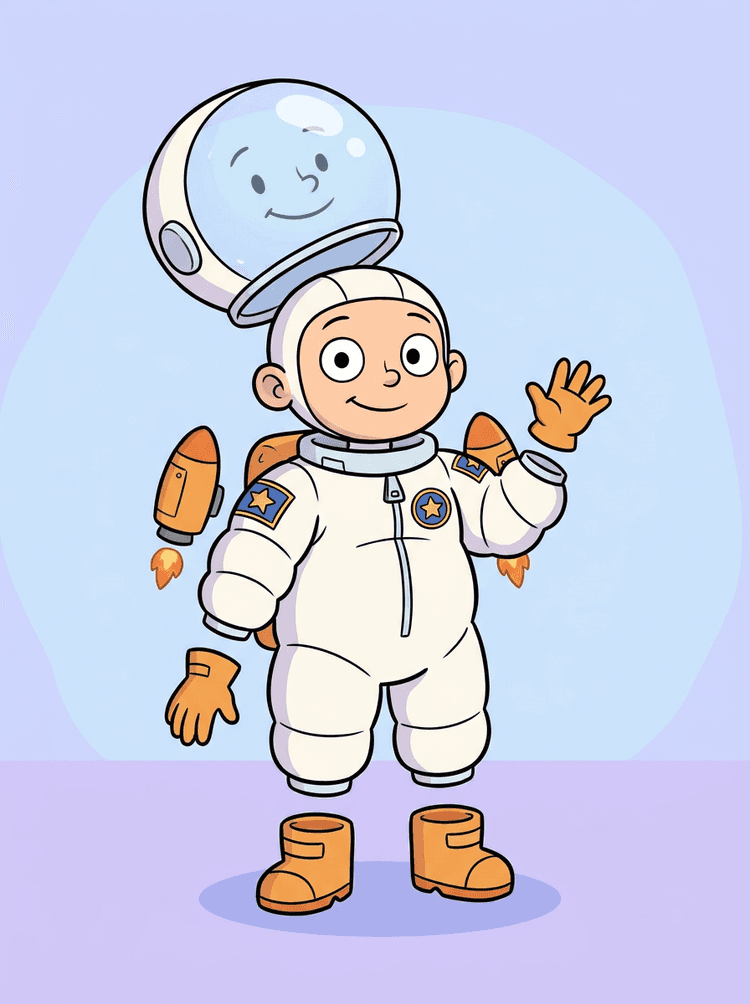
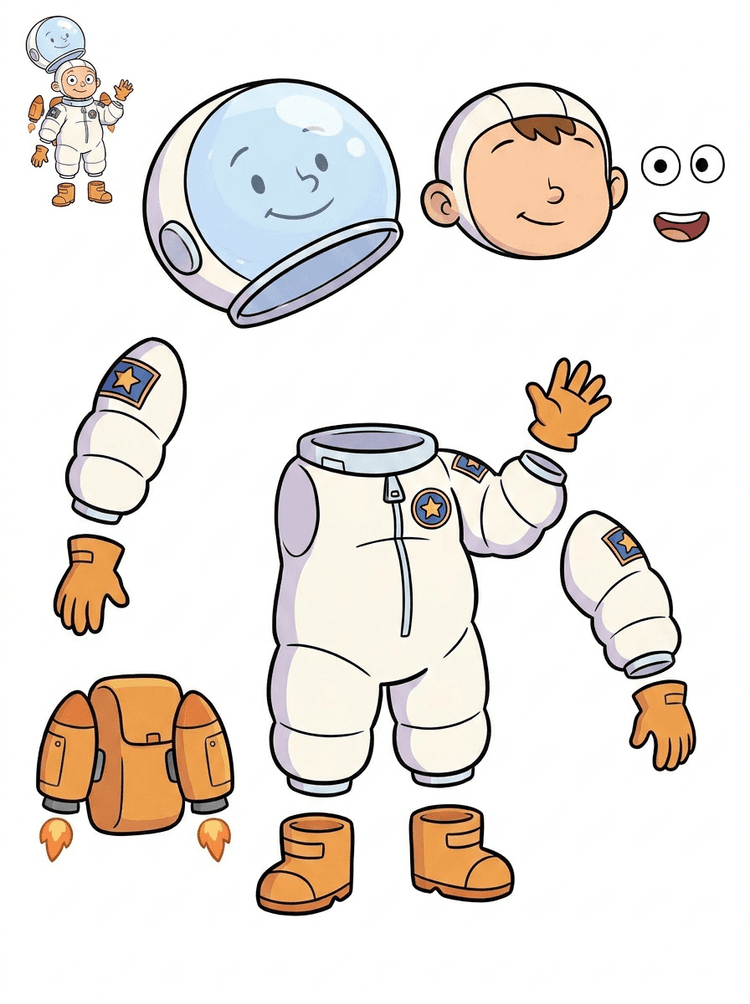
Một minh hoạ bạn nhỏ phi hành gia trở thành bảng cho mũ bảo hiểm, bộ đồ, găng tay, ủng, huy hiệu, balo và các phần dùng cho motion comic.
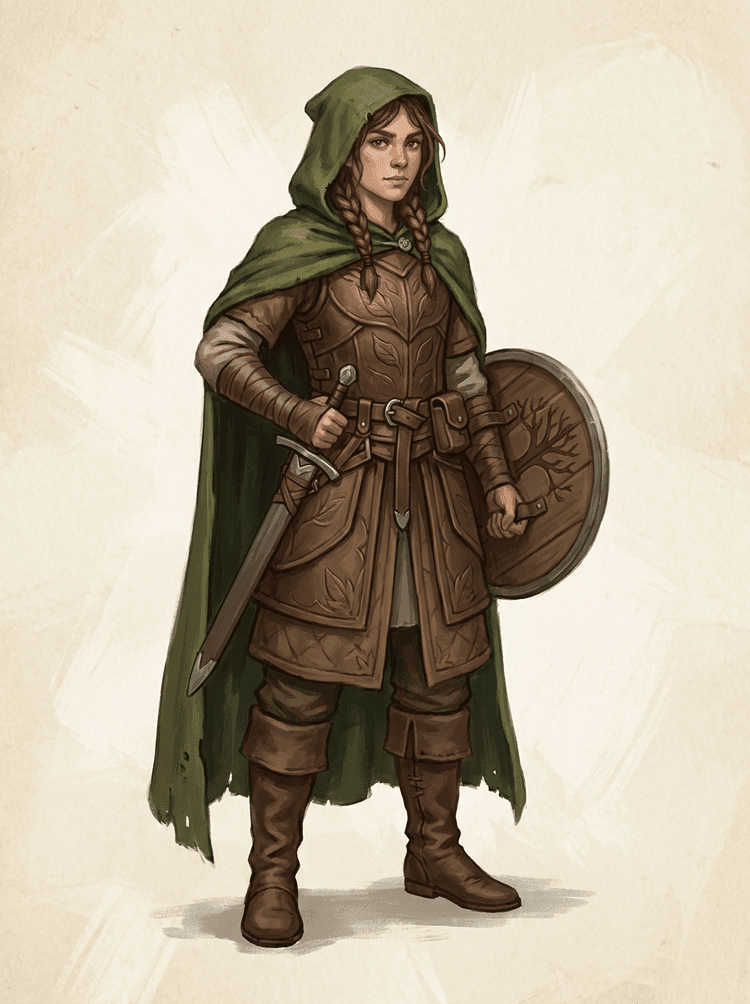
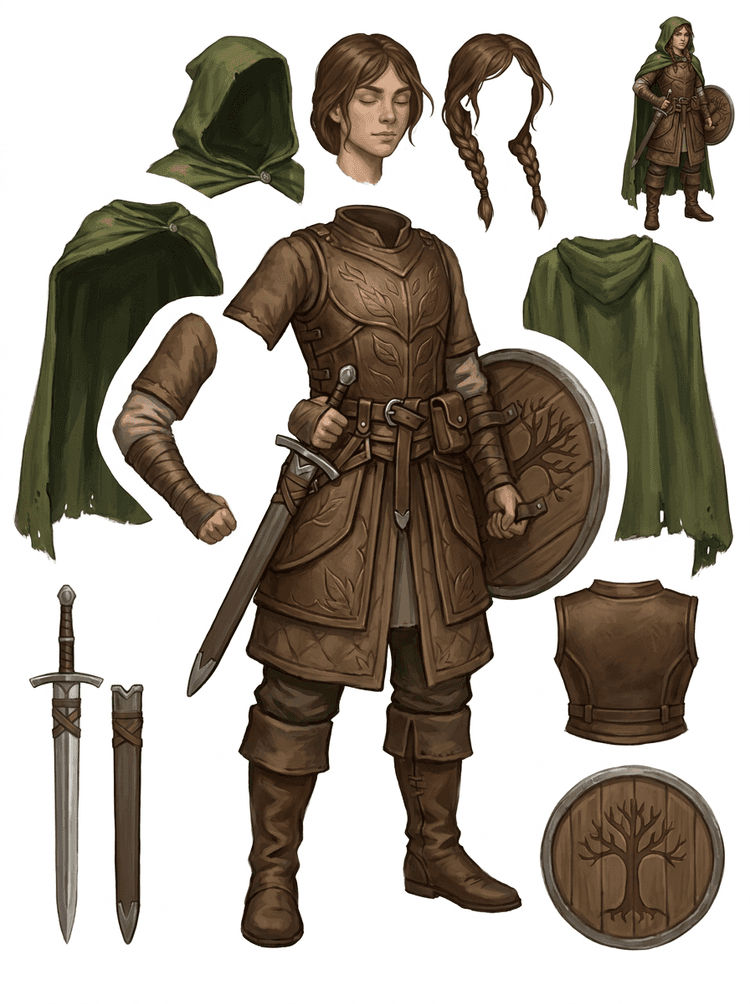
Một nhân vật game fantasy được tách thành giáp, áo choàng, kiếm, khiên, túi nhỏ, ủng, tay chân và các tham chiếu sprite có thể tái sử dụng.
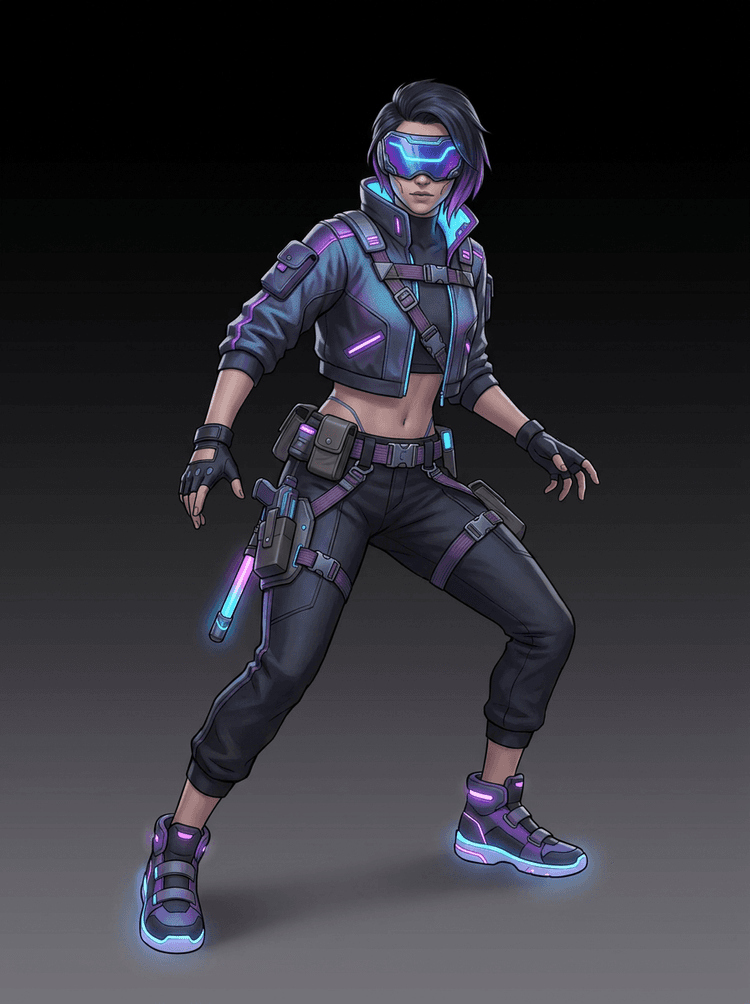
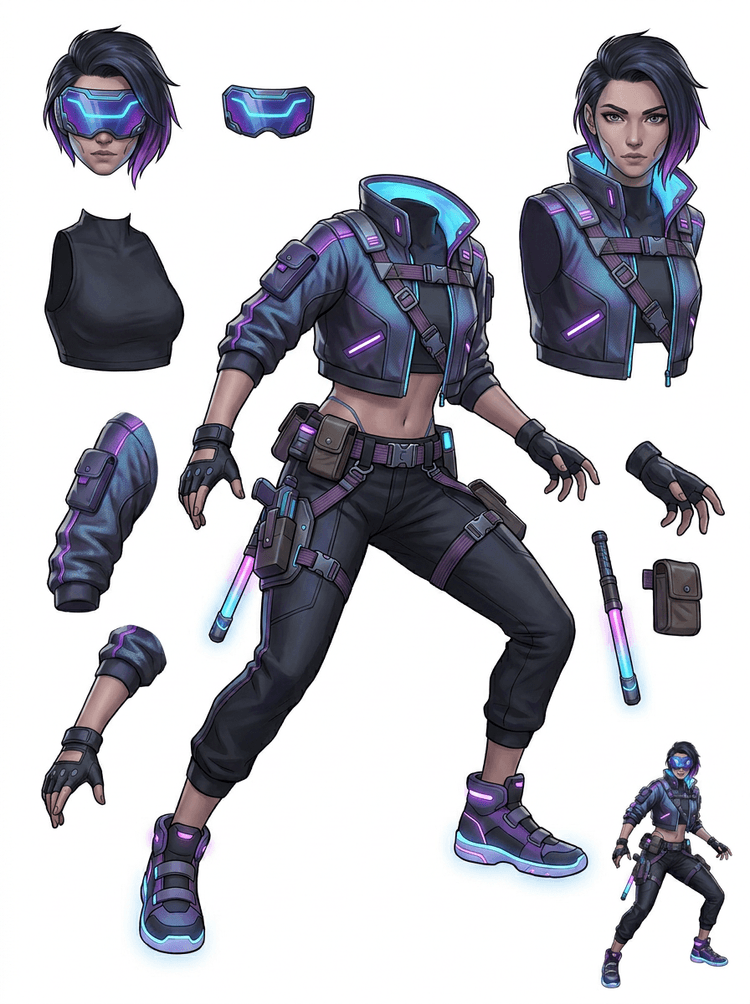
Một nhân vật hành động cyberpunk trở thành bộ tham chiếu chi tiết cao cho áo khoác, kính che, găng tay, giày, dây đai, baton và các phần cơ thể.
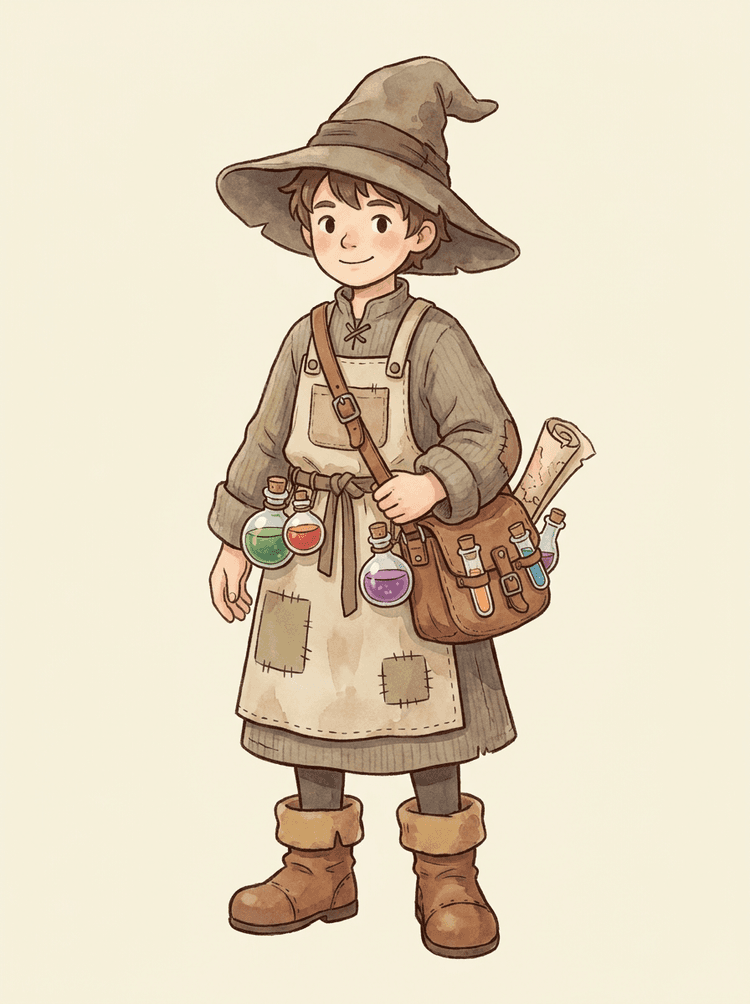
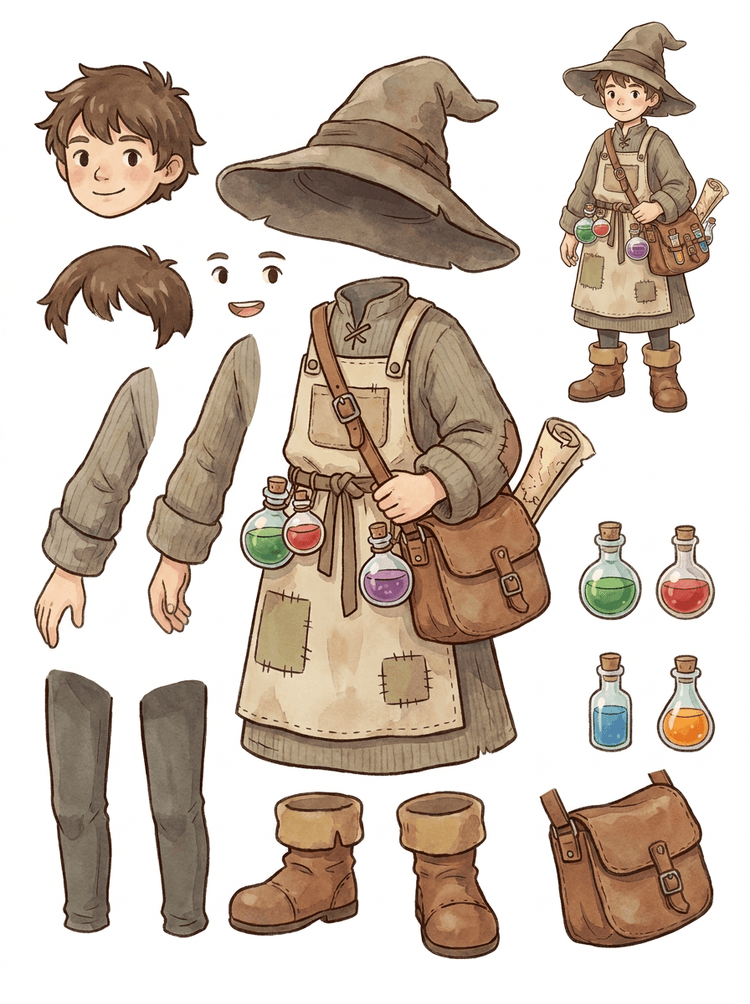
Một NPC phong cách cozy với mũ, tạp dề, túi thuốc, chai lọ, bản đồ, ủng và quần áo ấm trở thành bảng dùng lại được cho production game.
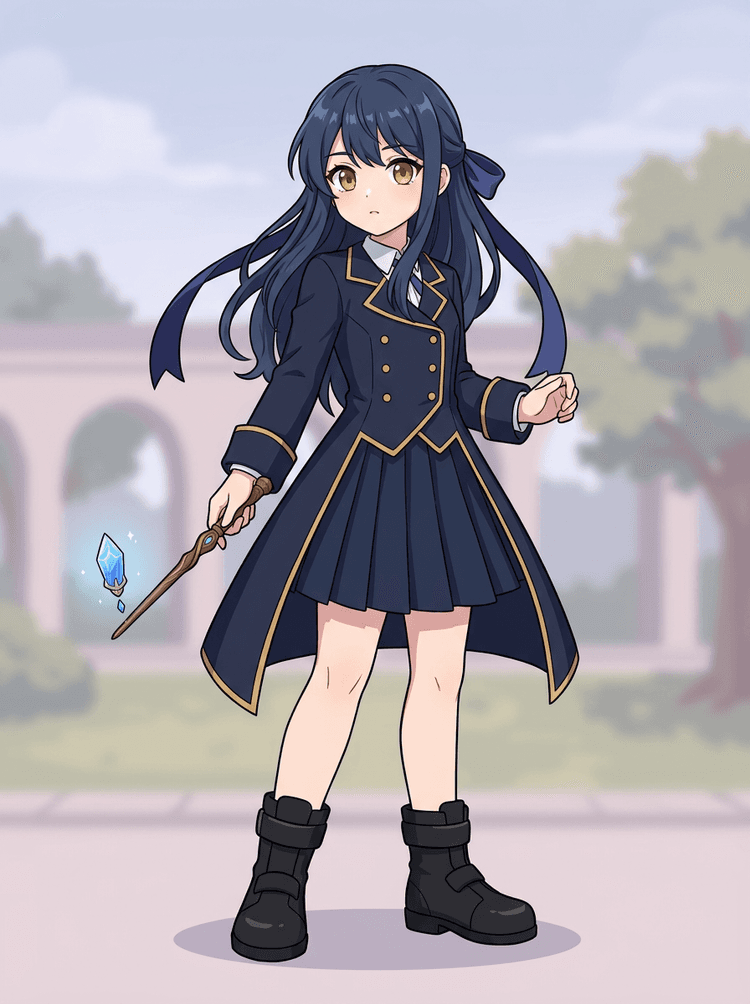
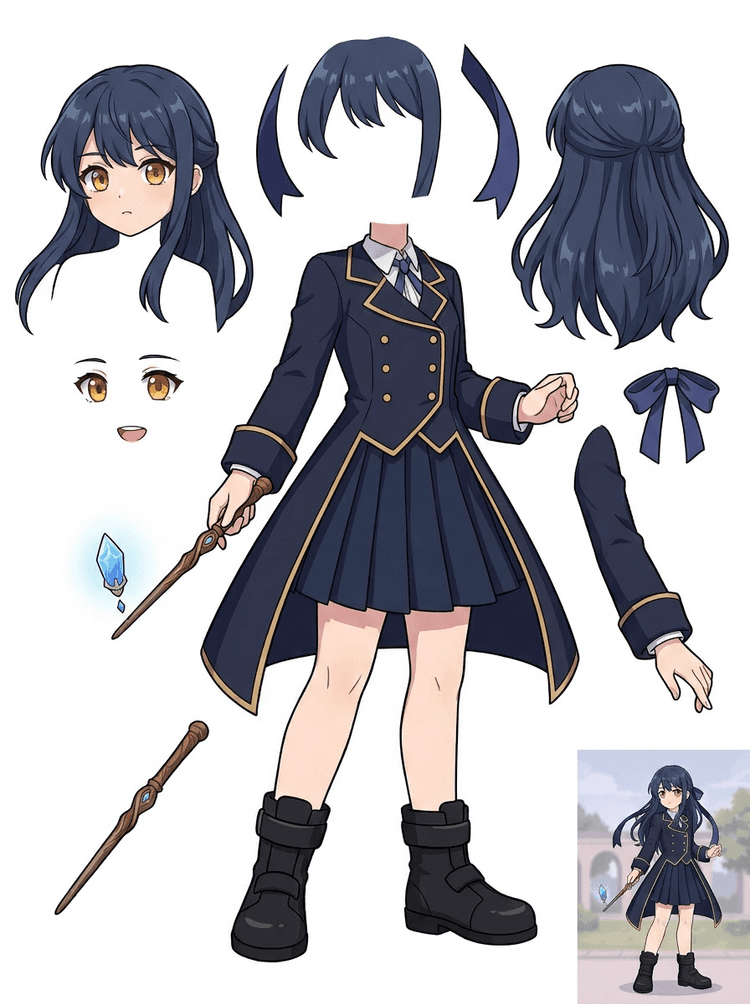
Key art anime với đồng phục, nơ, đũa phép, tóc, charm, găng tay và ủng được chuyển thành bảng thành phần để chỉnh sửa và test chuyển động.
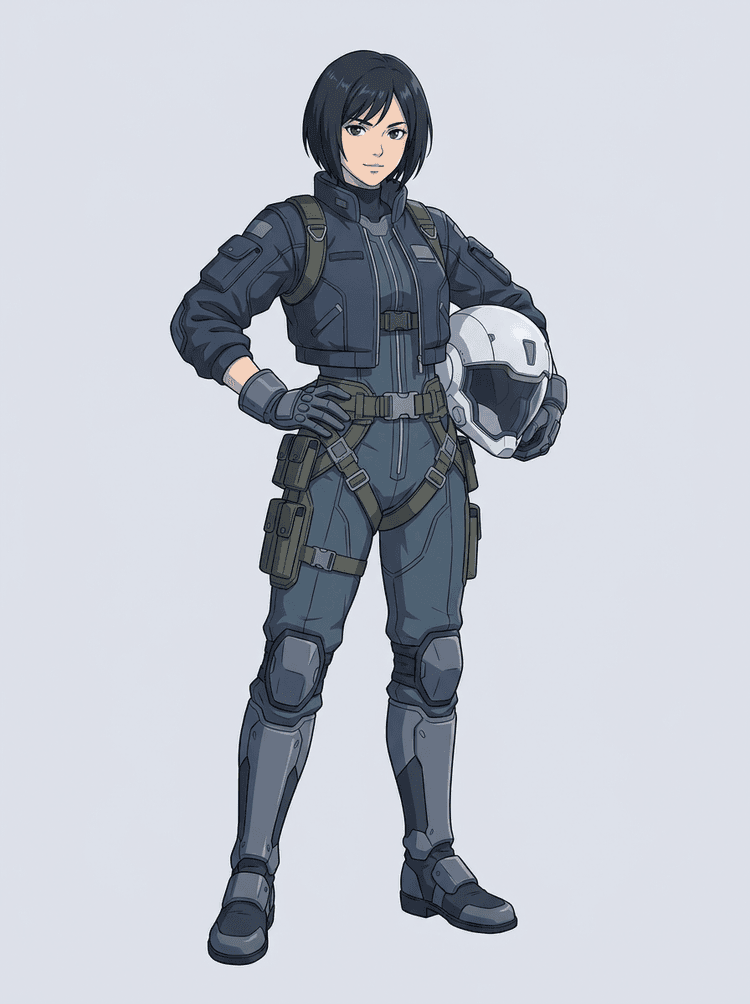
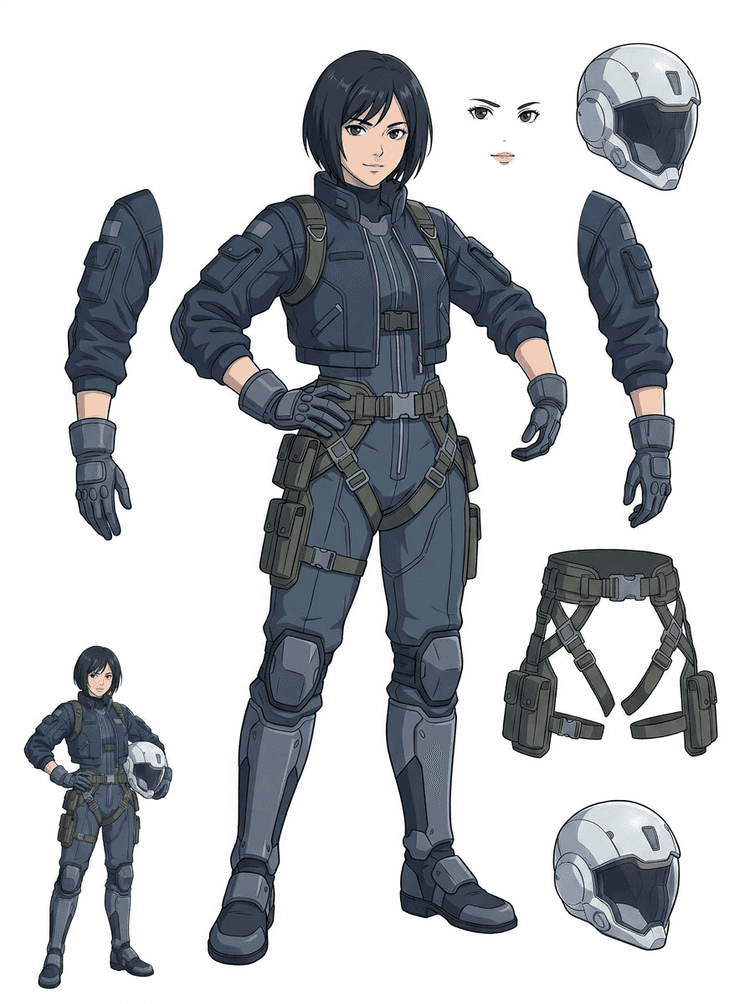
Một phi công anime sci-fi được tách thành tóc, khuôn mặt, áo khoác, găng tay, dây đai, ủng, mũ bảo hiểm và các thành phần cơ thể.
AI Layer Splitter là công cụ image to layers dành cho creator đã có ảnh nguồn nhưng cần các thành phần thực tế phục vụ production: tiền cảnh, hậu cảnh, chủ thể, nhân vật, tóc, khuôn mặt, trang phục, tay chân, chữ, vật thể, đạo cụ, chi tiết sản phẩm và phụ kiện.
Được thiết kế cho artist, đội game indie, animator, marketer, đội e-commerce và creator ACG cần biến một ảnh phẳng thành asset có thể tái sử dụng mà không phải dành cả buổi chỉ để mask thủ công.
Một file PNG đẹp mắt vẫn không thể chớp mắt, tạo parallax, đổi đạo cụ, tách sản phẩm hay thành sprite cho đến khi các phần chính được tách riêng.
Công cụ chọn vùng, dọn mép và đặt tên layer đôi khi còn tốn nhiều thời gian hơn cả lần test animation đầu tiên.
Chỉ cần đổi một chiếc găng tay, túi, giày, đuôi, mũ bảo hiểm hay nơ cũng có thể biến thành cả một lần vẽ lại khi mọi phần đều dính vào nhau.
Trước
Một ảnh nhân vật hấp dẫn trông đã hoàn chỉnh, nhưng vẫn bị khóa trong một bitmap phẳng duy nhất.
Sau
Một bảng asset dễ đọc với tiền cảnh, hậu cảnh, nhân vật, chữ và vật thể được tách riêng để artist có thể lên chuyển động, chỉnh chi tiết và bàn giao tài liệu production.
Tạo một lượt tách để duyệt trước khi mở toàn bộ workflow mask thủ công.
Đi từ một ảnh nhân vật duy nhất sang các phần dùng cho animation, game và bàn giao chỉnh sửa.
Case study
Một brand mascot có thể đi từ một tranh minh hoạ tĩnh sang bộ tham chiếu tách riêng cho đầu, đuôi, giày, túi, quần áo và phụ kiện để lên kế hoạch animation nhanh hơn.
Kết quả
Artist có thể rà soát phần nào dùng được, quyết định có nên chạy lại bằng PRO hay không, và bắt đầu dọn dẹp từ một bảng cụ thể thay vì một phiên mask trống hoàn toàn.
LlamaGen layer workflow
chuẩn bị asset cho cartoon, anime và game
Hãy xem AI Layer Splitter như bước làm sạch đầu tiên: tải lên một ảnh, tạo bảng layer, rồi dùng kết quả đó trong editor, workflow animation hoặc pipeline game asset của bạn.
Dùng artwork nhân vật full-body, mascot art, key art anime, concept game, ảnh sản phẩm, thiết kế đồ hoạ, đạo cụ hoặc minh hoạ sản phẩm với mép hiển thị rõ.
Quick Mode tạo một mốc kiểm tra trực quan nhanh để cả đội nhìn thấy tóc, khuôn mặt, quần áo, bàn tay, đạo cụ, giày, nền, chữ, vật thể và phụ kiện trong đúng ngữ cảnh.
PRO Mode phù hợp nhất sau khi bảng đầu tiên cho thấy ảnh nguồn đủ dễ đọc và dự án cần một lượt model sạch hơn.
Dùng bảng đã tải xuống cho motion blocking, lập kế hoạch rig, tham chiếu sprite, repaint hoặc compositing sáng tạo.
Mục tiêu là tạo ra điểm khởi đầu hữu ích cho production, không phải một bản demo AI mơ hồ.
Công cụ AI layer splitter phân tích artwork của bạn và nhận diện các thành phần khác nhau như nhân vật, nền và vật thể để tạo các layer riêng. Công cụ dùng AI để phân rã ảnh trong khi vẫn giữ bố cục, thứ bậc và ý đồ thiết kế, và phù hợp nhất với thiết kế đồ hoạ, sản phẩm minh hoạ, character art và game asset sạch.
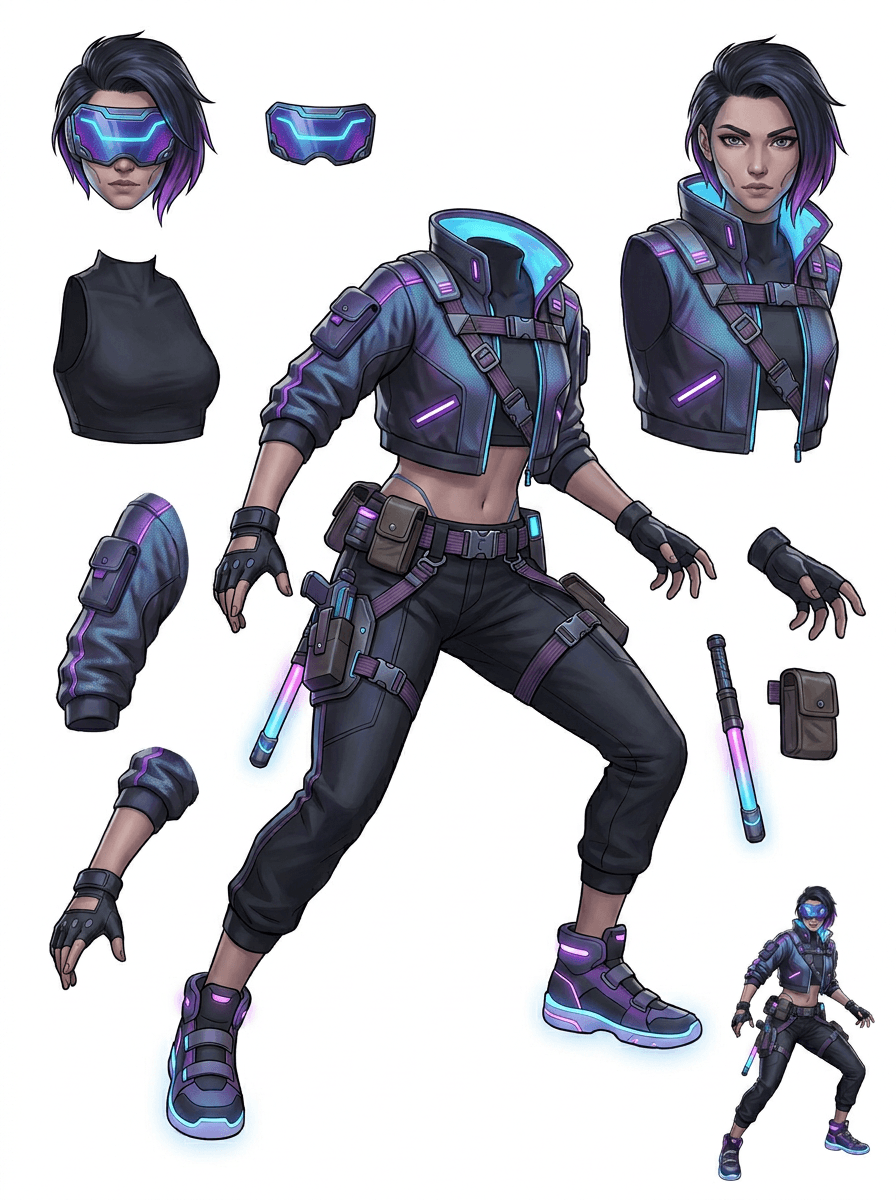
Gallery được sắp xếp theo các tình huống production phổ biến nhất: mascot hoạt hình, nhân vật game, nhân vật anime và workflow image to layers dựa trên vật thể. Mỗi ví dụ đều dùng một ảnh nguồn AI-generated gốc và một bảng asset tách tương ứng.
Mascot, nhân vật thiếu nhi, anh hùng kiểu sticker và nhân vật motion comic với đạo cụ, phụ kiện giàu biểu cảm.
Anh hùng RPG, cyber runner, NPC phong cách cozy, layer trang bị, vũ khí, tham chiếu inventory và bảng chuẩn bị sprite.
Key art anime hiện đại với tóc, đồng phục, nơ, mũ bảo hiểm, găng tay, ủng, dây đai và charm được tách rõ.
AI Layer Splitter hữu ích nhất khi đầu ra có đích đến rõ ràng. Những tình huống dưới đây giải thích nên tải lên ảnh nguồn nào, cần kiểm tra các phần nào và cách bảng layer được đưa vào animation, game, comic, e-commerce hoặc production cho thương hiệu.
Animation mascot
Dùng một pose mascot sạch khi bạn cần sticker mạng xã hội, quảng cáo ngắn, chuyển động trên landing page hoặc kế hoạch rig đơn giản.
Ảnh nguồn cần tải lên
Một mascot full-body với khuôn mặt, bàn tay, giày, đuôi, đạo cụ và mép quần áo hiển thị rõ.
Các layer nên kiểm tra
Bàn giao cho production
Đưa cho animator một bảng các phần có thể duyệt trước khi họ trace, vẽ lại hoặc rig chuyển động cuối cùng.
Chuẩn bị game asset indie
Dùng artwork game đã được duyệt khi đội ngũ cần biến thể trang bị, icon inventory, profile art hoặc khám phá pose nhanh.
Ảnh nguồn cần tải lên
Một concept nhân vật dễ đọc với giáp, vũ khí, túi, áo choàng, tóc, ủng và silhouette rõ ràng.
Các layer nên kiểm tra
Bàn giao cho production
Dùng bảng này làm điểm bắt đầu cho việc dọn sprite, thay trang bị và hoàn thiện artwork phục vụ gameplay.
Chỉnh sửa anime và ACG
Dùng character art phong cách anime khi bạn cần kiểm soát tóc, khuôn mặt, đồng phục, nơ, găng tay, mũ bảo hiểm hoặc phụ kiện.
Ảnh nguồn cần tải lên
Một nhân vật anime duy nhất với nét viền rõ, chi tiết trang phục dễ thấy và ít nhiễu nền.
Các layer nên kiểm tra
Bàn giao cho production
Kiểm tra bảng layer trước khi chỉnh biểu cảm, tạo biến thể trang phục, làm thẻ nhân vật hoặc test animatic ngắn.
Lặp chỉnh sửa comic và quảng cáo
Dùng nhân vật chiến dịch, đạo cụ hoặc sản phẩm minh hoạ khi các chỉnh sửa sát giờ liên tục chạm vào những chi tiết hình ảnh nhỏ.
Ảnh nguồn cần tải lên
Một tranh minh hoạ hoàn thiện với vật thể đặt ở giữa, mép rõ và các chi tiết chính cần sửa không bị che khuất.
Các layer nên kiểm tra
Bàn giao cho production
Đưa cho designer một bảng cụ thể để thay đạo cụ, tạo biến thể an toàn cho copy và thử nghiệm compositing.
Công cụ phát huy tốt nhất khi chủ thể sạch, đầy đủ và tách biệt rõ ràng. Đây không phải lối tắt cho mọi ảnh đông người, bảng sketch, tư thế bị che khuất hoặc bố cục dày đặc nơi tiền cảnh, hậu cảnh, chữ và vật thể chồng lấp nặng.
Một bảng được tạo ra nên được đánh giá như lượt xử lý production đầu tiên, không phải file cuối cùng thần kỳ. Dùng checklist này để quyết định nên tải xuống, chạy lại, crop ảnh nguồn hay chuyển sang PRO sau khi image layer separator xác định được các vùng tiền cảnh, hậu cảnh, chủ thể, vật thể và chữ có thể dùng.
Kết quả yếu
Các phần quan trọng bị dính vào nhau, nhân bản ngẫu nhiên hoặc chìm trong rối mắt thị giác.
Kết quả dùng được cho production
Bảng layer giúp nhận ra ngay các phần chính đang hiển thị: đầu, tay chân, trang phục, đạo cụ, phụ kiện và các mảng nền.
Kết quả yếu
Nhân vật trông như một thiết kế mới với tỷ lệ, màu sắc, chất lượng nét hoặc cá tính khác đi.
Kết quả dùng được cho production
Các phần sau khi tách vẫn giữ được cảm giác gắn với art direction ban đầu, với silhouette, bảng màu và nhận diện nhân vật quen thuộc.
Kết quả yếu
Bảng layer nhìn thú vị nhưng đội ngũ không biết nên trace, vẽ lại, mask hay test bước tiếp theo như thế nào.
Kết quả dùng được cho production
Artist có thể ngay lập tức chọn phần để dọn sạch, block rig, làm tham chiếu sprite, thay đạo cụ hoặc test compositing.
Kết quả yếu
Một kết quả tách kém không cho biết lỗi đến từ model hay từ ảnh đã tải lên.
Kết quả dùng được cho production
Kết quả cho thấy rõ bước cần sửa tiếp: crop gần hơn, xoá nét sketch, chừa thêm khoảng trống, đơn giản hoá nền hoặc dùng PRO.
Biến một ảnh hoàn chỉnh thành các phần hình ảnh tách riêng để dễ duyệt, chỉnh sửa, animate hoặc dựng lại hơn.
Tải lên một ảnh sạch và tạo bảng layer PNG dễ đọc với tiền cảnh, hậu cảnh, chủ thể, vật thể, chữ, trang phục, đạo cụ và phụ kiện trong một kết quả duy nhất.
Image layer separator giúp designer, marketer, animator và đội game xác định phần nào của ảnh nguồn có thể trở thành asset chỉnh sửa được. Thay vì phải vẽ lại mọi yếu tố từ đầu, đội ngũ có thể tạo bảng layer PNG, so sánh ảnh gốc với kết quả đã tách, rồi quyết định xem ảnh nguồn có cần crop, làm sạch, dùng Quick Mode hay chuyển sang PRO hay không.
Tạo bảng có thể tải xuống để chuẩn bị sprite, lên kế hoạch rig, làm motion comic, chỉnh sửa e-commerce, biến thể sticker hoặc bàn giao nhân vật. Công cụ hoạt động tốt nhất khi chỉ có một chủ thể rõ ràng, mép hiển thị đầy đủ và ít chồng lấp.
Workflow tách layer tốt nhất luôn giữ nguyên ngữ cảnh. Hãy lưu ảnh nguồn, bảng đã tạo và một ghi chú đánh giá ngắn để artist tiếp theo biết nên dùng gì và phần nào vẫn cần làm sạch.
Ảnh gốc giúp giải thích ý đồ khi animator, game artist hoặc designer xem lại bảng đã tách về sau.
Một bảng đầu tiên sẽ giá trị hơn khi cả đội biết phần nào đã sẵn sàng và phần nào còn cần hoàn thiện thủ công.
Hãy dùng bảng layer như một cầu nối thực tế sang animation, chuẩn bị sprite, chỉnh sửa comic hoặc compositing, thay vì xem nó như bản thay thế hoàn chỉnh cho file PSD cuối.
AI Layer Splitter giúp đội ngũ có lượt xử lý đầu tiên nhanh hơn; asset cuối cùng để đưa vào production vẫn nên được con người kiểm tra và làm sạch.
AI Layer Splitter biến một ảnh phẳng duy nhất thành bảng layer PNG dễ đọc, trong đó nền, chủ thể, chữ, đạo cụ, vật thể, chi tiết sản phẩm và các phần của nhân vật được tách riêng để phục vụ chỉnh sửa, animation, game art, motion comic, e-commerce và compositing workflow.
Có. Quick Mode là điểm bắt đầu miễn phí online để tạo kết quả image-to-layers có thể review. Hãy dùng nó để kiểm tra xem ảnh nguồn có tách tốt không trước khi tốn thời gian mask thủ công hoặc nâng cấp lên PRO để có lượt xử lý sạch hơn.
Có. AI Layer Splitter hoạt động như một AI image layer separator trên nền web: tải lên một ảnh, để model nhận diện chủ thể, nền, chữ, đạo cụ và vật thể, sau đó tải xuống bảng image-to-layers có thể review. Công cụ nhanh nhất với ảnh sạch, thiết kế đồ hoạ, sản phẩm minh hoạ, game asset và character art; ảnh phức tạp vẫn có thể cần dọn thủ công trong Photoshop, Figma hoặc editor khác.
Tải lên một ảnh sạch, chạy Quick Mode và xem lại bảng image to layers đã tạo. Kết quả sẽ tách tiền cảnh, hậu cảnh, chủ thể, chữ, đạo cụ và vật thể nhìn thấy thành một tham chiếu thực tế mà bạn có thể dùng cho chỉnh sửa, compositing, block animation, chuẩn bị sprite hoặc dọn thủ công.
Workflow hiện tại tạo bảng layer PNG có thể tải xuống thay vì một file PSD hoàn chỉnh có nhiều layer. Hãy dùng nó như lượt AI image layer separation đầu tiên, sau đó dựng lại, mask hoặc hoàn thiện những phần tốt nhất trong Photoshop, Figma, Procreate, After Effects hoặc pipeline game asset của bạn.
Layer Decomposition là một khả năng của AI agent giúp tách một ảnh thành các layer hình ảnh logic, có thể chỉnh sửa như tiền cảnh, hậu cảnh, chủ thể, chữ và vật thể. Nó giúp đội ngũ chuyển từ ảnh phẳng sang một bảng layer thực tế để review, chỉnh sửa, animation và bàn giao cho production.
Có. LlamaGen AI Layer Splitter tách nền, chữ, chủ thể và các vật thể nhìn thấy trực tiếp trong trình duyệt, đồng thời cung cấp bảng asset có thể tải xuống để chỉnh sửa tiếp.
Các chủ thể minh hoạ sạch cho kết quả tốt nhất: mascot hoạt hình, nhân vật anime, nhân vật game, đồ hoạ kiểu sản phẩm, đạo cụ và thiết kế full-body có tóc, quần áo, tay chân, giày, vũ khí, túi, đuôi, chữ, vật thể hoặc phụ kiện hiển thị rõ.
Có. Nhân vật hoạt hình và mascot là một trong những trường hợp dùng tốt nhất vì đường nét, đạo cụ, trang phục, tay, giày và các phần khuôn mặt thường đủ rõ để tạo thành một bảng hữu ích.
Có. AI Layer Splitter cho game asset có thể biến concept nhân vật sạch thành điểm khởi đầu cho tham chiếu sprite, biến thể pose, icon inventory, chỉnh sửa trang bị, chân dung UI và block animation.
Có. Nhân vật phong cách anime có thể được tách thành các tham chiếu cho tóc, khuôn mặt, trang phục, nơ, găng tay, ủng, đạo cụ, mũ bảo hiểm và phụ kiện khi ảnh nguồn đủ sạch.
Quick Mode tạo bảng asset nhanh để review. PRO Mode dùng model nâng cấp để tách sạch hơn khi ảnh nguồn đủ dễ đọc và dự án cần lượt xử lý chất lượng cao hơn.
Không. Những cảnh quá đông, phần cơ thể bị che, nhiều chủ thể chồng lấp, nét sketch, bóng đổ nặng, tay chân bị cắt hoặc phụ kiện quá nhỏ vẫn có thể cần làm sạch ảnh nguồn hoặc hoàn thiện thủ công.
Bạn có thể dùng đầu ra được tạo theo gói LlamaGen và điều khoản áp dụng. Đồng thời, hãy đảm bảo bạn có quyền sử dụng ảnh nguồn mà mình tải lên.
Bắt đầu với ảnh mẫu được tải sẵn, tải lên nhân vật hoạt hình, anime hoặc game của riêng bạn và tạo bảng layer có thể review chỉ trong vài phút. Dùng kết quả đầu tiên để quyết định Quick đã đủ hay đáng để chạy thêm PRO.