

Wide watercolor anime scene for a quiet landscape beat
Example preview
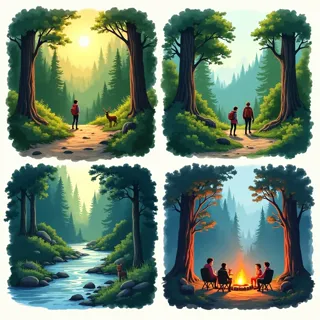
A wide anime-watercolor direction suits an atmospheric pause with a small character and generous landscape space. A starting point for creating and refining an image in LlamaGen.
Choose a small action that belongs naturally within a broad view.
When to use this template
- Travel diary image
- Scenic comic transition
- Quiet story opening
Build your first draft
Choose the story moment
Describe who is present and what changes before adding decorative details. Choose a small action that belongs naturally within a broad view.
Direct the composition
Keep the horizon and color washes simple around the figure.
Review the first draft
Check the horizon and the scarf’s separation from the sky. Check the focal point at a small size, then revise one issue at a time.
Try a complete example
Worked example — Wide watercolor anime scene for a quiet landscape beat
A watercolor anime traveler pauses on a hill to tie a red scarf to a wooden walking stick. Wide lake view, pale mountain washes, warm sunrise, small clear silhouette, no lettering.
The red scarf keeps the figure readable within the wide landscape. Use this direction as a draft brief; inspect the result before relying on fine details.
Before you publish
- Very wide framing reduces visible facial detail.
- Watercolor washes may blur small prop edges.
- Add captions after reviewing the image so the story remains readable.
Questions about this template
- Can I change the subject?
- Yes. Replace the example subject while retaining the visual choices described above; too many competing actions make the result harder to read.
- Is this a blank downloadable file?
- This is a creation preset, not a blank worksheet. Open it, describe a scene, and refine the generated draft.
- Will the prompt reproduce every detail exactly?
- No. The prompt gives direction. Layout, lettering, anatomy, and repeated character details can need correction.