

Ρυθμός scroll
Σχεδιάστε πού ο αναγνώστης σταματά, βλέπει αποκαλύψεις και περνά στα επόμενα beats.
Μετατρέψτε σενάρια και περιλήψεις σε κάθετα webtoon storyboards με beats καρέ, ρυθμό scroll, στιγμές χαρακτήρων, φόντα και ρυθμό σε επίπεδο επεισοδίου.
Περίγραμμα επεισοδίου
Prompt to result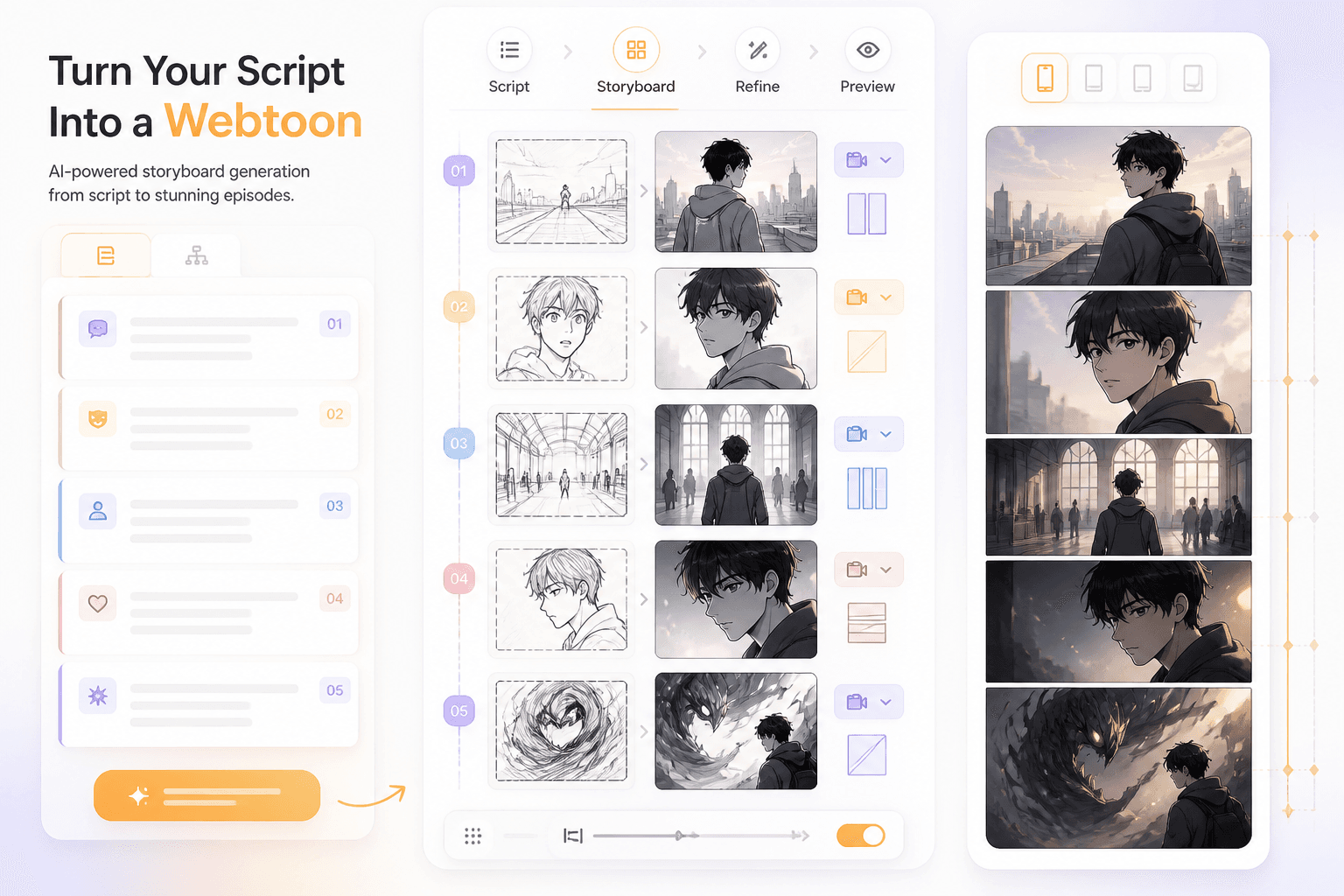
Ροή storyboard
Episode
σε κάθετα beats
Panels
με ρυθμό για scroll
Ξεκινήστε από μια σκηνή, ένα script ή μια σύνοψη επεισοδίου.
Ορίστε τη σειρά των καρέ, τον ρυθμό scroll και τις στιγμές αποκαλύψεων.
Χρησιμοποιήστε το storyboard για να φτιάξετε χαρακτήρες, φόντα και τελικά καρέ.
Το workflow εστιάζει στο πρόβλημα παραγωγής webtoon: πώς ένα script γίνεται κάθετα beats, όχι απλώς ασύνδετες εικόνες.
Προσθέστε σειρά σκηνών, σημειώσεις cast και συναισθηματικό arc.
Ελέγξτε τον ρυθμό των καρέ, τις αποκαλύψεις, τα φόντα και τα beats χαρακτήρων.
Τα κάθετα comics βασίζονται στο timing, τις αποστάσεις, τα cliffhangers και τον ρυθμό σκηνής. Ένα storyboard κάνει αυτές τις αποφάσεις ορατές.
Σχεδιάστε πού ο αναγνώστης σταματά, βλέπει αποκαλύψεις και περνά στα επόμενα beats.
Κρατήστε τοποθεσίες και χαρακτήρες ευθυγραμμισμένους πριν από την τελική δημιουργία.
Διορθώστε το πλάνο του επεισοδίου πριν επενδύσετε σε φινιρισμένα τελικά καρέ.
Planning
Χρησιμοποιήστε AI για να χωρίσετε τις σκηνές σε καρέ που σέβονται τον long-scroll ρυθμό και τις αποκαλύψεις της ιστορίας.
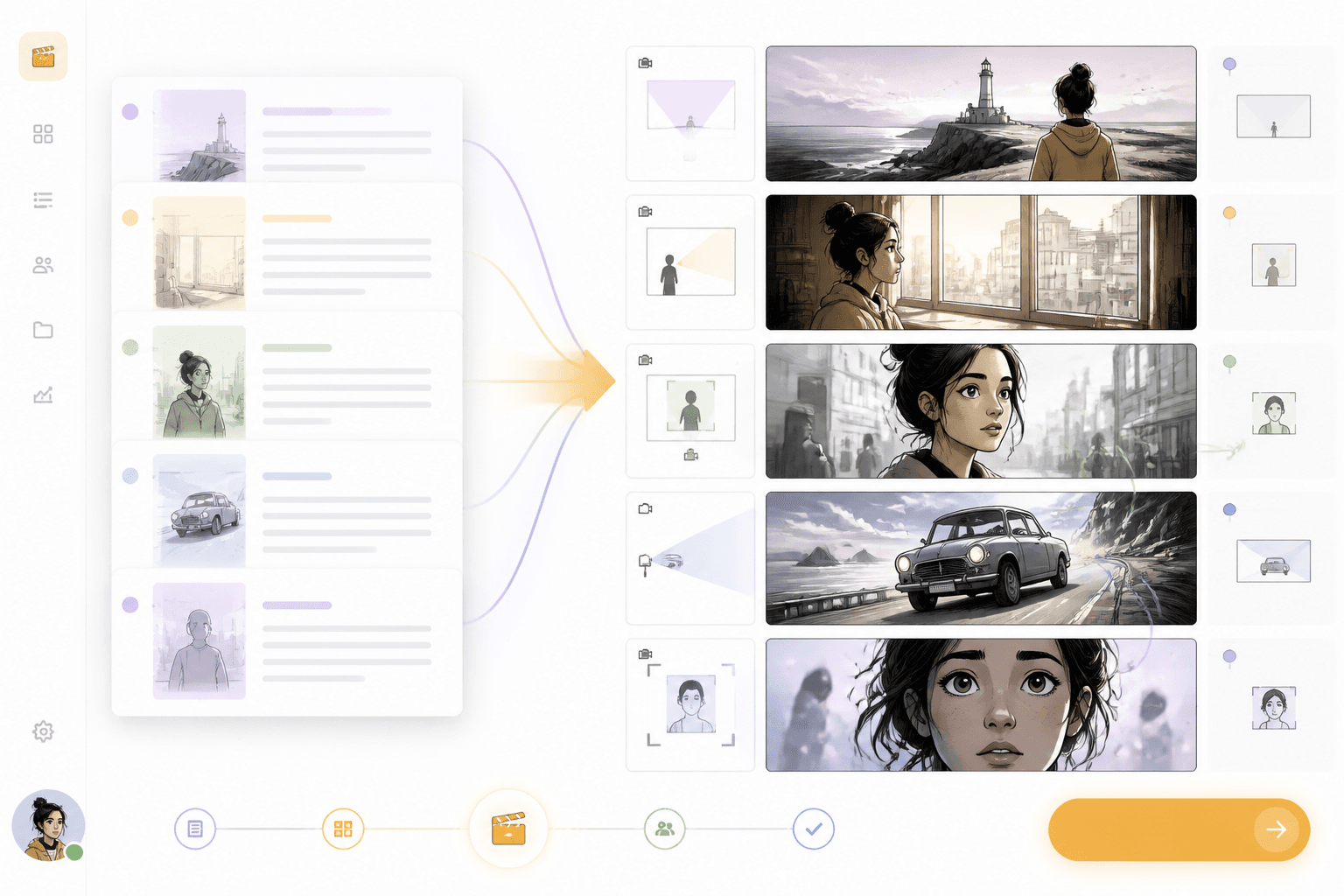
Script
Χρησιμοποιήστε την ίδια λογική σχεδιασμού script για επεισόδια webtoon, film boards, σελίδες comic και pipelines storyboard-to-video.
Workflow guide
Ένα storyboard βοηθά τους δημιουργούς να ελέγξουν τον ρυθμό, τη σειρά σκηνών, τη θέση χαρακτήρων και το timing των αποκαλύψεων πριν δεσμευτούν στο τελικό webtoon art.
Ξεκινήστε από μια σκηνή, ένα script ή μια σύνοψη επεισοδίου.
Ορίστε τη σειρά των καρέ, τον ρυθμό scroll και τις στιγμές αποκαλύψεων.
Χρησιμοποιήστε το storyboard για να φτιάξετε χαρακτήρες, φόντα και τελικά καρέ.
Συμπεριλάβετε arc επεισοδίου, αριθμό καρέ, cliffhanger και συναισθηματικά beats.
Related writing workflow
Use the AI Screenplay Editor when a script, fiction draft, storyboard brief, video idea, or canvas note needs proper scene headings, action, dialogue, parentheticals, cover pages, outlines, beats, and collaboration-ready revisions.
INT. COMMUNITY CENTER - NIGHT
Folded chairs. A storm outside. MAYA stands at the microphone with a page of notes she no longer needs.
MAYA
If the city will not read the record, we will read it out loud.
Φτιάξτε κάθετα beats, ροή σκηνών και ρυθμό αποκαλύψεων που κάνουν το επεισόδιο πιο εύκολο στην παραγωγή.