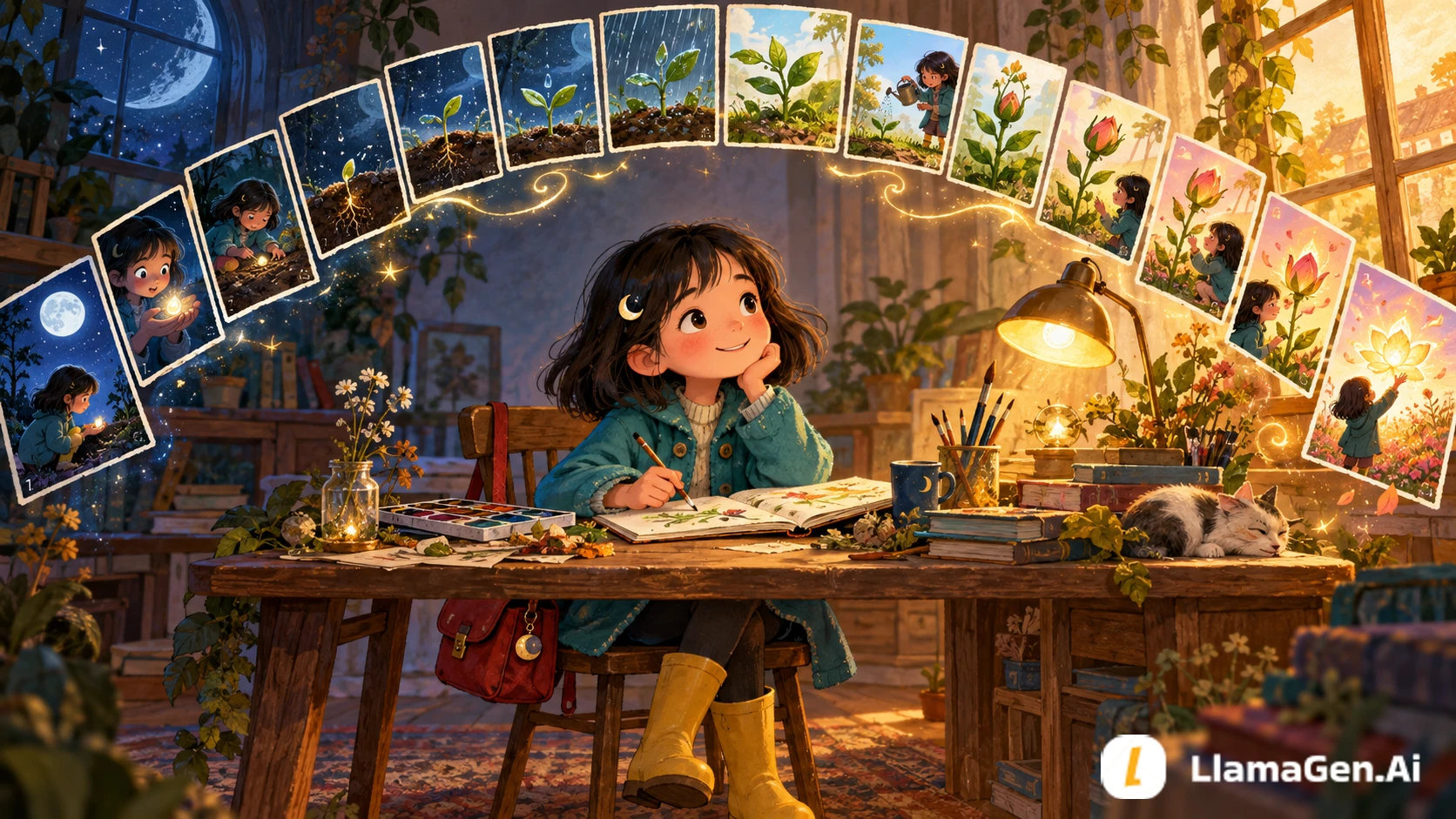
A strong 16-page children's storybook comic is not sixteen unrelated illustrations. It is one small story divided into sixteen visual promises.
Use this production order:
one-sentence story -> 16-page beat map -> character lock -> page thumbnails
-> final panels -> text pass -> continuity review -> export
Keep each page focused on one emotional change, use one to three panels per page, and create the cover separately. You can build the pages in LlamaGen.AI Comic Studio, then review all sixteen pages as a sequence before exporting.
What "16 Pages" Means in This Tutorial
This workflow covers 16 interior story pages. The front cover, back cover, title page, copyright page, and any printer-required blank pages are separate production decisions.
That distinction matters. A digital storybook prototype can be sixteen story pages, while a print service may require a different total page count, trim size, bleed, or binding setup. Check the current specifications of your chosen printer before promising a physical edition.
Our example is an original story called Mina and the Moonlight Seed:
Mina finds a seed that only grows when someone performs a quiet act of courage.
She tries to force it to bloom, fails, then helps a frightened moth find its way home.
The seed opens into a glowing flower that lights the village path.
The target reader is approximately ages 6-9. The language is short, the emotional problem is clear, and the visual action carries more of the story than the narration.
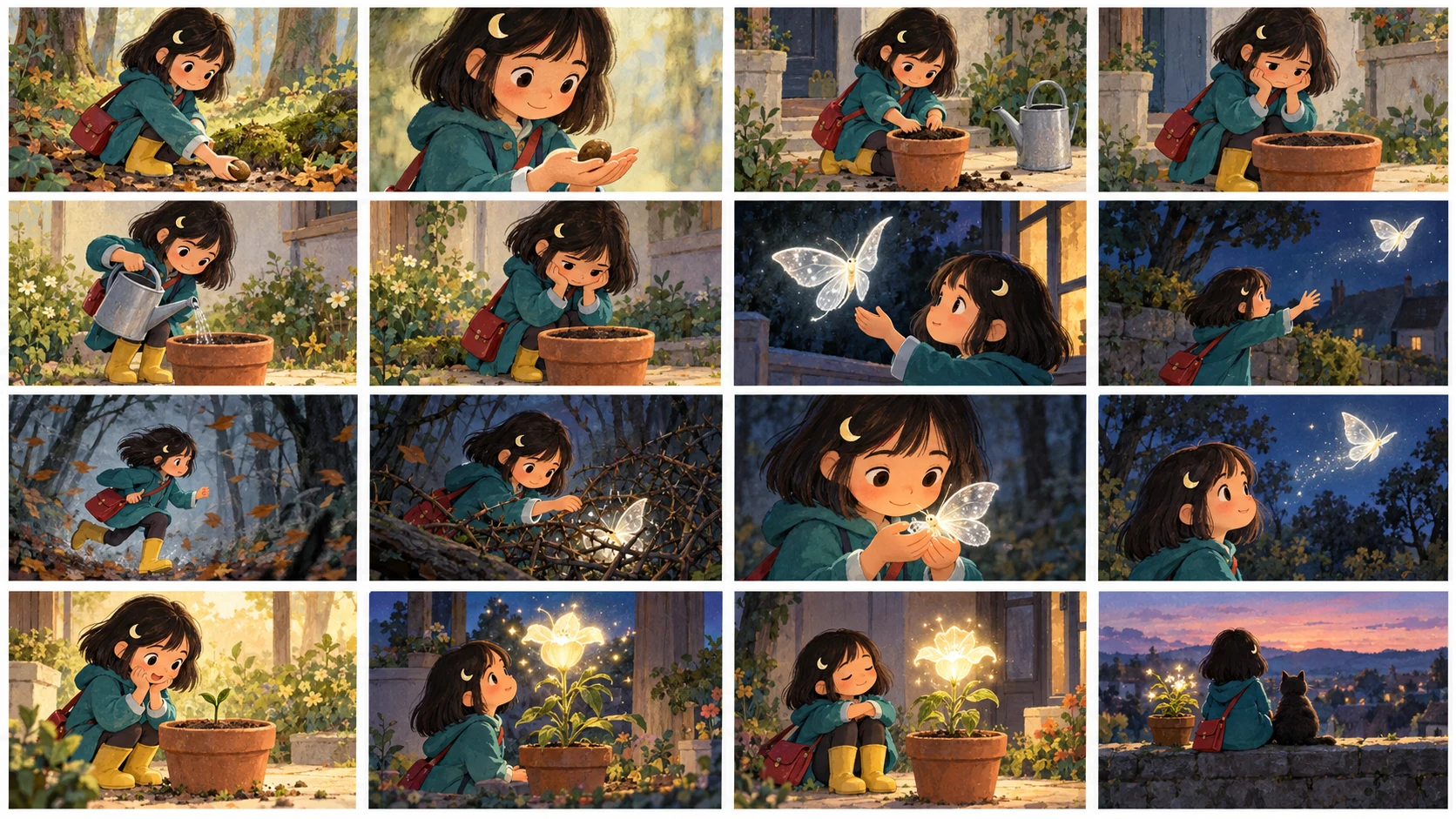
The 16-Page Story Map
Do not start by asking for sixteen finished images. First assign one job to every page.
Changelog
Spark dreams for the young Where millions of stories come alive
A rundown of the latest LlamaGen feature releases, product enhancements, design updates, and important bug fixes.
✦
✧
✦
✧
A new medium for Storytelling
Vibe creating unlimited stories, comics, animations, games, and more—in seconds that resonate with modern audiences
Page
Story job
Visual focus
Suggested text load
1
Introduce Mina and the village
Wide establishing image
1-2 sentences
2
Show Mina's ordinary problem
Medium character moment
1-2 sentences
3
Discover the moonlight seed
Object close-up
1 short sentence
4
Learn the seed's rule
Mina and an elder
2-3 short sentences
5
Try an easy solution
One playful action
1-2 sentences
6
The seed does not react
Quiet reaction close-up
1 sentence
7
Try a louder solution
Two small comic panels
2 short lines
8
Fail again
Large humorous panel
1 sentence
9
Hear the lost moth
Darker location shift
1-2 sentences
10
Decide whether to help
Face and body language
1 sentence
11
Enter the windy woods
Wide obstacle shot
1-2 sentences
12
Protect the moth
Action close-up
Minimal text
13
Find the moth's family
Warm reveal
1 sentence
14
The seed begins to glow
Seed and Mina together
1 short line
15
The flower lights the path
Largest payoff image
1-2 sentences
16
Echo the opening image
Calm closing scene
1 final sentence
Pages 1-4 establish the promise. Pages 5-8 show failed attempts. Pages 9-12 require a real choice. Pages 13-16 deliver the emotional and visual payoff.
This is more useful than a generic instruction such as "make a children's book about courage" because every page has a specific narrative responsibility.
Step 1: Write a Child-Readable Story Contract
Before generating art, write five rules:
Reader: ages 6-9
Theme: courage can be quiet
Main character: Mina, curious but impatient
Visual promise: a dim seed gradually becomes a warm light
Ending feeling: safe, proud, and ready for sleep
This contract prevents the middle of the book from becoming louder, scarier, or more complicated than the intended reading experience.
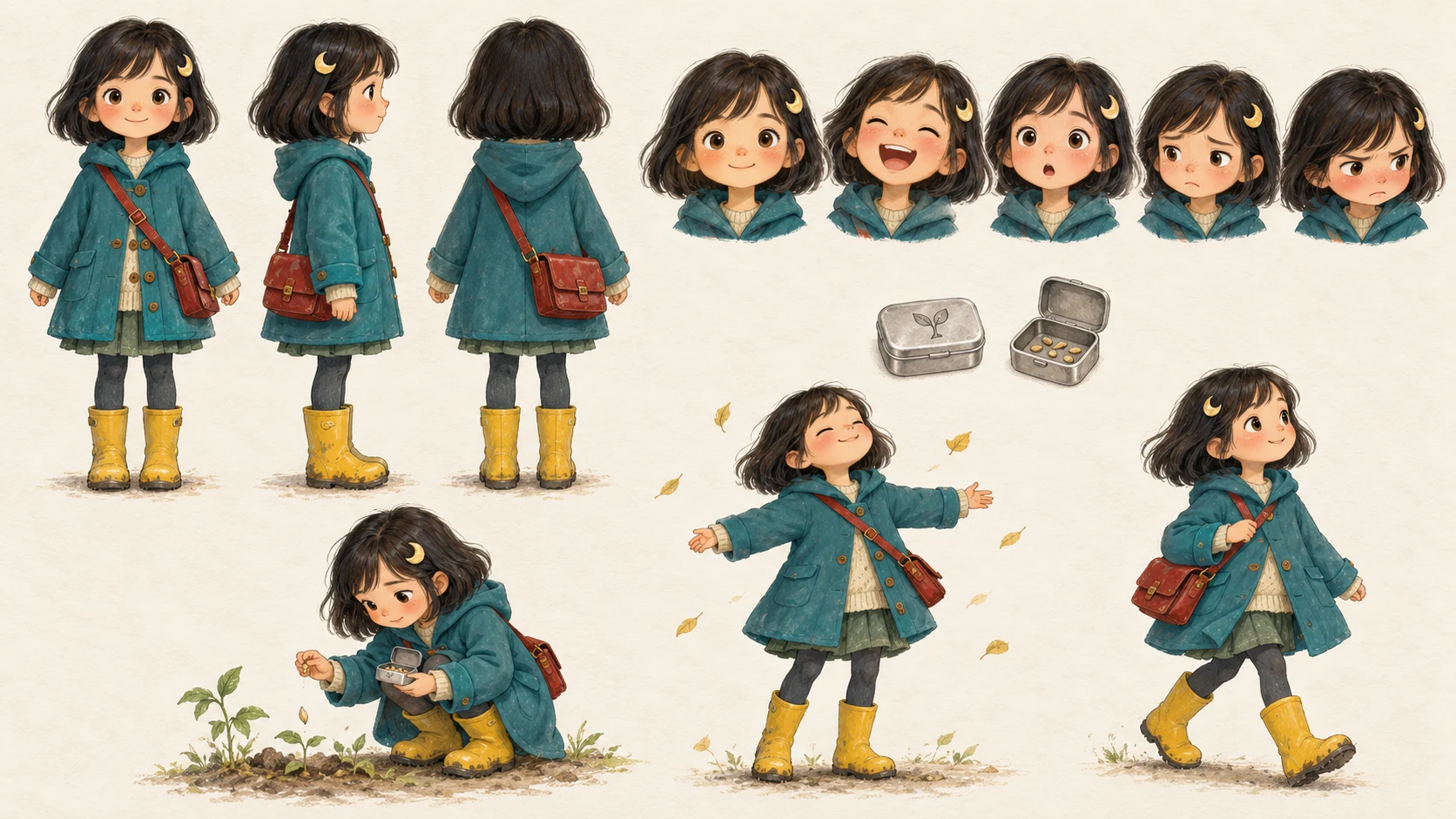
Step 2: Lock the Main Character
Create Mina before creating pages. Use one clear reference image or an original character design in LlamaGen.AI Characters.
Use a compact lock file:
Element
Mina's fixed rule
Allowed variation
Age and build
8-year-old child, small frame
Natural pose changes
Hair
Dark bob, one moon-shaped clip
Wind or rain movement
Outfit
Teal coat, yellow boots, red satchel
Coat open or closed
Face
Round cheeks, dark eyes
Full emotion range
Prop
Small silver seed box
Open, closed, carried
Acting
Curious lean, hands move before feet
Calm posture at the end
The moon clip, teal coat, yellow boots, and red satchel are recognition anchors. Repeat them in the page prompts that include Mina.
If you use a photo as a character reference, upload only an image you own or have permission to use. For a real child, obtain guardian consent and avoid exposing names, school uniforms, home addresses, or other private details. A fictional child design is usually the cleaner choice for a public project.
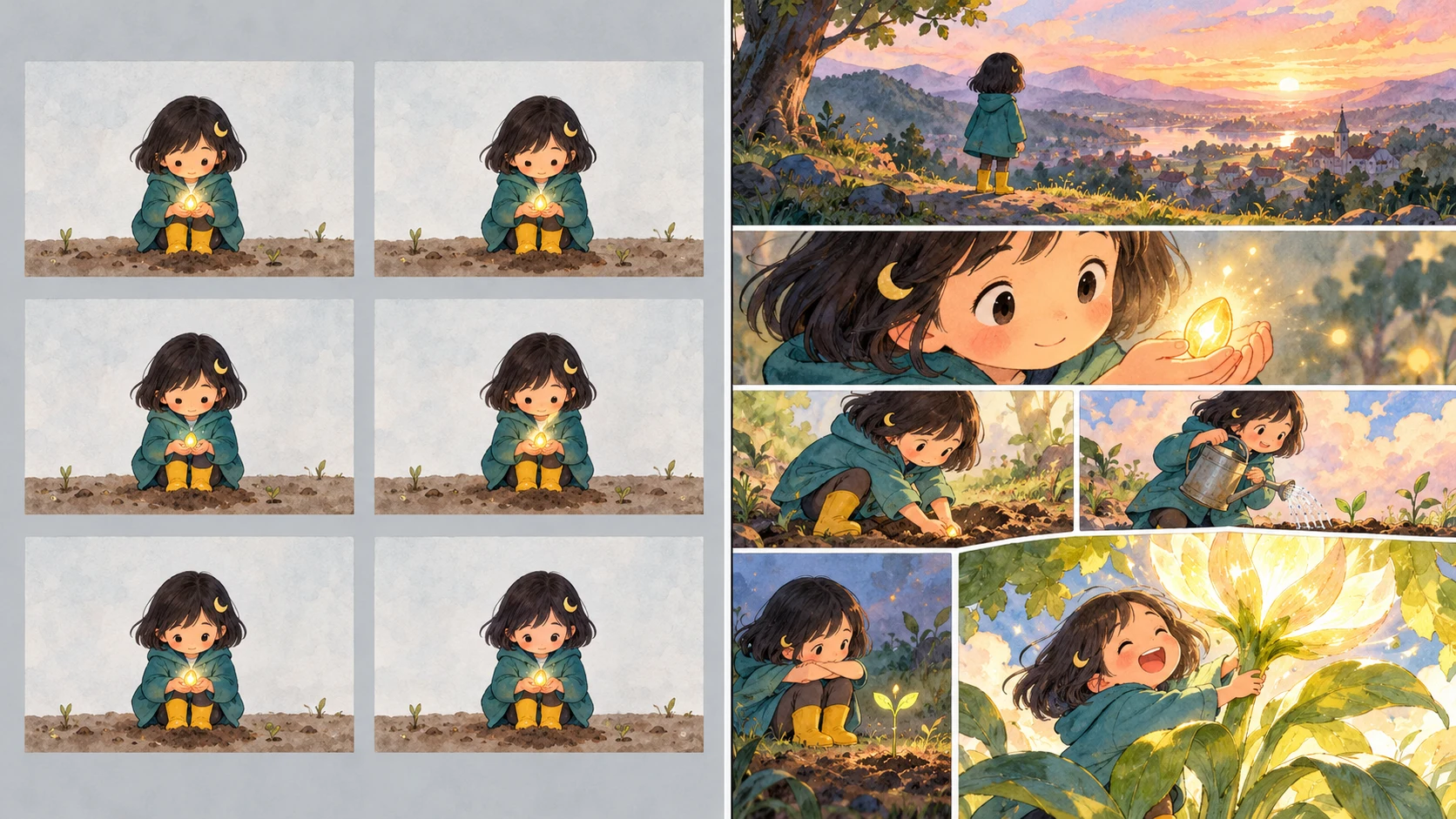
Step 3: Thumbnail All 16 Pages
Make rough page thumbnails before finished art. The thumbnails only need to answer:
Where does the reader look first?
What changes on this page?
Is the next page turn worth making?
Is there room for text without covering faces or actions?
Does the page feel different from its neighbors?
The value of a thumbnail is that it is cheap to change. Sequential work reveals problems that isolated illustrations hide. A ComicBookCollabs discussion about finishing a 16-page issue makes a similar point: many storytelling problems only become obvious after the full sequence is visible.
Step 4: Vary Page Rhythm
A sixteen-page book becomes tiring if every page has the same layout.
Use this rhythm:
wide scene -> medium action -> close detail -> quiet reaction
-> playful two-panel beat -> large failure -> location change
-> obstacle sequence -> full-page payoff -> calm closing echo
One to three panels per page is a useful constraint for this hybrid format. It gives young readers enough visual sequence to feel like a comic while preserving the breathing room of a picture book.
Do not treat that as a universal publishing rule. It is an editorial choice for this example.
Step 5: Generate One Page at a Time
Start with the approved beat, the locked character, and only the details needed for that page.
Use this prompt structure:
Create page [NUMBER] of a warm children's storybook comic.

Story moment:
[ONE ACTION OR EMOTIONAL CHANGE]

Character lock:
Mina is an 8-year-old child with a dark bob, moon-shaped hair clip,
teal coat, yellow boots, and red satchel.

Composition:
[ONE LARGE PANEL / TWO PANELS / THREE PANELS]
[CAMERA DISTANCE AND READING ORDER]

Important object:
[SEED BOX / MOTH / GLOWING FLOWER]

Art direction:
soft gouache storybook texture, expressive faces, clear silhouettes,
gentle night colors, warm pools of light, age-appropriate mood.

Leave clean negative space for narration. Do not render readable text,
logos, signatures, page numbers, or watermarks into the artwork.
For page 12, the filled prompt becomes:
Create page 12 of a warm children's storybook comic.

Story moment:
Mina shields a frightened silver moth from a sudden gust using her teal coat.

Character lock:
Mina is an 8-year-old child with a dark bob, moon-shaped hair clip,
teal coat, yellow boots, and red satchel.

Composition:
Two panels, read left to right. First panel: wind bends the grass as Mina
spots the moth. Second panel: close protective action, Mina crouches and
holds the coat around the moth without touching its wings.

Art direction:
soft gouache storybook texture, clear silhouettes, gentle suspense,
cool moonlight outside the coat and warm reflected light inside.

Leave clean space above the first panel for one narration sentence.
No readable text, logos, signatures, page numbers, or watermarks.
If you are using LlamaGen.AI Comic Studio, treat each page as a separate production unit. That makes it easier to revise a weak page without disturbing the rest of the sequence.
Step 6: Add Text After the Art Direction Works
Do not ask the image model to paint paragraphs into the illustration. Add narration and speech as editable text so you can correct spelling, placement, language, and reading order.
Use these limits for the first edit:
One narrative idea per sentence
Concrete verbs instead of explanations
No speech that repeats the picture
No text across a face, hand, or important prop
A read-aloud rhythm that survives without the image
Example:
too explanatory: Mina finally understood that courage meant helping someone
even when she was scared and did not know what would happen next.

cleaner: Mina was afraid. She held the coat steady anyway.
The image already shows the moth and the wind. The sentence only needs to name the emotional choice.
Step 7: Run Three Review Passes
Story Pass
Read only the sixteen page summaries. Can you understand the cause-and-effect chain?
Visual Pass
Hide the text. Can you recognize Mina, follow the seed, and understand the major actions?
Read-Aloud Pass
Read the final copy at a natural pace. Remove words that delay the page turn without adding emotion, clarity, or humor.
Use this final checklist:
Check
Pass condition
Character identity
Mina remains recognizable on all pages
Prop continuity
Seed box and seed do not change without reason
Location logic
Village, woods, and path remain spatially clear
Emotional arc
Impatience becomes care, then quiet pride
Page turns
Pages 4, 8, 12, and 15 create forward pull
Text
Editable, readable, and not baked into the art
Safety
No private child information or unlicensed references
Export
Correct dimensions for the intended digital or print destination
What Failed in the First Draft
The weak first prompt was:
Make a 16-page children's comic about a girl who finds a magic seed.
It left too many decisions unresolved.
Failure
Why it happened
Repair
Mina's outfit changed
No character lock
Repeat four recognition anchors
The seed bloomed too early
No page beat map
Reserve bloom for pages 14-15
Middle pages felt repetitive
Every page used one centered image
Alternate shot size and panel count
Text competed with faces
No negative space instruction
Reserve text area in composition
Ending felt abrupt
Page 16 had no echo
Return to the page 1 village view
The fix was not a longer single prompt. It was a clearer production sequence.
FAQ
Should the cover be included in the sixteen pages?
Not in this workflow. The sixteen pages are story pages. Create the cover separately and confirm the total page requirements of your export or print service.
Can every page have multiple panels?
Yes, but more panels are not automatically better. Young-reader pages need clear actions, readable faces, and room for text. Use additional panels only when the sequence benefits from them.
Should I generate all sixteen pages in one request?
Start with the complete beat map, then generate and review pages in small batches. Page-level control makes continuity failures easier to diagnose and repair.
How do I keep the character consistent?
Create a character reference first, repeat stable visual anchors, and compare every page against the same lock file. The Comic Character Consistency Checklist provides a deeper review method.
Can I publish the result as a printed book?
You can prepare art for print, but trim size, bleed, color mode, page count, binding, fonts, and rights requirements depend on the printer and marketplace. Validate those specifications before final export.
Final Takeaway
Sixteen pages are enough for a complete children's story when every page performs one clear job.
Plan the emotional arc first. Lock the character second. Thumbnail the entire sequence third. Generate finished pages only after the page turns, text space, and visual rhythm work together.
Editorial note: This tutorial was prepared on October 13, 2026 with an original fictional story and purpose-built workflow illustrations. It documents an editorial process, not guaranteed generation time, pricing, print acceptance, or exact visual output. Product controls, model behavior, plan access, and credit rules can change; review the information shown in the product before generating.
Related hot tags
Children's Book
AI Comic
Storybook
Tutorial
Popular creator tools
Turn inspiration into your next story
Create comics, storyboards and stylized photos with LlamaGen.