

Single-Page Comic Template: Finish One Self-Contained Scene
Example preview
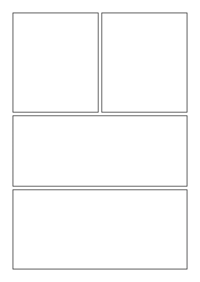
Plan a complete comic scene on one page. Decide the reading direction, key visual moment, and ending before choosing how many panels the page needs.
For a one-page story, anthology submission draft, or portfolio scene. The stored entry has no story prompt, so this guide gives you a concrete structure rather than pretending a plot is already included.
When to use this template
- A self-contained encounter for a portfolio sample
- A one-page adaptation of an original short anecdote
- A visual pitch showing a character’s defining choice
Build your first draft
Set the page constraints
Choose the intended reading direction and page proportions. Establish a panel budget that leaves enough space for the final image.
Draft the story spine
Write a character goal, one obstacle, and a resolution. Mark the largest visual beat and place supporting actions around it.
Check the complete page
Read the page without its dialogue first. Then add lettering and check margins against your actual export or printing requirements.
Try a complete example
One last delivery
Create one self-contained comic page in six clear panels, left-to-right reading. An elderly bicycle courier carries a small parcel through rain, pauses at a closed gate, spots an open side path, reaches a greenhouse, hands the parcel to a gardener, and watches a rare seedling being planted. Final panel wider, no generated text.
The delivery creates a complete goal and ending within a page. The wide final image earns its space by showing why the journey mattered.
Before you publish
- This entry does not include a prewritten plot; replace the example with your own scene.
- A generated page is not automatically print-ready: check resolution, bleed, and lettering separately.
Questions about this template
- How many panels are included?
- The entry is a single-page starting point rather than a guaranteed fixed grid. Specify the number and arrangement you want, then check the generated page.
- Can I make a printable comic?
- You can use the artwork in a page layout, but verify its size and margins in your publishing workflow. Use the printable-template collection if you need a blank worksheet instead.
- How do I avoid an unfinished ending?
- Give the character a small goal that can visibly succeed or fail. End on its consequence rather than introducing a new mystery in the last panel.