LlamaGen logoLlamaGen brand
PrisijungtiPrenumeruoti dabar20% Off
  1. Home
Create comics with AI
How to Fix One Bad Comic Panel Without Regenerating the Whole Page
All posts

How to Fix One Bad Comic Panel Without Regenerating the Whole Page

Jay
Jay
October 13th, 2026
Kopijuoti nuorodą
  • The Short Answer
  • Why Full-Page Regeneration Is Usually the Wrong First Move
  • Test Scene
  • Step 1: Diagnose the Failure Before Editing
  • Step 2: Choose the Smallest Effective Repair
  • Step 3: Write a Preservation-First Redraw Prompt
  • Step 4: Use Partial Modification for a Truly Local Defect
  • Step 5: Treat Text as an Editable Layer
  • Step 6: Compare the Repair With Its Neighbors
  • A Repair Ladder That Protects Your Work
  • Three Common Repair Prompts
  • Wrong Face, Correct Composition
  • Missing Prop
  • Wrong Action and Camera
  • What Failed During Repair
  • FAQ
  • Can I regenerate only one panel in LlamaGen.AI?
  • When should I use partial modification instead?
  • Will a redraw preserve everything else exactly?
  • What if the dialogue is wrong?
  • What if several panels are wrong?
  • Final Takeaway
elevate-your-comics.png
Elevate your Comics with LlamaGen

The Short Answer

When one comic panel is wrong, do not regenerate the whole page by default.

First classify the failure:

wrong scene or pose -> redraw the panel
small local visual defect -> partial modification
wrong speech or caption -> edit the text object
exact external artwork needed -> replace the panel image
several adjacent panels are structurally wrong -> return to the storyboard

Open the affected panel in LlamaGen.AI Comic Studio, preserve everything that already works, and make the narrowest repair that can solve the actual problem.

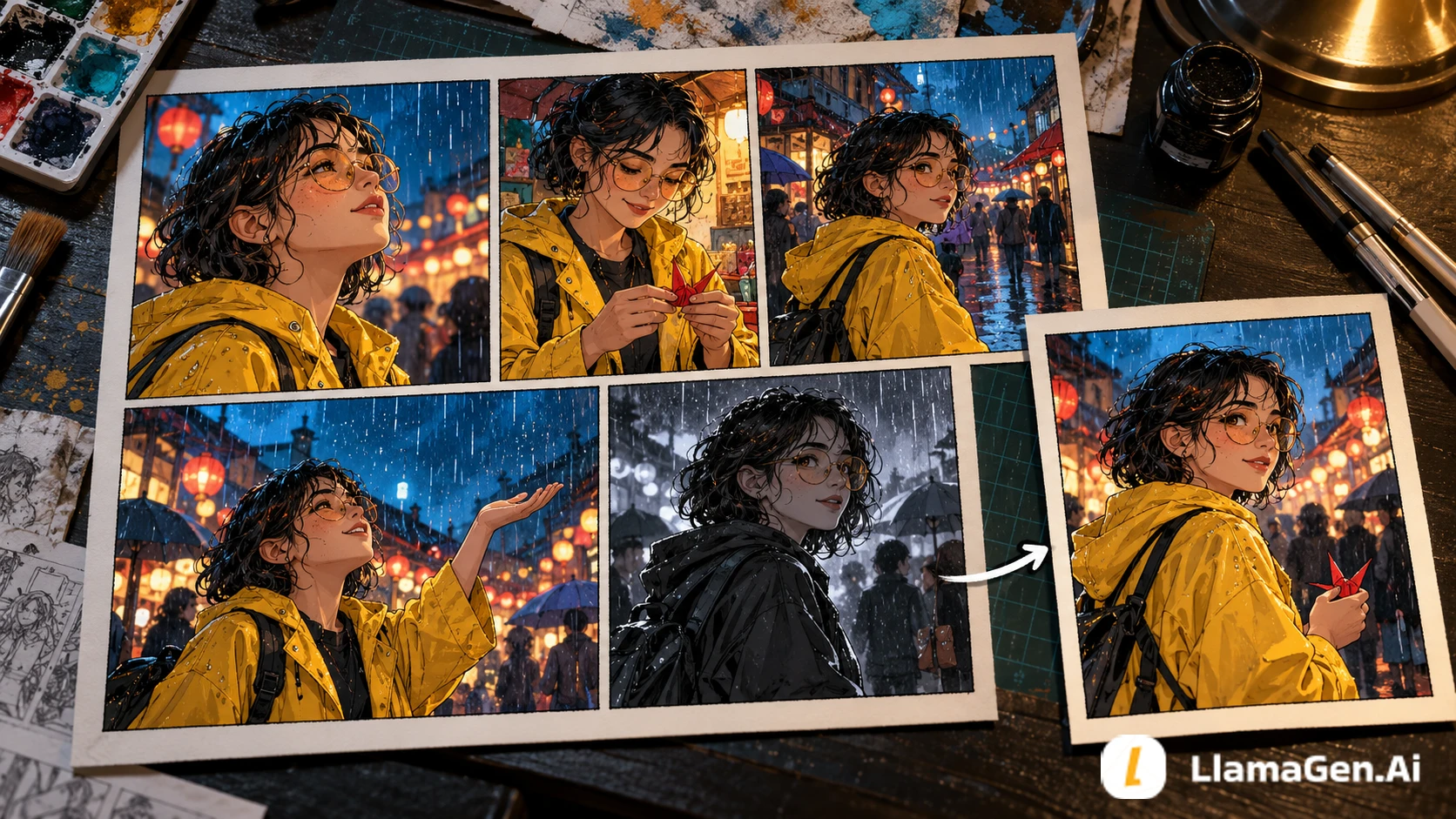
A comic page with one visibly inconsistent panel being replaced while the accepted page stays intact

Why Full-Page Regeneration Is Usually the Wrong First Move

A finished comic page contains many approved decisions:

  • Character identity
  • Costume and props
  • Camera sequence
  • Panel layout
  • Background continuity
  • Speech-bubble placement
  • Emotional pacing

Regenerating the full page can reopen all of them when only one decision failed.

LlamaGen.AI's help guidance recommends using panel-level redraw for focused corrections and comparing the replacement with neighboring panels. The single-panel redraw guide also notes that a redraw is a new generation, so details beyond the requested edit can still change.

The practical rule is simple: protect accepted work.

Test Scene

This tutorial uses an original six-panel scene:

1. Nora enters a rainy night market.
2. She spots a red paper crane on a stall.
3. She reaches for the crane.
4. A gust blows it into the street.
5. Nora catches it beside a bicycle.
6. The vendor reveals a matching crane in his pocket.

Panel 5 fails. Nora's yellow raincoat becomes a black jacket, her face changes, and the red crane disappears. The bicycle, wet street, camera angle, and action are otherwise useful.

The goal is to repair panel 5 without disturbing panels 1-4 or 6.

Step 1: Diagnose the Failure Before Editing

Pakeitimų žurnalas

Įžiebkite jaunųjų svajones
Kur atgyja milijonai istorijų

Naujausių LlamaGen funkcijų išleidimų, produkto patobulinimų, dizaino atnaujinimų ir svarbių klaidų pataisymų apžvalga.

✦
✧
✦
✧

Nauja terpė Pasakojimui

Kurkite neribotą kiekį istorijų, komiksų, animacijų, žaidimų ir dar daugiau – per kelias sekundes, kad sudomintumėte šiuolaikinę auditoriją

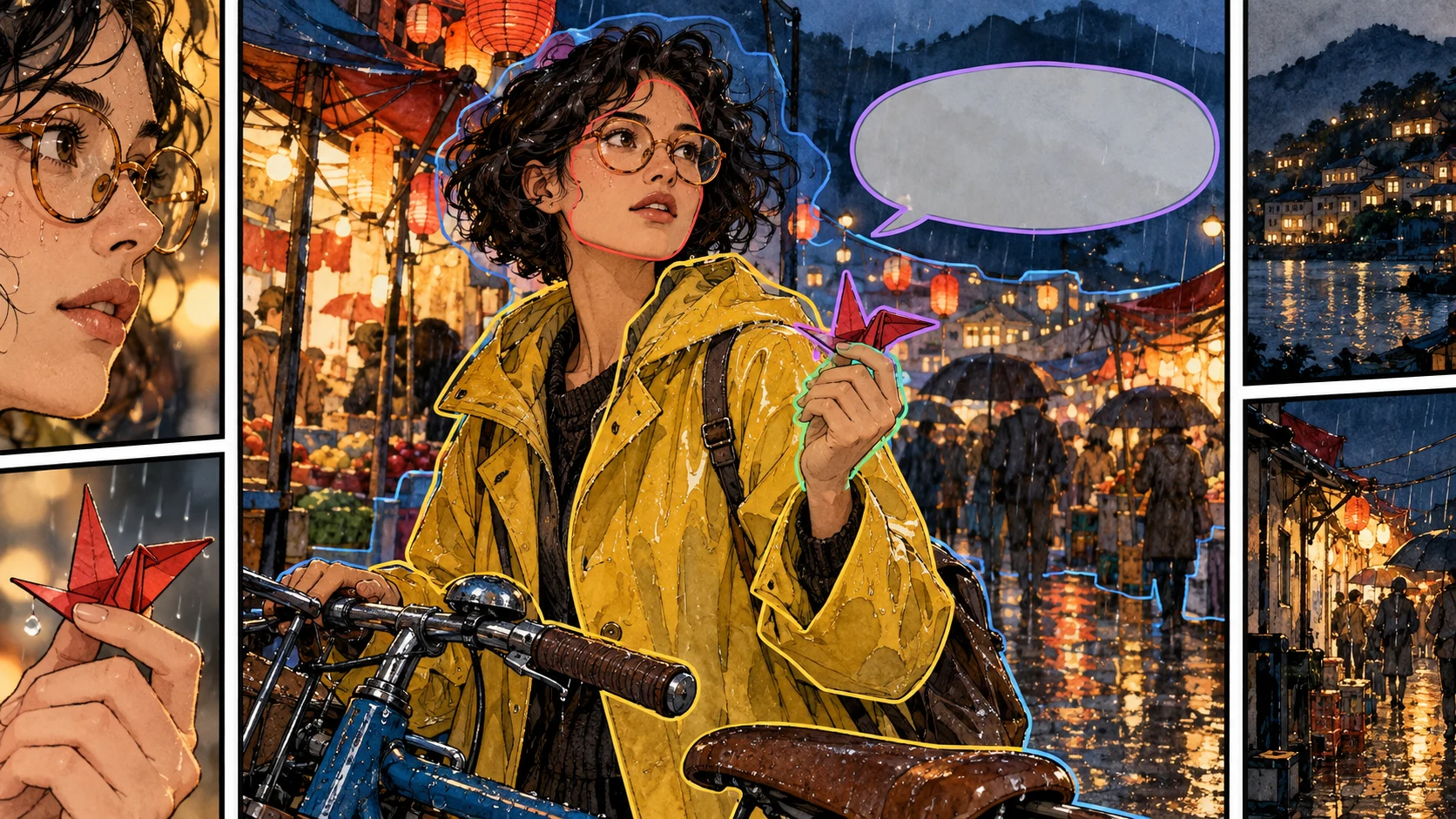
A panel diagnosis board marking identity, prop, text, anatomy, and composition failures

Use this five-part diagnosis:

LayerQuestionPanel 5 result
StoryDoes the panel show the correct beat?Yes: Nora catches something
IdentityIs it clearly the same character?No: face and coat drifted
PropIs the story object present and correct?No: red crane missing
CompositionAre camera, pose, and background useful?Yes
TextIs the speech or caption wrong?No text in this panel

This diagnosis rules out full-page regeneration and text editing. It leaves two plausible tools: redraw the whole panel or partially modify the failed regions.

Step 2: Choose the Smallest Effective Repair

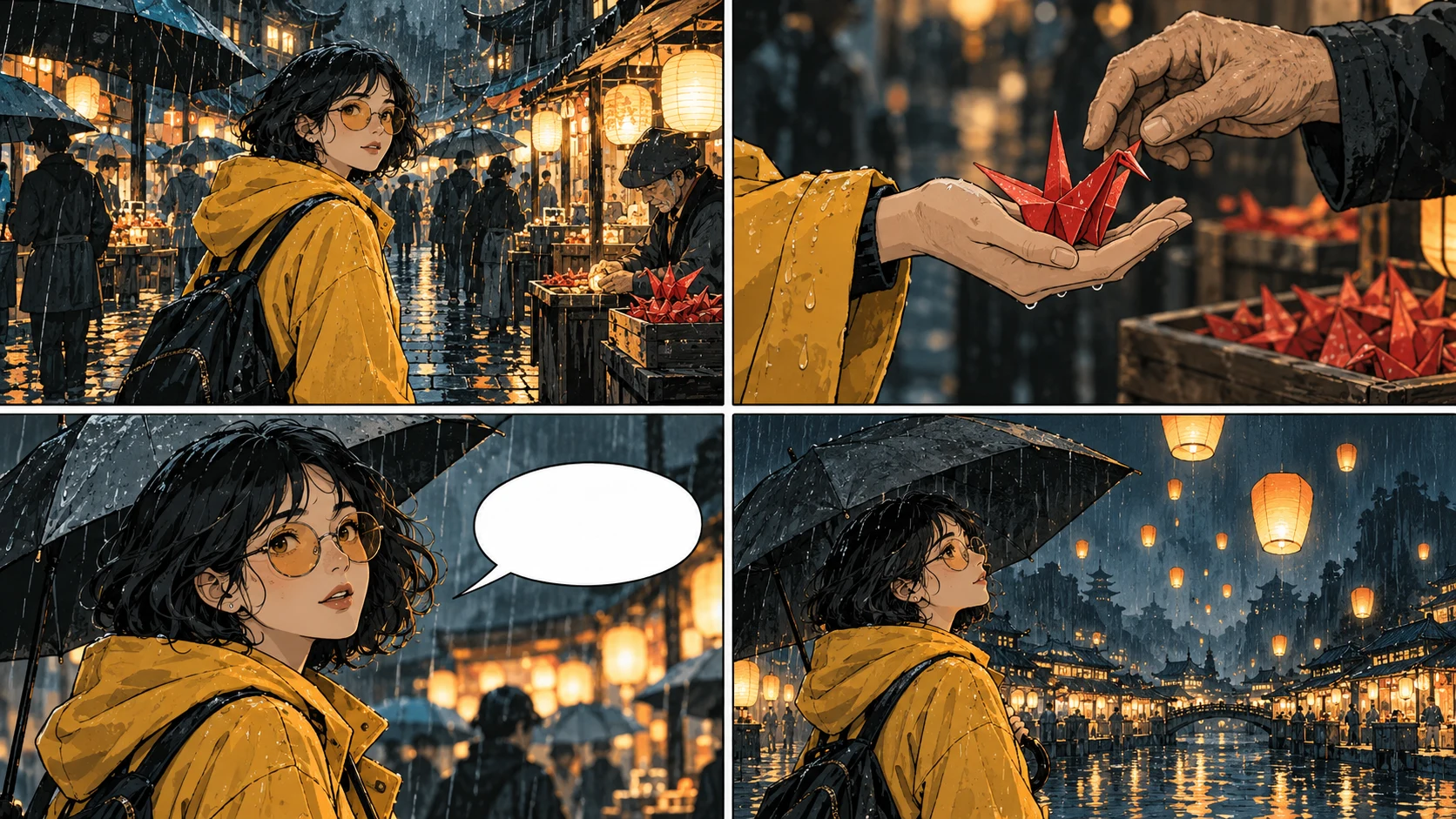
A visual decision guide comparing redraw, partial modification, text editing, and image replacement
Repair methodBest forDo not use when
Panel redrawWrong action, shot, pose, or several connected visual detailsMost of the panel is already exact and only one small area failed
Partial modificationMissing prop, hand, face detail, clothing patch, unwanted objectThe underlying composition is wrong
Text or bubble editingTypo, translation, wording, tail direction, bubble positionThe artwork itself is wrong
Replace imageYou already have the exact approved assetYou expect generation to reproduce an image pixel-for-pixel
Storyboard revisionBeat order or page readability is wrongThe problem is only local rendering

Feature availability, model support, and credit rules can vary by plan. Review the controls and cost shown in the product before confirming a repair.

Step 3: Write a Preservation-First Redraw Prompt

Weak prompt:

Fix panel 5 and make it better.

This does not define what "better" means or which decisions must survive.

Use this pattern instead:

Preserve:
[CHARACTER IDENTITY]
[LOCATION]
[ART STYLE]
[CAMERA ANGLE]
[APPROVED OBJECTS]

Change only:
[FAILED ACTION OR DETAIL]

Do not change:
[NEIGHBORING CONTINUITY ANCHORS]

For the test scene:

Redraw panel 5 only.

Preserve Nora's established identity: short dark curls, round glasses,
yellow raincoat, green scarf, and brown ankle boots. Keep the rainy night
market, wet street reflections, blue bicycle, low three-quarter camera angle,
and ink-and-watercolor style.

Change only the failed story details: Nora is catching one red paper crane
with her right hand beside the bicycle. Her expression is surprised and relieved.

Do not add other people, umbrellas, extra cranes, text, logos, or a different outfit.

The LlamaGen.AI character workflow guide recommends confirming that the correct saved character or reference is attached before regenerating a panel. A perfect prompt cannot compensate for selecting the wrong character reference.

Step 4: Use Partial Modification for a Truly Local Defect

Suppose panel 5 already has the correct Nora, coat, pose, street, and bicycle. Only the crane is missing.

Then a full redraw is unnecessarily broad. Select the hand area and use a local instruction:

One folded red paper crane held gently between the existing thumb and index finger.
Match the panel's ink-and-watercolor style, night lighting, scale, and perspective.
Keep the hand pose, sleeve, face, bicycle, and background unchanged.

The Partial Modification guide describes this tool as a way to target a selected region rather than regenerate the entire image.

Keep the selection tight but include enough surrounding context for lighting and anatomy. A selection around only two fingers may not provide enough information to place the object naturally.

Step 5: Treat Text as an Editable Layer

If the only problem is a typo, translation, or bubble position, do not redraw the art.

Use editable text and bubbles for:

  • Correcting names and punctuation
  • Shortening dialogue
  • Moving a balloon away from a face
  • Reordering two speech turns
  • Changing a speech balloon to a thought balloon
  • Replacing localized copy

This matters because generated lettering can be difficult to correct consistently. Keep words separate from the art whenever the editor allows it. The Speech Bubble Placement Checklist covers reading order and safe placement in more detail.

Step 6: Compare the Repair With Its Neighbors

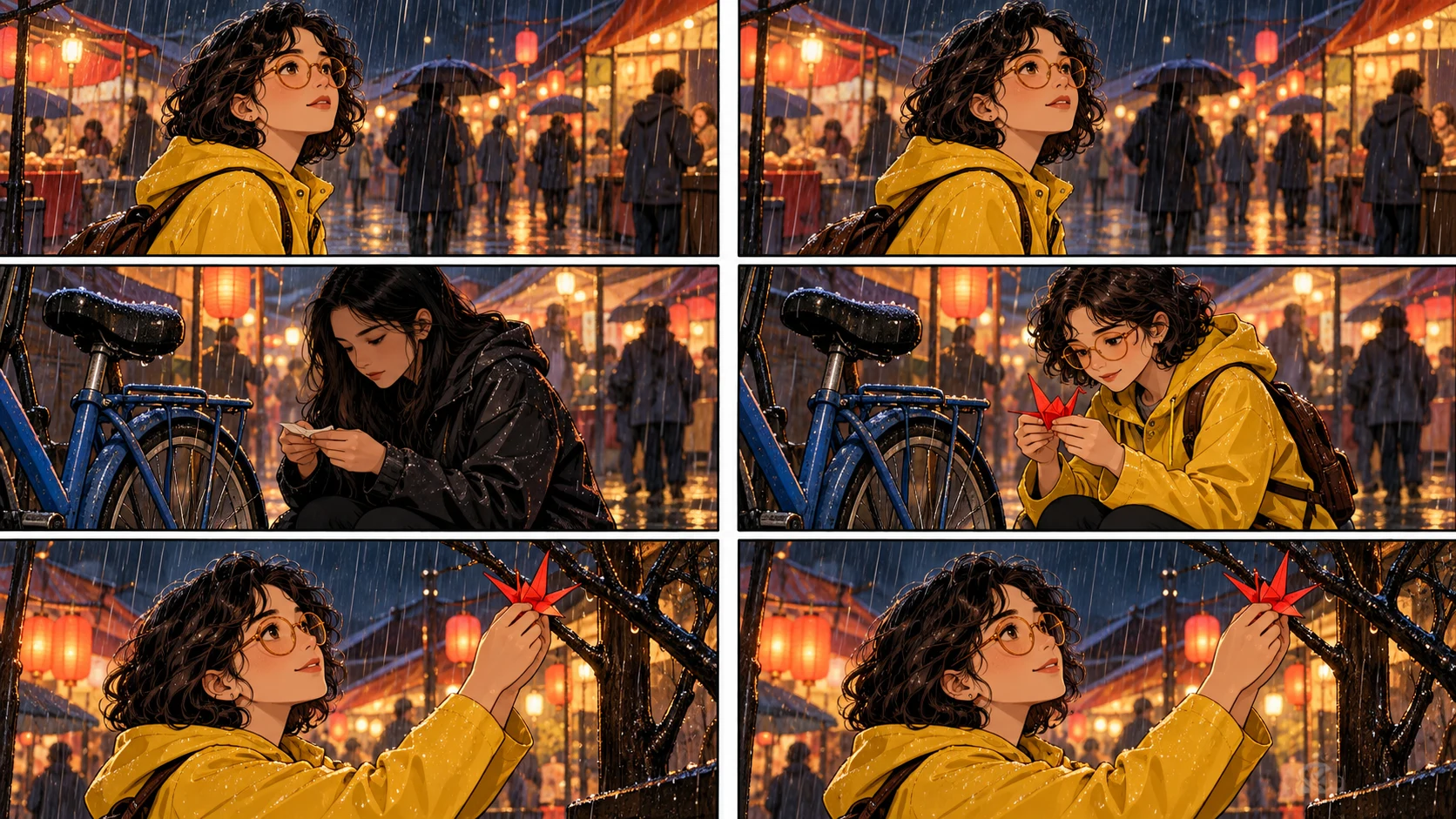
A before-and-after single-panel repair checked against neighboring panels

Do not judge a replacement panel in isolation. Compare it with the panel before and after it.

Continuity checkQuestion
IdentityDoes Nora look like the same person as panels 4 and 6?
OutfitAre raincoat, scarf, glasses, and boots unchanged?
PropIs there exactly one red crane, at the correct size?
Screen directionDoes movement still carry from panel 4 into panel 5?
WeatherDo rain direction and street reflections match?
StyleAre line weight, color, and contrast compatible?
StoryDoes panel 5 now prepare the reveal in panel 6?

The repaired panel passes only when it strengthens the sequence, not merely when it looks attractive on its own.

A Repair Ladder That Protects Your Work

Use this order from least disruptive to most disruptive:

  1. Edit the text or bubble.
  2. Remove or add one small object with partial modification.
  3. Repair one local anatomy or costume region.
  4. Redraw the affected panel with the same character reference.
  5. Replace the panel with an exact approved image.
  6. Revise adjacent panels only if continuity requires it.
  7. Return to the storyboard when the sequence itself is wrong.

Stop as soon as the page passes review. More generation is not the same as more quality.

Three Common Repair Prompts

Wrong Face, Correct Composition

Modify the face only. Restore Nora's short dark curls, round glasses,
soft jawline, and same apparent age as the neighboring panels.
Keep the head angle, expression, raincoat, hands, crane, bicycle,
lighting, background, and panel framing unchanged.

Missing Prop

Add one folded red paper crane to Nora's right hand.
Match the existing perspective, wet reflected light, and watercolor texture.
Do not change the hand pose, sleeve, face, bicycle, or background.

Wrong Action and Camera

Redraw this panel only. Use the same Nora character and rainy market scene.
Show a low three-quarter medium shot as she catches the red paper crane
beside the blue bicycle. Preserve the established ink-and-watercolor style.
No text, no extra people, no outfit changes, no additional cranes.

Notice that the third prompt changes enough connected elements to justify a full panel redraw.

What Failed During Repair

Failed attemptResultBetter approach
"Make it consistent"Model chose its own interpretationName the exact identity anchors
Changed face, outfit, hand, camera, and lighting togetherNew panel drifted furtherSplit local and structural fixes
Used partial modification on the entire panelBehaved like a broad redrawSelect only the failed region
Asked generation to recreate an exact imported imageSimilar, not identicalReplace the image asset directly
Approved the panel without neighbor comparisonScreen direction brokeReview panels 4-6 as a sequence

FAQ

Can I regenerate only one panel in LlamaGen.AI?

Yes, use the available panel-level redraw action on the affected panel. Controls, plan eligibility, and credit rules may differ by model and account.

When should I use partial modification instead?

Use it when the composition works and the failure is local, such as a missing object, clothing detail, hand region, unwanted artifact, or small identity drift.

Will a redraw preserve everything else exactly?

No. It is a new generation and can change details beyond your requested edit. State what must remain stable and compare the entire result against neighboring panels.

What if the dialogue is wrong?

Edit the text or bubble layer when possible. Do not spend an art regeneration on a spelling or placement problem.

What if several panels are wrong?

Check whether they share one cause. If the shot order, beat, or page layout is wrong, return to the storyboard. If they are independent rendering failures, repair them one at a time and keep the strongest existing versions.

Final Takeaway

The best comic repair is the smallest change that restores the story.

Diagnose the failed layer, preserve accepted decisions, attach the correct character reference, make one focused correction, and compare the result with its neighbors. That workflow protects your time and the visual continuity readers already trust.

Open LlamaGen.AI Comic Studio and repair the failed panel without throwing away the page that already works.

Editorial note: This tutorial was prepared on October 13, 2026 with an original fictional test scene and purpose-built workflow illustrations. It documents a repair method, not a guarantee that every redraw will preserve all unselected details. Product controls, plan access, model behavior, and credit rules can change; review the current information shown in the product.

Related hot tags

AI Comic

Comic Editing

Panel Repair

Tutorial

Popular creator tools

Turn inspiration into your next story

Create comics, storyboards and stylized photos with LlamaGen.

01

AI Komiksų Generatorius

Turn an idea into polished comic strips in minutes.

Kurti komiksus
02

AI Manga Generatorius

Create expressive manga art and multi-panel stories.

Create manga with AI
03

AI Istorijų Valdybos Generatorius

Visualize every scene before production starts.

Create storyboards with AI
04

Turn Picture into Comic

Transform any photo into a comic-style illustration.

Create comics from pictures
05

AI Komiksų Juostų Kūrėjas

Build shareable strips with consistent characters.

Create comic strips with AI

LlamaGen community

checkmark

Get hands-on help with your comics

checkmark

Showcase your comics to fellow LlamaGen creators

checkmark

Participate in special events to win gifts

LlamaGen logo

Download LlamaGen for free

iOSDesktop
Produktas
  • Home
  • Articles
  • Tinklaraštis
  • Kurti

Paklauskite AI apie LlamaGen

Latest launches
  • Funkcijos
  • Comic strip maker
  • Manga StudioNaujas
  • Paverskite paveikslėlį į komiksą
  • Komiksas į vaizdo įrašą
  • AI Komiksų Fabrikas
  • Komikso agentas
  • iOS ir Android
  • Mac & Windows
  • Atsisiųsti
  • Comic ZapNaujas
  • AI Komiksų Generatorius
  • AI Animacinių Filmų Generatorius
  • AI Webtoon Generatorius
  • Comic Strip Maker
  • Paverskite paveikslėlį į komiksą
  • AI Manga Generatorius
  • Manga vertėjas
  • Nuotrauka į anime
  • Anime į realybę
  • Manga Colorizer
  • Anime personažų generatorius
  • Pixel game asset tools
  • AI sprite sheet generator
  • Best pixel game tools 2026
  • Nuotraukų komiksų kūrimo programa
  • Comic Life alternatyva
  • Plans
    • Kainodara
    • Starter
    • Pro
    • Įmonė
    • Education
    • Komiksų API
    Įmonė
    • Talk to Our Founder
    • Apie
    • Produkto kelias
    • Karjeros
    • Rašykite mums
    • Mūsų talismanų pasaulis
    Sister products
    • LlamaGen šeima
    • CineoBoardNaujas
    • Comics API
    • Comic Zap
    Bendruomenė
    • Kūrėjai
    • Partneriai
    • Partneris
    • Atsiliepimai
    Ištekliai
    • Pakeitimų žurnalas
    • Tinklaraštis
    • Guides
    • Personalized Comics
    • Funkcijos
    • Alternatyvos
    Help
    • Pagalbos centras
    • Trust
    • Safe AI
    • Profesionalios paslaugos
    • DUK
    Įrankiai
    • AI Logo Generator
    • Grokbot Style Character Generator
    • PNG to Comic
    • Text į komiksą
    • PDF to Comic
    • Script to Comic
    AI Įrankiai
    • AI Outfit Extractor
    • AI Hairstyle Changer
    • AI Manga Hairstyle Changer
    • AI Wind Effect Generator
    • AI Depth Map Generator

    Produktas

    • Latest launches
    • Funkcijos
    • Comic strip maker
    • Manga Studio
    English (Australia)English (Canada)English (United Kingdom)English (India)SpanishFrench (Standard)Italian (Standard)JapaneseKoreanGerman (Standard)Chinese TraditionalChinese Traditional (Hong Kong)Chinese SimplifiedPortugueseTurkishPolishDutch (Standard)DanishThaiIndonesianNorwegian BokmålRussian
    LinkedInX (Twitter)
  • Kainodara
  • API
  • Lyderiai ateities AI komiksų generacijoje

    • 24/7 pagalba
    • Savaitiniai atnaujinimai
    • Saugu ir atitinka reikalavimus
    • 99.9% veikimo laikas

    Ankstesni tinklaraščiai

    Bible Comic Accuracy Checklist: Scripture, Context, Art, and Review

    Bible Comic Accuracy Checklist: Scripture, Context, Art, and Review

    A practical checklist for tracing every Bible comic panel to Scripture, reviewing context and visual

    Jay
    Jay
    October 16th, 2026
    How to Turn a Bible Lesson into a 6-Panel Sunday School Comic

    How to Turn a Bible Lesson into a 6-Panel Sunday School Comic

    A practical workflow for turning one Bible lesson into a six-panel comic, discussion prompts, and a

    Jay
    Jay
    October 15th, 2026
    Claude Code + Comic MCP: Turn a Youth Sports Lesson into Editable Comic Panels

    Claude Code + Comic MCP: Turn a Youth Sports Lesson into Editable Comic Panels

    A practical Claude Code and LlamaGen.AI Comic MCP workflow for turning a coach-approved youth basket

    Monica
    Monica
    October 13th, 2026
    How to Turn Couple Photos Into a Personalized Comic

    How to Turn Couple Photos Into a Personalized Comic

    Use two adults' photos and shared memories to create a personalized couple comic with stronger liken

    Jay
    Jay
    October 13th, 2026
    Žiūrėti visus tinklaraščius
    Susisiekti su pardavimais
  • Education Plans
  • Mokytojai
  • Studentai
  • Mokytojai ir studentai
  • Startuoliai
  • Švietėjiškos nuolaidos
  • Medijų rinkinys
  • KOL Partnership
  • Turinys
  • Velika
  • Meilės siena
  • LlamaGen MCPNaujas
  • LlamaGen Developer
  • Geriausios DI programėlės
  • GPT-6 Manga Coloring Guide
  • Claude Comic Book Skill
  • Gemini AI Comic Guide
  • Komiksas Tai
  • Švietėjiškos nuolaidos
  • Nuolaida studentams
  • Saugumas
  • Prieinamumas
  • Vaizdo pamoka
  • Susisiekti su mumis
  • Sitemap
  • Book to Comic
  • Paverskite paveikslėlį į komiksą
  • AI Pikselių Meno Generatorius
  • Educational Comics
  • AI Vaizdo Įrašų Generatorius
  • Gemini AI Video Generator
  • Nemokamas AI video generatorius be veidų
  • Komiksas į vaizdo įrašą
  • Make Storyboard Software
  • AI Istorijų Valdybos Generatorius
  • Screenwriting Software
  • Screenplay Editor
  • Istorijų AI
  • AI Istorijų Generatorius
  • Storybook Generator
  • AI Vaizdo Generatorius
  • DI sluoksnio skirtuvas
  • AI Camera Angle Control
  • AI Pikselių Meno Generatorius
  • Pixel game asset tools
  • AI sprite sheet generator
  • Sprite sheet slicer
  • Best pixel game tools 2026
  • Animation API
  • ChatGPT/Codex Plugin
  • ChatGPT Install Guide
  • Claude Code Plugin
  • Claude Code Install Guide
  • AI White Background
  • AI Object Remover
  • AI Virtual Try-On
  • AI Unblur Images
  • AI Denoise
  • AI Photo Restoration
  • AI Product Shadows
  • DI fonų generatorius
  • AI Headshot Generator
  • AI Emoji Maker
  • AI Background Changer
  • AI Open Eyes
  • AI Beauty
  • AI Product Photography
  • Naujas
  • Paverskite paveikslėlį į komiksą
  • Komiksas į vaizdo įrašą
  • AI Komiksų Fabrikas
  • Komikso agentas
  • iOS ir Android
  • Mac & Windows
  • Atsisiųsti
  • Comic ZapNaujas
  • AI Komiksų Generatorius
  • AI Animacinių Filmų Generatorius
  • AI Webtoon Generatorius
  • Comic Strip Maker
  • Paverskite paveikslėlį į komiksą
  • AI Manga Generatorius
  • Manga vertėjas
  • Nuotrauka į anime
  • Anime į realybę
  • Manga Colorizer
  • Anime personažų generatorius
  • Pixel game asset tools
  • AI sprite sheet generator
  • Best pixel game tools 2026
  • Nuotraukų komiksų kūrimo programa
  • Comic Life alternatyva
  • Sister products

    • LlamaGen šeima
    • CineoBoardNaujas
    • Comics API
    • Comic Zap
    • Velika

    Plans

    • Kainodara
    • Starter
    • Pro
    • Įmonė
    • Education
    • Komiksų API
    • Susisiekti su pardavimais
    • Education Plans
    • Mokytojai
    • Studentai
    • Mokytojai ir studentai
    • Startuoliai
    • Švietėjiškos nuolaidos

    Įmonė

    • Talk to Our Founder
    • Apie
    • Produkto kelias
    • Karjeros

    Help

    • Pagalbos centras
    • Trust
    • Safe AI

    Bendruomenė

    • Kūrėjai
    • Partneriai
    • Partneris
    • Atsiliepimai
    • Meilės siena
    • LlamaGen MCPNaujas
    • LlamaGen Developer

    Ištekliai

    • Pakeitimų žurnalas
    • Tinklaraštis
    • Guides
    • Personalized Comics

    Įrankiai

    • AI Logo Generator
    • Grokbot Style Character Generator
    • PNG to Comic
    • Text į komiksą

    AI Įrankiai

    • AI Outfit Extractor
    • AI Hairstyle Changer
    • AI Manga Hairstyle Changer
    • AI Wind Effect Generator
    • AI Depth Map Generator
    • AI White Background
    • AI Object Remover
    • AI Virtual Try-On
    • AI Unblur Images
    • AI Denoise
    • AI Photo Restoration
    • AI Product Shadows
    • DI fonų generatorius
    • AI Headshot Generator
    • AI Emoji Maker
    • AI Background Changer
    • AI Open Eyes
    • AI Beauty
    • AI Product Photography
    Instagram
    YouTube
    Facebook group
    Reddit
    Discord
    Email support
    PrivatumasTerminai

    © 2026 LlamaGen.Ai Visos teisės saugomos

    LinkedInX (Twitter)InstagramYouTubeFacebook groupRedditDiscordEmail support
    PrivatumasTerminaiAtsisiųsti prekės ženklo turtą© 2026 LlamaGen.Ai Visos teisės saugomosVisos paslaugos yra internete
    How to Fix One Bad Comic Panel Without Regenerating the Whole Page - LlamaGen.AI Blog
    Rašykite mums
  • Mūsų talismanų pasaulis
  • Medijų rinkinys
  • KOL Partnership
  • Turinys
  • Profesionalios paslaugos
  • DUK
  • Saugumas
  • Prieinamumas
  • Vaizdo pamoka
  • Susisiekti su mumis
  • Sitemap
  • Funkcijos
  • Alternatyvos
  • Geriausios DI programėlės
  • GPT-6 Manga Coloring Guide
  • Claude Comic Book Skill
  • Gemini AI Comic Guide
  • Komiksas Tai
  • Švietėjiškos nuolaidos
  • Nuolaida studentams
  • PDF to Comic
  • Script to Comic
  • Book to Comic
  • Paverskite paveikslėlį į komiksą
  • AI Pikselių Meno Generatorius
  • Educational Comics
  • AI Vaizdo Įrašų Generatorius
  • Gemini AI Video Generator
  • Nemokamas AI video generatorius be veidų
  • Komiksas į vaizdo įrašą
  • Make Storyboard Software
  • AI Istorijų Valdybos Generatorius
  • Screenwriting Software
  • Screenplay Editor
  • Istorijų AI
  • AI Istorijų Generatorius
  • Storybook Generator
  • AI Vaizdo Generatorius
  • DI sluoksnio skirtuvas
  • AI Camera Angle Control
  • AI Pikselių Meno Generatorius
  • Pixel game asset tools
  • AI sprite sheet generator
  • Sprite sheet slicer
  • Best pixel game tools 2026
  • Animation API
  • ChatGPT/Codex Plugin
  • ChatGPT Install Guide
  • Claude Code Plugin
  • Claude Code Install Guide