

Rekomandohet
Quick Mode
Rekomandohet si fillim. Një fletë PNG e lexueshme nga një imazh i vetëm.
Ngarko një imazh të pastër dhe ndaje në sfond, plan të parë, subjekt, tekst, objekte, personazhe komik, art anime, rekuizita ose grafikë produkti. Kontrollo fletën e parë të shtresave, pastaj nxirr shtresa individuale PNG transparente dhe eksporto një ZIP ose një PSD fillestare të editueshme.
First pass · 300 credits
Generates one reviewable PNG asset sheet. It is not an editable set of transparent PNG layers.
First pass · 600 credits
Uses a higher-quality model to produce a cleaner PNG asset sheet, still delivered as a single image.
Paid second pass · +600 credits
Once the sheet is ready, a paid user can extract individual transparent PNG layers, download them or a ZIP, and export a starter PSD.
The extracted PNGs are actual second-pass outputs, not a crop of the sheet. Occluded regions or complex edges can need manual cleanup; PSD is an editable starting file.
or drop a file,
paste image or
No image? Try one of these:
Ngarko një imazh burim real në faqe. Quick Mode krijon fletën e parë të shtresave për rishikim; PRO e përmirëson atë fletë kur burimi është i pastër. Një kalim i dytë me pagesë nxjerr shtresa individuale PNG transparente që mund të shkarkohen veçmas, si ZIP ose si PSD fillestare e editueshme.
Rekomandohet si fillim. Një fletë PNG e lexueshme nga një imazh i vetëm.
Model i avancuar. Ndarje më e pastër brenda fletës së aseteve.
After creating a sheet, paid plans can extract real transparent PNG layer files and download individual PNGs, a ZIP, or an editable starter PSD. Complex images may need manual cleanup.
Çdo kartë tregon një burim real dhe një fletë shtresash të gjeneruar. Etiketat përshkruajnë vetëm pjesët e dukshme në atë rezultat; mjeti live më sipër është vendi ku një burim i përshtatshëm mund të vazhdojë në shtresa individuale të planit të parë, sfondit, subjektit, tekstit dhe objekteve.
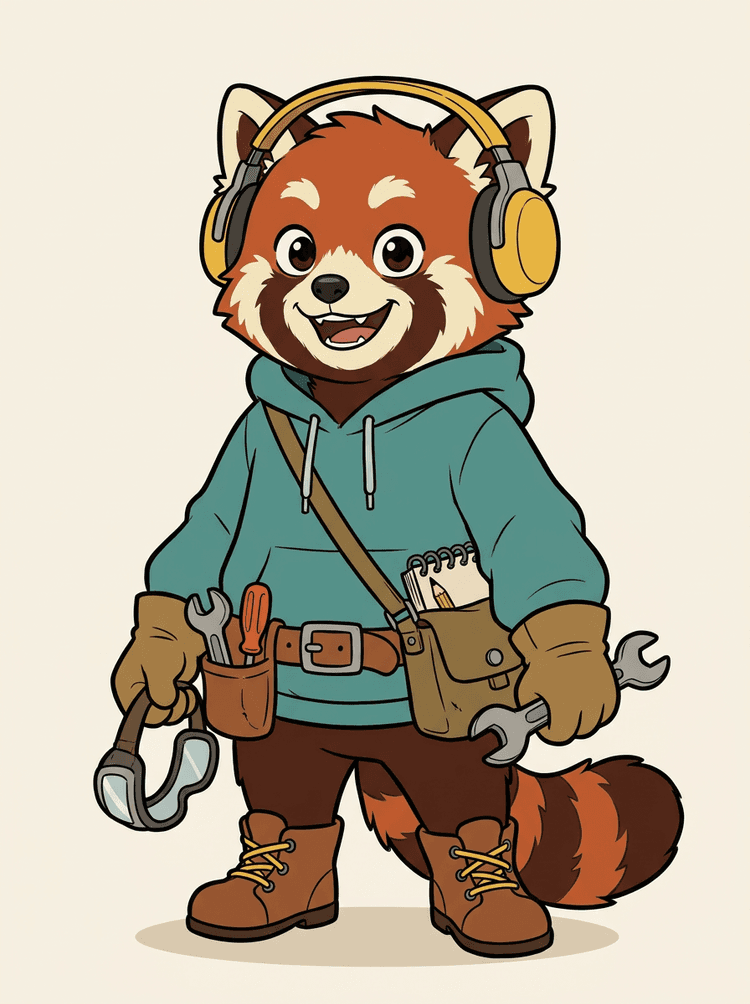
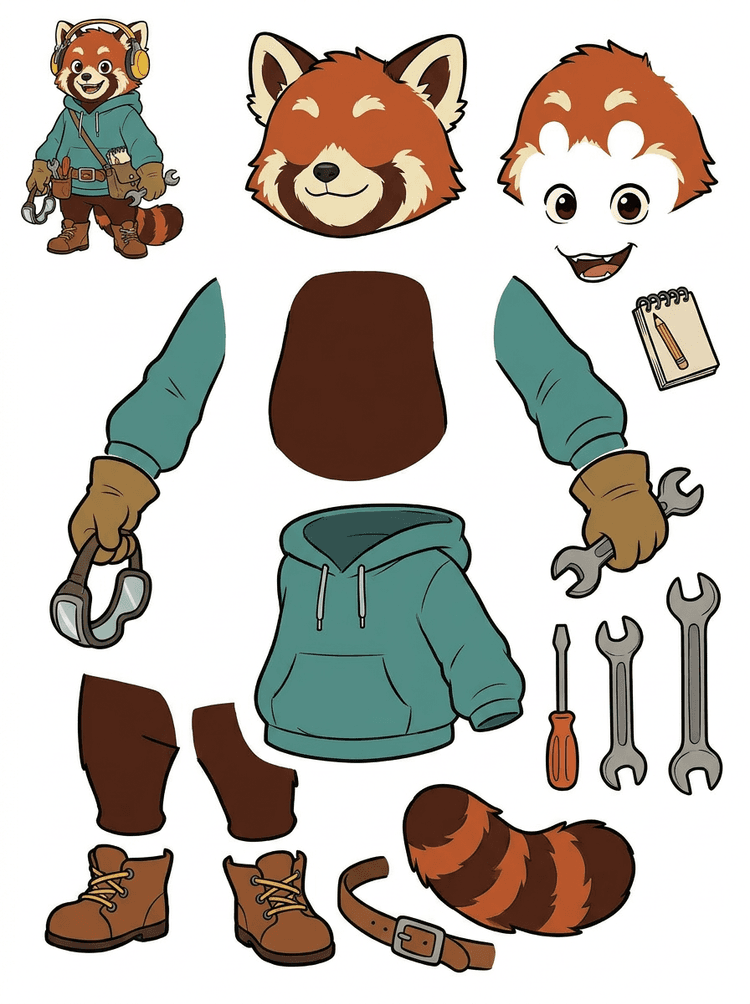
Një maskotë personazhi me kufje, hoodie, çantë, bisht, këpucë dhe mjete vizatimi bëhet një fletë praktike për rishikim animacioni.
Pjesët e dukshme në këtë rezultat real
Dorëzimi në prodhim
Fleta e gjeneruar është hapi i rishikimit. Vazhdoni në mjetin live për të nxjerrë zona të përshtatshme të dukshme si shtresa PNG transparente të veçanta, pastaj paketojini si ZIP ose PSD fillestare të editueshme.

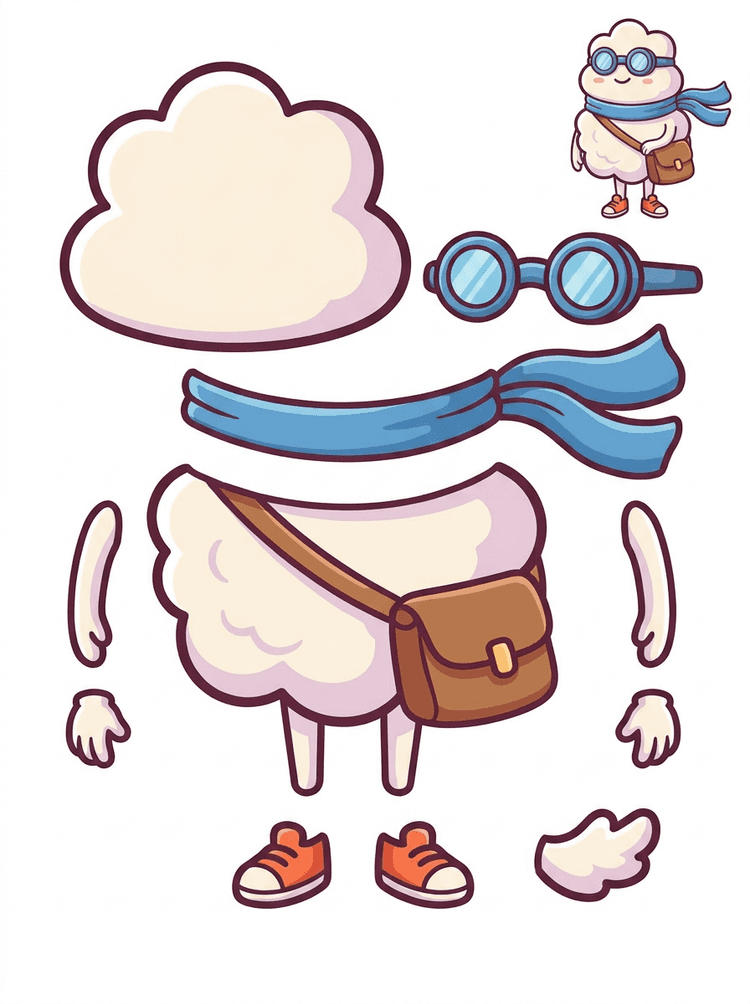
Një hero vizatimor i stilit sticker bëhet një fletë pjesësh me shall, çantë, këpucë, syze, duar dhe pjesë të trupit të rrumbullakëta.
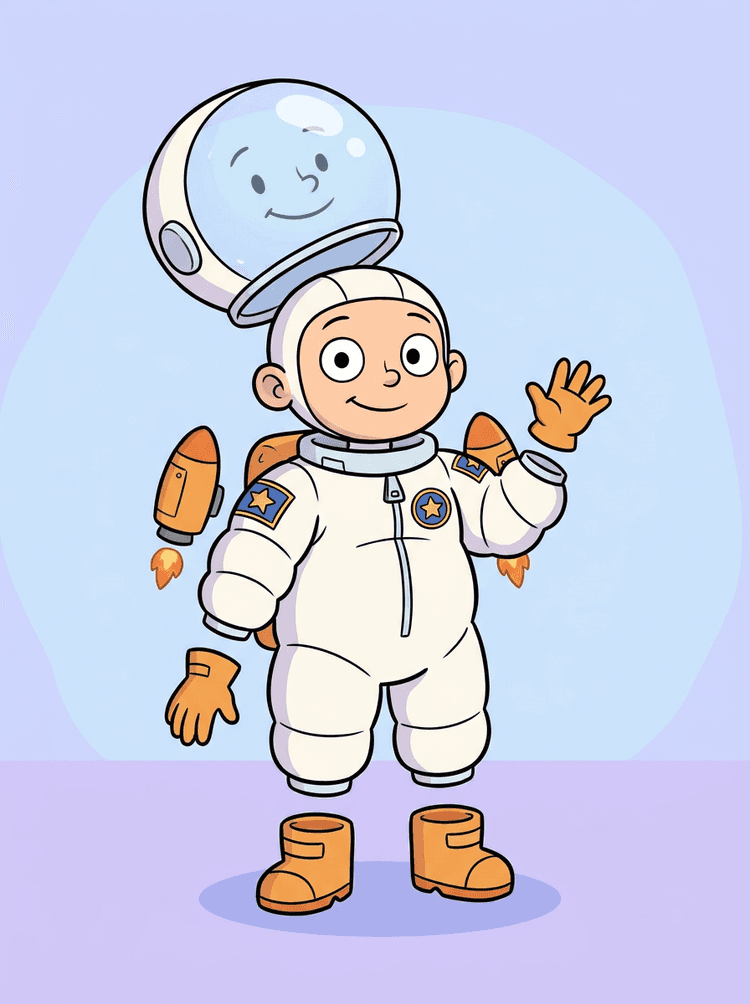
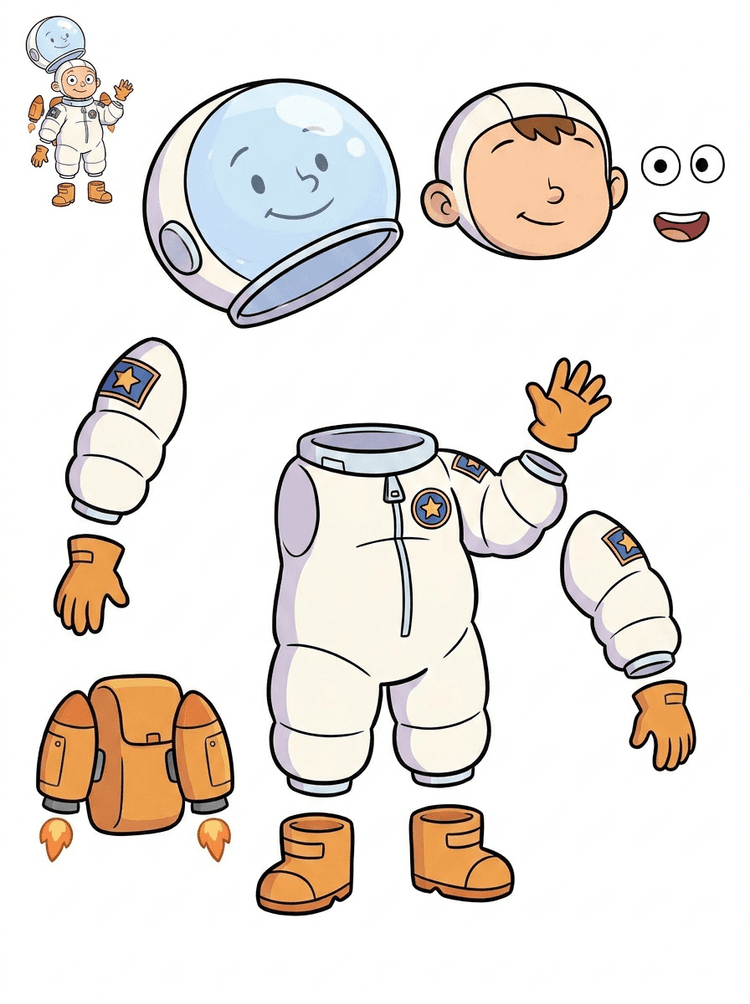
Një ilustrim fëmije astronaut bëhet një fletë për helmetë, kostum, doreza, çizme, patches, çantë shpine dhe pjesë motion-comic.
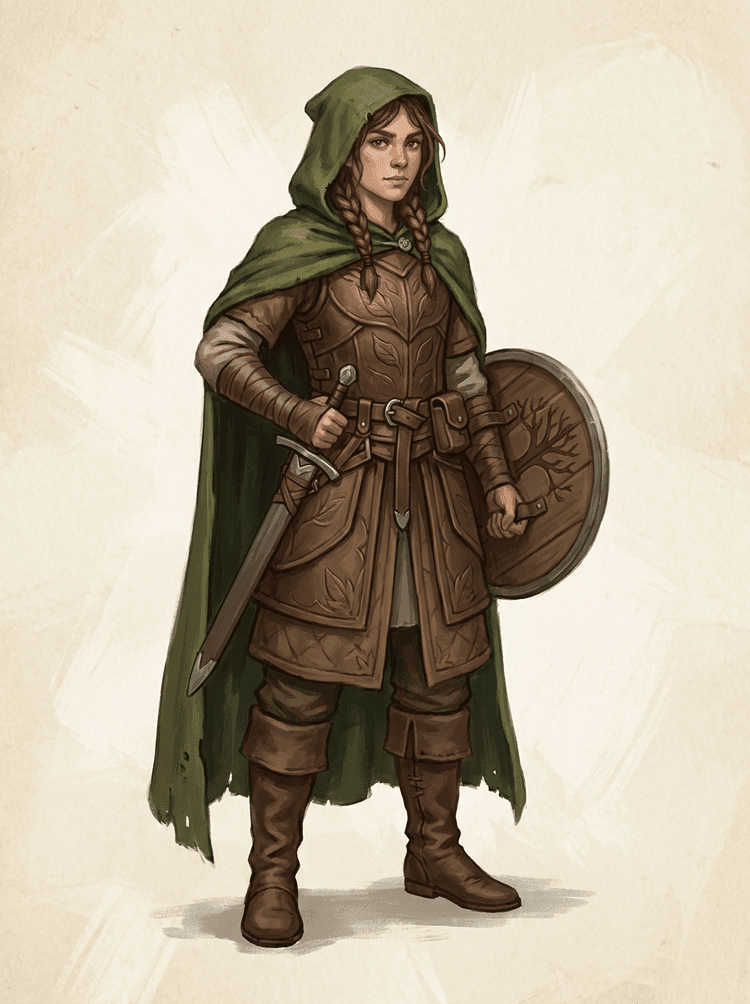
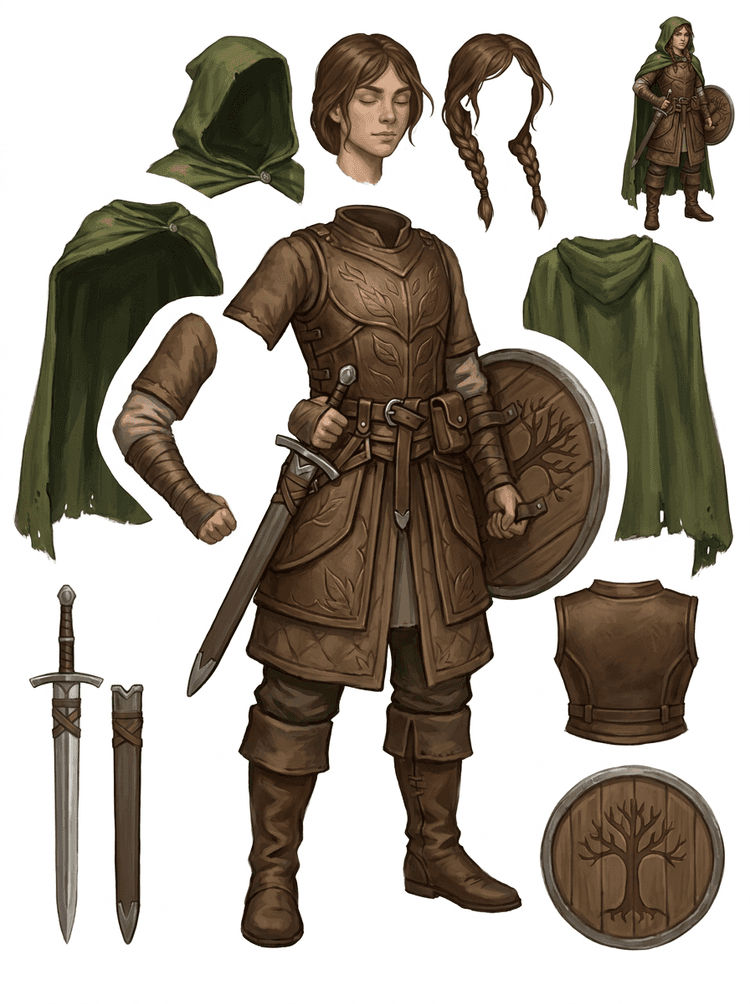
Një personazh loje fantazi ndahet në armaturë, mantel, shpatë, mburojë, qese, çizme, gjymtyrë dhe referenca sprite të ripërdorshme.
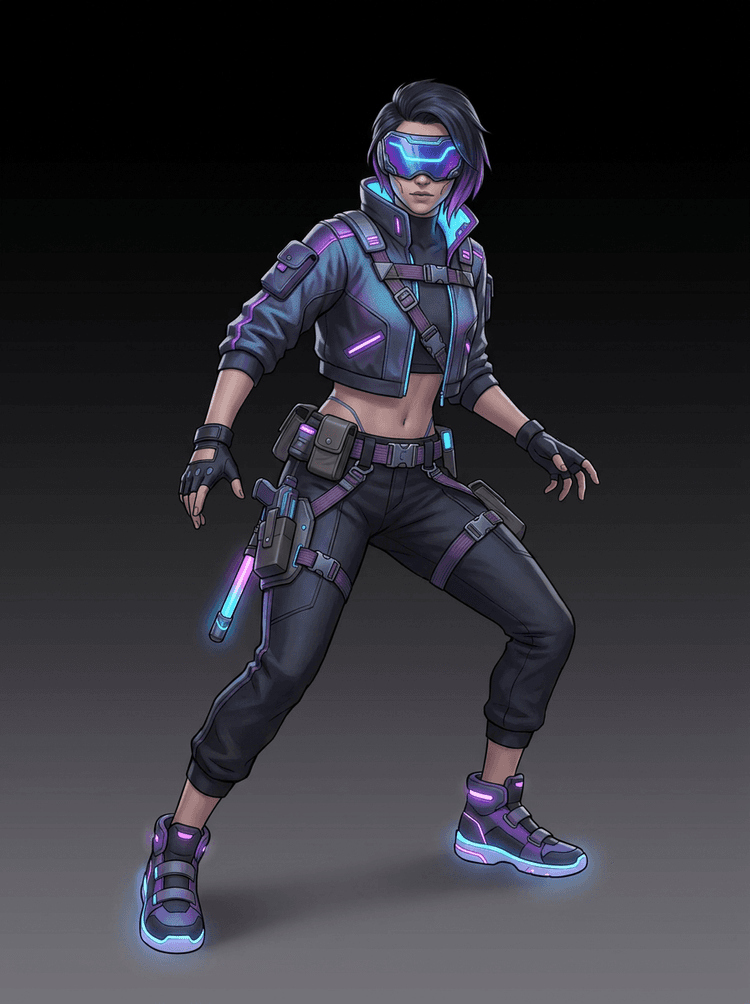
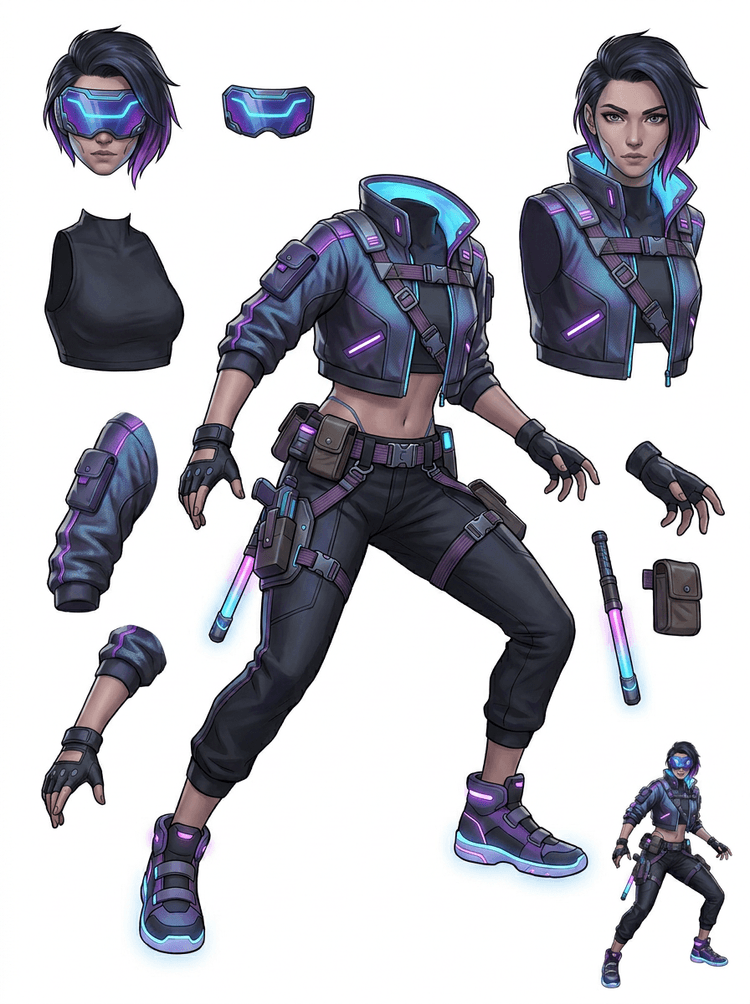
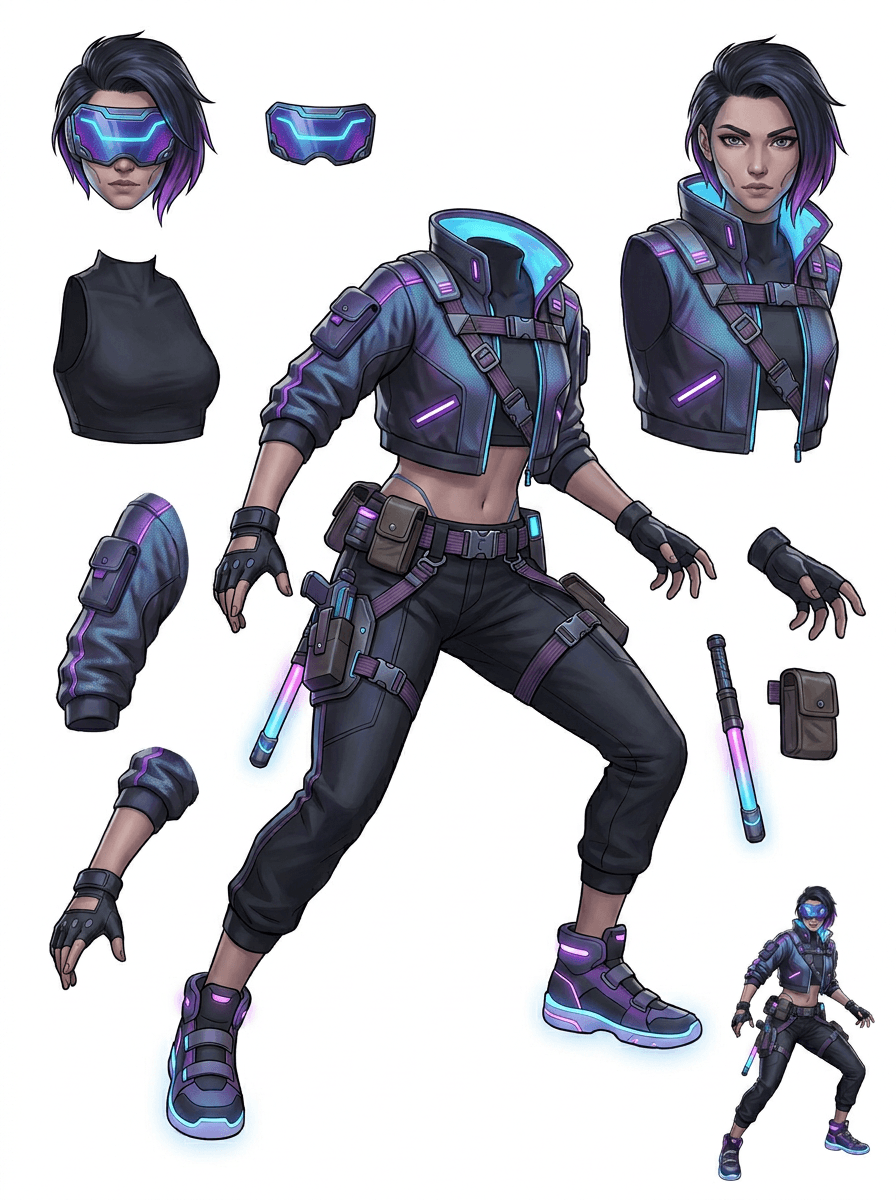
Një personazh aksioni cyberpunk bëhet një referencë me detaje të larta për xhaketë, vizor, doreza, këpucë, rripa, shkop dhe pjesë trupi.
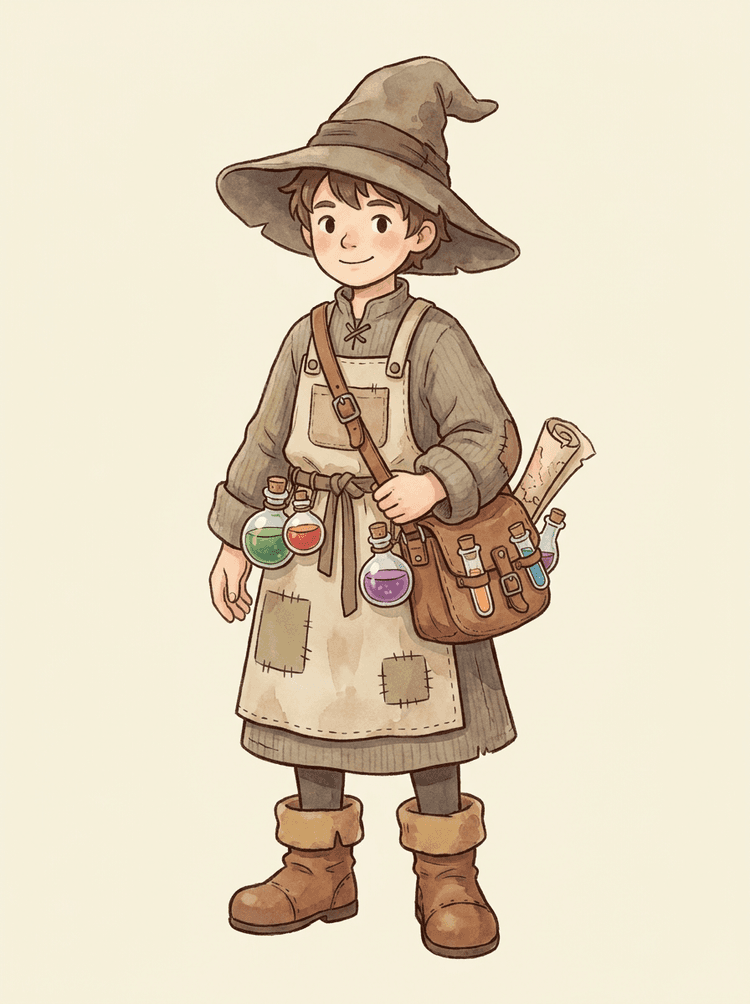
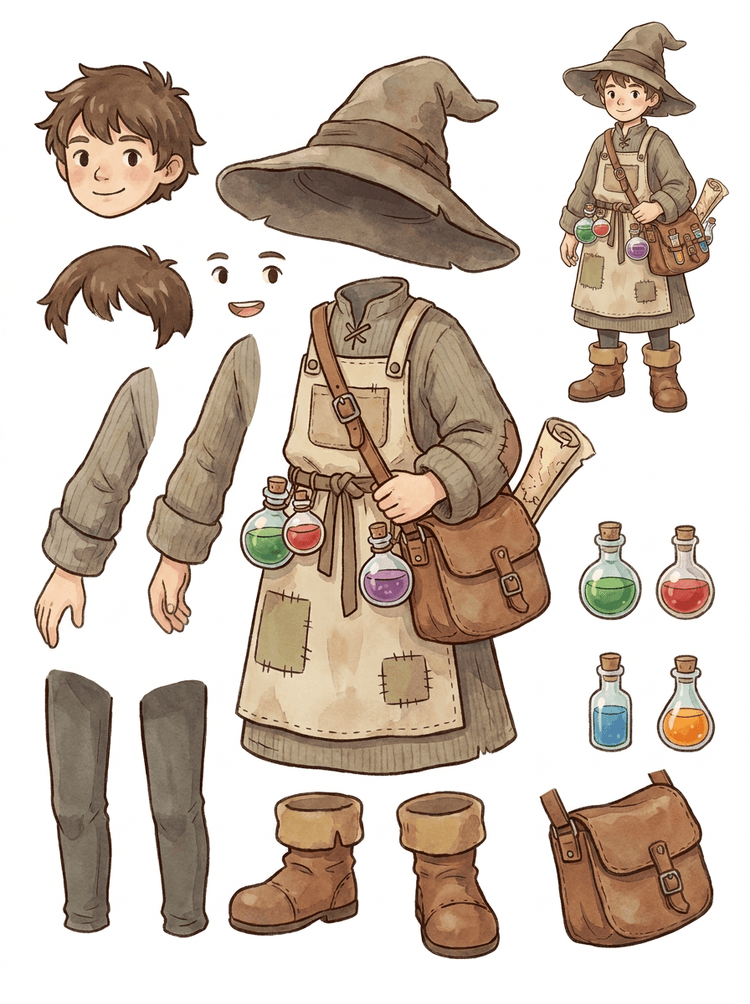
Një NPC i ngrohtë me kapelë, përparëse, çantë me ilaçe, shishe, hartë, çizme dhe veshje të ngrohtë bëhet një fletë të ripërdorshme për prodhim loje.
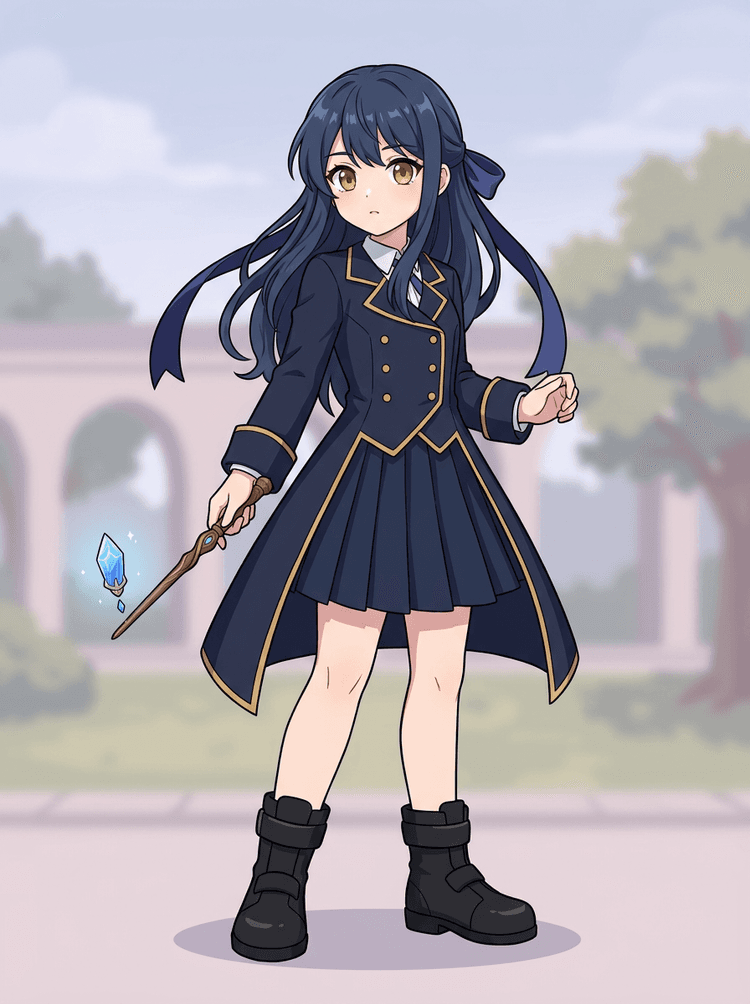
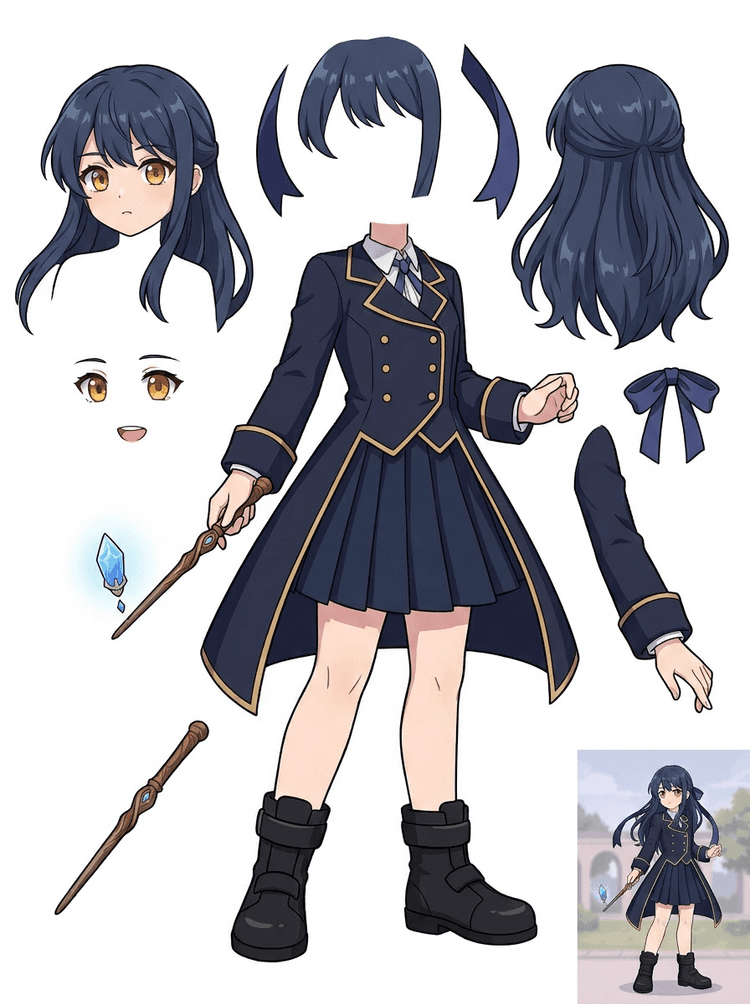
Key art anime me uniformë, fjongo, shkop, flokë, charm, doreza dhe çizme bëhet një fletë pjesësh për redaktime dhe teste lëvizjeje.
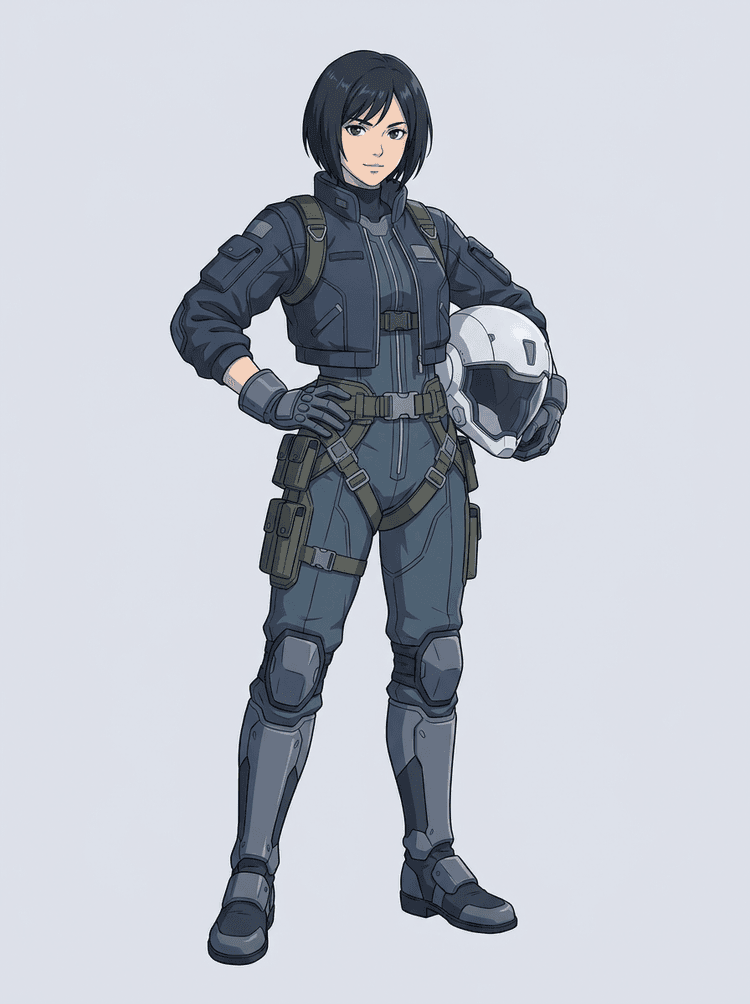
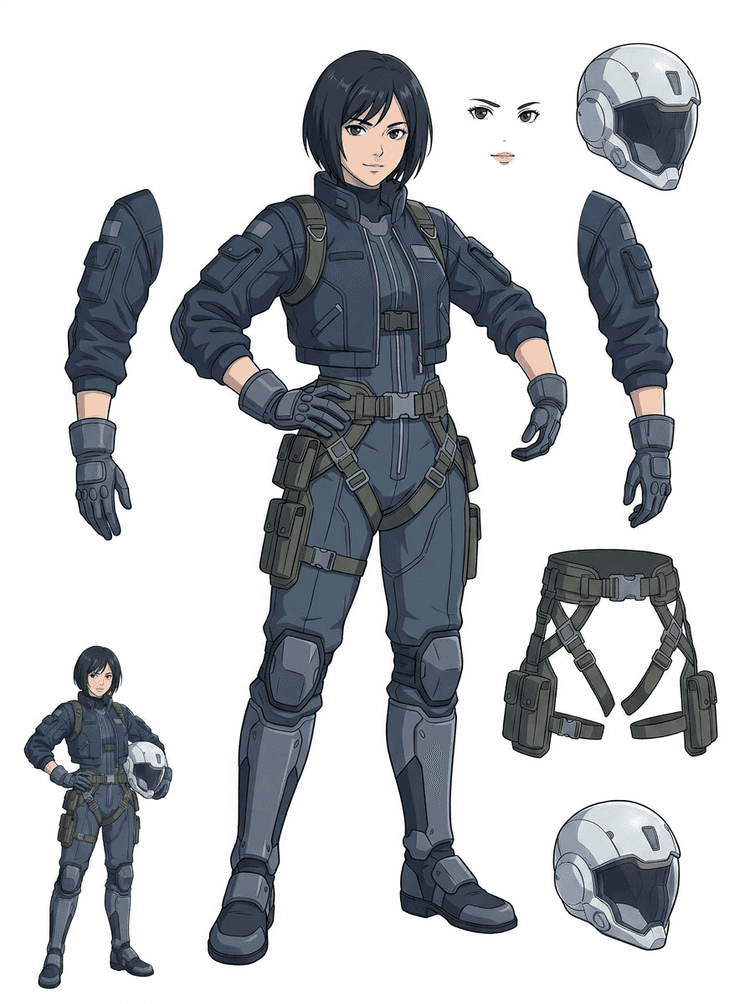
Një pilot sci-fi anime ndahet në flokë, fytyrë, xhaketë, doreza, harness, çizme, helmetë dhe pjesë trupi.
Ndarësi i shtresave me AI është një mjet image to layers për krijues që tashmë kanë një imazh burim, por u duhen pjesët praktike të prodhimit pas tij: plan i parë, sfond, subjekt, personazhe, flokë, fytyrë, veshje, gjymtyrë, tekst, objekte, rekuizita, detaje produkti dhe aksesorë.
Ndërtuar për artistë, ekipe indie lojërash, animatorë, marketues, ekipe e-commerce dhe krijues ACG që duhet ta kthejnë një imazh të vetëm të sheshtë në asete prodhimi të ripërdorshme pa e kaluar gjithë seancën duke maskuar.
Një PNG i përfunduar nuk mund të mbyllë sytë, të krijojë paralaks, të ndërrojë rekuizita, të izolojë produkte ose të bëhet sprite derisa pjesët kryesore të jenë ndarë.
Mjetet e përzgjedhjes, pastrimi i skajeve dhe emërtimi i shtresave mund të zgjasin më shumë se testi i parë i animacionit.
Ndryshimi i një doreze, çante, këpucë, bishti, helmete ose fjongoje mund të kthehet në një ridizajnim të plotë kur çdo pjesë është e bashkuar.
Para
Një imazh tërheqës personazhi që duket i plotë, por është ende i bllokuar si një bitmap i vetëm i sheshtë.
Pas
Një fletë asestesh e lexueshme me plan të parë, sfond, personazhe, tekst dhe objekte të ndara, që artistët të planifikojnë lëvizjen, të redaktojnë detajet dhe të dorëzojnë referenca prodhimi.
Krijo një kalim ndarjeje për rishikim përpara se të hapësh një workflow të plotë manual maskimi.
Kalo nga një imazh i vetëm personazhi te pjesët për animacion, lojë dhe dorëzim redaktimi.
Studim rasti
Një maskotë marke mund të kalojë nga një ilustrim i vetëm statik në referenca të ndara për kokën, bishtin, këpucët, çantën, veshjen dhe aksesorët për planifikim të shpejtë animacioni.
Rezultati
Artistët mund të shohin cilat pjesë janë të përdorshme, të vendosin nëse ia vlen ta rishkruajnë me PRO dhe të fillojnë pastrimin nga një fletë konkrete, jo nga një seancë bosh maskimi.
Workflow i shtresave LlamaGen
përgatitje asestesh cartoon, anime dhe game
Trajtoje Ndarësin e shtresave me AI si kalimin e parë të pastër: ngarko një imazh, gjenero një fletë shtresash, pastaj përdor rezultatin në editorin tënd, workflow-in e animacionit ose në pipeline-in e aseteve të lojës.
Përdor art personazhi me trup të plotë, art maskote, key art anime, koncepte lojërash, foto produkti, dizajne grafike, rekuizita ose ilustrime stil produkti me skaje të dukshme.
Quick Mode krijon një checkpoint të shpejtë vizual që ekipi të shohë flokët, fytyrën, rrobat, duart, rekuizitat, këpucët, sfondin, tekstin, objektet dhe aksesorët në kontekst.
PRO Mode është më i miri pasi fleta e parë provon se burimi lexohet dhe projekti ka nevojë për një kalim më të pastër të modelit.
Përdor fletën e shkarkuar për bllokim lëvizjeje, planifikim rig-u, referenca sprite, ridizajnim ose kompozitim krijues.
Qëllimi është një pikënisje prodhimi për rishikim, jo një demo e paqartë e AI.
Mjeti i ndarjes së shtresave me AI analizon artin tënd dhe identifikon elementë të ndryshëm si personazhet, sfondet dhe objektet, duke krijuar shtresa të veçanta. Përdor AI për të zbërthyer imazhet duke ruajtur layout-in, hierarkinë dhe synimin e dizajnit, dhe funksionon më mirë me dizajn grafik, produkte të ilustruara, art personazhesh dhe asete të pastra loje.
Galeria është organizuar rreth skenarëve kryesorë të prodhimit: maskota vizatimore, personazhe lojërash, personazhe anime dhe workflow-e image to layers të bazuara në objekte. Çdo shembull përdor një imazh burim origjinal të gjeneruar me AI dhe një fletë të përputhur asestesh të ndarë.
Maskota, personazhe për fëmijë, heronj si sticker dhe personazhe motion-comic me rekuizita dhe aksesorë ekspresivë.
Hero RPG, vrapues cyber, NPC të qetë, shtresa pajisjesh, armë, referenca inventory dhe fletë përgatitjeje sprite-sh.
Key art anime moderne me ndarje të flokëve, uniformës, fjongos, helmetës, dorezës, çizmes, harness-it dhe charm-it.
Ndarësi i shtresave me AI është më i dobishëm kur dalja ka një destinacion. Këta skenarë shpjegojnë çfarë imazhi burim të ngarkosh, cilat pjesë të kontrollosh dhe si kalon fleta në animacion, lojëra, komikë, e-commerce ose prodhim marke.
Animacion maskote
Përdor një pozë të pastër të maskotës kur të duhen sticker-a për social, reklama të shkurtra, lëvizje në landing page ose planifikim i thjeshtë rig-u.
Burimi për t’u ngarkuar
Një maskotë me trup të plotë, me fytyrë, duar, këpucë, bisht, rekuizita dhe skaje të veshjeve të dukshme.
Shtresat e dobishme për t’u kontrolluar
Dorëzimi në prodhim
Jepi animatorëve një fletë pjesësh për rishikim para se të gjurmojnë, rindërtojnë ose të rig-ojnë lëvizjen finale.
Përgatitje asestesh për lojë indie
Përdor art loje të miratuar kur ekipi ka nevojë për variante pajisjesh, ikona inventory, art profili ose eksplorim të shpejtë pozash.
Burimi për t’u ngarkuar
Një koncept personazhi i lexueshëm me armaturë, armë, çantë, mantel, flokë, çizme dhe siluetë të qartë.
Shtresat e dobishme për t’u kontrolluar
Dorëzimi në prodhim
Përdore fletën si referencë fillestare për pastrim sprite-sh, ndërrim pajisjesh dhe art të orientuar drejt gameplay-it.
Redaktime anime dhe ACG
Përdor art personazhi në stil anime kur të duhet kontroll mbi flokët, fytyrën, uniformën, fjongon, dorezën, helmetën ose aksesorët.
Burimi për t’u ngarkuar
Një personazh i vetëm anime me konture të forta, detaje të dukshme të veshjes dhe pak zhurmë sfondi.
Shtresat e dobishme për t’u kontrolluar
Dorëzimi në prodhim
Kontrollo fletën para redaktimeve të shprehjes, varianteve të veshjes, kartave të personazhit ose testeve të shkurtra animatike.
Iterim komiku dhe reklame
Përdor personazhe fushatash, rekuizita ose produkte të ilustruara kur rishikimet e fundit prekin vazhdimisht pjesë të vogla vizuale.
Burimi për t’u ngarkuar
Një ilustrim i përpunuar me objektin në qendër, skaje të dukshme dhe objektivat kryesore të rishikimit të pambuluara.
Shtresat e dobishme për t’u kontrolluar
Dorëzimi në prodhim
Jepu dizajnerëve një fletë konkrete për ndërrim rekuizitash, variante të sigurta për tekstin dhe eksperimente kompozimi.
Mjeti është më i fortë kur subjekti është i pastër, i plotë dhe i ndarë qartë me sy. Nuk është një shkurtore për çdo foto të ngarkuar, fletë skicash, pozë të penguar ose layout të dendur ku plan i parë, sfondi, teksti dhe objektet mbivendosen fort.
Një fletë e gjeneruar duhet gjykuar si një kalim i parë prodhimi, jo si një skedar final magjik. Përdor checklist-in për të vendosur nëse do ta shkarkosh, ta rigjenerosh, të presësh burimin ose të kalosh në PRO pasi ndarësi i shtresave të imazhit identifikon zona të përdorshme të planit të parë, sfondit, subjektit, objektit dhe tekstit.
Rezultat i dobët
Pjesët e rëndësishme janë shkrirë së bashku, janë dyfishuar rastësisht ose janë fshehur nën rrëmujë vizuale.
Rezultat i dobishëm për prodhim
Fleta i bën pjesët kryesore të dukshme të lehta për t’u identifikuar me një vështrim: koka, gjymtyrët, veshjet, rekuizitat, aksesorët dhe pjesët e sfondit.
Rezultat i dobët
Personazhi duket si një dizajn i ri me proporcione, ngjyra, cilësi vije ose personalitet tjetër.
Rezultat i dobishëm për prodhim
Pjesët e ndara ende ndihen të lidhura me drejtimin origjinal artistik, me siluetë, paletë dhe identitet të dallueshëm.
Rezultat i dobët
Fleta është interesante, por ekipi nuk e kupton çfarë duhet të gjurmojë, rindërtojë, maskojë ose testojë më tej.
Rezultat i dobishëm për prodhim
Artistët mund të zgjedhin menjëherë pjesët për pastrim, bllokim rig-u, referencë sprite-sh, ndërrim rekuizitash ose teste kompozimi.
Rezultat i dobët
Një ndarje e dobët nuk jep asnjë shenjë nëse problemi erdhi nga modeli apo nga imazhi i ngarkuar.
Rezultat i dobishëm për prodhim
Rezultati zbulon çfarë duhet rregulluar më pas: prerje më afër, heqje e shenjave të skicës, më shumë hapësirë, sfond më i thjeshtë ose përdorim i PRO.
Kthe një imazh të përfunduar në pjesë vizuale të ndara që janë më të lehta për t’u rishikuar, edituar, animojë ose rindërtuar.
Ngarko një imazh të pastër dhe krijo një fletë PNG të lexueshme me plan të parë, sfond, subjekt, objekte, tekst, veshje, rekuizita dhe aksesorë në një rezultat të vetëm.
Një ndarës i shtresave të imazhit i ndihmon dizajnerët, marketuesit, animatorët dhe ekipet e lojërave të identifikojnë cilat pjesë të një imazhi burim mund të bëhen asete të editueshme. Në vend që të rindërtojnë çdo element nga e para, ekipet mund të gjenerojnë një fletë PNG shtresash, të krahasojnë origjinalin me rezultatin e ndarë dhe të vendosin nëse burimi ka nevojë për prerje, pastrim, Quick Mode ose një kalim PRO.
Krijo një fletë të shkarkueshme për përgatitje sprite-sh, planifikim rig-u, motion comics, redaktime e-commerce, variante sticker-ash ose dorëzim personazhi. Funksionon më mirë kur një subjekt i qartë ka skaje të dukshme dhe mbivendosje minimale.
Workflow-i më i mirë i ndarjes së shtresave ruan kontekstin. Mbaj burimin, fletën e gjeneruar dhe një shënim të shkurtër rishikimi që artisti tjetër të dijë çfarë të përdorë dhe çfarë ka ende nevojë për pastrim.
Imazhi origjinal shpjegon synimin kur një animator, artist loje ose dizajner e rishikon më vonë fletën e ndarë.
Një fletë e parë bëhet më e vlefshme kur ekipi e di cilat pjesë janë gati dhe cilat kanë nevojë për përfundim manual.
Përdor fletën dhe shtresat e eksportuara transparente si urë praktike drejt animacionit, përgatitjes së sprite-ve, redaktimeve të komikut ose kompozimit. PSD është një skedar fillestar i editueshëm, jo një aset final i garantuar.
Ndarësi i shtresave me AI u jep ekipeve një kalim të parë më të shpejtë; asetet finale për publikim ende përfitojnë nga rishikimi dhe pastrimi njerëzor.
Ndarësi i shtresave me AI e kthen një imazh të vetëm të sheshtë në një fletë PNG të lexueshme me shtresa, me sfondin, subjektin, tekstin, rekuizitat, objektet, detajet e produktit dhe pjesët e personazhit të ndara për redaktim, animacion, art loje, motion comics, e-commerce dhe workflow-e kompozimi.
Po. Quick Mode është pika e nisjes falas online për një rezultat image-to-layers që mund të rishikohet. Përdore për të testuar nëse burimi ndahet mirë para se të harxhosh kohë në maskim manual ose të përmirësohesh për një kalim PRO më të pastër.
Po. Ndarësi i shtresave me AI funksionon si një ndarës i imazheve me AI në web: ngarko një imazh, lëre modelin të identifikojë subjektet, sfondet, tekstin, rekuizitat dhe objektet, pastaj shkarko një fletë image-to-layers për rishikim. Është më i shpejti për foto të pastra, dizajn grafik, produkte të ilustruara, asete loje dhe art personazhesh; imazhet komplekse mund të kenë ende nevojë për pastrim manual në Photoshop, Figma ose një editor tjetër.
Ngarko një imazh të pastër, ekzekuto Quick Mode dhe kontrollo fletën e gjeneruar image to layers. Rezultati ndan planin e parë të dukshëm, sfondin, subjektin, tekstin, rekuizitat dhe objektet në një referencë praktike që mund ta përdorësh për redaktim, kompozim, bllokim animacioni, përgatitje sprite-sh ose pastrim manual.
Po. Pasi të gjenerohet fleta e parë e shtresave, një kalim i dytë me pagesë mund të nxjerrë shtresa individuale PNG transparente. Mund t’i shkarkosh ato veçmas, t’i paketosh si ZIP ose të eksportosh një PSD fillestare të editueshme. Skajet komplekse dhe burimet e ngarkuara mund të kenë ende nevojë për pastrim manual para dorëzimit në prodhim.
Layer Decomposition është një aftësi e një agjenti AI që ndan një imazh të vetëm në shtresa vizuale logjike dhe të editueshme, si plan i parë, sfond, subjekte, tekst dhe objekte. Ajo i ndihmon ekipet të kalojnë nga një imazh i sheshtë te një fletë praktike shtresash për rishikim, redaktim, animacion dhe dorëzim në prodhim.
Po. LlamaGen AI Layer Splitter ndan sfondin, tekstin, subjektet dhe objektet e dukshme në shfletues dhe ofron një fletë asestesh të shkarkueshme për redaktim pasues.
Imazhet e ilustruara dhe të pastra funksionojnë më mirë: maskota vizatimore, personazhe anime, personazhe lojërash, grafikë stil produkti, rekuizita dhe dizajne me trup të plotë me flokë, veshje, gjymtyrë, këpucë, armë, çanta, bishta, tekst, objekte ose aksesorë të dukshëm.
Po. Personazhet vizatimorë dhe maskotat janë një nga përdorimet më të forta sepse konturet, rekuizitat, veshjet, duart, këpucët dhe pjesët e fytyrës shpesh janë mjaft të qarta për të krijuar një fletë të dobishme.
Po. Ndarësi i shtresave me AI për asetet e lojës mund të kthejë koncepte të pastra personazhesh në një pikënisje për referenca sprite, variante pozash, ikona inventory, redaktime pajisjesh, portrete UI dhe bllokim animacioni.
Po. Personazhet në stil anime mund të ndahen në referenca të dukshme për flokët, fytyrën, veshjen, fjongon, dorezën, çizmen, rekuizitat, helmetën dhe aksesorët kur imazhi burim është i pastër.
Quick Mode krijon një fletë asestesh të shpejtë për rishikim. PRO Mode përdor një model të përmirësuar për ndarje më të pastër kur imazhi burim është i lexueshëm dhe projekti ka nevojë për një kalim me cilësi më të lartë.
Jo. Skenat shumë të ngarkuara, pjesët e fshehura të trupit, subjektet që mbivendosen, shenjat e skicës, hijet e forta, gjymtyrët e prera ose aksesorët shumë të vegjël mund të kenë ende nevojë për pastrim të burimit ose përfundim manual.
Mund t’i përdorësh daljet e gjeneruara sipas planit dhe kushteve të tua të LlamaGen. Sigurohu gjithashtu që ke të drejtat për imazhin burim që ngarkon.
Fillo me shembullin e parangarkuar, ngarko personazhin tënd vizatimor, anime ose loje dhe krijo një fletë shtresash për rishikim brenda pak minutash. Përdor rezultatin e parë për të vendosur nëse Quick mjafton apo nëse një kalim PRO ia vlen.