

01
Start with a script or scene
Set the brief and turn a scene into a sequence of storyboard frames. Make the intended shot order clear before production.
LlamaGen Team Plan
Plan shots, reuse characters and scene references, and coordinate your next storyboard review in one team workspace. Build a shared visual starting point for comics and animation planning.
Name your workspace first. No payment is required to create it; Team Pro tools and shared credits require an upgrade.
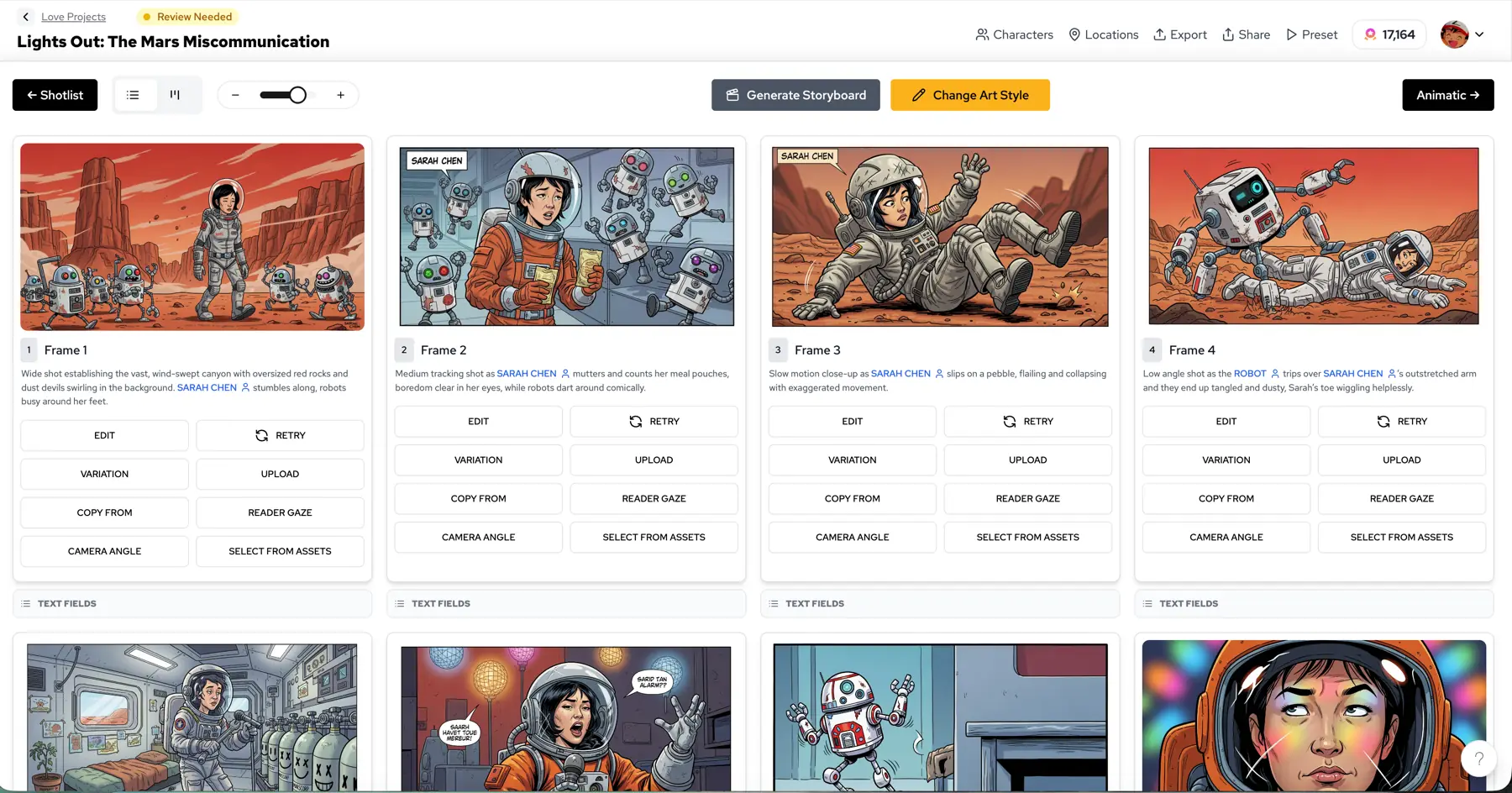
A shared production workflow
Set the brief and turn a scene into a sequence of storyboard frames. Make the intended shot order clear before production.
Keep character, outfit and location references with the project. Use the same references when your team develops the next sequence.
Identify shots, collect feedback and name the final approver. Your team decides what to revise; approval is a human process.
Check the sequence and export the assets available to your project. Confirm formats and downstream requirements before delivery.
A practical checklist for briefs, shot feedback and review decisions.
Shared creative assets
A shared character library and scene references help your team retain visual context across a storyboard. Organize the references your project needs, then review generated frames for consistency. References guide the work; they do not guarantee identical results.
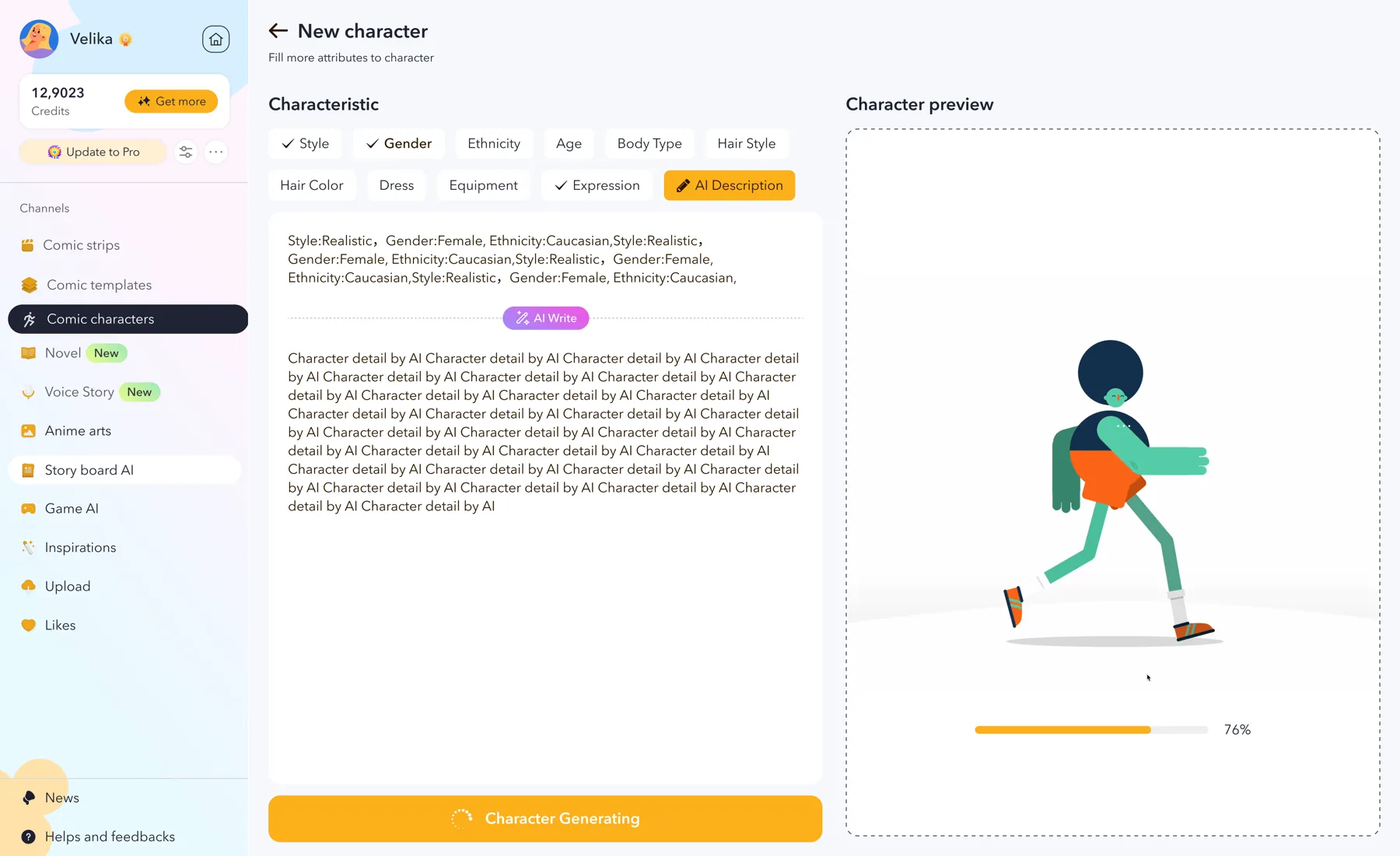
Keep storyboarding at the center while preparing the next production format.
Use storyboard decisions and character references as inputs for panel planning. Continue in Comic Studio with the assets and capabilities available to your project.
Explore AI comic creationAgree on shot order, framing and character references before video production. Review the separate storyboard-to-video workflow for the next step.
Explore storyboard-to-videoThese are connected production tasks. Automatic project conversion, live co-editing and automated approval are not promised.
A clearer buying decision
The creative tools do not become different models. The difference is shared production context, pooled credits and one place to manage a team.
Personal Pro
One creator account
Team Pro
A shared workspace, from three paid seats
Personal Pro
Credits managed per account
Team Pro
45,000 credits per paid seat, pooled each month
Personal Pro
References in personal projects
Team Pro
Shared character and scene references
Personal Pro
Individual shot planning
Team Pro
Team project context and human review decisions
Personal Pro
Pro creation workflows
Team Pro
Pro tools with shared team visual references
Personal Pro
Personal account access
Team Pro
Member invites, roles and workspace controls
Personal Pro
Separate personal subscriptions
Team Pro
Centralized Team Pro seats and billing
Personal Pro
Manage your own existing assets
Team Pro
Move eligible assets into the team workspace
Personal Pro
Personal plan support
Team Pro
Priority team support
Creative review remains human-led. Team Pro does not promise automatic project conversion or real-time co-editing.
Review Team Pro pricingEnter a team name. If you are signed out, sign in and return to finish creating it. Each account can have up to two unpaid workspaces.
Use the workspace onboarding to invite a teammate. Free workspaces have a limit of three occupied seats, including active members and pending invitations.
Team Pro unlocks shared creative tools and credits. Creating a workspace or inviting a member does not start a paid subscription.
LlamaGen Team Plan
Keep team assets, billing and pooled creative credits in one workspace. Review the current seat count and billing total before checkout.
Billed monthly. 3 seats minimum.
Team Pro starts at three paid seats with 45,000 pooled credits per seat each month. Generation costs vary by model and task.
Talk through procurement, deployment support, integration requirements and commercial terms with the Enterprise team.
It helps a creative team plan a visual sequence with shared project context. In LlamaGen, use character and scene references, organize project assets and coordinate human-led review before production.
Yes. Create a free workspace and invite collaborators within the free limits. Accounts can have up to two unpaid workspaces, with three occupied seats per free workspace. Team Pro creative tools and credits require a separate paid upgrade.
Review and approval remain your team’s decisions. Comic creation and storyboard-to-video are separate workflows; this page does not promise automatic conversion, real-time co-editing or an automated approval system.
No. Three paid seats is the minimum subscription size, not a requirement to have three active members immediately. You can invite teammates after creating your workspace. Unoccupied paid seats remain part of the subscription, so check your seat count and total before payment.
The current plan starts at three paid seats: US$36 per seat per month on monthly billing, or US$30 per seat per month billed annually. Each paid seat contributes 45,000 monthly credits to the shared pool. Checkout confirms the final total before payment.
Choose Team Pro for a self-serve team workspace. Contact Enterprise when you need to discuss a tailored rollout, procurement, integration scoping or custom commercial terms.
Create the workspace, invite a collaborator and decide together when to add Team Pro.