

Camera Angle Control - AI کے ساتھ Photo Angle Editor
میڈیا اپ لوڈ کریں، کیمرا اینگل بدلنے کے لیے ہولڈ اور ڈریگ کریں، اور 12 بہترین اینگلز میں سے جنریٹ کریں۔ قدرتی گفتگو کے ساتھ horizontal angle, vertical angle, اور zoom distance controls استعمال کر کے AI Image Camera Angle Control کے ذریعے اپنی تصاویر کو تبدیل کریں۔
چیٹ کے ذریعے ایڈٹ کریں، سینز کو وسعت دیں، اشیا ہٹائیں، بیک گراؤنڈ بدلیں، اور Qwen Image Edit اور AIOmnigen workflows کے ساتھ ایک ہی تصویر سے نئے کیمرا اینگلز بنائیں۔
انٹرایکٹو اینگل لیب
ایک تصویر اپ لوڈ کریں، اینگل بدلیں، اور چیٹ کے ذریعے ایڈٹ کریں
یہ embedded tool آپ کو قدرتی گفتگو کے ذریعے تصاویر تبدیل کرنے دیتا ہے۔ ایک تصویر اپ لوڈ کریں، پھر interactive camera controls اور Qwen Image Edit سمیت edit models کے ساتھ سینز کو وسعت دیں، اشیا ہٹائیں، بیک گراؤنڈ بدلیں، یا نئے کیمرا اینگلز بنائیں۔
Multi-Angles
Source Reference
Upload a reference image
Use the Replace and Remove buttons above anytime.
Generated Result
Examples
Source
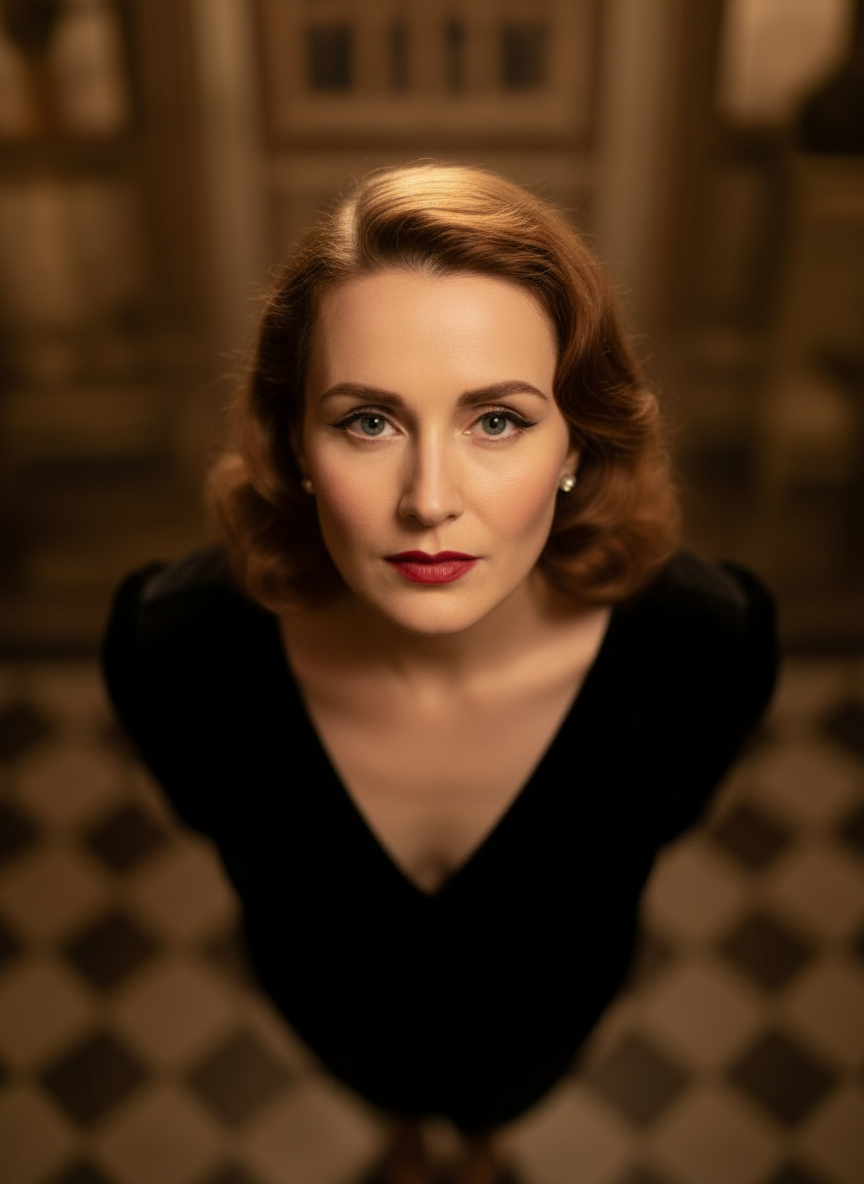
Overhead Angle
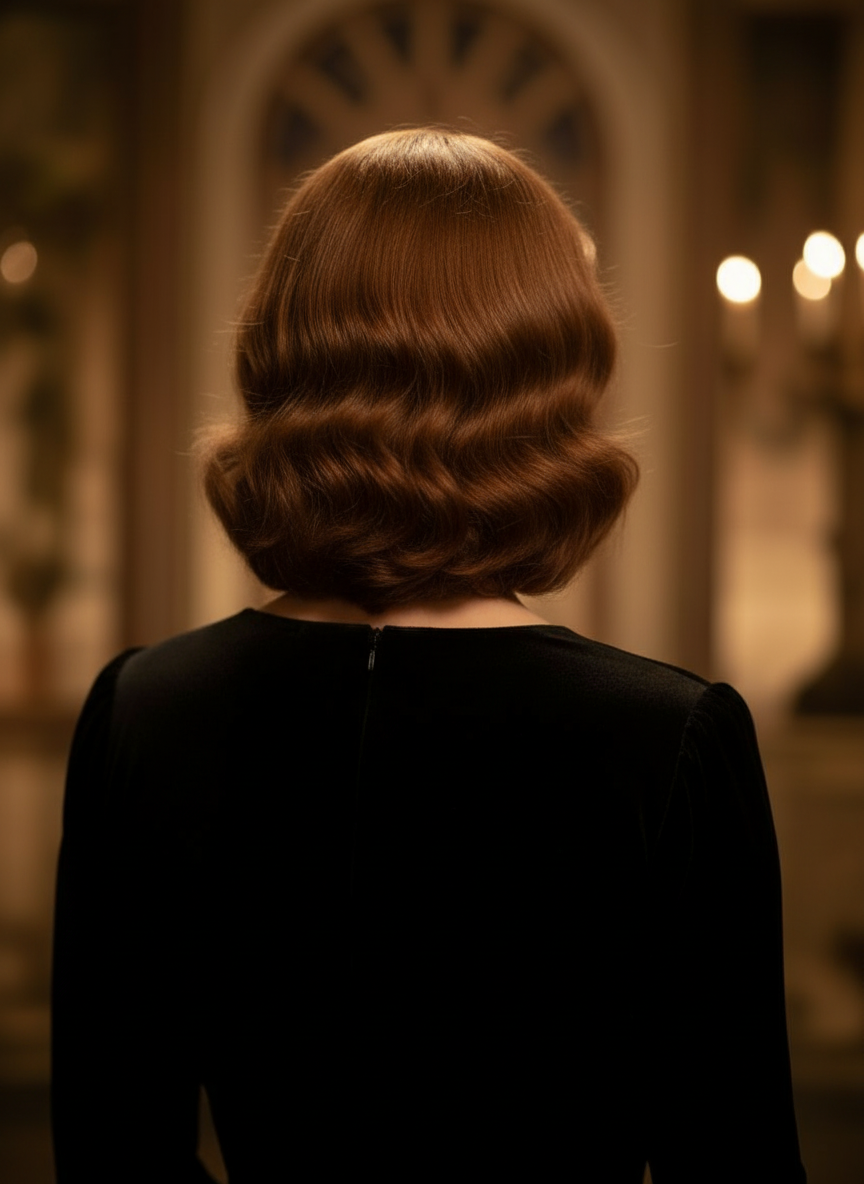
Back Angle
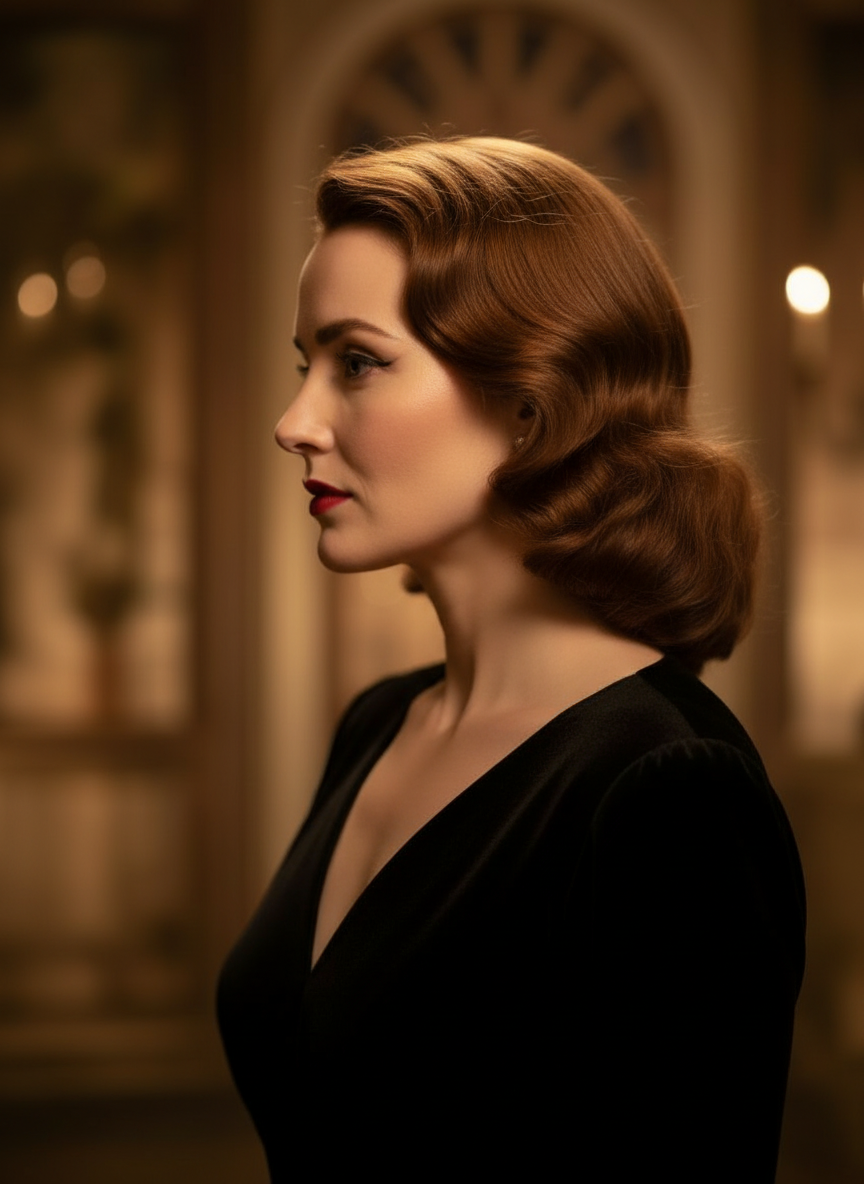
Three-Quarter Side
قدرتی گفتگو کے ذریعے اپنی تصاویر تبدیل کریں
بس ایک تصویر اپ لوڈ کریں اور چیٹ کے ذریعے ایڈیٹس کریں۔ فریم بڑا کریں، اشیا ہٹائیں، بیک گراؤنڈ بدلیں، اور تصویر کو شروع سے بنائے بغیر متبادل کیمرا اینگلز جنریٹ کریں۔
Camera Angle Control کھولیںhorizontal angle، vertical angle، اور zoom distance ایڈجسٹ کریں
کیمرا اینگل بدلنے کے لیے ہولڈ اور ڈریگ کریں یا intuitive sliders استعمال کریں تاکہ horizontal angle، vertical angle، اور zoom distance ایڈجسٹ ہو سکیں۔ ایک ہی تصویر سے صاف variations بنائیں، ایک تیز image-camera-control workflow کے ساتھ۔
نیا اینگل بنائیں3 مراحل میں Camera Angle Control کیسے استعمال کریں
Photo editing، reframing، اور AI camera control کے لیے ایک سادہ workflow۔
سبجیکٹ امیج اپ لوڈ کریں
ایک تصویر یا ریفرنس امیج سے شروع کریں جسے آپ ایڈٹنگ اور reframing کے دوران یکساں رکھنا چاہتے ہیں۔
کیمرا پلان سیٹ کریں
12 بہترین اینگلز میں سے ایک منتخب کریں، پھر ہولڈ اور ڈریگ کریں یا controls استعمال کر کے horizontal angle، vertical angle، tilt، اور zoom distance ایڈجسٹ کریں۔
چیٹ کریں، render کریں، اور review کریں
ایڈیٹس قدرتی زبان میں بیان کریں، نیا ویو جنریٹ کریں، اور نتیجہ design، content، یا production handoff کے لیے دیکھیں۔
اصل ٹول آؤٹ پٹ
ایک ان پٹ امیج، ایک جنریٹڈ کیمرا-اینگل نتیجہ
سورس امیج کا موازنہ Camera Angle Control workflow کے ذریعے بنائے گئے آؤٹ پٹ سے کریں۔ سبجیکٹ پہچانا جا سکتا ہے جبکہ ویو پوائنٹ ایک وسیع تر اینگل اسٹڈی میں بدل جاتا ہے۔
ان پٹ
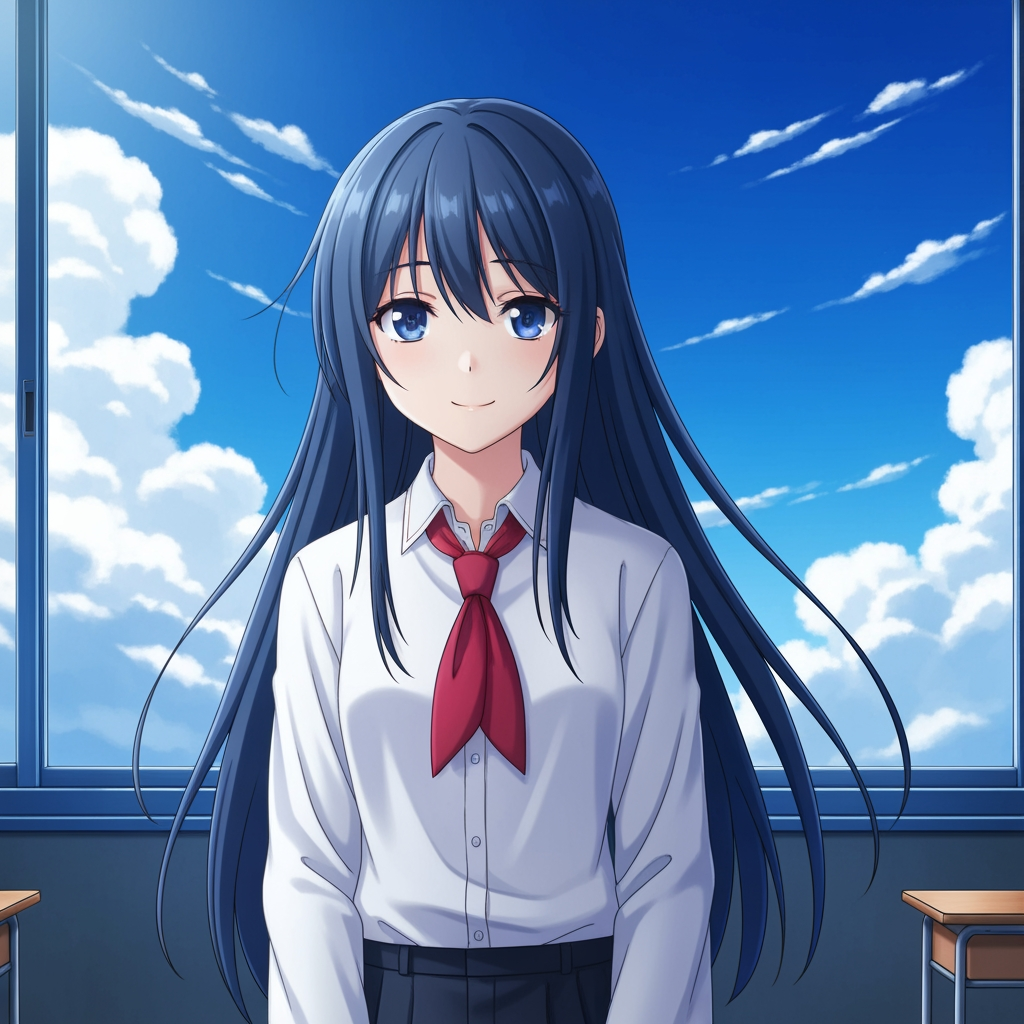
اصل سبجیکٹ امیج
بنیادی ڈرائنگ جوں کی توں رہتی ہے۔ یہی source image camera-angle pass کو کنٹرول کرنے کے لیے استعمال ہوتی ہے۔
- کردار
- اپ لوڈ کیا گیا ریفرنس
- سبجیکٹ
- ایک anime character
جنریٹڈ آؤٹ پٹ

دوبارہ فریم کیا گیا کیمرا-اینگل نتیجہ
جنریٹڈ آؤٹ پٹ اسی ریفرنس کو شاٹ پلاننگ اور بصری جائزے کے لیے ایک وسیع تر angle study میں بدل دیتا ہے۔
- کردار
- جنریٹ کی گئی ویری ایشن
- استعمال
- اینگل اور فریمنگ ریویو
نیچے دی گئی تصاویر ٹول workflow سے حاصل ہونے والا ایک حقیقی source-and-output pair ہیں، کوئی stock mockup نہیں۔ AI نتائج سورس امیج، منتخب model، اینگل، اور framing controls کے مطابق مختلف ہو سکتے ہیں۔
Camera Angle Control کیا ہے؟
Camera Angle Control ایک photo angle editor with AI ہے جو ان لوگوں کے لیے بنایا گیا ہے جو قدرتی گفتگو کے ذریعے تصاویر تبدیل کرنا چاہتے ہیں۔ ایک تصویر اپ لوڈ کریں، چیٹ کے ذریعے ایڈٹ کریں، پھر angle، tilt، framing، اور zoom ایڈجسٹ کریں تاکہ سبجیکٹ کی شناخت برقرار رکھتے ہوئے نئے viewpoints بن سکیں۔
Prompt to Comic
12 بہترین اینگلز سے جنریٹ کریں
Low angle، high angle، eye-level، Dutch angle، over-the-shoulder، اور دیگر reusable camera presets کو آزمانے کے بعد فیصلہ کریں۔
12 بہترین اینگلز سے جنریٹ کریں
Low angle، high angle، eye-level، Dutch angle، over-the-shoulder، اور دیگر reusable camera presets کو آزمانے کے بعد فیصلہ کریں۔
ایک سبجیکٹ کو یکساں رکھیں
ریفرنس امیج استعمال کریں تاکہ ٹول سبجیکٹ، lighting logic، اور visual identity کو اصل تصویر کے قریب رکھ سکے۔
ایک ہی workflow میں ایڈٹ اور reframe کریں
چیٹ سے چلنے والے image edits اور camera control کو ایک ساتھ استعمال کریں تاکہ سینز کو وسعت دی جا سکے، اشیا ہٹائی جا سکیں، بیک گراؤنڈ بدلا جا سکے، اور ایک ہی تصویر کو دوبارہ فریم کیا جا سکے۔
ٹیمیں camera-angle exploration کے لیے اسے کیوں استعمال کرتی ہیں
Shot exploration، coverage planning، اور تیز visual review کے لیے بنایا گیا۔
ریفرنس پر مبنی جنریشن
ہر بار بالکل نئے سبجیکٹ کا prompt دینے کے بجائے ایک اپ لوڈ شدہ base image سے شروع کریں۔
اینگل presets جو production language سے میل کھاتے ہیں
Eye-level، low angle، high angle، Dutch angle، bird's-eye، اور over-the-shoulder coverage کو تیزی سے ٹیسٹ کریں۔
Previz اور boards کے لیے مفید
Storyboarding، comic layout، یا animation review lock ہونے سے پہلے shot ideas کا موازنہ کریں۔
Comic اور cartoon کے لیے تیار
control surface دوبارہ بنائے بغیر comic اور cartoon visual direction کے درمیان سوئچ کریں۔
تیز framing experiments
چند سیکنڈ میں close-up سے wide shot اور neutral tilt سے dramatic staging تک جائیں۔
review cycles کے لیے ڈیزائن کیا گیا
ایک angle study جنریٹ کریں، اس پر بات کریں، پھر فوراً اگلی setup پر iterate کریں۔
اکثر پوچھے گئے سوالات
Camera Angle Control کیا کرتا ہے؟
یہ قدرتی گفتگو اور انٹرایکٹو کیمرا کنٹرولز کے ذریعے آپ کی تصاویر کو تبدیل کرتا ہے، تاکہ آپ ایک ہی اپ لوڈ کی گئی تصویر سے نئے کیمرا اینگلز بنا سکیں، سینز کو وسعت دے سکیں، اشیا ہٹا سکیں، اور بیک گراؤنڈ بدل سکیں۔
کیا میں ایک ہی تصویر سے نئے کیمرا اینگلز بنا سکتا ہوں؟
جی ہاں۔ میڈیا ایک بار اپ لوڈ کریں، پھر 12 بہترین اینگلز میں سے جنریٹ کریں اور horizontal angle، vertical angle، اور zoom distance ایڈجسٹ کریں۔
کیا مجھے ریفرنس امیج اپ لوڈ کرنا ضروری ہے؟
جی ہاں۔ یہ workflow image to image generation پر مبنی ہے تاکہ model آپ کے اصل board، character، یا scene کے قریب سبجیکٹ رکھ سکے۔
میں کس قسم کے camera-angle types ٹیسٹ کر سکتا ہوں؟
آپ eye-level، low angle، high angle، over-the-shoulder، Dutch angle، bird's-eye، اور دیگر guided angle presets ٹیسٹ کر سکتے ہیں، پھر انہیں drag controls اور sliders کے ساتھ بہتر بنا سکتے ہیں۔
کیا یہ storyboard اور previz review کے لیے مفید ہے؟
جی ہاں۔ یہ directors، storyboard artists، comic teams، اور previz artists کے لیے مفید ہے جنہیں تیز shot exploration اور angle comparison کی ضرورت ہوتی ہے۔
ایڈیٹس اور camera control کون سے models کے ذریعے چلتے ہیں؟
یہ workflow جدید image editing models کے لیے بنایا گیا ہے، جن میں Qwen Image Edit اور AIOmnigen-style image camera control شامل ہیں، active generation path کے مطابق۔
Angle exploration کے بعد reusable boards درکار ہیں؟
Free Storyboard Template کھولیں تاکہ storyboard sheets تقسیم کریں، صاف frames ڈاؤن لوڈ کریں، اور اپنا review package منظم رکھیں۔
Free Storyboard Template پر جائیںاپنی تصویر کے اگلے angle کو کنٹرول کرنے کے لیے تیار ہیں؟
ایک تصویر اپ لوڈ کریں، کیمرا اینگل بدلنے کے لیے ہولڈ اور ڈریگ کریں، اور چند منٹ میں نیا ویو جنریٹ کریں۔