

Recommended
Quick Mode
پہلے یہ recommend کیا جاتا ہے۔ ایک image سے ایک readable PNG layer sheet۔
ایک صاف image upload کریں اور اسے background, foreground, subject, text, objects, comic characters, anime art, props یا product graphics میں split کریں۔ پہلے layer sheet کا جائزہ لیں، پھر individual transparent PNG layers نکالیں اور ZIP یا editable starting PSD export کریں۔
First pass · 300 credits
Generates one reviewable PNG asset sheet. It is not an editable set of transparent PNG layers.
First pass · 600 credits
Uses a higher-quality model to produce a cleaner PNG asset sheet, still delivered as a single image.
Paid second pass · +600 credits
Once the sheet is ready, a paid user can extract individual transparent PNG layers, download them or a ZIP, and export a starter PSD.
The extracted PNGs are actual second-pass outputs, not a crop of the sheet. Occluded regions or complex edges can need manual cleanup; PSD is an editable starting file.
or drop a file,
paste image or
No image? Try one of these:
صفحے میں ایک real source image upload کریں۔ Quick Mode پہلا reviewable layer sheet بناتا ہے؛ source صاف ہو تو PRO اس sheet کو بہتر بناتا ہے۔ Paid second pass الگ transparent PNG layers نکالتا ہے جنہیں separately، ZIP کی صورت میں، یا editable starting PSD کے طور پر download کیا جا سکتا ہے۔
پہلے یہ recommend کیا جاتا ہے۔ ایک image سے ایک readable PNG layer sheet۔
Advanced model۔ Asset sheet کے اندر زیادہ صاف separation۔
After creating a sheet, paid plans can extract real transparent PNG layer files and download individual PNGs, a ZIP, or an editable starter PSD. Complex images may need manual cleanup.
ہر card ایک real source اور generated layer sheet دکھاتا ہے۔ Labels صرف اُن parts کی وضاحت کرتے ہیں جو اس result میں نظر آ رہے ہیں؛ live tool اوپر ہے جہاں مناسب source individual foreground, background, subject, text، اور object layers تک جا سکتا ہے۔
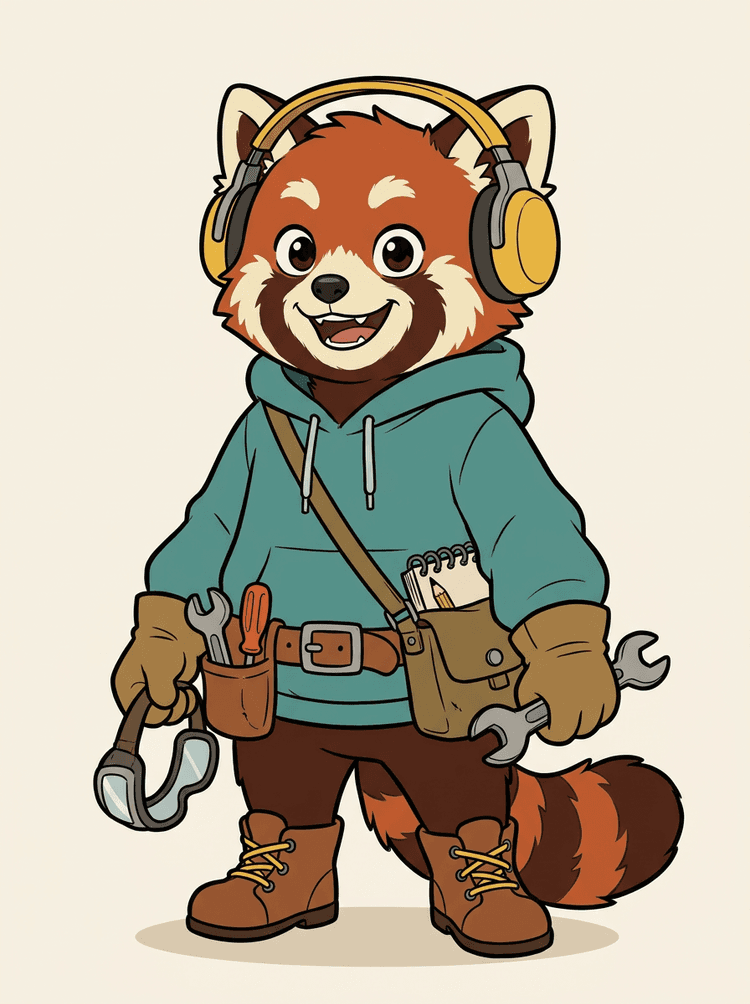
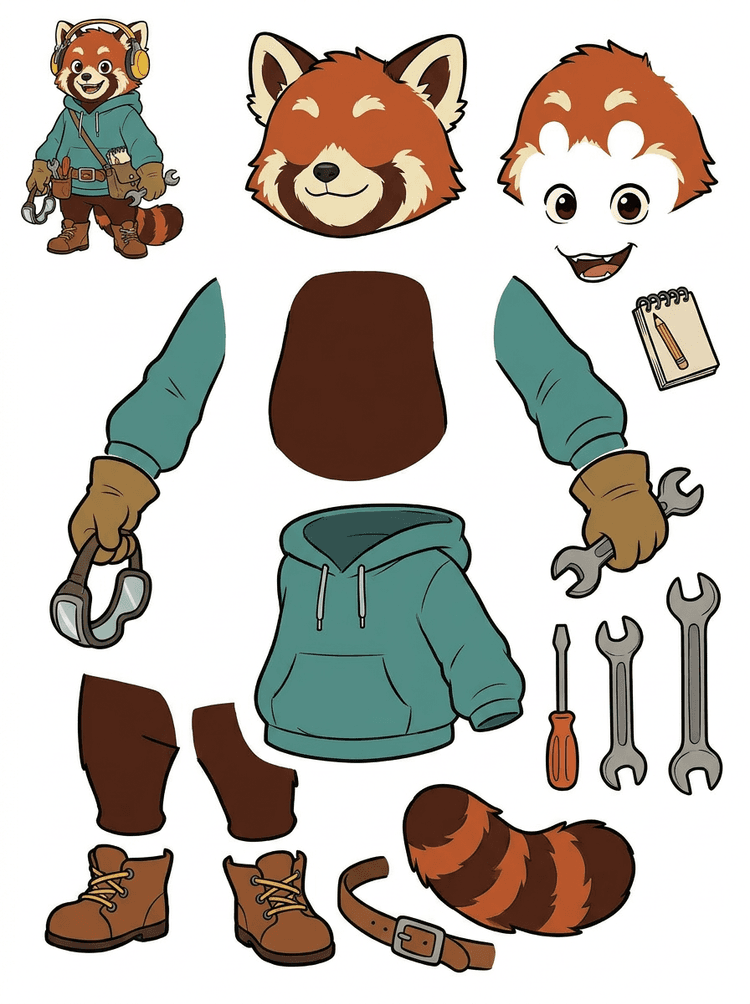
Headphones, hoodie, satchel, tail, shoes اور drawing tools والا character mascot animation review کے لیے ایک practical sheet بن جاتا ہے۔
اس real result میں visible parts
Production handoff
Generated sheet review step ہے۔ Live tool میں آگے بڑھ کر مناسب visible regions کو separate transparent PNG layers میں extract کریں، پھر انہیں ZIP یا editable starting PSD کے طور پر package کریں۔
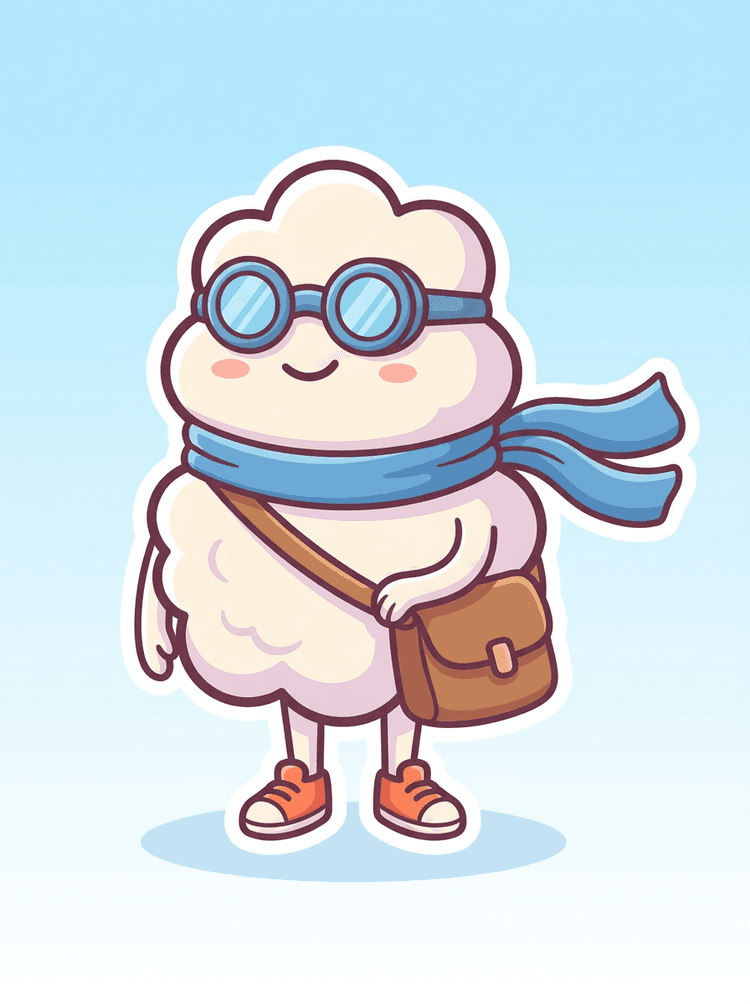
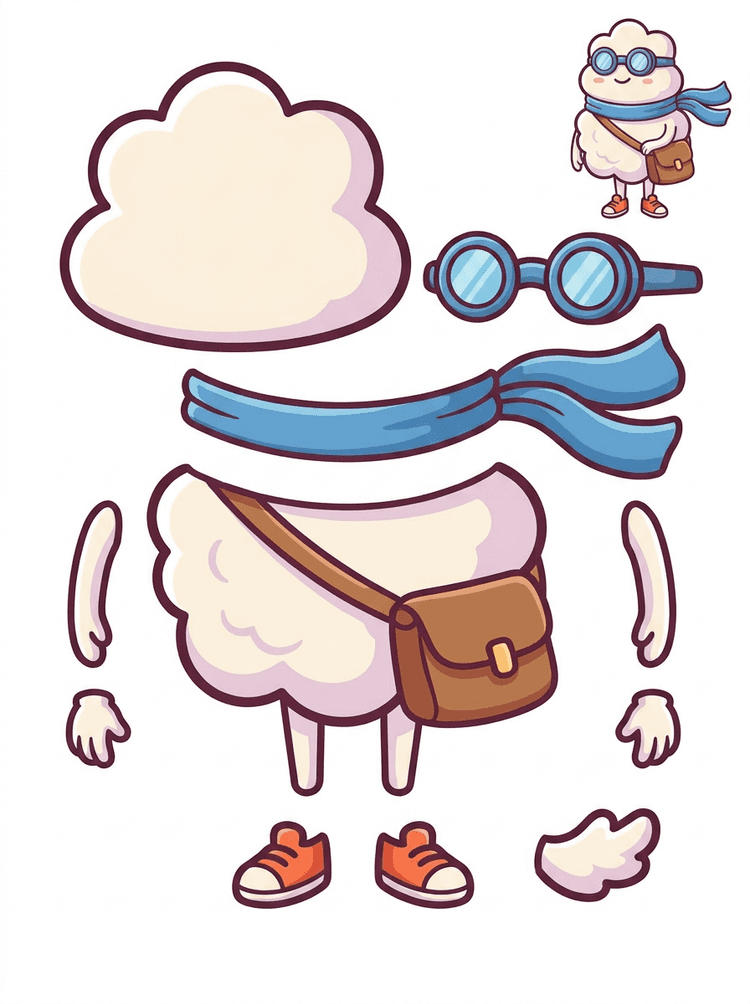
Sticker-like cartoon hero scarf, bag, shoes, goggles, hands اور rounded body components کے ساتھ parts sheet بن جاتا ہے۔
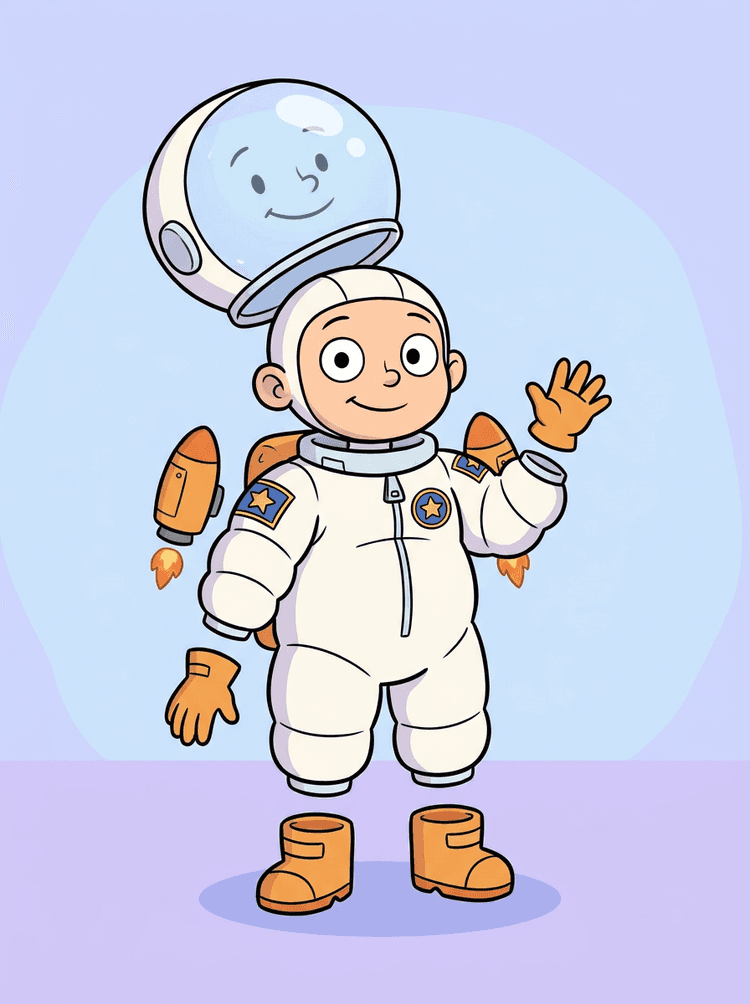
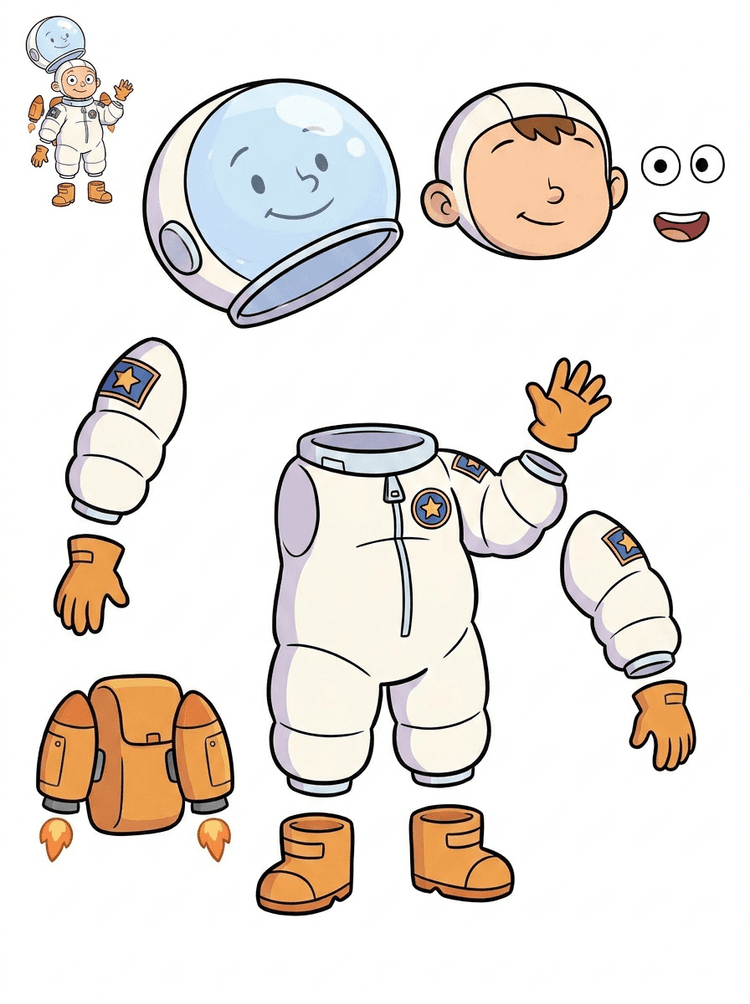
Kid astronaut illustration helmet, suit, gloves, boots, patches, backpack اور motion-comic pieces کے لیے sheet بن جاتی ہے۔
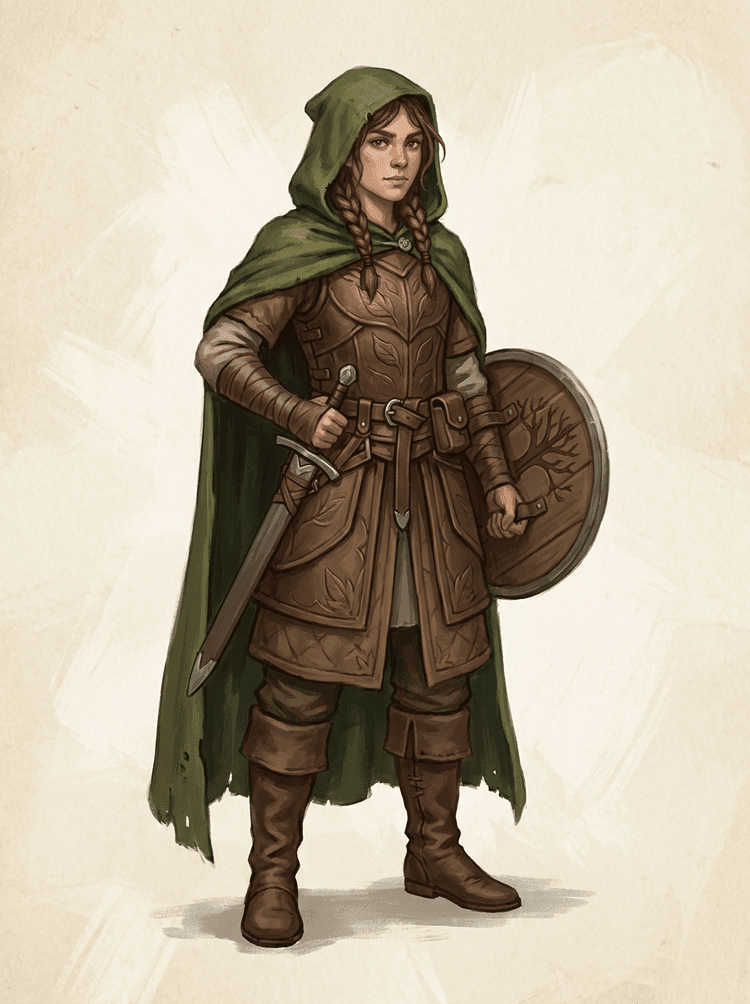
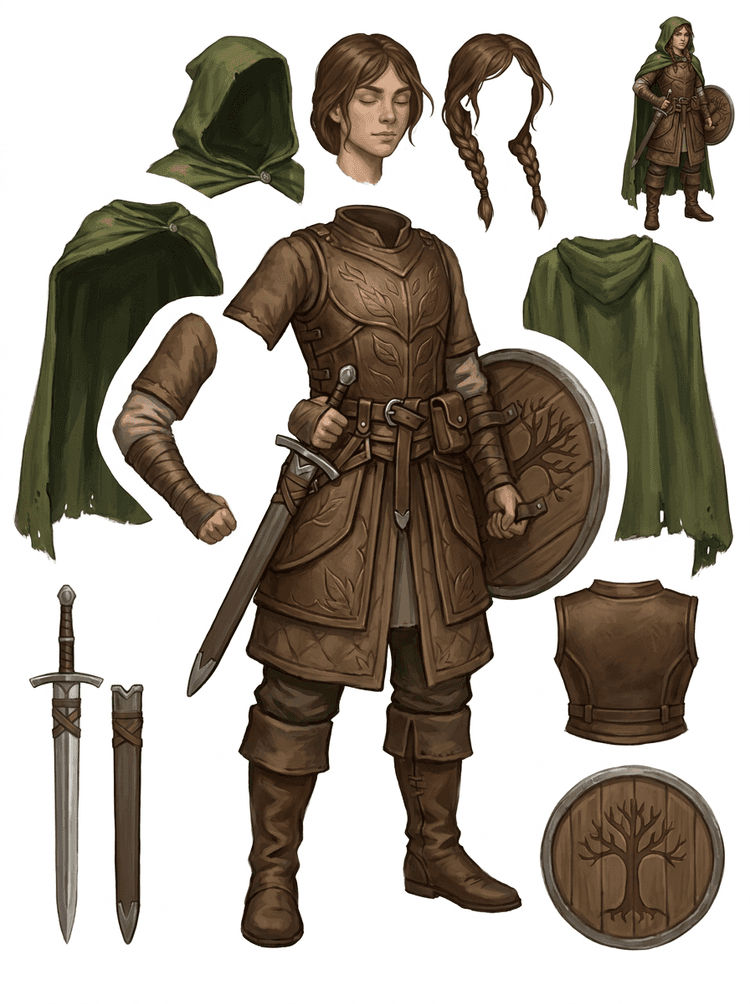
Fantasy game character armor, cloak, sword, shield, pouches, boots, limbs اور reusable sprite references میں split ہو جاتا ہے۔
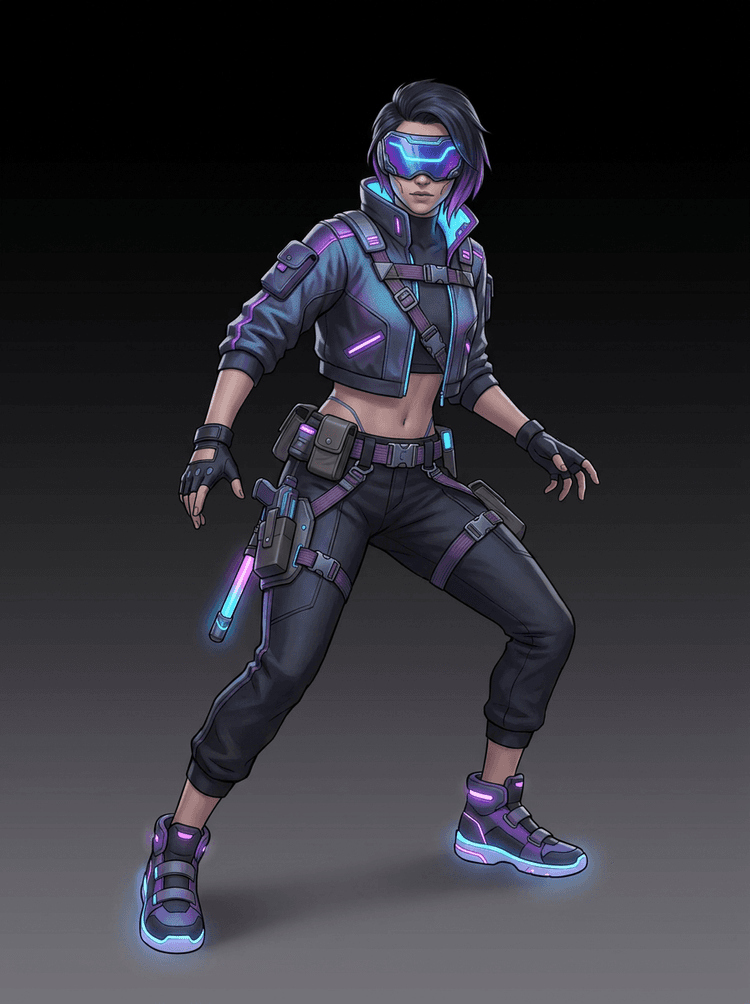
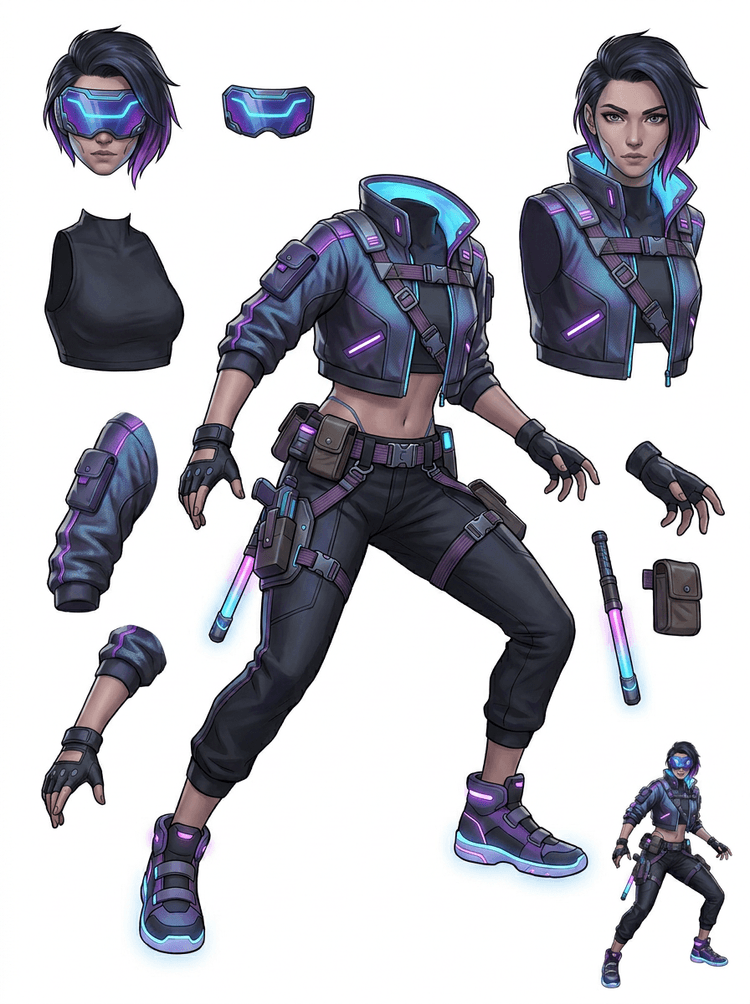
Cyberpunk action character jacket, visor, gloves, shoes, straps, baton اور body pieces کے لیے high-detail parts reference بن جاتا ہے۔
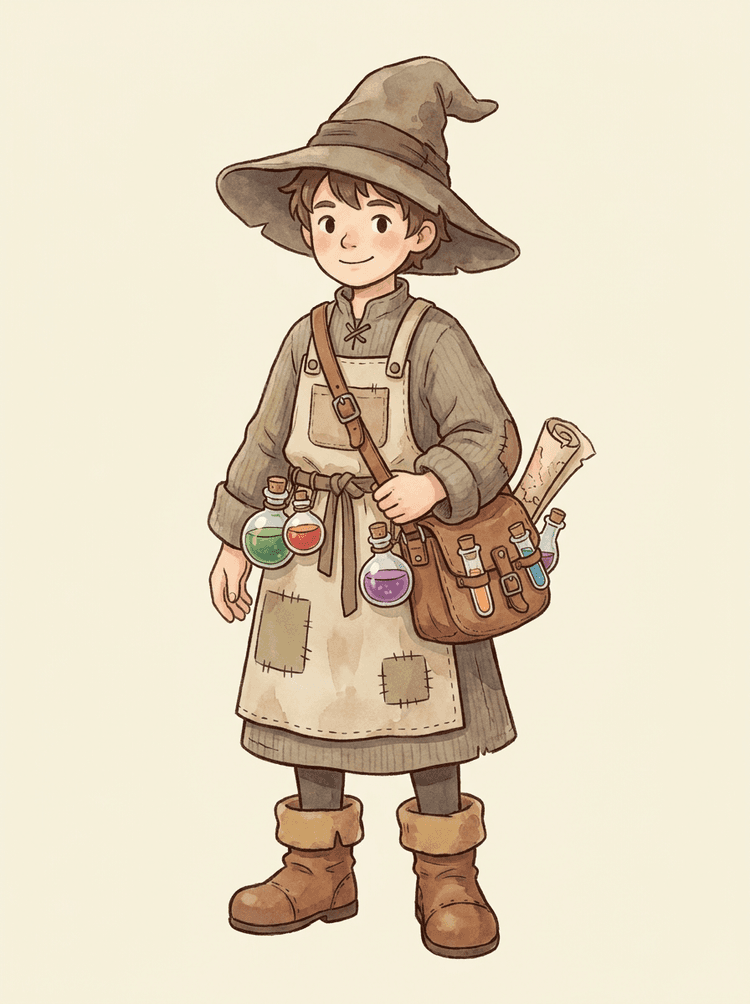
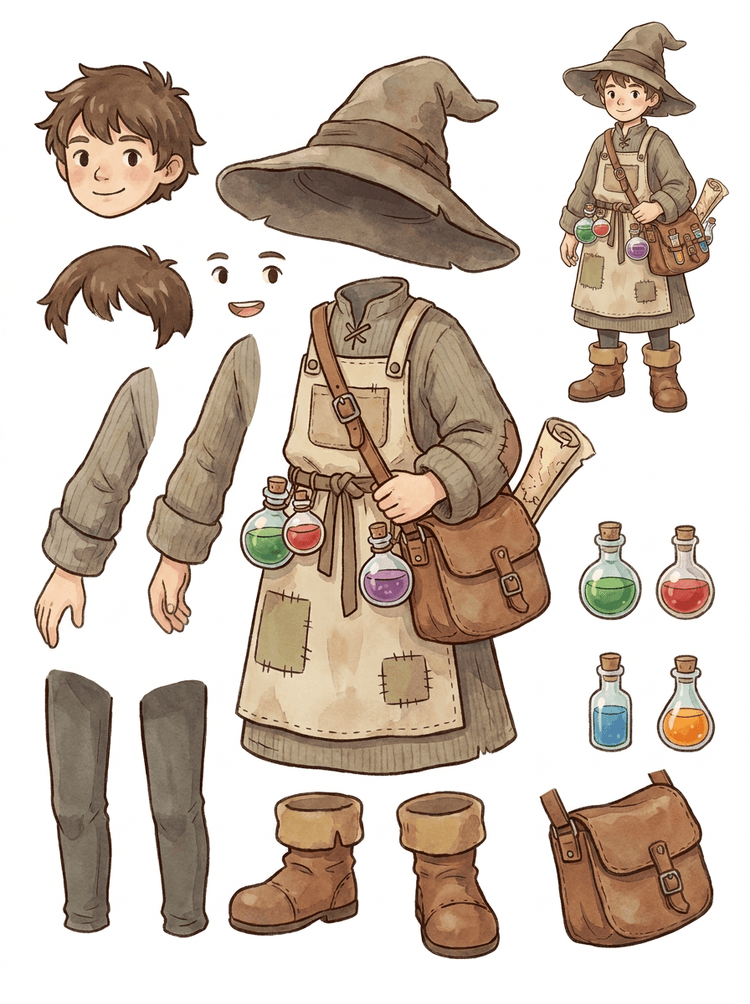
Hat, apron, potion satchel, bottles, map, boots اور warm clothing والا cozy NPC reusable game-production sheet بن جاتا ہے۔
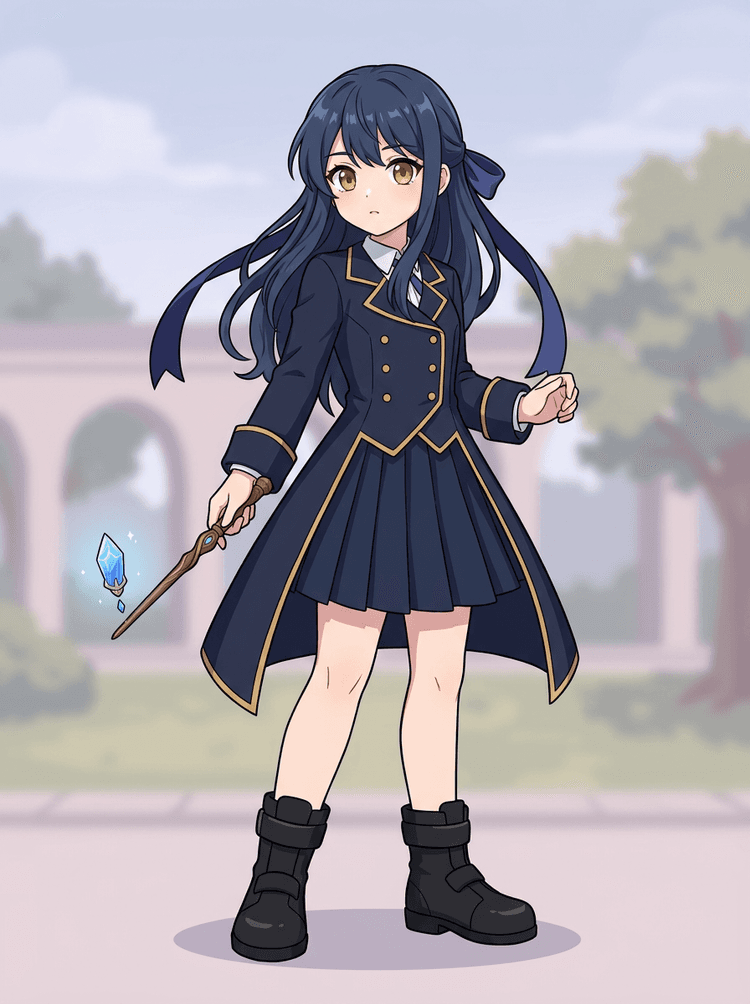
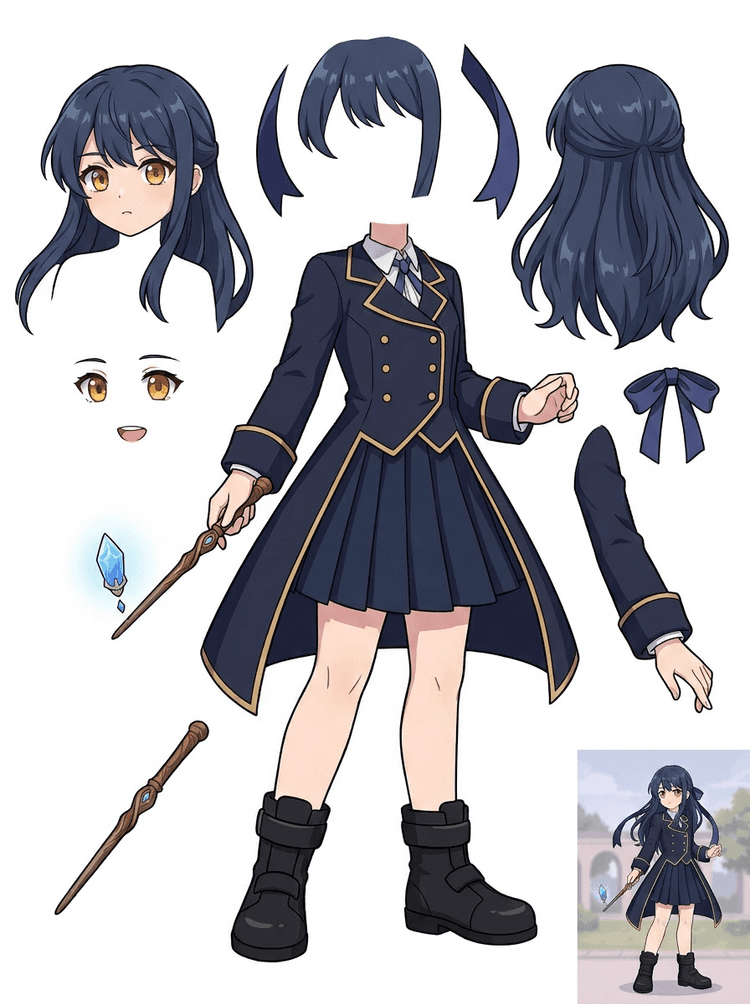
Uniform, ribbon, wand, hair, charm, gloves اور boots والی anime key art edits اور motion tests کے لیے parts sheet بن جاتی ہے۔
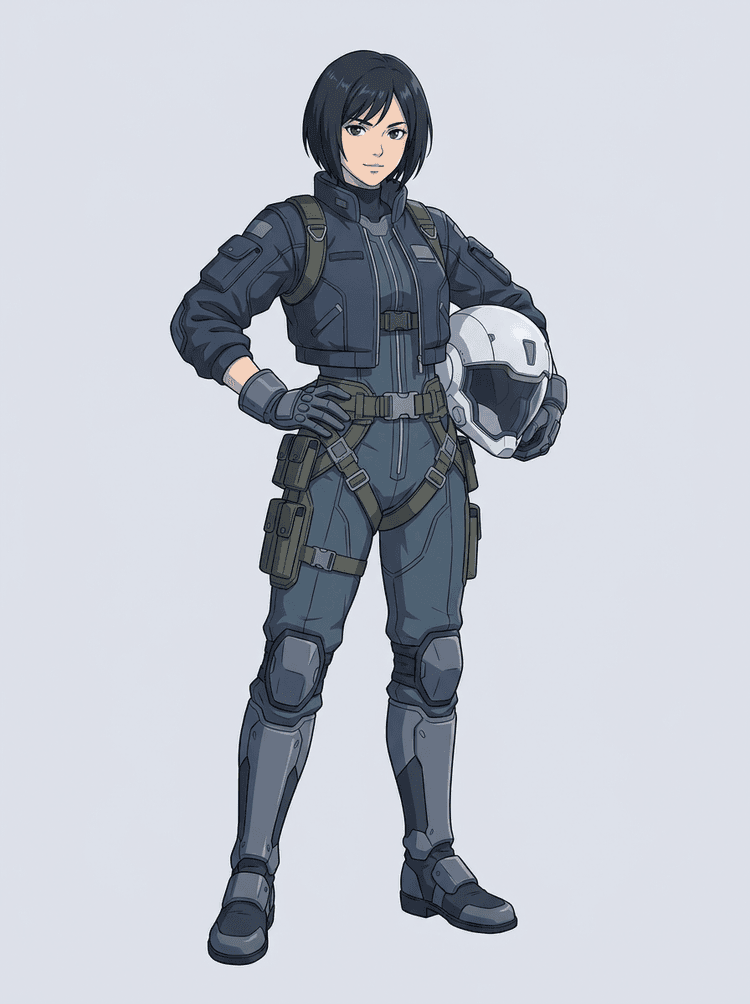
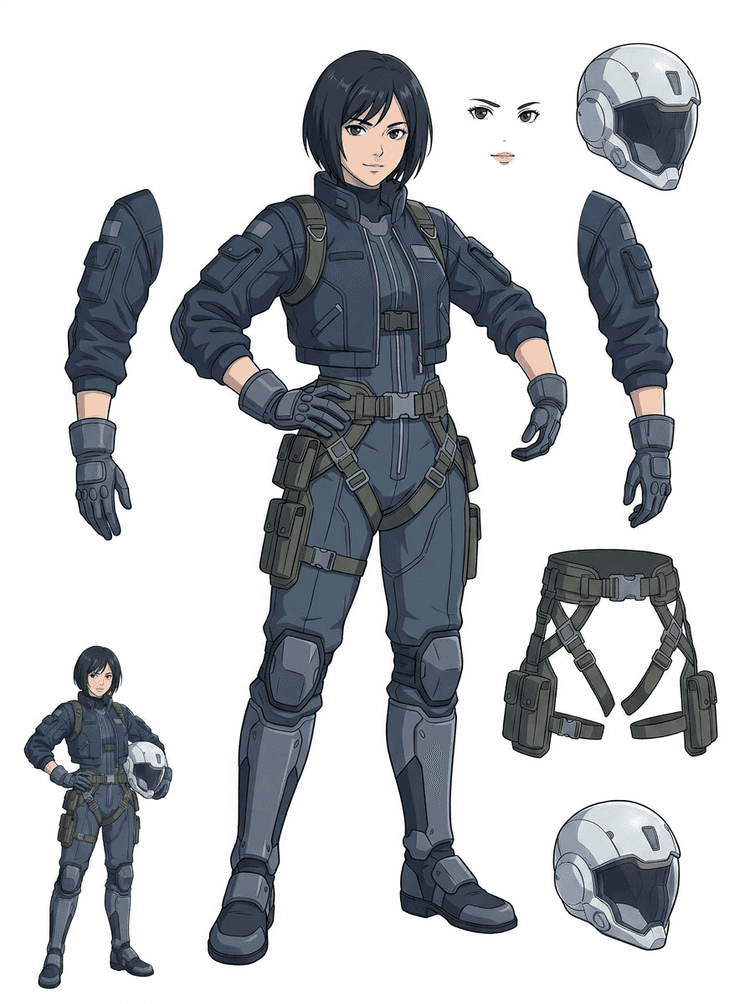
Sci-fi anime pilot hair, face, jacket, gloves, harness, boots, helmet اور body components میں الگ ہو جاتا ہے۔
AI Layer Splitter ان creators کے لیے ایک image to layers tool ہے جن کے پاس source image موجود ہے لیکن انہیں اس کے پیچھے موجود practical production pieces چاہییں: foreground, background, subject, characters, hair, face, outfit, limbs, text, objects, props, product details اور accessories۔
یہ artists, indie game teams, animators, marketers, e-commerce teams اور ACG creators کے لیے بنایا گیا ہے جنہیں ایک flat image کو reusable production assets میں بدلنا ہوتا ہے، بغیر اس کے کہ پورا session masking میں لگ جائے۔
ایک polished PNG blink نہیں کر سکتا، parallax نہیں بنا سکتا، props swap نہیں کر سکتا، products isolate نہیں کر سکتا، یا sprite نہیں بن سکتا جب تک main pieces الگ نہ ہوں۔
Selection tools، edge cleanup، اور layer naming پہلی animation test سے بھی زیادہ وقت لے سکتے ہیں۔
ایک glove, bag, shoe, tail, helmet یا ribbon بدلنا بھی مکمل repaint میں بدل سکتا ہے جب ہر حصہ ایک ساتھ fused ہو۔
Before
ایک خوبصورت character image جو مکمل لگتی ہے، مگر پھر بھی ایک single flat bitmap کے طور پر locked ہے۔
After
ایک readable asset sheet جس میں foreground, background, characters, text اور objects الگ ہیں تاکہ artists motion plan کر سکیں، details edit کر سکیں، اور production references hand off کر سکیں۔
مکمل manual masking workflow کھولنے سے پہلے reviewable separation pass بنائیں۔
ایک single character image سے animation، game اور edit handoff کے لیے parts میں جائیں۔
Case study
ایک brand mascot ایک static illustration سے head, tail, shoes, bag, clothing اور accessory references میں بدل سکتا ہے تاکہ animation planning تیز ہو جائے۔
Result
Artists دیکھ سکتے ہیں کہ کون سے parts usable ہیں، PRO کے ساتھ دوبارہ run کرنا ہے یا نہیں، اور blank masking session کے بجائے ایک concrete sheet سے cleanup شروع کر سکتے ہیں۔
LlamaGen layer workflow
cartoon, anime, and game asset prep
AI Layer Splitter کو پہلے صاف pass کے طور پر استعمال کریں: ایک image upload کریں، layer sheet generate کریں، پھر result کو اپنے editor, animation workflow یا game asset pipeline میں استعمال کریں۔
Full-body character art, mascot art, anime key art, game concepts, product shots, graphic designs, props، یا product-style illustrations استعمال کریں جن کے edges واضح ہوں۔
Quick Mode ایک تیز visual checkpoint بناتا ہے تاکہ team hair, face, clothing, hands, props, shoes, background, text, objects اور accessories کو context میں دیکھ سکے۔
PRO Mode اُس وقت بہترین ہے جب پہلا sheet ثابت کر دے کہ source readable ہے اور project کو زیادہ صاف model pass درکار ہو۔
Downloaded sheet motion blocking, rig planning, sprite references, repainting یا creative compositing کے لیے استعمال کریں۔
مقصد ایک قابلِ جائزہ production starting point ہے، نہ کہ ایک مبہم AI demo۔
AI layer splitter tool آپ کے artwork کا تجزیہ کرتا ہے اور characters, backgrounds اور objects جیسے مختلف elements شناخت کرتا ہے، پھر الگ layers بناتا ہے۔ یہ AI کی مدد سے images کو توڑتا ہے جبکہ layout, hierarchy اور design intent برقرار رکھتا ہے، اور graphic design, illustrated products, character art اور clean game assets کے ساتھ بہترین کام کرتا ہے۔
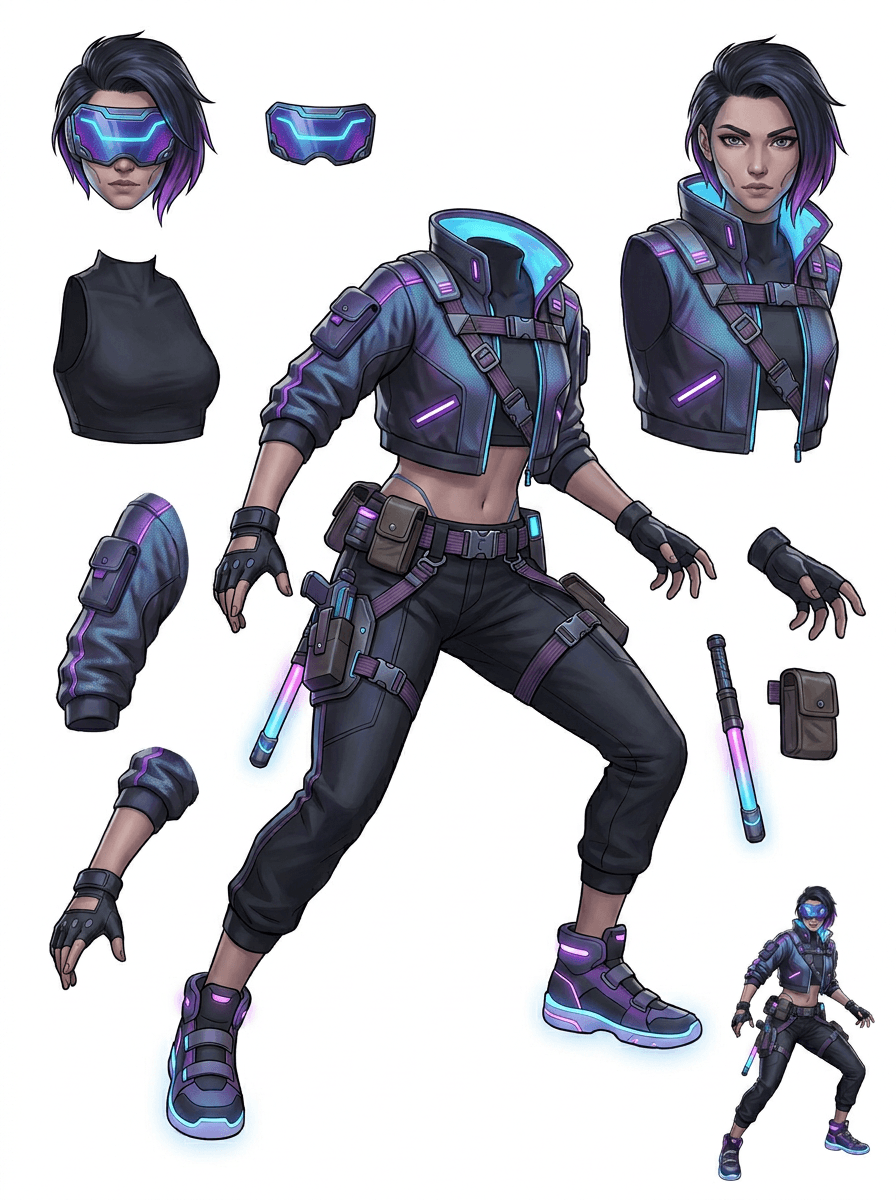
Gallery کو اصل production scenarios کے گرد ترتیب دیا گیا ہے: cartoon mascots, game characters, anime characters اور object-based image to layers workflows۔ ہر example میں original AI-generated source image اور matching split asset sheet شامل ہے۔
Mascots, kid characters, sticker-like heroes اور motion-comic characters جن میں expressive props اور accessories ہوں۔
RPG heroes, cyber runners, cozy NPCs, equipment layers, weapons, inventory references اور sprite-prep sheets۔
Modern anime key art جس میں hair, uniform, ribbon, helmet, glove, boot, harness اور charm separation ہو۔
AI Layer Splitter سب سے زیادہ مفید تب ہوتا ہے جب output کی کوئی منزل ہو۔ یہ scenarios بتاتے ہیں کہ کون سی source image upload کرنی ہے، کن parts کا جائزہ لینا ہے، اور sheet کو animation, games, comics, e-commerce یا brand production میں کیسے لے جانا ہے۔
Mascot animation
صاف mascot pose استعمال کریں جب آپ کو social stickers، short ads، landing-page motion یا simple rig planning درکار ہو۔
Upload کرنے کے لیے source
ایک full-body mascot جس کا face, hands, shoes, tail, props اور clothing edges واضح ہوں۔
جائزے کے لیے useful layers
Production handoff
Animators کو ایک reviewable parts sheet دیں اس سے پہلے کہ وہ final motion trace، redraw یا rig کریں۔
Indie game asset prep
Approved game art استعمال کریں جب team کو equipment variants, inventory icons, profile art یا fast pose exploration درکار ہو۔
Upload کرنے کے لیے source
ایک readable character concept جس میں armor, weapons, bag, cape, hair, boots اور silhouette واضح ہو۔
جائزے کے لیے useful layers
Production handoff
Sprite cleanup, equipment swaps اور gameplay-facing art کے لیے sheet کو starting reference کے طور پر استعمال کریں۔
Anime and ACG edits
Anime-style character art استعمال کریں جب آپ کو hair, face, uniform, ribbon, glove, helmet یا accessory control چاہیے ہو۔
Upload کرنے کے لیے source
ایک single anime character جس کے outlines مضبوط ہوں، outfit details نظر آ رہی ہوں، اور background noise کم ہو۔
جائزے کے لیے useful layers
Production handoff
Expression edits، outfit variations، character cards یا short animatic tests سے پہلے sheet کا جائزہ لیں۔
Comic and ad iteration
Campaign characters, props یا illustrated products استعمال کریں جب آخری وقت کی revisions بار بار چھوٹے visual parts کو چھوتی ہوں۔
Upload کرنے کے لیے source
ایک polished illustration جس میں object center میں ہو، edges واضح ہوں، اور main revision targets نظر آ رہے ہوں۔
جائزے کے لیے useful layers
Production handoff
Designers کو prop swaps, copy-safe variants اور compositing experiments کے لیے ایک concrete sheet دیں۔
یہ tool اُس وقت سب سے مضبوط ہے جب subject صاف، مکمل اور واضح طور پر الگ ہو۔ یہ ہر crowded photo, sketch sheet, occluded pose یا dense layout کے لیے shortcut نہیں ہے جہاں foreground, background, text اور objects بہت زیادہ overlap کر رہے ہوں۔
Generated sheet کو magic final file نہیں بلکہ پہلے production pass کی طرح پرکھا جانا چاہیے۔ Checklist استعمال کریں تاکہ فیصلہ ہو سکے کہ download کرنا ہے، دوبارہ run کرنا ہے، source crop کرنا ہے، یا PRO کی طرف جانا ہے جب image layer separator usable foreground, background, subject, object اور text areas identify کر لے۔
Weak result
اہم parts آپس میں مل گئے ہیں، بے ترتیب duplicate ہو گئے ہیں، یا visual clutter کے نیچے چھپ گئے ہیں۔
Production-useful result
Sheet ایک نظر میں main visible parts کو آسانی سے پہچاننے دیتی ہے: head, limbs, clothing, props, accessories، اور background pieces۔
Weak result
Character ایک نئے design جیسا لگتا ہے جس کے proportions, colors, line quality یا personality مختلف ہیں۔
Production-useful result
Separated parts پھر بھی original art direction سے جڑے محسوس ہوتے ہیں، recognizable silhouette, palette اور character identity کے ساتھ۔
Weak result
Sheet دلچسپ تو ہے، مگر team یہ نہیں سمجھ پا رہی کہ آگے trace, redraw, mask یا test کیا جائے۔
Production-useful result
Artists فوراً cleanup, rig blocking, sprite reference, prop swaps یا compositing tests کے لیے parts چن سکتے ہیں۔
Weak result
Poor split سے یہ نہیں پتا چلتا کہ مسئلہ model کا تھا یا uploaded image کا۔
Production-useful result
Result بتاتا ہے کہ آگے کیا ٹھیک کرنا ہے: closer crop, sketch marks remove کرنا، زیادہ margin دینا، background سادہ کرنا، یا PRO استعمال کرنا۔
ایک finished image کو الگ visual parts میں بدلیں جو review, edit, animate یا rebuild کرنے میں آسان ہوں۔
ایک صاف image upload کریں اور foreground, background, subject, objects, text, clothing, props اور accessories کے ساتھ ایک readable PNG layer sheet حاصل کریں۔
Image layer separator designers, marketers, animators اور game teams کو یہ سمجھنے میں مدد دیتا ہے کہ source image کے کون سے حصے editable assets بن سکتے ہیں۔ ہر element کو دوبارہ draw کرنے کے بجائے teams PNG layer sheet generate کر سکتی ہیں، original اور separated result compare کر سکتی ہیں، اور فیصلہ کر سکتی ہیں کہ source کو crop، cleanup، Quick Mode یا PRO pass کی ضرورت ہے یا نہیں۔
Sprite prep, rig planning, motion comics, e-commerce edits, sticker variants یا character handoff کے لیے downloadable sheet بنائیں۔ یہ تب بہترین ہے جب ایک واضح subject کے edges نظر آ رہے ہوں اور overlap کم ہو۔
بہترین layer-splitting workflow context محفوظ رکھتا ہے۔ Source، generated sheet، اور ایک مختصر review note رکھیں تاکہ اگلا artist جان سکے کہ کیا استعمال کرنا ہے اور کیا ابھی cleanup مانگتا ہے۔
Original image intent سمجھاتی ہے جب animator, game artist یا designer بعد میں separated sheet کا جائزہ لے۔
پہلا sheet تب زیادہ valuable بنتا ہے جب team جانتی ہو کہ کون سے parts تیار ہیں اور کون سے manual finishing مانگتے ہیں۔
Animation, sprite prep, comic edits یا compositing کے لیے sheet اور exported transparent layers کو ایک practical bridge کے طور پر استعمال کریں۔ PSD ایک editable starting file ہے، final production asset کی guaranteed file نہیں۔
AI Layer Splitter ٹیموں کو تیز first pass دیتا ہے؛ final shipping assets پھر بھی human review اور cleanup سے بہتر ہوتے ہیں۔
AI Layer Splitter ایک single flat image کو ایک readable PNG layer sheet میں بدلتا ہے، جس میں visible backgrounds, subjects, text, props, objects, product details اور character parts editing, animation, game art, motion comics, e-commerce اور compositing workflows کے لیے الگ ہو جاتے ہیں۔
جی ہاں۔ Quick Mode reviewable image-to-layers result کے لیے مفت online starting point ہے۔ اسے استعمال کریں تاکہ معلوم ہو سکے source image اچھی طرح separate ہوتی ہے یا نہیں، اس سے پہلے کہ manual masking میں وقت لگائیں یا زیادہ صاف PRO pass کے لیے upgrade کریں۔
جی ہاں۔ AI Layer Splitter ایک web-based AI image layer separator کے طور پر کام کرتا ہے: ایک image upload کریں، model کو subjects, backgrounds, text, props اور objects identify کرنے دیں، پھر reviewable image-to-layers sheet download کریں۔ یہ صاف photos, graphic design, illustrated products, game assets اور character art کے لیے تیز ترین ہے؛ complex images کو پھر بھی Photoshop, Figma یا کسی دوسرے editor میں manual cleanup کی ضرورت پڑ سکتی ہے۔
ایک صاف image upload کریں، Quick Mode چلائیں، اور generated image to layers sheet کا جائزہ لیں۔ Result visible foreground, background, subject, text, props اور objects کو ایک practical reference میں الگ کرتا ہے جسے آپ editing, compositing, animation blocking, sprite prep یا manual cleanup کے لیے استعمال کر سکتے ہیں۔
جی ہاں۔ پہلی layer sheet generate ہونے کے بعد paid second pass individual transparent PNG layers نکال سکتا ہے۔ آپ انہیں separately download کر سکتے ہیں، ZIP کی صورت میں package کر سکتے ہیں، یا editable starting PSD export کر سکتے ہیں۔ Complex edges اور crowded sources کو production delivery سے پہلے manual cleanup کی پھر بھی ضرورت ہو سکتی ہے۔
Layer Decomposition ایک AI agent capability ہے جو ایک single image کو logical, editable visual layers جیسے foreground, background, subjects, text اور objects میں الگ کرتی ہے۔ یہ teams کو flat image سے review, editing, animation اور production handoff کے لیے practical layer sheet تک لانے میں مدد دیتی ہے۔
جی ہاں۔ LlamaGen AI Layer Splitter browser میں background, text, subjects اور visible objects کو الگ کرتا ہے اور follow-up editing کے لیے downloadable asset sheet فراہم کرتا ہے۔
صاف illustrated subjects سب سے بہتر کام کرتے ہیں: cartoon mascots, anime characters, game characters, product-style graphics, props اور full-body designs جن میں visible hair, clothing, limbs, shoes, weapons, bags, tails, text, objects یا accessories ہوں۔
جی ہاں۔ Cartoon characters اور mascots مضبوط use cases میں سے ہیں کیونکہ outlines, props, clothing, hands, shoes اور facial parts اکثر اتنے واضح ہوتے ہیں کہ ایک مفید sheet بن سکے۔
جی ہاں۔ Game assets کے لیے AI Layer Splitter صاف character concepts کو sprite references, pose variants, inventory icons, equipment edits, UI portraits اور animation blocking کے ابتدائی نقطے میں بدل سکتا ہے۔
جی ہاں۔ Anime-style characters کو visible hair, face, outfit, ribbon, glove, boot, prop, helmet اور accessory references میں split کیا جا سکتا ہے جب source image صاف ہو۔
Quick Mode تیزی سے reviewable asset sheet بناتا ہے۔ PRO Mode بہتر model استعمال کرتا ہے تاکہ source image readable ہو اور project کو زیادہ high-quality pass کی ضرورت ہو تو separation زیادہ صاف ہو۔
نہیں۔ بہت crowded scenes, hidden body parts, overlapping subjects, sketch marks, heavy shadows, cropped limbs یا چھوٹے accessories کو پھر بھی source cleanup یا manual finishing کی ضرورت ہو سکتی ہے۔
آپ generated outputs کو اپنے LlamaGen plan اور terms کے مطابق استعمال کر سکتے ہیں۔ یہ بھی یقینی بنائیں کہ آپ کے پاس upload کی گئی source image کے حقوق ہوں۔
Preloaded sample سے شروع کریں، اپنی cartoon, anime یا game character upload کریں، اور چند منٹ میں ایک reviewable layer sheet بنائیں۔ پہلا result دیکھ کر فیصلہ کریں کہ Quick کافی ہے یا PRO pass worth it ہے۔