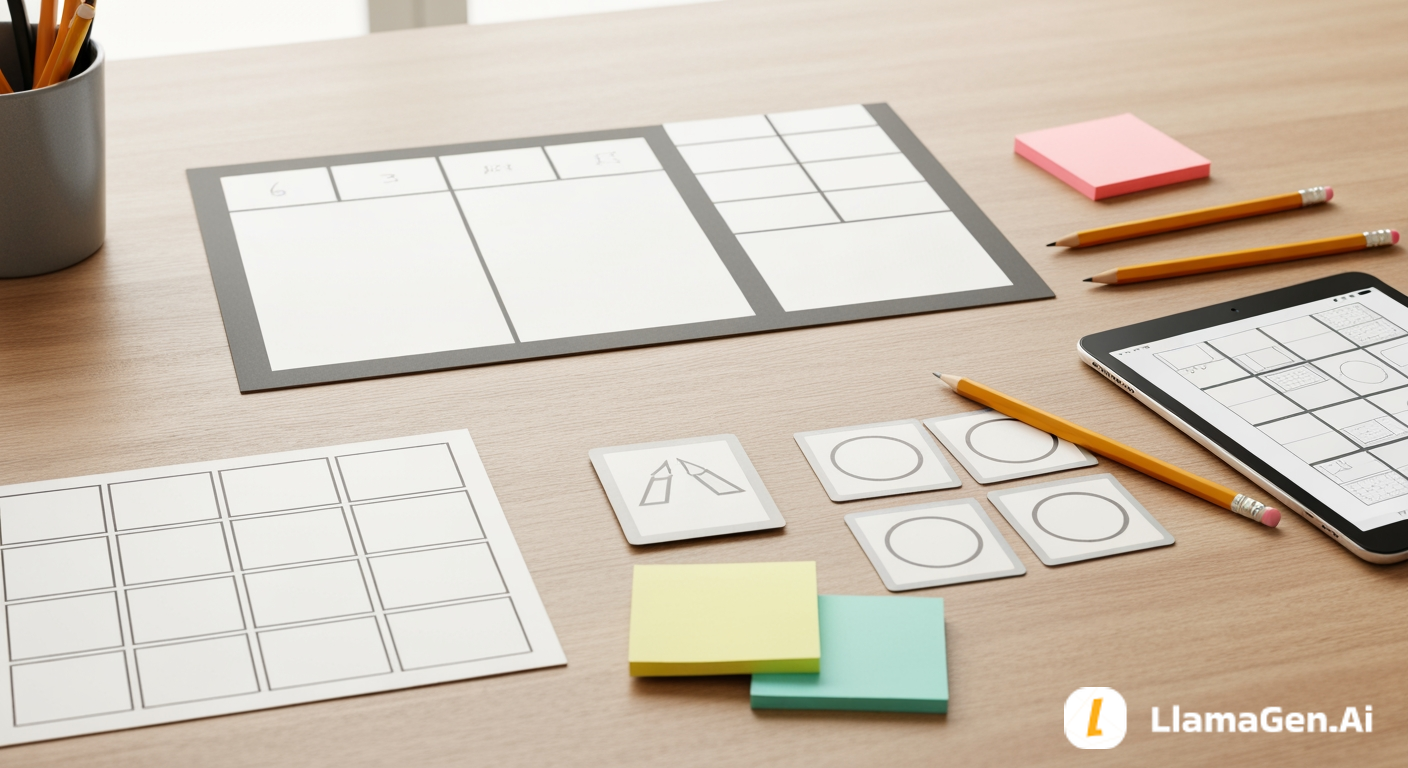

نص القصص المصورة ليس فقرة روائية مع فواصل أسطر.
إنه خطة إنتاج. كل لوحة تحتاج إلى وظيفة واضحة واحدة، ولحظة بصرية واحدة، وقدر كافٍ من التوجيه ليتمكن القارئ أو الفنان أو نظام الذكاء الاصطناعي من فهم ما يجب أن يظهر على الصفحة. إذا تخطيت هذه الخطوة، تصبح عملية الإنشاء مجرد تخمين: الكثير من الحركة في لوحة واحدة، وزوايا كاميرا غير متسقة، وحوار مربك، وخلفيات لا تدعم القصة.
يكمل هذا الدليل السلسلة:
اليوم ستنشئ مخرجًا عمليًا واحدًا:
A 4-6 panel comic page script with visual direction, dialogue, and generation notes.
سيصبح هذا النص هو المدخل للمقال التالي: إنشاء صفحة القصة المصورة.
بالنسبة للصفحة الأولى، اجعل البنية بسيطة:
Panel 1: Establish the location.
Panel 2: Show the character's normal pressure.
Panel 3: Introduce the trigger.
Panel 4: Make the conflict visible.
Panel 5: Force a choice.
Panel 6: End with a hook.
يجب أن تتضمن كل لوحة:
إليك القالب العملي:
Panel number:
Purpose:
Shot type:
Location:
Characters:
Action:
Emotion:
Background anchors:
Dialogue/caption:
Continuity notes:
Generation prompt:
عادةً ما تكون هذه البنية كافية لتوجيه الصفحة دون إثقال كل لوحة بتفاصيل زائدة.
يمكن لبذرة القصة أن تصف ما يحدث. ويمكن لورقة الشخصية أن تحدد من يظهر. ويمكن لدليل العالم أن يحدد أين يحدث ذلك.
لكن نص القصة المصورة هو الذي يحدد كيف سيختبر القارئ ذلك.
من دون تخطيط اللوحات، تكون مطالبة مثل هذه غامضة أكثر من اللازم:
Leo finds a robot in the floating junk market and runs from guards.
قد يتحول هذا إلى صورة مزدحمة واحدة، أو مطاردة عشوائية، أو مشهد بلا تسلسل واضح للقراءة. أما نص اللوحات فيحوّل الفكرة نفسها إلى إيقاعات بصرية مضبوطة:
ملخص لأحدث إصدارات ميزات LlamaGen وتحسينات المنتج وتحديثات التصميم وإصلاحات الأخطاء المهمة.
| الإيقاع | ما يراه القارئ |
|---|---|
| التهيئة | سوق خردة عائم فوق سماء مفتوحة |
| ضغط الشخصية | ليو يفشل في إصلاح أمام الناس |
| المحفّز | صندوق ينفتح من تلقاء نفسه |
| الاكتشاف | روبوت صغير يكرر صوت أخته |
| الخطر | أضواء الحراس تتحول إلى الأحمر |
| الخطاف | الروبوت يعرض خريطة إلى منصة مستحيلة |
الآن أصبح للصفحة إيقاع.
يجب أن يكون لكل صفحة وظيفة رئيسية واحدة.
بالنسبة للصفحة الأولى، تشمل الوظائف المفيدة:
في قصة ليو، وظيفة الصفحة هي:
Introduce Leo, show the floating junk market, reveal the robot, and end with the map hook.
هذه الجملة تمنع الصفحة من محاولة فعل أشياء أكثر من اللازم.
بنية عملية للصفحة الأولى هي:
1 wide panel
3 medium panels
1 close-up
1 hook panel
بالنسبة للمانغا أو الويب تون، يمكنك تعديل الشكل:
| التنسيق | بنية جيدة |
|---|---|
| صفحة قصة مصورة واحدة | 4-6 لوحات مع إيقاع نهائي واضح |
| افتتاحية حلقة ويب تون | 5-7 إيقاعات عمودية مع تباعد أكبر |
| صفحة مانغا | 5-6 لوحات مع تباين أقوى بين الأسود والأبيض |
| شريط قصصي مصور | 3-4 لوحات مع ضربة أو كشف واضح واحد |
لا تبدأ بـ12 لوحة. المزيد من اللوحات يخلق مخاطر أكبر في الاستمرارية وعادةً ما يقلل الوضوح في الصفحة الافتتاحية.
يجب ألا تؤدي اللوحة خمس وظائف دفعة واحدة.
غرض ضعيف للوحة:
Leo is at the market, fixing a machine, feeling nervous, hearing his sister, seeing the robot, and guards arrive.
تسلسل أقوى:
Panel 1: Establish the floating market.
Panel 2: Show Leo failing a repair.
Panel 3: Show the crate opening.
Panel 4: Show Leo hearing his sister's voice.
Panel 5: Show guard lights turning red.
Panel 6: Show the robot map hook.
كل لوحة تحصل على فكرة بصرية أساسية واحدة.
نوع اللقطة يخبر القارئ أين ينظر.
استخدم هذه المجموعة البسيطة:
بالنسبة لصفحة ليو:
| اللوحة | نوع اللقطة | السبب |
|---|---|---|
| 1 | لقطة واسعة | ترسيخ السوق العائم |
| 2 | لقطة متوسطة | إظهار ليو وهو يعمل تحت الضغط |
| 3 | لقطة تفصيلية | جعل الصندوق مهمًا |
| 4 | لقطة مقرّبة | إظهار رد فعل ليو العاطفي |
| 5 | زاوية منخفضة | جعل أضواء الحراس تبدو خطيرة |
| 6 | لقطة فوق الكتف | إظهار ليو والخريطة المستحيلة معًا |
أنواع اللقطات تجعل مطالبات الإنشاء أسهل والصفحات أكثر قابلية للقراءة.
إليك نصًا كاملًا للصفحة الأولى باستخدام القصة وورقة الشخصية وملاحظات العالم من الأدلة السابقة.
Page job:
Introduce Leo, show the floating junk market, reveal the robot, and end with the map hook.

Panel 1:
Purpose: establish the world
Shot type: wide establishing shot
Location: Floating Junk Market
Characters: Leo as a small figure near a repair stall
Action: stacked salvage platforms hang above open sky while people move across narrow bridges
Emotion: adventurous, busy, slightly unstable
Background anchors: hanging cables, warning flags, pulley crates, open sky
Dialogue/caption: Caption: "The market floated high enough that broken things sometimes fell for minutes."
Continuity notes: keep the market above open sky; use dusty gray, faded yellow, rust orange
Generation prompt: wide cinematic manga panel of a floating junk market above open sky, stacked salvage platforms, hanging cables, warning flags, pulley crates, small repair stall, busy but readable background, no readable text

Panel 2:
Purpose: show Leo's normal pressure
Shot type: medium shot
Location: Floating Junk Market repair stall
Characters: Leo
Action: Leo tightens a screw on a wheezing machine as smoke puffs from the wrong side
Emotion: anxious focus, embarrassed determination
Background anchors: tool bench, patched metal, canvas awning, warning flags in distance
Dialogue/caption: Leo: "Almost fixed. Probably."
Continuity notes: Leo has messy black hair, copper clip, tan utility jacket, cheek bandage, dented screwdriver
Generation prompt: medium manga panel of Leo, nervous apprentice repair kid, tightening a screw on a damaged machine at a floating market repair stall, smoke puff, anxious focus, preserve copper hair clip, cheek bandage, tan utility jacket, dented screwdriver

Panel 3:
Purpose: introduce the trigger
Shot type: detail shot
Location: repair stall floor
Characters: Leo's hand only
Action: a dented delivery crate clicks open by itself beside Leo's boot
Emotion: quiet surprise
Background anchors: scratched metal floor, crate latch, loose bolts
Dialogue/caption: SFX: click
Continuity notes: keep crate dented and old; avoid extra characters
Generation prompt: close detail manga panel of a dented delivery crate on scratched metal floor beside a worn boot, latch opening by itself, loose bolts, tense quiet moment, no readable text

Panel 4:
Purpose: make the discovery emotional
Shot type: close-up
Location: repair stall
Characters: Leo, tiny robot
Action: the tiny robot looks up from the crate and repeats a voice Leo recognizes
Emotion: shock, hope, fear
Background anchors: crate edge, tool shadows, soft sky light
Dialogue/caption: Robot: "Leo?"
Continuity notes: Leo's face should show recognition; keep robot small and simple
Generation prompt: close-up cinematic manga panel of Leo staring at a tiny robot inside a dented crate, shocked expression, hopeful fear, soft daylight, tool shadows, preserve Leo's face details and outfit anchors

Panel 5:
Purpose: add danger
Shot type: low angle
Location: Guard Checkpoint Bridge near the market
Characters: guard silhouettes, Leo at the foreground edge
Action: red signal lights switch on across the bridge while guards turn toward the repair stall
Emotion: danger, exposure, urgency
Background anchors: steel gate ribs, red warning lights, narrow bridge
Dialogue/caption: Guard: "Seal the bridge."
Continuity notes: checkpoint uses red warning lights; keep guards as silhouettes
Generation prompt: low angle manga panel of a narrow guard checkpoint bridge, steel gate ribs, red warning lights turning on, guard silhouettes looking toward market repair stall, tense atmosphere, no readable signs

Panel 6:
Purpose: end with a hook
Shot type: over-the-shoulder
Location: repair stall looking toward open sky
Characters: Leo, tiny robot
Action: the robot projects a map line toward an unlisted platform below the market
Emotion: mystery, impossible choice
Background anchors: open sky, hanging cables, faint silver route line, distant pale arches
Dialogue/caption: Caption: "The map pointed down, to a place the market said did not exist."
Continuity notes: show Leo holding the dented screwdriver; make the map visual but avoid readable words
Generation prompt: over-the-shoulder manga panel of Leo holding a tiny robot as it projects a glowing map line toward an impossible hidden platform below a floating market, open sky, hanging cables, distant pale arches, mysterious silver light, no readable text
هذا نص صالح للاستخدام لصفحة أولى من 6 لوحات.
يعمل LlamaGen.AI بأفضل شكل عندما يُعامل النص كملخص بصري منظم بدلًا من فقرة قصصية فضفاضة. الفصل الواضح بين اللوحات يجعل التحكم في التدفق والكاميرا والشخصيات والاستمرارية أسهل.
استخدم LlamaGen.AI لإنشاء:
ابدأ بلصق:
Story seed:
[paste Day 1 story seed]

Character sheet:
[paste Day 2 character sheet]

World bible:
[paste Day 3 locations and style rules]

Panel script:
[paste the 4-6 panel script]
ثم اطلب مسودة بصرية أولى. لا تطلب الصقل النهائي فورًا. تحقق أولًا مما إذا كان التسلسل مقروءًا، وما إذا كانت الشخصية ظلت مطابقة لنموذجها، وما إذا ظلت المواقع متسقة من لوحة إلى أخرى.
تساعدك مراجعة بسيطة بعد المسودة الأولى على التقاط المشكلات الأكثر شيوعًا:
استخدم هذه المطالبات للانتقال من الملاحظات إلى نص لوحات نظيف.
Turn this comic story seed, character sheet, and world bible into a 6-panel first page script:
[paste story seed]
[paste character sheet]
[paste world bible]

For each panel include:
- purpose
- shot type
- location
- characters
- action
- emotion
- background anchors
- dialogue or caption
- continuity notes
- image-generation prompt
Keep each panel focused on one visual beat.
Review this comic panel script for pacing:
[paste panel script]

Find:
- panels doing too many jobs
- missing establishing shots
- unclear transitions
- weak final hook
- dialogue that could be more visual
Return a revised 4-6 panel version.
Convert this story paragraph into comic panel beats:
[paste paragraph]

Output:
Panel number | Beat purpose | Visible action | Shot type | Emotion | Hook value
Limit it to 4-6 panels.
Convert this comic script into AI-ready panel prompts:
[paste panel script]

Rules:
- preserve character anchors
- preserve location anchors
- keep prompts concise
- include shot type and emotion
- avoid readable text unless it is handled separately as dialogue
Check this panel script for continuity risks before generation:
[paste panel script]

Review:
- character appearance consistency
- location consistency
- prop continuity
- camera flow
- dialogue clarity
- final hook strength
Return a short fix list and a revised script.
قبل أن تُنشئ الرسومات، تحقق من نصك:
انتبه لهذه المشكلات:
إذا بدا النص مربكًا في صورته النصية، فعادةً سيكون أكثر إرباكًا بعد الإنشاء.
المقال التالي في هذه السلسلة هو أنشئ صفحة قصة مصورة. يحوّل هذا الدليل نص اللوحات إلى صفحة قصة مصورة بصرية كاملة.
الخطوة السابقة: بناء عالم القصة المصورة
ابدأ من اليوم 1: كيف تبدأ قصة مصورة
عندما تكون جاهزًا لإنشاء أول مسودة بصرية، ابدأ من هنا:
Popular creator tools
Go from comics and storyboards to stylized photos with LlamaGen.
Visualize every scene before production starts.
قم فقط بإحالة أصدقائك ومتابعيك وعملائك لكسب ما يصل إلى 30% في العمولات المتكررة مدى الحياة!