

پیشنهادی
حالت سریع
پیشنهاد اول. یک شیت PNG خوانا از یک تصویر.
یک تصویر تمیز آپلود کنید و آن را به پسزمینه، پیشزمینه، سوژه، متن، اشیا، کاراکترهای کمیک، آرت انیمه، اکسسوریها یا گرافیک محصول تقسیم کنید. شیت لایه اولیه را بررسی کنید، سپس لایههای PNG شفافِ جداگانه را استخراج کنید و در نهایت ZIP یا PSD شروعِ قابل ویرایش را خروجی بگیرید.
First pass · 300 credits
Generates one reviewable PNG asset sheet. It is not an editable set of transparent PNG layers.
First pass · 600 credits
Uses a higher-quality model to produce a cleaner PNG asset sheet, still delivered as a single image.
Paid second pass · +600 credits
Once the sheet is ready, a paid user can extract individual transparent PNG layers, download them or a ZIP, and export a starter PSD.
The extracted PNGs are actual second-pass outputs, not a crop of the sheet. Occluded regions or complex edges can need manual cleanup; PSD is an editable starting file.
or drop a file,
paste image or
No image? Try one of these:
یک تصویر واقعی را در همین صفحه آپلود کنید. حالت سریع اولین شیت قابل بررسی را میسازد؛ اگر منبع تمیز باشد، PRO آن شیت را بهتر میکند. در مرحله دومِ پولی، لایههای جداگانه PNG شفاف استخراج میشوند که میتوانید آنها را جداگانه، بهصورت ZIP یا به شکل PSD شروعِ قابل ویرایش دانلود کنید.
پیشنهاد اول. یک شیت PNG خوانا از یک تصویر.
مدل پیشرفته. جداسازی تمیزتر در شیت دارایی.
After creating a sheet, paid plans can extract real transparent PNG layer files and download individual PNGs, a ZIP, or an editable starter PSD. Complex images may need manual cleanup.
هر کارت یک منبع واقعی و شیت لایه تولیدشده را نشان میدهد. برچسبها فقط بخشهایی را توصیف میکنند که در همان نتیجه دیده میشوند؛ ابزار زنده بالا جایی است که یک منبع مناسب میتواند به لایههای جداگانه پیشزمینه، پسزمینه، سوژه، متن و اشیا ادامه پیدا کند.
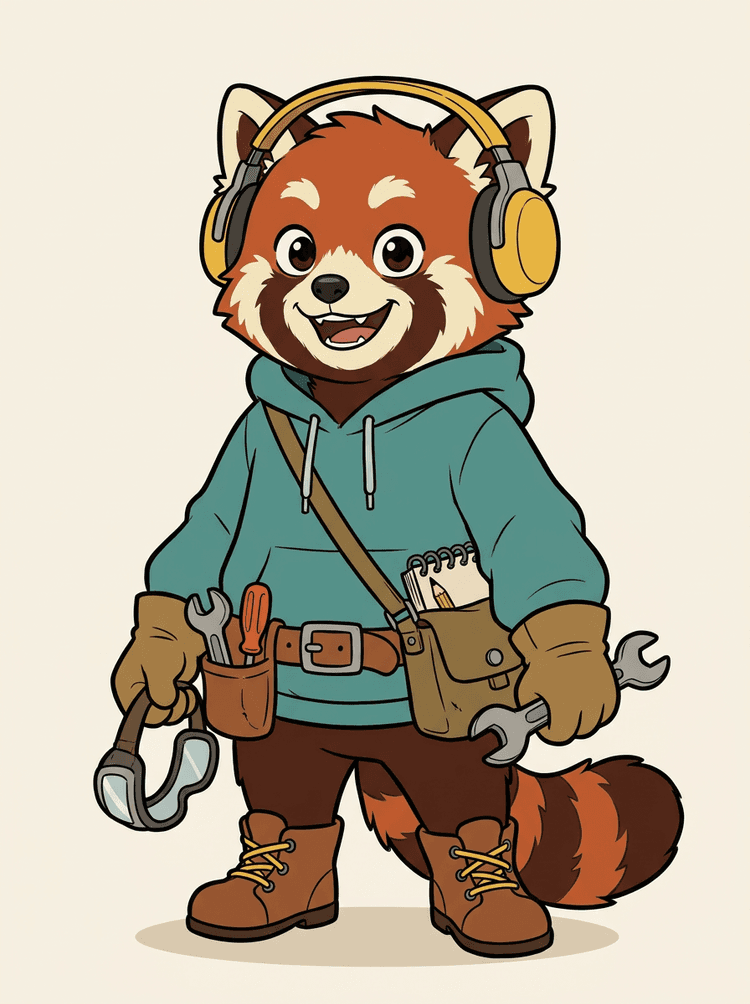
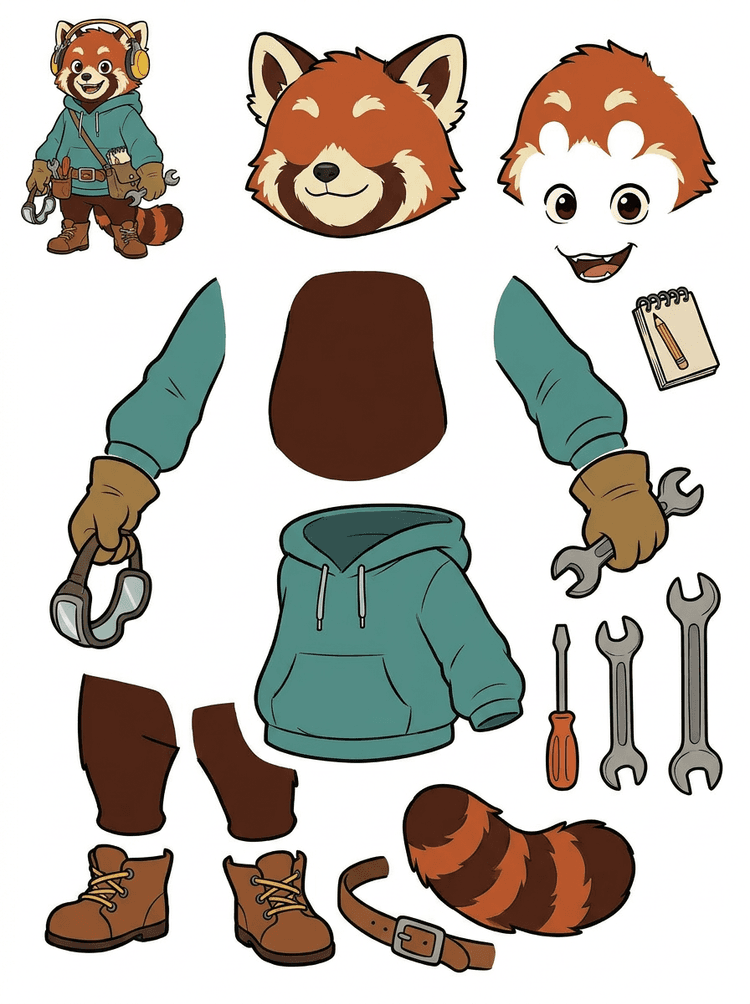
یک ماسکات با هدفون، هودی، کیف دوشی، دم، کفش و ابزار طراحی به یک شیت کاربردی برای بررسی انیمیشن تبدیل میشود.
بخشهای قابلمشاهده در این نتیجه واقعی
تحویل به تولید
شیت تولیدشده مرحله بررسی است. برای استخراج نواحی قابلمشاهده مناسب بهصورت لایههای PNG شفاف جداگانه، سپس بستهبندی آنها بهصورت ZIP یا PSD شروعِ قابل ویرایش، در ابزار زنده ادامه دهید.

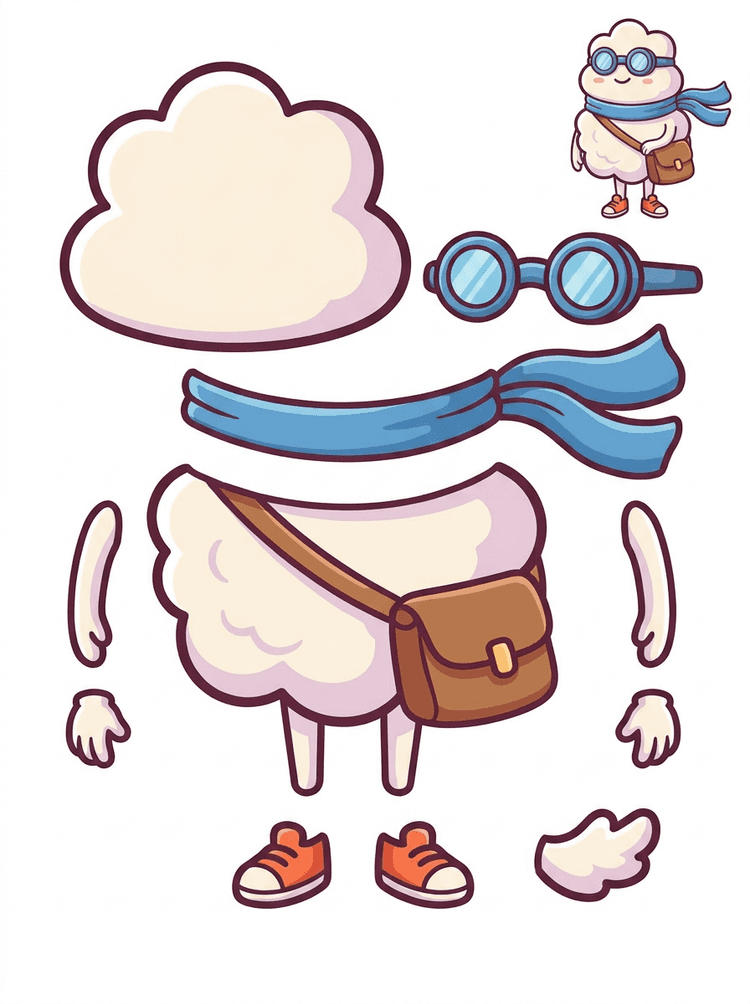
یک قهرمان کارتونی شبیه استیکر به شیت بخشها با شال، کیف، کفش، عینک، دستها و اجزای گرد بدن تبدیل میشود.
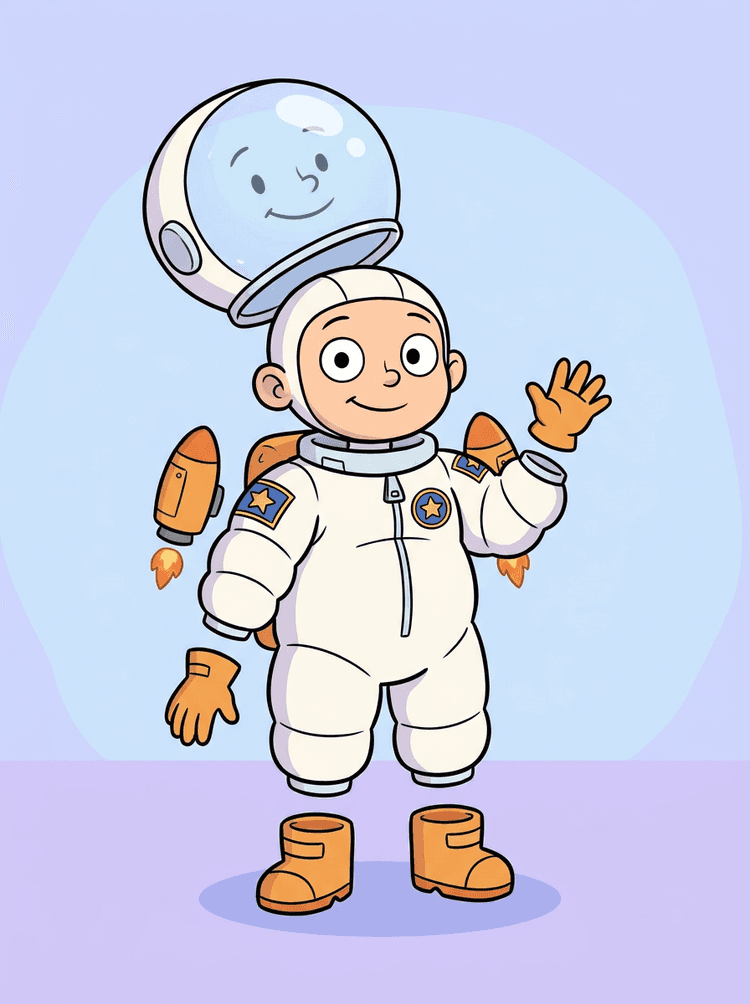
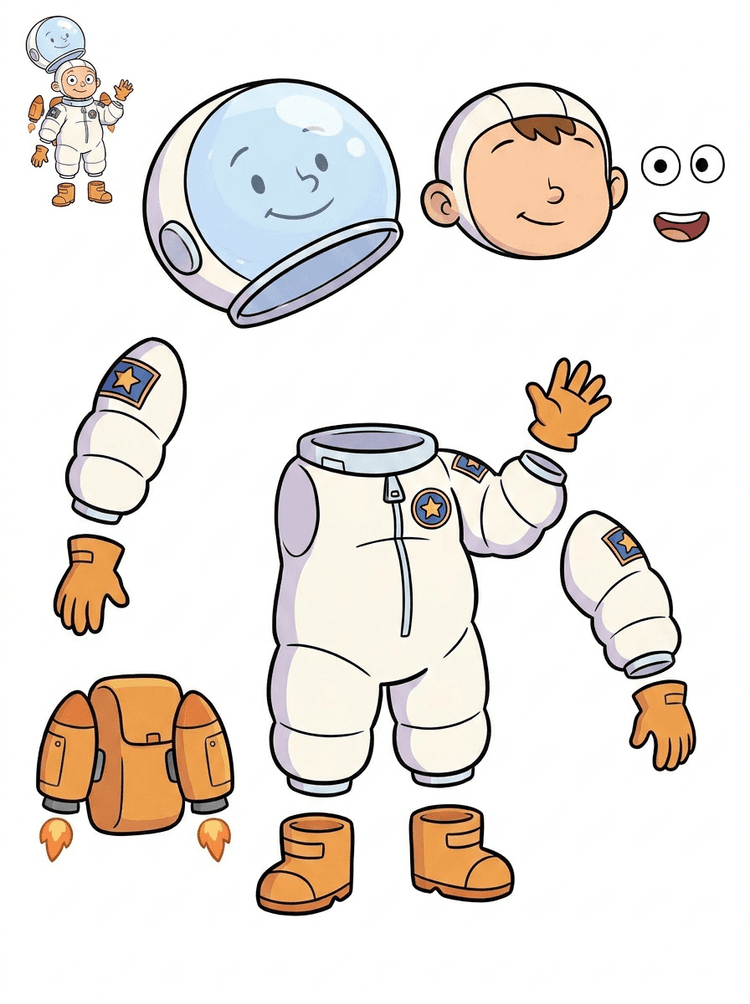
تصویرسازی یک کودک فضانورد به شیتی برای کلاهخود، لباس فضایی، دستکش، بوت، نشانها، کولهپشتی و بخشهای موشنکمیک تبدیل میشود.
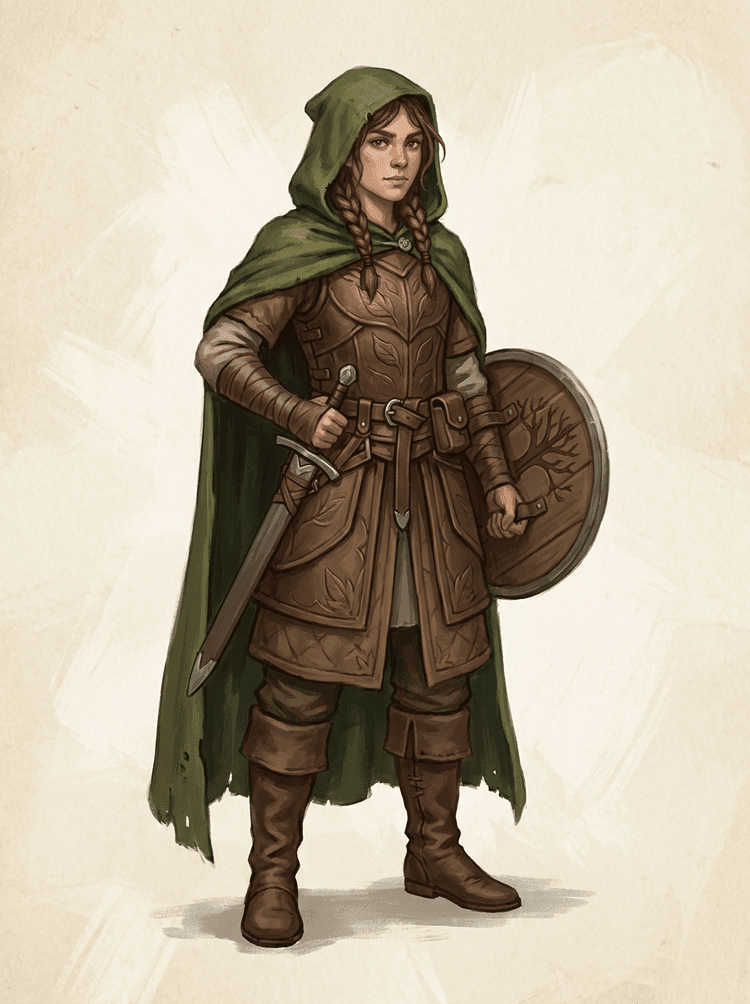
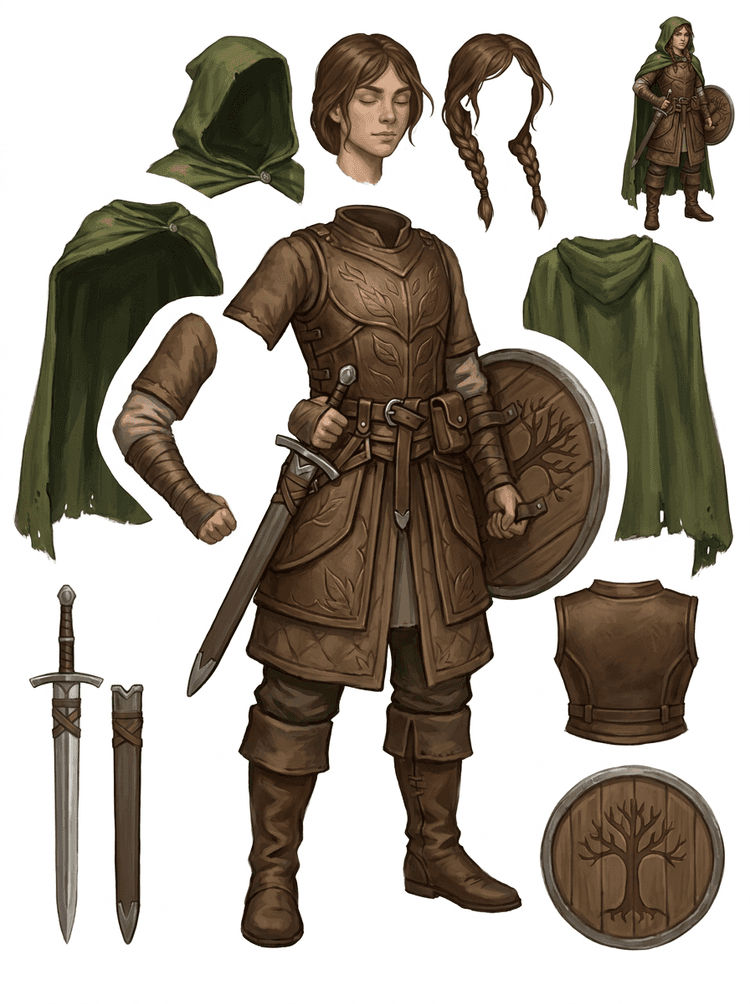
یک کاراکتر بازی فانتزی به زره، شنل، شمشیر، سپر، کیسهها، بوتها، اندامها و مرجعهای قابل استفاده مجدد اسپرایت تقسیم میشود.
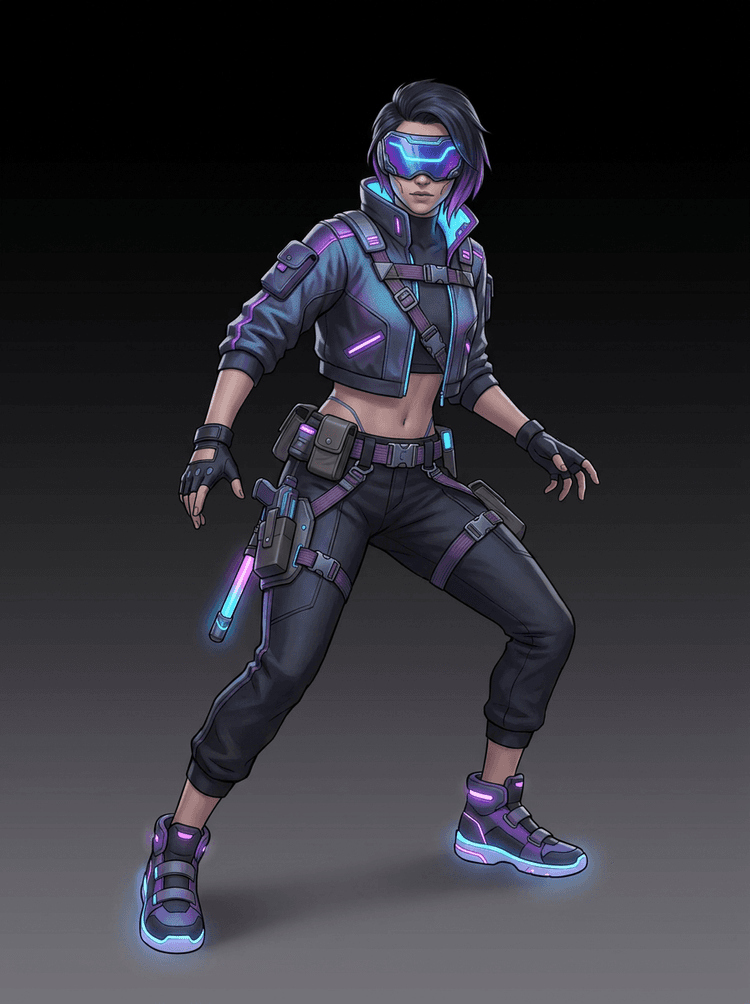
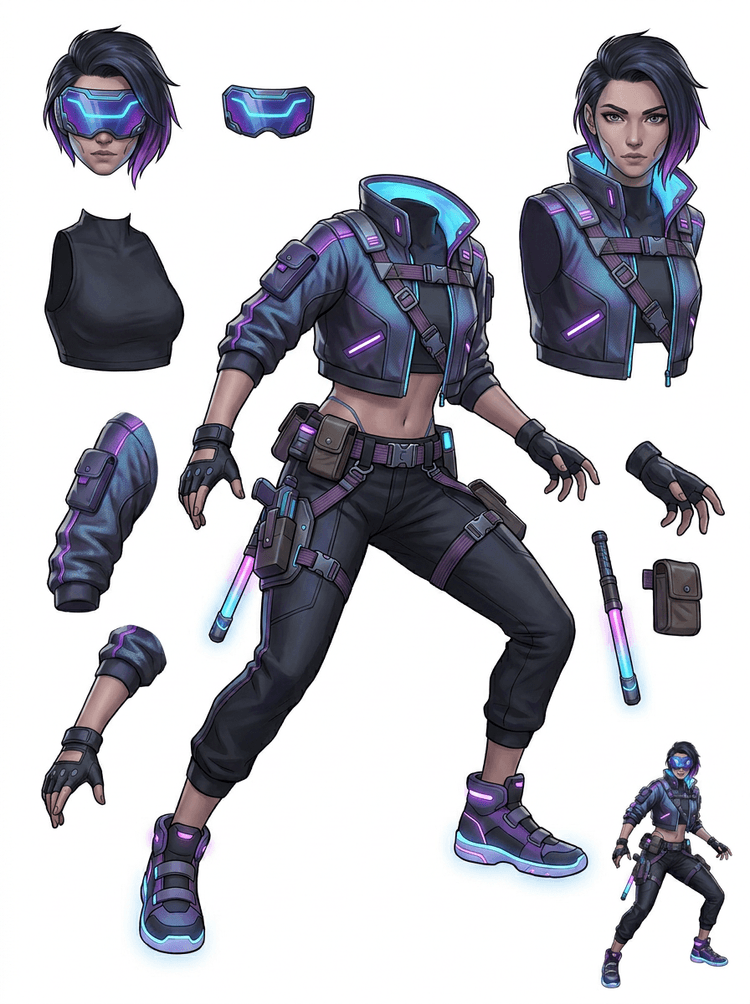
یک کاراکتر اکشن سایبرپانک به یک مرجع بخشها با جزئیات بالا برای ژاکت، ویزر، دستکش، کفش، بندها، باتون و قطعات بدن تبدیل میشود.
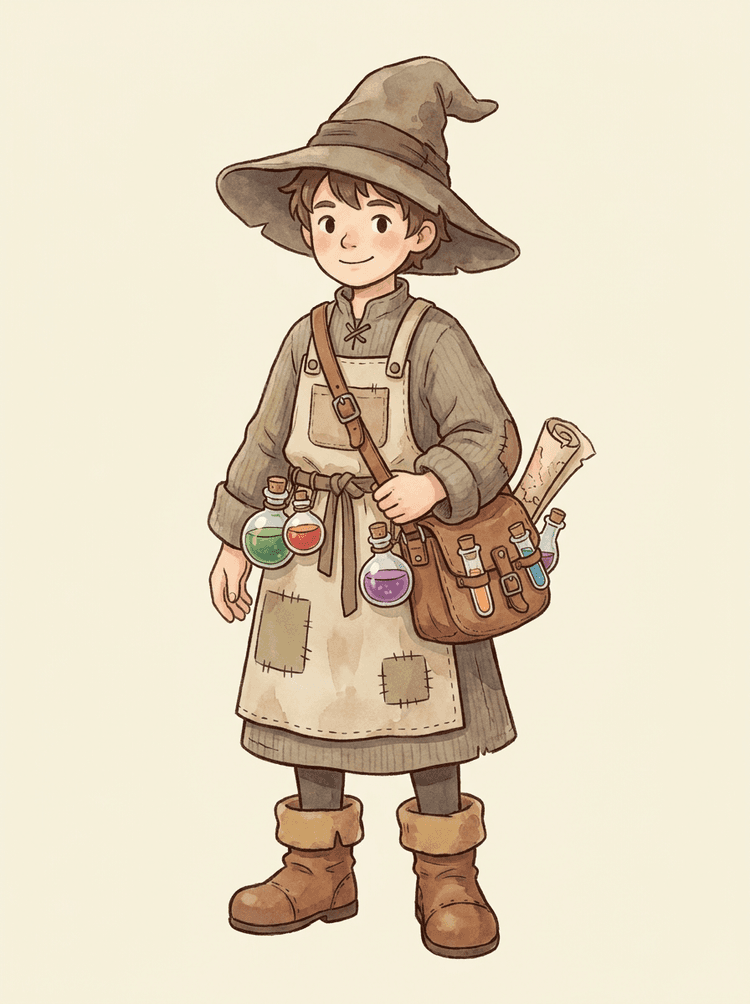
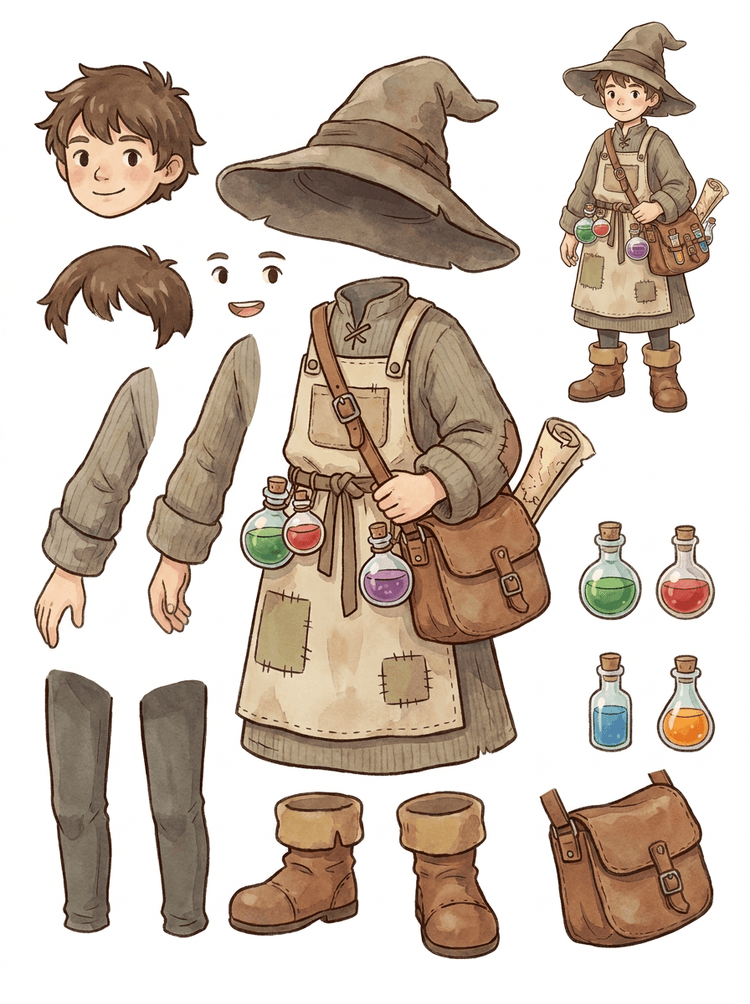
یک NPC صمیمی با کلاه، پیشبند، کیف معجون، بطریها، نقشه، بوت و لباس گرم به یک شیت قابل استفاده مجدد برای تولید بازی تبدیل میشود.
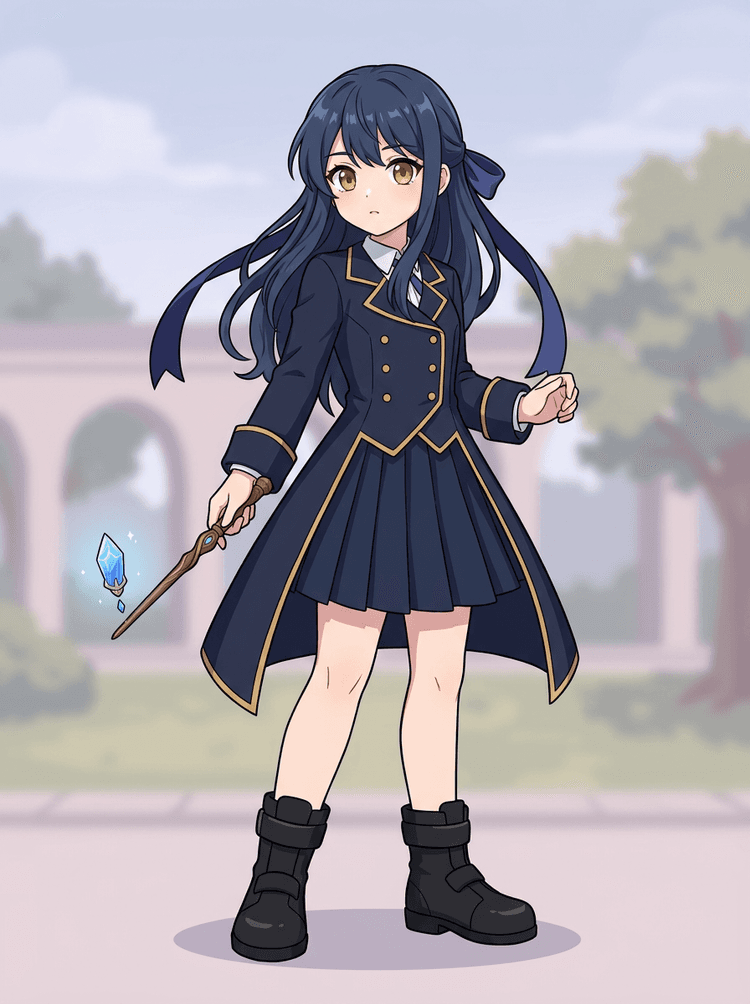
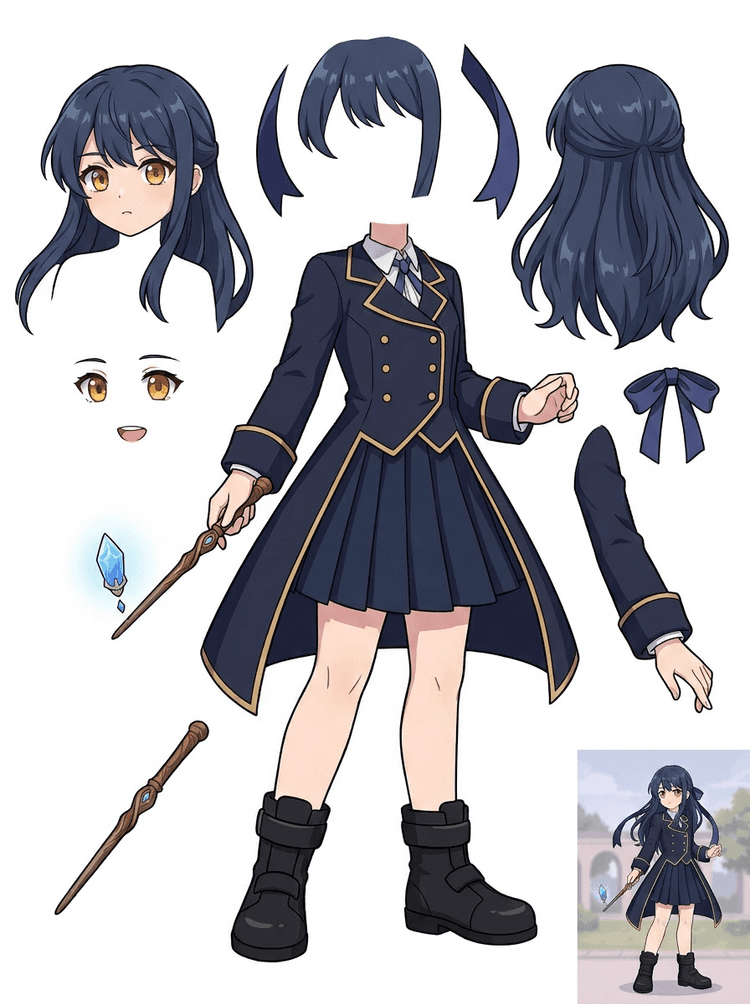
آرت کلیدی انیمه با یونیفرم، روبان، عصا، مو، آویز، دستکش و بوت به یک شیت بخشها برای ویرایش و تست حرکت تبدیل میشود.
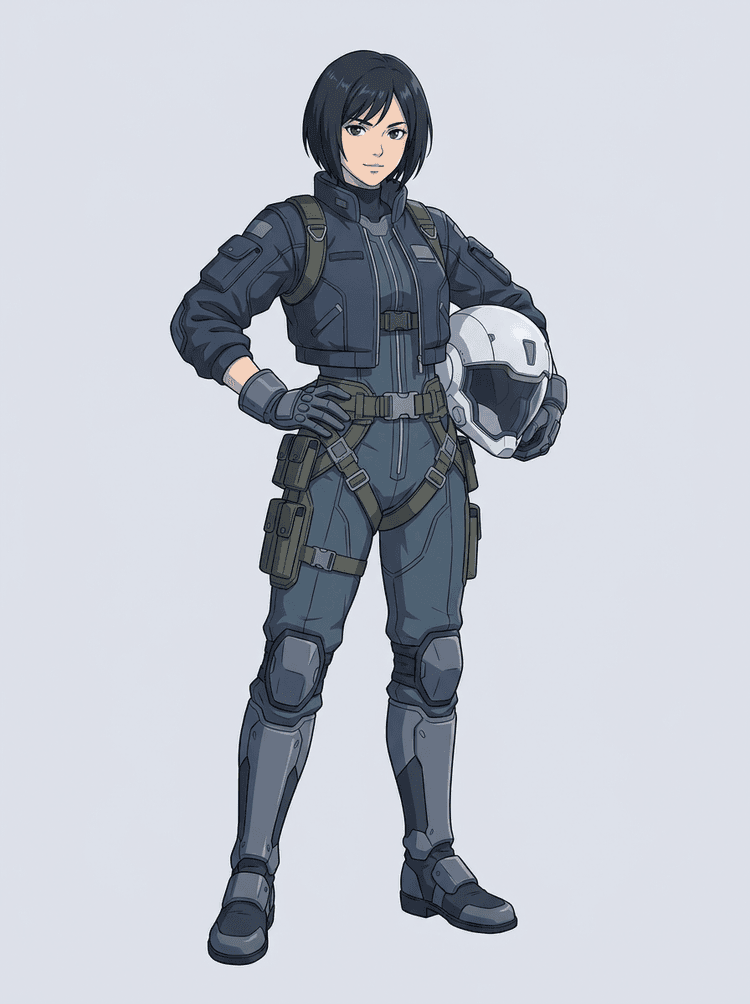
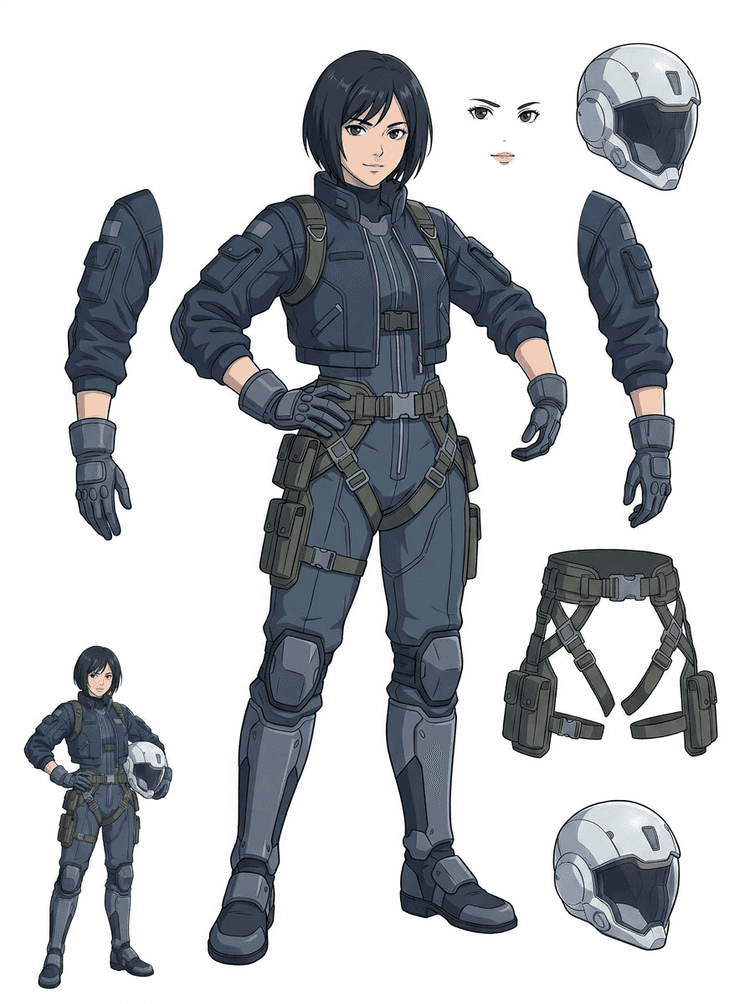
یک خلبان انیمه علمیتخیلی به مو، صورت، ژاکت، دستکش، هارنس، بوت، کلاهخود و اجزای بدن جدا میشود.
تقسیمکننده لایه با هوش مصنوعی یک ابزار تبدیل تصویر به لایه برای سازندگانی است که تصویر منبع را دارند اما به قطعات تولیدیِ پشت آن نیاز دارند: پیشزمینه، پسزمینه، سوژه، کاراکتر، مو، صورت، لباس، دستوپا، متن، اشیا، اکسسوریها، جزئیات محصول و لوازم.
برای آرتیستها، تیمهای مستقل بازی، انیماتورها، مارکترها، تیمهای فروش آنلاین و سازندگان ACG طراحی شده تا یک تصویر تخت را بدون صرف کل جلسه برای ماسککردن، به داراییهای تولیدیِ قابل استفاده مجدد تبدیل کنند.
یک PNG صیقلخورده تا وقتی بخشهای اصلی جدا نشده باشند نمیتواند پلک بزند، پارالاکس بسازد، اکسسوری عوض کند، محصول را ایزوله کند یا به اسپرایت تبدیل شود.
ابزارهای انتخاب، پاککردن لبهها و نامگذاری لایهها گاهی بیشتر از اولین تست انیمیشن زمان میبرند.
عوض کردن یک دستکش، کیف، کفش، دم، کلاهخود یا روبان میتواند وقتی همه چیز به هم فشرده شده، به یک بازطراحی کامل تبدیل شود.
قبل
یک تصویر کاراکتر جذاب که کامل به نظر میرسد، اما هنوز بهعنوان یک بیتمپ تختِ واحد قفل شده است.
بعد
یک شیت دارایی خوانا با پیشزمینه، پسزمینه، کاراکترها، متن و اشیا که از هم جدا شدهاند تا آرتیستها بتوانند حرکت را برنامهریزی کنند، جزئیات را ویرایش کنند و مرجع تولید را تحویل دهند.
قبل از باز کردن یک گردشکار کامل ماسککردن دستی، یک پاس جداسازی قابل بررسی بسازید.
از یک تصویر کاراکتر به بخشهای لازم برای انیمیشن، بازی و تحویل ویرایش برسید.
مطالعه موردی
یک ماسکات برند میتواند از یک تصویر ثابت به مرجعهای جداگانه برای سر، دم، کفش، کیف، لباس و اکسسوریها تبدیل شود تا برنامهریزی انیمیشن سریعتر انجام شود.
نتیجه
آرتیستها میتوانند ببینند کدام بخشها قابل استفادهاند، تصمیم بگیرند با PRO دوباره اجرا کنند یا نه، و پاکسازی را از یک شیت واقعی و نه یک جلسه ماسککردنِ خالی شروع کنند.
گردشکار لایه LlamaGen
آمادهسازی داراییهای کارتون، انیمه و بازی
تقسیمکننده لایه با هوش مصنوعی را بهعنوان اولین پاس تمیز در نظر بگیرید: یک تصویر آپلود کنید، شیت لایه بسازید و سپس از نتیجه در ادیتور، گردشکار انیمیشن یا پایپلاین دارایی بازی استفاده کنید.
از آرت کاراکتر تمامقد، آرت ماسکات، آرت کلیدی انیمه، کانسپت بازی، شات محصول، طراحی گرافیکی، اکسسوری یا تصویرسازی سبک محصول با لبههای قابلدیدن استفاده کنید.
حالت سریع یک نقطه بررسی بصری سریع میسازد تا تیم بتواند مو، صورت، لباس، دستها، اکسسوریها، کفش، پسزمینه، متن، اشیا و لوازم را در زمینه ببیند.
حالت PRO بعد از اینکه شیت اول ثابت کرد منبع خواناست و پروژه به پاس تمیزتری نیاز دارد، بهترین گزینه است.
از شیت دانلودشده برای بلوککردن حرکت، برنامهریزی ریگ، مرجع اسپرایت، بازطراحی یا ترکیب خلاقانه استفاده کنید.
هدف، یک نقطه شروع تولیدیِ قابل بررسی است، نه یک دمو مبهم از هوش مصنوعی.
ابزار تقسیمکننده لایه با هوش مصنوعی آثار شما را تحلیل میکند و عناصر مختلف مثل کاراکترها، پسزمینهها و اشیا را شناسایی میکند و برای آنها لایههای جدا میسازد. این ابزار با استفاده از هوش مصنوعی تصویر را خرد میکند، در حالی که چیدمان، سلسلهمراتب و قصد طراحی حفظ میشود و برای طراحی گرافیک، محصولات تصویرسازیشده، آرت کاراکتر و داراییهای تمیز بازی بهترین عملکرد را دارد.
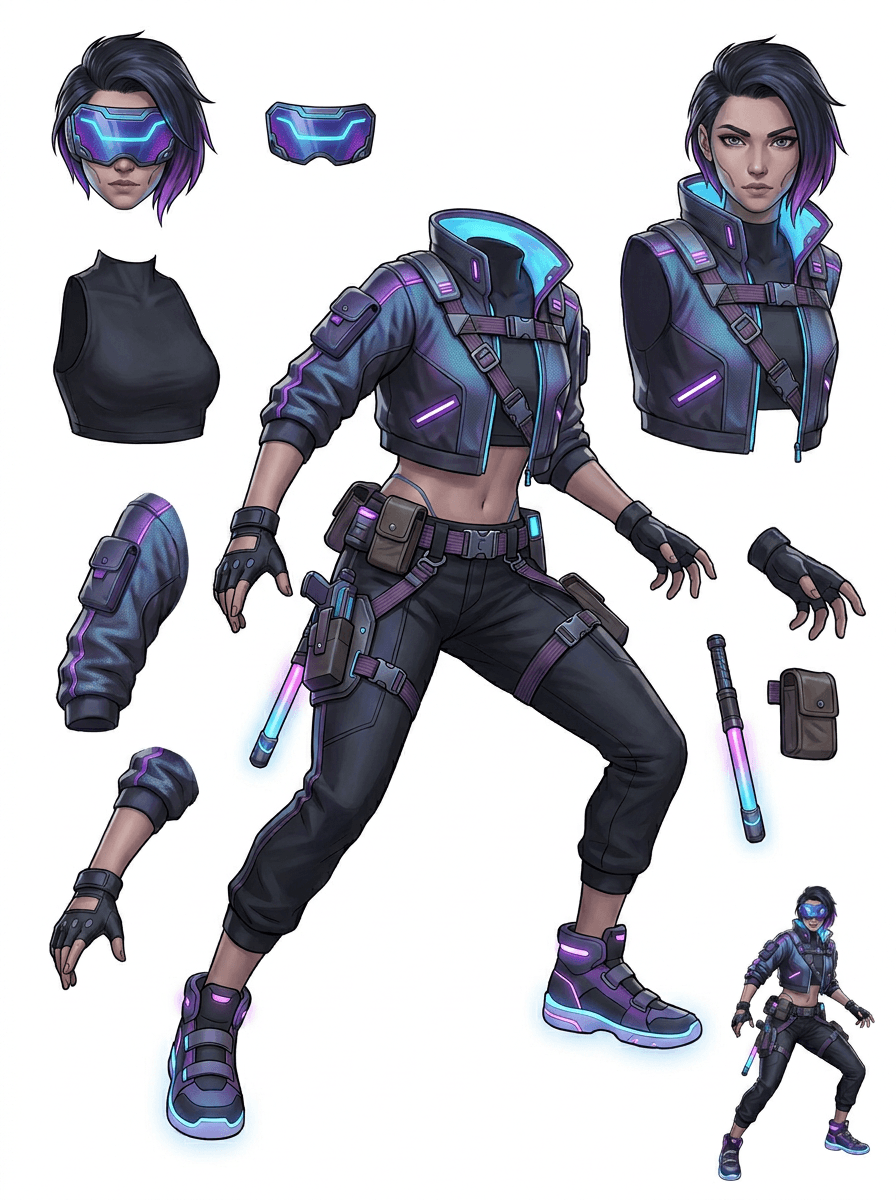
گالری بر اساس سناریوهای اصلی تولید سازماندهی شده است: ماسکاتهای کارتونی، کاراکترهای بازی، کاراکترهای انیمه و گردشکارهای تصویر به لایه مبتنی بر اشیا. هر نمونه از یک تصویر منبع تولیدشده با هوش مصنوعی و یک شیت داراییِ تقسیمشده متناظر استفاده میکند.
ماسکاتها، کاراکترهای کودک، قهرمانهای استیکرگونه و کاراکترهای موشنکمیک با اکسسوریها و لوازم بیانی.
قهرمانهای RPG، دوندههای سایبری، NPCهای صمیمی، لایههای تجهیزات، سلاحها، مرجعهای موجودی و شیتهای آمادهسازی اسپرایت.
آرت کلیدی مدرن انیمه با جداسازی مو، لباس فرم، روبان، کلاهخود، دستکش، بوت و آویز.
تقسیمکننده لایه با هوش مصنوعی وقتی بیشترین فایده را دارد که خروجی مقصد مشخصی داشته باشد. این سناریوها توضیح میدهند چه تصویری را آپلود کنید، کدام بخشها را بررسی کنید و شیت چطور وارد انیمیشن، بازی، کمیک، فروش آنلاین یا تولید برند میشود.
انیمیشن ماسکات
وقتی به استیکرهای شبکههای اجتماعی، تبلیغات کوتاه، موشن لندینگپیج یا برنامهریزی ساده ریگ نیاز دارید، از یک پوزیشن تمیز ماسکات استفاده کنید.
منبعی که باید آپلود شود
یک ماسکات تمامقد با صورت، دستها، کفشها، دم، اکسسوریها و لبههای لباسِ قابلمشاهده.
لایههای مفید برای بررسی
تحویل به تولید
قبل از اینکه انیماتورها طرح بکشند، بازطراحی کنند یا ریگ نهایی را بسازند، یک شیت بخشها برای بررسی در اختیارشان بگذارید.
آمادهسازی دارایی برای بازی مستقل
وقتی تیم به نسخههای تجهیزات، آیکونهای موجودی، آرت پروفایل یا بررسی سریع پوزیشنها نیاز دارد، از آرت تأییدشده بازی استفاده کنید.
منبعی که باید آپلود شود
یک کانسپت خوانای کاراکتر با زره، سلاح، کیف، شنل، مو، بوت و سیلوئت واضح.
لایههای مفید برای بررسی
تحویل به تولید
از شیت بهعنوان مرجع شروع برای پاکسازی اسپرایت، تعویض تجهیزات و آرت روبهرو با گیمپلی استفاده کنید.
ویرایشهای انیمه و ACG
وقتی به کنترل مو، صورت، یونیفرم، روبان، دستکش، کلاهخود یا اکسسوری نیاز دارید، از آرت کاراکتر سبک انیمه استفاده کنید.
منبعی که باید آپلود شود
یک کاراکتر انیمه با خطوط قوی، جزئیات لباس قابلمشاهده و حداقل نویز پسزمینه.
لایههای مفید برای بررسی
تحویل به تولید
قبل از ویرایش حالت چهره، تغییر لباس، کارت کاراکتر یا تستهای کوتاه انیماتیک، شیت را بررسی کنید.
کمیک و اصلاح تبلیغ
وقتی اصلاحات دقیقهنودی مدام به بخشهای کوچک بصری میرسند، از کاراکترهای کمپین، اکسسوریها یا محصولات تصویرسازیشده استفاده کنید.
منبعی که باید آپلود شود
یک تصویرسازی صیقلخورده با شیء در مرکز، لبههای قابلدیدن و اهداف اصلی اصلاح بدون پوشش.
لایههای مفید برای بررسی
تحویل به تولید
یک شیت مشخص در اختیار طراحان بگذارید تا تعویض اکسسوری، نسخههای سازگار با کپی و آزمونهای کامپوزیت را انجام دهند.
این ابزار وقتی قویتر است که سوژه تمیز، کامل و بهوضوح جدا باشد. این ابزار میانبری برای هر عکس شلوغ، شیت اسکیس، پوزیشن پوشیدهشده یا چیدمان متراکم نیست که در آن پیشزمینه، پسزمینه، متن و اشیا شدیداً همپوشانی دارند.
یک شیت تولیدشده باید مثل اولین پاس تولیدی ارزیابی شود، نه یک فایل نهایی جادویی. از این چکلیست استفاده کنید تا تصمیم بگیرید دانلود کنید، دوباره اجرا کنید، منبع را کراپ کنید یا بعد از اینکه جداکننده لایه تصویر نواحی قابلاستفاده پیشزمینه، پسزمینه، سوژه، اشیا و متن را شناسایی کرد، به PRO بروید.
نتیجه ضعیف
بخشهای مهم به هم چسبیدهاند، تصادفی تکرار شدهاند یا زیر شلوغی بصری پنهان شدهاند.
نتیجه قابل استفاده برای تولید
شیت، بخشهای اصلی قابلمشاهده را در یک نگاه قابل تشخیص میکند: سر، اندامها، لباس، اکسسوریها و قطعات پسزمینه.
نتیجه ضعیف
کاراکتر شبیه یک طراحی جدید با نسبتها، رنگها، کیفیت خط یا شخصیت متفاوت به نظر میرسد.
نتیجه قابل استفاده برای تولید
بخشهای جداشده همچنان با جهتگیری هنری اصلی مرتبطاند و سیلوئت، پالت و هویت کاراکتر قابل تشخیص میماند.
نتیجه ضعیف
شیت جالب است، اما تیم نمیتواند بفهمد قدم بعدی باید چه چیزی را ترسیم، بازطراحی، ماسک یا تست کند.
نتیجه قابل استفاده برای تولید
آرتیستها میتوانند فوراً بخشها را برای پاکسازی، بلوککردن ریگ، مرجع اسپرایت، تعویض اکسسوری یا تست کامپوزیت انتخاب کنند.
نتیجه ضعیف
یک جداسازی ضعیف هیچ سرنخی نمیدهد که مشکل از مدل بوده یا از تصویر آپلودشده.
نتیجه قابل استفاده برای تولید
نتیجه نشان میدهد قدم بعدی چیست: کراپ نزدیکتر، حذف ردّ اسکیس، دادن حاشیه بیشتر، سادهکردن پسزمینه یا استفاده از PRO.
یک تصویر نهایی را به بخشهای بصری جداشده تبدیل کنید که بررسی، ویرایش، انیمیت یا بازسازیشان آسانتر است.
یک تصویر تمیز آپلود کنید و یک شیت PNG خوانا بسازید که در آن پیشزمینه، پسزمینه، سوژه، اشیا، متن، لباس، اکسسوری و لوازم در یک نتیجه جمع شده باشند.
جداکننده لایه تصویر به طراحان، مارکترها، انیماتورها و تیمهای بازی کمک میکند تشخیص دهند کدام بخشهای یک تصویر منبع میتوانند به داراییهای قابل ویرایش تبدیل شوند. بهجای بازطراحی همه عناصر از صفر، تیمها میتوانند یک شیت لایه PNG بسازند، نتیجه اصلی را با نسخه جداشده مقایسه کنند و تصمیم بگیرند که آیا منبع به کراپ، پاکسازی، حالت سریع یا پاس PRO نیاز دارد.
یک شیت قابل دانلود برای آمادهسازی اسپرایت، برنامهریزی ریگ، موشنکمیک، ویرایشهای فروش آنلاین، نسخههای استیکری یا تحویل کاراکتر بسازید. این روش وقتی بهترین عملکرد را دارد که یک سوژه واضح با لبههای قابلمشاهده و همپوشانی کم وجود داشته باشد.
بهترین گردشکار تقسیم لایه، زمینه را حفظ میکند. منبع، شیت تولیدشده و یک یادداشت کوتاه بررسی را نگه دارید تا آرتیست بعدی بداند از چه چیزی استفاده کند و چه چیزی هنوز به پاکسازی نیاز دارد.
وقتی انیماتور، آرتیست بازی یا طراح بعداً شیت جداشده را بررسی میکند، تصویر اصلی نیت را توضیح میدهد.
وقتی تیم بداند کدام بخشها آمادهاند و کدامها به پرداخت دستی نیاز دارند، یک شیت اولیه ارزشمندتر میشود.
از شیت و لایههای شفاف خروجیگرفتهشده بهعنوان پلی عملی به سمت انیمیشن، آمادهسازی اسپرایت، ویرایش کمیک یا کامپوزیت استفاده کنید. PSD یک فایل شروعِ قابل ویرایش است، نه یک دارایی نهایی تضمینشده برای تولید.
تقسیمکننده لایه با هوش مصنوعی یک پاس اول سریعتر برای تیمها فراهم میکند؛ اما داراییهای نهایی آماده انتشار هنوز از بازبینی و پاکسازی انسانی سود میبرند.
تقسیمکننده لایه با هوش مصنوعی یک تصویر تختِ واحد را به یک شیت PNG خوانا تبدیل میکند که در آن پسزمینهها، سوژهها، متن، اکسسوریها، اشیا، جزئیات محصول و بخشهای کاراکتر برای ویرایش، انیمیشن، آرت بازی، موشنکمیک، فروش آنلاین و گردشکارهای کامپوزیت جدا شدهاند.
بله. حالت سریع، نقطه شروع آنلاین و رایگان برای یک نتیجه قابل بررسیِ تصویر به لایه است. از آن استفاده کنید تا قبل از صرف زمان برای ماسککردن دستی یا ارتقا برای پاس تمیزتر PRO، ببینید آیا منبع خوب جدا میشود یا نه.
بله. تقسیمکننده لایه با هوش مصنوعی بهصورت یک جداکننده لایه تصویر تحت وب کار میکند: یک تصویر آپلود کنید، بگذارید مدل سوژهها، پسزمینهها، متن، اکسسوریها و اشیا را شناسایی کند، سپس یک شیت قابل بررسیِ تصویر به لایه دانلود کنید. این روش برای عکسهای تمیز، طراحی گرافیک، محصولات تصویرسازیشده، داراییهای بازی و آرت کاراکتر سریعتر است؛ تصاویر پیچیده هنوز هم ممکن است به پاکسازی دستی در Photoshop، Figma یا ویرایشگر دیگری نیاز داشته باشند.
یک تصویر تمیز آپلود کنید، حالت سریع را اجرا کنید و شیت تولیدشده تصویر به لایه را بررسی کنید. نتیجه، پیشزمینه، پسزمینه، سوژه، متن، اکسسوری و اشیای قابلمشاهده را به یک مرجع عملی جدا میکند که میتوانید برای ویرایش، کامپوزیت، بلوککردن انیمیشن، آمادهسازی اسپرایت یا پاکسازی دستی از آن استفاده کنید.
بله. بعد از تولید اولین شیت لایه، یک پاس دومِ پولی میتواند لایههای جداگانه PNG شفاف را استخراج کند. میتوانید آن لایهها را جداگانه دانلود کنید، بهصورت ZIP بستهبندی کنید یا یک PSD شروعِ قابل ویرایش خروجی بگیرید. لبههای پیچیده و منابع شلوغ ممکن است هنوز قبل از تحویل تولید به پاکسازی دستی نیاز داشته باشند.
Layer Decomposition یک قابلیت عاملمحور با هوش مصنوعی است که یک تصویر واحد را به لایههای بصری منطقی و قابل ویرایش مانند پیشزمینه، پسزمینه، سوژهها، متن و اشیا جدا میکند. این قابلیت به تیمها کمک میکند از یک تصویر تخت به یک شیت لایه عملی برای بررسی، ویرایش، انیمیشن و تحویل تولید برسند.
بله. تقسیمکننده لایه LlamaGen AI پسزمینه، متن، سوژهها و اشیای قابلمشاهده را در مرورگر جدا میکند و یک شیت دارایی قابل دانلود برای ویرایش بعدی ارائه میدهد.
سوژههای تصویرسازیشده و تمیز بهترین عملکرد را دارند: ماسکاتهای کارتونی، کاراکترهای انیمه، کاراکترهای بازی، گرافیکهای سبک محصول، اکسسوریها و طراحیهای تمامقد با مو، لباس، اندامها، کفش، سلاح، کیف، دم، متن، اشیا یا اکسسوریهای قابلمشاهده.
بله. کاراکترهای کارتونی و ماسکاتها از قویترین کاربردها هستند، چون خطوط، اکسسوریها، لباس، دستها، کفشها و بخشهای صورت معمولاً آنقدر واضح هستند که به یک شیت مفید تبدیل شوند.
بله. تقسیمکننده لایه با هوش مصنوعی برای داراییهای بازی میتواند کانسپتهای تمیز کاراکتر را به نقطه شروعی برای مرجعهای اسپرایت، نسخههای پوزیشن، آیکونهای موجودی، ویرایش تجهیزات، پرترههای UI و بلوککردن انیمیشن تبدیل کند.
بله. کاراکترهای سبک انیمه را میتوان وقتی تصویر منبع تمیز است، به مرجعهای قابلمشاهده برای مو، صورت، لباس، روبان، دستکش، بوت، اکسسوری، کلاهخود و لوازم جدا کرد.
حالت سریع یک شیت دارایی سریع و قابل بررسی میسازد. حالت PRO از مدل ارتقایافته برای جداسازی تمیزتر استفاده میکند، وقتی که تصویر منبع خواناست و پروژه به پاس باکیفیتتر نیاز دارد.
خیر. صحنههای خیلی شلوغ، بخشهای پنهان بدن، سوژههای همپوشان، ردّ اسکیس، سایههای سنگین، اندامهای بریدهشده یا اکسسوریهای خیلی کوچک ممکن است هنوز به پاکسازی منبع یا پرداخت دستی نیاز داشته باشند.
میتوانید خروجیهای تولیدشده را مطابق با پلن و شرایط LlamaGen خود استفاده کنید. مطمئن شوید برای تصویر منبعی که آپلود میکنید نیز حقوق لازم را دارید.
با نمونه از پیش بارگذاریشده شروع کنید، کاراکتر کارتونی، انیمه یا بازی خودتان را آپلود کنید و در چند دقیقه یک شیت لایه قابل بررسی بسازید. از نتیجه اول بفهمید آیا Quick کافی است یا اجرای PRO ارزش دارد.