

מומלץ
Quick Mode
מומלץ קודם. גיליון PNG קריא אחד מתוך תמונה אחת.
העלו תמונה נקייה ופזרו אותה לרקע, חזית, נושא, טקסט, אובייקטים, דמויות קומיקס, איור אנימה, אביזרים או גרפיקת מוצר. עברו על גיליון השכבות הראשון, ואז שלפו שכבות PNG שקופות בודדות וייצאו ZIP או PSD התחלתי לעריכה.
First pass · 300 credits
Generates one reviewable PNG asset sheet. It is not an editable set of transparent PNG layers.
First pass · 600 credits
Uses a higher-quality model to produce a cleaner PNG asset sheet, still delivered as a single image.
Paid second pass · +600 credits
Once the sheet is ready, a paid user can extract individual transparent PNG layers, download them or a ZIP, and export a starter PSD.
The extracted PNGs are actual second-pass outputs, not a crop of the sheet. Occluded regions or complex edges can need manual cleanup; PSD is an editable starting file.
or drop a file,
paste image or
No image? Try one of these:
העלו תמונת מקור אמיתית בעמוד. Quick Mode יוצר את גיליון השכבות הראשון שניתן לבדיקה; PRO משפר את הגיליון כשהמקור נקי. מעבר בתשלום יוצר שכבות PNG שקופות נפרדות שניתן להוריד בנפרד, כ-ZIP, או כ-PSD התחלתי לעריכה.
מומלץ קודם. גיליון PNG קריא אחד מתוך תמונה אחת.
מודל מתקדם. פיצול נקי יותר בתוך גיליון הנכסים.
After creating a sheet, paid plans can extract real transparent PNG layer files and download individual PNGs, a ZIP, or an editable starter PSD. Complex images may need manual cleanup.
כל כרטיס מציג מקור אמיתי וגיליון שכבות שנוצר. התוויות מתארות רק את החלקים שנראים בתוצאה הזו; הכלי החי למעלה הוא המקום שבו מקור מתאים יכול להמשיך לשכבות נפרדות של חזית, רקע, נושא, טקסט ואובייקטים.
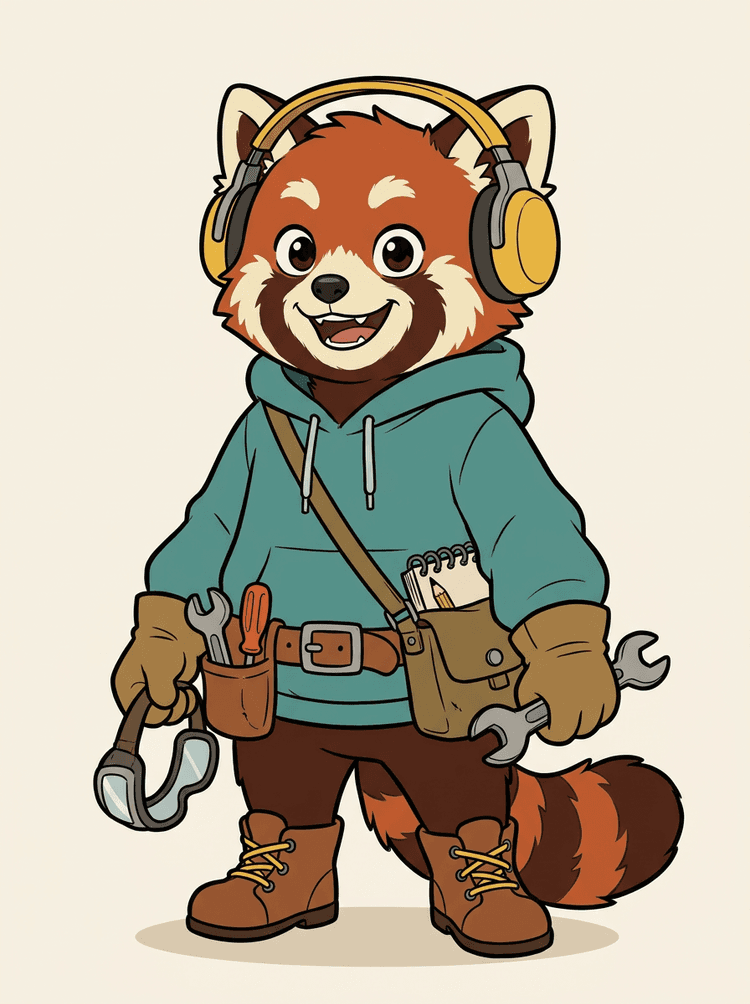
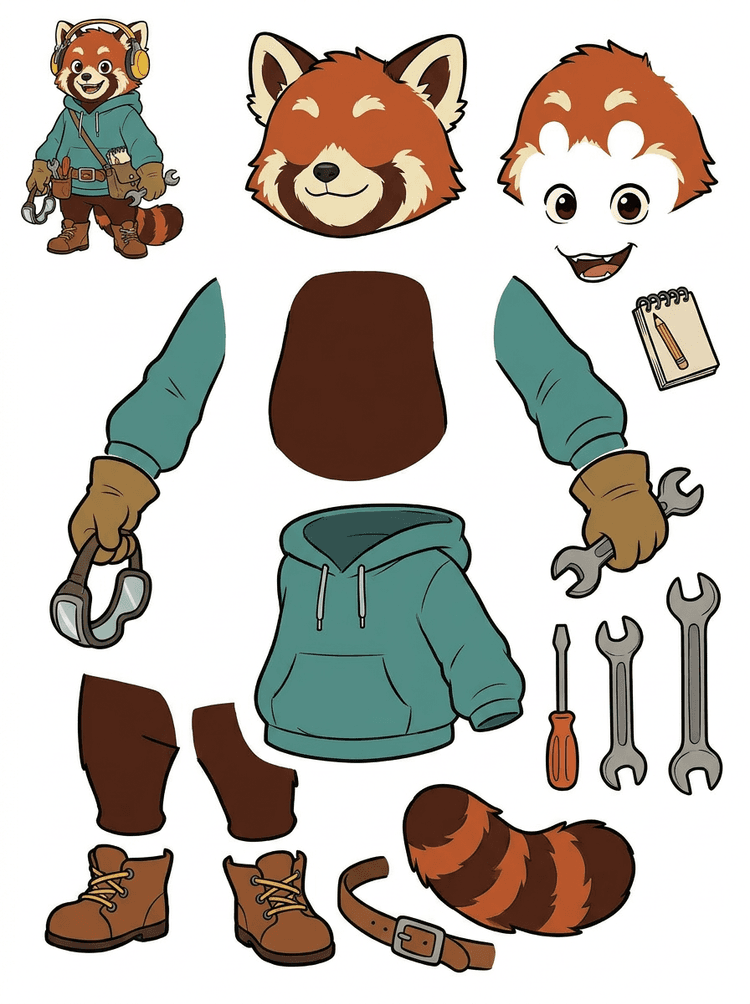
קמע דמות עם אוזניות, קפוצ'ון, תיק צד, זנב, נעליים וכלי ציור הופך לגיליון מעשי לבדיקת אנימציה.
חלקים גלויים בתוצאה האמיתית הזו
העברה להפקה
הגיליון שנוצר הוא שלב הבדיקה. המשיכו בכלי החי כדי לחלץ אזורים גלויים מתאימים כשכבות PNG שקופות נפרדות, ואז ארזו אותם כ-ZIP או PSD התחלתי לעריכה.

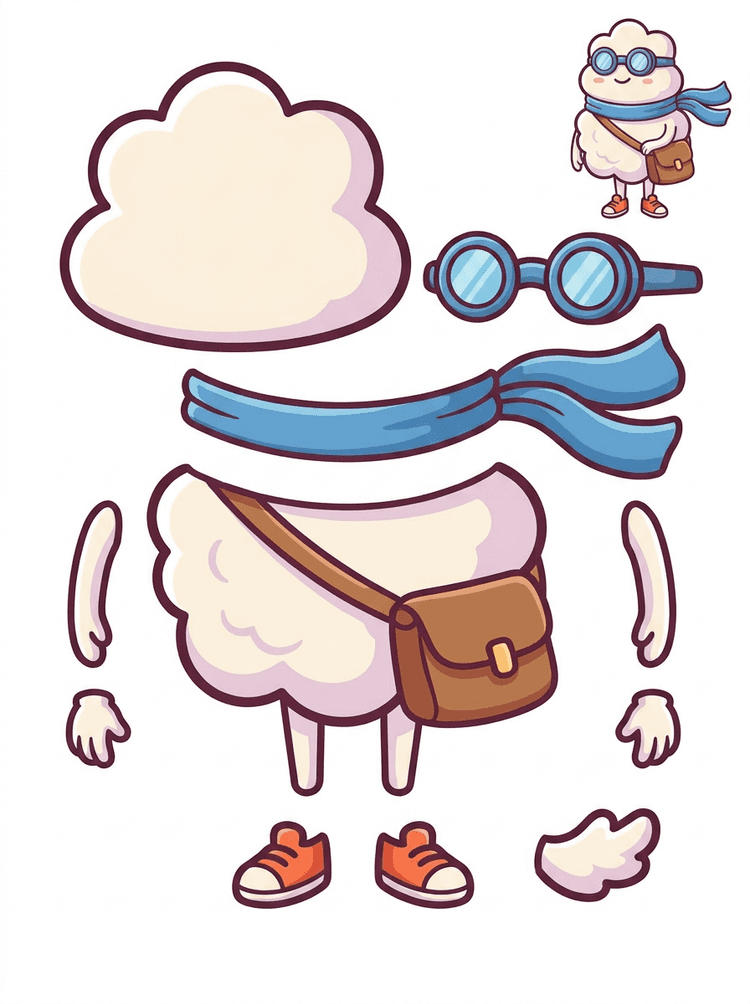
גיבור מצויר בסגנון מדבקה הופך לגיליון חלקים עם צעיף, תיק, נעליים, משקפיים, ידיים ורכיבי גוף מעוגלים.
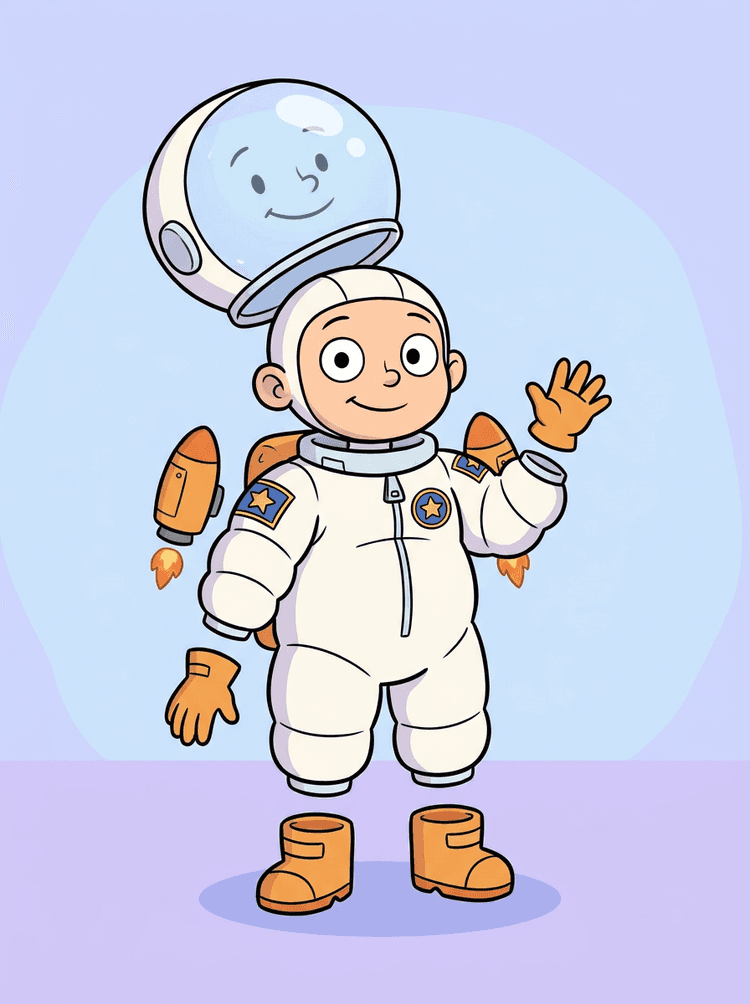
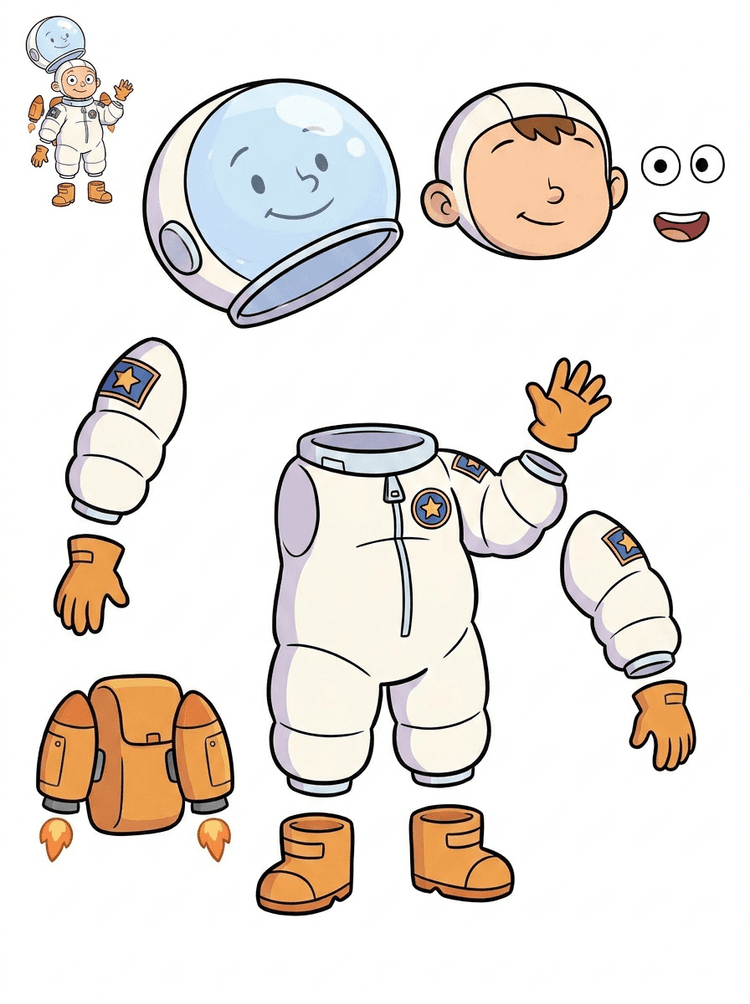
איור של ילד אסטרונאוט הופך לגיליון עבור קסדה, חליפה, כפפות, מגפיים, טלאים, תרמיל וחלקי motion comic.
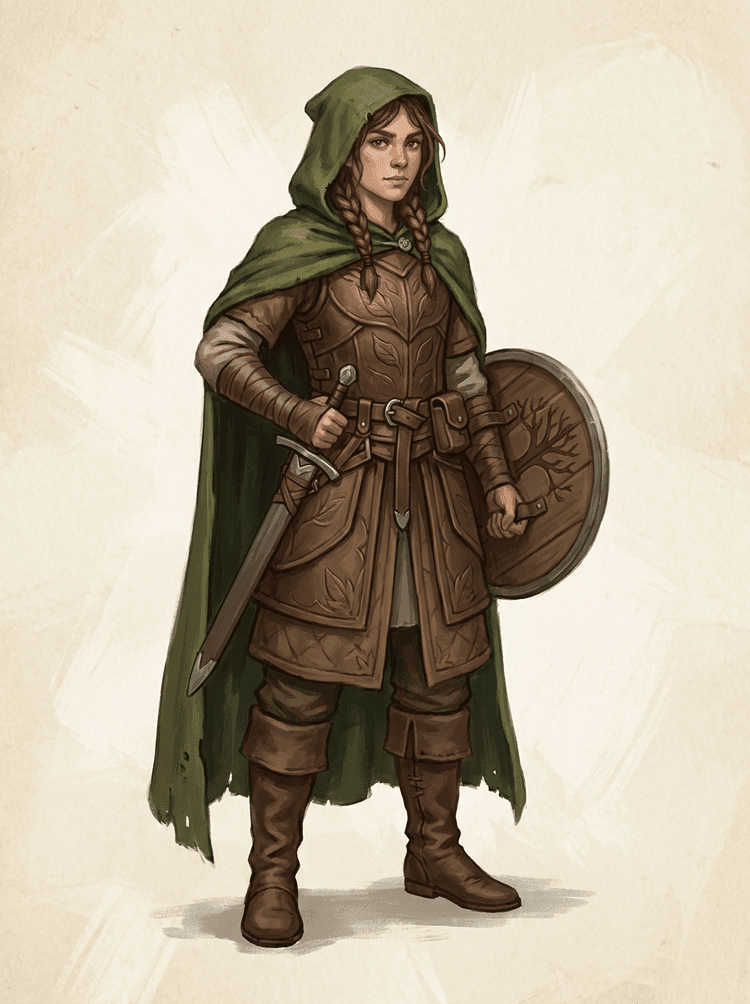
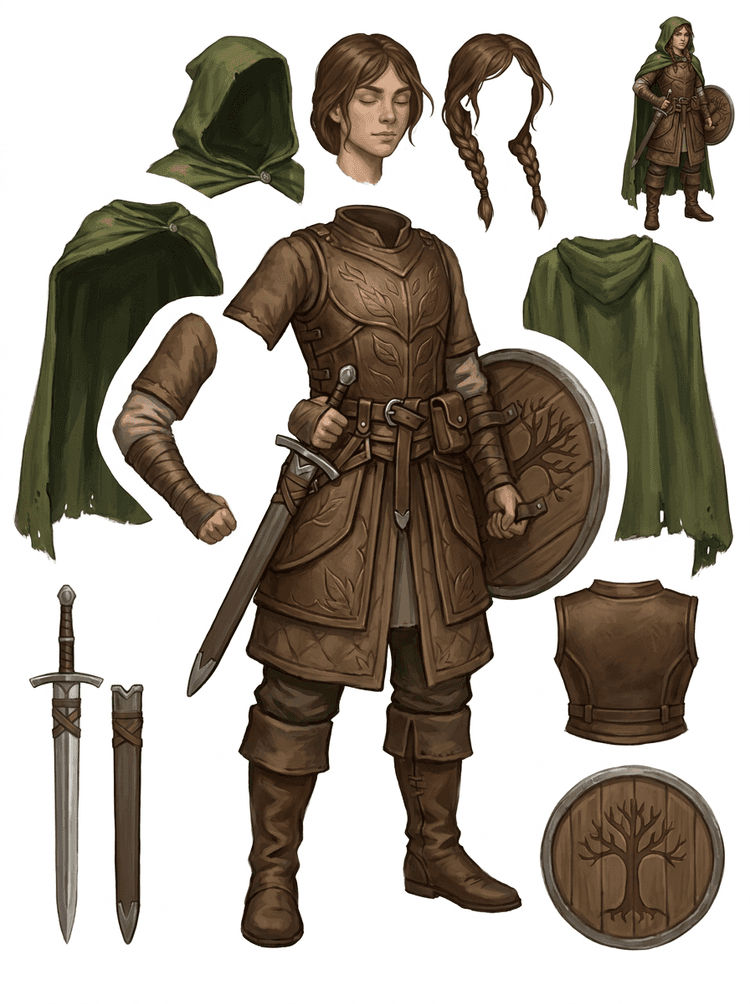
דמות משחק פנטזיה מפוצלת לשריון, גלימה, חרב, מגן, שקיות, מגפיים, גפיים והפניות לספרייטים לשימוש חוזר.
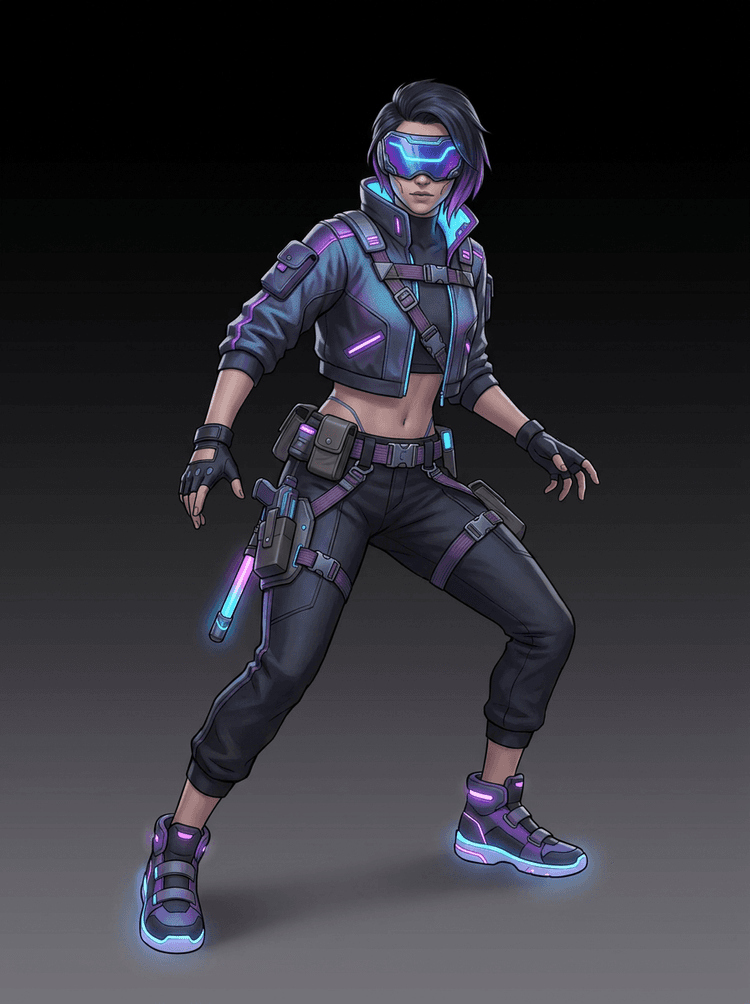
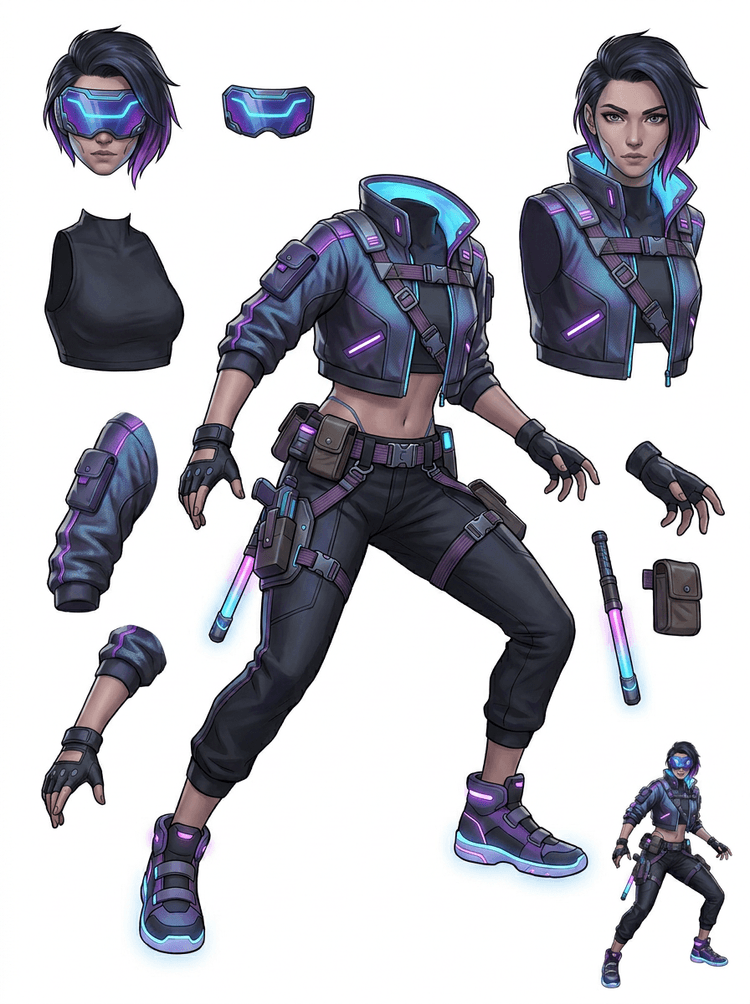
דמות אקשן סייברפאנק הופכת להפניה מפורטת לחלקים כמו מעיל, מגן ראייה, כפפות, נעליים, רצועות, מקל וגוף.
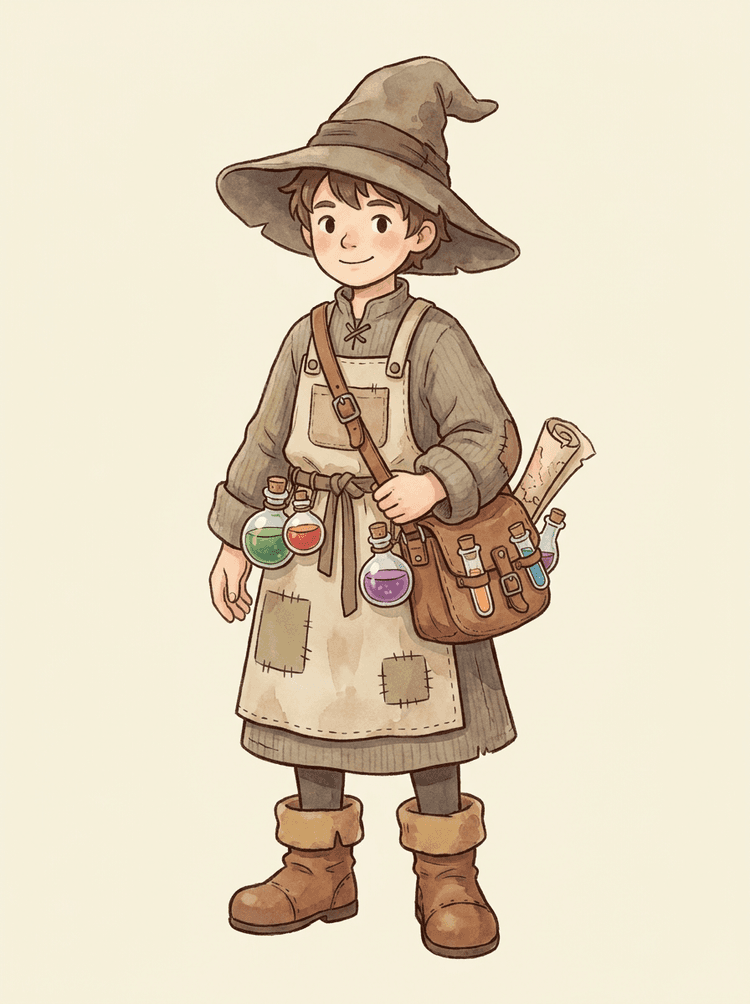
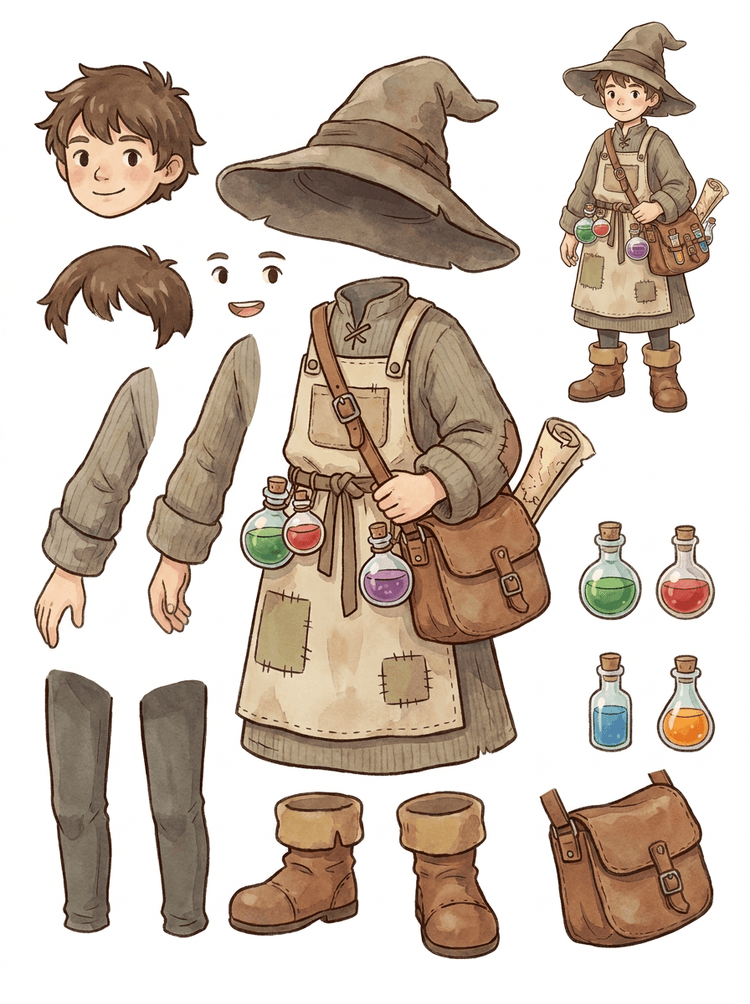
NPC חמים עם כובע, סינר, תיק שיקויים, בקבוקים, מפה, מגפיים ובגדים חמים הופך לגיליון הפקה לשימוש חוזר.
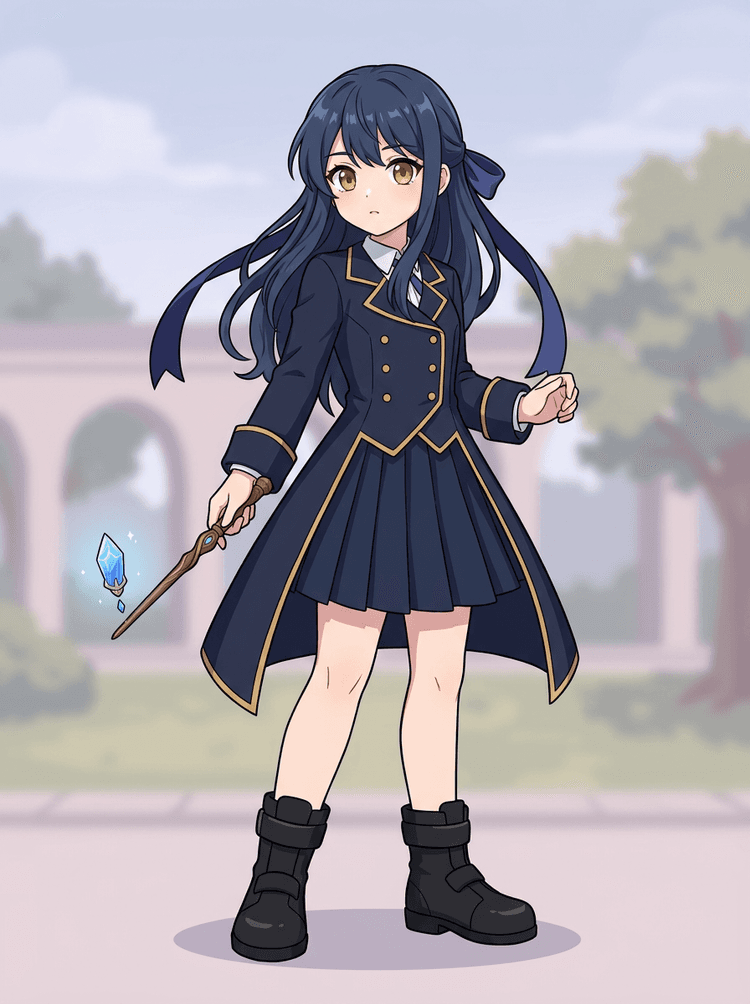
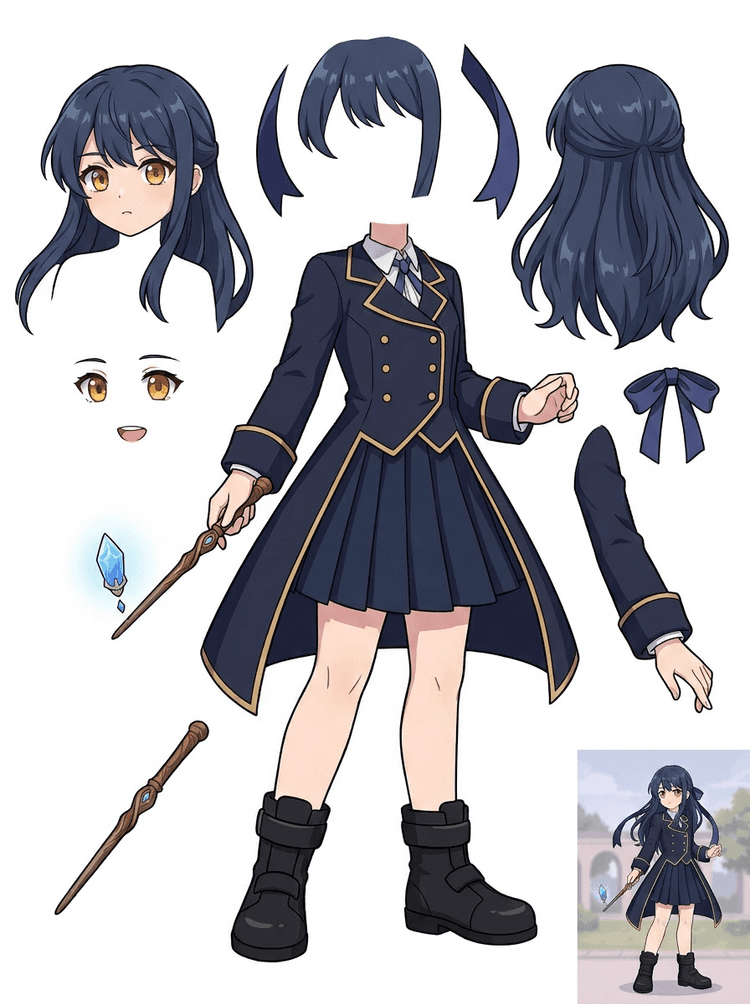
Key art של אנימה עם מדים, סרט, שרביט, שיער, קמע, כפפות ומגפיים הופך לגיליון חלקים לעריכות ובדיקות תנועה.
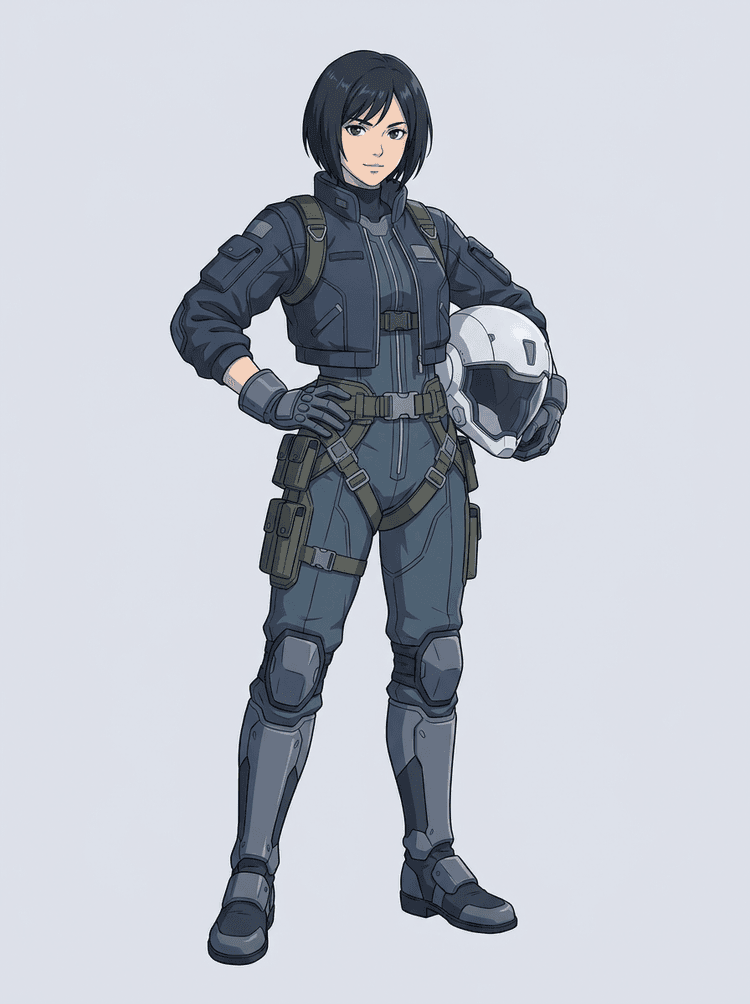
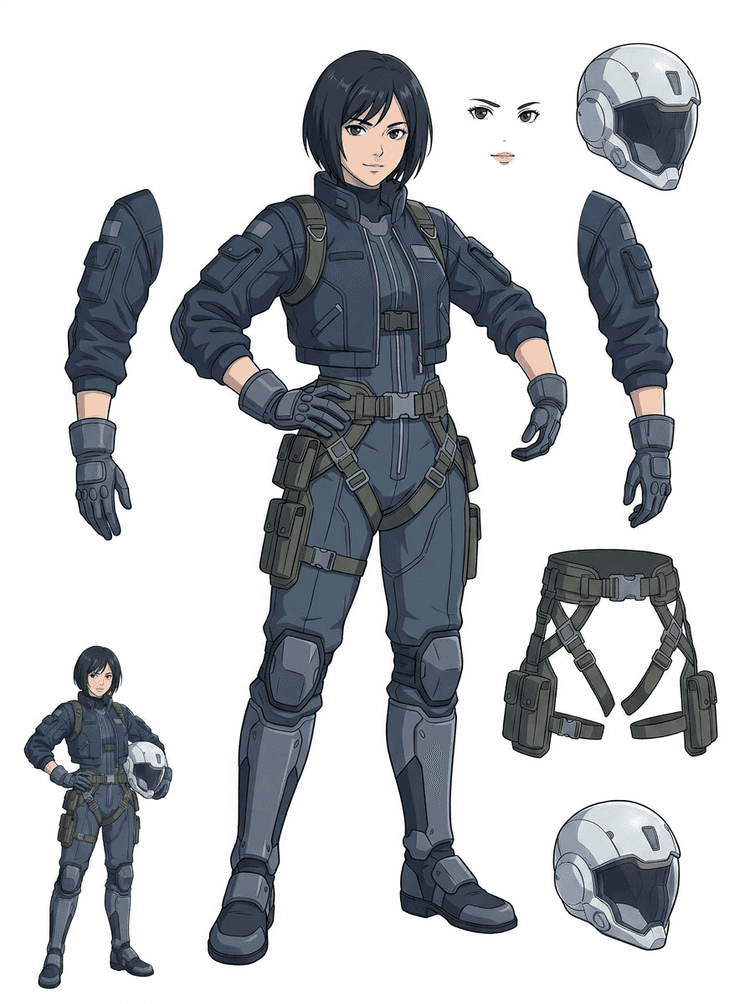
טייסת אנימה מדע-בדיוני מופרדת לשיער, פנים, ז'קט, כפפות, רתמה, מגפיים, קסדה ורכיבי גוף.
AI Layer Splitter הוא כלי תמונה-לשכבות עבור יוצרים שכבר יש להם תמונת מקור, אבל צריכים את חלקי ההפקה המעשיים מאחוריה: חזית, רקע, נושא, דמויות, שיער, פנים, בגד, גפיים, טקסט, אובייקטים, אביזרים, פרטי מוצר ותוספות.
נבנה עבור אמנים, צוותי משחק אינדי, אנימטורים, משווקים, צוותי e-commerce ויוצרי ACG שצריכים להפוך תמונה שטוחה אחת לנכסי הפקה ניתנים לשימוש חוזר בלי לבזבז את כל הסשן על מסיכה ידנית.
PNG מלוטש לא יכול למצמץ, ליצור parallax, להחליף אביזרים, לבודד מוצרים או להפוך לספרייט עד שהחלקים העיקריים מופרדים.
כלי בחירה, ניקוי קצוות ושמות שכבות יכולים לקחת יותר זמן מבדיקת האנימציה הראשונה.
שינוי של כפפה, תיק, נעל, זנב, קסדה או סרט אחד יכול להפוך לצביעה מחדש מלאה כשהכול מחובר יחד.
לפני
תמונת דמות יפה אחת שנראית שלמה, אבל עדיין נעולה כ-bitmap שטוח יחיד.
אחרי
גיליון נכסים קריא עם חזית, רקע, דמויות, טקסט ואובייקטים מופרדים, כך שאמנים יכולים לתכנן תנועה, לערוך פרטים ולהעביר חומרי ייצור.
צרו מעבר פיצול שניתן לבדיקה לפני פתיחת תהליך מסיכה ידני מלא.
עברו מתמונת דמות אחת לחלקים לאנימציה, משחק והעברה לעבודה.
מקרה בוחן
קמע של מותג יכול לעבור מאיור סטטי אחד להפרדה של ראש, זנב, נעליים, תיק, בגדים ואביזרים לצורך תכנון אנימציה מהיר.
תוצאה
אמנים יכולים לבדוק אילו חלקים שמישים, להחליט אם להריץ מחדש ב-PRO, ולהתחיל ניקוי מגיליון קונקרטי במקום מסשן מסיכה ריק.
תהליך השכבות של LlamaGen
הכנת נכסים לקריקטורה, אנימה ומשחק
התייחסו ל-AI Layer Splitter כמעבר נקי ראשון: העלו תמונה אחת, צרו גיליון שכבות, ואז השתמשו בתוצאה בעורך שלכם, בתהליך האנימציה או בצנרת נכסי המשחק.
השתמשו באיור דמות מלאה, איור קמע, key art של אנימה, קונספט משחק, צילום מוצר, עיצוב גרפי, אביזרים או איור בסגנון מוצר עם קצוות גלויים.
Quick Mode יוצר נקודת בדיקה ויזואלית מהירה כדי שהצוות יוכל לראות שיער, פנים, בגדים, ידיים, אביזרים, נעליים, רקע, טקסט, אובייקטים ותוספות בהקשר.
PRO Mode מתאים ביותר אחרי שהגיליון הראשון מוכיח שהמקור קריא ושיש צורך במעבר מודל נקי יותר.
השתמשו בגיליון שהורד עבור בניית תנועה, תכנון ריג, הפניות לספרייטים, צביעה מחדש או קומפוזיטינג יצירתי.
המטרה היא נקודת התחלה להפקה שניתן לבדוק, לא הדגמת AI כללית.
כלי פיצול שכבות AI מנתח את האיור שלכם ומזהה אלמנטים שונים כמו דמויות, רקעים ואובייקטים, ויוצר שכבות נפרדות. הוא משתמש ב-AI כדי לפרק תמונות תוך שמירה על הפריסה, ההיררכיה וכוונת העיצוב, והוא עובד הכי טוב עם עיצוב גרפי, מוצרים מאוירים, אמנות דמות ונכסי משחק נקיים.
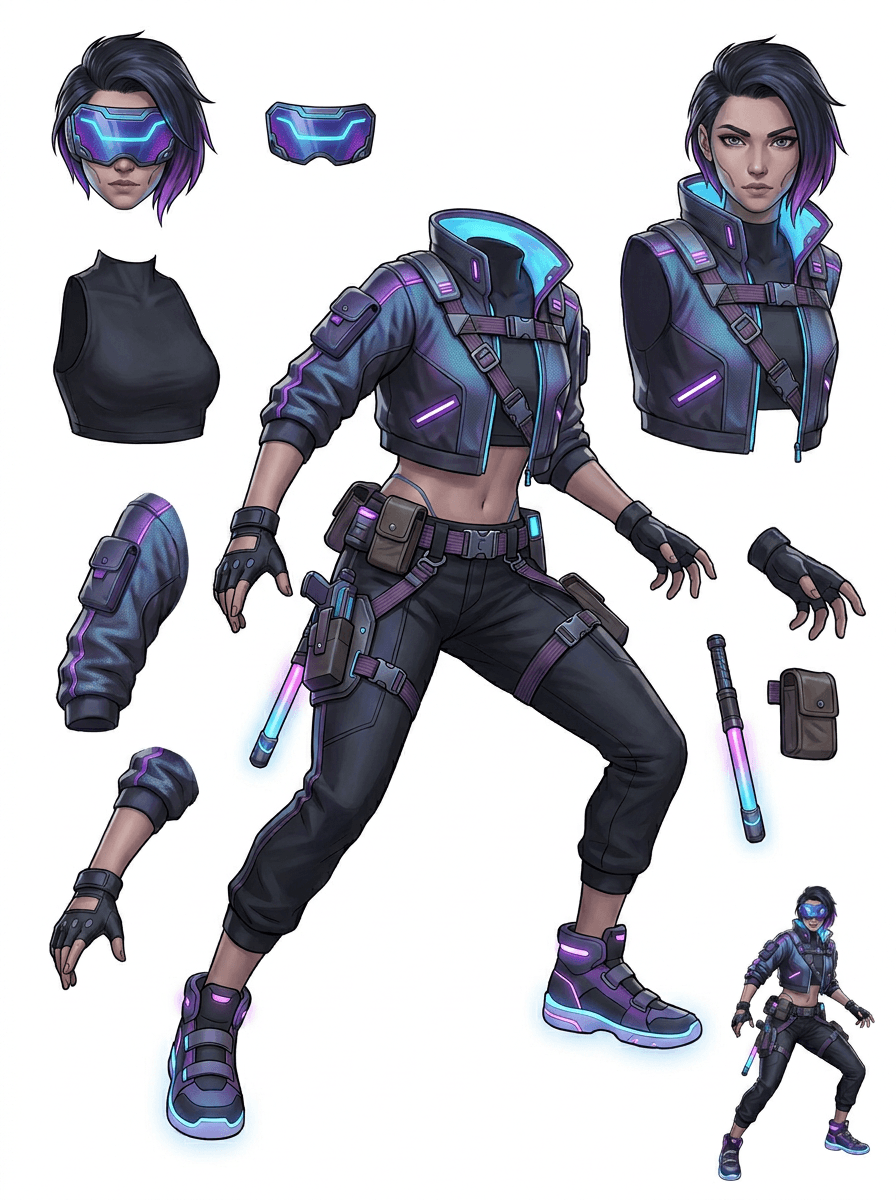
הגלריה מאורגנת סביב תרחישי ההפקה העיקריים: קמעות מצוירים, דמויות משחק, דמויות אנימה ותהליכי image to layers מבוססי אובייקטים. כל דוגמה משתמשת בתמונת מקור שנוצרה ב-AI ובגיליון נכסים מפוצל תואם.
קמעות, דמויות לילדים, גיבורים בסגנון מדבקה ודמויות motion comic עם אביזרים ותוספות אקספרסיביים.
גיבורי RPG, רצי סייבר, NPCs חמודים, שכבות ציוד, נשקים, הפניות למלאי וגיליונות להכנת ספרייטים.
Key art מודרני של אנימה עם הפרדה בין שיער, מדים, סרט, קסדה, כפפה, מגף, רתמה ותליון.
AI Layer Splitter שימושי במיוחד כשהפלט מיועד למשהו ברור. התרחישים האלה מסבירים איזו תמונת מקור להעלות, אילו חלקים לבדוק ואיך הגיליון עובר לאנימציה, משחקים, קומיקס, e-commerce או הפקת מותג.
אנימציית קמע
השתמשו בפוזה נקייה של קמע כשצריך מדבקות לרשתות חברתיות, פרסומות קצרות, תנועה לעמוד נחיתה או תכנון ריג פשוט.
מקור להעלאה
קמע בגוף מלא עם פנים, ידיים, נעליים, זנב, אביזרים וקצוות לבוש גלויים.
שכבות שימושיות לבדיקה
העברה להפקה
תנו לאנימטורים גיליון חלקים שניתן לבדוק לפני שהם מאיירים, מציירים מחדש או מריגים את התנועה הסופית.
הכנת נכסי משחק אינדי
השתמשו באמנות משחק מאושרת כשהצוות צריך וריאציות ציוד, אייקוני מלאי, דיוקנאות פרופיל או חקירת תנוחות מהירה.
מקור להעלאה
קונספט דמות קריא עם שריון, נשקים, תיק, גלימה, שיער, מגפיים וסילואטה ברורים.
שכבות שימושיות לבדיקה
העברה להפקה
השתמשו בגיליון כהפניה התחלתית לניקוי ספרייטים, החלפת ציוד ואמנות שמיועדת למשחק.
עריכות אנימה ו-ACG
השתמשו באמנות דמויות בסגנון אנימה כשצריך שליטה בשיער, פנים, מדים, סרט, כפפה, קסדה או אביזר.
מקור להעלאה
דמות אנימה אחת עם קווי מתאר חזקים, פרטי לבוש גלויים ומעט הפרעות רקע.
שכבות שימושיות לבדיקה
העברה להפקה
עברו על הגיליון לפני עריכות הבעה, וריאציות לבוש, כרטיסי דמות או בדיקות animatic קצרות.
קומיקס וחזרה על מודעות
השתמשו בדמויות קמפיין, אביזרים או מוצרים מאוירים כששינויים של הרגע האחרון ממשיכים לגעת בחלקים ויזואליים קטנים.
מקור להעלאה
איור מלוטש עם האובייקט במרכז, קצוות גלויים ויעדי התיקון העיקריים חשופים.
שכבות שימושיות לבדיקה
העברה להפקה
תנו למעצבים גיליון קונקרטי להחלפת אביזרים, וריאציות בטוחות לטקסט וניסויי קומפוזיטינג.
הכלי חזק במיוחד כשהנושא נקי, שלם ומופרד בצורה גלויה. הוא לא קיצור דרך לכל צילום עמוס, גיליון סקיצות, תנוחה מוסתרת או פריסה צפופה שבה חזית, רקע, טקסט ואובייקטים חופפים מאוד.
יש לבחון גיליון שנוצר כמו מעבר הפקה ראשון, לא כמו קובץ סופי קסום. השתמשו ברשימת הבדיקה כדי להחליט אם להוריד, להריץ מחדש, לחתוך את המקור או לעבור ל-PRO אחרי שמפריד שכבות התמונה מזהה אזורים שמישים של חזית, רקע, נושא, אובייקט וטקסט.
תוצאה חלשה
חלקים חשובים התמזגו, שוכפלו באקראי או הוסתרו בתוך עומס ויזואלי.
תוצאה שימושית להפקה
הגיליון הופך את החלקים הגלויים העיקריים לקלים לזיהוי במבט אחד: ראש, גפיים, בגדים, אביזרים, תוספות וחלקי רקע.
תוצאה חלשה
הדמות נראית כמו עיצוב חדש עם פרופורציות, צבעים, איכות קווים או אישיות שונים.
תוצאה שימושית להפקה
החלקים המופרדים עדיין מרגישים מחוברים להכוונה האמנותית המקורית, עם סילואטה, פלטת צבעים וזהות דמות ניתנות לזיהוי.
תוצאה חלשה
הגיליון מעניין, אבל הצוות לא יכול להבין מה לצייר מחדש, למסך, לבדוק או לתקן בהמשך.
תוצאה שימושית להפקה
אמנים יכולים לבחור מיד חלקים לניקוי, בניית ריג, הפניית ספרייטים, החלפת אביזרים או בדיקות קומפוזיטינג.
תוצאה חלשה
פיצול חלש לא נותן רמז אם הבעיה נבעה מהמודל או מתמונת הקלט.
תוצאה שימושית להפקה
התוצאה מראה מה צריך לתקן בהמשך: לחתוך קרוב יותר, להסיר סימוני סקיצה, להגדיל שוליים, לפשט את הרקע או להשתמש ב-PRO.
הפכו תמונה גמורה אחת לחלקים חזותיים מופרדים שקל יותר לבדוק, לערוך, לאנימציה או לבנות מחדש.
העלו תמונה נקייה וצרו גיליון PNG קריא עם חזית, רקע, נושא, אובייקטים, טקסט, בגדים, אביזרים ותוספות בתוצאה אחת.
מפריד שכבות תמונה עוזר למעצבים, משווקים, אנימטורים וצוותי משחק לזהות אילו חלקים בתמונת המקור יכולים להפוך לנכסים לעריכה. במקום לצייר כל אלמנט מחדש מאפס, צוותים יכולים ליצור גיליון שכבות PNG, להשוות בין המקור לבין התוצאה המופרדת, ולהחליט אם צריך חיתוך, ניקוי, Quick Mode או מעבר PRO.
צרו גיליון ניתן להורדה להכנת ספרייטים, תכנון ריג, motion comics, עריכות e-commerce, וריאציות של מדבקות או העברת דמויות. זה עובד הכי טוב כשיש נושא אחד ברור עם קצוות גלויים ומעט חפיפה.
תהליך פיצול השכבות הטוב ביותר שומר על ההקשר. שמרו את המקור, את הגיליון שנוצר ואת הערת הבדיקה הקצרה, כדי שהאמן הבא ידע מה להשתמש ומה עדיין דורש ניקוי.
תמונת המקור מסבירה את הכוונה כשאנימטור, אמן משחק או מעצב בודקים את הגיליון המופרד מאוחר יותר.
גיליון ראשון הופך בעל ערך רב יותר כשהצוות יודע אילו חלקים מוכנים ואילו זקוקים לגימור ידני.
השתמשו בגיליון ובשכבות השקופות שיוצאו כגשר מעשי לאנימציה, הכנת ספרייטים, עריכות קומיקס או קומפוזיטינג. ה-PSD הוא קובץ התחלתי לעריכה, לא נכס הפקה סופי מובטח.
AI Layer Splitter נותן לצוותים מעבר ראשון מהיר יותר; נכסי ההפצה הסופיים עדיין מרוויחים מבדיקה אנושית וניקוי.
AI Layer Splitter הופך תמונה שטוחה אחת לגיליון PNG קריא עם רקעים גלויים, נושאים, טקסט, אביזרים, אובייקטים, פרטי מוצר וחלקי דמות מופרדים לעריכה, אנימציה, אמנות משחק, motion comics, e-commerce ותהליכי קומפוזיטינג.
כן. Quick Mode הוא נקודת ההתחלה החינמית אונליין לתוצאה שניתן לבדוק. השתמשו בו כדי לבדוק אם תמונת המקור נפרדת היטב לפני שתשקיעו זמן במסיכה ידנית או בשדרוג למעבר PRO נקי יותר.
כן. AI Layer Splitter עובד כמפריד שכבות תמונה מבוסס אינטרנט: מעלים תמונה אחת, נותנים למודל לזהות נושאים, רקעים, טקסט, אביזרים ואובייקטים, ואז מורידים גיליון image to layers שניתן לבדיקה. הוא מהיר במיוחד לצילומים נקיים, עיצוב גרפי, מוצרים מאוירים, נכסי משחק ואמנות דמויות; תמונות מורכבות עדיין עשויות לדרוש ניקוי ידני ב-Photoshop, Figma או בעורך אחר.
העלו תמונה נקייה, הפעילו Quick Mode, ועברו על גיליון image to layers שנוצר. התוצאה מפרידה חזית, רקע, נושא, טקסט, אביזרים ואובייקטים גלויים להפניה מעשית שניתן להשתמש בה לעריכה, קומפוזיטינג, בניית תנועה, הכנת ספרייטים או ניקוי ידני.
כן. לאחר יצירת גיליון השכבות הראשון, מעבר שני בתשלום יכול לחלץ שכבות PNG שקופות בודדות. אפשר להוריד את השכבות בנפרד, לארוז אותן כ-ZIP, או לייצא PSD התחלתי לעריכה. קצוות מורכבים ומקורות עמוסים עדיין עשויים לדרוש ניקוי ידני לפני העברה להפקה.
Layer Decomposition היא יכולת של agent מבוסס AI שמפרידה תמונה אחת לשכבות חזותיות לוגיות וניתנות לעריכה, כמו חזית, רקע, נושאים, טקסט ואובייקטים. היא עוזרת לצוותים לעבור מתמונה שטוחה לגיליון שכבות מעשי לצפייה, עריכה, אנימציה והעברה להפקה.
כן. LlamaGen AI Layer Splitter מפריד את הרקע, הטקסט, הנושאים והאובייקטים הגלויים בדפדפן ומספק גיליון נכסים להורדה להמשך עריכה.
הכי טוב לעבוד עם נושאים מאוירים ונקיים: קמעות מצוירים, דמויות אנימה, דמויות משחק, גרפיקת מוצר, אביזרים ועיצובים בגוף מלא עם שיער, בגדים, גפיים, נעליים, נשקים, תיקים, זנבות, טקסט, אובייקטים או תוספות גלויים.
כן. דמויות מצוירות וקמעות הן אחד ממקרי השימוש החזקים ביותר, כי הקווים, האביזרים, הבגדים, הידיים, הנעליים והחלקים בפנים לרוב ברורים מספיק כדי להפוך לגיליון שימושי.
כן. מפצל שכבות AI לנכסי משחק יכול להפוך קונספטים נקיים של דמויות לנקודת פתיחה להפניות ספרייטים, וריאציות תנוחה, אייקוני מלאי, עריכות ציוד, דיוקנאות UI ובניית תנועה.
כן. דמויות בסגנון אנימה ניתנות לפיצול לשיער, פנים, לבוש, סרט, כפפה, מגף, אביזר, קסדה ותוספות גלויים כשהתמונה נקייה.
Quick Mode יוצר גיליון נכסים מהיר שניתן לבדיקה. PRO Mode משתמש במודל משודרג לפיצול נקי יותר כשהמקור קריא והפרויקט צריך מעבר איכותי יותר.
לא. סצנות עמוסות מאוד, חלקי גוף מוסתרים, נושאים חופפים, סימוני סקיצה, צללים חזקים, גפיים חתוכות או אביזרים זעירים עדיין עשויים לדרוש ניקוי של המקור או גימור ידני.
אפשר להשתמש בפלטים שנוצרו בהתאם לתוכנית ולתנאים שלכם ב-LlamaGen. ודאו גם שיש לכם זכויות לתמונת המקור שהעליתם.
התחילו עם הדוגמה שנטענה מראש, העלו דמות משלכם מקריקטורה, אנימה או משחק, וצרו גיליון שכבות שניתן לבדיקה בתוך דקות. השתמשו בתוצאה הראשונה כדי להחליט אם Quick מספיק או אם הרצת PRO שווה את זה.