

Ajánlott
Quick mód
Elsőre ez ajánlott. Egyetlen képből egy jól áttekinthető PNG réteglap.
Tölts fel egy tiszta képet, és bontsd szét háttérre, előtérre, fő témára, szövegre, objektumokra, képregénykarakterekre, anime grafikára, kellékekre vagy termékvizuálokra. Nézd át az első réteglapot, majd exportáld az egyes átlátszó PNG rétegeket, vagy töltsd le ZIP-ben, illetve szerkeszthető PSD-alapként.
First pass · 300 credits
Generates one reviewable PNG asset sheet. It is not an editable set of transparent PNG layers.
First pass · 600 credits
Uses a higher-quality model to produce a cleaner PNG asset sheet, still delivered as a single image.
Paid second pass · +600 credits
Once the sheet is ready, a paid user can extract individual transparent PNG layers, download them or a ZIP, and export a starter PSD.
The extracted PNGs are actual second-pass outputs, not a crop of the sheet. Occluded regions or complex edges can need manual cleanup; PSD is an editable starting file.
or drop a file,
paste image or
No image? Try one of these:
Tölts fel egy valódi forrásképet az oldalon. A Quick mód létrehozza az első, átnézhető réteglapot; a PRO jobb eredményt ad tiszta forrás esetén. A fizetős második futás külön átlátszó PNG rétegeket készít, amelyek letölthetők külön-külön, ZIP-ben vagy szerkeszthető PSD-alapként.
Elsőre ez ajánlott. Egyetlen képből egy jól áttekinthető PNG réteglap.
Fejlett modell. Tisztább elkülönítés az eszköztáblán belül.
After creating a sheet, paid plans can extract real transparent PNG layer files and download individual PNGs, a ZIP, or an editable starter PSD. Complex images may need manual cleanup.
Minden kártya egy valós forrást és egy generált réteglapot mutat. A címkék csak az adott eredményben látható részeket írják le; az élő eszköz fent az a hely, ahol egy megfelelő forrásból egyes előtér-, háttér-, téma-, szöveg- és objektumrétegek készülhetnek.
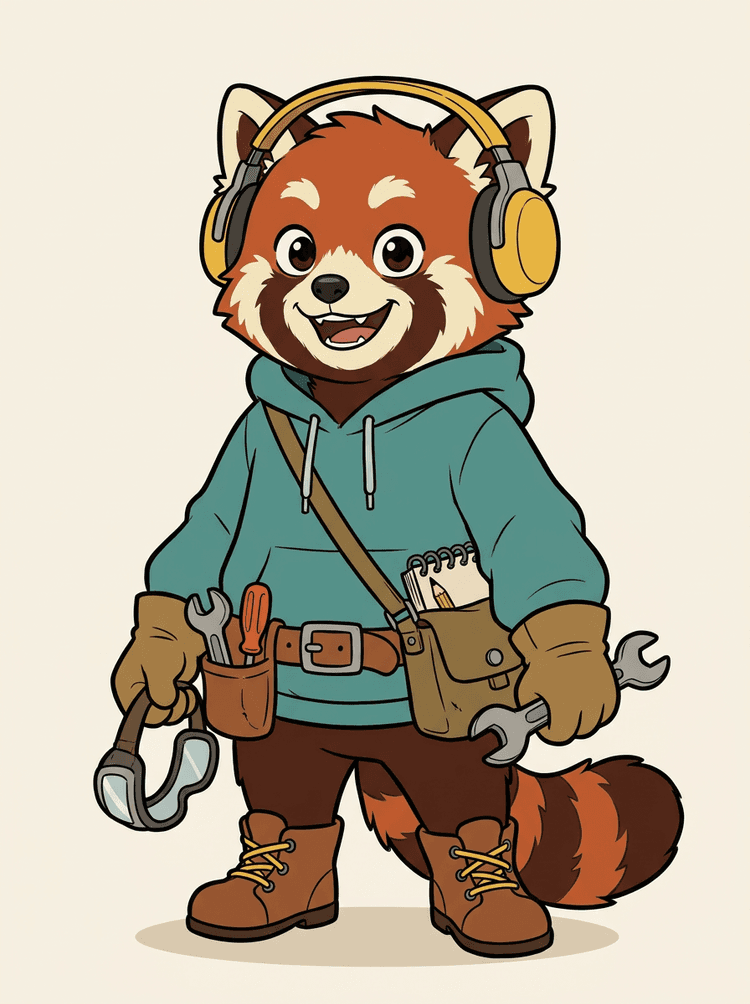
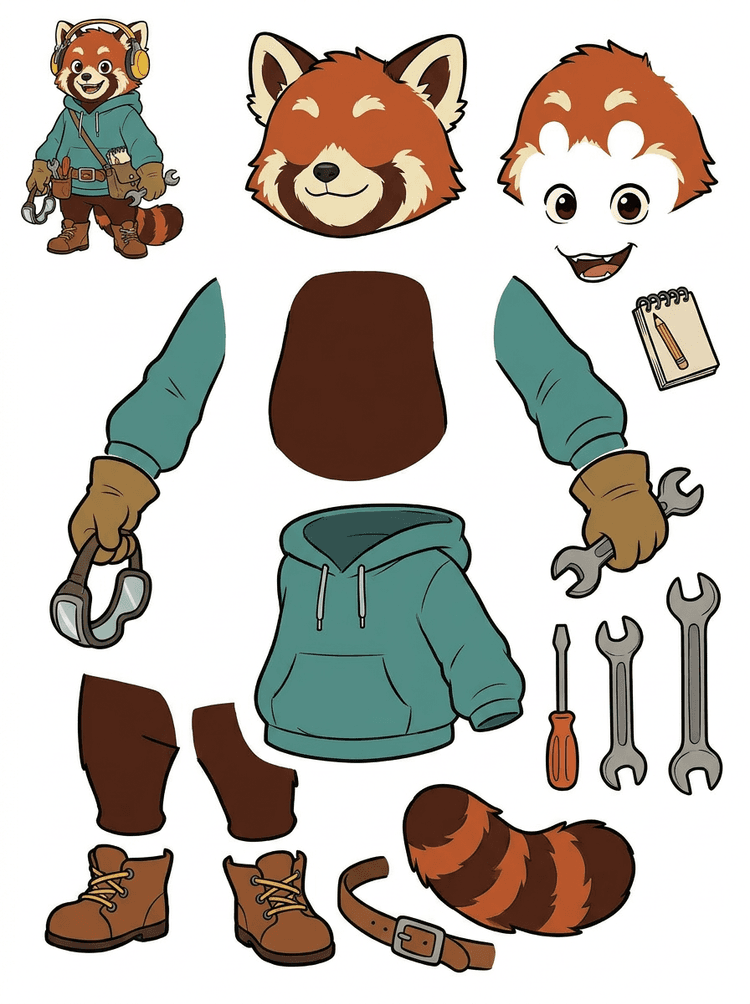
Egy fejhallgatós, kapucnis, oldaltáskás, farkas, cipős és rajzeszközös karaktermaszk praktikus lappá válik animációs ellenőrzéshez.
A valós eredményben látható részek
Gyártási átadás
A generált lap az ellenőrzési lépés. Folytasd az élő eszközben, hogy a megfelelő látható régiókat külön átlátszó PNG rétegekké nyerd ki, majd csomagold ZIP-be vagy szerkeszthető PSD-alapba.

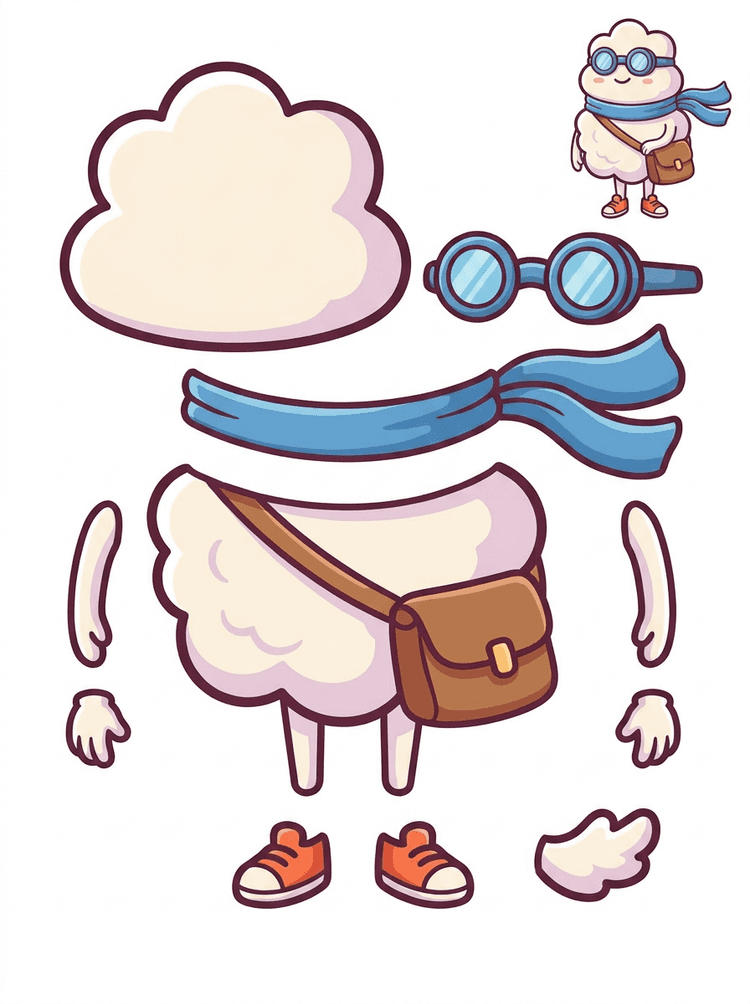
Egy matricaszerű rajzfilmszereplő részlappá válik sállal, táskával, cipőkkel, szemüveggel, kezekkel és lekerekített testelemekkel.
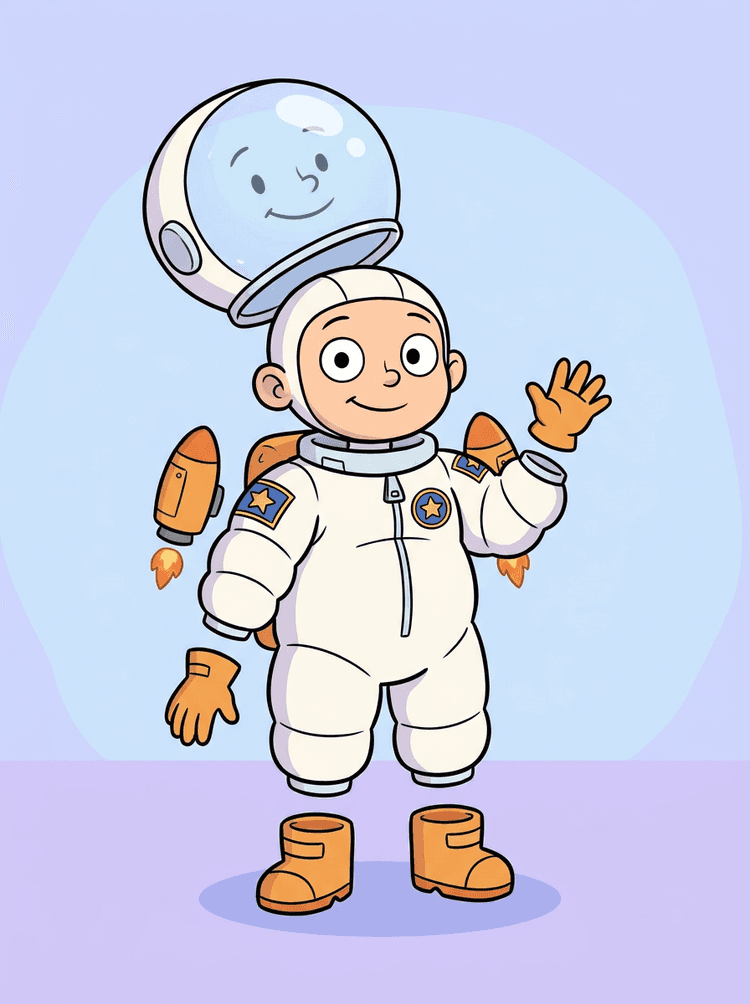
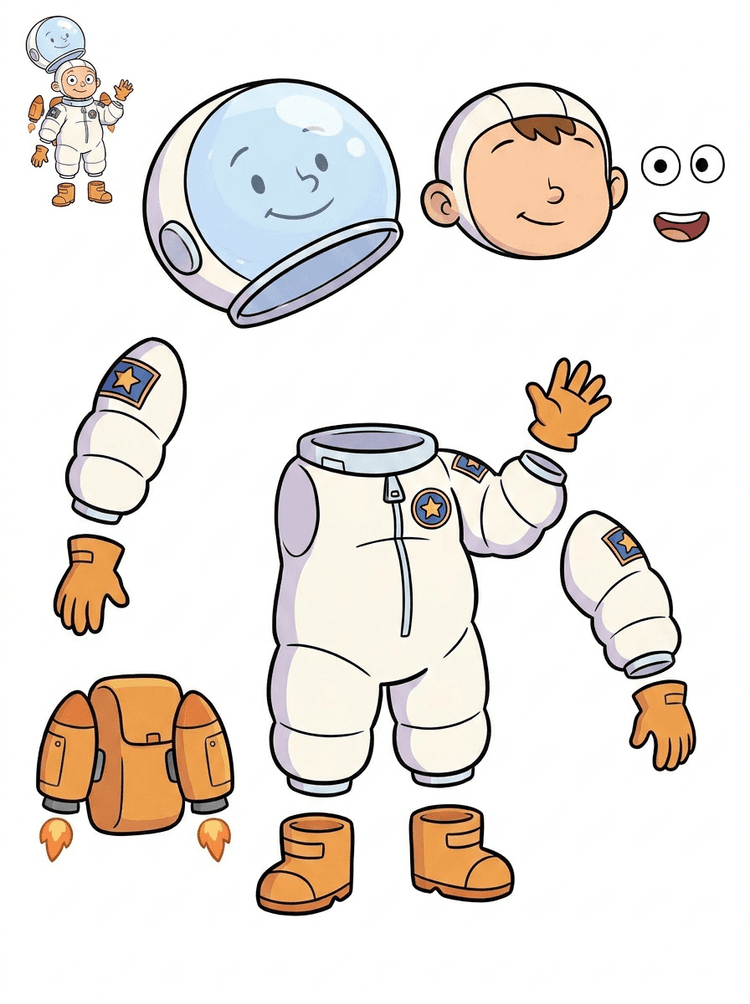
Egy gyerekűrhajós illusztrációból lap lesz sisakhoz, szkafanderhez, kesztyűkhöz, csizmákhoz, foltokhoz, hátizsákhoz és motion comic elemekhez.
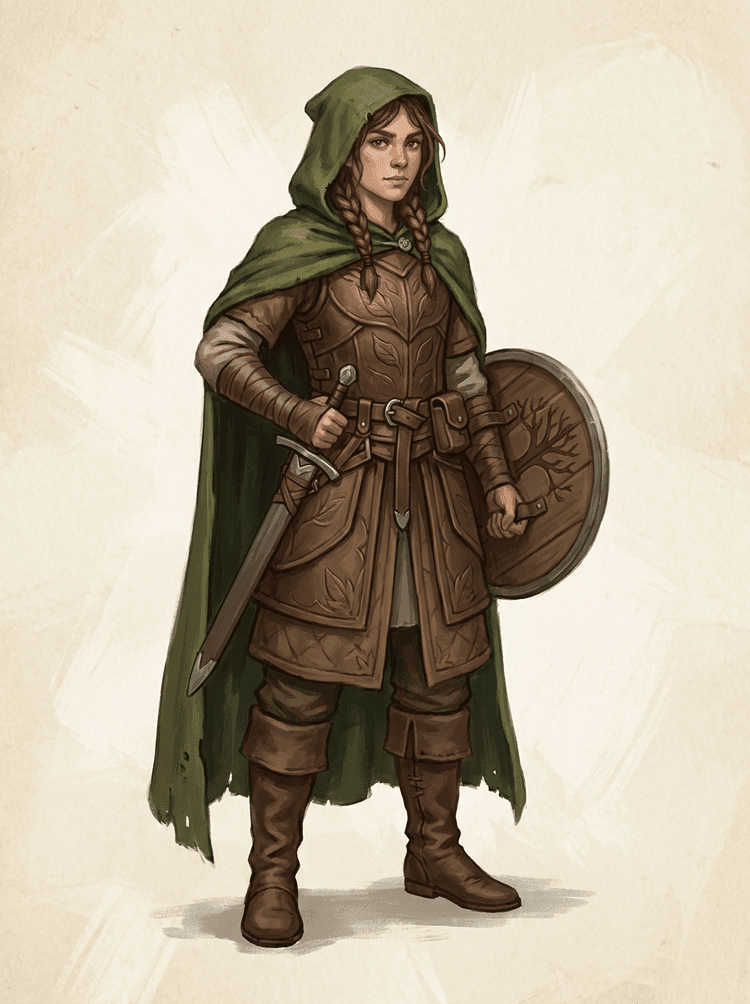
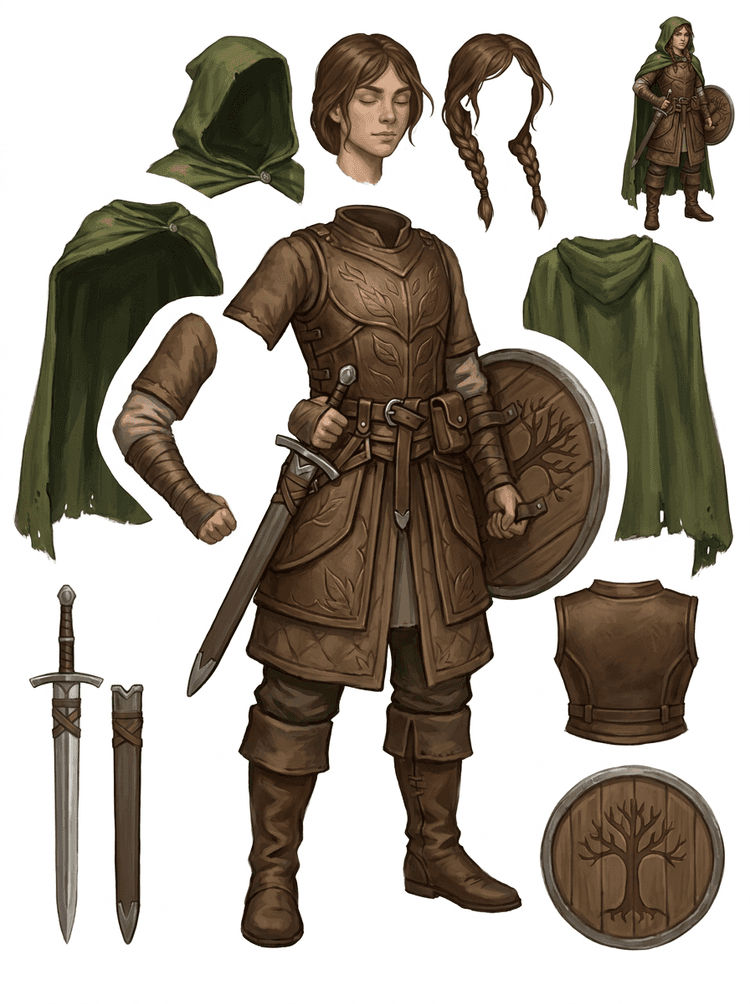
Egy fantasy játékkarakter szét van bontva páncélra, köpenyre, kardra, pajzsra, erszényekre, csizmákra, végtagokra és újrahasználható sprite-hivatkozásokra.
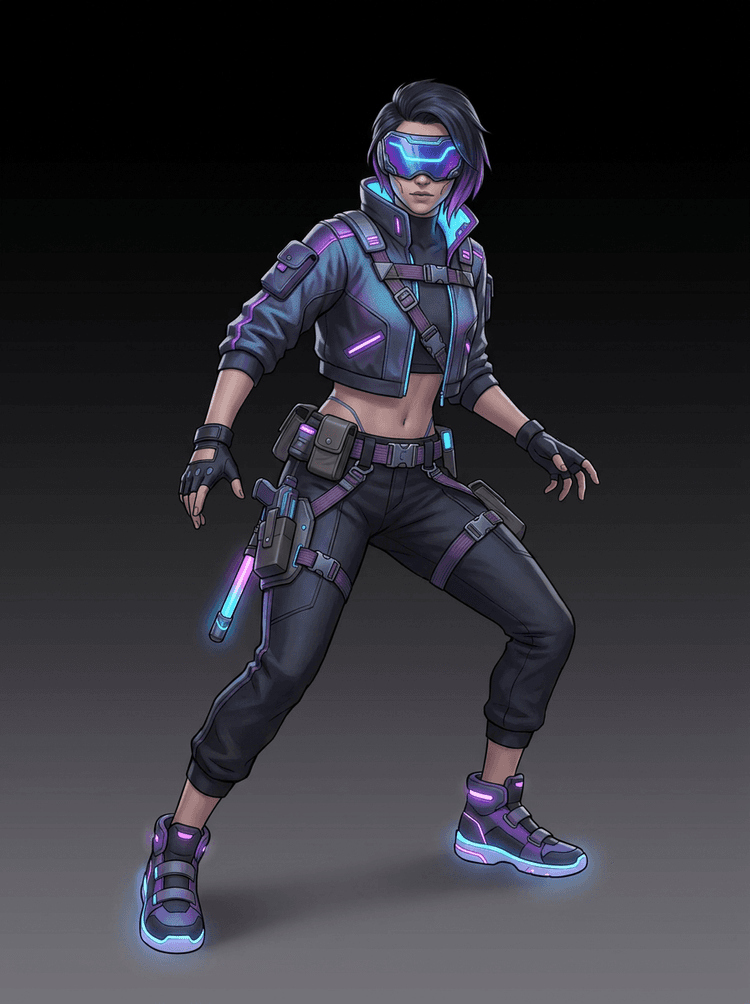
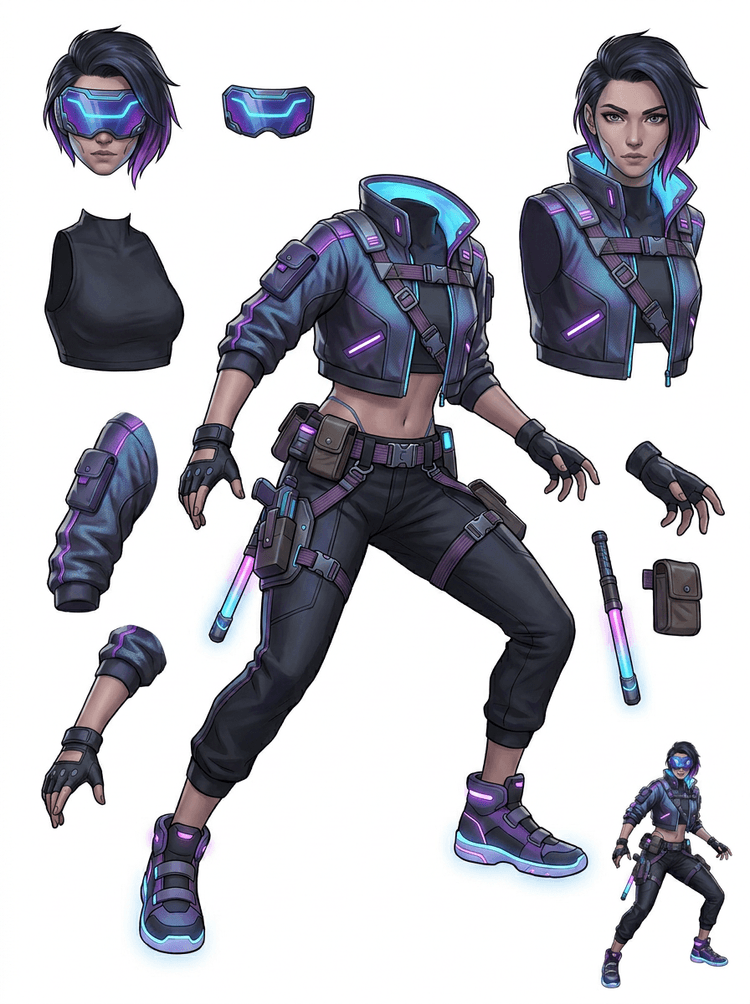
Egy cyberpunk akciókarakterből részletes hivatkozás lesz dzsekihez, védőszemüveghez, kesztyűkhöz, cipőkhöz, pántokhoz, bothoz és testelemekhez.
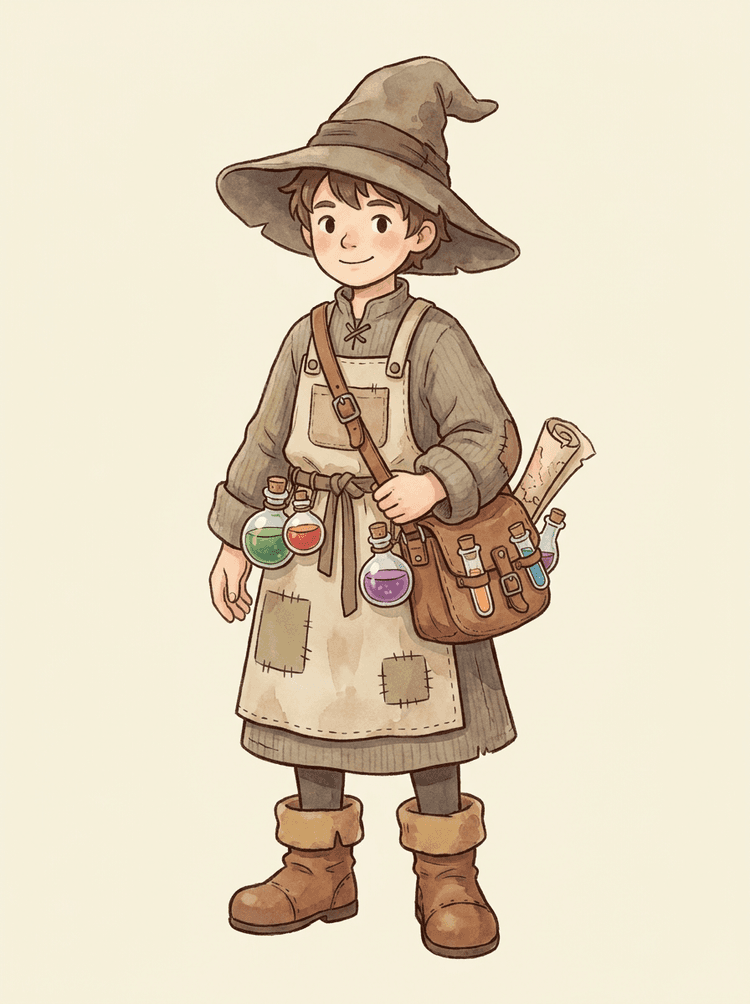
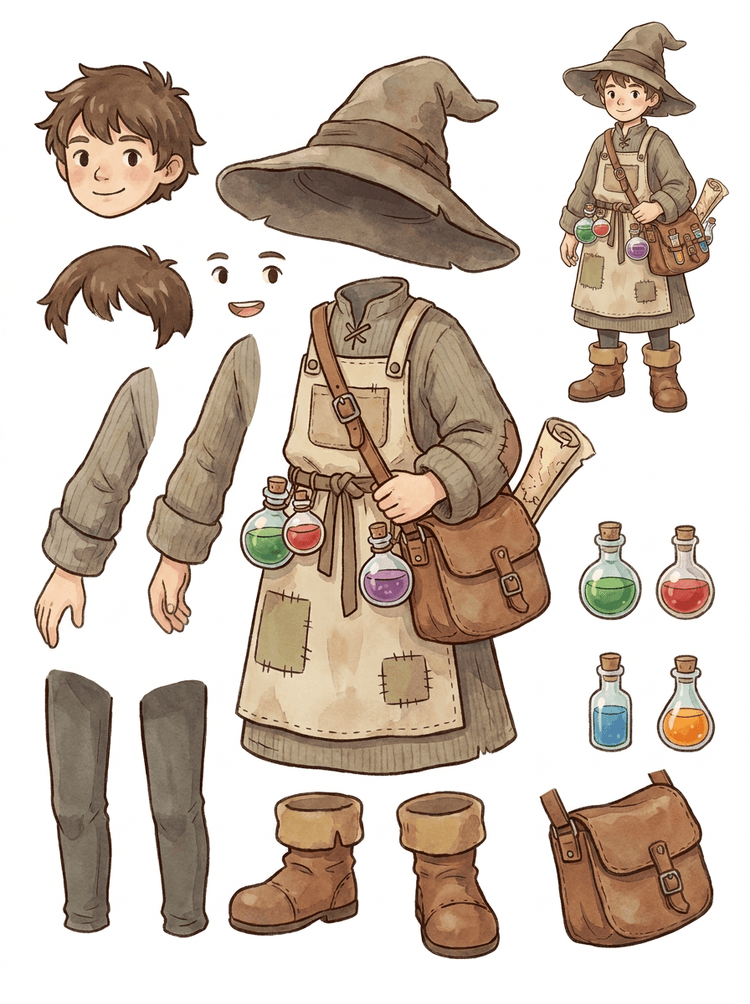
Egy barátságos NPC, kalappal, köténnyel, italtáskával, üvegekkel, térképpel, csizmákkal és meleg ruházattal újrahasználható játékgyártási lappá válik.
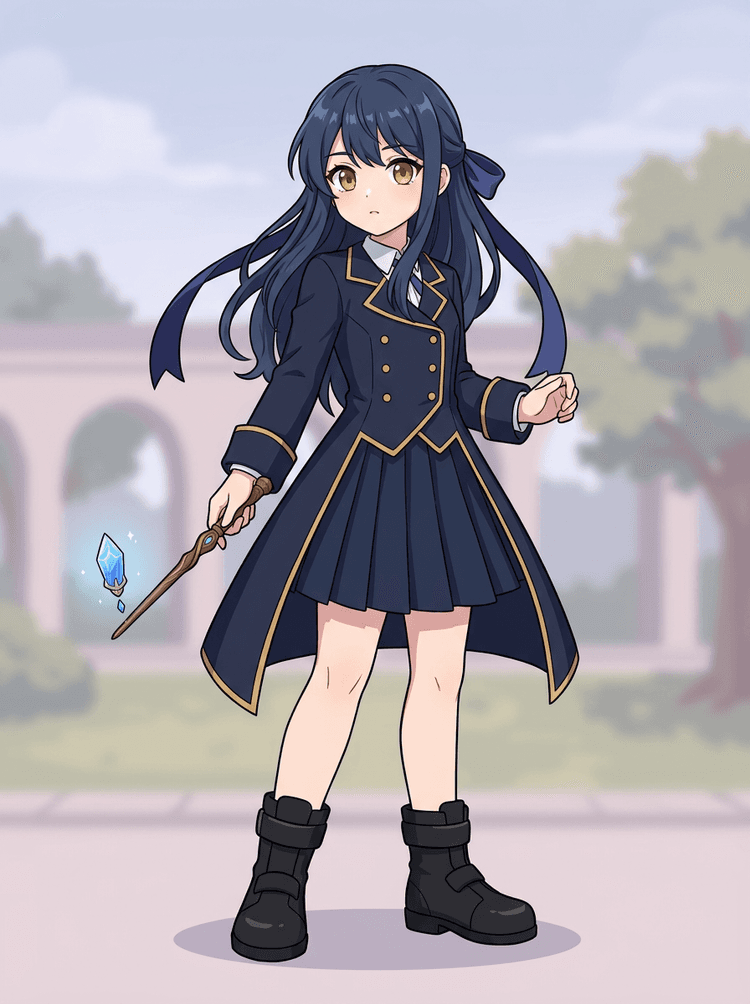
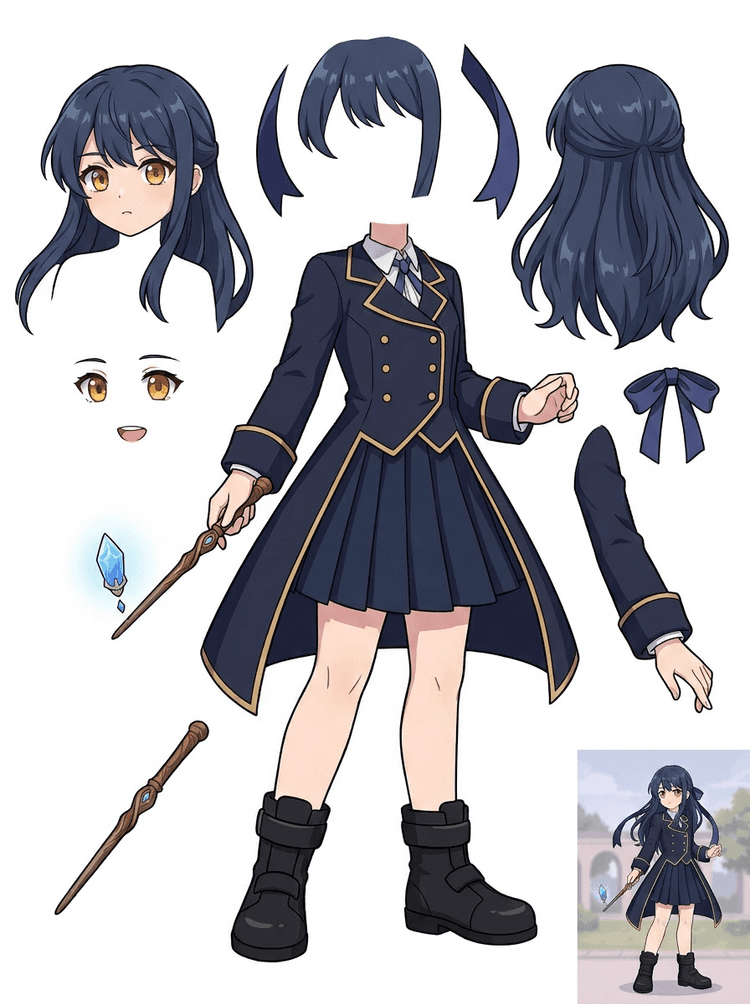
Az anime kulcsgrafika egyenruhával, szalaggal, varázspálcával, hajjal, amulettel, kesztyűkkel és csizmákkal részlappá válik szerkesztésekhez és mozgástesztekhez.
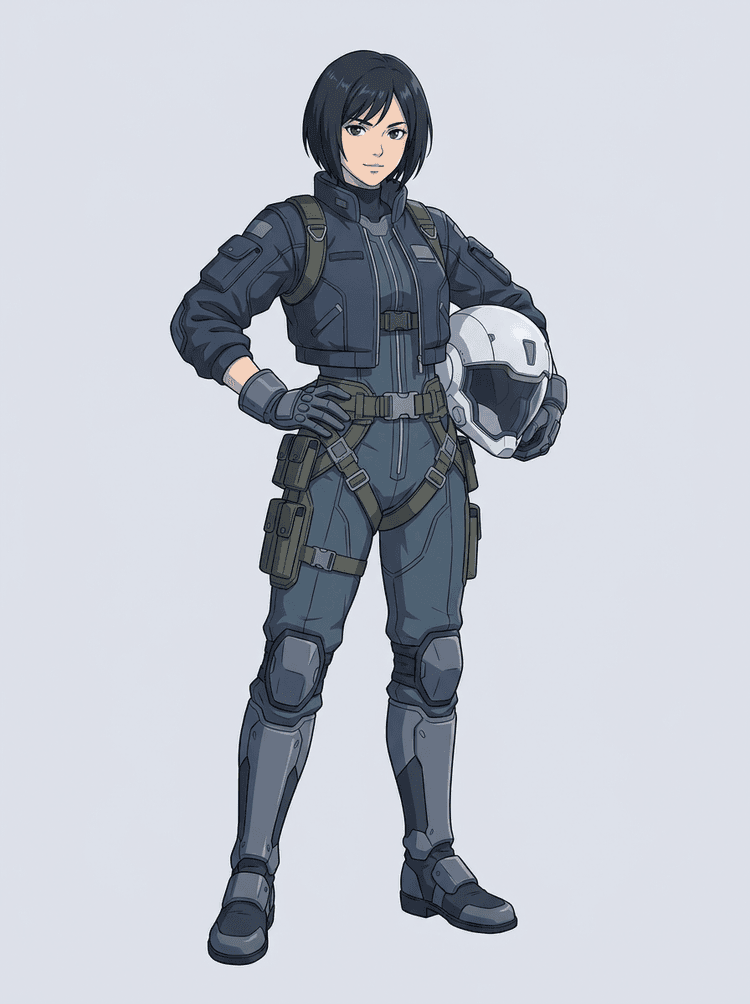
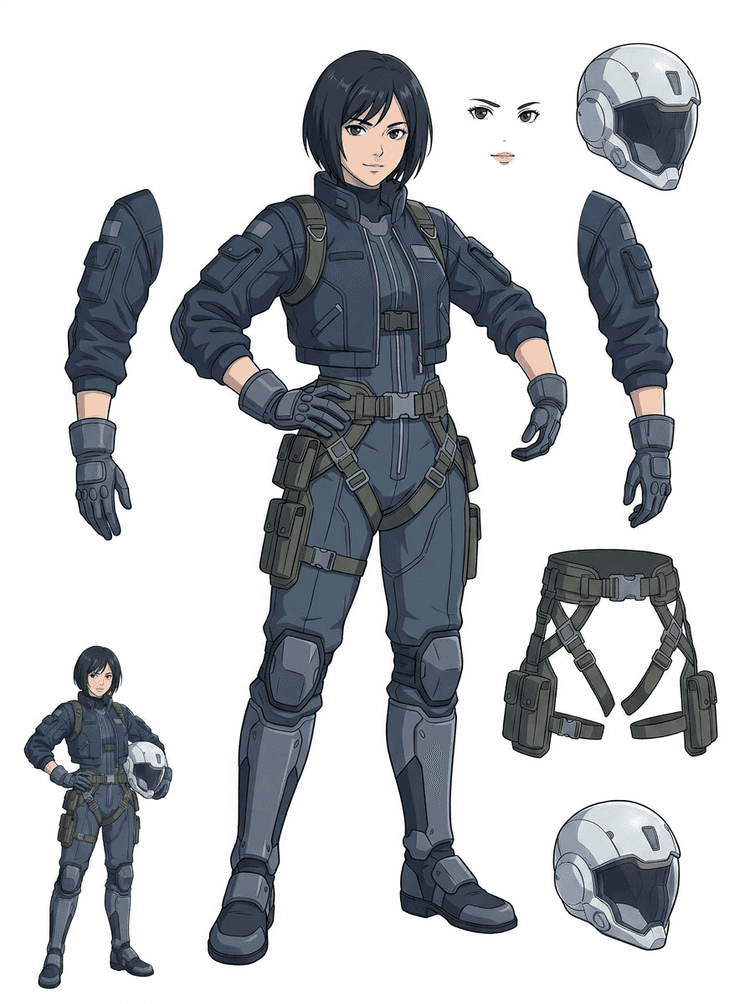
Egy sci-fi anime pilóta szét van bontva hajra, arcra, dzsekire, kesztyűkre, hevederekre, csizmákra, sisakra és testelemekre.
Az AI Rétegszétválasztó egy kép-rétegekre bontó eszköz azoknak az alkotóknak, akiknek már megvan a forrásképük, de szükségük van az utána következő praktikus gyártási elemekre: előtér, háttér, fő téma, karakterek, haj, arc, ruha, végtagok, szöveg, objektumok, kellékek, termék részletek és kiegészítők.
Művészeknek, indie játékcsapatoknak, animátoroknak, marketingeseknek, e-kereskedelmi csapatoknak és ACG alkotóknak készült, akik egyetlen lapos képből szeretnének újrahasználható gyártási eszközöket készíteni anélkül, hogy az egész munkamenetet maszkolással töltenék.
Egy kidolgozott PNG nem tud pislogni, parallaxis mozgást adni, kelléket cserélni, terméket elkülöníteni vagy spriteszerű elemmé válni, amíg a fő részek szét nem válnak.
A kijelölőeszközök, élkitisztítás és rétegnevezés tovább tarthat, mint az első animációs próba.
Egy kesztyű, táska, cipő, farok, sisak vagy szalag cseréje könnyen teljes újrafestéssé válik, ha minden rész össze van olvadva.
Előtte
Egy látványos karakterkép, amely teljesnek tűnik, de még mindig egyetlen lapos bitmapként van rögzítve.
Utána
Egy jól olvasható eszköztábla előtérrel, háttérrel, karakterekkel, szöveggel és objektumokkal szétválasztva, így a művészek megtervezhetik a mozgást, módosíthatják a részleteket és átadhatják a gyártási hivatkozásokat.
Készíts átnézhető szétválasztási passzt, mielőtt teljes kézi maszkolási munkafolyamatot nyitnál.
Egyetlen karakterképből indulj tovább az animáció, játék és szerkesztési átadás számára szükséges részek felé.
Esettanulmány
Egy márkamaszk egyetlen statikus illusztrációból szétválasztott fej-, farok-, cipő-, táska-, ruha- és kiegészítő hivatkozásokká alakulhat gyors animációs tervezéshez.
Eredmény
A művészek átnézhetik, mely részek használhatók, eldönthetik, hogy érdemes-e újrafuttatni PRO-val, és egy konkrét lapról kezdhetik a tisztítást ahelyett, hogy üres maszkolási munkamenettel indulnának.
LlamaGen rétegfolyamat
rajzfilm, anime és játék eszköz-előkészítés
Tekints az AI Rétegszétválasztóra első tiszta passzként: tölts fel egy képet, generálj egy réteglapot, majd használd az eredményt a szerkesztődben, animációs munkafolyamatban vagy játékeszköz-pipeline-ban.
Használj teljes alakos karaktergrafikát, maszkos ábrázolást, anime kulcsképet, játék koncepciót, termékfotót, grafikai tervet, kelléket vagy termékszerű illusztrációt jól látható élekkel.
A Quick mód gyors vizuális ellenőrzőpontot hoz létre, hogy a csapat lássa a hajat, arcot, ruházatot, kezeket, kellékeket, cipőket, hátteret, szöveget, objektumokat és kiegészítőket kontextusban.
A PRO mód akkor a legjobb, ha az első lap bizonyítja, hogy a forrás olvasható, és a projektnek tisztább modellfutás kell.
Használd a letöltött lapot mozgásblokkoláshoz, rig tervezéshez, sprites hivatkozásokhoz, újrafestéshez vagy kreatív kompozitáláshoz.
A cél egy átnézhető gyártási kiindulópont, nem egy homályos AI-demó.
Az AI rétegszétválasztó eszköz elemzi a grafikát, és felismeri a különböző elemeket, például a karaktereket, háttereket és objektumokat, majd külön rétegeket hoz létre. Mesterséges intelligenciával bontja fel a képeket, miközben megőrzi az elrendezést, a hierarchiát és a dizájn szándékát, és különösen jól működik grafikai terveknél, illusztrált termékeknél, karaktergrafikáknál és tiszta játékeszközöknél.
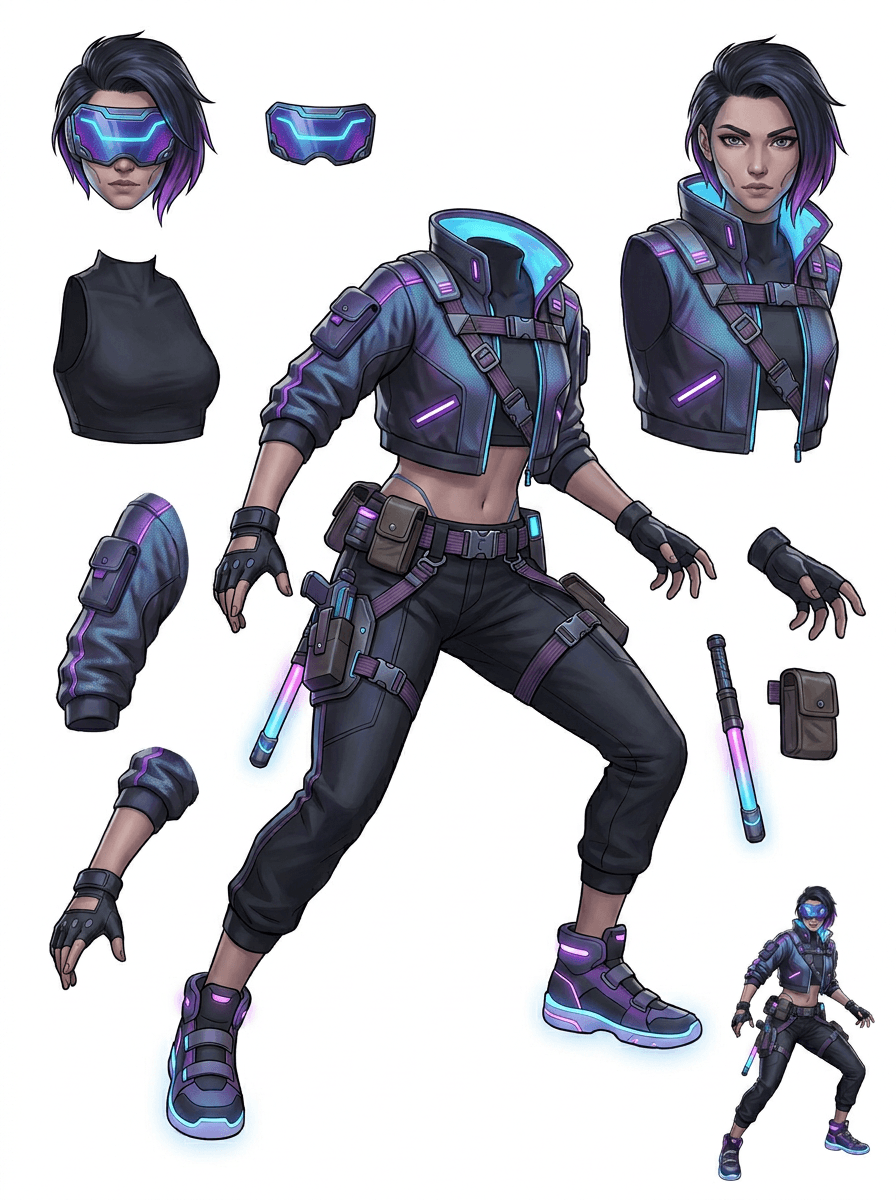
A galéria a fő gyártási szcenáriók köré szerveződik: rajzfilmmaszkok, játékkarakterek, anime karakterek és tárgyalapú kép-rétegekre bontási munkafolyamatok. Minden példa egy eredeti, AI-val generált forrásképet és egy hozzá illő szétbontott eszköztáblát használ.
Maszkok, gyerekkarakterek, matricaszerű hősök és motion comic karakterek kifejező kellékekkel és kiegészítőkkel.
RPG hősök, cyber futók, barátságos NPC-k, felszerelésrétegek, fegyverek, inventory hivatkozások és sprite-előkészítő lapok.
Modern anime kulcsgrafikák haj-, egyenruha-, szalag-, sisak-, kesztyű-, csizma- és amulettszétválasztással.
Az AI Rétegszétválasztó akkor a leghasznosabb, ha van célja a kimenetnek. Ezek a szcenáriók megmutatják, milyen forrásképet tölts fel, mely részeket vizsgáld meg, és hogyan illeszkedik a lap az animációba, játékba, képregénybe, e-kereskedelembe vagy márkagyártásba.
Maszk animáció
Használj tiszta maszkpózt, ha közösségi matricákra, rövid hirdetésekre, landing oldali mozgásra vagy egyszerű rig-tervezésre van szükséged.
Feltöltendő forrás
Egy teljes alakos maszk, jól látható arccal, kezekkel, cipőkkel, farokkal, kellékekkel és ruhaszélekkel.
Hasznos rétegek az ellenőrzéshez
Gyártási átadás
Adj az animátoroknak egy átnézhető részlappal kezdődő munkát, mielőtt átrajzolnák vagy riggelnék a végső mozgást.
Indie játék eszköz-előkészítés
Használj jóváhagyott játékgrafikát, amikor a csapatnak felszerelésváltozatokra, inventory ikonokra, profilképekre vagy gyors pózkísérletekre van szüksége.
Feltöltendő forrás
Jól olvasható karakterkoncepció tiszta páncéllal, fegyverrel, táskával, köpennyel, hajjal, csizmával és sziluettel.
Hasznos rétegek az ellenőrzéshez
Gyártási átadás
Használd a lapot kiindulási hivatkozásként sprite-tisztításhoz, felszereléscserékhez és játékon belüli grafikához.
Anime és ACG szerkesztések
Használj anime stílusú karaktergrafikát, amikor haj-, arc-, egyenruha-, szalag-, kesztyű-, sisak- vagy kiegészítővezérlésre van szükséged.
Feltöltendő forrás
Egyetlen anime karakter erős kontúrokkal, jól látható ruharészletekkel és minimális háttérzajjal.
Hasznos rétegek az ellenőrzéshez
Gyártási átadás
Nézd át a lapot kifejezésszerkesztés, öltözékváltozatok, karakterkártyák vagy rövid animatikus próbák előtt.
Képregény és hirdetés iteráció
Használj kampánykaraktereket, kellékeket vagy illusztrált termékeket, amikor az utolsó pillanatos módosítások mindig apró vizuális részeket érintenek.
Feltöltendő forrás
Letisztult illusztráció, középre helyezett objektummal, jól látható élekkel és takarás nélkül hagyott fő módosítási pontokkal.
Hasznos rétegek az ellenőrzéshez
Gyártási átadás
Adj a dizájnereknek konkrét lapot kellékcseréhez, szövegbiztos variánsokhoz és kompozitálási kísérletekhez.
Az eszköz akkor a legerősebb, ha a téma tiszta, teljes és jól elkülönülő. Nem minden zsúfolt fotóra, vázlatlapra, takart pózra vagy sűrű kompozícióra ad gyors megoldást, ahol az előtér, háttér, szöveg és objektumok erősen átfednek.
Egy generált lapot úgy kell megítélni, mint egy első gyártási passzt, nem mint egy varázslatos végleges fájlt. Használd az ellenőrzőlistát annak eldöntésére, hogy letöltöd, újrafuttatod, kivágod-e a forrást, vagy PRO-ra váltasz, miután a képréteg-szétválasztó felismerte a használható előtér-, háttér-, téma-, objektum- és szövegterületeket.
Gyenge eredmény
A fontos részek összetapadnak, véletlenszerűen duplikálódnak vagy elvesznek a vizuális zajban.
Gyártásban használható eredmény
A lap egy pillantásra könnyen azonosíthatóvá teszi a fő látható részeket: fej, végtagok, ruházat, kellékek, kiegészítők és háttérelemek.
Gyenge eredmény
A karakter új dizájnnak tűnik, eltérő arányokkal, színekkel, vonalminőséggel vagy személyiséggel.
Gyártásban használható eredmény
A szétválasztott részek továbbra is az eredeti art directionhöz kapcsolódnak, felismerhető sziluettel, palettával és karakterazonossággal.
Gyenge eredmény
A lap érdekes, de a csapat nem tudja, mit kell a következő körben átrajzolni, maszkolni vagy tesztelni.
Gyártásban használható eredmény
A művészek azonnal kiválaszthatják a tisztítandó, riggelendő, sprite-hivatkozásnak szánt, kellékcserés vagy kompozitálási tesztekhez szükséges részeket.
Gyenge eredmény
Egy rossz szétválasztás nem árulja el, hogy a probléma a modellből vagy a feltöltött képből jött-e.
Gyártásban használható eredmény
Az eredmény megmutatja, mit kell legközelebb javítani: közelebbi kivágás, vázlatnyomok eltávolítása, több margó, egyszerűbb háttér vagy PRO használata.
Alakíts át egy kész képet elkülönített vizuális részekre, amelyeket könnyebb átnézni, szerkeszteni, animálni vagy újraépíteni.
Tölts fel egy tiszta képet, és hozz létre egy olvasható PNG réteglapot előtérrel, háttérrel, témával, objektumokkal, szöveggel, ruházattal, kellékekkel és kiegészítőkkel egyetlen eredményben.
A képréteg-szétválasztó segít a dizájnereknek, marketingeseknek, animátoroknak és játékos csapatoknak felismerni, mely részekből lehet szerkeszthető eszköz. Ahelyett, hogy minden elemet nulláról rajzolnának újra, a csapatok generálhatnak PNG réteglapot, összevethetik az eredetit a szétválasztott verzióval, majd eldönthetik, hogy a forrásnak kell-e kivágás, tisztítás, Quick mód vagy PRO futás.
Készíts letölthető lapot sprite-előkészítéshez, rig-tervezéshez, motion comichez, e-kereskedelmi szerkesztésekhez, matricaváltozatokhoz vagy karakterátadáshoz. Akkor működik a legjobban, ha egy tiszta téma látható élekkel és minimális átfedéssel jelenik meg.
A legjobb rétegbontási munkafolyamat megőrzi a kontextust. Tartsd meg a forrást, a generált lapot és egy rövid ellenőrzési megjegyzést, hogy a következő művész tudja, mit használjon, és min kell még tisztítani.
Az eredeti kép megmutatja a szándékot, amikor egy animátor, játékos grafikus vagy dizájner később átnézi a szétválasztott lapot.
Az első lap értékesebb lesz, ha a csapat tudja, mely részek készek, és melyek igényelnek kézi befejezést.
Használd a lapot és az exportált átlátszó rétegeket gyakorlati hídként animációhoz, sprites előkészítéshez, képregényszerkesztéshez vagy kompozitáláshoz. A PSD egy szerkeszthető indulófájl, nem garantáltan végleges gyártási eszköz.
Az AI Rétegszétválasztó gyorsabb első passzt ad a csapatoknak; a végleges leadandó eszközök még mindig profitálnak az emberi ellenőrzésből és tisztításból.
Az AI Rétegszétválasztó egyetlen lapos képet olvasható PNG réteglappá alakít, külön látható háttérrel, témákkal, szöveggel, kellékekkel, objektumokkal, termékrészletekkel és karakterelemekkel szerkesztéshez, animációhoz, játékgrafikához, motion comichez, e-kereskedelemhez és kompozitálási munkafolyamatokhoz.
Igen. A Quick mód az ingyenes online indulópont egy átnézhető kép-rétegek eredményhez. Használd arra, hogy teszteld, jól szétválik-e a forráskép, mielőtt kézi maszkolással vagy egy tisztább PRO futással foglalkoznál.
Igen. Az AI Rétegszétválasztó webböngészőből használható AI képréteg-szétválasztóként működik: tölts fel egy képet, hagyd, hogy a modell felismerje a témákat, háttereket, szöveget, kellékeket és objektumokat, majd töltsd le az átnézhető kép-rétegek lapot. Leggyorsabb tiszta fotókhoz, grafikai tervekhez, illusztrált termékekhez, játékeszközökhöz és karaktergrafikákhoz; a bonyolult képekhez továbbra is szükség lehet kézi tisztításra Photoshopban, Figma-ban vagy más szerkesztőben.
Tölts fel egy tiszta képet, futtasd a Quick módot, majd nézd át a generált képről rétegekre bontott lapot. Az eredmény elkülöníti a látható előteret, hátteret, témát, szöveget, kellékeket és objektumokat, így gyakorlati hivatkozásként használhatod szerkesztéshez, kompozitáláshoz, animációs blokkoláshoz, sprite-előkészítéshez vagy kézi tisztításhoz.
Igen. Miután elkészült az első réteglap, egy fizetős második futás ki tudja nyerni az egyes átlátszó PNG rétegeket. Ezeket külön-külön letöltheted, ZIP-be csomagolhatod, vagy szerkeszthető PSD-alapként exportálhatod. Az összetett élek és zsúfolt források még mindig igényelhetnek kézi tisztítást a gyártási átadás előtt.
A Layer Decomposition egy AI agent képesség, amely egyetlen képet logikus, szerkeszthető vizuális rétegekre bont, például előtérre, háttérre, témákra, szövegre és objektumokra. Segít a csapatoknak lapos képből gyakorlati réteglapot készíteni átnézéshez, szerkesztéshez, animációhoz és gyártási átadáshoz.
Igen. A LlamaGen AI Rétegszétválasztó a böngészőben szétválasztja a hátteret, a szöveget, a témákat és a látható objektumokat, és letölthető eszköztáblát ad a további szerkesztéshez.
A tiszta, illusztrált témák működnek a legjobban: rajzfilmmaszkok, anime karakterek, játékkarakterek, termékszerű grafikák, kellékek és teljes alakos tervek látható hajjal, ruházattal, végtagokkal, cipőkkel, fegyverekkel, táskákkal, farokkal, szöveggel, objektumokkal vagy kiegészítőkkel.
Igen. A rajzfilmkarakterek és maszkok az egyik legerősebb felhasználási terület, mert a kontúrok, kellékek, ruhák, kezek, cipők és arcrészek gyakran elég tiszták ahhoz, hogy hasznos lapot adjanak.
Igen. Az AI Rétegszétválasztó játékeszközökhöz tiszta karakterkoncepciókból kiinduló hivatkozásokat készíthet sprite-okhoz, pózváltozatokhoz, inventory ikonokhoz, felszerelésmódosításokhoz, UI portrékhoz és animációs blokkoláshoz.
Igen. Az anime stílusú karakterek látható hajra, arcra, ruhára, szalagra, kesztyűre, csizmára, kellékre, sisakra és kiegészítőre bonthatók, ha a forráskép tiszta.
A Quick mód gyors, átnézhető eszköztáblát készít. A PRO mód fejlettebb modellt használ tisztább szétválasztáshoz, amikor a forráskép jól olvasható, és a projektnek jobb minőségű futás kell.
Nem. A nagyon zsúfolt jelenetek, rejtett testrészek, átfedő témák, vázlatnyomok, erős árnyékok, levágott végtagok vagy apró kiegészítők még mindig igényelhetnek forrástisztítást vagy kézi finomítást.
A generált kimeneteket a LlamaGen csomagod és feltételeid szerint használhatod. Győződj meg róla, hogy a feltöltött forráskép használati jogai is a birtokodban vannak.
Indulj a betöltött mintával, tölts fel saját rajzfilm-, anime- vagy játékkaraktert, és hozz létre néhány perc alatt átnézhető réteglapot. Az első eredmény alapján döntsd el, hogy elég-e a Quick mód, vagy megéri a PRO futás.