

AI Presentation Tools18 min read
All posts
Best Gamma Alternatives in 2026: 14 AI Presentation Tools Compared
We independently review every app we recommend.
Best Gamma Alternatives in 2026: 14 AI Presentation Tools Compared
Gamma is one of the most popular AI presentation tools because it makes the first draft feel almost effortless. You type a prompt, paste notes, import a document, or add a URL, and Gamma quickly turns the input into a clean, card-based presentation.
That speed is useful.
But once a deck needs to become client-ready, investor-ready, sales-ready, or executive-ready, many teams start looking for Gamma alternatives. The common reasons are familiar: limited layout control, repetitive visual structures, brand consistency challenges, weak PowerPoint export reliability, and the need for stronger storytelling or collaboration workflows.
This guide compares the best Gamma alternatives in 2026, including Alai, Prezent, Plus AI, Beautiful.ai, Canva, Pitch, PowerPoint Copilot, Google Slides with Gemini, Prezi, SlidesAI, Visme, Chronicle, Ludus, and Zoho Show.
Quick Answer: What Is the Best Gamma Alternative in 2026?
The best Gamma alternative depends on why Gamma is no longer enough for your workflow.
| Use Case | Best Gamma Alternative |
|---|---|
| Best overall for polished AI-generated presentations | Alai |
| Best for enterprise presentations and brand governance | Prezent |
| Best for Google Slides users | Plus AI |
| Best for automated slide design and templates | Beautiful.ai |
| Best for templates and multi-format design work | Canva |
| Best for sales decks and engagement analytics | Pitch |
| Best for Microsoft 365 teams | Microsoft PowerPoint Copilot |
| Best for Google Workspace collaboration | Google Slides + Gemini for Workspace |
| Best for non-linear storytelling | Prezi |
| Best budget Google Slides add-on | SlidesAI |
| Best for data-heavy presentations | Visme |
| Best for narrative-driven interactive decks | Chronicle |
| Best for creative design freedom | Ludus |
| Best for Zoho ecosystem users | Zoho Show |
For most teams, the right answer is not "which tool is objectively best?" It is "which tool solves the exact problem Gamma creates in our workflow?"
Why Look for a Gamma Alternative?
Gamma is strong when speed matters. It is especially useful for:
- brainstorming,
- internal drafts,
- quick outlines,
- lightweight decks,
- web-style presentations,
- turning notes into a shareable first version.
But Gamma can feel limiting when you need more control over the final output.
Common reasons teams switch from Gamma include:
- PowerPoint export issues: Gamma's web-native, card-based format does not always translate cleanly into fixed-size PPTX slides.
- Repetitive design patterns: decks can start to feel similar after repeated use.
- Limited layout variation: one generated slide layout may not be enough for professional decks.
- Brand control gaps: teams may need stronger enforcement of templates, fonts, colors, logos and compliance rules.
- Weak story structure: some decks need more than attractive blocks; they need a clear narrative arc.
- Collaboration needs: teams may need assignments, comments, analytics, CRM integrations or shared slide libraries.
- Ecosystem fit: some teams simply need to stay inside Google Slides, PowerPoint, Microsoft 365 or Google Workspace.

How to Choose a Gamma Alternative
Before comparing tools, decide what you actually need.
| Decision Question | What It Usually Means |
|---|---|
| Do you need better-looking AI slides? | Look at Alai, Beautiful.ai or Canva. |
| Do you need strict brand control? | Look at Prezent or Beautiful.ai. |
| Do you work in Google Slides? | Look at Plus AI, SlidesAI or Gemini for Workspace. |
| Do you work in PowerPoint? | Look at PowerPoint Copilot or Prezent. |
| Do you need sales analytics? | Look at Pitch or Alai. |
| Do you need data visualization? | Look at Visme. |
| Do you need story-first decks? | Look at Chronicle, Prezent or Prezi. |
| Do you need creative freedom? | Look at Ludus or Canva. |
| Do you need simple collaboration? | Look at Google Slides, Pitch or Zoho Show. |
A good Gamma alternative should not only generate slides. It should help you move from rough idea to usable deck without breaking the workflow.
Comparison Table: Best Gamma Alternatives in 2026
| Tool | Best For | Main Strength | Main Limitation |
|---|---|---|---|
| Alai | Design quality and reliable exports | Presentation-specific AI, multiple layout options, clean PPTX exports | Presentation-only workflow |
| Prezent | Enterprise teams | Brand governance, audience-aware messaging, business storytelling | Best suited for larger teams and structured workflows |
| Plus AI | Google Slides users | Native Google Slides generation and editing | Less useful outside Google Workspace |
| Beautiful.ai | Design automation | Smart templates and brand consistency | Can feel restrictive for custom layouts |
| Canva | Template variety and design assets | Huge asset library and multi-format design | Not presentation-first in the same way as dedicated AI slide tools |
| Pitch | Sales and collaboration | Analytics, CRM integrations, team workflows | Can be overkill for simple decks |
| PowerPoint Copilot | Microsoft 365 teams | Native PowerPoint workflow | Best value only if your team already uses Microsoft 365 |
| Google Slides + Gemini | Google Workspace users | Native collaboration and cross-app AI | Design quality may require manual polish |
| Prezi | Non-linear storytelling | Zoomable canvas and memorable delivery | Not ideal for standard corporate decks |
| SlidesAI | Budget Google Slides generation | Simple text-to-slide creation | Lower design ceiling |
| Visme | Data-driven presentations | Charts, infographics and visual reports | Heavier workflow for simple presentations |
| Chronicle | Storytelling decks | Narrative structure and interactive widgets | More learning curve than quick AI generators |
| Ludus | Creative presentations | Freeform design control and embeds | Requires design skill and more setup time |
| Zoho Show | Zoho users and small teams | Simple cloud presentations inside Zoho ecosystem | Limited advanced AI and design features |
1. Alai - Best Overall Gamma Alternative for Design Quality and Clean Exports
Best for: founders, marketers, sales teams, consultants and creators who want better-looking AI presentations without fighting export issues.
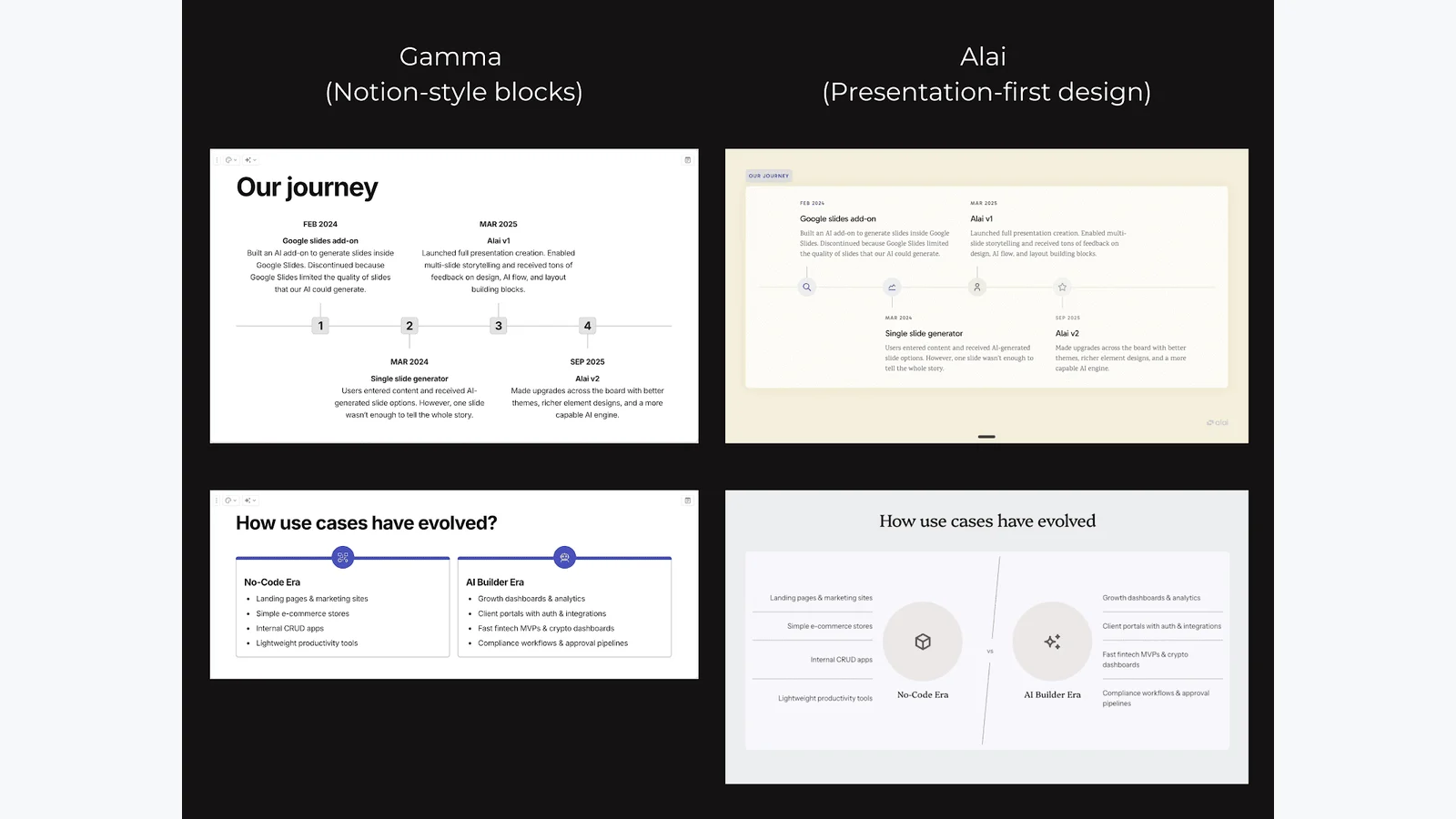
Alai is one of the strongest Gamma alternatives if your biggest complaints are design quality, slide variation and PowerPoint export reliability. Unlike Gamma, which is built for presentations, documents and webpages, Alai focuses specifically on presentations.
That focus matters. A dedicated presentation tool can make better decisions about layout, spacing, slide hierarchy, narrative flow and export compatibility.
Why choose Alai over Gamma?
Alai is especially useful if you need:
- more polished slide design,
- multiple layout directions per slide,
- context-aware deck editing,
- cleaner PowerPoint exports,
- presentation-specific elements,
- investor or client-ready slides,
- engagement tracking,
- programmatic deck generation through API access.
Alai's multiple-layout approach is important because AI slide generation is rarely perfect on the first try. Instead of accepting one layout or regenerating repeatedly, you can choose from several directions and refine the strongest one.
Best use cases
Use Alai for:
- investor decks,
- sales decks,
- startup pitch decks,
- product launch decks,
- agency proposals,
- consultant presentations,
- executive updates,
- high-stakes client-facing decks.
Watch out for
Alai is built specifically for presentations. If you like Gamma because it also creates documents and webpages, Alai may feel narrower. But if the final output is a serious presentation, that focus is also its advantage.
2. Prezent - Best Gamma Alternative for Enterprise Teams and Brand Governance
Best for: large teams, enterprise organizations, regulated industries and business users who need brand-compliant, audience-aware presentations.
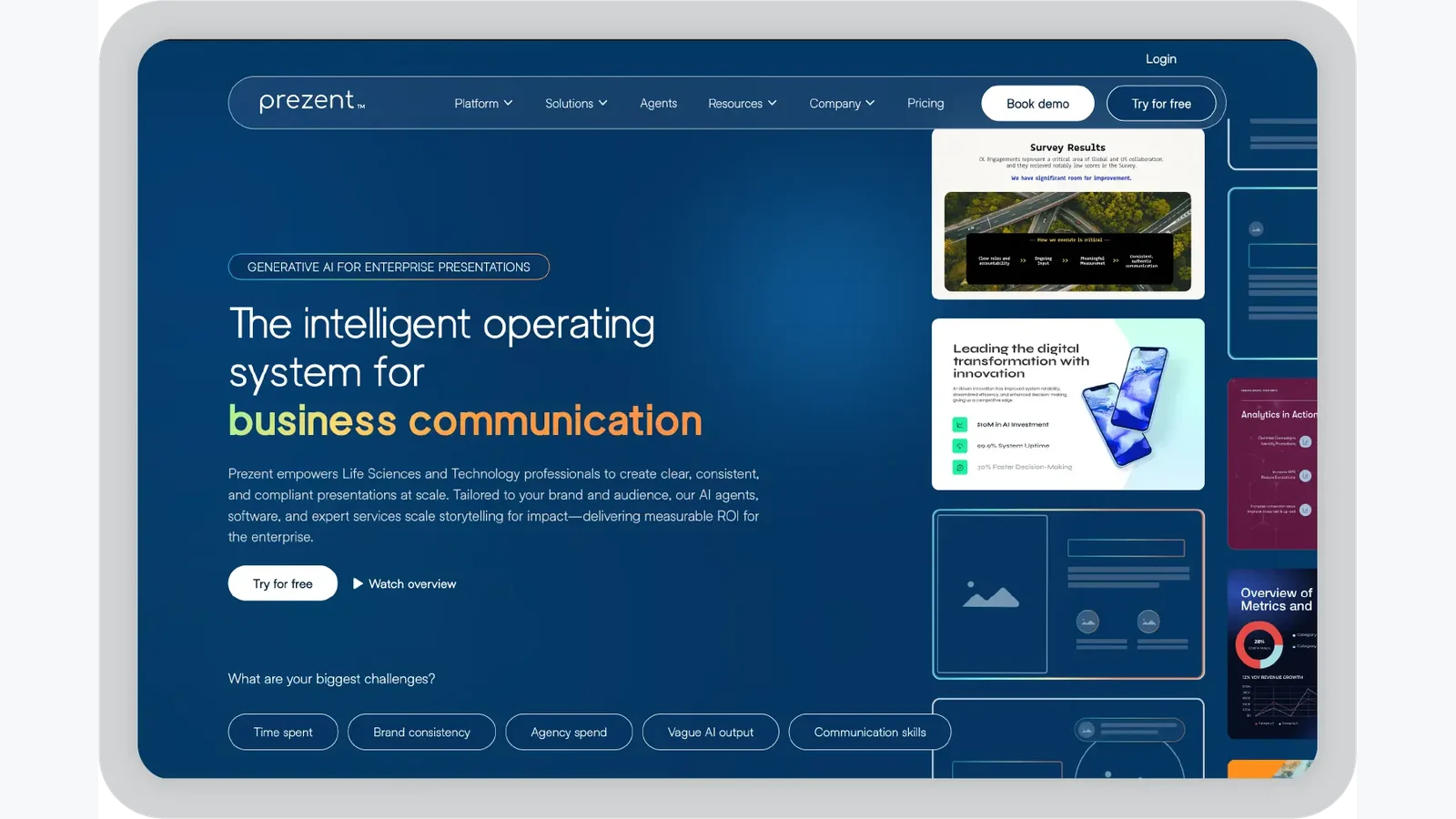
Prezent is not just a fast slide generator. It is designed for teams that need presentations to be structured, consistent and aligned with real business communication needs.
That makes it a strong Gamma alternative for companies where decks are not casual documents. They are part of stakeholder communication, executive reviews, sales enablement, medical affairs, internal strategy and customer-facing work.
Why choose Prezent over Gamma?
Prezent is useful when you need:
- enterprise-grade brand governance,
- reusable slide libraries,
- business storytelling frameworks,
- audience-aware messaging,
- presentation transformation,
- template conversion,
- expert services for high-stakes decks,
- secure team workflows,
- consistent communication across departments.
Gamma is often best for getting to a first draft quickly. Prezent is stronger when a company needs to standardize how presentations are created, reviewed and delivered across teams.
Best use cases
Use Prezent for:
- enterprise presentations,
- executive business reviews,
- leadership updates,
- client presentations,
- regulated industry communication,
- life sciences and healthcare decks,
- sales enablement content,
- brand-compliant internal decks.
Watch out for
Prezent is best suited for teams that value structure, governance and workflow control. If you are an individual creator looking for a lightweight AI slide generator, it may be more platform than you need.
3. Plus AI - Best Gamma Alternative for Google Slides Users
Best for: teams that already live in Google Workspace and want AI generation inside Google Slides.
Plus AI is a practical Gamma alternative because it works directly inside Google Slides. That means you do not need to generate a deck somewhere else, export it, import it into Google Slides and then fix formatting problems.
The advantage is workflow simplicity.
Why choose Plus AI over Gamma?
Plus AI is useful if you need:
- native Google Slides generation,
- real-time team collaboration,
- no export/import workflow,
- familiar Google Slides editing,
- AI rewriting and remixing,
- document-to-slide workflows,
- quick internal decks.
Best use cases
Use Plus AI for:
- Google Workspace teams,
- internal updates,
- team reports,
- recurring business decks,
- education decks,
- collaborative project presentations.
Watch out for
Plus AI is strongest inside Google Slides. If your final format is PowerPoint, or if you need highly polished design out of the box, another alternative may fit better.
4. Beautiful.ai - Best Gamma Alternative for Automated Slide Design
Best for: non-designers who want polished slides, smart layouts and brand consistency.
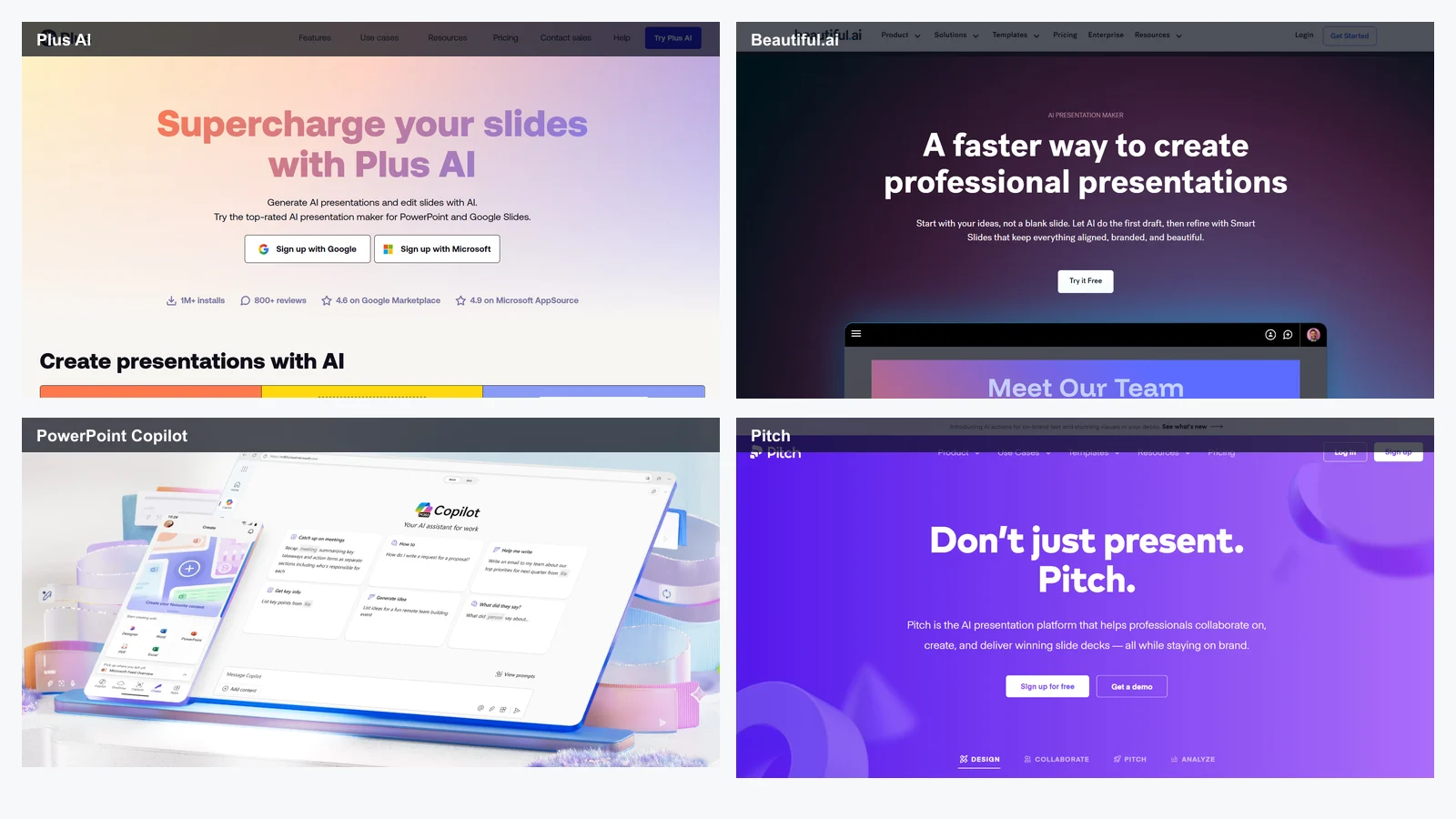
Beautiful.ai is built around design automation. Its smart templates help keep slides visually balanced as you add content, which reduces manual formatting work.
Where Gamma prioritizes speed from prompt to deck, Beautiful.ai focuses more on keeping slides visually clean and consistent.
Why choose Beautiful.ai over Gamma?
Beautiful.ai is useful when you need:
- smart slide layouts,
- professional templates,
- automated spacing and alignment,
- brand kit support,
- consistent team decks,
- viewer analytics,
- easy slide creation for non-designers.
Best use cases
Use Beautiful.ai for:
- marketing decks,
- startup presentations,
- team updates,
- product overviews,
- customer-facing decks,
- recurring business presentations.
Watch out for
The same smart template system that keeps slides clean can also feel restrictive. If you want to break the layout or build highly custom slides, Beautiful.ai may fight you.
5. Canva - Best Gamma Alternative for Templates and Multi-Format Design
Best for: creators and teams that need presentations alongside social posts, documents, videos and visual assets.
Canva is more than a presentation tool. It is a general design platform with a huge template and asset library. That makes it useful if presentations are only one part of your content workflow.
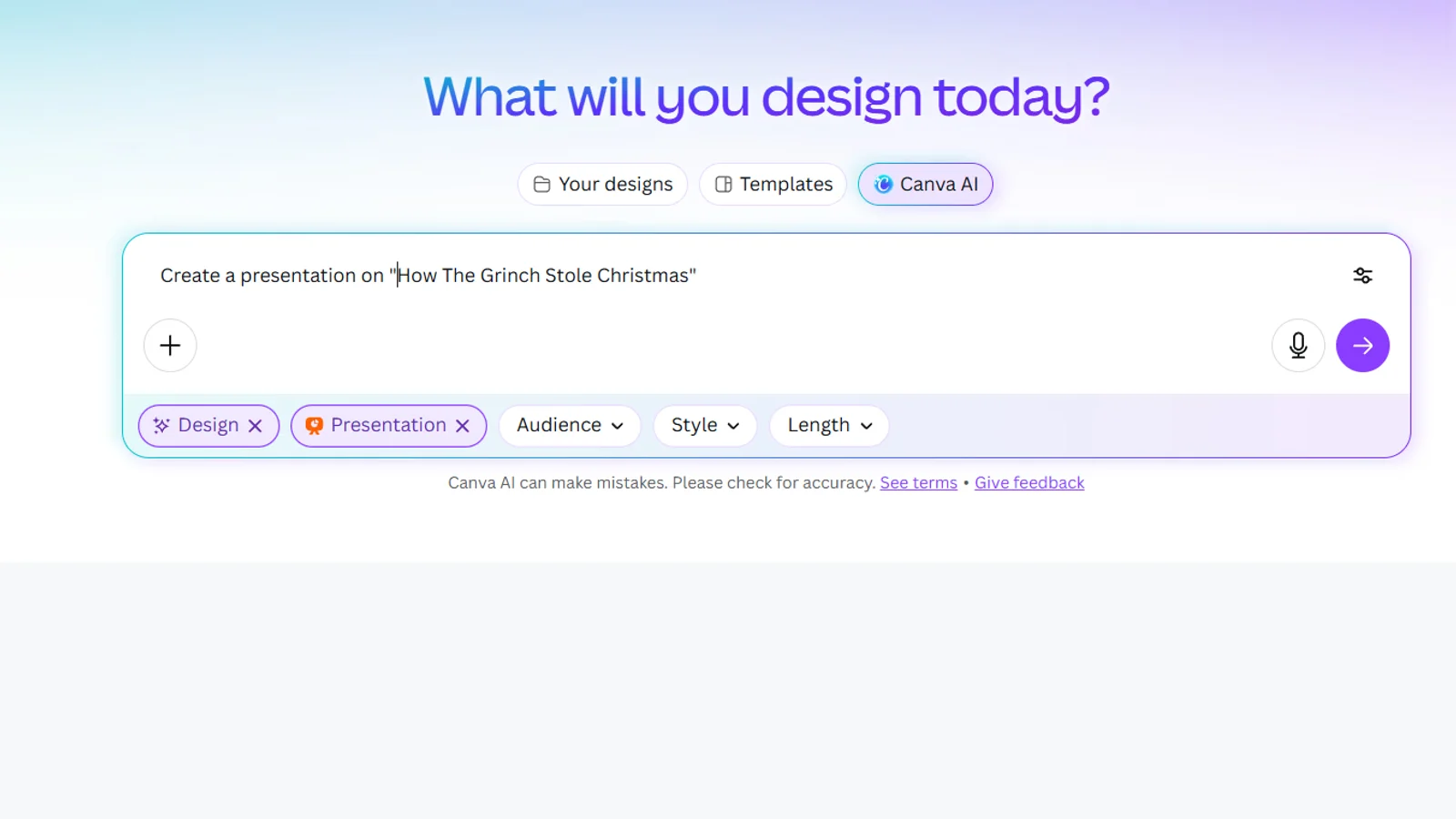
Canva is less "type a prompt and get a finished deck" than Gamma, but it is more flexible when you want to build a deck from templates, brand assets, stock media and design elements.
Why choose Canva over Gamma?
Canva is useful if you need:
- thousands of presentation templates,
- brand kits,
- stock images, icons and video assets,
- simple collaboration,
- social media repurposing,
- PDF, PPTX, image and video exports,
- broader content design beyond slides.
Best use cases
Use Canva for:
- marketing presentations,
- social media decks,
- webinar slides,
- course materials,
- visual reports,
- internal training,
- startup one-pagers,
- lightweight pitch decks.
Watch out for
Canva is not as presentation-specific as dedicated AI slide tools. If you want AI to generate an entire polished deck from scratch, Alai, Gamma or Plus AI may feel more direct.
6. Pitch - Best Gamma Alternative for Sales Teams and Collaboration
Best for: sales teams, marketing teams and revenue organizations that care about collaboration, sharing and analytics.
Pitch is useful when the presentation workflow continues after the deck is created. It supports team collaboration, sharing, analytics and sales workflows.
Gamma is mainly about generating and presenting content. Pitch is stronger when teams need to collaborate on decks, track viewer engagement and connect presentations to sales processes.
Why choose Pitch over Gamma?
Pitch is useful if you need:
- real-time collaboration,
- comments and version history,
- presentation analytics,
- shareable deck links,
- video recording,
- CRM integrations,
- team templates,
- sales enablement workflows.
Best use cases
Use Pitch for:
- sales decks,
- outbound pitch decks,
- customer success presentations,
- marketing-sales collaboration,
- proposal decks,
- async sales walkthroughs.
Watch out for
Pitch can feel like too much if you only need to generate a quick internal deck. Its value is strongest when collaboration and post-send analytics matter.
7. Microsoft PowerPoint Copilot - Best Gamma Alternative for Microsoft 365 Teams
Best for: companies already using Microsoft 365, PowerPoint, Word, Excel and Teams.
Microsoft PowerPoint Copilot is a strong alternative because it brings AI assistance into the tool many teams already use.
The key advantage is native output. Instead of generating a deck in Gamma and exporting to PowerPoint, you work inside PowerPoint from the beginning.
Why choose PowerPoint Copilot over Gamma?
PowerPoint Copilot is useful if you need:
- native PPTX creation,
- no presentation conversion step,
- Word-to-PowerPoint workflows,
- Microsoft 365 security and compliance,
- Excel chart workflows,
- Teams collaboration,
- full manual slide control,
- familiar enterprise adoption.
Best use cases
Use PowerPoint Copilot for:
- corporate decks,
- board presentations,
- financial presentations,
- enterprise reporting,
- highly customized PowerPoint decks,
- teams with strict IT requirements.
Watch out for
Copilot makes the most sense if your company already pays for Microsoft 365 and works heavily in PowerPoint. As a standalone reason to switch, the value depends on your existing ecosystem.
8. Google Slides with Gemini - Best for Google Workspace Collaboration
Best for: teams that prioritize simple cloud collaboration and already use Google Workspace.
Google Slides remains one of the easiest presentation tools for team collaboration. With Gemini for Workspace, Google's AI features can support drafting, rewriting, summarizing and generating content across Workspace apps.
This is not always the most visually advanced option, but it is convenient.
Why choose Google Slides and Gemini over Gamma?
This workflow is useful if you need:
- simple collaboration,
- native Google Workspace integration,
- Docs-to-Slides workflows,
- Drive-based file management,
- real-time comments and edits,
- no export problems inside Google Slides,
- easy sharing with internal and external teams.
Best use cases
Use Google Slides with Gemini for:
- internal decks,
- classroom presentations,
- team updates,
- collaborative planning,
- lightweight reports,
- startup operations decks.
Watch out for
Google Slides is easy and reliable, but design quality may require manual work or add-ons. For polished client-facing decks, you may want a more presentation-specific AI tool.
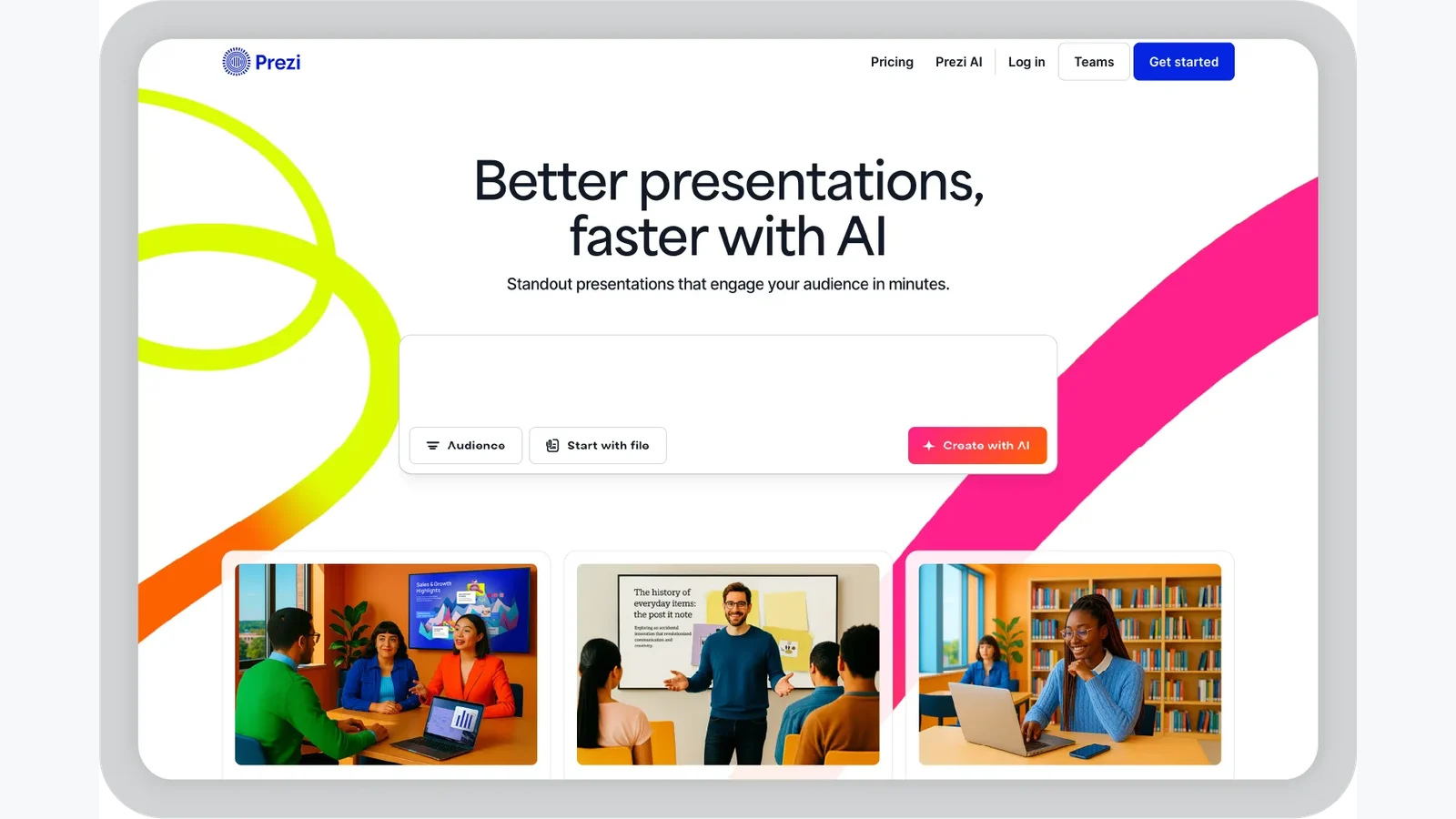
9. Prezi - Best Gamma Alternative for Non-Linear Storytelling
Best for: speakers, educators, consultants and presenters who want a memorable, zoomable presentation style.
Prezi is different from most Gamma alternatives because it does not follow a traditional slide-by-slide structure. Instead, it uses a zoomable canvas that lets you move through ideas spatially.
This is useful when the structure of the presentation matters as much as the slides themselves.
Why choose Prezi over Gamma?
Prezi is useful if you need:
- non-linear storytelling,
- zoomable visual maps,
- interactive workshops,
- memorable keynote delivery,
- concept explanation,
- Prezi Video for remote presentations.
Best use cases
Use Prezi for:
- conference talks,
- educational presentations,
- big-picture strategy sessions,
- visual storytelling,
- workshops,
- product narratives.
Watch out for
Prezi is not ideal for every business deck. The zooming format can feel distracting if overused, and it may not be the best fit for data-heavy or highly standardized presentations.
10. SlidesAI - Best Budget Gamma Alternative for Google Slides
Best for: users who want a simple, affordable text-to-slide tool inside Google Slides.
SlidesAI is a lightweight alternative for people who want to turn text into slides without a complex workflow. It is especially useful if your team works in Google Slides and does not need advanced design polish.
Why choose SlidesAI over Gamma?
SlidesAI is useful if you need:
- text-to-slide generation,
- Google Slides integration,
- predictable lightweight workflows,
- fast internal decks,
- lower-cost slide generation,
- simple multilingual presentation creation.
Best use cases
Use SlidesAI for:
- student presentations,
- internal updates,
- quick drafts,
- simple reports,
- topic summaries,
- budget-conscious teams.
Watch out for
SlidesAI is functional rather than premium. If you need high design quality, brand control or client-ready output, it may not be enough by itself.
11. Visme - Best Gamma Alternative for Data-Driven Presentations
Best for: reports, dashboards, infographics and data-heavy business communication.
Visme is a strong Gamma alternative when your presentation depends on visualizing information clearly. It is closer to a visual communication platform than a simple slide generator.
Why choose Visme over Gamma?
Visme is useful if you need:
- charts and graphs,
- maps and widgets,
- infographic-style slides,
- visual reports,
- dashboards,
- interactive elements,
- brand kits,
- analytics,
- PDF and PowerPoint exports.
Best use cases
Use Visme for:
- marketing reports,
- data presentations,
- survey results,
- business dashboards,
- performance updates,
- educational infographics,
- investor metrics decks.
Watch out for
Visme can be more work than necessary for simple decks. Use it when the data visualization layer is central to the message.
12. Chronicle - Best Gamma Alternative for Narrative-Driven Interactive Decks
Best for: founders, product marketers and storytellers who want structure, flow and interactivity.
Chronicle focuses on narrative structure and interactive presentation experiences. Instead of only generating slides, it helps shape a deck around a story.
This makes it useful when your problem is not "I need slides quickly" but "I need this presentation to make sense."
Why choose Chronicle over Gamma?
Chronicle is useful if you need:
- story-first presentation structure,
- interactive widgets,
- smart canvas editing,
- mobile-friendly output,
- branded narratives,
- investor or product storytelling,
- engaging digital decks.
Best use cases
Use Chronicle for:
- product narratives,
- startup fundraising decks,
- strategic storytelling,
- interactive sales decks,
- company vision presentations,
- product demo decks.
Watch out for
Chronicle may require more learning than Gamma. It is better for high-impact storytelling than fast, disposable decks.
13. Ludus - Best Gamma Alternative for Creative Design Freedom
Best for: designers, creative teams and presenters who want freeform slide control.
Ludus is a design-forward presentation tool that gives creators more freedom than highly structured slide generators. It works more like a creative canvas than a locked template system.
Why choose Ludus over Gamma?
Ludus is useful if you need:
- freeform slide layouts,
- advanced embeds,
- Figma-style creative workflows,
- custom typography,
- layered design control,
- interactive media,
- visually distinct presentations.
Best use cases
Use Ludus for:
- creative agency decks,
- design portfolios,
- brand presentations,
- art direction decks,
- interactive prototypes,
- visually experimental presentations.
Watch out for
Ludus gives you more freedom, but more freedom also means more responsibility. It is not the fastest option for teams that need many standardized decks.
14. Zoho Show - Best Gamma Alternative for Zoho Ecosystem Users
Best for: small businesses and teams already using Zoho apps.
Zoho Show is a simple cloud-based presentation tool that fits naturally into the broader Zoho ecosystem. It is not the most advanced AI presentation tool, but it is practical for straightforward business workflows.
Why choose Zoho Show over Gamma?
Zoho Show is useful if you need:
- cloud-based presentation editing,
- Zoho CRM and WorkDrive integration,
- simple templates,
- real-time collaboration,
- PowerPoint import and export,
- remote presenting,
- lightweight business decks.
Best use cases
Use Zoho Show for:
- small business presentations,
- internal decks,
- CRM-connected workflows,
- basic sales presentations,
- team updates,
- simple client materials.
Watch out for
Zoho Show is best when you already use Zoho. As a standalone AI presentation generator, it is less powerful than tools built specifically for AI slide creation.
Best Gamma Alternative by Workflow
| Workflow Need | Choose This Tool |
|---|---|
| Better AI slide design | Alai |
| Enterprise brand governance | Prezent |
| Native Google Slides workflow | Plus AI |
| Simple Google Slides generation | SlidesAI |
| Native PowerPoint workflow | PowerPoint Copilot |
| Design automation | Beautiful.ai |
| Template variety | Canva |
| Sales analytics | Pitch |
| Data visualization | Visme |
| Non-linear storytelling | Prezi |
| Interactive narrative decks | Chronicle |
| Creative freeform design | Ludus |
| Zoho ecosystem integration | Zoho Show |
| Basic team collaboration | Google Slides |
Recommended Workflow: From Prompt to Professional Deck
The best Gamma alternative workflow usually has four stages.
Step 1: Define the deck type
Do not start with the tool. Start with the outcome.
Deck type: Investor pitch deck
Audience: Seed-stage investors
Goal: Secure follow-up meetings
Tone: Clear, ambitious, evidence-backed
Format: 12-slide PowerPoint deck
Must include: Problem, market, product, traction, business model, team, ask
Step 2: Pick the tool based on final format
If the final deliverable is PowerPoint, use Alai, Prezent or PowerPoint Copilot.
If the final deliverable is Google Slides, use Plus AI, SlidesAI or Gemini.
If the final deliverable is a web presentation, Gamma, Chronicle or Prezi may still make sense.
Step 3: Generate, then restructure
AI can draft slides quickly, but the first output should not be treated as final.
Review:
- narrative flow,
- slide hierarchy,
- data accuracy,
- visual consistency,
- brand alignment,
- chart readability,
- title clarity,
- audience relevance.
Step 4: Export and test before presenting
Always test the final deck in the software you will actually use during the meeting.
Check:
- fonts,
- spacing,
- image cropping,
- chart rendering,
- animations,
- speaker notes,
- slide dimensions,
- PDF export,
- PPTX compatibility.
This matters especially if you are moving from a web-native tool into PowerPoint.
Common Mistakes When Switching from Gamma
Mistake 1: Choosing a tool only because it generates fast
Speed is useful for drafts. It is not enough for high-stakes presentations. A good deck also needs structure, audience fit, visual hierarchy and export reliability.
Mistake 2: Ignoring the final delivery format
If you need a PowerPoint file, choose a tool that exports cleanly or works natively in PowerPoint. If your team lives in Google Slides, choose a Google-native tool.
Mistake 3: Treating templates as storytelling
Templates make slides look better, but they do not automatically create a strong argument. A sales deck, investor deck and strategy deck each needs a different story structure.
Mistake 4: Forgetting brand governance
For individuals, manual brand tweaks are fine. For teams, brand consistency needs templates, shared assets and rules that scale.
Mistake 5: Not testing exports
Never discover export problems in the meeting. Open the final deck in PowerPoint, Google Slides or PDF before presenting.
FAQ
What is the best Gamma alternative in 2026?
The best overall Gamma alternative for polished AI-generated presentations is Alai. For enterprise brand governance, Prezent is a better fit. For Google Slides users, Plus AI is the most natural option. For Microsoft 365 teams, PowerPoint Copilot is the most native choice.
Why do people look for Gamma alternatives?
Most users look for Gamma alternatives when they need more layout control, stronger design quality, reliable PPTX exports, brand consistency, team collaboration, analytics or storytelling structure.
Is Gamma still worth using?
Yes. Gamma is still useful for quick drafts, internal decks, brainstorming and web-style presentations. It is less ideal when the deck must be polished, exported cleanly to PowerPoint or heavily customized for a specific audience.
Which Gamma alternative is best for PowerPoint?
Alai and Prezent are strong options if you want AI-generated decks with practical PowerPoint export. Microsoft PowerPoint Copilot is the best native option if your team already works inside PowerPoint.
Which Gamma alternative is best for Google Slides?
Plus AI is the best fit for teams that want AI slide generation directly inside Google Slides. SlidesAI is a simpler budget-friendly option, while Gemini for Workspace is useful for teams already using Google Workspace AI features.
Which Gamma alternative is best for sales teams?
Pitch is strong for sales teams because it includes collaboration, sharing, video recording, analytics and CRM-oriented workflows. Alai can also work well for sales decks when design quality and export reliability matter.
Which Gamma alternative is best for enterprise teams?
Prezent is the strongest option for enterprise presentation workflows because it focuses on brand governance, structured communication, audience-aware messaging and reusable slide libraries.
Which Gamma alternative is best for design?
Alai is strong for AI-generated professional design. Beautiful.ai is strong for smart templates and design automation. Canva is strong for template variety and broader visual content creation. Ludus is strong for custom creative control.
Can Canva replace Gamma?
Canva can replace Gamma if your main need is templates, visual assets and multi-format design. But if you want AI to generate a complete presentation from a prompt, Alai, Gamma, Plus AI or Prezent may be more direct.
Should I use Prezi instead of Gamma?
Use Prezi when you want a zoomable, non-linear presentation that feels different from traditional slides. For standard business decks, sales decks or investor decks, a slide-based tool is usually easier to control.
Final Verdict
Gamma is excellent for fast first drafts. But the best Gamma alternative depends on what happens after that first draft.
Choose Alai if you want polished AI-generated slides, better layout options and reliable exports.
Choose Prezent if you need enterprise-grade brand control, storytelling frameworks and business presentation governance.
Choose Plus AI if your team works in Google Slides.
Choose Beautiful.ai if you want automated design consistency and smart templates.
Choose Canva if you need templates, design assets and multi-format content creation.
Choose Pitch if sales collaboration and engagement analytics matter.
Choose PowerPoint Copilot if your team is already built around Microsoft 365.
Choose Google Slides with Gemini if you want simple collaboration inside Google Workspace.
Choose Prezi if you want a non-linear storytelling format.
Choose SlidesAI if you need a budget Google Slides add-on.
Choose Visme if your deck is data-heavy.
Choose Chronicle if story structure and interactivity matter more than raw generation speed.
Choose Ludus if you want creative slide freedom.
Choose Zoho Show if your team already works in the Zoho ecosystem.
The practical takeaway: Gamma is good when the goal is "create something quickly." The best alternatives win when the goal is "create something presentation-ready."
Sources and Further Reading
- Prezent: 10 Best Gamma AI Alternatives for Business Presentations in 2026
- Alai: Gamma AI Review 2026: Pros, Cons & 10 Best Gamma Alternatives Tested
- Gamma
- Alai
- Prezent
- Plus AI
- Beautiful.ai
- Canva Presentations
- Pitch
- Microsoft Copilot
- Google Slides
- Gemini for Google Workspace
- Prezi
- SlidesAI
- Visme
- Chronicle
- Ludus
- Zoho Show
Related articles
AI Screenwriting Tools
Best AI Tools for Screenwriters in 2026: 12 Writing Apps Compared, Plus LlamaGen.AI for Visual Story Development

Best apps
The 8 best Canva alternatives
Best apps
Photoshop alternatives: 8 best free photo editors

Best apps
The best free graphic design software to create social media posts