

User Story: Understanding the Basics of Character Editing - LlamaGen.AI Blog
LlamaGen logoLlamaGen brand
ಲಾಗಿನ್ ಆಗಿSubscribe Now20% Off
  1. Home
ಕಾಮಿಕ್‌ಗಳನ್ನು ರಚಿಸಿ
User Story: Understanding the Basics of Character Editing
All posts

User Story: Understanding the Basics of Character Editing

Jay
Jay
February 27th, 2026
ಲಿಂಕ್ ನಕಲಿಸಿ
  • What is Character Editing in LlamaGen?
  • Why Do Beginners Struggle With Character Editing?
  • User Journey: From Confusion to Confidence
  • Initial User Experience
  • Collaborative Creation and Iterative Improvements
  • Achieving 100% Style Stability
  • Step-by-Step Guide: Simplifying Character Editing
  • Prerequisites
  • Step 1: Navigating the Prompts Area
  • Step 2: Using Intuitive Editing Entries
  • Step 3: Achieving Style Stability in Long Texts
  • Step 4: Collaborative Creation Workflow
  • Best Practices and Common Mistakes to Avoid
  • Best Practices
  • Common Mistakes
  • Real-World Scenarios: How Users Benefit
  • Scenario 1: New Author Creating First Comic
  • Scenario 2: Collaborative Team Project
  • Scenario 3: Maintaining Style in Long Series
  • Actionable Tips for Mastering Character Editing
  • Internal Linking: Explore Related Topics
  • FAQ: Quick Answers to Common Questions
  • Conclusion
elevate-your-comics.png
Elevate your Comics with LlamaGen

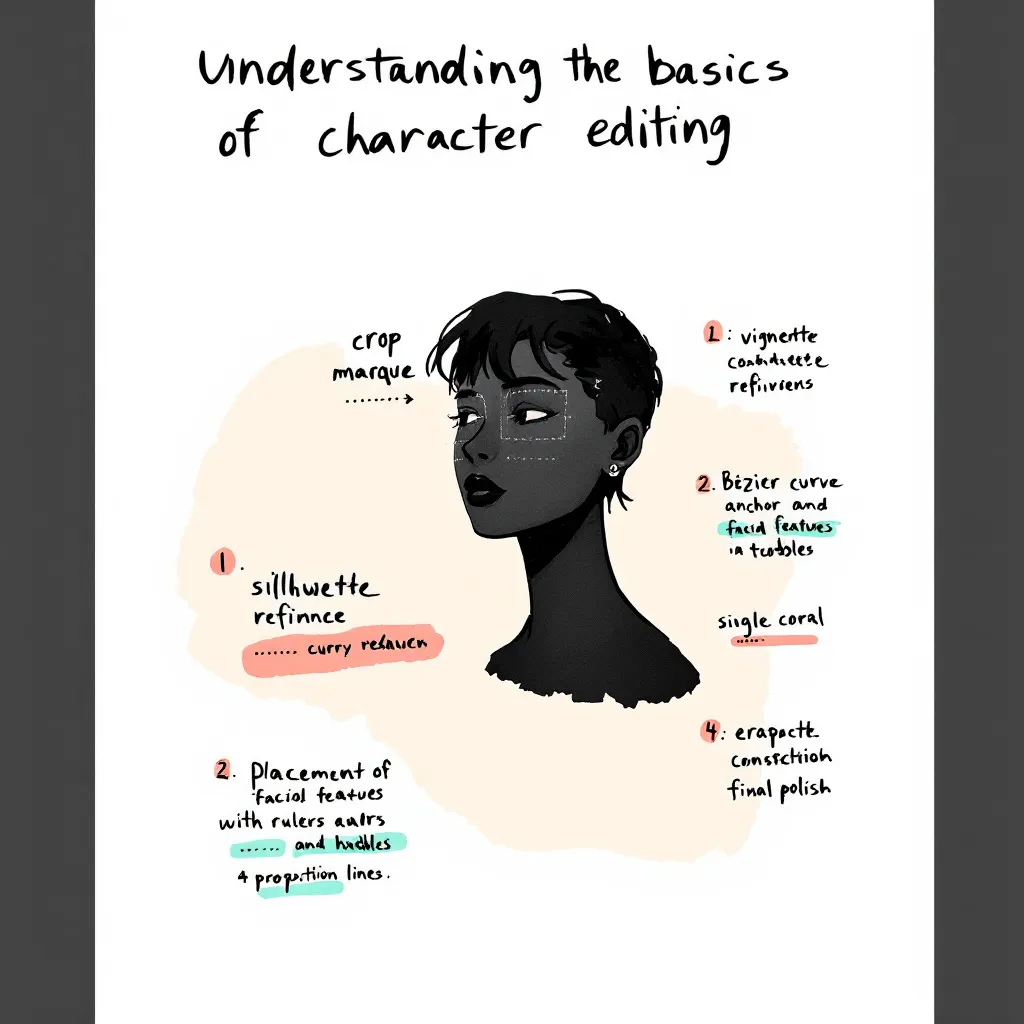
Editing comic characters can feel overwhelming, especially when you're just starting out. I remember working with a German author who faced this exact challenge. She had never edited characters before and felt lost looking at the interface. Her experience mirrors what many newcomers face. That's why we set out to simplify the character editing process and create an easy, beginner-friendly guide. In this post, I’ll share our journey, the practical solutions we implemented, and actionable tips you can use. Whether you’re a writer, artist, or developer, this tutorial will help you achieve 100% style stability and master intuitive editing with LlamaGen. Let’s dive into real user stories, best practices, and step-by-step instructions so you can confidently edit comic characters and elevate your creative workflow.

Before jumping into advanced features, it’s crucial to grasp the basics of character editing. Many authors—especially those new to digital comic creation—find this step confusing.

What is Character Editing in LlamaGen?

Character editing lets you define, customize, and refine the traits, style, and backstory of your comic characters. With LlamaGen, you can:

  • Adjust visual styles
  • Set personality traits
  • Fine-tune dialogue prompts
  • Memorize long text details for consistency

Why Do Beginners Struggle With Character Editing?

Common pain points include:

  • Unclear interface and editing entries
  • Overwhelming options and jargon
  • Difficulty maintaining style stability
  • Lack of actionable guidance

Our German author, for example, initially had no idea where to start. She struggled to find editing options and worried about losing her character’s unique style. These issues are typical for new users.

User Journey: From Confusion to Confidence

To address these challenges, we mapped out the user journey and focused on real-world application.

Initial User Experience

Our German author’s feedback was clear: she felt lost and frustrated. She needed a beginner’s guide that explained every step. Her story is common among creators exploring LlamaGen for the first time.

Collaborative Creation and Iterative Improvements

Over one week, we worked closely with the author, gathering feedback and testing solutions. This collaborative approach allowed us to:

  • Identify pain points (e.g., confusing prompts area, hidden editing entries)
ಬದಲಾವಣೆಗಳ ದಾಖಲೆ

ಯುವ ಮನಗಳಲ್ಲಿ ಕನಸುಗಳನ್ನು ಹೊತ್ತಿಸಿ
ಲಕ್ಷಾಂತರ ಕಥೆಗಳು ಜೀವಂತವಾಗುವ ಸ್ಥಳ

ಇತ್ತೀಚಿನ LlamaGen ವೈಶಿಷ್ಟ್ಯ ಬಿಡುಗಡೆಗಳು, ಉತ್ಪನ್ನ ಸುಧಾರಣೆಗಳು, ವಿನ್ಯಾಸ ನವೀಕರಣಗಳು ಮತ್ತು ಪ್ರಮುಖ ದೋಷ ಪರಿಹಾರಗಳ ಸಂಕ್ಷಿಪ್ತ ವಿವರ.


✦
✧
✦
✧

ಇದಕ್ಕಾಗಿ ಹೊಸ ಮಾಧ್ಯಮ ಕಥೆ ಹೇಳುವಿಕೆ

ಆಧುನಿಕ ಪ್ರೇಕ್ಷಕರಿಗೆ ತಟ್ಟುವ ಅನಿಯಮಿತ ಕಥೆಗಳು, ಕಾಮಿಕ್ಸ್, ಅನಿಮೇಷನ್‌ಗಳು, ಆಟಗಳು ಮತ್ತು ಇನ್ನಷ್ಟು—ಕೆಲವೇ ಕ್ಷಣಗಳಲ್ಲಿ ರಚಿಸಿ

  • Test solutions in real time
  • Refine features based on actual user needs
  • Achieving 100% Style Stability

    One major goal was to maintain consistent character style across long texts and multiple edits. We optimized memorization algorithms and improved prompt interactions, ensuring that style stability reached 100%.

    Step-by-Step Guide: Simplifying Character Editing

    Here’s a practical tutorial based on our experience. Follow these steps to make character editing easy and reliable.

    Prerequisites

    • Access to LlamaGen (latest version)
    • Basic understanding of comic creation
    • A character profile to edit

    Step 1: Navigating the Prompts Area

    We redesigned the prompts area for clarity. Now, when you open a character profile, you’ll see:

    • Clearly labeled prompt fields
    • Quick tips on how to use each field
    • Example inputs to guide you

    Actionable Tip: Hover over information icons for instant explanations.

    Step 2: Using Intuitive Editing Entries

    Editing entries are now visible and easy to find. Just look for the “Edit” button next to each character trait or dialogue option.

    1. Click “Edit” next to the trait you want to change.
    2. Input your new value or description.
    3. Save changes instantly—no need to navigate away.

    Example: Want to change your character’s hairstyle? Click “Edit” next to “Appearance,” select a style, and hit “Save.”

    Step 3: Achieving Style Stability in Long Texts

    Consistency matters, especially in comics. We optimized how LlamaGen memorizes character traits in long text sequences.

    • Each edit updates the memory matrix
    • Style cues are reinforced after every save
    • System checks for drift and suggests corrections

    Actionable Tip: After making several edits, review the character’s preview panel for any inconsistencies.

    Step 4: Collaborative Creation Workflow

    Working with another creator? Use the “Share & Collaborate” feature.

    1. Invite collaborators to your project
    2. Assign editing permissions
    3. Track changes with version history

    Our German author loved this feature, saying, “I finally felt confident editing and sharing my characters—no more confusion!”

    Best Practices and Common Mistakes to Avoid

    Learning from real user stories, these best practices will help you master character editing.

    Best Practices

    • Start Simple: Edit basic traits first. Build complexity over time.
    • Use Examples: Refer to sample prompts and style guides.
    • Review Regularly: Check for style consistency after each major edit.
    • Collaborate: Share feedback and work with others to spot issues.
    • Leverage Tutorials: Watch the official guide video for hands-on walkthroughs.

    Common Mistakes

    • Editing Too Many Traits at Once: This leads to style drift.
    • Ignoring Prompt Tips: Missed cues can result in inconsistent dialogue.
    • Not Saving Frequently: Unsaved edits may be lost.
    • Skipping Version History: Hard to track changes without this feature.

    Real-World Scenarios: How Users Benefit

    Here are specific use cases that highlight the value of our improvements.

    Scenario 1: New Author Creating First Comic

    Anna, a first-time comic creator, used our beginner’s guide and quickly mastered editing. She said, “The step-by-step instructions made it so easy. I was able to keep my characters consistent from start to finish.”

    Scenario 2: Collaborative Team Project

    A German author and her illustrator collaborated using the new workflow. They commented, “Editing entries are finally visible! We saved hours and avoided confusion.”

    Scenario 3: Maintaining Style in Long Series

    A webcomic team used style stability features to keep characters consistent across 50+ episodes. Their feedback: “Memorization updates and prompts checks are a game-changer for long-form storytelling.”

    Actionable Tips for Mastering Character Editing

    • Always start with a clear character profile.
    • Use the prompts area to test dialogue and personality.
    • Edit traits one at a time to avoid confusion.
    • Collaborate with others for feedback.
    • Use version history to revert unwanted changes.
    • Watch tutorials and read guides for extra help.

    Internal Linking: Explore Related Topics

    For deeper insights, check out related topics like:

    • How to Build Character Arcs in Comics
    • Improving Dialogue with AI Prompts
    • Optimizing Your Comic Creation Workflow

    These guides expand on narrative design and editing principles.

    FAQ: Quick Answers to Common Questions

    How do I access editing entries in LlamaGen?

    Click the “Edit” button next to each character trait. All entries are now visible and labeled.

    Can I collaborate with other authors?

    Yes! Use the “Share & Collaborate” feature to invite others and track edits.

    How do I keep character style consistent?

    Edit traits gradually, use prompt tips, and review the preview panel after each change.

    Where can I find more tutorials?

    Check the official YouTube guide or our help center.

    Conclusion

    Simplifying the character editing experience in LlamaGen was a journey driven by real user stories and collaborative solutions. By listening to feedback—especially from our German author—we improved the prompts area, made editing entries intuitive, and achieved unmatched style stability. Whether you’re a beginner or an experienced creator, these best practices, step-by-step instructions, and actionable tips will help you edit with confidence. Ready to create memorable comic characters? Start with our beginner’s guide, collaborate with others, and unlock the full potential of LlamaGen today.

    For more tutorials, tips, and solutions, explore our related guides or reach out for personalized support. Your next great comic character is just a few edits away!

    Related hot tags

    UserStory

    Popular creator tools

    Turn inspiration into your next story

    Create comics, storyboards and stylized photos with LlamaGen.

    01

    AI ಕಾಮಿಕ್ ರಚನಾ ಸಾಧನ

    Turn an idea into polished comic strips in minutes.

    ಕಾಮಿಕ್‌ಗಳನ್ನು ರಚಿಸಿ
    02

    AI ಮಾಂಗಾ ರಚನಾ ಸಾಧನ

    Create expressive manga art and multi-panel stories.

    Create manga with AI
    03

    AI ಸ್ಟೋರಿ ಬೋರ್ಡ್ ಜನರೇಟರ್

    Visualize every scene before production starts.

    Create storyboards with AI
    04

    Turn Picture into Comic

    Transform any photo into a comic-style illustration.

    Create comics from pictures
    05

    AI ಕಾಮಿಕ್ ಸ್ಟ್ರಿಪ್ಸ್ ತಯಾರಕ

    Build shareable strips with consistent characters.

    Create comic strips with AI

    LlamaGen community

    checkmark

    Get hands-on help with your comics

    checkmark

    Showcase your comics to fellow LlamaGen creators

    checkmark

    Participate in special events to win gifts

    LlamaGen logo

    Download LlamaGen for free

    iOSDesktop
    ಉತ್ಪನ್ನ
    • Home
    • Articles
    • ಬ್ಲಾಗ್
    • ರಚಿಸಿ
    Latest launches
  • ವೈಶಿಷ್ಟ್ಯಗಳು
  • Comic strip maker
  • Manga Studioಹೊಸದು
  • ಚಿತ್ರವನ್ನು ಕಾಮಿಕ್ ಆಗಿ ಮಾಡಿ
  • ಕಾಮಿಕ್‌ನಿಂದ ವೀಡಿಯೋಗೆ
  • AI ಕಾಮಿಕ್ ಫ್ಯಾಕ್ಟರಿ
  • ಕಾಮಿಕ್ ಏಜೆಂಟ್
  • iOS ಮತ್ತು ಆಂಡ್ರಾಯ್ಡ್
  • ಮ್ಯాక్ & ವಿಂಡೋಸ್
  • ಡೌನ್‌ಲೋಡ್
  • Comic Zapಹೊಸದು
  • AI ಕಾಮಿಕ್ ರಚನಾ ಸಾಧನ
  • AI ಕಾರ್ಟೂನ್ ಜನರೆಟರ್
  • AI ವೆಬ್‌ಟೂನ್ ರಚನಾ ಸಾಧನ
  • Comic Strip Maker
  • ಚಿತ್ರವನ್ನು ಕಾಮಿಕ್ ಆಗಿ ಮಾಡಿ
  • AI ಮಾಂಗಾ ರಚನಾ ಸಾಧನ
  • ಮಂಗಾ ಭಾಷಾಂತರಕರ
  • ಫೋಟೋವನ್ನು ಅನಿಮೆಗೆ ಪರಿವರ್ತಿಸಿ
  • ಅನಿಮೆಯಿಂದ ನೈಜ ಜೀವನಕ್ಕೆ
  • Manga Colorizer
  • ಅನಿಮೆ ಪಾತ್ರ ಜನರೇಟರ್
  • Pixel game asset tools
  • AI sprite sheet generator
  • Best pixel game tools 2026
  • ಫೋಟೋ ಕಾಮಿಕ್ ನಿರ್ಮಾಪಕ
  • Comic Life ಪರ್ಯಾಯ
  • Plans
    • ಬ್ಯಾಲಿಗೊಂಡು
    • Starter
    • Pro
    • ಎಂಟರ್ಪ್ರೈಸ್
    • Education
    • ಕಾಮಿಕ್ API
    • ಮಾರಾಟ ವಿಭಾಗವನ್ನು ಸಂಪರ್ಕಿಸಿ
    • Education Plans
    • ಶಿಕ್ಷಕರು
    • ವಿದ್ಯಾರ್ಥಿಗಳು
    • ಶಿಕ್ಷಕರು ಮತ್ತು ವಿದ್ಯಾರ್ಥಿಗಳು
    • ಸ್ಟಾರ್ಟ್ಅಪ್ಸ್
    • ಶೈಕ್ಷಣಿಕ ರಿಯಾಯಿತಿ
    ಕಂಪನಿ
    • Talk to Our Founder
    • ವಿವರ
    • ಉತ್ಪನ್ನ ರೂಪರೇಷೆ
    • ಉದ್ಯೋಗಾವಕಾಶಗಳು
    • ನಮಗೆ ಇಮೇಲ್ ಮಾಡಿ
    • ನಮ್ಮ ಮಾಸ್ಕಾಟ್ ಪ್ರಪಂಚ
    • ಮಾಧ್ಯಮ ಕಿಟ್
    • KOL Partnership
    • ವಿಷಯ
    Sister products
    • LlamaGen ಕುಟುಂಬ
    • CineoBoardಹೊಸದು
    • Comics API
    • Comic Zap
    • Velika
    ಸಮುದಾಯ
    • ರಚನಾಕಾರರು
    • ಹೊಸಾಡಿಕೊಂಡಿರುವವರು
    • ಪಾರ್ಟ್ನರ್
    • ಪ್ರತ್ಯಾಯಗಳು
    • ಪ್ರೇಮ ಗೋಡೆ
    • LlamaGen MCPಹೊಸದು
    • LlamaGen Developer
    ವನರಗಳು
    • ಬದಲಾವಣೆಗಳ ದಾಖಲೆ
    • ಬ್ಲಾಗ್
    • Guides
    • Personalized Comics
    • ವೈಶಿಷ್ಟ್ಯಗಳು
    • ಪರ್ಯಾಯಗಳು
    • Best AI Apps
    • GPT-6 Manga Coloring Guide
    • Claude Comic Book Skill
    • Gemini AI Comic Guide
    • ಆ ಕಾಮಿಕ್
    • ಶೈಕ್ಷಣಿಕ ರಿಯಾಯಿತಿ
    • ವಿದ್ಯಾರ್ಥಿಗಳ ರಿಯಾಯಿತಿ
    Help
    • ಸಹಾಯ ಕೇಂದ್ರ
    • Trust
    • Safe AI
    • Professional Services
    • ಪದೇಪದೇ ಕೇಳುವ ಪ್ರಶ್ನೆಗಳು
    • ಭದ್ರತೆ
    • ಪ್ರವೇಶಿಸಬಹುದಾಗಿದ್ದು
    • ವೀಡಿಯೊ ಪಾಠ
    • ನಮ್ಮನ್ನು ಸಂಪರ್ಕಿಸಿ
    • Sitemap
    ಉಪಕರಣಗಳು
    • AI Logo Generator
    • Grokbot Style Character Generator
    • PNG to Comic
    • ಪಠ್ಯದಿಂದ ಕಾಮಿಕ್
    • PDF to Comic
    • Script to Comic
    • Book to Comic
    • ಚಿತ್ರವನ್ನು ಕಾಮಿಕ್ ಆಗಿ ಮಾಡಿ
    • AI ಪಿಕ್ಸೆಲ್ ಆರ್ಟ್ ಜನರೆಟರ್
    • Educational Comics
    • AI ವೀಡಿಯೊ ರಚನಾ ಸಾಧನ
    • Gemini AI Video Generator
    • ಉಚಿತ ಮುಖವಿಲ್ಲದ AI ವೀಡಿಯೋ ರಚನೆ
    • ಕಾಮಿಕ್‌ನಿಂದ ವೀಡಿಯೋಗೆ
    • Make Storyboard Software
    • AI ಸ್ಟೋರಿ ಬೋರ್ಡ್ ಜನರೇಟರ್
    • Screenwriting Software
    • Screenplay Editor
    • Story AI
    • AI ಕಥಾ ರಚನಾ ಸಾಧನ
    • Storybook Generator
    • AI ಚಿತ್ರ ರಚನಾ ಸಾಧನ
    • AI ಲೇಯರ್ ಸ್ಪ್ಲಿಟರ್
    • AI Camera Angle Control
    • AI ಪಿಕ್ಸೆಲ್ ಆರ್ಟ್ ಜನರೆಟರ್
    • Pixel game asset tools
    • AI sprite sheet generator
    • Sprite sheet slicer
    • Best pixel game tools 2026
    • Animation API
    • ChatGPT/Codex Plugin
    • ChatGPT Install Guide
    • Claude Code Plugin
    • Claude Code Install Guide
    AI ಉಪಕರಣಗಳು
    • AI Outfit Extractor
    • AI Hairstyle Changer
    • AI Manga Hairstyle Changer
    • AI Wind Effect Generator
    • AI Depth Map Generator
    • AI White Background
    • AI Object Remover
    • AI Virtual Try-On
    • AI Unblur Images
    • AI Denoise
    • AI Photo Restoration
    • AI Product Shadows
    • AI Background Generator
    • AI Headshot Generator
    • AI Emoji Maker
    • AI Background Changer
    • AI Open Eyes
    • AI Beauty
    • AI Product Photography

    ಉತ್ಪನ್ನ

    • Latest launches
    • ವೈಶಿಷ್ಟ್ಯಗಳು
    • Comic strip maker
    • Manga Studioಹೊಸದು
    • ಚಿತ್ರವನ್ನು ಕಾಮಿಕ್ ಆಗಿ ಮಾಡಿ
    • ಕಾಮಿಕ್‌ನಿಂದ ವೀಡಿಯೋಗೆ
    • AI ಕಾಮಿಕ್ ಫ್ಯಾಕ್ಟರಿ
    • ಕಾಮಿಕ್ ಏಜೆಂಟ್
    • iOS ಮತ್ತು ಆಂಡ್ರಾಯ್ಡ್
    • ಮ್ಯాక్ & ವಿಂಡೋಸ್
    • ಡೌನ್‌ಲೋಡ್
    • Comic Zapಹೊಸದು
    • AI ಕಾಮಿಕ್ ರಚನಾ ಸಾಧನ
    • AI ಕಾರ್ಟೂನ್ ಜನರೆಟರ್
    • AI ವೆಬ್‌ಟೂನ್ ರಚನಾ ಸಾಧನ
    • Comic Strip Maker
    • ಚಿತ್ರವನ್ನು ಕಾಮಿಕ್ ಆಗಿ ಮಾಡಿ
    • AI ಮಾಂಗಾ ರಚನಾ ಸಾಧನ
    • ಮಂಗಾ ಭಾಷಾಂತರಕರ
    • ಫೋಟೋವನ್ನು ಅನಿಮೆಗೆ ಪರಿವರ್ತಿಸಿ
    • ಅನಿಮೆಯಿಂದ ನೈಜ ಜೀವನಕ್ಕೆ
    • Manga Colorizer
    • ಅನಿಮೆ ಪಾತ್ರ ಜನರೇಟರ್
    • Pixel game asset tools
    • AI sprite sheet generator
    • Best pixel game tools 2026
    • ಫೋಟೋ ಕಾಮಿಕ್ ನಿರ್ಮಾಪಕ
    • Comic Life ಪರ್ಯಾಯ

    Sister products

    • LlamaGen ಕುಟುಂಬ
    • CineoBoardಹೊಸದು
    • Comics API

    Plans

    • ಬ್ಯಾಲಿಗೊಂಡು
    • Starter
    • Pro
    • ಎಂಟರ್ಪ್ರೈಸ್

    ಸಮುದಾಯ

    • ರಚನಾಕಾರರು
    • ಹೊಸಾಡಿಕೊಂಡಿರುವವರು
    • ಪಾರ್ಟ್ನರ್

    AI ಉಪಕರಣಗಳು

    • AI Outfit Extractor
    • AI Hairstyle Changer
    • AI Manga Hairstyle Changer
    • AI Wind Effect Generator
    English (Australia)English (Canada)English (United Kingdom)English (India)SpanishFrench (Standard)Italian (Standard)JapaneseKoreanGerman (Standard)Chinese TraditionalChinese Traditional (Hong Kong)Chinese SimplifiedPortugueseTurkishPolishDutch (Standard)DanishThaiIndonesianNorwegian BokmålRussian
    LinkedInX (Twitter)InstagramYouTubeFacebook groupRedditDiscordEmail support
    ಗೌಪ್ಯತೆನಿಯಮಗಳು

    © 2026 LlamaGen.Ai ಎಲ್ಲ ಹಕ್ಕುಗಳನ್ನು ಕಾಯ್ದಿರಿಸಲಾಗಿದೆ

    LinkedInX (Twitter)
  • ಬ್ಯಾಲಿಗೊಂಡು
  • API
  • AI ಕಾಮಿಕ್ ನಿರ್ಮಾಣದ ಭವಿಷ್ಯವನ್ನು ಮುನ್ನಡೆಸುತ್ತಿದೆ

    • 24/7 ಬೆಂಬಲ
    • ವಾರ್ಷಿಕ ನವೀಕರಣಗಳು
    • ಭದ್ರ ಮತ್ತು ಅನುಸರಣೆಗೊಳಿಸಿಕೊಂಡಿದೆ
    • 99.9% ಅಪ್‌ಟೈಮ್

    LlamaGen ಕುರಿತು AIಗೆ ಕೇಳಿ

    ಹಿಂದಿನ ಬ್ಲಾಗ್‍ಗಳು

    Bible Comic Accuracy Checklist: Scripture, Context, Art, and Review

    Bible Comic Accuracy Checklist: Scripture, Context, Art, and Review

    A practical checklist for tracing every Bible comic panel to Scripture, reviewing context and visual

    Jay
    Jay
    October 16th, 2026
    How to Turn a Bible Lesson into a 6-Panel Sunday School Comic

    How to Turn a Bible Lesson into a 6-Panel Sunday School Comic

    A practical workflow for turning one Bible lesson into a six-panel comic, discussion prompts, and a

    Jay
    Jay
    October 15th, 2026
    Claude Code + Comic MCP: Turn a Youth Sports Lesson into Editable Comic Panels

    Claude Code + Comic MCP: Turn a Youth Sports Lesson into Editable Comic Panels

    A practical Claude Code and LlamaGen.AI Comic MCP workflow for turning a coach-approved youth basket

    Monica
    Monica
    October 13th, 2026
    How to Turn Couple Photos Into a Personalized Comic

    How to Turn Couple Photos Into a Personalized Comic

    Use two adults' photos and shared memories to create a personalized couple comic with stronger liken

    Jay
    Jay
    October 13th, 2026
    Comic Zap
  • Velika
  • Education
  • ಕಾಮಿಕ್ API
  • ಮಾರಾಟ ವಿಭಾಗವನ್ನು ಸಂಪರ್ಕಿಸಿ
  • Education Plans
  • ಶಿಕ್ಷಕರು
  • ವಿದ್ಯಾರ್ಥಿಗಳು
  • ಶಿಕ್ಷಕರು ಮತ್ತು ವಿದ್ಯಾರ್ಥಿಗಳು
  • ಸ್ಟಾರ್ಟ್ಅಪ್ಸ್
  • ಶೈಕ್ಷಣಿಕ ರಿಯಾಯಿತಿ
  • ಕಂಪನಿ

    • Talk to Our Founder
    • ವಿವರ
    • ಉತ್ಪನ್ನ ರೂಪರೇಷೆ
    • ಉದ್ಯೋಗಾವಕಾಶಗಳು
    • ನಮಗೆ ಇಮೇಲ್ ಮಾಡಿ
    • ನಮ್ಮ ಮಾಸ್ಕಾಟ್ ಪ್ರಪಂಚ
    • ಮಾಧ್ಯಮ ಕಿಟ್
    • KOL Partnership
    • ವಿಷಯ

    Help

    • ಸಹಾಯ ಕೇಂದ್ರ
    • Trust
    • Safe AI
    • Professional Services
    • ಪದೇಪದೇ ಕೇಳುವ ಪ್ರಶ್ನೆಗಳು
    • ಭದ್ರತೆ
    • ಪ್ರವೇಶಿಸಬಹುದಾಗಿದ್ದು
    • ವೀಡಿಯೊ ಪಾಠ
    • ನಮ್ಮನ್ನು ಸಂಪರ್ಕಿಸಿ
    • Sitemap
    ಪ್ರತ್ಯಾಯಗಳು
  • ಪ್ರೇಮ ಗೋಡೆ
  • LlamaGen MCPಹೊಸದು
  • LlamaGen Developer
  • ವನರಗಳು

    • ಬದಲಾವಣೆಗಳ ದಾಖಲೆ
    • ಬ್ಲಾಗ್
    • Guides
    • Personalized Comics
    • ವೈಶಿಷ್ಟ್ಯಗಳು
    • ಪರ್ಯಾಯಗಳು
    • Best AI Apps
    • GPT-6 Manga Coloring Guide
    • Claude Comic Book Skill
    • Gemini AI Comic Guide
    • ಆ ಕಾಮಿಕ್
    • ಶೈಕ್ಷಣಿಕ ರಿಯಾಯಿತಿ
    • ವಿದ್ಯಾರ್ಥಿಗಳ ರಿಯಾಯಿತಿ

    ಉಪಕರಣಗಳು

    • AI Logo Generator
    • Grokbot Style Character Generator
    • PNG to Comic
    • ಪಠ್ಯದಿಂದ ಕಾಮಿಕ್
    • PDF to Comic
    • Script to Comic
    • Book to Comic
    • ಚಿತ್ರವನ್ನು ಕಾಮಿಕ್ ಆಗಿ ಮಾಡಿ
    • AI ಪಿಕ್ಸೆಲ್ ಆರ್ಟ್ ಜನರೆಟರ್
    • Educational Comics
    • AI ವೀಡಿಯೊ ರಚನಾ ಸಾಧನ
    • Gemini AI Video Generator
    • ಉಚಿತ ಮುಖವಿಲ್ಲದ AI ವೀಡಿಯೋ ರಚನೆ
    • ಕಾಮಿಕ್‌ನಿಂದ ವೀಡಿಯೋಗೆ
    • Make Storyboard Software
    • AI ಸ್ಟೋರಿ ಬೋರ್ಡ್ ಜನರೇಟರ್
    • Screenwriting Software
    • Screenplay Editor
    • Story AI
    • AI ಕಥಾ ರಚನಾ ಸಾಧನ
    • Storybook Generator
    • AI ಚಿತ್ರ ರಚನಾ ಸಾಧನ
    • AI ಲೇಯರ್ ಸ್ಪ್ಲಿಟರ್
    • AI Camera Angle Control
    • AI ಪಿಕ್ಸೆಲ್ ಆರ್ಟ್ ಜನರೆಟರ್
    • Pixel game asset tools
    • AI sprite sheet generator
    • Sprite sheet slicer
    • Best pixel game tools 2026
    • Animation API
    • ChatGPT/Codex Plugin
    • ChatGPT Install Guide
    • Claude Code Plugin
    • Claude Code Install Guide
  • AI Depth Map Generator
  • AI White Background
  • AI Object Remover
  • AI Virtual Try-On
  • AI Unblur Images
  • AI Denoise
  • AI Photo Restoration
  • AI Product Shadows
  • AI Background Generator
  • AI Headshot Generator
  • AI Emoji Maker
  • AI Background Changer
  • AI Open Eyes
  • AI Beauty
  • AI Product Photography
  • Instagram
    YouTube
    Facebook group
    Reddit
    Discord
    Email support
    ಗೌಪ್ಯತೆನಿಯಮಗಳುಬ್ರ್ಯಾಂಡ್ ಆಸ್ತಿ ಡೌನ್‌ಲೋಡ್ ಮಾಡಿ© 2026 LlamaGen.Ai ಎಲ್ಲ ಹಕ್ಕುಗಳನ್ನು ಕಾಯ್ದಿರಿಸಲಾಗಿದೆಎಲ್ಲ ಸೇವೆಗಳು ಆನ್ಲೈನ್‌ನಲ್ಲಿ ಲಭ್ಯವಿದೆ
    ಎಲ್ಲಾ ಬ್ಲಾಗ್‌ಗಳನ್ನು ನೋಡಿ


