

Recomandat
Quick Mode
Recomandat ca prim pas. O singură foaie PNG lizibilă dintr-o singură imagine.
Încarcă o imagine clară și separ-o în fundal, prim-plan, subiect, text, obiecte, personaje de benzi desenate, artă anime, props sau vizualuri de produs. Verifică prima foaie de straturi, apoi extrage straturi PNG transparente individuale și exportă un ZIP sau un PSD editabil de pornire.
First pass · 300 credits
Generates one reviewable PNG asset sheet. It is not an editable set of transparent PNG layers.
First pass · 600 credits
Uses a higher-quality model to produce a cleaner PNG asset sheet, still delivered as a single image.
Paid second pass · +600 credits
Once the sheet is ready, a paid user can extract individual transparent PNG layers, download them or a ZIP, and export a starter PSD.
The extracted PNGs are actual second-pass outputs, not a crop of the sheet. Occluded regions or complex edges can need manual cleanup; PSD is an editable starting file.
or drop a file,
paste image or
No image? Try one of these:
Încarcă în pagină o imagine sursă reală. Quick Mode creează prima foaie de straturi pe care o poți analiza; PRO îmbunătățește acea foaie când sursa este clară. O a doua trecere plătită extrage straturi PNG transparente separate, care pot fi descărcate individual, ca ZIP sau ca PSD editabil de pornire.
Recomandat ca prim pas. O singură foaie PNG lizibilă dintr-o singură imagine.
Model avansat. Separare mai curată în foaia de asset-uri.
After creating a sheet, paid plans can extract real transparent PNG layer files and download individual PNGs, a ZIP, or an editable starter PSD. Complex images may need manual cleanup.
Fiecare card arată o sursă reală și o foaie de straturi generată. Etichetele descriu doar părțile vizibile în acel rezultat; instrumentul live de mai sus este locul în care o sursă potrivită poate continua către straturi individuale de prim-plan, fundal, subiect, text și obiect.
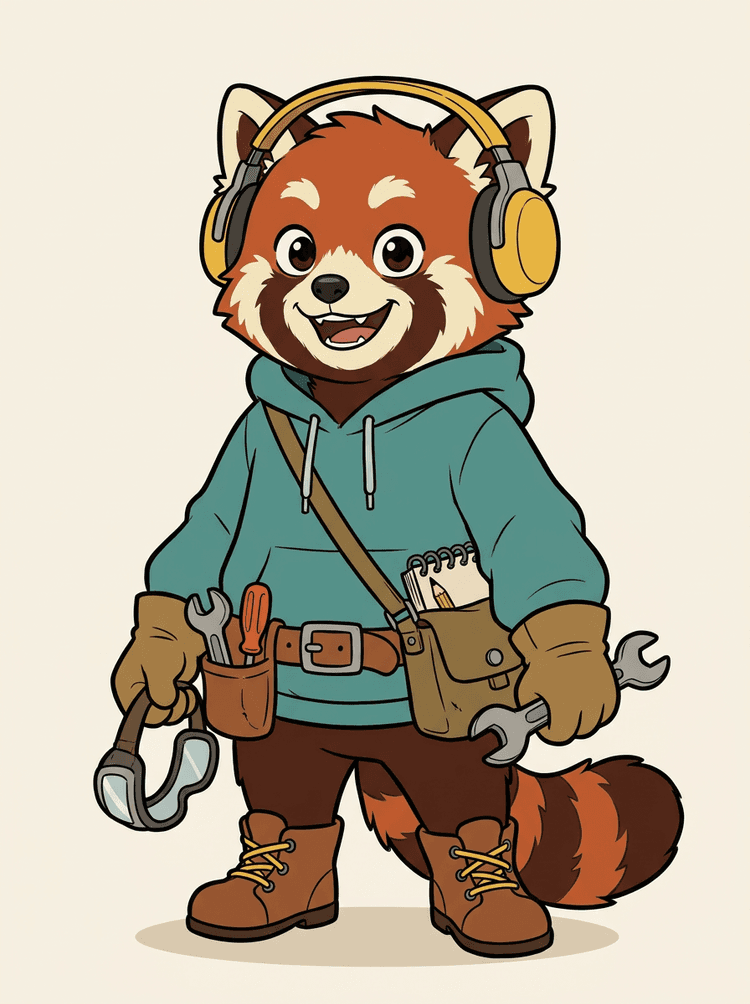
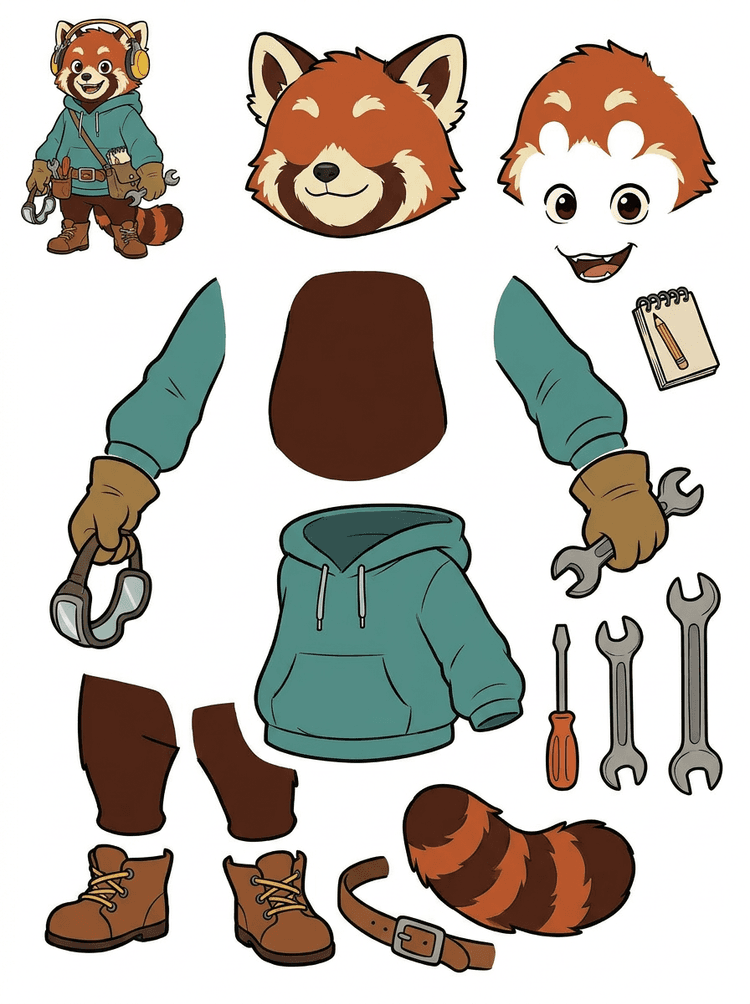
O mascotă cu căști, hanorac, geantă, coadă, încălțări și instrumente de desen devine o foaie practică pentru revizuirea animației.
Părți vizibile în acest rezultat real
Predare în producție
Foaia generată este pasul de analiză. Continuă în instrumentul live pentru a extrage zonele vizibile potrivite ca straturi PNG transparente separate, apoi împachetează-le ca ZIP sau PSD editabil de pornire.

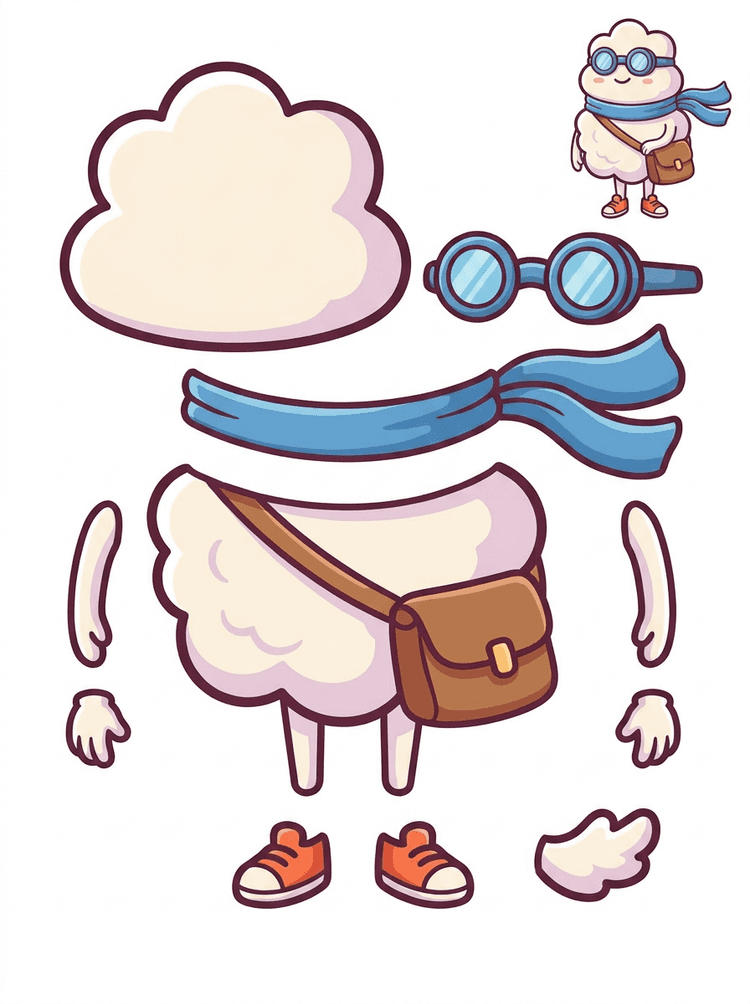
Un erou cartoon tip sticker devine o foaie de piese cu eșarfă, geantă, încălțări, ochelari, mâini și componente rotunjite ale corpului.
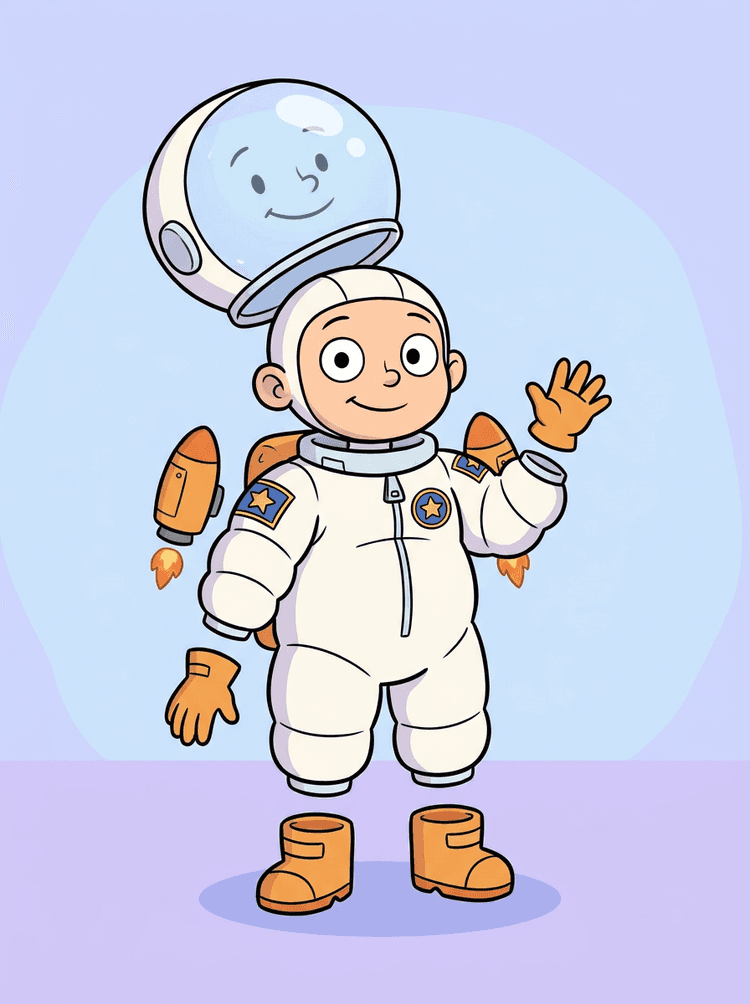
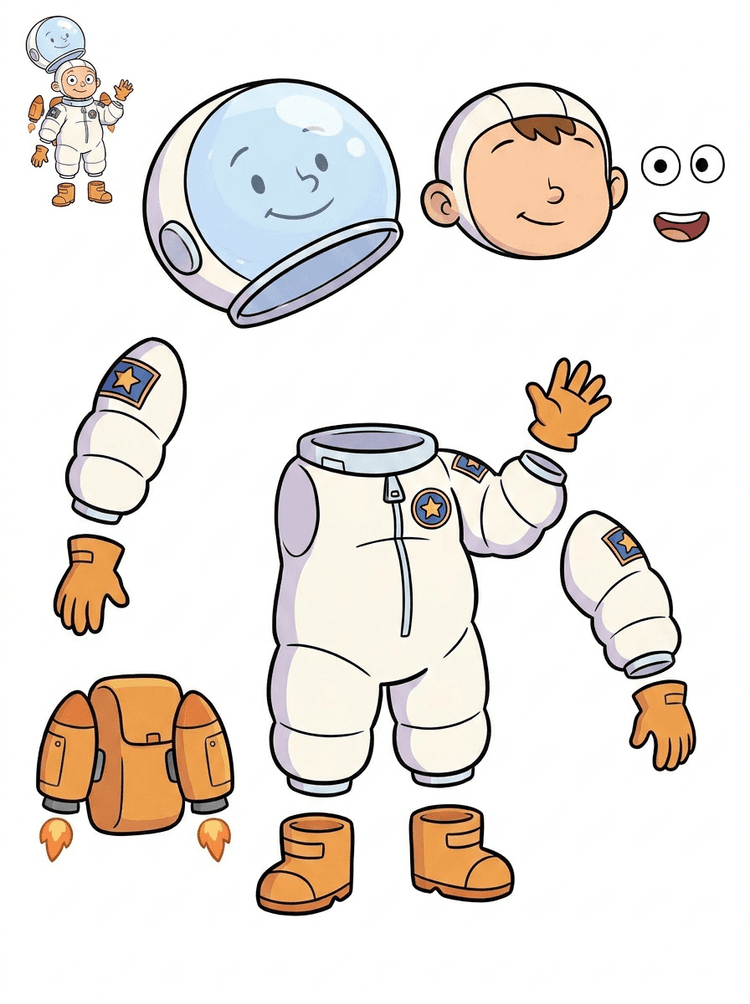
O ilustrație cu un copil astronaut devine o foaie pentru cască, costum, mănuși, cizme, patch-uri, rucsac și piese de motion comic.
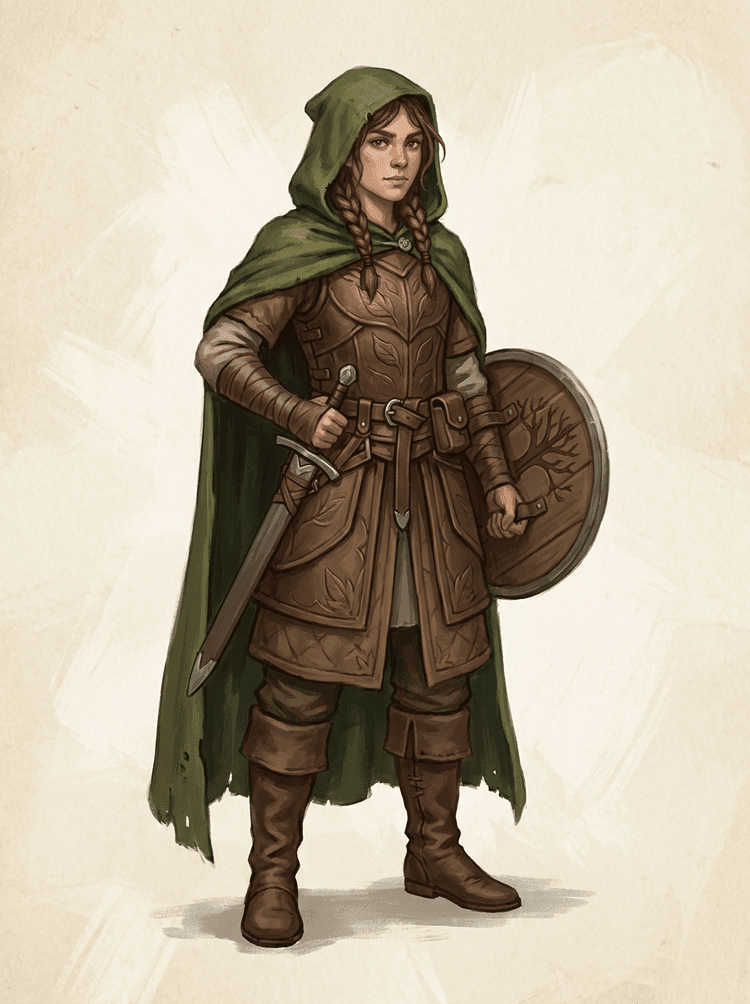
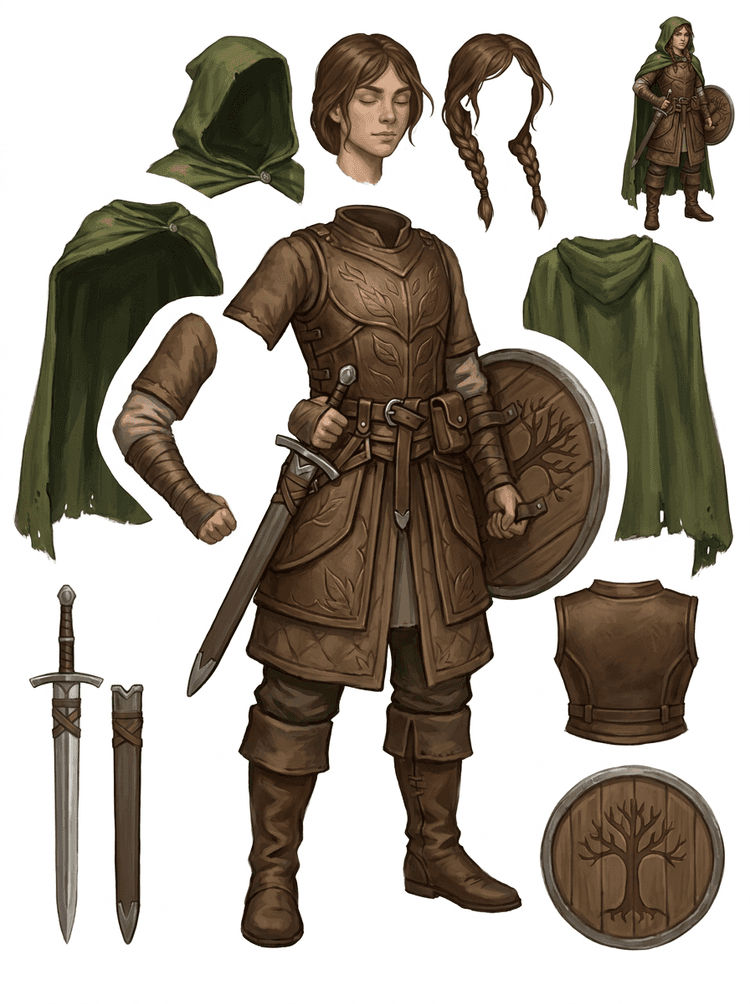
Un personaj fantasy de joc este separat în armură, mantie, sabie, scut, pungi, cizme, membre și referințe reutilizabile pentru sprite-uri.
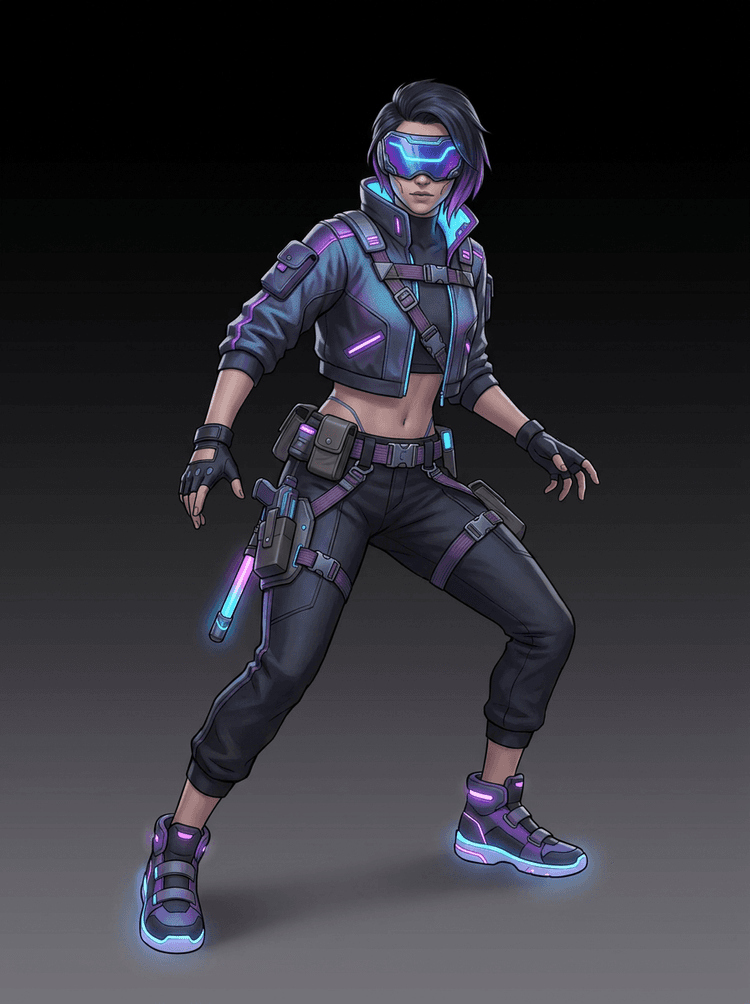
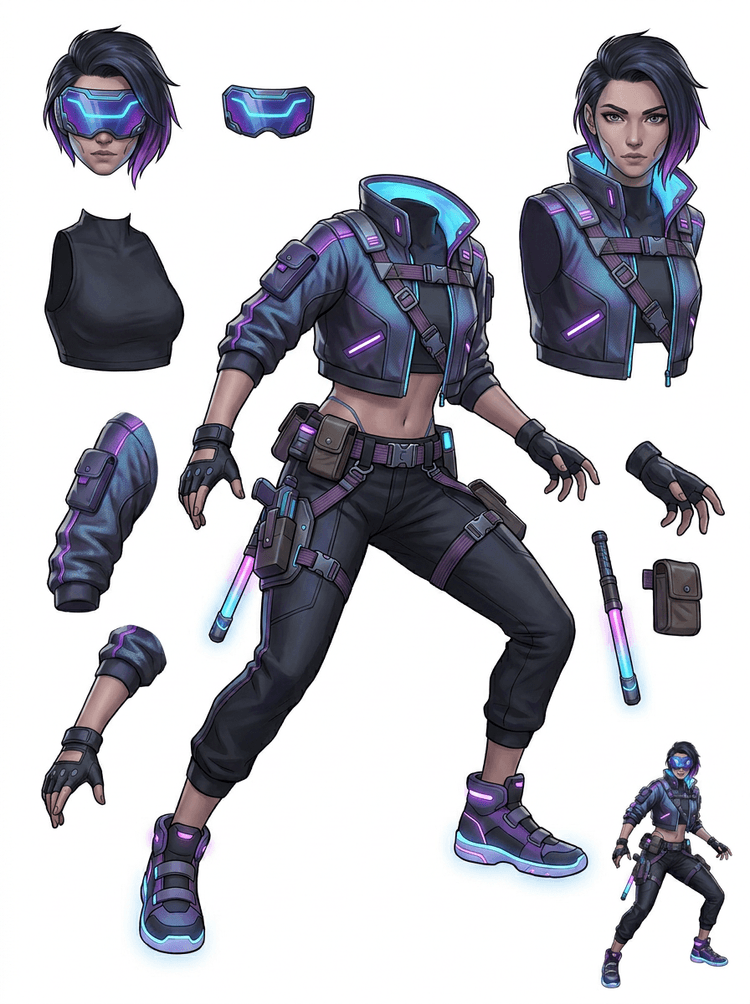
Un personaj cyberpunk de acțiune devine o referință detaliată pentru jachetă, vizor, mănuși, încălțări, chingi, baston și părți ale corpului.
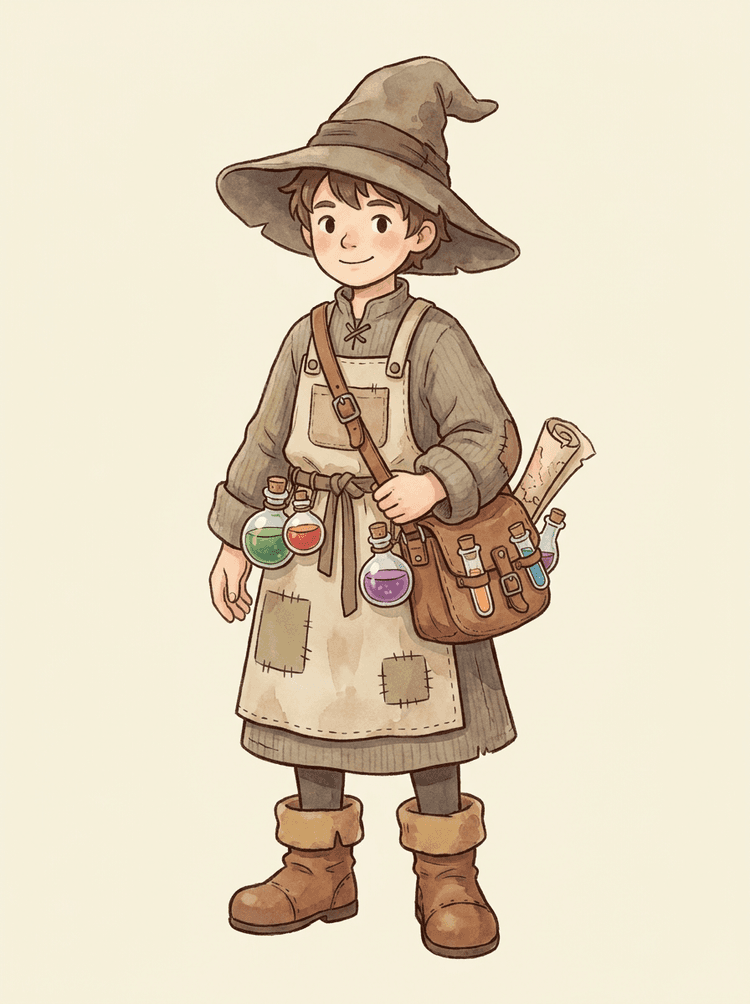
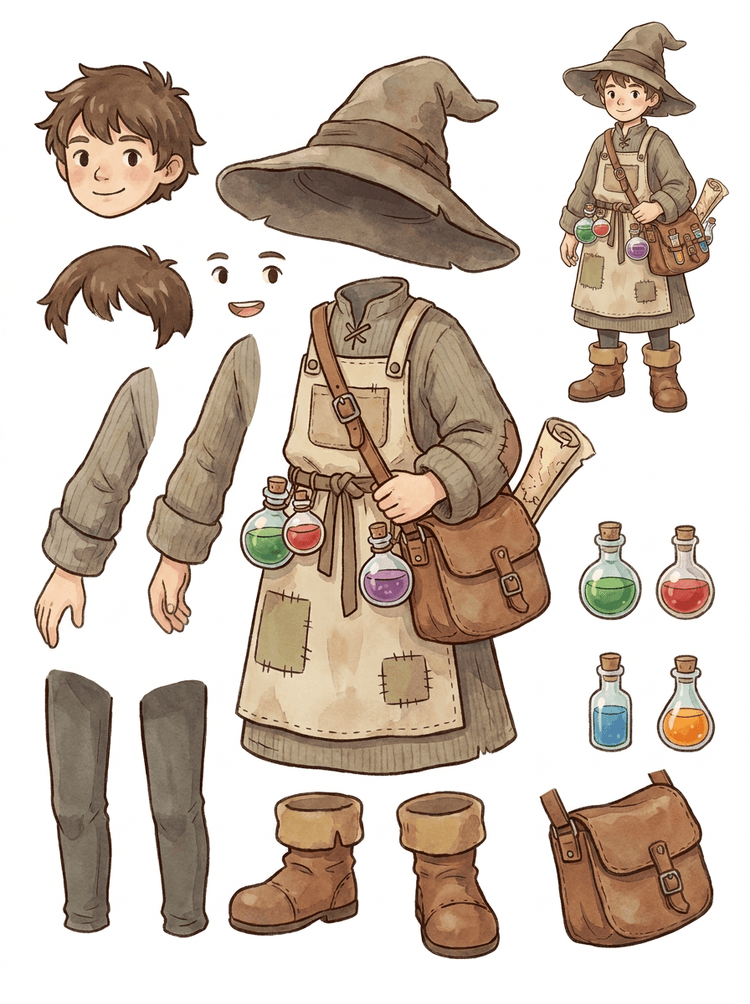
Un NPC cozy cu pălărie, șorț, geantă pentru poțiuni, sticle, hartă, cizme și haine călduroase devine o foaie reutilizabilă pentru producție de joc.
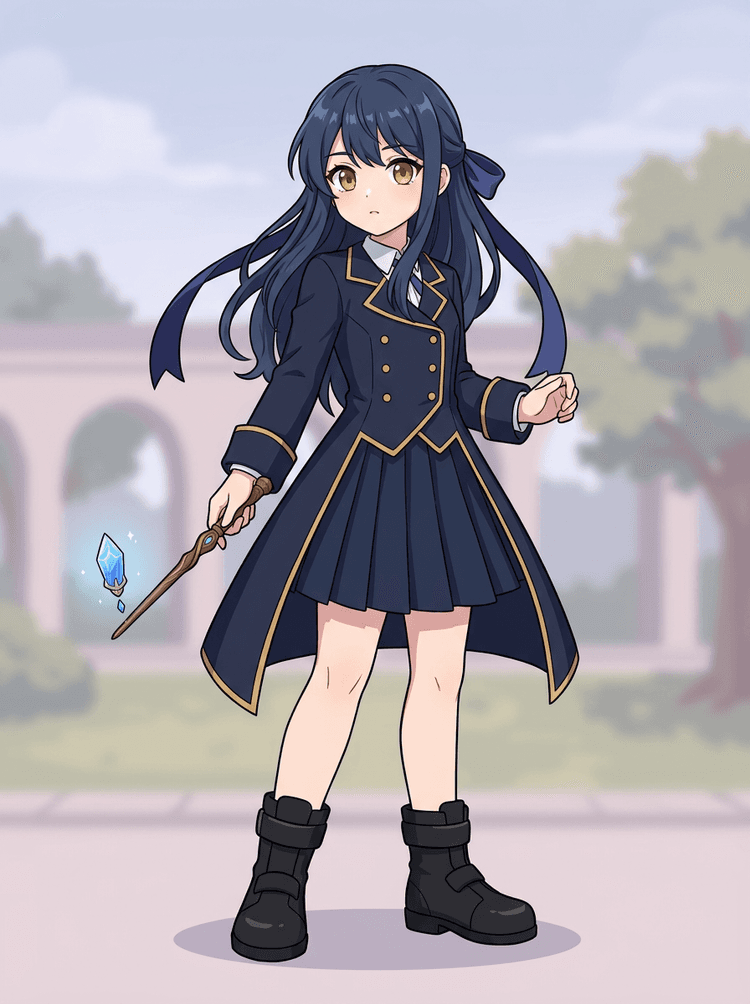
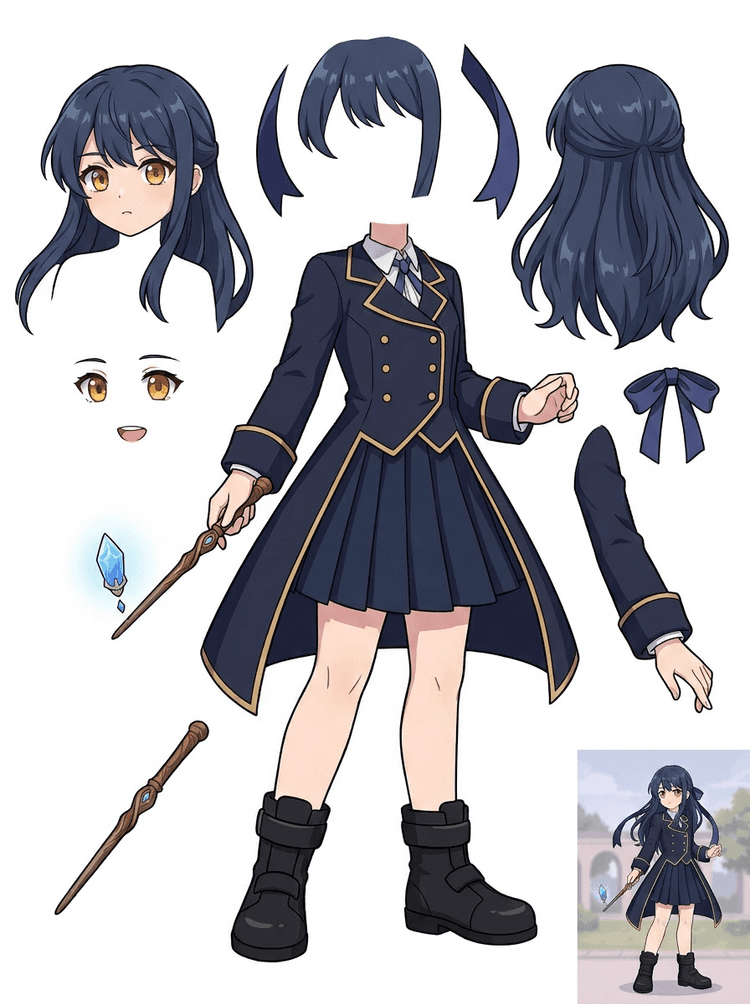
Key art anime cu uniformă, panglică, baghetă, păr, talisman, mănuși și cizme devine o foaie de piese pentru editări și teste de mișcare.
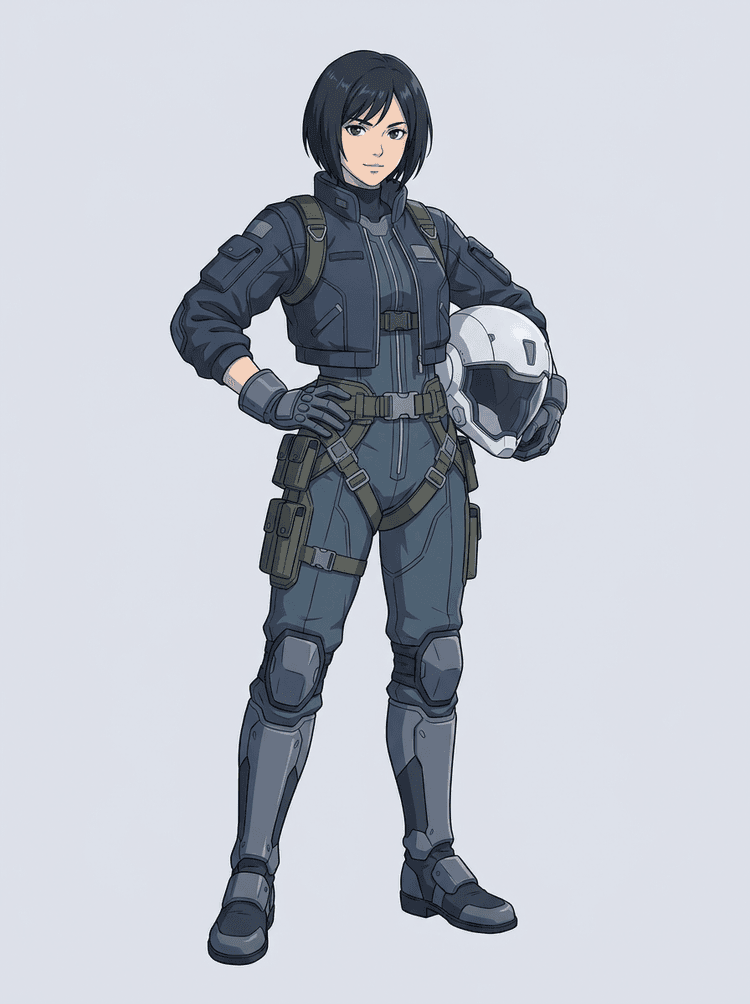
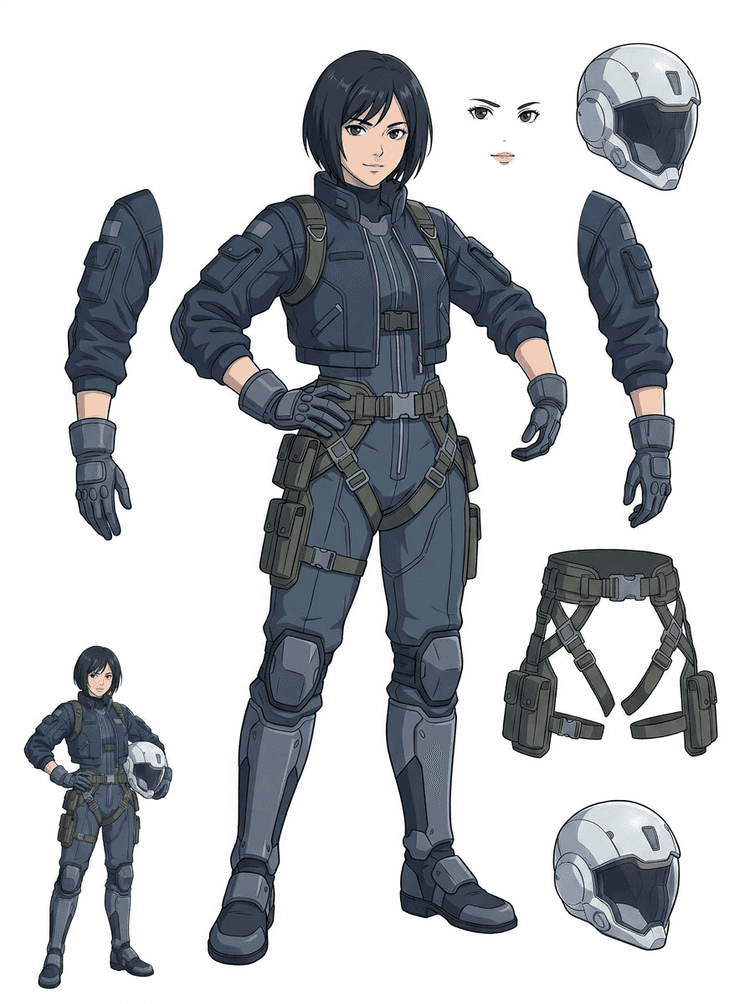
Un pilot sci-fi anime este separat în păr, față, jachetă, mănuși, ham, cizme, cască și componente ale corpului.
AI Layer Splitter este un instrument de tip imagine în straturi pentru creatorii care au deja o imagine sursă, dar au nevoie de piesele practice de producție din spatele ei: prim-plan, fundal, subiect, personaje, păr, față, ținută, membre, text, obiecte, props, detalii de produs și accesorii.
Creat pentru artiști, echipe indie de jocuri, animatori, marketeri, echipe de e-commerce și creatori ACG care trebuie să transforme o singură imagine plată în asset-uri reutilizabile de producție fără să petreacă toată sesiunea la mascări.
Un PNG finisat nu poate clipi, nu poate crea parallax, nu poate schimba props, nu poate izola produse și nu poate deveni un sprite până când piesele principale nu sunt separate.
Instrumentele de selecție, curățarea marginilor și denumirea straturilor pot dura mai mult decât primul test de animație.
Schimbarea unei singure mănuși, genți, încălțări, cozi, căști sau panglici poate ajunge la o repictare completă când fiecare parte este fuzionată.
Înainte
O singură imagine atractivă de personaj care pare completă, dar este încă blocată ca un bitmap plat.
După
O foaie de asset-uri lizibilă cu prim-plan, fundal, personaje, text și obiecte separate, astfel încât artiștii să poată planifica mișcarea, edita detalii și preda referințe de producție.
Creează o trecere de separare pe care o poți analiza înainte de a deschide un flux complet de mascarea manuală.
Treci de la o singură imagine de personaj la piese pentru animație, joc și predare pentru editare.
Studiu de caz
O mascotă de brand poate trece de la o singură ilustrație statică la referințe separate pentru cap, coadă, încălțări, geantă, haine și accesorii, pentru o planificare rapidă a animației.
Rezultat
Artiștii pot verifica ce părți sunt utilizabile, pot decide dacă merită să ruleze din nou cu PRO și pot începe curățarea dintr-o foaie concretă, nu dintr-o sesiune goală de mascarea manuală.
Flux de lucru pe straturi LlamaGen
pregătire de asset-uri cartoon, anime și joc
Folosește AI Layer Splitter ca prim pas curat: încarcă o imagine, generează o foaie de straturi, apoi folosește rezultatul în editorul tău, în fluxul de animație sau în pipeline-ul de asset-uri pentru joc.
Folosește artă de personaj întreg, mascotă, key art anime, concepte de joc, fotografii de produs, design grafic, props sau ilustrații stil produs cu margini vizibile.
Quick Mode creează rapid un punct de verificare vizual, astfel încât echipa să poată vedea părul, fața, hainele, mâinile, props, încălțările, fundalul, textul, obiectele și accesoriile în context.
PRO Mode este cel mai potrivit după ce prima foaie dovedește că sursa este lizibilă și proiectul are nevoie de o trecere mai curată a modelului.
Folosește foaia descărcată pentru blocking de mișcare, planificare rig, referințe de sprite, repictare sau compoziție creativă.
Scopul este un punct de pornire de producție verificabil, nu un demo AI vag.
Instrumentul AI layer splitter analizează ilustrația ta și identifică elemente diferite, precum personaje, fundaluri și obiecte, creând straturi separate. Folosește AI pentru a descompune imaginile păstrând layout-ul, ierarhia și intenția de design și funcționează cel mai bine cu design grafic, produse ilustrate, artă de personaje și asset-uri de joc curate.
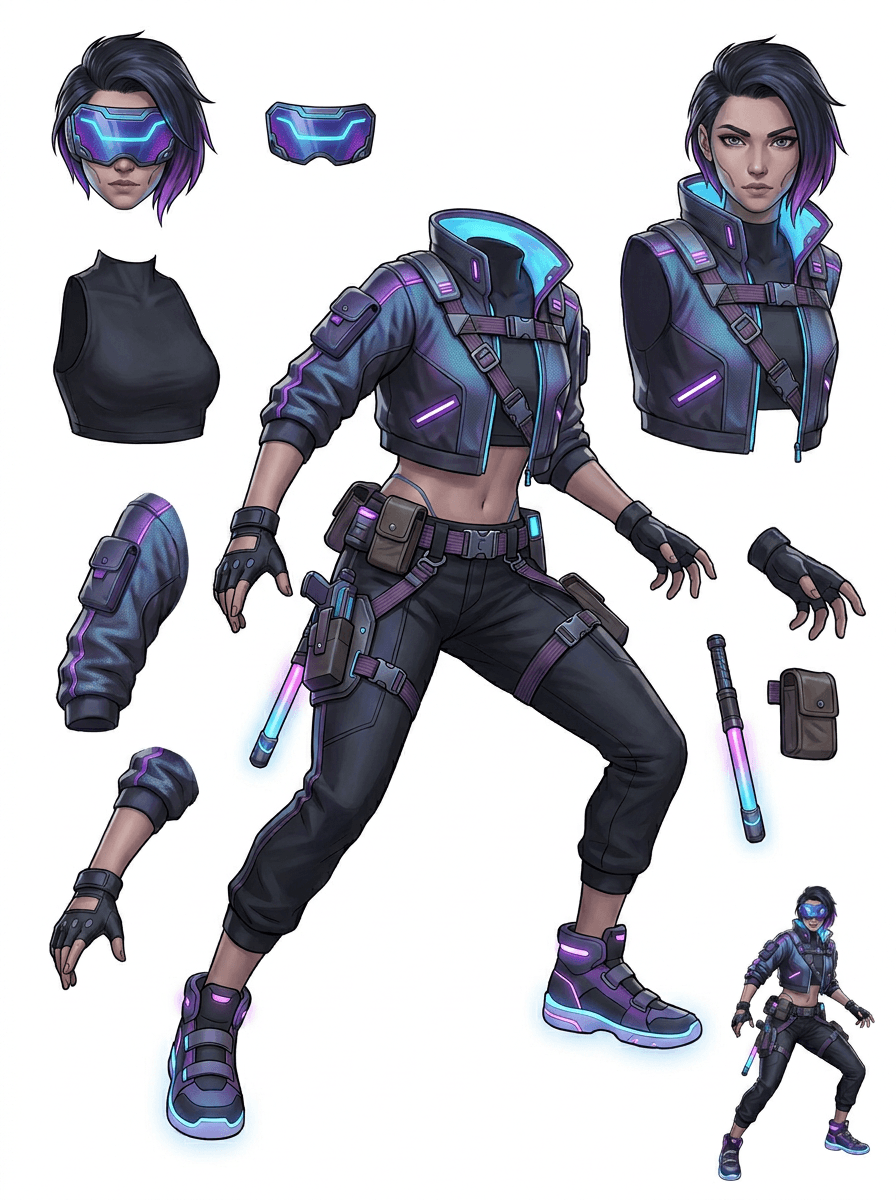
Galeria este organizată în jurul principalelor scenarii de producție: mascote cartoon, personaje de joc, personaje anime și fluxuri imagine în straturi bazate pe obiecte. Fiecare exemplu folosește o imagine sursă generată AI originală și o foaie de asset-uri separată corespunzătoare.
Mascote, personaje pentru copii, eroi tip sticker și personaje pentru motion comic, cu props și accesorii expresive.
Eroi RPG, alergători cyber, NPC-uri cozy, straturi de echipament, arme, referințe de inventar și foi pentru pregătirea sprite-urilor.
Key art anime modern cu separare pentru păr, uniformă, panglică, cască, mănușă, boot, ham și talisman.
AI Layer Splitter este cel mai util atunci când rezultatul are o destinație clară. Aceste scenarii explică ce imagine sursă să încarci, ce părți să verifici și cum ajunge foaia în animație, jocuri, benzi desenate, e-commerce sau producția de brand.
Animație mascotă
Folosește o poziție clară a mascotei când ai nevoie de stickere pentru social media, reclame scurte, motion pentru landing page sau planificare simplă de rig.
Sursă de încărcat
O mascotă full-body cu față, mâini, încălțări, coadă, props și marginile hainelor vizibile.
Straturi utile de verificat
Predare în producție
Oferă animatorilor o foaie cu piese pe care o pot analiza înainte să traseze, să redeseneze sau să rig-uiască mișcarea finală.
Pregătire asset-uri pentru joc indie
Folosește artă de joc aprobată când echipa are nevoie de variante de echipament, iconuri de inventar, artă de profil sau explorare rapidă a pozițiilor.
Sursă de încărcat
Un concept de personaj lizibil, cu armură, arme, geantă, mantie, păr, bocanci și siluetă clară.
Straturi utile de verificat
Predare în producție
Folosește foaia ca referință de pornire pentru curățarea sprite-urilor, schimbarea echipamentelor și artă orientată spre gameplay.
Editări anime și ACG
Folosește artă de personaj în stil anime când ai nevoie de control asupra părului, feței, uniformei, panglicii, mănușii, căștii sau accesoriilor.
Sursă de încărcat
Un singur personaj anime cu contururi puternice, detalii de ținută vizibile și zgomot de fundal minim.
Straturi utile de verificat
Predare în producție
Analizează foaia înainte de editări ale expresiei, variante de ținută, carduri de personaj sau teste scurte de animatic.
Bandă desenată și iterații pentru reclame
Folosește personaje de campanie, props sau produse ilustrate atunci când reviziile de ultim moment ating mereu mici părți vizuale.
Sursă de încărcat
O ilustrație finisată, cu obiectul centrat, margini vizibile și principalele zone de revizie neobstrucționate.
Straturi utile de verificat
Predare în producție
Oferă designerilor o foaie concretă pentru schimbări de props, variante sigure pentru text și experimente de compoziție.
Instrumentul este cel mai puternic atunci când subiectul este clar, complet și vizibil separat. Nu este o scurtătură pentru orice fotografie aglomerată, foaie de schițe, poziție obturată sau layout dens în care prim-planul, fundalul, textul și obiectele se suprapun puternic.
O foaie generată trebuie evaluată ca o primă trecere de producție, nu ca un fișier final magic. Folosește lista de verificare ca să decizi dacă descarci, rulezi din nou, faci crop la sursă sau treci pe PRO după ce separatorul de straturi imagine identifică zonele utilizabile de prim-plan, fundal, subiect, obiect și text.
Rezultat slab
Părțile importante sunt topite împreună, duplicate aleatoriu sau ascunse de aglomerația vizuală.
Rezultat util în producție
Foaia face ușor de identificat dintr-o privire părțile principale vizibile: cap, membre, haine, props, accesorii și piese de fundal.
Rezultat slab
Personajul arată ca un design nou, cu proporții, culori, calitatea liniilor sau personalitate diferite.
Rezultat util în producție
Părțile separate încă se simt conectate la direcția artistică originală, cu siluetă, paletă și identitate de personaj recognoscibile.
Rezultat slab
Foaia este interesantă, dar echipa nu poate spune ce trebuie trasat, redesenat, mascat sau testat în continuare.
Rezultat util în producție
Artiștii pot alege imediat părțile pentru curățare, blocking de rig, referință pentru sprite-uri, schimbări de props sau teste de compoziție.
Rezultat slab
O separare slabă nu oferă niciun indiciu dacă problema a venit din model sau din imaginea încărcată.
Rezultat util în producție
Rezultatul arată ce trebuie reparat în continuare: crop mai strâns, eliminarea urmelor de schiță, mai multă margine, fundal mai simplu sau folosirea PRO.
Transformă o singură imagine finalizată în părți vizuale separate, mai ușor de analizat, editat, animat sau reconstruit.
Încarcă o imagine clară și creează o foaie PNG lizibilă cu prim-plan, fundal, subiect, obiecte, text, haine, props și accesorii într-un singur rezultat.
Un separator de straturi imagine îi ajută pe designeri, marketeri, animatori și echipele de joc să identifice ce părți dintr-o imagine sursă pot deveni asset-uri editabile. În loc să redeseneze totul de la zero, echipele pot genera o foaie PNG de straturi, compara originalul cu rezultatul separat și decide dacă sursa are nevoie de crop, curățare, Quick Mode sau o trecere PRO.
Creează o foaie descărcabilă pentru pregătirea sprite-urilor, planificarea rig-urilor, motion comics, editări pentru e-commerce, variante de stickere sau predarea personajelor. Funcționează cel mai bine când un singur subiect clar are margini vizibile și suprapuneri minime.
Cel mai bun flux de lucru pentru separarea pe straturi păstrează contextul. Păstrează sursa, foaia generată și o notă scurtă de revizuire, astfel încât următorul artist să știe ce să folosească și ce mai trebuie curățat.
Imaginea originală explică intenția atunci când un animator, un artist de joc sau un designer analizează ulterior foaia separată.
O primă foaie devine mai valoroasă când echipa știe ce părți sunt gata și ce mai are nevoie de finisare manuală.
Folosește foaia și straturile transparente exportate ca punte practică către animație, pregătirea sprite-urilor, editări de benzi desenate sau compoziție. PSD-ul este un fișier de pornire editabil, nu un asset final garantat.
AI Layer Splitter oferă echipelor o primă trecere mai rapidă; asset-urile finale pentru livrare beneficiază în continuare de revizuire și curățare umană.
AI Layer Splitter transformă o singură imagine plată într-o foaie PNG lizibilă cu fundaluri, subiecte, text, props, obiecte, detalii de produs și părți de personaj separate pentru editare, animație, artă de joc, motion comic, e-commerce și fluxuri de compoziție.
Da. Quick Mode este punctul gratuit de pornire online pentru un rezultat analizabil de tip imagine în straturi. Folosește-l pentru a testa dacă sursa se separă bine înainte să investești timp în mascarea manuală sau să treci la un pas PRO mai curat.
Da. AI Layer Splitter funcționează ca un separator de straturi imagine bazat pe web: încarci o singură imagine, lași modelul să identifice subiecții, fundalurile, textul, props și obiectele, apoi descarci o foaie analizabilă imagine-în-straturi. Este cel mai rapid pentru fotografii clare, design grafic, produse ilustrate, asset-uri de joc și artă de personaje; imaginile complexe pot necesita în continuare curățare manuală în Photoshop, Figma sau alt editor.
Încarcă o imagine clară, rulează Quick Mode și analizează foaia generată imagine-în-straturi. Rezultatul separă prim-planul, fundalul, subiectul, textul, props și obiectele vizibile într-o referință practică pe care o poți folosi pentru editare, compoziție, blocking de animație, pregătire de sprite-uri sau curățare manuală.
Da. După ce este generată prima foaie de straturi, o a doua trecere plătită poate extrage straturi PNG transparente individuale. Le poți descărca separat, le poți împacheta ca ZIP sau poți exporta un PSD editabil de pornire. Marginile complexe și sursele aglomerate pot necesita în continuare curățare manuală înainte de livrarea în producție.
Layer Decomposition este o capabilitate de AI agent care separă o singură imagine în straturi vizuale logice și editabile, precum prim-plan, fundal, subiecți, text și obiecte. Ajută echipele să treacă de la o imagine plată la o foaie de straturi practică pentru revizuire, editare, animație și predare în producție.
Da. LlamaGen AI Layer Splitter separă fundalul, textul, subiecții și obiectele vizibile în browser și oferă o foaie de asset-uri descărcabilă pentru editări ulterioare.
Cele mai bune rezultate apar cu subiecte ilustrate clare: mascote cartoon, personaje anime, personaje de joc, grafică în stil produs, props și designuri full-body cu păr, haine, membre, încălțări, arme, genți, cozi, text, obiecte sau accesorii vizibile.
Da. Personajele cartoon și mascotelor sunt printre cele mai bune cazuri de utilizare, pentru că contururile, props, hainele, mâinile, încălțările și părțile feței sunt adesea suficient de clare pentru a deveni o foaie utilă.
Da. AI Layer Splitter pentru asset-uri de joc poate transforma conceptele clare de personaje într-un punct de pornire pentru referințe de sprite-uri, variante de poziție, iconuri de inventar, editări de echipament, portraituri UI și blocking de animație.
Da. Personajele în stil anime pot fi separate în referințe vizibile pentru păr, față, ținută, panglică, mănușă, cizmă, prop, cască și accesorii atunci când imaginea sursă este clară.
Quick Mode creează rapid o foaie de asset-uri pe care o poți analiza. PRO Mode folosește un model îmbunătățit pentru o separare mai curată atunci când imaginea sursă este lizibilă și proiectul are nevoie de o trecere de calitate mai mare.
Nu. Scenele foarte aglomerate, părțile corpului ascunse, subiecții suprapuși, urmele de schiță, umbrele puternice, membrele tăiate sau accesoriile foarte mici pot necesita în continuare curățarea sursei sau finisare manuală.
Poți folosi rezultatele generate conform planului și termenilor LlamaGen. Asigură-te și că ai drepturile asupra imaginii sursă pe care o încarci.
Începe cu exemplul preîncărcat, încarcă propriul personaj cartoon, anime sau de joc și creează în câteva minute o foaie de straturi pe care o poți analiza. Folosește primul rezultat ca să decizi dacă Quick este suficient sau dacă merită o trecere PRO.