

Nadzor kota kamere - urejevalnik foto kota z AI
Naložite medij, pridržite in povlecite za spremembo kota kamere ter ustvarite iz 12 najboljših kotov. Spremenite slike z AI nadzorom kota kamere z naravnim pogovorom ter kontrolami za horizontalni kot, vertikalni kot in razdaljo povečave.
Urejajte s klepetom, razširite prizore, odstranite predmete, spremenite ozadja in ustvarite nove kote kamere iz ene same fotografije z delovnimi tokovi Qwen Image Edit in AIOmnigen.
Interaktivni laboratorij za kote
Naložite eno sliko, spremenite kot in urejajte s klepetom
To vgrajeno orodje vam omogoča preoblikovanje slik z naravnim pogovorom. Naložite eno fotografijo, nato razširite prizor, odstranite predmete, spremenite ozadja ali ustvarite nove kote kamere z interaktivnimi kontrolami kamere in modeli za urejanje, vključno z Qwen Image Edit.
Multi-Angles
Source Reference
Upload a reference image
Use the Replace and Remove buttons above anytime.
Generated Result
Examples
Source
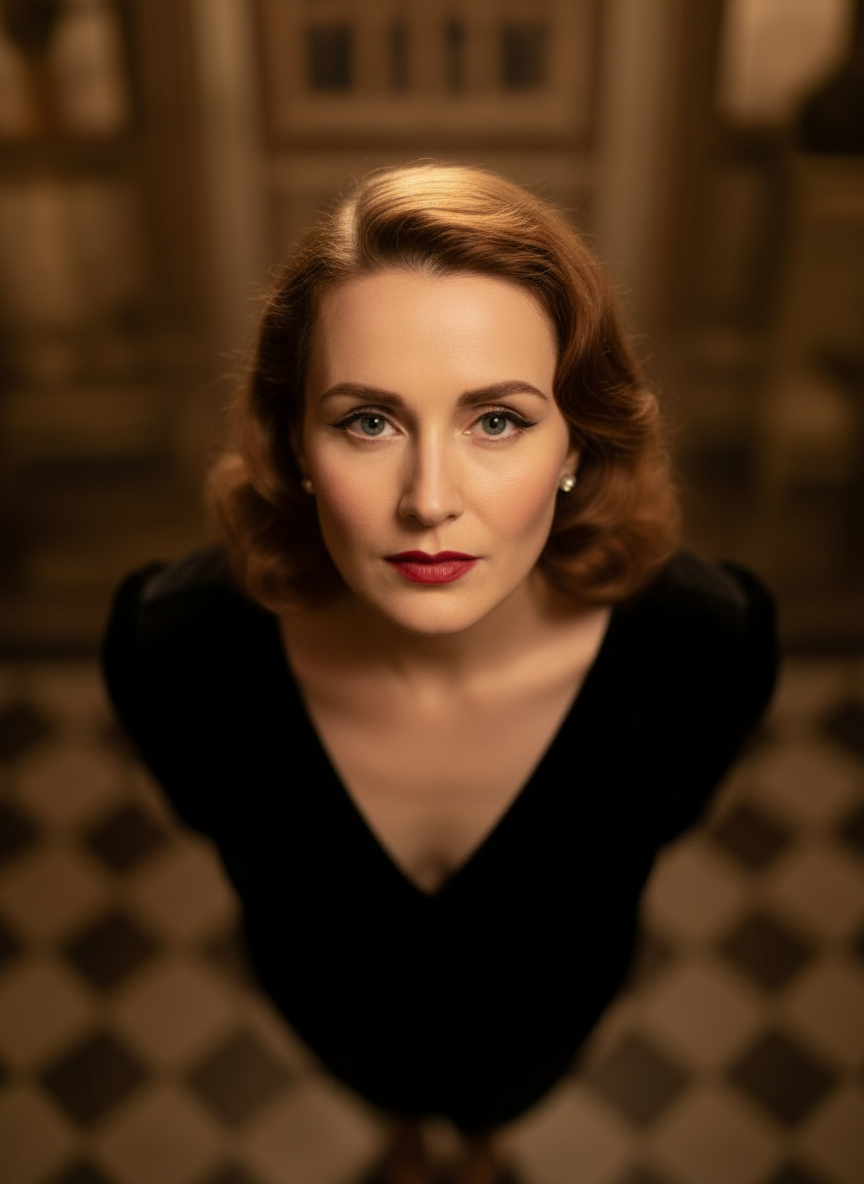
Overhead Angle
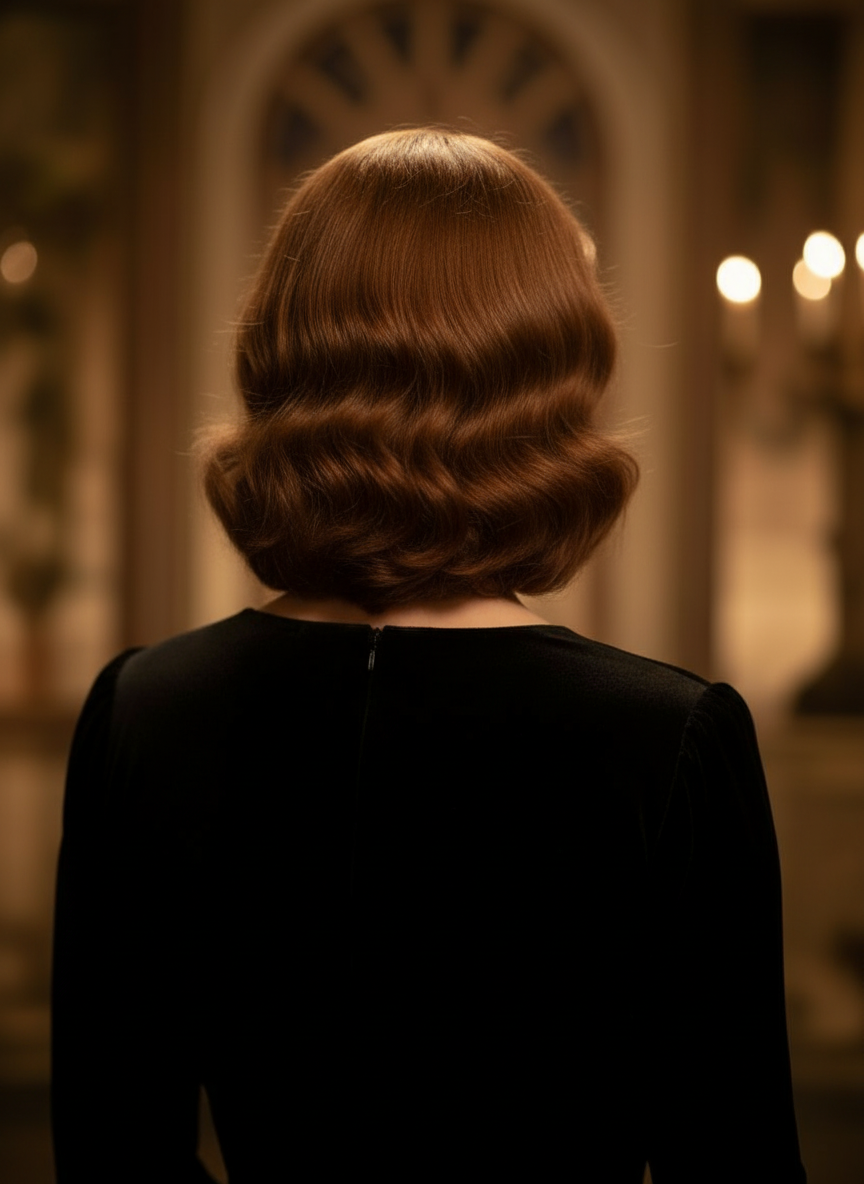
Back Angle
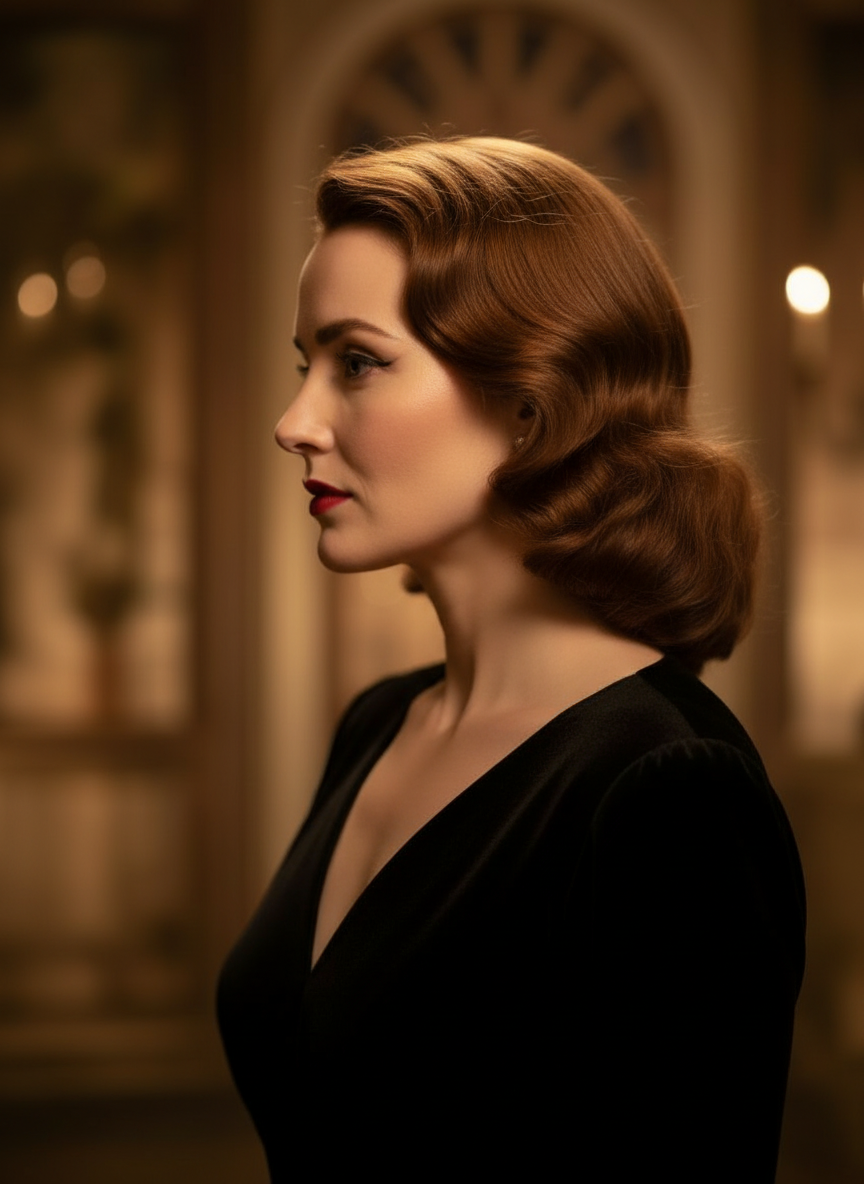
Three-Quarter Side
Spremenite svoje slike z naravnim pogovorom
Preprosto naložite sliko in klepetajte za urejanje. Razširite okvir, odstranite predmete, spremenite ozadja in ustvarite alternativne kote kamere brez ponovnega ustvarjanja slike od začetka.
Odpri Nadzor kota kamerePrilagodite horizontalni kot, vertikalni kot in razdaljo povečave
Pridržite in povlecite za spremembo kota kamere ali uporabite intuitivne drsnike za prilagoditev horizontalnega kota, vertikalnega kota in razdalje povečave. Ustvarite čiste različice iz ene same fotografije s hitrejšim delovnim tokom nadzora kamere nad sliko.
Ustvari nov kotKako uporabljati Nadzor kota kamere v 3 korakih
Preprost delovni tok za urejanje fotografij, preoblikovanje kadra in AI nadzor kamere.
Naložite sliko motiva
Začnite z eno fotografijo ali referenčno sliko, ki jo želite ohraniti dosledno med urejanjem in preoblikovanjem kadra.
Nastavite načrt kamere
Izberite enega od 12 najboljših kotov, nato pridržite in povlecite ali uporabite kontrole za prilagoditev horizontalnega kota, vertikalnega kota, nagiba in razdalje povečave.
Klepetajte, renderirajte in preverite
Opišite urejanja v naravnem jeziku, ustvarite nov pogled in preverite rezultat za oblikovanje, vsebino ali predajo v produkcijo.
Dejanski rezultat orodja
Ena vhodna slika, en ustvarjen rezultat kota kamere
Primerjajte izvorno sliko z izhodom, ustvarjenim z delovnim tokom Nadzora kota kamere. Motiv ostane prepoznaven, pogled pa se spremeni v širšo študijo kota.
Vnos
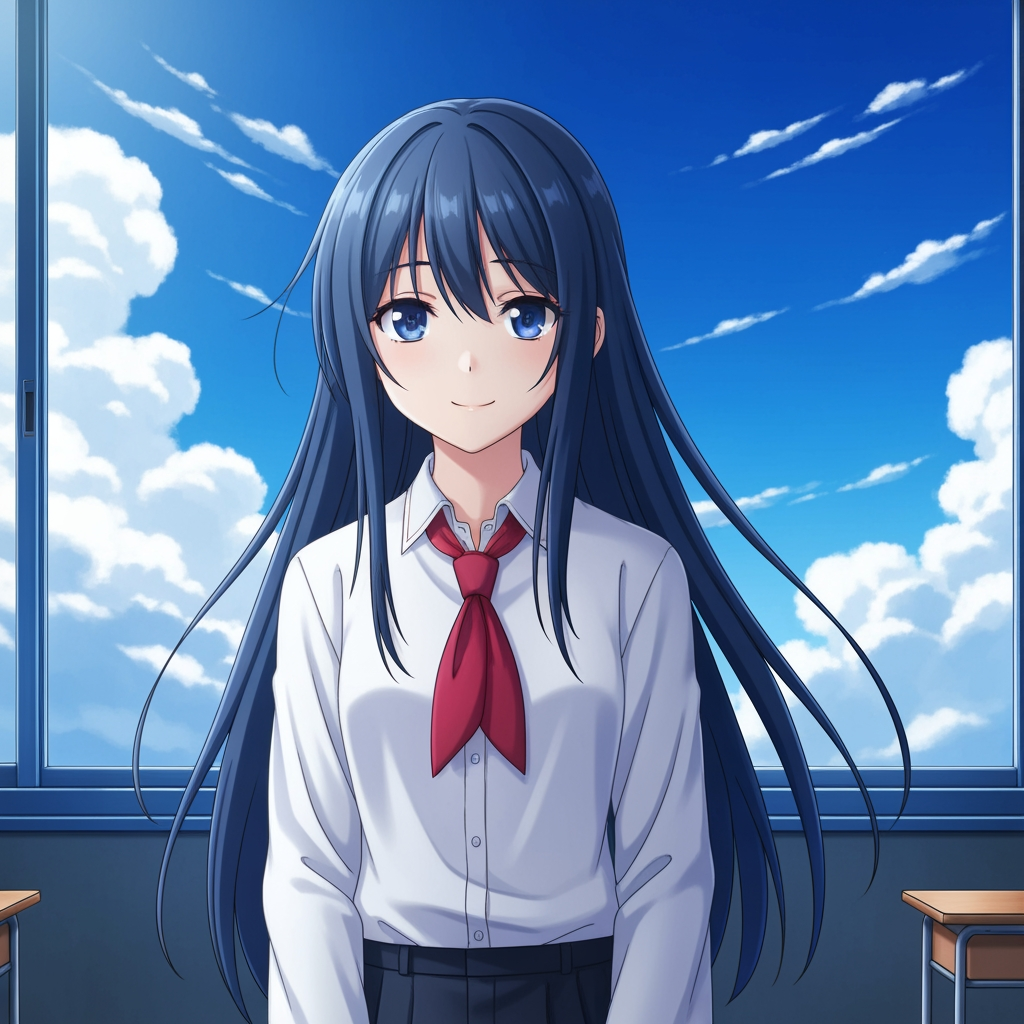
Izvirna slika motiva
Osnovna risba ostane nespremenjena. To je izvorna slika, uporabljena za nadzor prehoda kota kamere.
- Vloga
- Naložena referenca
- Motiv
- Eden anime lik
Ustvarjen izhod

Preoblikovan rezultat kota kamere
Ustvarjen izhod isto referenco pretvori v širšo študijo kota za načrtovanje posnetka in vizualni pregled.
- Vloga
- Ustvarjena različica
- Uporaba
- Pregled kota in kadriranja
Spodnji sliki sta dejanski par izvorne in izhodne slike iz delovnega toka orodja, ne pa vzorčna maketa. Rezultati AI se razlikujejo glede na izvorno sliko, izbrani model, kot in kontrole kadriranja.
Kaj je Nadzor kota kamere?
Nadzor kota kamere je urejevalnik foto kota z AI za vse, ki želijo slike spreminjati z naravnim pogovorom. Naložite eno sliko, urejajte jo v klepetu, nato prilagodite kot, nagib, kadriranje in povečavo za ustvarjanje novih pogledov, pri čemer ostane identiteta motiva dosledna.
Prompt to Comic
Ustvarjajte iz 12 najboljših kotov
Raziščite nizki kot, visoki kot, pogled v višini oči, Dutch angle, pogled čez ramo in druge uporabne prednastavitve kamere, preden se odločite.
Ustvarjajte iz 12 najboljših kotov
Raziščite nizki kot, visoki kot, pogled v višini oči, Dutch angle, pogled čez ramo in druge uporabne prednastavitve kamere, preden se odločite.
Ohranite en motiv dosleden
Uporabite referenčno sliko, da orodje ohrani motiv, logiko osvetlitve in vizualno identiteto bližje izvirni fotografiji.
Urejajte in preoblikujte v enem delovnem toku
Uporabite urejanje slik prek klepeta in nadzor kamere skupaj za razširjanje prizorov, odstranjevanje predmetov, menjavo ozadij in preoblikovanje iste slike.

Zakaj ekipe uporabljajo to za raziskovanje kotov kamere
Zasnovano za raziskovanje posnetkov, načrtovanje pokritosti in hiter vizualni pregled.
Generiranje na podlagi reference
Začnite z naloženo osnovno sliko namesto da bi vsakič znova oblikovali povsem nov motiv.
Prednastavitve kotov, ki sledijo produkcijskemu jeziku
Hitro preizkusite pogled v višini oči, nizki kot, visoki kot, Dutch angle, ptičji pogled in kadriranje čez ramo.
Uporabno za predvizualizacijo in boarde
Primerjajte ideje za posnetke, preden se zaklenejo storyboard, postavitev stripa ali pregled animacije.
Pripravljeno za stripe in risanke
Preklapljajte med vizualno usmeritvijo za stripe in risanke brez ponovnega gradjenja nadzorne površine.
Hitri preizkusi kadriranja
V nekaj sekundah preidite od bližnjega plana do širokega plana in od nevtralnega nagiba do dramatične postavitve.
Zasnovano za pregledne cikle
Ustvarite eno študijo kota, jo predebatirajte in nato takoj nadaljujte z naslednjo postavitvijo.
Pogosto zastavljena vprašanja
Kaj počne Nadzor kota kamere?
Spreminja vaše slike z naravnim pogovorom in interaktivnimi kontrolami kamere, kar vam pomaga ustvarjati nove kote kamere, širiti prizore, odstranjevati predmete in spreminjati ozadja iz ene naložene slike.
Ali lahko iz ene same fotografije ustvarim nove kote kamere?
Da. Medij naložite enkrat, nato pa ustvarjajte iz 12 najboljših kotov ter prilagajajte horizontalni kot, vertikalni kot in razdaljo povečave.
Ali moram naložiti referenčno sliko?
Da. Delovni tok je zasnovan okoli generiranja slike na sliko, da lahko model ohrani motiv bližje vašemu izvirnemu boardu, liku ali prizoru.
Katere vrste kotov kamere lahko preizkusim?
Preizkusite lahko pogled v višini oči, nizki kot, visoki kot, pogled čez ramo, Dutch angle, ptičji pogled in druge vodene prednastavitve kotov, nato pa jih dodatno izpilite z vlečnimi kontrolami in drsniki.
Je to uporabno za pregled storyboarda in predvizualizacije?
Da. Uporabno je za režiserje, storyboard umetnike, ekipe za stripe in previz umetnike, ki potrebujejo hitrejše raziskovanje posnetkov in primerjavo kotov.
Kateri modeli poganjajo urejanja in nadzor kamere?
Delovni tok je zasnovan za sodobne modele za urejanje slik, vključno z Qwen Image Edit in nadzorom kamere nad sliko v slogu AIOmnigen, odvisno od aktivne poti generiranja.
Potrebujete ponovno uporabne boarde po raziskovanju kotov?
Odprite Brezplačna predloga storyboarda za razdelitev storyboard listov, prenos čistih kadrov in organizirano pregledno gradivo.
Pojdi na Brezplačna predloga storyboardaSte pripravljeni nadzorovati naslednji kot vaše slike?
Naložite eno sliko, pridržite in povlecite za spremembo kota kamere ter v nekaj minutah ustvarite nov pogled.