

Priporočeno
Hitri način
Priporočeno za začetek. En berljiv PNG-list plasti iz ene slike.
Naloži čisto sliko in jo razdeli na ozadje, ospredje, subjekt, besedilo, objekte, like iz stripov, anime umetnost, rekvizite ali produktno grafiko. Preglej prvi list plasti, nato izlušči posamezne prosojne PNG-plasti in izvozi ZIP ali urejljiv začetni PSD.
First pass · 300 credits
Generates one reviewable PNG asset sheet. It is not an editable set of transparent PNG layers.
First pass · 600 credits
Uses a higher-quality model to produce a cleaner PNG asset sheet, still delivered as a single image.
Paid second pass · +600 credits
Once the sheet is ready, a paid user can extract individual transparent PNG layers, download them or a ZIP, and export a starter PSD.
The extracted PNGs are actual second-pass outputs, not a crop of the sheet. Occluded regions or complex edges can need manual cleanup; PSD is an editable starting file.
or drop a file,
paste image or
No image? Try one of these:
Naloži dejansko izvorno sliko na strani. Hitri način ustvari prvi list plasti za pregled; PRO izboljša ta list, ko je vir čist. Plačani drugi prehod izloči ločene prosojne PNG-plasti, ki jih lahko preneseš posamezno, kot ZIP ali kot urejljiv začetni PSD.
Priporočeno za začetek. En berljiv PNG-list plasti iz ene slike.
Napredni model. Čistejša ločitev znotraj lista sredstev.
After creating a sheet, paid plans can extract real transparent PNG layer files and download individual PNGs, a ZIP, or an editable starter PSD. Complex images may need manual cleanup.
Vsaka kartica prikazuje pravi vir in ustvarjen list plasti. Oznake opisujejo samo dele, vidne v tistem rezultatu; živo orodje zgoraj je mesto, kjer lahko ustrezen vir nadaljuje do posameznih plasti ospredja, ozadja, subjekta, besedila in objektov.
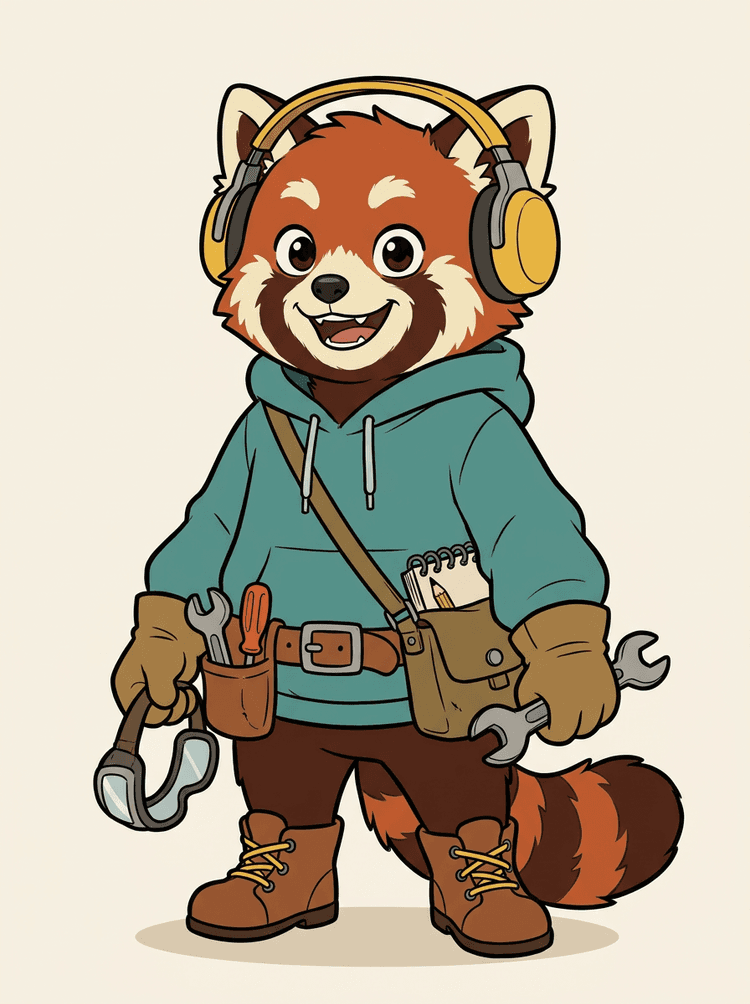
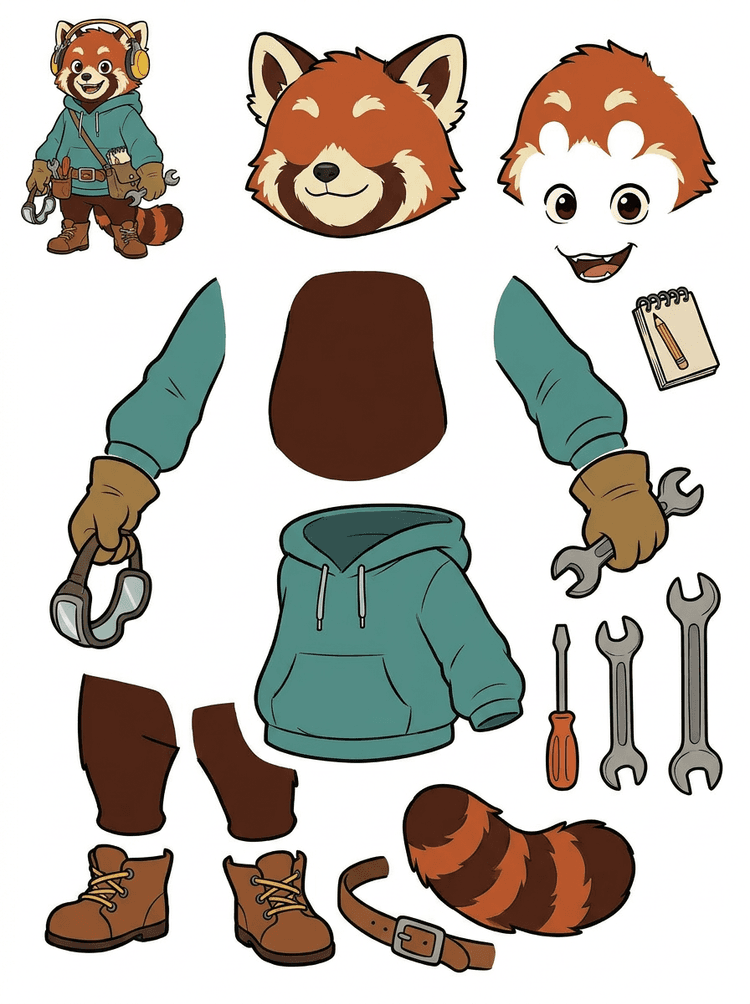
Maskota lika s slušalkami, kapuco, torbico, repom, čevlji in risarskimi pripomočki postane praktičen list za pregled animacije.
Vidni deli v tem dejanskem rezultatu
Predaja v produkcijo
Ustvarjen list je korak za pregled. Nadaljuj v živo orodje, da izluščiš ustrezna vidna območja kot ločene prosojne PNG-plasti, nato jih zapakiraj v ZIP ali urejljiv začetni PSD.

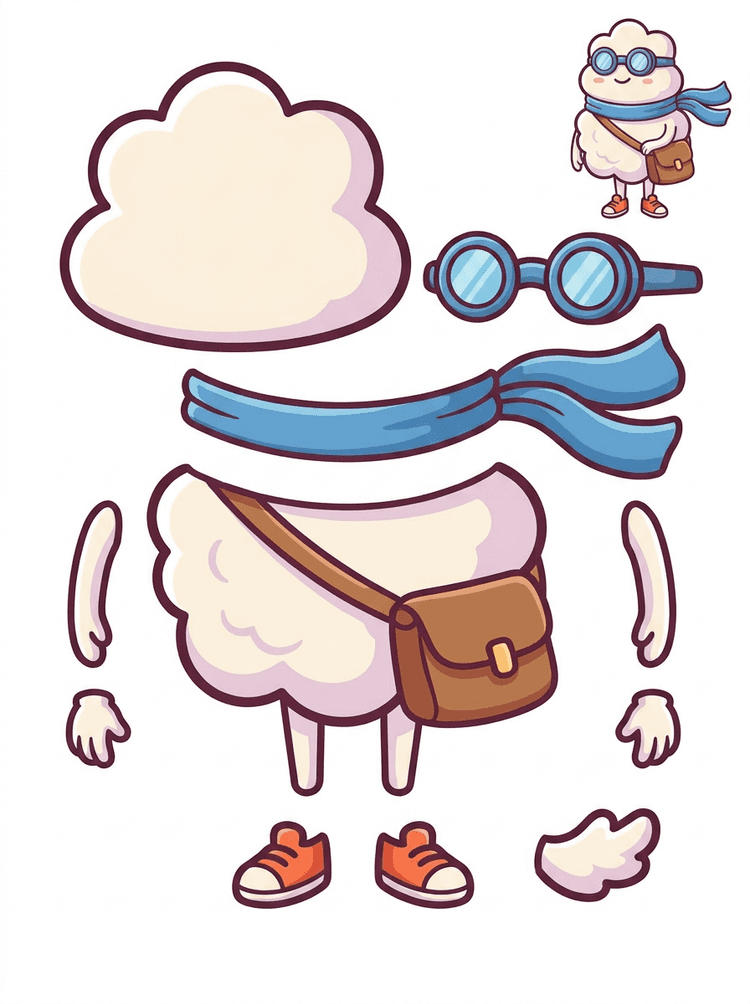
Risalni junak v slogu nalepke postane list delov s šalom, torbo, čevlji, očali, rokami in zaobljenimi deli telesa.
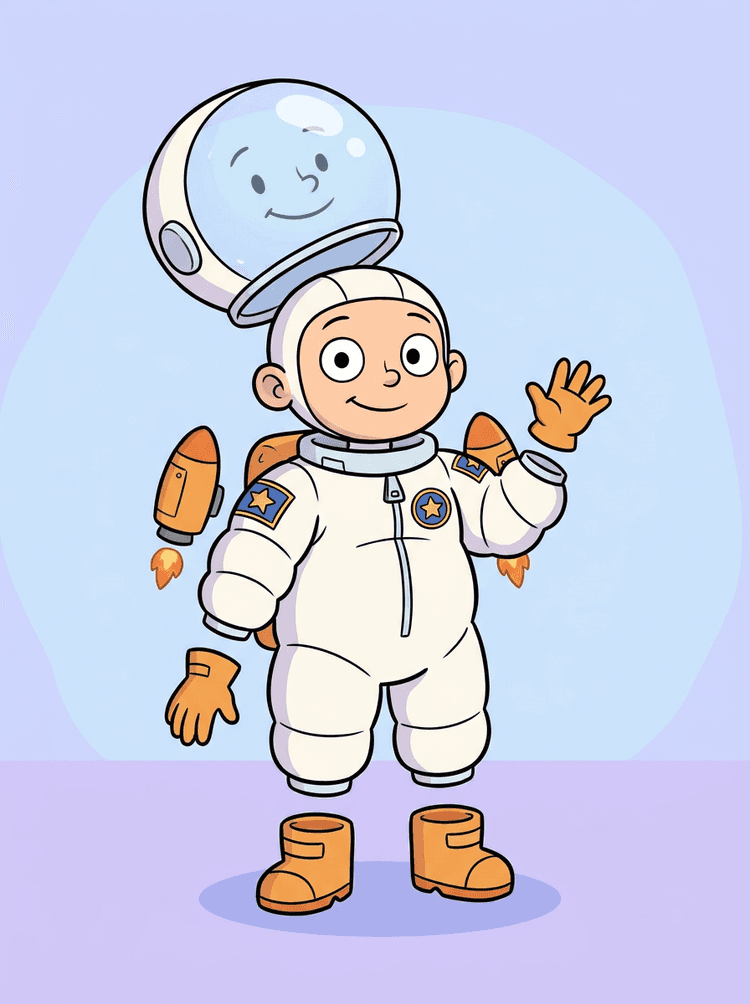
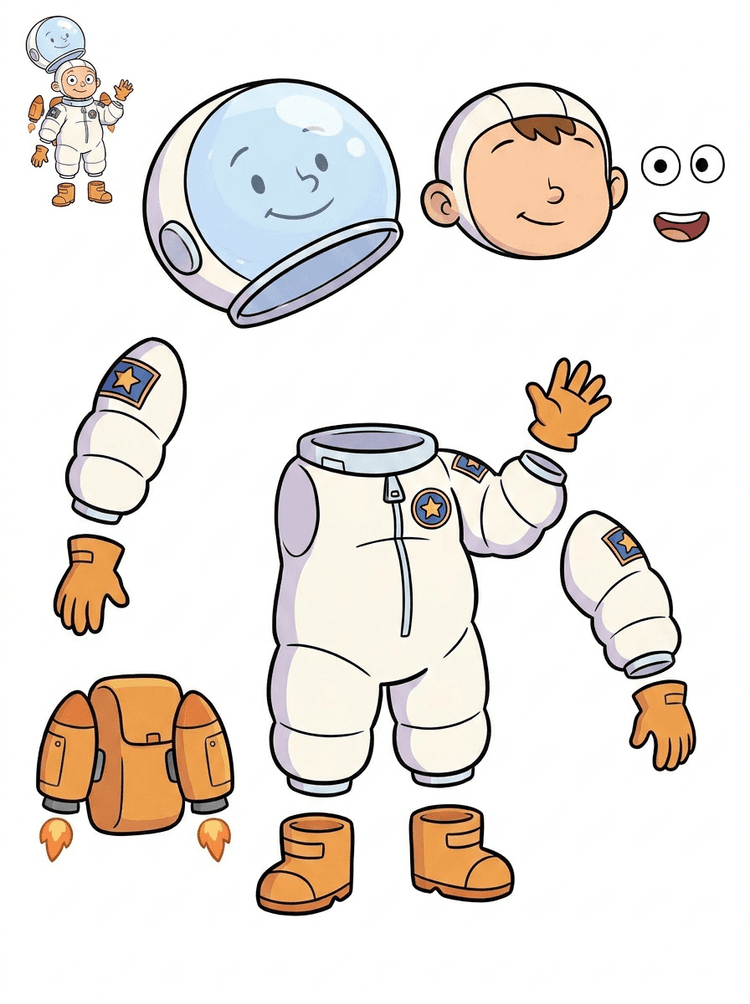
Ilustracija otroka astronavta postane list za čelado, obleko, rokavice, škornje, našitke, nahrbtnik in dele motion stripa.
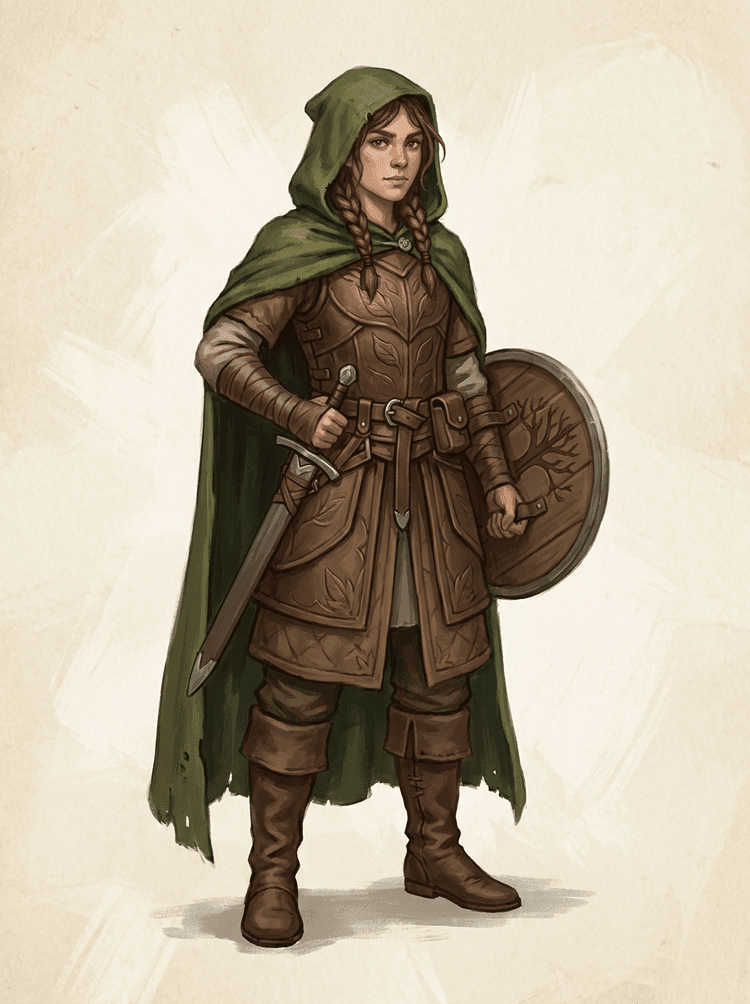
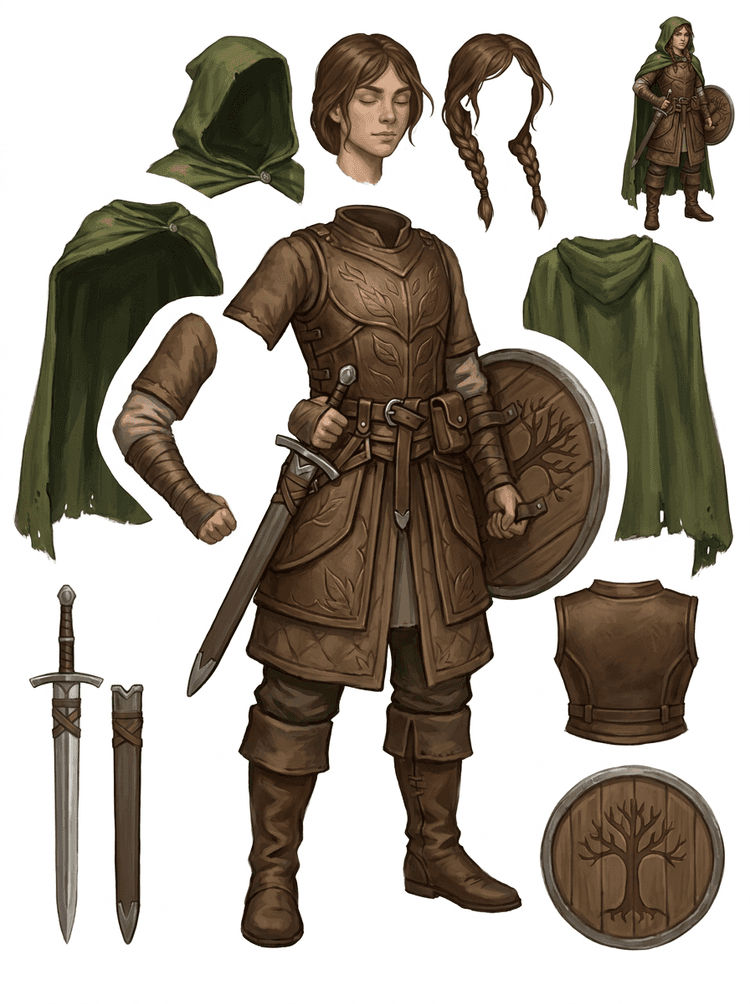
Fantazijski lik iz igre je razdeljen na oklep, plašč, meč, ščit, torbice, škornje, okončine in ponovno uporabne reference za sprite.
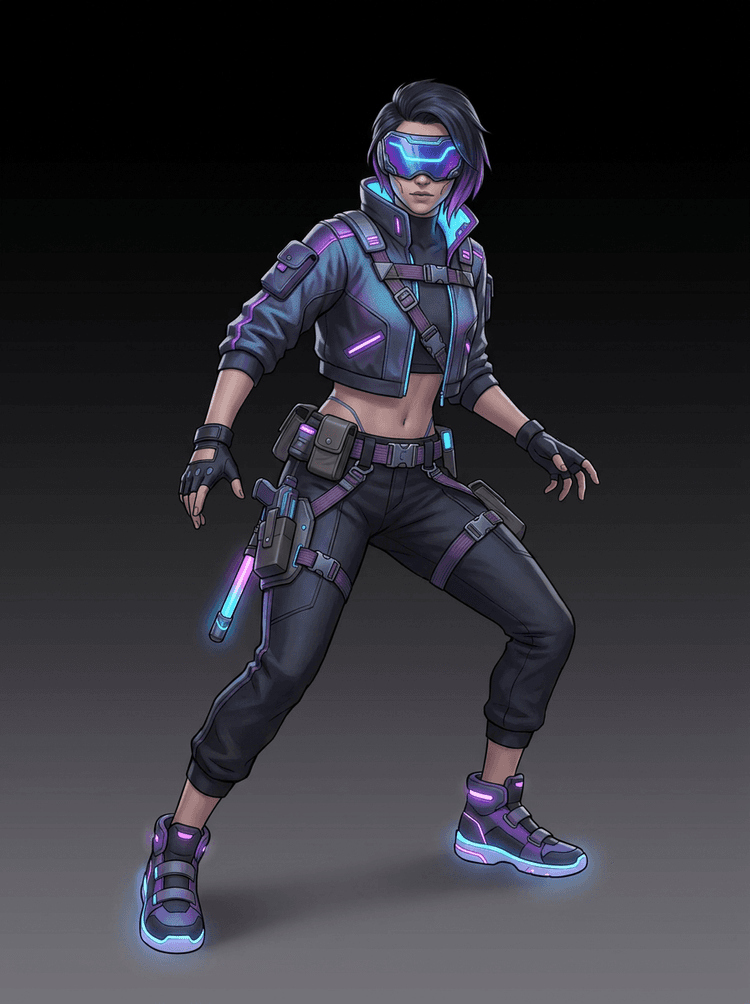
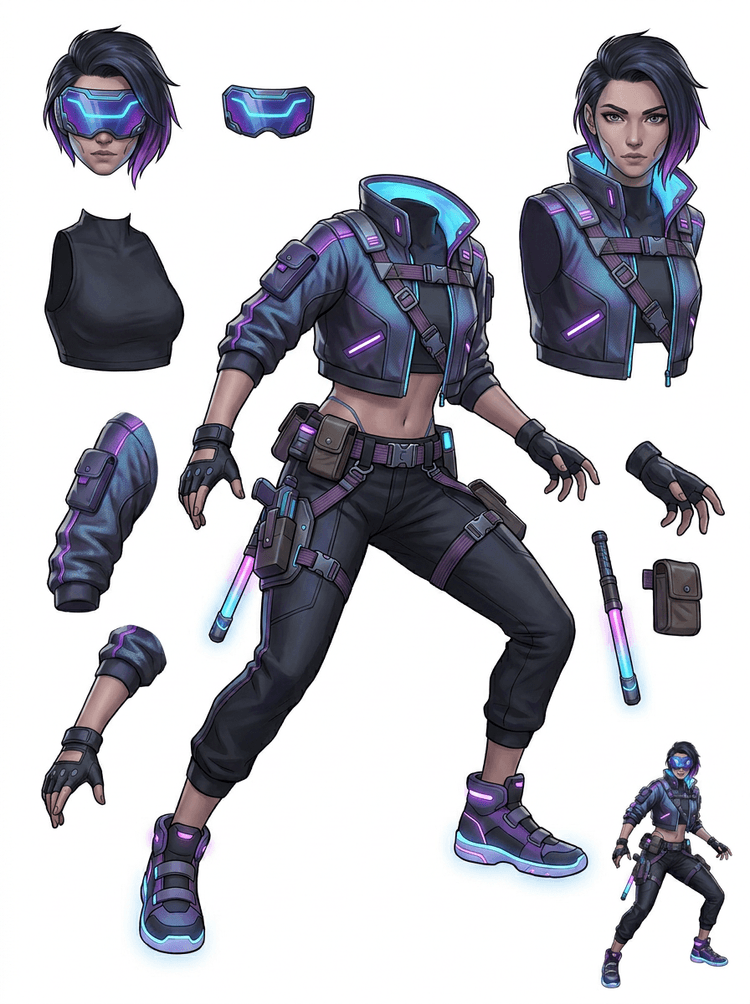
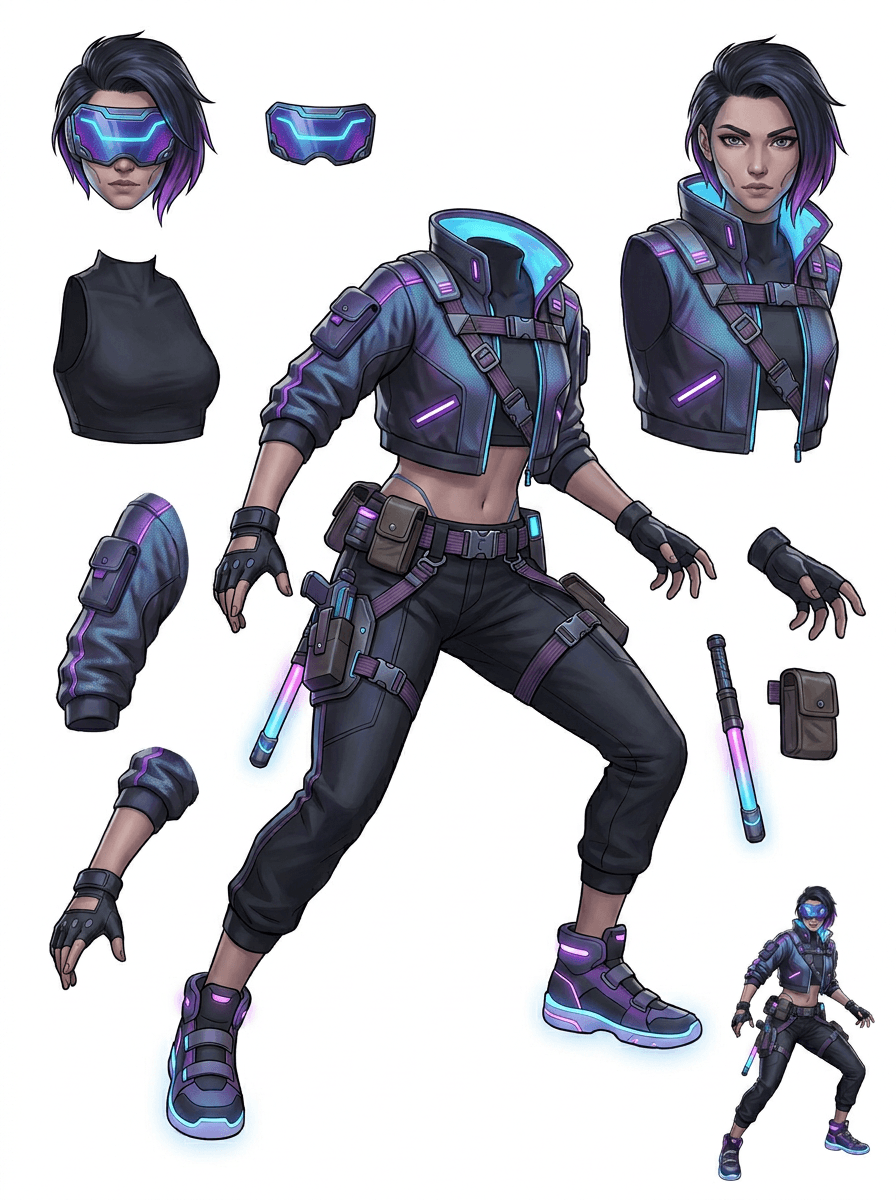
Cyberpunk akcijski lik postane referenca z visoko stopnjo podrobnosti za jakno, vizir, rokavice, čevlje, trakove, palico in dele telesa.
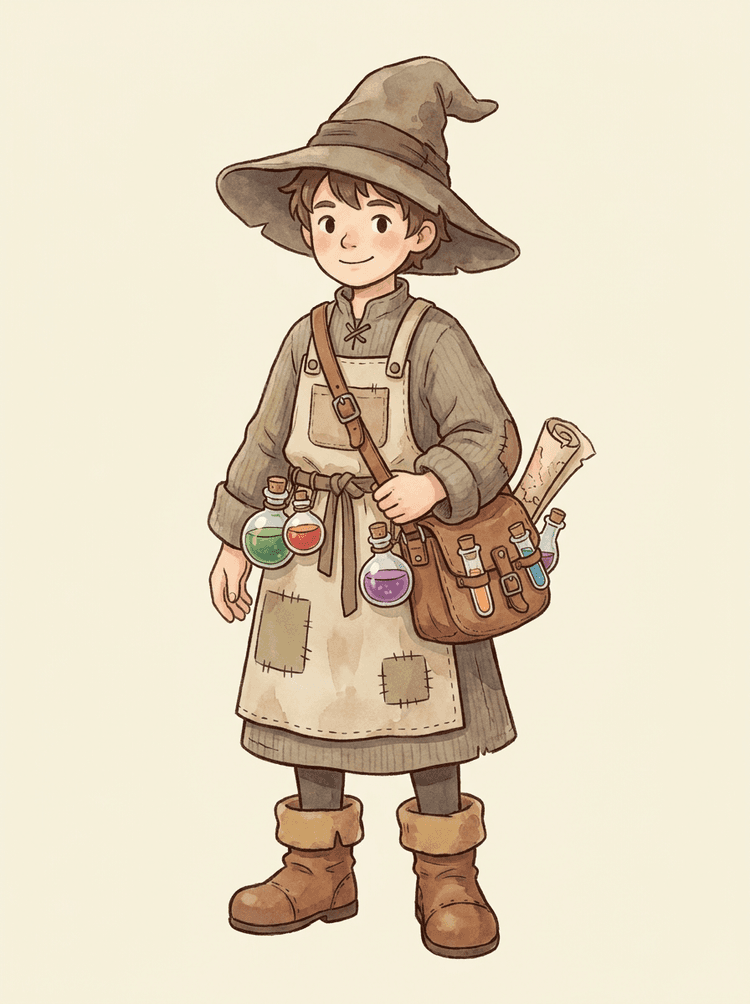
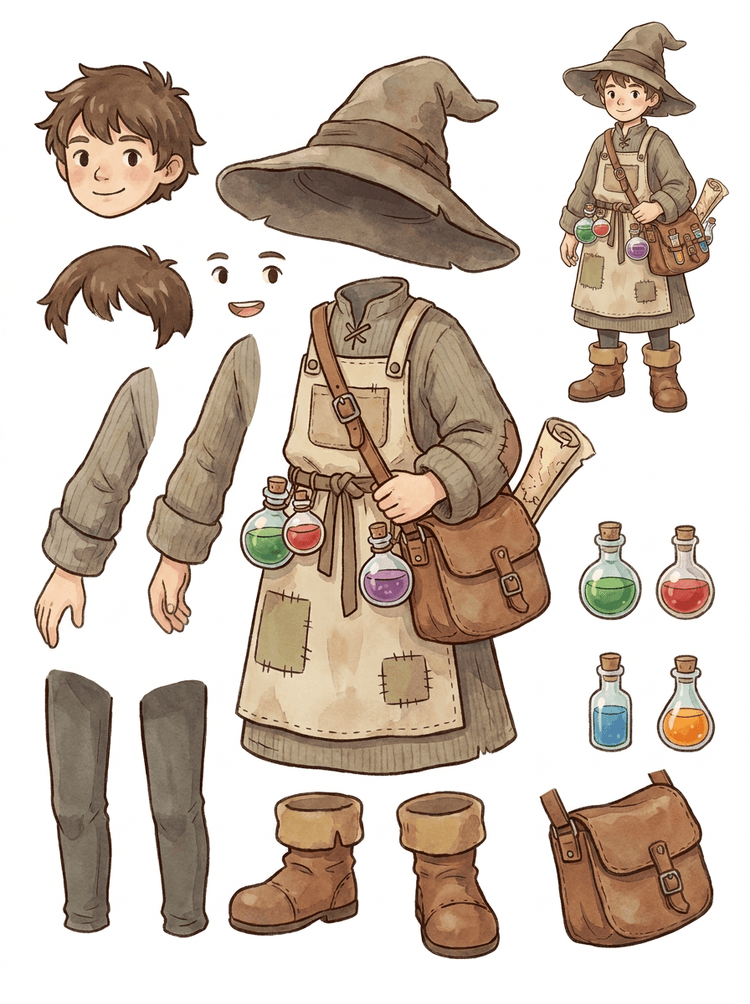
Prijazen NPC s klobukom, predpasnikom, torbico za napoje, steklenicami, zemljevidom, škornji in toplimi oblačili postane ponovno uporaben list za produkcijo iger.
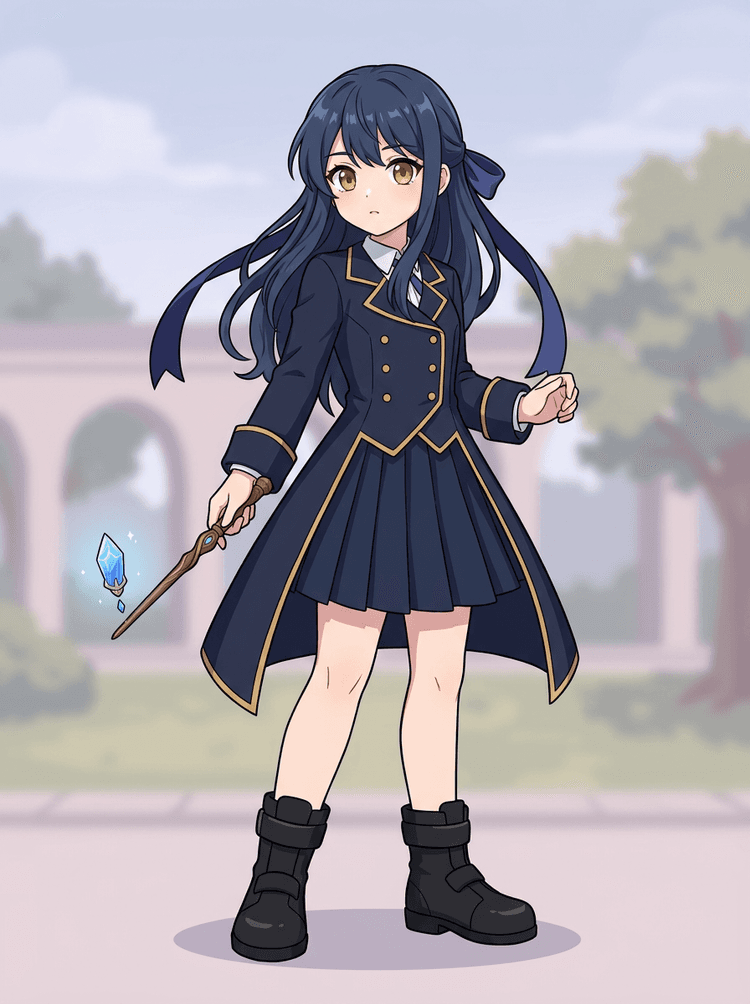
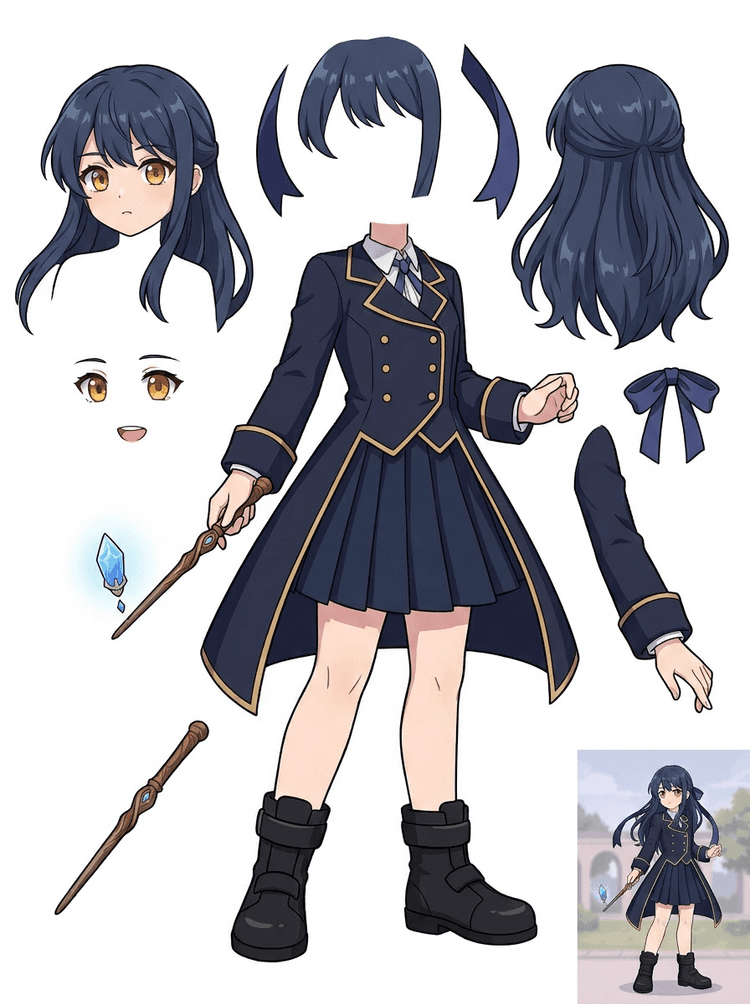
Anime ključna umetnost z uniformo, pentljo, palico, lasmi, amuletom, rokavicami in škornji postane list delov za popravke in teste gibanja.
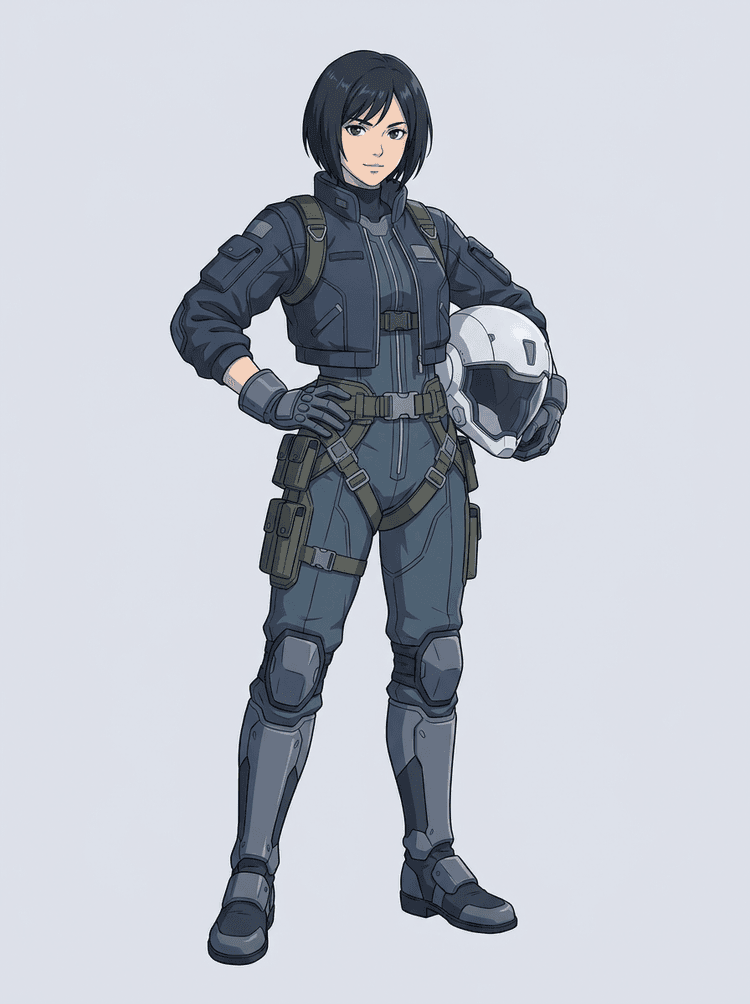
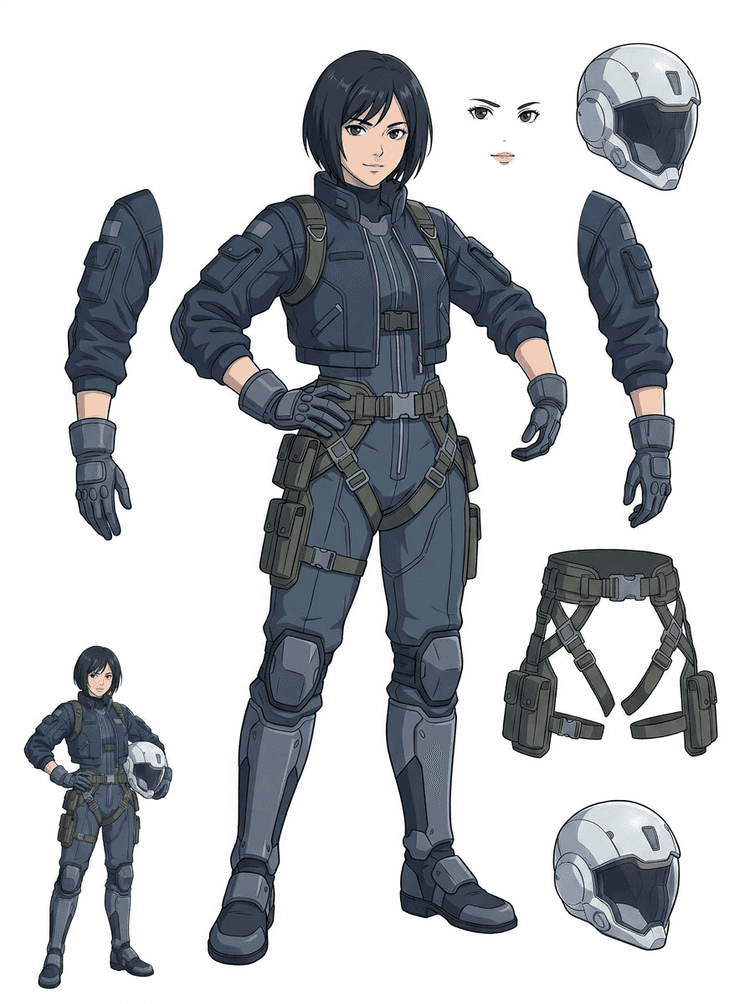
Znanstvenofantastični anime pilot je ločen na lase, obraz, jakno, rokavice, pas, škornje, čelado in dele telesa.
Razdelilnik plasti z UI je orodje za sliko v plasti za ustvarjalce, ki že imajo izvorno sliko, a potrebujejo praktične produkcijske dele za njo: ospredje, ozadje, subjekt, like, lase, obraz, oblačila, okončine, besedilo, objekte, rekvizite, podrobnosti izdelka in dodatke.
Narejeno za umetnike, indie ekipe za igre, animatorje, tržnike, e-trgovinske ekipe in ACG ustvarjalce, ki želijo iz ene ravne slike ustvariti ponovno uporabna produkcijska sredstva, ne da bi celotno sejo porabili za maskiranje.
Izpiljen PNG ne more utripati, uporabljati paralakse, zamenjati rekvizitov, izolirati izdelkov ali postati sprite, dokler glavni deli niso ločeni.
Orodja za označevanje, čiščenje robov in poimenovanje plasti lahko trajajo dlje kot prvi test animacije.
Menjava ene rokavice, torbe, čevlja, repa, čelade ali pentlje se lahko spremeni v popolno ponovno risanje, ko je vse zlite skupaj.
Pred
Ena privlačna slika lika, ki je videti zaključena, a je še vedno zaklenjena kot en sam raven bitmap.
Po
Berljiv list sredstev z ločenimi ospredjem, ozadjem, liki, besedilom in objekti, da lahko umetniki načrtujejo gibanje, urejajo podrobnosti in predajo produkcijske reference.
Ustvari preverljiv prehod ločitve, preden odpreš celoten ročni delovni tok maskiranja.
Preidi iz ene same slike lika do delov za animacijo, igre in predajo za urejanje.
Študija primera
Maskota blagovne znamke lahko preide iz ene statične ilustracije v ločene reference za glavo, rep, čevlje, torbo, oblačila in dodatke za hitro načrtovanje animacije.
Rezultat
Umetniki lahko preverijo, kateri deli so uporabni, se odločijo, ali naj ponovijo v PRO, in začnejo čiščenje iz konkretnega lista namesto iz prazne seje maskiranja.
Delovni tok plasti LlamaGen
priprava risanih, anime in igralnih sredstev
Razdelilnik plasti z UI uporabi kot prvi čist prehod: naloži eno sliko, ustvari list plasti, nato uporabi rezultat v urejevalniku, delovnem toku animacije ali v cevovodu sredstev za igre.
Uporabi umetnost lika v celotni postavi, maskoto, anime ključni vizual, koncept igre, produktno fotografijo, grafični dizajn, rekvizite ali ilustracije v slogu izdelka z vidnimi robovi.
Hitri način ustvari hiter vizualni preveritveni korak, da lahko ekipa vidi lase, obraz, oblačila, roke, rekvizite, čevlje, ozadje, besedilo, objekte in dodatke v kontekstu.
PRO način je najboljši, ko prvi list pokaže, da je vir berljiv, projekt pa potrebuje čistejši prehod modela.
Preneseni list uporabi za blokiranje gibanja, načrtovanje rigov, reference za sprite, ponovno risanje ali kreativno kompozicijo.
Cilj je preverljivo produkcijsko izhodišče, ne nejasna predstavitev z UI.
Orodje za razdelitev plasti z UI analizira tvoje delo in prepozna različne elemente, kot so liki, ozadja in objekti, ter ustvari ločene plasti. Z UI razbije slike, hkrati pa ohrani postavitev, hierarhijo in namen dizajna, najbolje pa deluje pri grafičnem dizajnu, ilustriranih izdelkih, umetnosti likov in čistih sredstvih za igre.
Galerija je organizirana okoli glavnih produkcijskih scenarijev: maskote iz risank, liki iz iger, anime liki in delovni tokovi slike v plasti za predmete. Vsak primer uporablja izvirno sliko, ustvarjeno z UI, in ujemajoč se list razdeljenih sredstev.
Maskote, otroški liki, junaki kot nalepke in liki za motion stripe z izraznimi rekviziti in dodatki.
RPG junaki, cyber runnerji, prijazni NPC-ji, plasti opreme, orožje, reference za inventar in listi za pripravo spriteov.
Sodobna anime ključna umetnost z ločitvijo las, uniforme, pentlje, čelade, rokavice, škornja, nosilnega pasu in obeska.
Razdelilnik plasti z UI je najbolj uporaben, ko ima rezultat cilj. Ti scenariji pojasnjujejo, katero izvorno sliko naložiti, katere dele pregledati in kako list preide v animacijo, igre, stripe, e-trgovino ali produkcijo blagovne znamke.
Animacija maskote
Uporabi čist položaj maskote, ko potrebuješ družabne nalepke, kratke oglase, gibanje na pristajalni strani ali preprosto načrtovanje rigov.
Vir za nalaganje
Maskota v celotni postavi z vidnim obrazom, rokami, čevlji, repom, rekviziti in robovi oblačil.
Uporabne plasti za pregled
Predaja v produkcijo
Animatorjem daj list delov za pregled, preden sledijo, ponovno narišejo ali rigajo končno gibanje.
Priprava sredstev za indie igro
Uporabi potrjeno umetnost za igro, ko ekipa potrebuje različice opreme, ikone inventarja, profilno umetnost ali hitro raziskovanje poz.
Vir za nalaganje
Berljiv koncept lika z jasno oklepno opremo, orožjem, torbo, plaščem, lasmi, škornji in silhueto.
Uporabne plasti za pregled
Predaja v produkcijo
List uporabi kot začetno referenco za čiščenje spriteov, menjavo opreme in umetnost, namenjeno igranju.
Anime in ACG popravki
Uporabi anime slog lika, ko potrebuješ nadzor nad lasmi, obrazom, uniformo, pentljo, rokavico, čelado ali dodatkom.
Vir za nalaganje
Eden anime lik z močnimi obrisi, vidnimi detajli obleke in malo šuma v ozadju.
Uporabne plasti za pregled
Predaja v produkcijo
Preglej list pred popravki izraza, različicami obleke, kartami lika ali kratkimi animatičnimi testi.
Stripe in oglasne iteracije
Uporabi kampanjske like, rekvizite ali ilustrirane izdelke, ko zadnje minute popravkov vedno zadenejo majhne vizualne dele.
Vir za nalaganje
Izpiljena ilustracija z objektom v sredini, vidnimi robovi in neoviranimi glavnimi cilji popravka.
Uporabne plasti za pregled
Predaja v produkcijo
Oblikovalcem daj konkreten list za zamenjavo rekvizitov, različice, varne za besedilo, in poskuse kompozicije.
Orodje je najmočnejše, ko je subjekt čist, cel in jasno ločen. Ni bližnjica za vsako natrpano fotografijo, list skic, zakrit položaj ali gosto postavitev, kjer se ospredje, ozadje, besedilo in objekti močno prekrivajo.
Ustvarjen list je treba oceniti kot prvi produkcijski prehod, ne kot čarobno končno datoteko. Uporabi seznam za preverjanje, da se odločiš, ali prenesti, ponovno zagnati, obrezati vir ali preiti na PRO, potem ko ločevalnik plasti slike prepozna uporabna področja ospredja, ozadja, subjekta, objektov in besedila.
Šibek rezultat
Pomembni deli so zlepljeni skupaj, naključno podvojeni ali skriti pod vizualno zmešnjavo.
Produkcijsko uporaben rezultat
List omogoča, da so glavni vidni deli na prvi pogled jasno prepoznavni: glava, okončine, oblačila, rekviziti, dodatki in deli ozadja.
Šibek rezultat
Lik je videti kot nov dizajn z drugačnimi proporci, barvami, kakovostjo linij ali osebnostjo.
Produkcijsko uporaben rezultat
Ločeni deli še vedno delujejo povezano z izvirno umetniško smerjo, z razpoznavno silhueto, paleto in identiteto lika.
Šibek rezultat
List je zanimiv, a ekipa ne ve, kaj naj naslednje sledi, ponovno nariše, maskira ali preizkusi.
Produkcijsko uporaben rezultat
Umetniki lahko takoj izberejo dele za čiščenje, blokiranje rigov, referenco za sprite, zamenjavo rekvizitov ali kompozicijske teste.
Šibek rezultat
Slaba ločitev ne pove, ali je težava prišla iz modela ali naložene slike.
Produkcijsko uporaben rezultat
Rezultat pokaže, kaj popraviti naslednje: obreži bližje, odstrani sledi skice, pusti več roba, poenostavi ozadje ali uporabi PRO.
Evoluiraj eno dokončano sliko v ločene vizualne dele, ki jih je lažje pregledati, urejati, animirati ali ponovno sestaviti.
Naloži čisto sliko in ustvari berljiv PNG-list plasti z ospredjem, ozadjem, subjektom, objekti, besedilom, oblačili, rekviziti in dodatki v enem rezultatu.
Ločevalnik plasti slike pomaga oblikovalcem, tržnikom, animatorjem in ekipam za igre prepoznati, kateri deli izvorne slike lahko postanejo urejljiva sredstva. Namesto da bi vsak element risali znova od začetka, lahko ekipe ustvarijo PNG-list plasti, primerjajo izvirnik z ločenim rezultatom in se odločijo, ali vir potrebuje obrezovanje, čiščenje, hitri način ali PRO prehod.
Ustvari list za prenos za pripravo spriteov, načrtovanje rigov, motion stripe, e-trgovinske popravke, različice nalepk ali predajo lika. Najbolje deluje, ko je en jasen subjekt z vidnimi robovi in malo prekrivanja.
Najboljši delovni tok razdelitve plasti ohranja kontekst. Ohrani vir, ustvarjen list in kratek zapis pregleda, da naslednji umetnik ve, kaj uporabiti in kaj je še treba očistiti.
Izvirna slika pojasni namen, ko animator, umetnik za igre ali oblikovalec kasneje pregleda ločen list.
Prvi list je bolj dragocen, ko ekipa ve, kateri deli so pripravljeni in kateri potrebujejo ročno dokončanje.
Uporabi list in izvožene prosojne plasti kot praktičen most v animacijo, pripravo spriteov, popravke stripov ali kompozicijo. PSD je urejljiva začetna datoteka, ne zagotovljen končni produkcijski vir.
Razdelilnik plasti z UI ekipam daje hitrejši prvi prehod; končna produkcijska sredstva še vedno koristijo od človeškega pregleda in čiščenja.
Razdelilnik plasti z umetno inteligenco iz ene ravne slike ustvari berljiv PNG-list plasti z vidnim ozadjem, subjektom, besedilom, rekviziti, objekti, podrobnostmi izdelka in ločenimi deli lika za urejanje, animacijo, umetnost za igre, motion stripe, e-trgovino in delovne tokove kompozicije.
Da. Hitri način je brezplačna spletna začetna točka za rezultat slike v plasti, ki ga lahko pregledaš. Uporabi ga, da preveriš, kako dobro se izvorna slika loči, preden porabiš čas za ročno maskiranje ali nadgradnjo za čistejši PRO prehod.
Da. Razdelilnik plasti z UI deluje kot spletni ločevalnik plasti slike: naloži eno sliko, pusti modelu, da prepozna subjekte, ozadja, besedilo, rekvizite in objekte, nato prenesi list slike v plasti za pregled. Najhitrejši je za čiste fotografije, grafični dizajn, ilustrirane izdelke, sredstva za igre in umetnost likov; zapletene slike lahko še vedno potrebujejo ročno čiščenje v Photoshopu, Figma ali drugem urejevalniku.
Naloži čisto sliko, zaženi hitri način in preveri ustvarjen list slike v plasti. Rezultat loči vidno ospredje, ozadje, subjekt, besedilo, rekvizite in objekte v praktično referenco, ki jo lahko uporabiš za urejanje, kompozicijo, blokiranje animacije, pripravo spriteov ali ročno čiščenje.
Da. Ko je prvi list plasti ustvarjen, lahko plačani drugi prehod izloči posamezne prosojne PNG-plasti. Te plasti lahko preneseš ločeno, jih zapakiraš v ZIP ali izvoziš kot urejljiv začetni PSD. Zapleteni robovi in natrpani viri lahko pred predajo v produkcijo še vedno potrebujejo ročno čiščenje.
Razčlenitev plasti je zmogljivost UI-agenta, ki eno sliko loči v logične, urejljive vizualne plasti, kot so ospredje, ozadje, subjekti, besedilo in objekti. Ekipa tako lažje preide iz ravne slike v praktičen list plasti za pregled, urejanje, animacijo in predajo v produkcijo.
Da. Razdelilnik plasti LlamaGen AI v brskalniku loči ozadje, besedilo, subjekte in vidne objekte ter ponudi list sredstev za prenos za nadaljnje urejanje.
Najbolje delujejo čisti ilustrirani subjekti: risane maskote, anime liki, liki iz iger, grafike v slogu izdelka, rekviziti in celotne zasnove z vidnimi lasmi, oblačili, okončinami, čevlji, orožjem, torbami, repi, besedilom, objekti ali dodatki.
Da. Risani liki in maskote so ena najmočnejših uporab, ker so obrisi, rekviziti, oblačila, roke, čevlji in deli obraza pogosto dovolj jasni, da nastane uporaben list.
Da. Razdelilnik plasti z UI za igralna sredstva lahko čiste koncepte likov spremeni v izhodišče za reference spriteov, različice poz, ikone inventarja, popravke opreme, UI portrete in blokiranje animacije.
Da. Anime like je mogoče razdeliti na vidne reference las, obraza, obleke, pentlje, rokavic, škornjev, rekvizitov, čelad in dodatkov, kadar je izvorna slika čista.
Hitri način ustvari hiter list sredstev za pregled. PRO način uporablja nadgrajen model za čistejšo ločitev, ko je izvorna slika berljiva in projekt potrebuje kakovostnejši prehod.
Ne. Zelo natrpani prizori, skriti deli telesa, prekrivajoči se subjekti, sledi skice, močne sence, odrezani udi ali drobni dodatki lahko še vedno potrebujejo čiščenje vira ali ročno dokončanje.
Ustvarjene izhode lahko uporabljaš v skladu s svojim paketom in pogoji LlamaGen. Prepričaj se tudi, da imaš pravice do izvorne slike, ki jo naložiš.
Začni s prednaloženim vzorcem, naloži svojo risano, anime ali igralno figuro in v nekaj minutah ustvari list plasti za pregled. Prvi rezultat uporabi, da se odločiš, ali je hitri način dovolj ali pa se PRO prehod splača.