Create comics with AI
Komiko Alternative After Shutdown: How to Keep Making OCs and Comics
All posts

Komiko Alternative After Shutdown: How to Keep Making OCs and Comics

Jay
Jay
September 11th, 2026
Kopjo lidhjen
  • What is shutting down, and what should you save first?
  • What job were you actually using Komiko for?
  • 30-second fit check
  • How we compared the options
  • Why a comic workspace is the better Komiko alternative for makers
  • Recreate the OC before you generate new scenes
  • Keep the same character across panels
  • Continue into comics instead of another isolated illustration
  • Reuse Komiko images for photo-to-anime and color jobs
  • Comparison: Komiko, WorldOS, and LlamaGen.AI
  • Where WorldOS is the better next step
  • A 20-minute migration for OC and comic users
  • 1. Make a local OC kit
  • 2. Rebuild one character
  • 3. Make one page, not a series
  • 4. Recolor or restyle only what you already like
  • FAQ
  • Is Komiko shutting down?
  • What is the best Komiko alternative for OC Maker?
  • Can I move my Komiko characters into LlamaGen.AI?
  • What about the Komiko app?
  • Is this a WorldOS alternative?
  • Will my unused Komiko credits move?
  • Start with the character you already have
elevate-your-comics.png
Elevate your Comics with LlamaGen

Komiko is shutting down. If you used it to design original characters, generate anime art, color line art, or start a comic, your work does not have to stop with the site.

The official path for character chat is WorldOS. The visual-creation path is different. If your next job is to keep an OC recognizable, turn a reference image into a character, or continue a comic, start with AI OC Maker and Comic Strips.

What is shutting down, and what should you save first?

Komiko's public homepage says its journey is coming to an end and directs users to WorldOS. The official Komiko → WorldOS Migration FAQ is the source for account-level details.

This article was written after reviewing those public pages on September 11, 2026. LlamaGen.AI publishes this guide. We did not migrate a paid Komiko account, so subscription, Zap, and chat-history details below are based on Komiko's own FAQ rather than a private account test.

Save your files before comparing tools:

  • Published posts: Profile → Post → Manage, then bulk download
  • Unpublished images: download them from Creation while that page still works
  • Character chat: Komiko says Let's Chat on a character card sends you to WorldOS
  • Voices: Komiko says the voice library already moved to WorldOS
  • Zaps: Komiko says Zaps do not transfer
  • Subscriptions: current periods end; unused annual months are supposed to be refunded

Do not wait for a later export tool. If an image still exists in your account, download it now and keep a local folder of portraits, references, and unfinished pages.

A printed original-character portrait beside a three-panel manga page of the same character

That folder is the real asset. A shutdown does not remove your taste, your cast, or the scenes you still want to finish. It removes the old generation surface.

What job were you actually using Komiko for?

Komiko combined several products on one homepage: OC Maker, AI Art Generator, Image Playground, Line Art Colorization, Comics Canvas, AI Comic Generator, animation tools, and character chat.

Those jobs do not have one perfect replacement.

Use this split before you pick a Komiko alternative:

Character chat and voices  -> WorldOS
Original characters, comics, photo-to-anime, line-art color  -> a visual story workspace

If what you will miss most is talking to a character, WorldOS is the official continuation. If what you will miss is making the character, putting that character into panels, or turning a photo or sketch into usable art, you need a comic and OC workflow rather than another chat window.

30-second fit check

Choose LlamaGen.AI when you need one of these outcomes:

  • Recreate an original character from a prompt or a downloaded Komiko image
  • Keep the same face, hair, and outfit across new poses
  • Turn that OC into a comic strip, manga page, or webtoon beat
  • Convert a photo into anime-style art
  • Color clean line art or a black-and-white manga page

Stay on WorldOS when your main habit was character chat, voice chat, or continuing a Komiko roleplay.

Use both if you want the chat to continue and still need a production path for comics. They solve different jobs.

How we compared the options

The shared test was not "which site looks most like Komiko." It was:

Can a creator take a saved OC image, rebuild a usable character, and continue into a comic page?

Inspected on September 11, 2026:

  • Komiko homepage, OC Maker, AI Apps directory, and the WorldOS migration FAQ
  • LlamaGen.AI OC Maker, AI OC Maker, Comic Strips, Photo to Anime, and Colorizer

Scoring focused on OC creation, character continuity, comic pages, photo-to-anime, line-art color, and whether the workflow still exists after Komiko closes. We did not score adult or NSFW generators, and this article is not written for that use case.

Why a comic workspace is the better Komiko alternative for makers

A one-off anime image is easy to replace. A character you planned to reuse is not.

Komiko's OC Maker asked for a description and an optional portrait, then generated a character. That is a good starting point. The harder part, and the part many image tools skip, is keeping that character stable while you change pose, expression, outfit context, and panel composition.

LlamaGen.AI is more useful for that second step. The practical sequence is:

saved reference -> OC brief -> character sheet -> comic panels -> lettering / color / export

That is why it can be a stronger Komiko alternative for original-character and comic users than another single-image generator.

Printed original-character sheet with portrait, full-body view, and expression studies

Recreate the OC before you generate new scenes

Start with one downloaded image and a short identity card. Do not use a vague prompt like "same girl, anime." Write the parts that must not drift:

Name:
Role:
Face:
Hair:
Eyes:
Outfit:
Palette:
Silhouette:
Must never change:
Can change between scenes:

Then open AI OC Maker, upload the reference, and generate a fresh portrait plus a sheet. Treat the first result as a draft. Check the hairline, eye shape, signature accessory, and outfit colors before spending more generations on scenes.

If you want examples of character directions, browse OC Maker Fan Collections and then create your own character rather than copying a licensed look.

Keep the same character across panels

A common failure mode after a shutdown is repeating the same portrait forever. You already have a face. What you need next are turns, close-ups, expressions, and a second outfit later.

Use the saved sheet as the repeating visual rule. When a new panel changes, change only the action:

  • Same hair clip, different pose
  • Same hoodie, different camera distance
  • Same face, new expression

Face Expression Changer helps when the identity is already right and you only need mood variants. Comic Strips is where that identity becomes a sequence.

For a longer character-sheet method, see Character Creation for Comics.

Continue into comics instead of another isolated illustration

Komiko's Comics Canvas and AI Comic Generator were built for sequential pages. That is the part worth replacing carefully.

LlamaGen.AI is strongest when the comic is the final output: strips, manga-style pages, webtoon beats, captions, and reusable cast members.

A practical first page after Komiko:

  1. Pick one unfinished scene from your notes.
  2. Use the rebuilt OC as the only recurring character.
  3. Generate 4 to 6 panels with one job each.
  4. Add dialogue last, so bubbles do not cover the face.

If you are a writer who never wanted to pencil pages, How to Make Manga Without Drawing is a useful adjacent guide.

Reuse Komiko images for photo-to-anime and color jobs

Many Komiko users were not generating only from text. They uploaded portraits, colored sketches, or cleaned line art.

Those jobs still map cleanly:

  • A selfie or photo reference → Photo to Anime
  • A black-and-white page or clean ink drawing → Colorizer
  • A character you want in a new style, not a chat → AI OC Maker
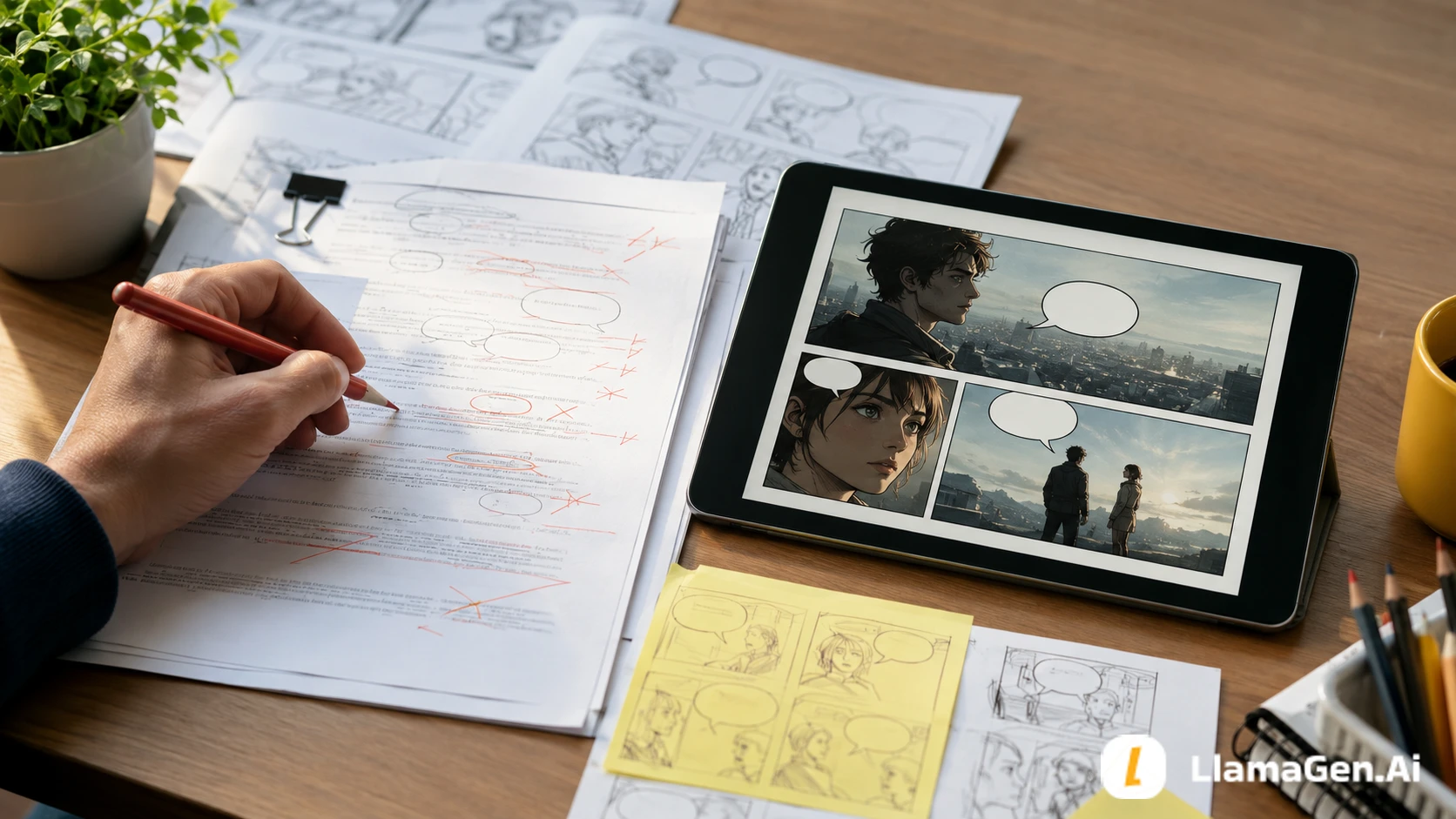
A real portrait on a tablet beside an original-character sketch and colored comic panels

Upload the downloaded Komiko file as a reference. Describe the parts that must stay the same: face shape, hair color, and signature clothing. Then generate a new original result rather than asking a model to reproduce a copyrighted franchise character.

Comparison: Komiko, WorldOS, and LlamaGen.AI

NeedKomiko after shutdownWorldOSLlamaGen.AI
Keep chatting with an existing characterOfficial FAQ sends chat to WorldOSOfficial continuation for character chat and voicesNot a character-chat clone
Rebuild an OC from a saved imageOC Maker still visible while the site remains upChat-first, not a comic production workspaceAI OC Maker with reference images and sheets
Same character across new scenesCharacter reuse was part of the OC pitchUseful if the goal is conversation continuityCharacter sheets, repeating visual anchors, comic panels
Comic or manga pagesComics Canvas and AI Comic GeneratorNot the replacement for page productionComic Strips and manga-style page workflows
Photo to animeImage Playground / photo-to-anime toolsNot the primary jobPhoto to Anime
Line-art color

Free entry points and credit costs can change. Treat any free tier as a way to test fit, not as a guarantee that a long series will stay free.

Where WorldOS is the better next step

If your Komiko habit was character chat, WorldOS is the most direct answer.

Komiko's FAQ is explicit: character settings migrate through Let's Chat, voices already moved, and Zaps do not transfer. LlamaGen.AI does not claim to import Komiko chat history, Zap balances, or voice presets.

That is a real workflow difference, not a small UI gap. A chat world and a comic studio can serve similar audiences while still solving different problems.

A 20-minute migration for OC and comic users

This is the simplest path we recommend after you have downloaded your files.

1. Make a local OC kit

Put 5 to 10 of your best images in one folder: a front portrait, any full-body shot, one expression, and any page you still want to finish. Name the files by character, not by generation date.

2. Rebuild one character

Open AI OC Maker. Upload the strongest portrait. Paste the identity card. Generate until the face, hair, and outfit are close enough to reuse. Save that result as the new source of truth.

3. Make one page, not a series

Take the unfinished scene and run it through Comic Strips. One page is enough to learn whether the rebuilt OC survives a pose change. If it does, continue. If it does not, tighten the identity card before generating chapter two.

4. Recolor or restyle only what you already like

If you have line art or a photo you still want to keep using, use Colorizer or Photo to Anime. Do not regenerate everything from scratch on day one. Finish one asset that already mattered.

FAQ

Is Komiko shutting down?

Yes. As of September 11, 2026, Komiko's public site says its journey is coming to an end and directs users to WorldOS. Use Komiko's own FAQ for download, refund, and chat-migration details.

What is the best Komiko alternative for OC Maker?

For original characters that need to stay consistent in later scenes, use AI OC Maker. If you mainly chatted with the character, use WorldOS.

Can I move my Komiko characters into LlamaGen.AI?

Not as a one-click account import. Download the images, then rebuild the OC with a reference image and a short identity card. Chat history, Zaps, and voices do not transfer here.

What about the Komiko app?

komiko app searches usually mean people are looking for the same product on a phone. LlamaGen.AI is a web workspace. Recreate the OC and comic workflow in the browser rather than expecting an identical Komiko iOS or Android replacement.

Is this a WorldOS alternative?

Only for visual creation. WorldOS is the official chat continuation. LlamaGen.AI is the better fit when the next output is a character sheet, comic page, photo-to-anime image, or colored line art.

Will my unused Komiko credits move?

Komiko says Zaps do not transfer to WorldOS. They also will not appear in LlamaGen.AI. Download your images and rebuild the characters you care about.

Start with the character you already have

The most useful Komiko alternative is not a clone of a closing homepage. It is a way to keep the OC you already like and put that character into the next page.

Download your files, rebuild one character in AI OC Maker, then make a first page in Comic Strips. If the character still looks like itself after a pose change, the migration worked.

Related hot tags

Komiko Alternative

OC Maker

AI Comics

Anime

Migration Guide

Popular creator tools

Turn inspiration into your next story

Create comics, storyboards and stylized photos with LlamaGen.

01

Gjenerator Komikësh me AI

Turn an idea into polished comic strips in minutes.

Krijo komikë
02

Gjenerator Manga me AI

Create expressive manga art and multi-panel stories.

Create manga with AI
03

Gjenerator Storyboard-esh me AI

Visualize every scene before production starts.

Create storyboards with AI
04

Turn Picture into Comic

Transform any photo into a comic-style illustration.

Create comics from pictures
05

Krijues Panelesh Komikësh me AI

Build shareable strips with consistent characters.

Create comic strips with AI

LlamaGen community

checkmark

Get hands-on help with your comics

checkmark

Showcase your comics to fellow LlamaGen creators

checkmark

Participate in special events to win gifts

Regjistri i ndryshimeve

Ndez ëndrrat e të rinjve
Ku miliona histori marrin jetë

Një përmbledhje e publikimeve më të fundit të veçorive të LlamaGen, përmirësimeve të produktit, përditësimeve të dizajnit dhe rregullimeve të rëndësishme të gabimeve.


✦
✧
✦
✧

Një medium i ri për Tregim historish

Krijoni pa kufi histori, komikë, animacione, lojëra dhe më shumë—në sekonda që rezonojnë me audiencat moderne

LlamaGen logoLlamaGen brand
  • Home
  • Articles
  • Blog
  • Krijo
HyrjeSubscribe Now20% Off
  1. Home
LlamaGen logo

Download LlamaGen for free

iOSDesktop

Pyet AI-n për LlamaGen

Produkt
Line Art Colorization
Not the primary job
Colorizer
Keep working after Komiko closesSite is winding down; subscriptions do not renewOfficial chat destinationWeb workspace that continues OC and comic production
Latest launches
  • Veçori
  • Comic strip maker
  • Manga StudioE re
  • Kthe fotografinë në komik
  • Komik në Video
  • Fabrika komike me AI
  • Agjent Komik
  • iOS & Android
  • Mac & Windows
  • Shkarko
  • Comic ZapE re
  • Gjenerator Komikësh me AI
  • Gjenerator vizatimi me AI
  • Gjenerator Webtoon me AI
  • Comic Strip Maker
  • Kthe fotografinë në komik
  • Gjenerator Manga me AI
  • Përkthyes Manga
  • Foto në Anime
  • Anime në Jetën reale
  • Manga Colorizer
  • Gjenerator Personazhesh Anime
  • Pixel game asset tools
  • AI sprite sheet generator
  • Best pixel game tools 2026
  • Krijues Komikësh me Foto
  • Alternativë për Comic Life
  • Plans
    • Çmimet
    • Pro
    • Enterprise
    • Education
    • Comic API
    • Kontakto Shitjet
    • Education Plans
    • Mësuesit
    • Studentë
    • Mësues dhe nxënës
    • Bizneset e reja
    • Zbritje edukative
    Kompania
    • Talk to Our Founder
    • Rreth nesh
    • Plani i rrugës së produktit
    • Karriera
    • Na shkruani me email
    • Bota jonë e maskotave
    • Media Kit
    • KOL Partnership
    • Përmbajtja
    Sister products
    • familja LlamaGen
    • CineoBoardE re
    • Comics API
    • Comic Zap
    • Velika
    Komunitet
    • Krijues
    • Bashkëpunëtorë
    • Partner
    • Dëshmitë
    • Muri i Dashurisë
    • LlamaGen MCPE re
    • LlamaGen Developer
    Burime
    • Regjistri i ndryshimeve
    • Blog
    • Personalized Comics
    • Veçori
    • Alternativa
    • Best AI Apps
    • GPT-6 Manga Coloring Guide
    • Claude Comic Book Skill
    • Gemini AI Comic Guide
    • Komiku Atë
    • Zbritje edukative
    • Zbritje për studentët
    Help
    • Qendra e Ndihmës
    • Trust
    • Safe AI
    • Professional Services
    • FAQ
    • Siguria
    • Aksesi
    • Udhëzues Video
    • Na kontaktoni
    • Sitemap
    Mjete
    • AI Logo Generator
    • Grokbot Style Character Generator
    • PNG to Comic
    • Tekst në Komik
    • PDF to Comic
    • Script to Comic
    • Book to Comic
    • Kthe fotografinë në komik
    • Gjeneratori AI Pixel Art
    • Educational Comics
    • Gjenerator Videoje me AI
    • Gemini AI Video Generator
    • Gjenerator i Videove me AI Pa Fytyrë Falas
    • Komik në Video
    • Make Storyboard Software
    • Gjenerator Storyboard-esh me AI
    • Screenwriting Software
    • Screenplay Editor
    • Story AI
    • Gjenerator Tregimesh me AI
    • Storybook Generator
    • Gjenerator Imazhesh me AI
    • Ndarësi i Shtresave me AI
    • AI Camera Angle Control
    • Gjeneratori AI Pixel Art
    • Pixel game asset tools
    • AI sprite sheet generator
    • Sprite sheet slicer
    • Best pixel game tools 2026
    • Animation API
    • ChatGPT/Codex Plugin
    • ChatGPT Install Guide
    • Claude Code Plugin
    • Claude Code Install Guide
    Vegla AI
    • AI Outfit Extractor
    • AI Hairstyle Changer
    • AI Manga Hairstyle Changer
    • AI Wind Effect Generator
    • AI Depth Map Generator
    • AI White Background
    • AI Object Remover
    • AI Virtual Try-On
    • AI Unblur Images
    • AI Denoise
    • AI Photo Restoration
    • AI Product Shadows
    • AI Background Generator
    • AI Headshot Generator
    • AI Emoji Maker
    • AI Background Changer
    • AI Open Eyes
    • AI Beauty
    • AI Product Photography

    Produkt

    • Latest launches
    • Veçori
    • Comic strip maker
    • Manga StudioE re
    • Kthe fotografinë në komik
    • Komik në Video
    • Fabrika komike me AI
    • Agjent Komik
    • iOS & Android
    • Mac & Windows
    • Shkarko
    • Comic ZapE re
    • Gjenerator Komikësh me AI
    • Gjenerator vizatimi me AI
    • Gjenerator Webtoon me AI
    • Comic Strip Maker
    • Kthe fotografinë në komik
    • Gjenerator Manga me AI
    • Përkthyes Manga
    • Foto në Anime
    • Anime në Jetën reale
    • Manga Colorizer
    • Gjenerator Personazhesh Anime
    • Pixel game asset tools
    • AI sprite sheet generator
    • Best pixel game tools 2026
    • Krijues Komikësh me Foto
    • Alternativë për Comic Life

    Sister products

    • familja LlamaGen
    • CineoBoardE re
    • Comics API

    Plans

    • Çmimet
    • Pro
    • Enterprise
    • Education

    Komunitet

    • Krijues
    • Bashkëpunëtorë
    • Partner

    Vegla AI

    • AI Outfit Extractor
    • AI Hairstyle Changer
    • AI Manga Hairstyle Changer
    • AI Wind Effect Generator
    English (Australia)English (Canada)English (United Kingdom)English (India)SpanishFrench (Standard)Italian (Standard)JapaneseKoreanGerman (Standard)Chinese TraditionalChinese Traditional (Hong Kong)Chinese SimplifiedPortugueseTurkishPolishDutch (Standard)DanishThaiIndonesianNorwegian BokmålRussian
    LinkedInX (Twitter)InstagramYouTubeFacebook groupRedditDiscordEmail support
    PrivatësiaTermat

    © 2026 LlamaGen.Ai Të gjitha të drejtat janë të rezervuara

    LinkedInX (Twitter)
  • Çmimet
  • API
  • Kryesuese e Gjenerimit të Komikave me AI në të Ardhmen
    • Mbështetje 24/7
    • Përditësime javore
    • I sigurt dhe në përputhje
    • 99.9% kohë pune

    Blogjet e mëparshme

    Free AI Comic Generator vs. Actually Finishing a Comic Book

    Free AI Comic Generator vs. Actually Finishing a Comic Book

    A practical test of free AI comic generators versus a script-to-book workflow for creating an 8-page

    Jay
    Jay
    September 21st, 2026
    How to Make an AI Comic Book from a Script

    How to Make an AI Comic Book from a Script

    A practical script-to-book workflow for turning one short script into eight consistent comic pages a

    Jay
    Jay
    September 21st, 2026
    Komiko Alternative After Shutdown: How to Keep Making OCs and Comics

    Komiko Alternative After Shutdown: How to Keep Making OCs and Comics

    Komiko is shutting down. Here’s a practical way to save your work, rebuild OCs, and continue comics,

    Jay
    Jay
    September 11th, 2026
    Cut Dialogue by 50% Without Losing Voice

    Cut Dialogue by 50% Without Losing Voice

    A practical Story AI workflow for novel writers who need to cut dialogue for comics while preserving

    Jay
    Jay
    September 5th, 2026
    Komiko Alternative After Shutdown: How to Keep Making OCs and Comics - LlamaGen.AI Blog
    Comic Zap
  • Velika
  • Comic API
  • Kontakto Shitjet
  • Education Plans
  • Mësuesit
  • Studentë
  • Mësues dhe nxënës
  • Bizneset e reja
  • Zbritje edukative
  • Kompania

    • Talk to Our Founder
    • Rreth nesh
    • Plani i rrugës së produktit
    • Karriera
    • Na shkruani me email
    • Bota jonë e maskotave
    • Media Kit
    • KOL Partnership
    • Përmbajtja

    Help

    • Qendra e Ndihmës
    • Trust
    • Safe AI
    • Professional Services
    • FAQ
    • Siguria
    • Aksesi
    • Udhëzues Video
    • Na kontaktoni
    • Sitemap
    Dëshmitë
  • Muri i Dashurisë
  • LlamaGen MCPE re
  • LlamaGen Developer
  • Burime

    • Regjistri i ndryshimeve
    • Blog
    • Personalized Comics
    • Veçori
    • Alternativa
    • Best AI Apps
    • GPT-6 Manga Coloring Guide
    • Claude Comic Book Skill
    • Gemini AI Comic Guide
    • Komiku Atë
    • Zbritje edukative
    • Zbritje për studentët

    Mjete

    • AI Logo Generator
    • Grokbot Style Character Generator
    • PNG to Comic
    • Tekst në Komik
    • PDF to Comic
    • Script to Comic
    • Book to Comic
    • Kthe fotografinë në komik
    • Gjeneratori AI Pixel Art
    • Educational Comics
    • Gjenerator Videoje me AI
    • Gemini AI Video Generator
    • Gjenerator i Videove me AI Pa Fytyrë Falas
    • Komik në Video
    • Make Storyboard Software
    • Gjenerator Storyboard-esh me AI
    • Screenwriting Software
    • Screenplay Editor
    • Story AI
    • Gjenerator Tregimesh me AI
    • Storybook Generator
    • Gjenerator Imazhesh me AI
    • Ndarësi i Shtresave me AI
    • AI Camera Angle Control
    • Gjeneratori AI Pixel Art
    • Pixel game asset tools
    • AI sprite sheet generator
    • Sprite sheet slicer
    • Best pixel game tools 2026
    • Animation API
    • ChatGPT/Codex Plugin
    • ChatGPT Install Guide
    • Claude Code Plugin
    • Claude Code Install Guide
  • AI Depth Map Generator
  • AI White Background
  • AI Object Remover
  • AI Virtual Try-On
  • AI Unblur Images
  • AI Denoise
  • AI Photo Restoration
  • AI Product Shadows
  • AI Background Generator
  • AI Headshot Generator
  • AI Emoji Maker
  • AI Background Changer
  • AI Open Eyes
  • AI Beauty
  • AI Product Photography
  • Instagram
    YouTube
    Facebook group
    Reddit
    Discord
    Email support
    PrivatësiaTermatShkarko asetet e markës© 2026 LlamaGen.Ai Të gjitha të drejtat janë të rezervuaraTë gjitha shërbimet janë online
    Shiko të gjitha bloget