

Manga coloring walkthrough · 獨立創作教學
GPT-6 漫畫上色:保留線稿與角色配色
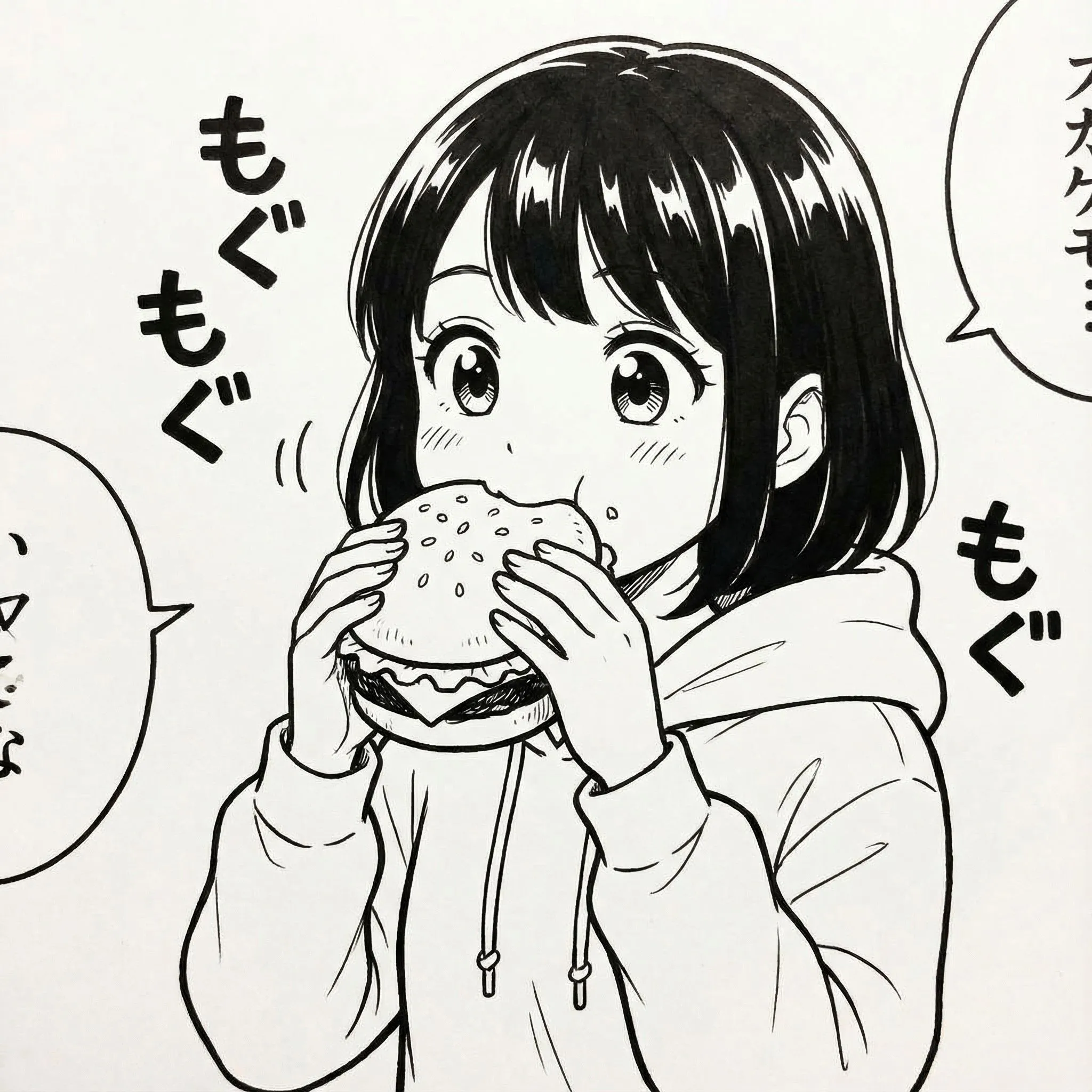
先用 GPT-6 分析漫畫線稿和色票,再交由圖片編輯工具上色。完成後對照原圖,檢查線條及角色服裝顏色。
獨立教學內容。GPT-6 與 Astra 為 OpenAI 產品,Claude 屬於 Anthropic,Gemini 與 Nano Banana 為 Google 產品;本頁並非官方合作或背書。 2026 年 10 月 15 日更新
此頁目前僅部分翻譯;詳細實作案例、提示詞及常見問答仍為英文。完成全文翻譯及審核前,不會開放搜尋引擎索引。
重點解答
先用 GPT-6 分析漫畫線稿和色票,再交由圖片編輯工具上色。完成後對照原圖,檢查線條及角色服裝顏色。
Reddit creators have shared convincing manga-coloring examples with GPT-6, but a polished screenshot does not reveal which image tool actually rendered the pixels. This guide separates visual analysis from image editing and shows you how to verify whether a result preserves your artwork.
資料實際支持的結論 Creator discussion illustrates the user task, not an audited model benchmark. Reproduce on your own authorized artwork and record the real image-edit model. Verify the source ↗
Try it here · local browser tool
Check your manga coloring before and after
Choose two images from your device to compare linework, panel borders and character color drift. Images remain in your browser; this page does not upload them. No model is run and no quality score is inferred.
Tip: compare the same crop at full resolution. This manual overlay is not a pixel-accurate benchmark, alignment algorithm or model performance measurement.
Worked example · editable production brief
Color-lock worksheet for an original manga panel
This is an editorial palette specification to copy into an image editor—not a GPT-6-rendered result. A consistent palette lets you detect redrawn or incorrectly recolored clothing.
Navy hair · #1F304B
Cream jacket · #F4E7CF
Green scarf · #2C826C
Skin shadow · #CB9C78
| Locked element | Illustrative constraint | Inspect after edit |
|---|---|---|
| C01 · Hair | #1F304B navy; preserve silhouette | No black-only fill or changed fringe |
| C01 · Jacket | #F4E7CF warm cream | Keep ink folds and zipper lines |
| C02 · Scarf | #2C826C muted green | Same hue across adjacent panels |
| Lettering & gutters | Color-free white regions | No changed glyphs or bleed |
Run a visual diff against the original before accepting the colorization. Hex values are fictional sample palette choices.
操作教學
Follow the sequence using an original or authorized project. The workshop above is an editorial plan, not output falsely attributed to a model.
Step 1
Start with authorized black-and-white line art
Use a panel you created or have permission to color. Export a lossless original at its native resolution; keep a separate untouched backup and note its dimensions.
Step 2
Create a reference color sheet
For every recurring character list hair, eye, outfit, skin and prop colors. Attach your own colored character sheet when available; do not rely on the model guessing canon colors.
Step 3
Instruct the assistant to preserve structure
Tell GPT-6 to analyze the picture and produce a locked palette and explicit regions to color. Specify that gutters, speech bubbles, ink contours and panel layout must remain untouched.
Step 4
Perform the color edit and compare
Apply the prompt in an image-edit tool that actually supports image output. Overlay the original and edited versions to look for redrawn fingers, changed line weight, altered text and lost halftones.
Step 5
Finish for your intended output
For print, review color mode and export size separately. For a webcomic, inspect small-screen readability and keep each revised panel consistent with the chapter palette.
可複製的提示詞
Replace placeholder details with your own original story and reference assets. Paste into a compatible model or workflow; available tools and results differ.
1. Conservative manga color edit
Colorize this original black-and-white manga panel. Preserve every line, panel border, facial expression, object position, screentone, speech balloon and word exactly. Character A: navy hair, amber eyes, cream jacket. Character B: auburn hair, green scarf. Use flat cel shading with subtle shadows. Do not redraw, crop, add lettering, or change the composition.
2. When the image tool keeps redrawing
Compare the proposed edit against the input. Identify every changed contour, face detail, text glyph or panel border. Return a correction list ordered by severity, then create a stricter edit prompt limited to color regions only.
Failure → Cause → Fix
漫畫創作常見問題與修正方法
Specific failure patterns matter more than a generic 'try again'. These fixes target the output you can inspect.
1. An outfit becomes a dark silhouette
可能原因 Global shading was applied without locking fabric color.
處理方式 Specify exact clothing colors separately from lighting; reject panels where the base fill changes.
2. Linework or speech text is rewritten
可能原因 The image tool regenerated content instead of making a constrained edit.
處理方式 Compare full-resolution input and output; separate color pass from manual lettering.
3. Colors look good in one frame but not the next
可能原因 No shared character reference or canonical color sheet.
處理方式 Reuse the same sheet, assign stable IDs and inspect adjacent panels side by side.
發佈前檢查項目
Review progress: 0 of 4 checks complete
A personal QA worksheet, not an automated pass/fail evaluation of your image.
常見問題
Can GPT-6 itself color manga?
GPT-6 can analyze images and coordinate supported image-generation tools. The image tool used by your product or workflow determines the actual pixel output.
Can I color copyrighted manga?
Use artwork you own or have permission to edit and distribute. A third-party Reddit example does not grant reuse rights.
How do I stop the tool changing the drawing?
Ask for color-only changes, supply reference palettes and compare against the original; some image editors still regenerate details, so manual correction may be necessary.
參考來源
Primary documentation and public creator discussions; not a substitute for hands-on results.