

自然視線匹配
讓視線與頭部角度一致,或要求輕微看向鏡頭的效果。
AI 開眼修復
上傳人像、自拍或合照,重建自然睜眼效果,同時保留身份特徵、表情、光線、人物與原始裁切。
自然開啟閉眼
請使用臉部與眼皮清楚可見的圖片。若為合照,請描述是哪個人閉眼,以提高定位準確度。
上傳閉眼照片
人像、自拍、活動照,或已授權的團體照片
修正範圍
視線方向
當圖片中有多張臉時,請描述要處理的人物。
輸出構圖
以第一張來源圖片為準,保護原始裁切。
每次生成使用 300 積分。
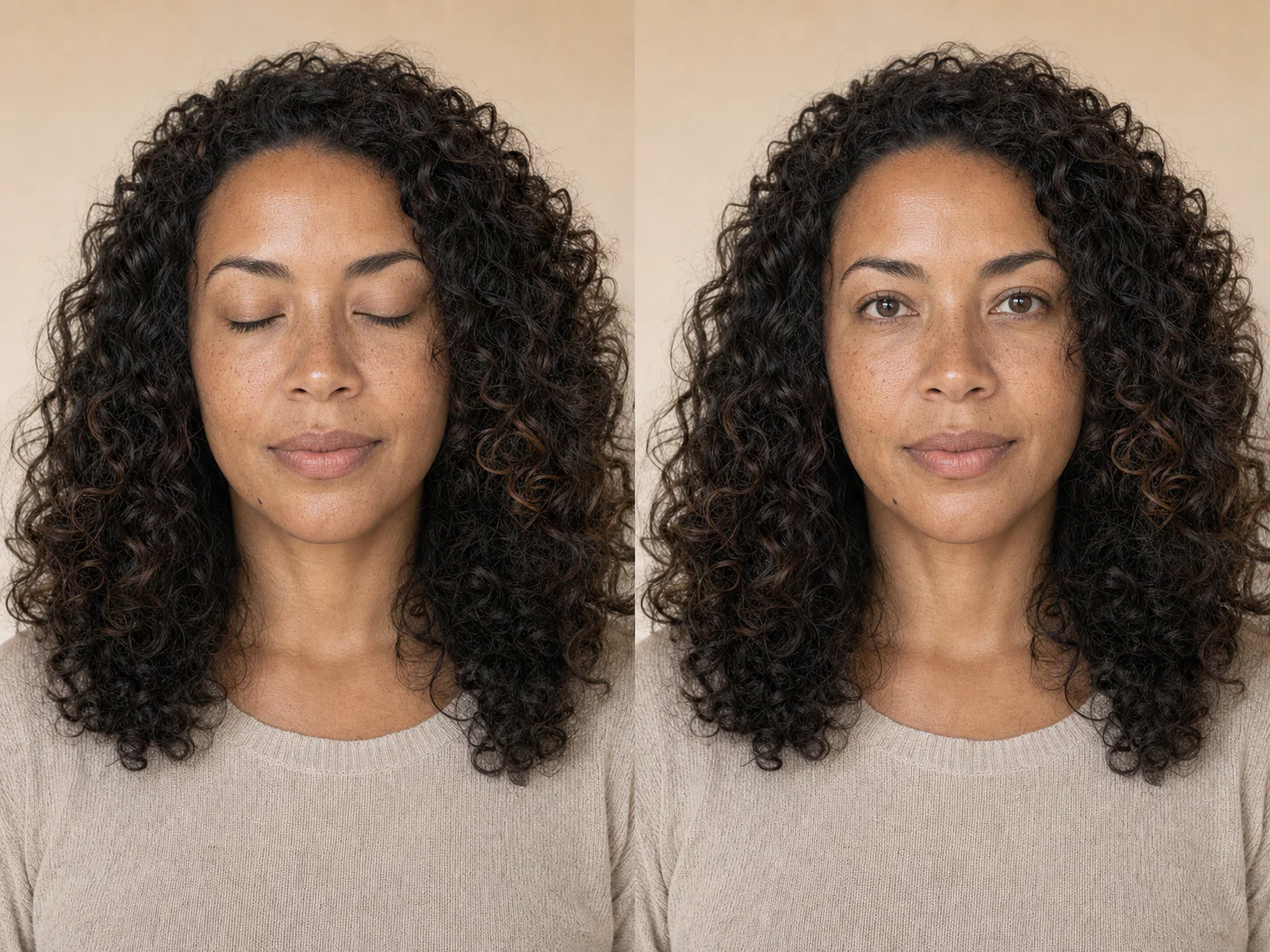
閉眼感知修正
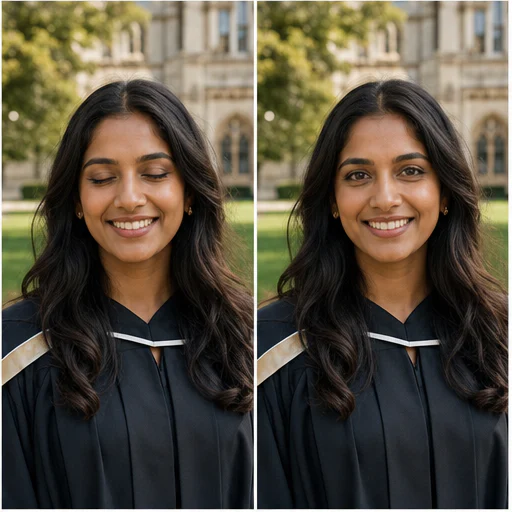
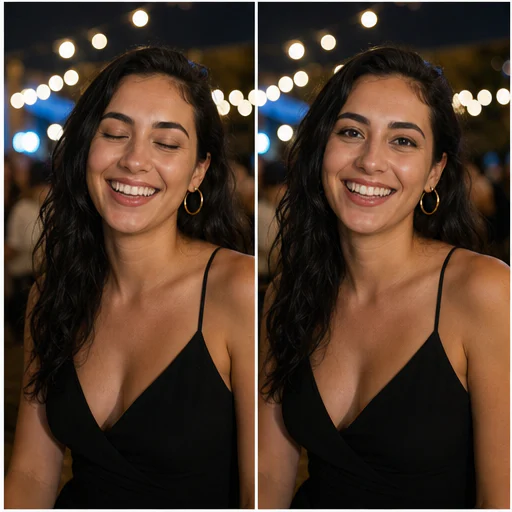
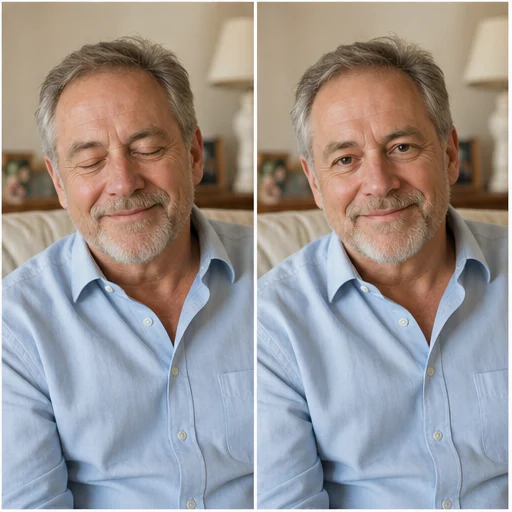
自然的修正會延續原本的臉部、頭部角度、表情、虹膜顏色、眼神高光與周圍光線,讓人感覺像同一連拍中的另一張。
團體照需要特別留意。當畫面中有多張臉時,請描述你要指定的人,再將每張臉與來源比對後,確認結果是否保留。
讓視線與頭部角度一致,或要求輕微看向鏡頭的效果。
請描述服裝或站位,讓編修聚焦在眨眼的那個人身上。
提示詞會鎖定臉部幾何、表情、年齡、膚質、頭髮、衣著與姿勢。
匹配輸入的輸出會保留來源比例,不會強制裁成方形。
真實範例
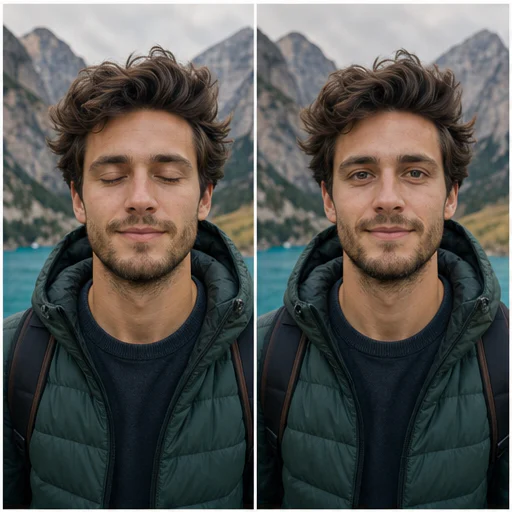
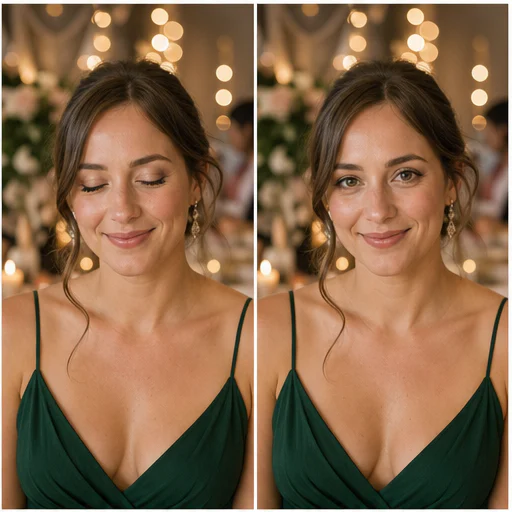
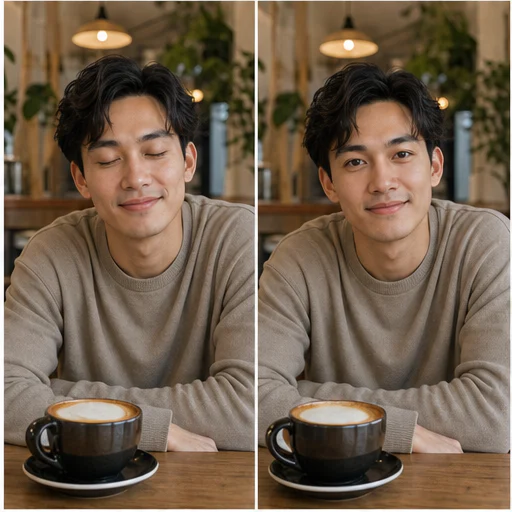
六張虛構人像展示了在不同年齡、頭部角度、光線與場景下的自然眼部修正,同時保留身份與表情。
運作方式
依照簡短工作流程操作,並在使用或發佈前檢查生成細節。
請選擇最清晰且能看見閉眼與臉部的圖片。
選擇修正範圍,必要時描述眨眼的人物。
檢查眼瞼、虹膜顏色、眼神高光、表情,以及每一張未編輯的臉。
Real creator feedback
Read what creators shared about making comics, characters, and visual stories with LlamaGen.
@jake-m
As an avid creator of comic book style graphics, I've struggled to find a tool that truly allows me to unleash my creativity at scale. llamagen.ai not only breaks limits but shatters them, offering endless possibilities for my projects. It's the ultimate AI-powered solution I've been waiting for!
@sarah-l
I've tried numerous AI tools for image generation. And they are quite fun to play with but llamagen.ai is the first app I've actually saw a potential use-case. The character consistency really grabbed my attention as it's something I hadn't seen before and I can see the appeal for professionals and amateurs alike. Truly a game-changer!
@michael-b
llamagen.ai has reignited my passion for storytelling. As a busy professional, finding time to pursue creative projects can be challenging. But this app has proven so easy to use... It's like having a creative companion by my side!

@alex-t
Being part of the creative industry demands efficiency without sacrificing quality. llamagen.ai not only meets but exceeds these expectations. Really loved playing with the storyboarding and having an AI to help with not only image generation, but also the text content - it's really a nice way to help enhance the overall experience.
@maya-s
I enjoy a great comic book and have been very sceptical about AI. For example the criticisms of the Batman AI comic saga where not without merit. But through the scepticism I do see a place for such tools. While I still value an authentic man-made production, the ability for me to create something on my own (with a little help from AI) is really empowering and exciting.
@taylor-h
Maintaining character consistency is a challenge that I did not expect to be overcome so fast. While not perfect at times, the results are impressive and I’m really looking forward to the chance to further customize my workflow and AI generation.
實用工作流程
依工作需求,將生成圖片保留為可審閱草稿、參考圖或成品素材。
群組
修正意外眨眼,同時保留經授權團體照中的其他所有人。
活動
改善無法重拍的婚禮、畢業、同學會或慶祝照片。
人像
保留喜歡的人像中的姿勢與微笑,同時修正眨眼。
個人檔案
把原本合適的大頭照或自拍,轉成可供審核的個人頭像草稿。
檢視備註
眼睛承載身份與表情。分享前請放大檢查,並與來源圖比較。
虹膜顏色與瞳孔方向看起來自然
眼瞼形狀會沿用該人物的臉部結構
眼神高光與陰影符合原始光線
表情與周圍肌膚保持不變
其他人物與原本已睜開的眼睛都會保留不變
裁切、色彩、服裝與背景都會保留
常見問題
關於來源圖片、生成結果、權利與審核的實用解答。
可以。請選擇主臉或自動偵測,並用服裝或位置描述人物。務必確認其他臉孔都沒有被改動。
請使用清晰且光線良好的圖片,完整臉部與閉眼眼皮都要可見。過度側角、嚴重模糊、太陽眼鏡或頭髮遮住眼睛都會降低準確度。
提示詞將編輯限制在眼部區域,並保護身份、年齡、表情、膚質、頭髮、姿勢、衣著與背景。生成式編輯仍可能偏移,請仔細比對。
你可以要求稍微看向鏡頭,但對於側臉或抓拍場景,通常自然視線更穩妥。
從你的圖片開始
上傳一張已授權照片,辨識閉眼臉孔,並以原圖構圖為優先生成自然睜眼版本。