LlamaGen.Ai LogoLlamaGen.Ai Brand

Steps to clear visual guides

AI Instructional Comic Generator

Turn steps, SOPs, lessons, safety procedures, and equipment instructions into visual guides people can follow in the moment.

Choose a real template, edit each step, and create an A4 poster, process cards, bilingual layout, or comic ready for PDF export.

To
Comic
Drag, paste, or click to uploadFile must be 50MB or less.

Start with a real-world template

Choose a template, then edit every detail before generating.

Build the instructions step by step

Use one observable action per line. Verify safety, medical, and equipment instructions before publishing.

Use one clear action per line and preserve the correct order.

Output format

Real generated examples

See the finished guides, not just the prompts

Each item below is a finished comic, poster, sign, or process card generated for a real public-transport task. The sequence and wording were then reviewed for clarity and checked against current LTA and SimplyGo guidance.

Four-panel instructional comic showing a passenger preparing a card, tapping in when boarding, getting ready before the stop, and tapping out when alighting

Finished four-panel comic

How to tap in and tap out on a bus

The same passenger and payment card carry through the whole trip, so the reader can see exactly when to prepare the card, tap at boarding, get ready before the stop, and tap out while alighting.

  1. Have the card ready
  2. Tap in when boarding
  3. Prepare before the stop
  4. Tap out when alighting
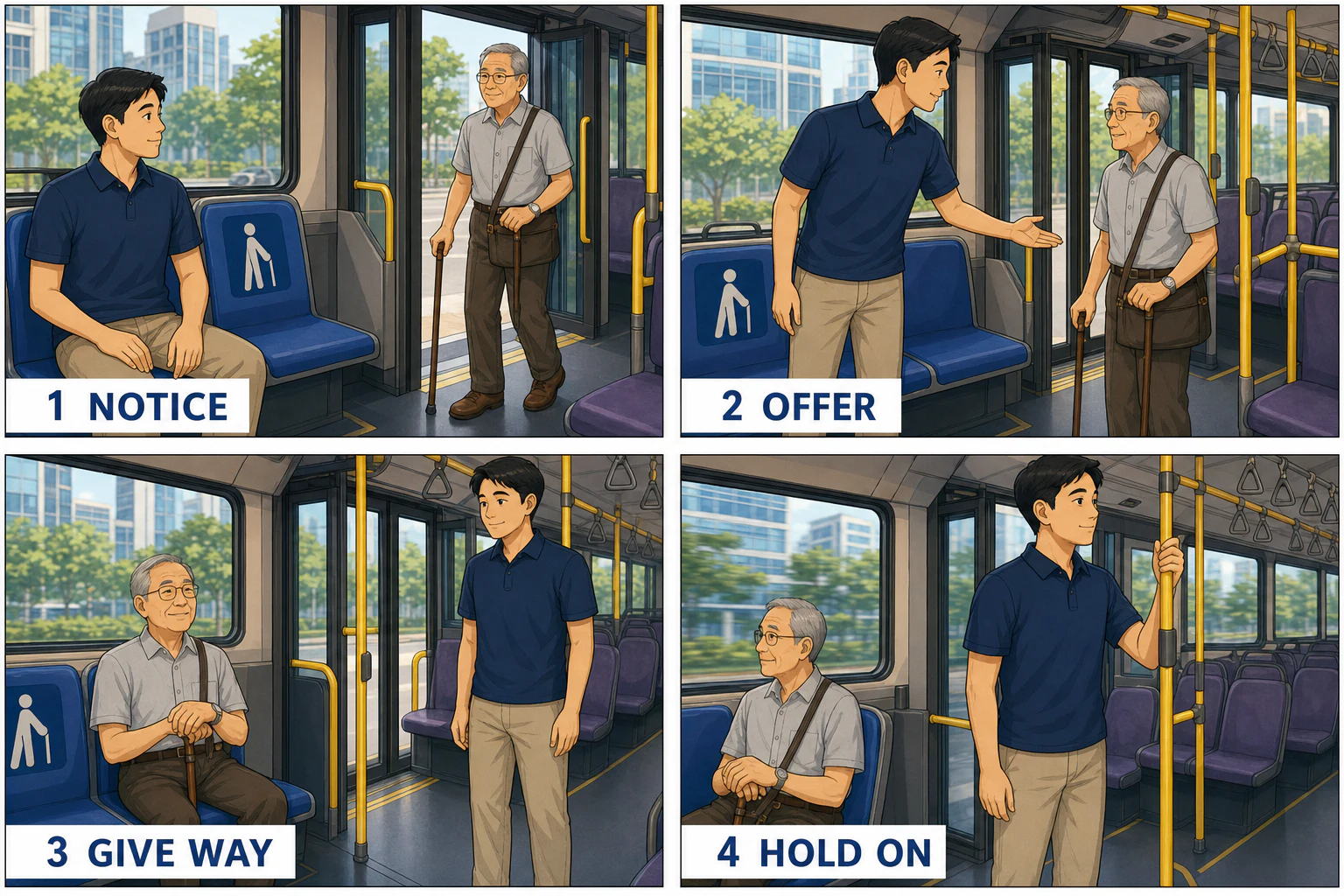
Four-panel bus comic showing a passenger noticing an older traveller, offering a Priority Seat, giving way, and holding a rail

Finished four-panel comic

Give way at a Priority Seat

A respectful sequence shows a seated passenger noticing someone who may need the seat, offering it without interrogation, giving way, and holding a rail safely.

  1. Notice
  2. Offer
  3. Give way
  4. Hold on
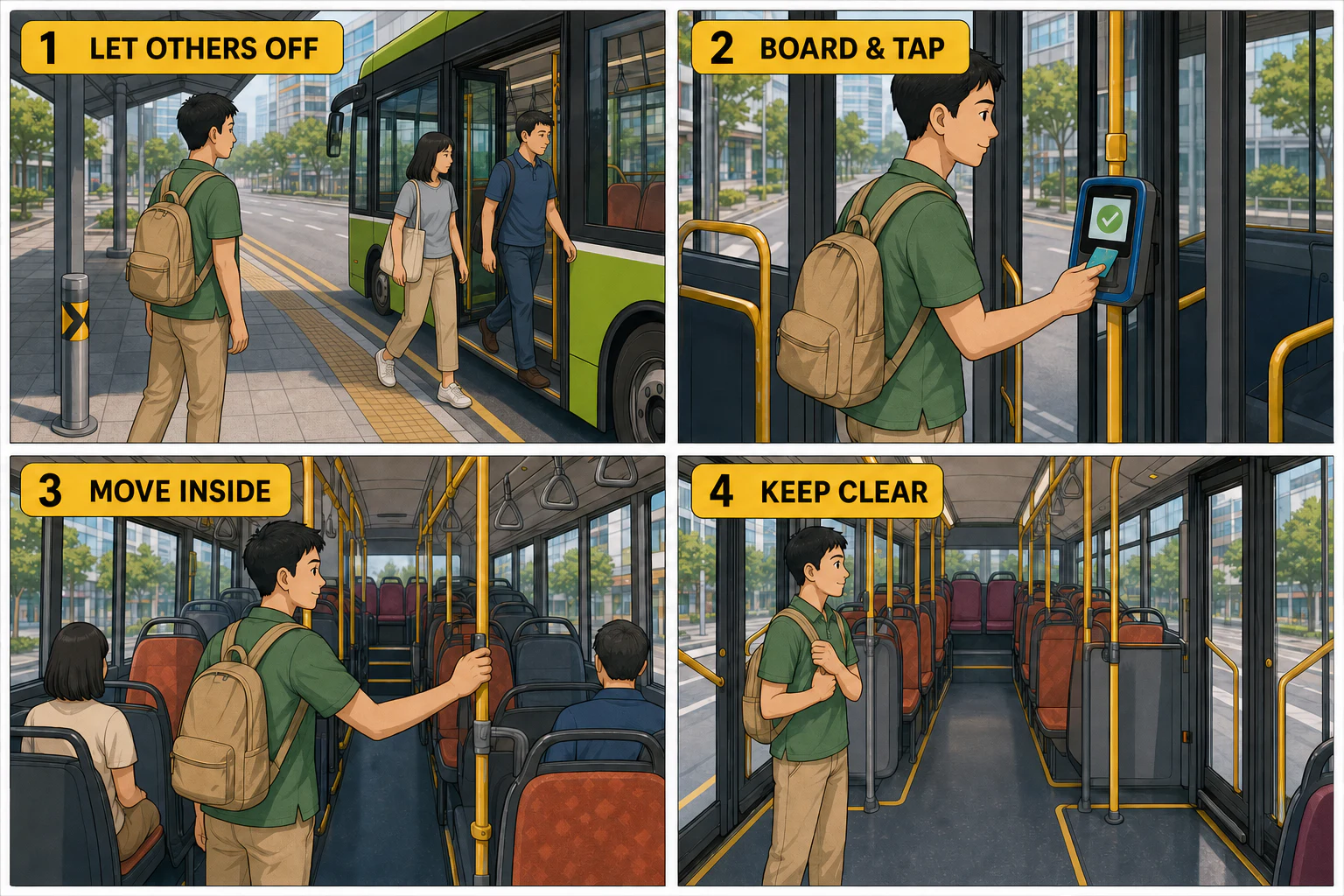
Four-panel bus safety comic showing passengers getting off first, another passenger boarding and tapping, moving inside, and keeping doors and aisles clear

Finished four-panel comic

Board safely and keep the bus clear

The first panel visibly places the waiting passenger to one side while others leave, removing the common ambiguity about who should move first.

  1. Let others off
  2. Board and tap
  3. Move inside
  4. Keep doors and aisles clear
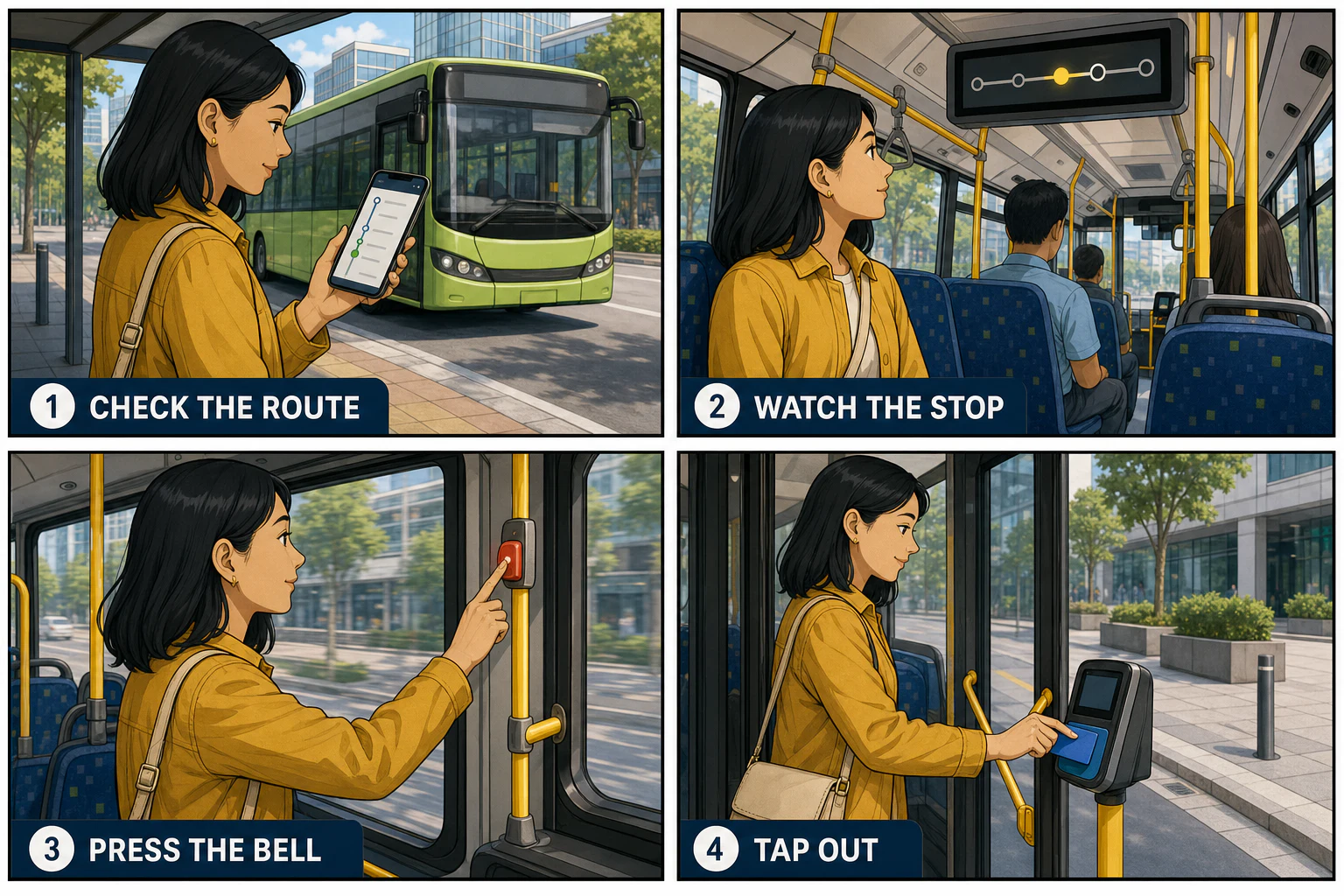
Four-panel comic showing a traveller checking a bus route, watching the stop display, pressing the stop bell, and tapping out at the exit

Finished four-panel comic

Get off at the right stop

A traveller follows the route, watches the stop display, presses the bell before the stop, and uses the exit reader before stepping away.

  1. Check the route
  2. Watch the stop
  3. Press the bell
  4. Tap out
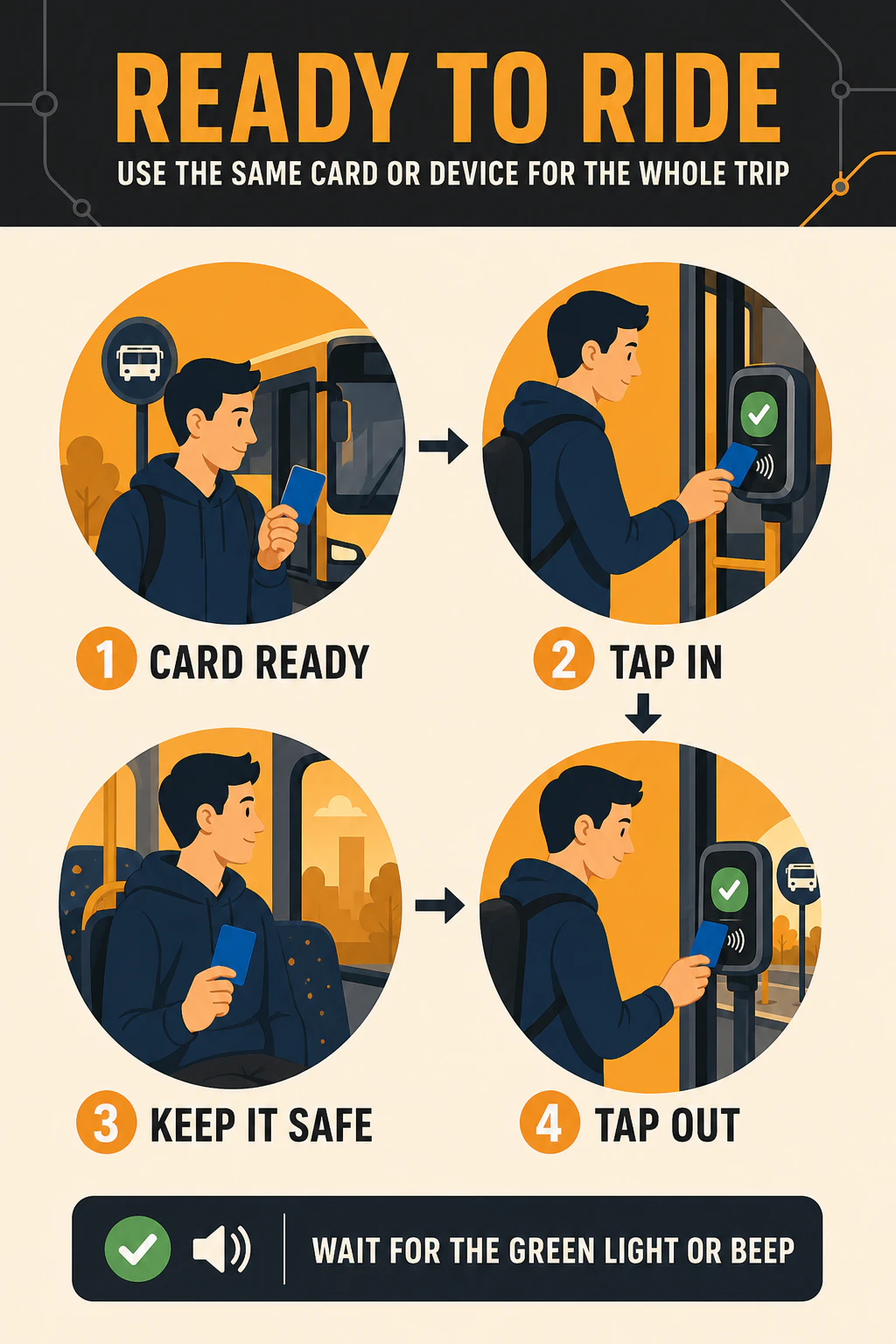
Portrait public transport infographic showing a traveller preparing one card, tapping in, keeping it safe, and tapping out with the same card

A4 payment guide

Ready to ride contactless poster

A finished A4-style payment guide uses circular scenes and arrows to emphasize one practical rule: keep the same card or device for the entire trip.

  1. Card ready
  2. Tap in
  3. Keep it safe
  4. Tap out
High contrast Priority Seats sign with respectful pictograms for an older adult, pregnant passenger, wheelchair user, adult carrying a child, and injured passenger

Public guidance sign

Priority Seats guidance sign

An original high-contrast sign replaces vague or dated wording with a direct, inclusive request to offer the seat to someone who needs it more.

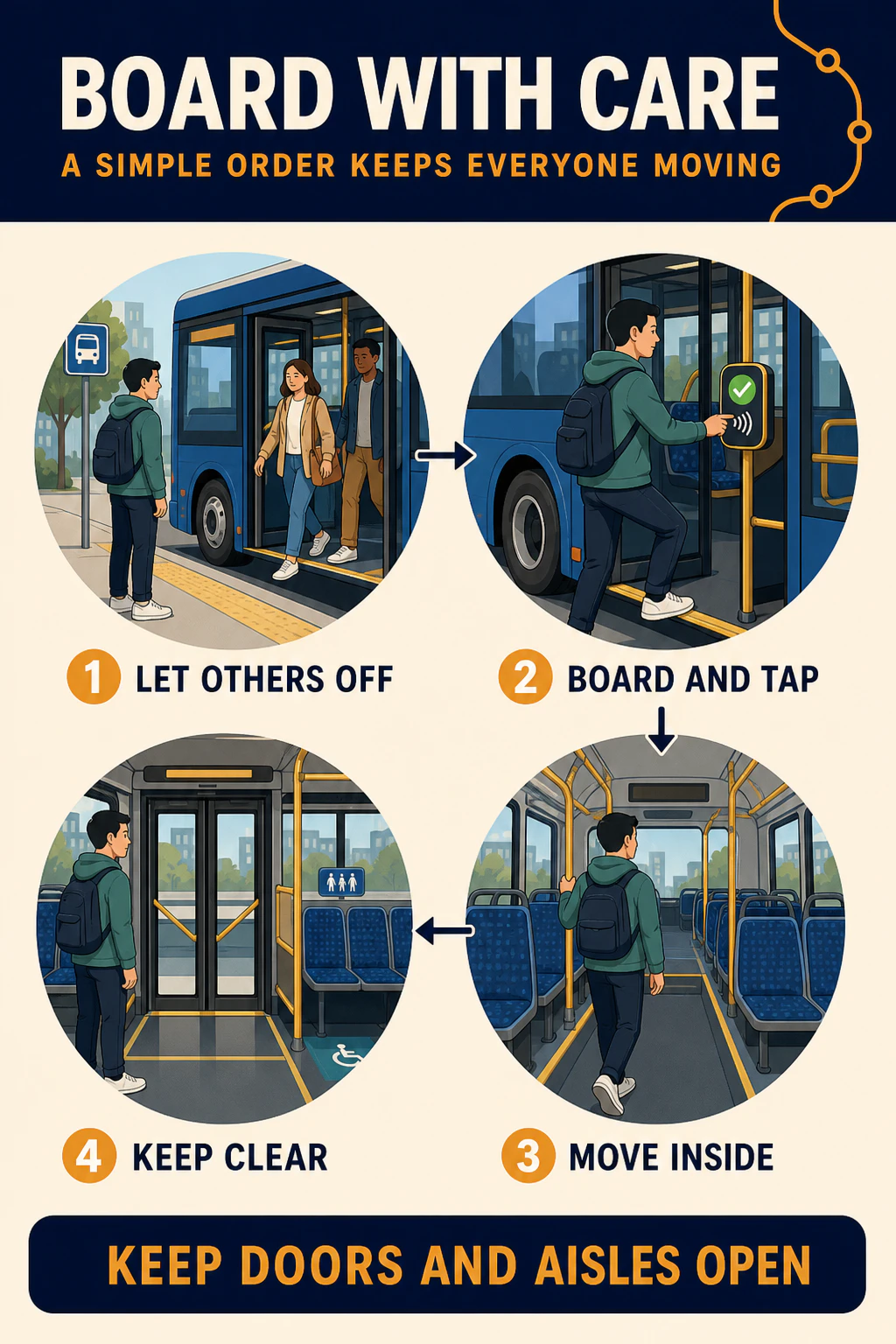
Portrait bus etiquette infographic showing passengers alighting first, a traveller boarding and tapping, moving inside, and keeping doors and aisles clear

A4 boarding poster

Board with care poster

This poster makes the boarding order visible at a glance: let passengers off, board and tap, move inside, then keep doors and aisles open.

  1. Let others off
  2. Board and tap
  3. Move inside
  4. Keep clear
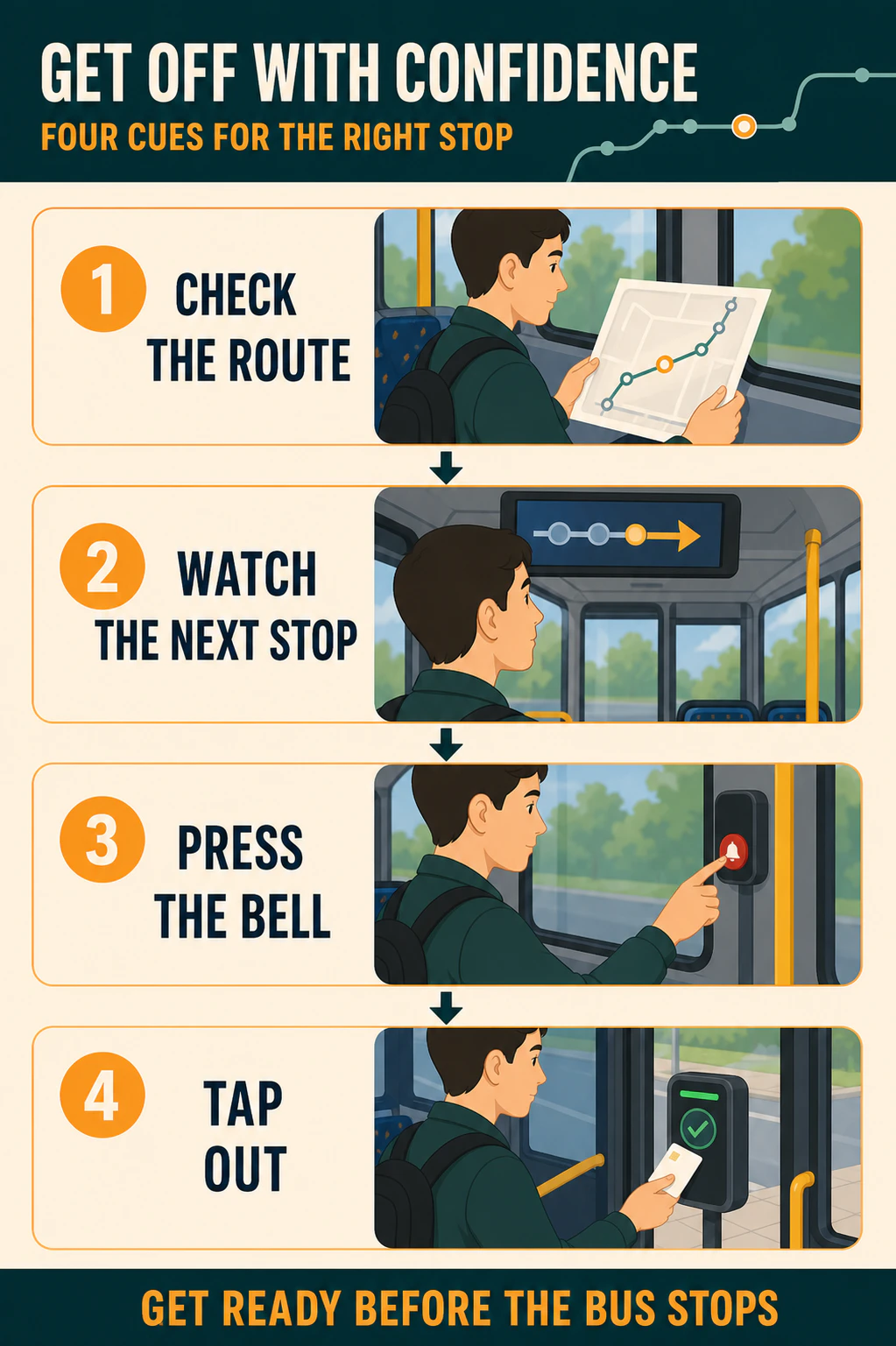
Portrait bus journey cue card showing a traveller checking the route, watching the next stop, pressing the bell, and tapping out

Visual process card

Getting off cue card

A vertical process card gives travellers four concrete cues to follow before their destination instead of relying on a dense paragraph.

  1. Check the route
  2. Watch the next stop
  3. Press the bell
  4. Tap out

How to Convert Instructions to Comic with AI

Step 1INST

Upload Your Instructions File

Upload your Instructions file, drag it into the converter, or paste a supported file from the clipboard. LlamaGen keeps the source as Comic generation context.

Step 2Create

Create and Edit Instructions to Comic with AI

Click Create to turn your source into a Comic result with AI. After generation, continue editing in LlamaGen Studio.

Step 3Share

Download or Continue AI Creation

Keep refining the generated Comic result, or use it for lessons, social posts, pitches, explainers, and fast creative drafts.

Convert Instructions to Comic Online with AI

Convert Instructions to Comic online in seconds using LlamaGen's AI creation workflow. Upload your Instructions source, add notes when needed, and turn the material into a polished Comic result with a clear style direction. Instead of rebuilding creative assets from scratch, you can start from existing content and continue editing the result in LlamaGen Studio.

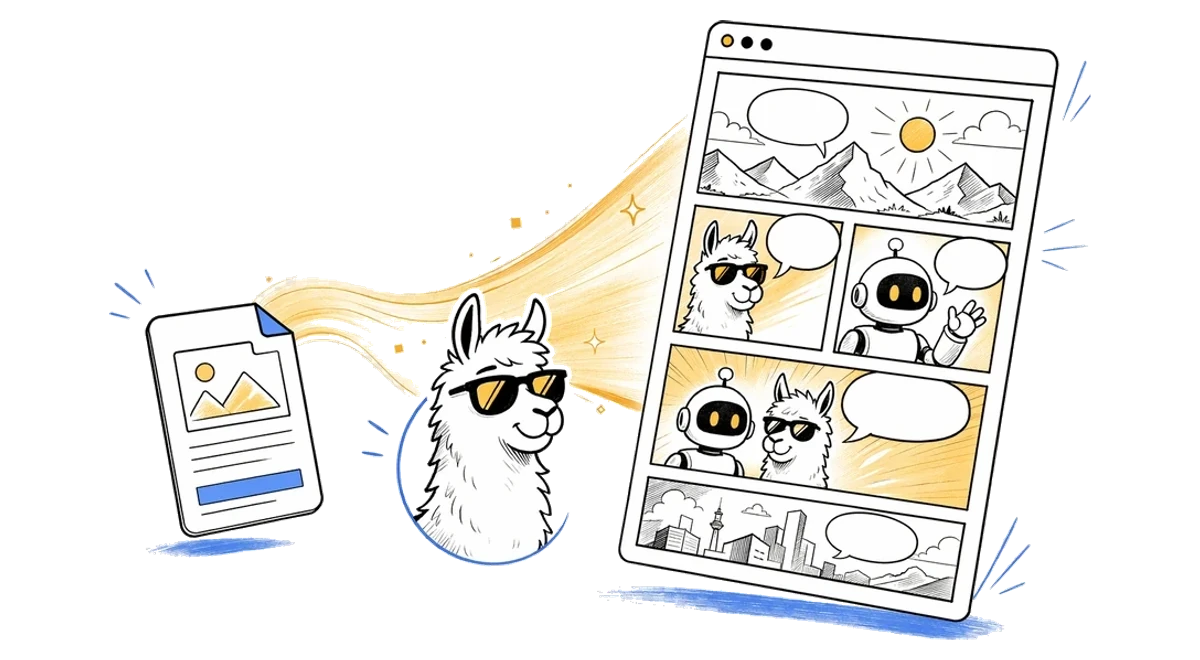
Instructional Comic Creation online AI Comic workflow illustration
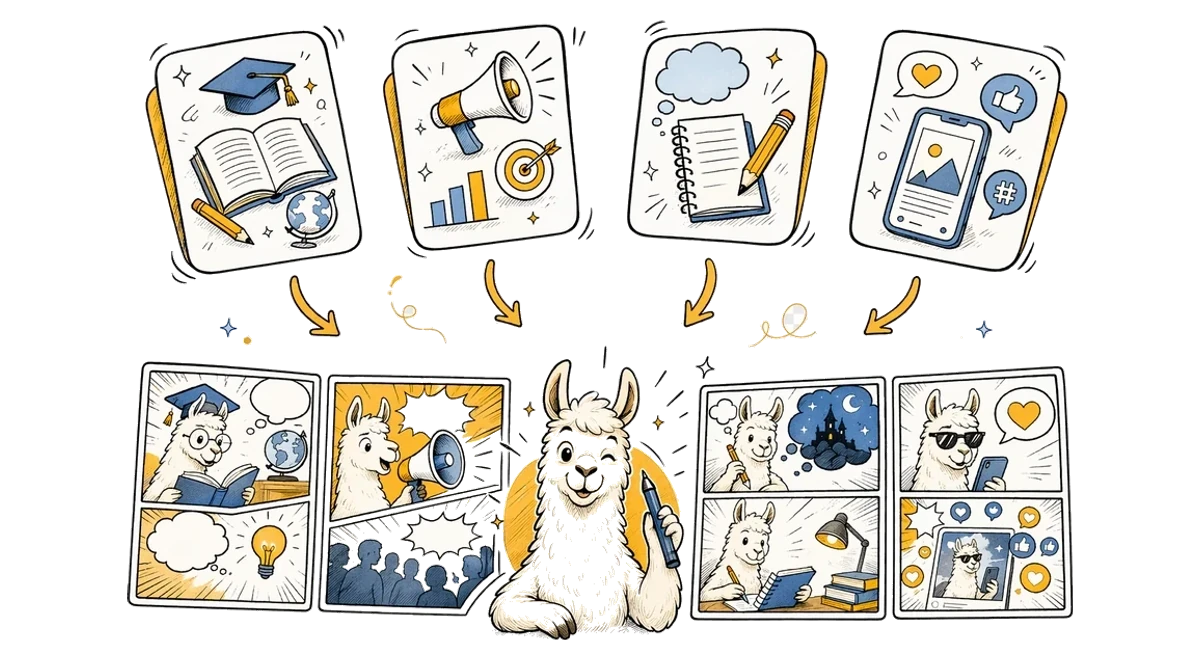
Instructional Comic Creation use cases illustration

AI Instructions to Comic Workflow for Any Use Case

This Instructions to Comic AI workflow is designed for creators, teachers, marketers, students, and storytellers who need to turn source material into visual content. Use it for explainers, class materials, character scenes, social posts, pitch concepts, or fast creative drafts. LlamaGen keeps the workflow simple while giving you an editable AI result you can refine after generation.

100,000+ Users feedback

Comic
Jake M.

Jake M.

@jake-m

As an avid creator of comic book style graphics, I've struggled to find a tool that truly allows me to unleash my creativity at scale. llamagen.ai not only breaks limits but shatters them, offering endless possibilities for my projects. It's the ultimate AI-powered solution I've been waiting for!

Comic
Sarah L.

Sarah L.

@sarah-l

I've tried numerous AI tools for image generation. And they are quite fun to play with but llamagen.ai is the first app I've actually saw a potential use-case. The character consistency really grabbed my attention as it's something I hadn't seen before and I can see the appeal for professionals and amateurs alike. Truly a game-changer!

Comic
Michael B.

Michael B.

@michael-b

llamagen.ai has reignited my passion for storytelling. As a busy professional, finding time to pursue creative projects can be challenging. But this app has proven so easy to use... It's like having a creative companion by my side!

Comic
Alex T.

Alex T.

@alex-t

Being part of the creative industry demands efficiency without sacrificing quality. llamagen.ai not only meets but exceeds these expectations. Really loved playing with the storyboarding and having an AI to help with not only image generation, but also the text content - it's really a nice way to help enhance the overall experience.

Comic
Maya S.

Maya S.

@maya-s

I enjoy a great comic book and have been very sceptical about AI. For example the criticisms of the Batman AI comic saga where not without merit. But through the scepticism I do see a place for such tools. While I still value an authentic man-made production, the ability for me to create something on my own (with a little help from AI) is really empowering and exciting.

Comic
Taylor H.

Taylor H.

@taylor-h

Maintaining character consistency is a challenge that I did not expect to be overcome so fast. While not perfect at times, the results are impressive and I’m really looking forward to the chance to further customize my workflow and AI generation.

The Easiest Way to Create Instructional Comic Creation

Why choose the best Instructional Comic Creation maker? LlamaGen combines guided AI generation with an editable creative workspace, helping you move from your first idea to a polished result with Instructional Comic Creation in one smooth workflow.

Start creating

Instructional Comic Creation FAQ

What is Instructional Comic Creation?

Instructional Comic Creation turns procedures, notes, lessons, screenshots, and reference files into comics that explain a task through panels, captions, and visual examples.

What should I paste into the tool?

Paste the process, audience, key steps, required warnings, common mistakes, and the final outcome you want the reader to achieve.

Can I upload a document or image?

Yes. You can upload PDFs, Word documents, text files, and common image formats, or paste text directly into the page.

Is it good for workplace training?

Yes. It works well for onboarding, safety reminders, simple SOPs, customer education, classroom instructions, and community guides.

Can I edit the comic after generation?

Yes. Successful generations open in the LlamaGen comic workspace where you can continue editing the comic page.

Start your first comic today

Make your first comic in less than a minute—no credit card needed.

Creator workflows

Turn one creative asset into a complete story world

Build production-ready comics, manga, storyboards, videos, and connected IP workflows with LlamaGen.

  • Indie comic creators
  • Writers
  • YouTubers
  • Game designers
  • Educators
  • IP creators