

Single panel: one visible moment
Use one composition for a reaction, reveal, establishing shot or action beat. Specify one main action and a clear focal point instead of squeezing a whole scene into the frame.
Turn one story beat into a comic panel. Open the comic studio, choose 1 panel for a single frame or several panels for a sequence, and describe the cast, action and camera view. Review the result before continuing the story.

A reviewed single panel from The Lantern Relay
1 panel
shown from a published internal demo
40 panels
in the complete reviewed sample
Open the comic studio and set Panels Num to 1 for one scene. For a strip or page, choose an available multi-panel layout. Options and limits vary by model and plan.
Name the cast, setting, camera distance, angle and emotion. Reuse the same character references and identity notes when continuing a scene.
Sign in, check the selected model’s credit message, then generate. Review faces, hands, framing and any dialogue; redraw or edit problems before continuing.
This is a workflow preview. The button opens the actual comic studio. Use its panel-count and layout options, style or template selection, model selection and Comic Text toggle; availability depends on your mode and plan. Describe camera direction in the prompt and review the generated composition.
One action, named characters, a setting, shot distance, camera angle and a short line of dialogue if needed. Avoid asking one frame to show several different moments.
The image is panel 1 from the published August 11 internal demonstration. One targeted redraw corrected an extra mechanical-limb problem. This historical run does not test the current studio end to end.
Historical demonstration asset, reused without new image generation. Camera phrasing guides the model; it does not guarantee exact framing, lettering or character identity.
Choose the unit of storytelling first. A panel is one frame; a strip is a short sequence; a page is the canvas that arranges several frames. They need different briefs.
Use one composition for a reaction, reveal, establishing shot or action beat. Specify one main action and a clear focal point instead of squeezing a whole scene into the frame.
Separate setup, action and payoff into ordered panels. A strip may read across a row or down a vertical sequence; write what changes between frames and keep the cast recognizable.
A page combines frames, gutters, dialogue and a reading path. Plan the panel count and order, then inspect the complete page for cropped faces, crowded text and confusing transitions.
Single-panel example
In this reviewed medium two-shot, Asha carries a glowing lantern while Ren works beside her. Both characters share one location and moment. The first delivery duplicated Ren’s mechanical-arm anatomy; one targeted redraw produced the shown final panel. That revision is a practical reason to inspect hands and character traits before building the next frame.
Full-page example
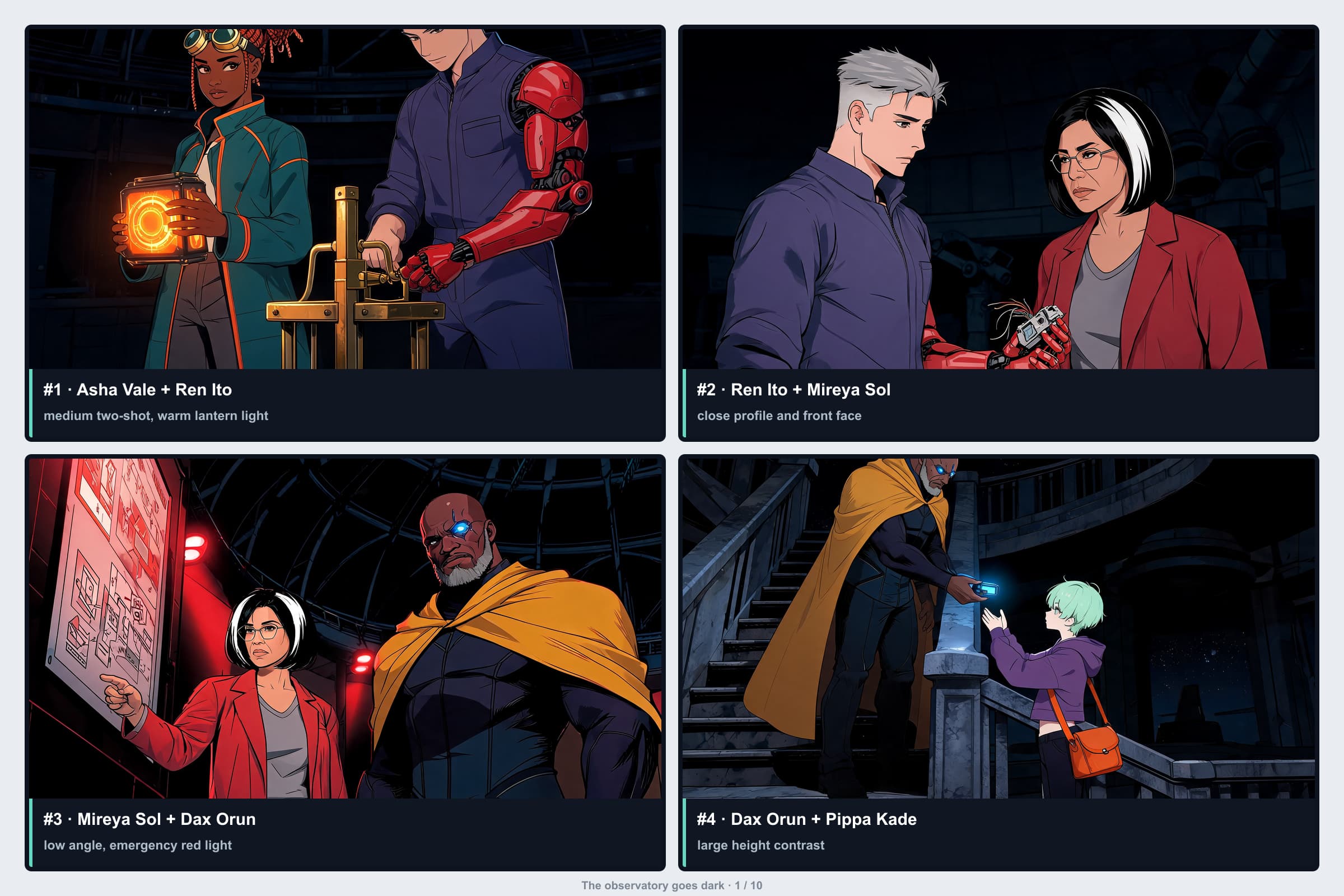
The first page of the same demonstration assembles four panels: a medium two-shot, a closer character exchange, a low-angle view and a frame with contrasting character heights. Inspect how each frame changes the viewer’s focus. The labels identify cast and composition for review; they are not finished story dialogue. A short strip would use the same beat-by-beat planning with its own layout and pacing.
Workflow guide
Begin with one clear moment. Select the actual studio settings yourself; the examples on this page do not preselect a model, layout or character reference.
Open the comic studio and set Panels Num to 1 for one scene. For a strip or page, choose an available multi-panel layout. Options and limits vary by model and plan.
Name the cast, setting, camera distance, angle and emotion. Reuse the same character references and identity notes when continuing a scene.
Sign in, check the selected model’s credit message, then generate. Review faces, hands, framing and any dialogue; redraw or edit problems before continuing.
These are new practice prompts, not the recorded inputs for the historical sample above. Copy a prompt into the studio and choose the panel count and other settings yourself. Camera wording is direction for the model, so inspect the result and revise when needed.
Choose one panel, describe what the reader should see, and review the generated frame. Build the next beat only after its characters and composition work.